What Is DeepSeek Harness? 183K Stars in 9 Days, Explained
What DeepSeek Harness is: an open-source agent harness where every part is a swappable plugin, currently available as a developer preview.

TL;DR — DeepSeek Harness is an open-source agent harness developed by DeepSeek AI that runs locally on your machine. Every part of it is a swappable plugin — models, tools, sandbox, even the interface — and you start it with one npm command. It's a developer preview right now, so expect breaking changes while the framework evolves.
Most coding agents ship as one sealed box. You get one model, one tool set and one fixed interface.
Swap the model and you often swap the whole product. That ties how you work to a single vendor's roadmap, tool set and sandbox rules.
DeepSeek Harness turns each layer into an independent plugin. You can keep your tools and runtime while changing the model, storage or UI underneath them.
Here's what the tool does, how to run it, and what will bite you if you try it on real code.
What DeepSeek Harness actually is
DeepSeek Harness (called dsh on the command line) is an open-source agent harness released under the MIT licence.
A harness is the code around a model that gives it tools, file access, a session to work in and rules about what it may do without asking. The model writes; the harness runs the commands and edits the files.
The project is written in TypeScript and built on a plugin framework called Cordis. DeepSeek made the repository public on 13 August 2026 at 11:56 UTC, the same day as the general-availability release of DeepSeek-V4-Pro-0813.
The GitHub topics tag it with ai-agents, cordis, dsh and dsh-plugin.
Run it yourself in one command
You can boot the web UI with one command:
npx @deepseek-ai/dsh web
That starts a local web server at http://127.0.0.1:3080 and opens your browser. If you don't want a browser tab opening, pass --no-open.
You can also build and run it from source:
git clone https://github.com/deepseek-ai/deepseek-harness
cd deepseek-harness
pnpm install
pnpm run build
pnpm dsh webThe CLI supports a few entry modes:
dsh --profile webboots a named profile.dsh webis a shortcut for the same thing.dsh --profile headless "run the tests"runs one task, prints the answer and exits.dsh plugin --profile tui addfollowed by a package name installs a plugin into that profile through pnpm.
Launcher flags come first. Any flag dsh doesn't recognise goes straight to the application, like dsh --profile web --port 8080.
On first launch you'll see an Internal Testing Notice and an API key prompt. You can click "Configure later" to skip it and check out settings first.
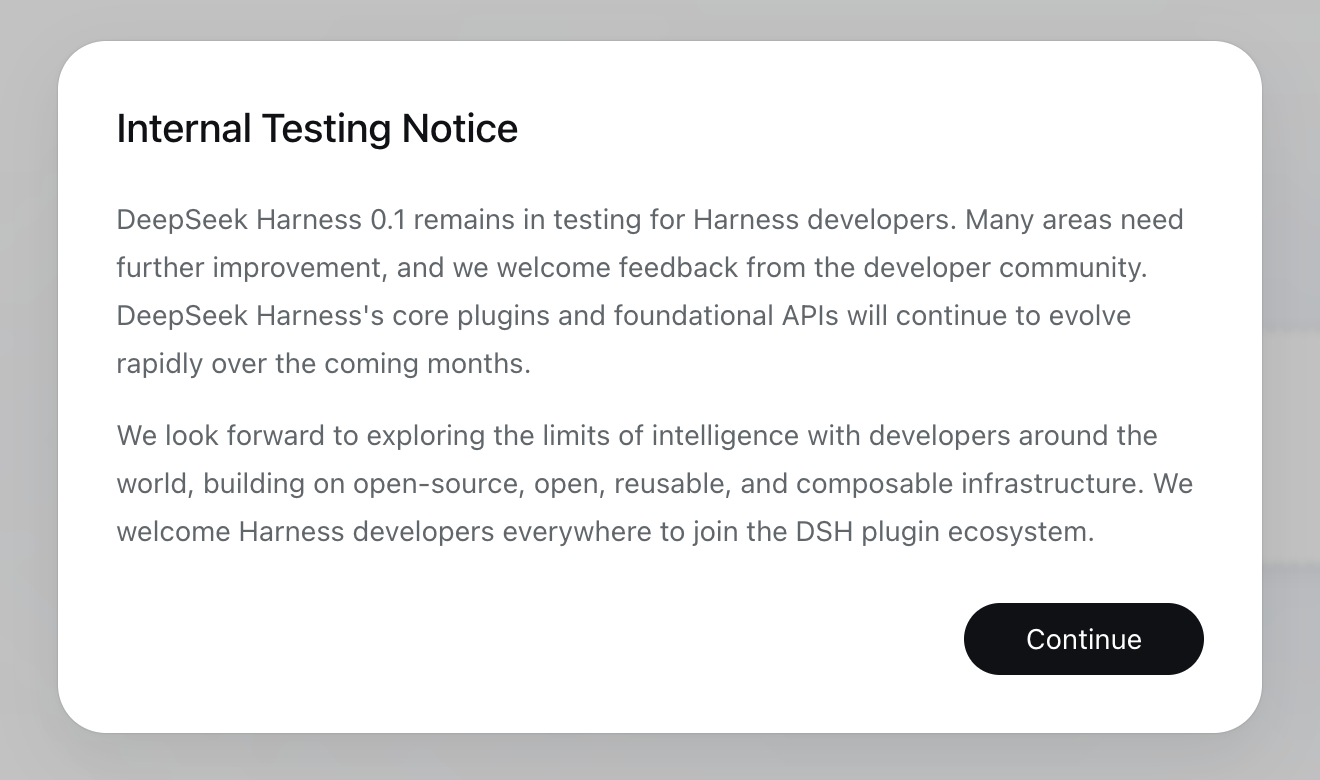
First launch of DeepSeek Harness 0.1.1-rc.2 on macOS, 22 August 2026. The testing notice is the first thing the web UI shows.
Everything is a plugin: what that means in practice
DeepSeek built the tool so you can swap almost any component. Here are the parts DeepSeek lists as swappable:
- Models
- Tools
- Skills
- Sessions
- Sandboxes
- Storage
- Agent loops
- Scheduling
- User interfaces
A plugin is a TypeScript module exporting an apply function. The framework calls it on load and passes a ctx context object.
Anything registered through ctx — listeners, tools, timers — gets cleaned up when the plugin unloads. If something needs its own teardown, ctx.effect() takes a function that returns the disposer.
Plugins declare what they need with inject:
import type { Context } from '@deepseek-ai/cordis'

export const name = 'hello-plugin'
export const inject = ['tools']

export function apply(ctx: Context) {
  // Register tools, listeners or services here.
  // Everything registered through ctx is removed when the plugin unloads.
}A profile is an ordered stack of plugin bundles plus your overrides. The profile folder holds a package.json listing the bundles and a cordis.patch.yml for your layer. DeepSeek ships three bundles: @deepseek-ai/dsh-base, @deepseek-ai/dsh-web-app and @deepseek-ai/dsh-headless.
Run dsh --dump-config or dsh --dump-default-config to print the full profile tree without starting it.
Sessions write to an append-only log so you can trace what the agent did afterwards.
The Plugins screen lists active plugins with a short description:
- Shell: "Limits every command the agent runs."
- Agent loop: "How the agent dispatches tool calls."
- Web search: "The DeepSeek search provider."
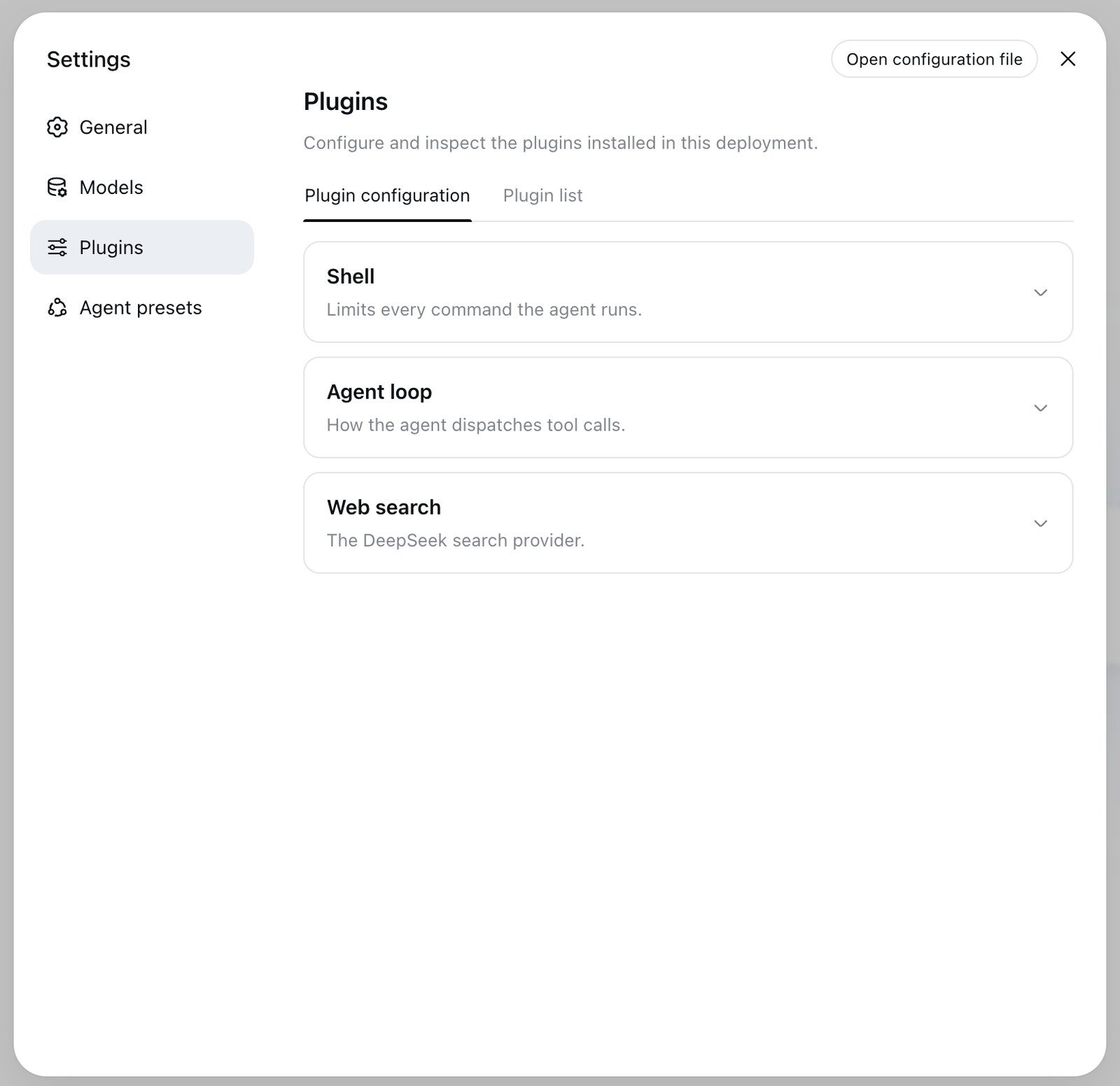
Settings, Plugins tab, DeepSeek Harness 0.1.1-rc.2, 22 August 2026. Each entry is a plugin in the build you're running.
The four built-in presets, and which one you want
The UI defines a preset as "the plugin composition one session's agent runs — its tools, prompt, and capabilities".
The build we ran includes four presets:
- Standard mode (id
standard): The default preset, marked "In use". It's a full coding agent with file editing, shell, file and web search, skills, planning, goals, subagents, and workflows. - PTC mode (id
code): All Standard mode features, with tools exposed through the Code Mode SDK so the model can combine multi-step operations in one TypeScript program. - Minimal mode (id
minimal): A two-tool coding agent with persistent bash and str_replace_editor. - Creator mode (id
cordis): Built for creating custom agent presets, with Standard mode features plus runtime inspection, plugin experiments, and preset-authoring guidance.
The screen also offers a button to "Draft a custom preset with Creator mode".
There's a naming mismatch to note: DeepSeek's site and launch coverage call the second preset "Code mode", but the build we ran labels it "PTC mode" while keeping code as its internal id.
New sessions use "Workspace Write" as their default permission mode, configured in General settings.
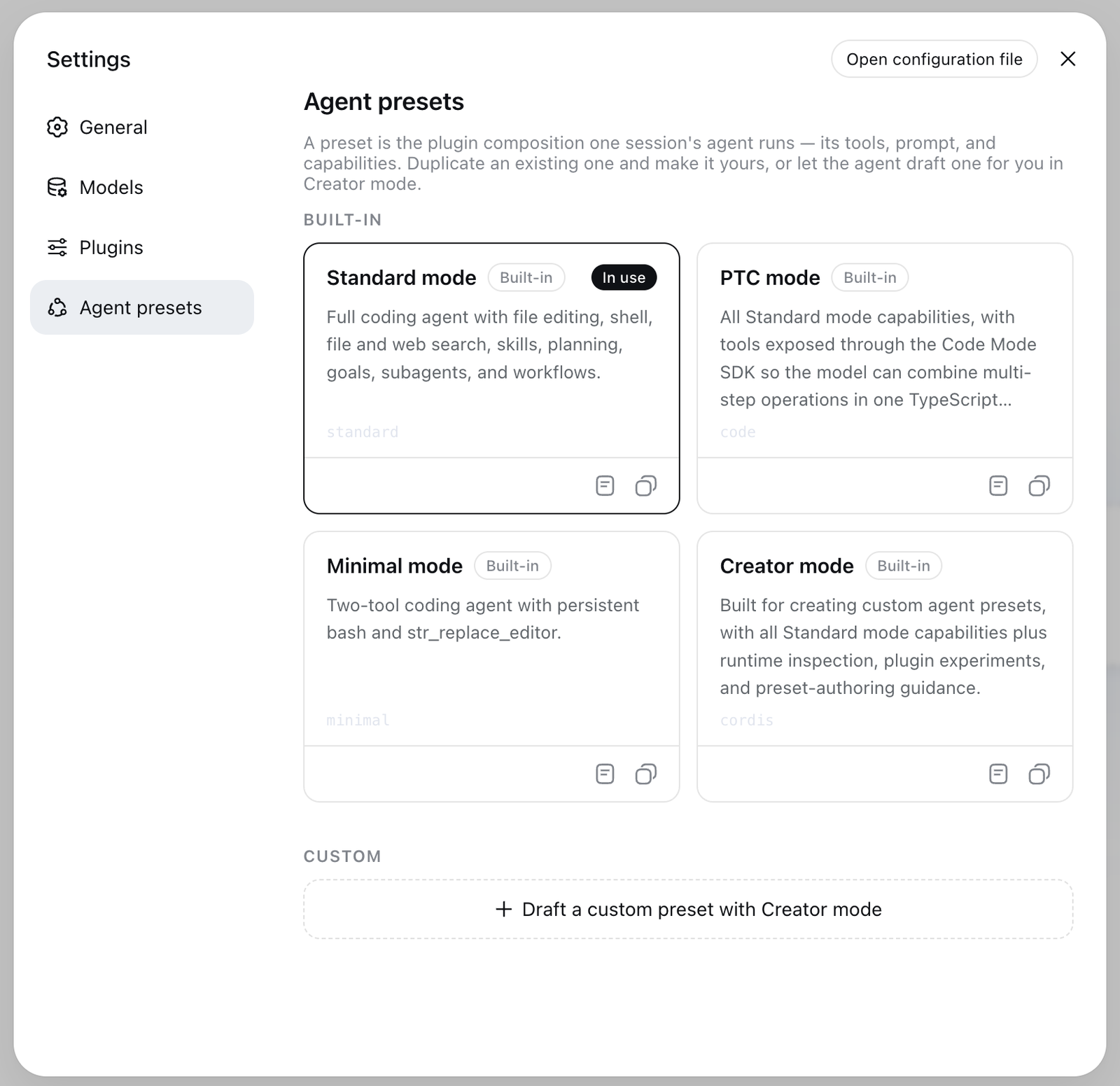
Settings, Agent presets, DeepSeek Harness 0.1.1-rc.2, 22 August 2026. The second card reads PTC mode, while its id is still code.
Bring your own model, including Claude and GPT
You aren't locked into DeepSeek's models. Settings → Models says "Enter your API keys to use models from the following providers."
The DeepSeek card takes one key directly. Below it sit "Add provider" and "Add a custom provider".
"Add provider" covers catalog providers like Anthropic and OpenAI, where the runtime fills in the endpoint, protocol and model list.
Other catalog providers need native credentials:
- Bedrock needs AWS keys and a region.
- Vertex needs an ADC project.
- Azure needs an
api-version. - Codex authenticates through OAuth.
A custom provider needs a lowercase provider id, a base URL, an API protocol, a credential and at least one model. Pick the provider id carefully — saved sessions and default settings reference it permanently.
Keys are write-only in the UI. They're saved in $DSH_HOME/.credentials.yaml, while settings keep only a reference.
Here's the gotcha: any model you add by hand is treated as text-only by default. If you attach an image, the UI refuses the request before sending it. You fix that by adding input: [text, image] to the model entry in $DSH_HOME/settings.yaml.
The docs also include a Python SDK guide for driving it from code.
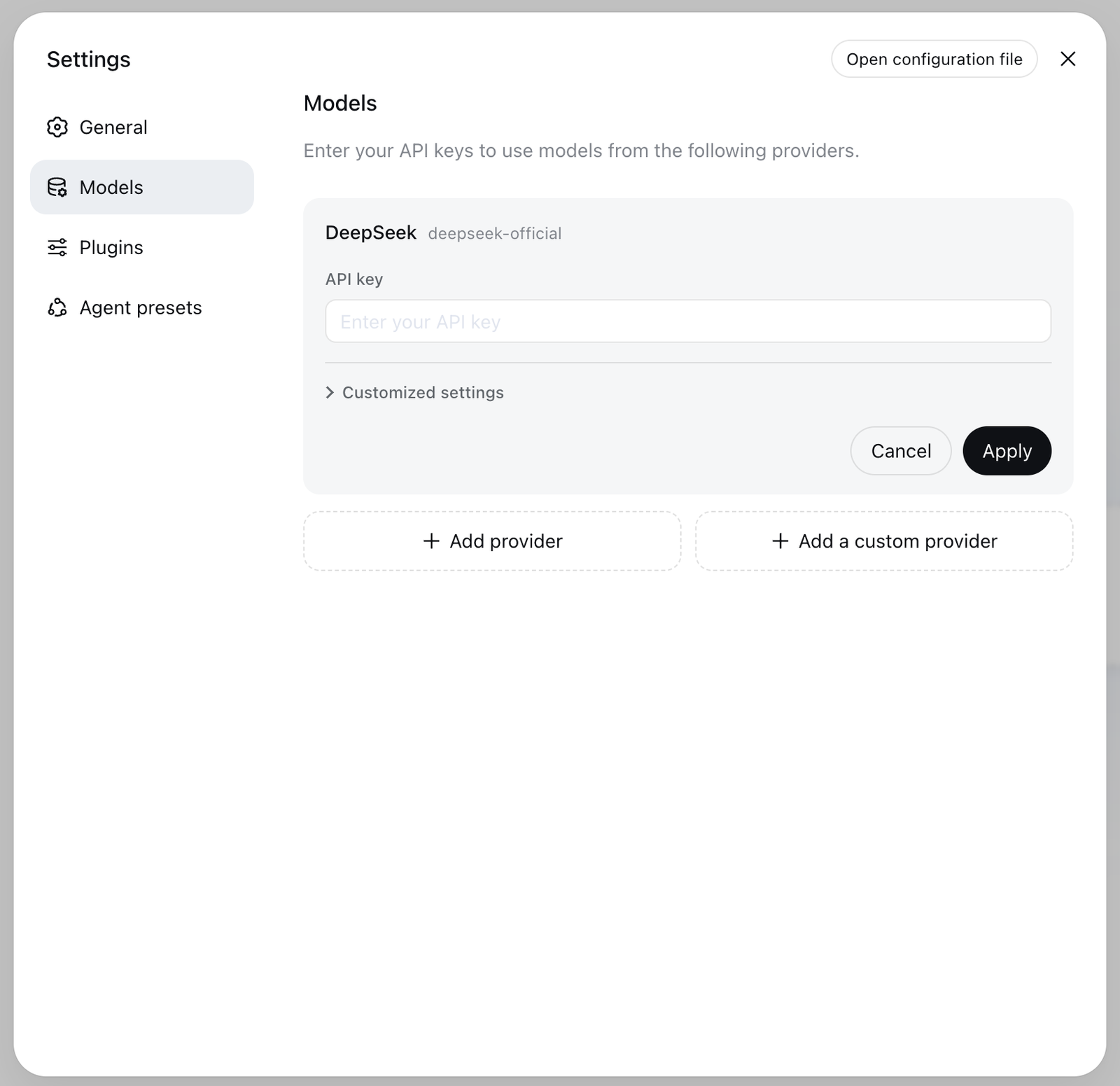
Settings, Models, DeepSeek Harness 0.1.1-rc.2, 22 August 2026. Keys are write-only once saved.
DeepSeek Harness vs Claude Code vs Codex
| DeepSeek Harness | Claude Code | OpenAI Codex | What it means for you | |
|---|---|---|---|---|
| Read, edit and test a repository | Yes | Yes | Yes | The core loop is the same in all three; this is not where they differ. |
| Model choice | DeepSeek, Anthropic, OpenAI and any compatible endpoint | Mainly Claude | Mainly OpenAI models | Only one of the three lets you change the model without changing the tool. |
| Permission controls and sandboxing | Yes, set through plugins | Mature built-in permissions and sandbox | Sandbox and approval controls | You can shape the rules in Harness, but you are configuring them, not inheriting them. |
| Where you use it | Local web UI, headless command, Python SDK | Terminal, IDE, desktop, browser, mobile, Slack | CLI, IDE, desktop, web and other apps | If you want the agent in your editor today, Harness is not there yet. |
| Hosted background agents | Not documented | Yes | Yes | Long jobs still run on your machine. |
| Maturity | Developer preview, breaking changes expected | Established product | Established product | Pin your version, and expect to fix things when you upgrade. |
The comparison rows are from VentureBeat's launch analysis, 13 August 2026.
You get full control of the stack and a free choice of model. You give up polished editor setups and managed cloud servers.
Who is actually using it
On launch day the repo showed roughly 27,500 stars and 2,000 forks. VentureBeat called that "a snapshot rather than an adoption metric".
Nine days in, on 22 August 2026, the repo hit 183,300 stars, 20,100 forks, 803 watchers and 13,147 commits.
Stars show attention, but npm downloads show people actually running it. The @deepseek-ai/dsh package had 750,087 downloads in the week of 15–21 August 2026.
DeepSeek published the npm package on 10 August 2026, three days before opening the GitHub repo.
GitHub issues are closed on the repository. Feedback goes to GitHub Discussions and their Discord server.
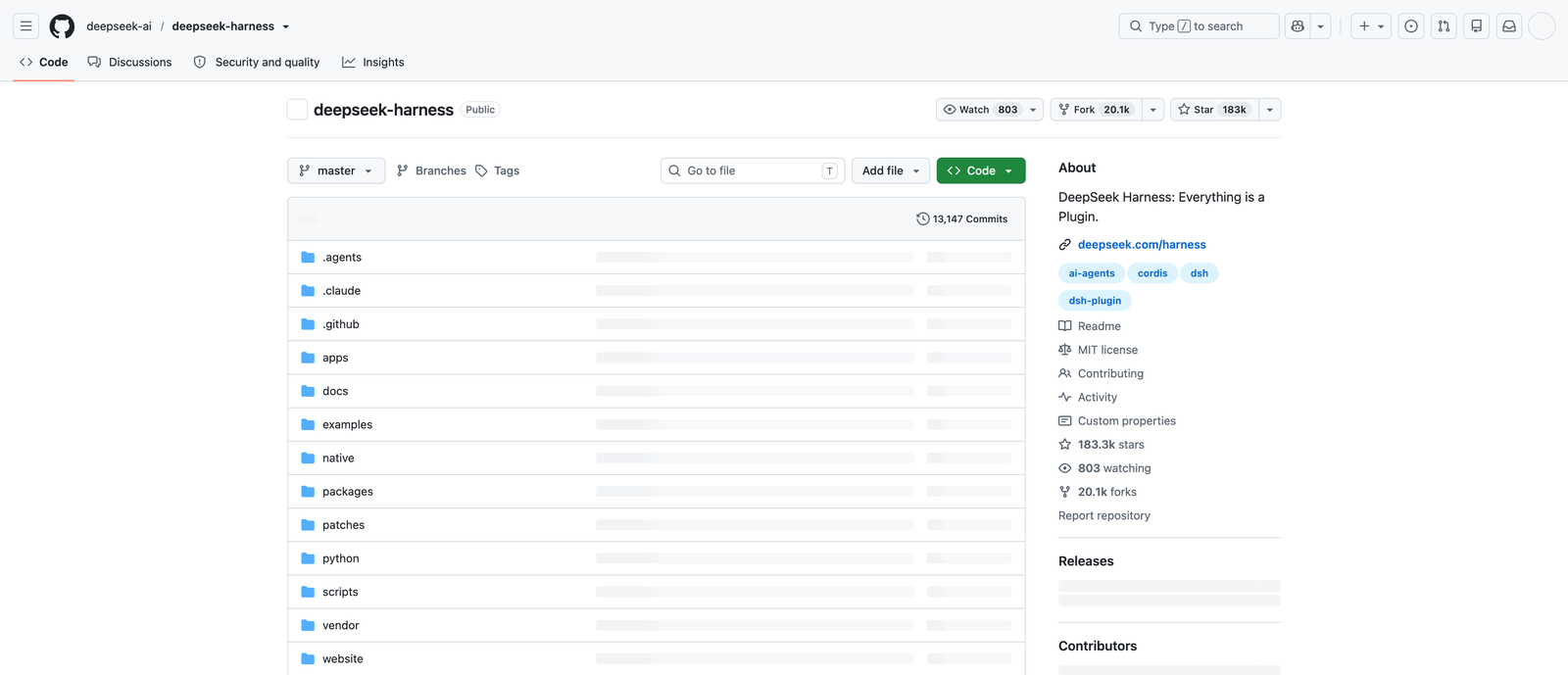
github.com/deepseek-ai/deepseek-harness, captured 22 August 2026, nine days after the repository went public.
What is still missing
The tool is in developer preview, and DeepSeek warns upfront in the README:
DeepSeek Harness is currently in developer preview and is iterating rapidly. THERE WILL BE COMPATIBILITY-BREAKING CHANGES.
The first-run screen shows this notice:
DeepSeek Harness 0.1 remains in testing for Harness developers. Many areas need further improvement, and we welcome feedback from the developer community. DeepSeek Harness's core plugins and foundational APIs will continue to evolve rapidly over the coming months.
There's no stable release yet. Every npm build so far is a release candidate, up to 0.1.1-rc.2.
As VentureBeat noted, dsh is missing several things the commercial tools have:
- No DeepSeek-managed hosted background agents.
- No finished GitHub-native pull-request workflow.
- Few interface choices (local web UI, headless CLI and Python SDK, versus IDE, mobile, desktop and Slack elsewhere).
Public benchmarks also need context. DeepSeek evaluated V4-Pro-0813 on coding benchmarks with the harness in Minimal mode, so those numbers test the model and harness together, not the model alone.
API pricing changed quickly too. On 16 August 2026, DeepSeek split API rates into peak and off-peak hours, raising prices overall and setting off-peak at half of peak.
Frequently asked questions
Is DeepSeek Harness free?
Yes. The tool is open-source under the MIT licence. You pay nothing to download, run or change it.
Do you need a DeepSeek API key?
No. You can skip the API key on launch and add third-party models later. It supports Anthropic, OpenAI, cloud platforms and custom OpenAI-compatible endpoints.
Can it replace Claude Code?
Not completely today. VentureBeat's launch analysis called DeepSeek Harness "an open-source, model-agnostic alternative to the agent infrastructure underlying Claude Code and Codex—not yet a full replacement for either product's broader developer experience."
Is it ready for production work?
No. Every release is a release candidate, and DeepSeek warns breaking changes will happen. Pin your version if you use it in real projects.
Does it send your code to DeepSeek?
The server runs on your own machine at 127.0.0.1, and you choose which provider gets a key. We did not audit what it sends, so if that matters for your codebase, read the source before you point it at private work.
The verdict
dsh gives you a modular base if you want full control of your agent runtime. Its plugin system lets you change every layer, from sandboxes to model endpoints.
But it's still an early preview without stable releases, IDE extensions or managed background servers. It fits best today if you're building custom agent setups and want to experiment.
We build video tools, not coding agents. An agent mode for video work is coming to the Seedance 2.5 AI Video Maker, and you can try Seedance 2.5 there now.


