Pika Not Working? 6 Fixes Straight From Pika's Own Support
Pika not working? These six fixes come from Pika's own support answers read in August 2026, covering watermark, account, and credit rules.
 The Seadanse Team6 分钟阅读
The team behind Seadanse. We run the models we write about, and we publish the specs, prices and limits the marketing leaves out.

TL;DR — Most Pika problems turn out to be plan rules rather than software bugs. Unused plan credits reset each cycle, clean exports without watermarks start at the Pro tier, and cancelling your subscription never refunds the billing cycle you already paid for. The six checks below run in order, starting with the fastest and cheapest step.
You're staring at a spinning generation, wondering where your balance went, or looking at an unexpected logo on the corner of a finished clip. Every one of those problems has a written answer on Pika's own site. Here's what those answers actually say.
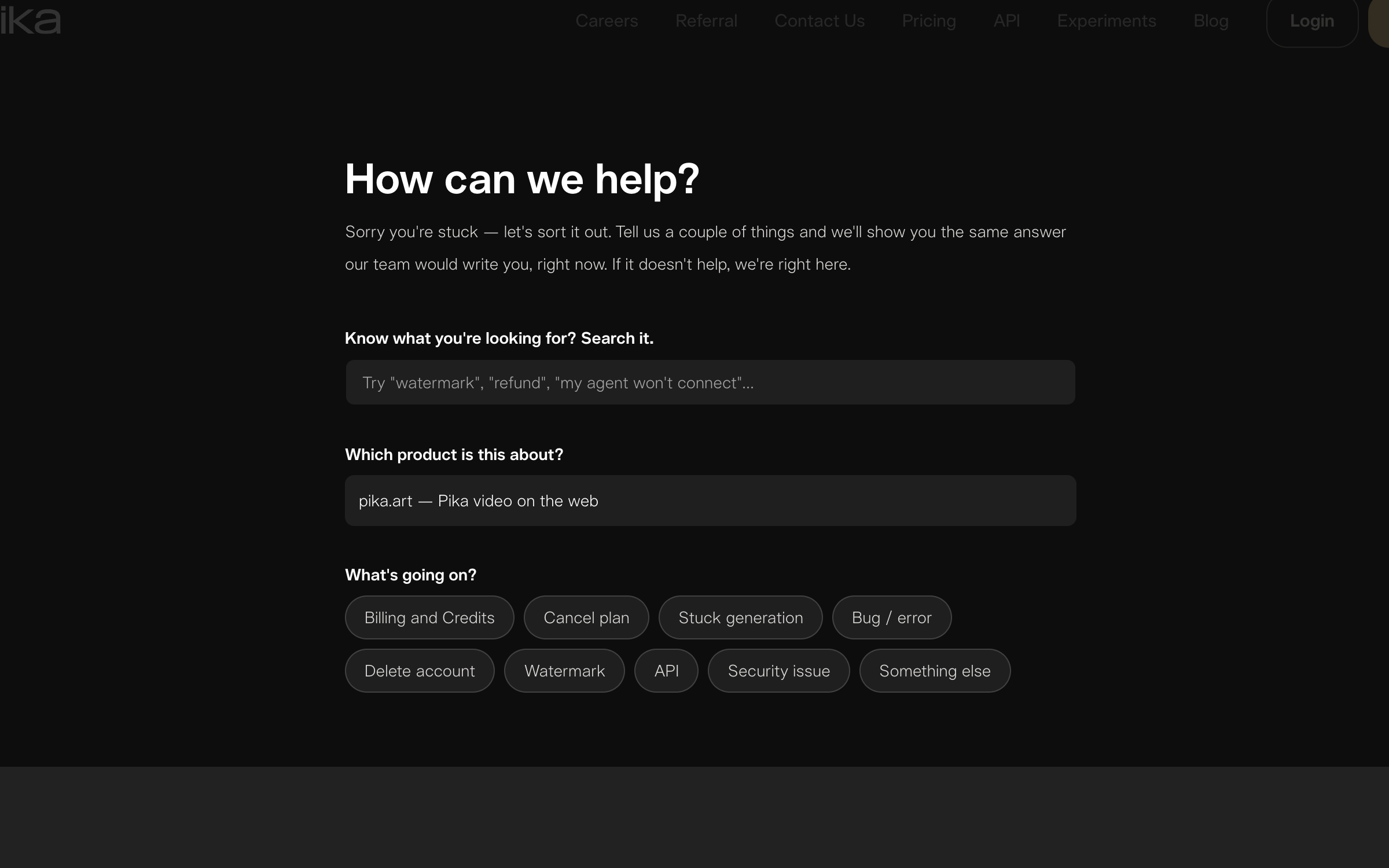
Pika's support page — read 26 August 2026. The topic list is a good map of what goes wrong most often.
Reload the page and open your library
When a generation seems stuck on the screen, reload the page and open your library first. Pika notes that "most stuck generations have actually finished" even if the interface keeps spinning.
Pika says so itself: "On the free queue, generations can be slow — and on a free trial this is common, especially at busy times. Refreshing the page or restarting the app won't speed a queued job up."
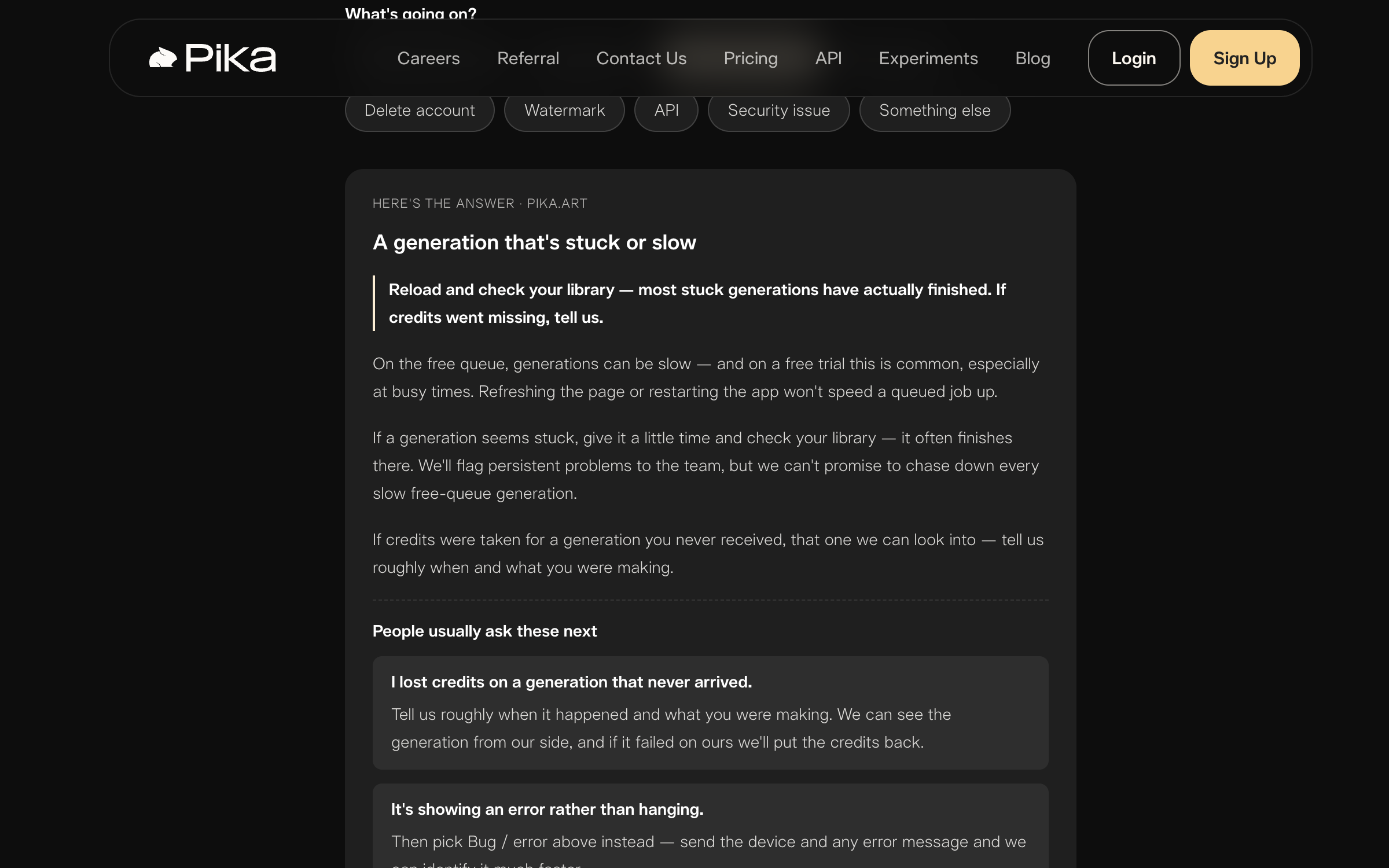
Pika's own answer for a stuck generation — read 26 August 2026. Refreshing does not move a queued job.
Check which account you're signed in to
If the site says you have no active subscription, you're probably in the wrong account. Pika points out that a Google sign-in and an Apple sign-in tied to the exact same email address create two distinct accounts.
The same issue explains why you might not see a cancel button. If the button is missing, you're either signed in under a second login method or the plan is already cancelled.
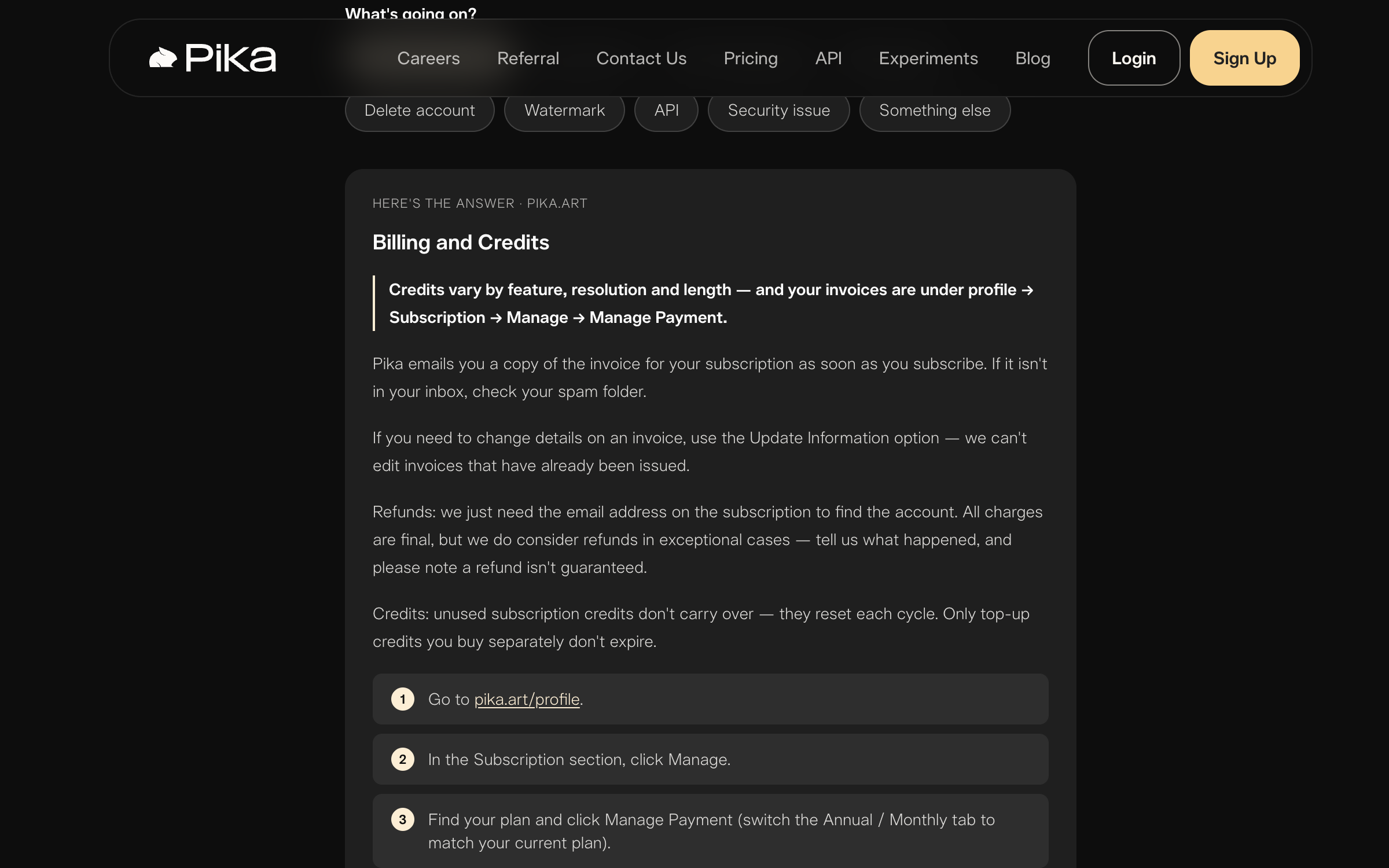
Pika's billing answer — read 26 August 2026. A missing subscription is usually a second account, not a lost payment.
Open a private window before you report a bug
Before you submit a bug report, test your prompt inside a private browser window. Pika suggests this step because a browser extension or a cached page can stop the page loading properly.
If the issue keeps happening, send a support ticket with the error message, a screenshot, where it happened, and what you were doing right before.
Report a missing credit with the time and the prompt
If credits (the tokens each generation spends) vanish after a generation fails to arrive, contact support. Pika can inspect generations directly on its end.
Give the team the approximate time of the generation and the prompt you used. If the generation failed on Pika's side, they'll put the credits back.
Check the plan before you blame the watermark
A watermark on your video usually means you're on the Basic or Standard tier. Both tiers include a visible logo and don't grant commercial rights.
Pro and Fancy remove the mark and grant lifetime commercial use. Pro is $28 a month billed yearly, or $35 month to month.
Upgrading doesn't update previous clips. Pika's support page explains the rule plainly:
Watermark removal and commercial terms only apply to videos created under an upgraded plan. Anything you generated earlier, on Basic or Standard, keeps its watermark — upgrading doesn't reach back and change files you already made.
A video shared straight from Pika carries a watermark on every tier, paid ones included. If you need clean clips right away without plan upgrades, you can test the Seedance 2.5 AI Video Maker alongside our guide on what Pika's free plan actually gives you.
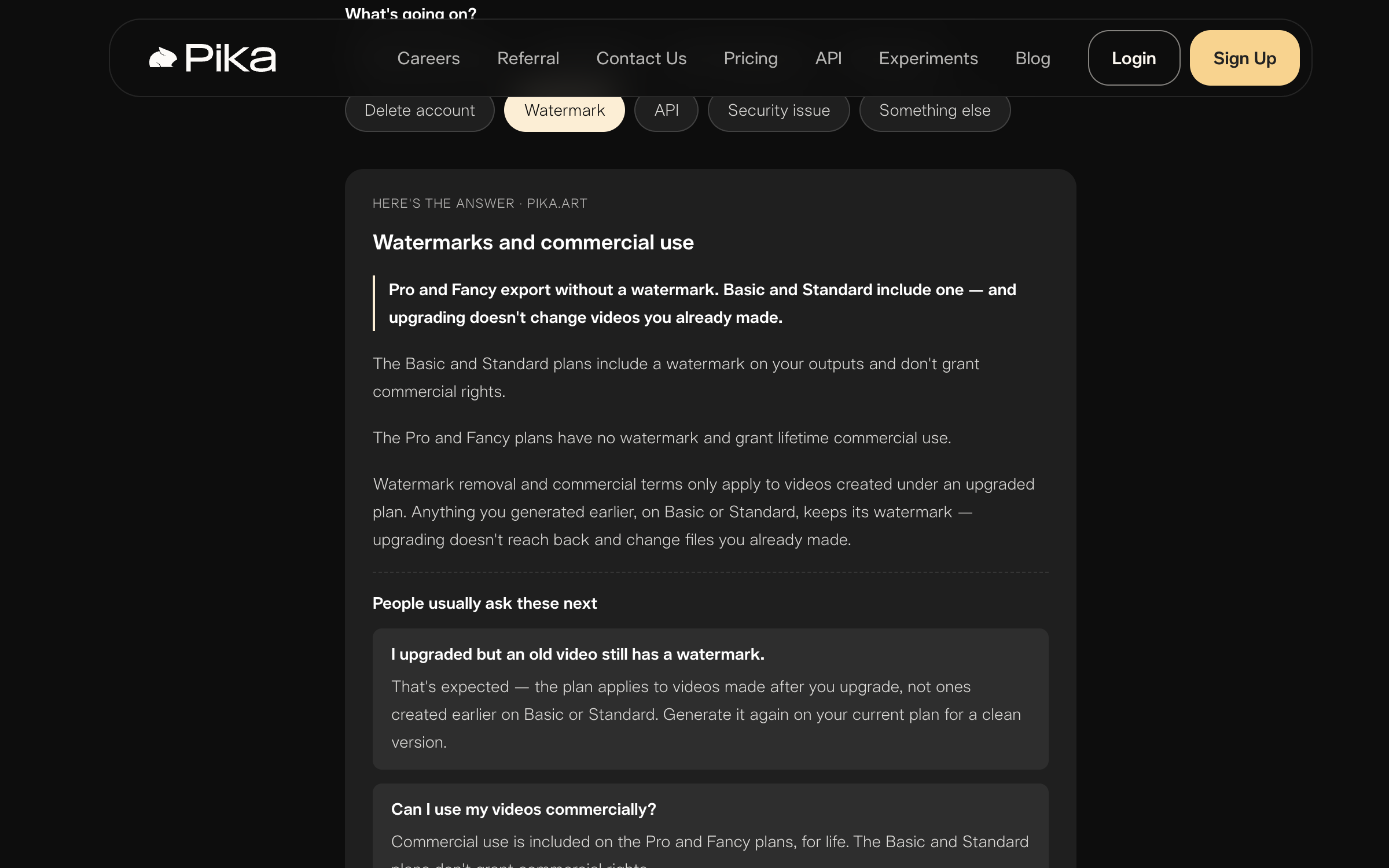
Pika's watermark answer — read 26 August 2026. Upgrading does not clean up clips you already made.
Cancel from your profile, and expect the cycle to finish
To cancel a web subscription, head to your profile, click Subscription, and click Manage. If you started your subscription through iOS, you manage the subscription in the App Store instead.
Cancelling stops the next renewal charge, so your plan stays usable until the end of the paid period.
Deleting an account is permanent, a person handles it, and Pika can't export your files for you — download anything you want to keep first.
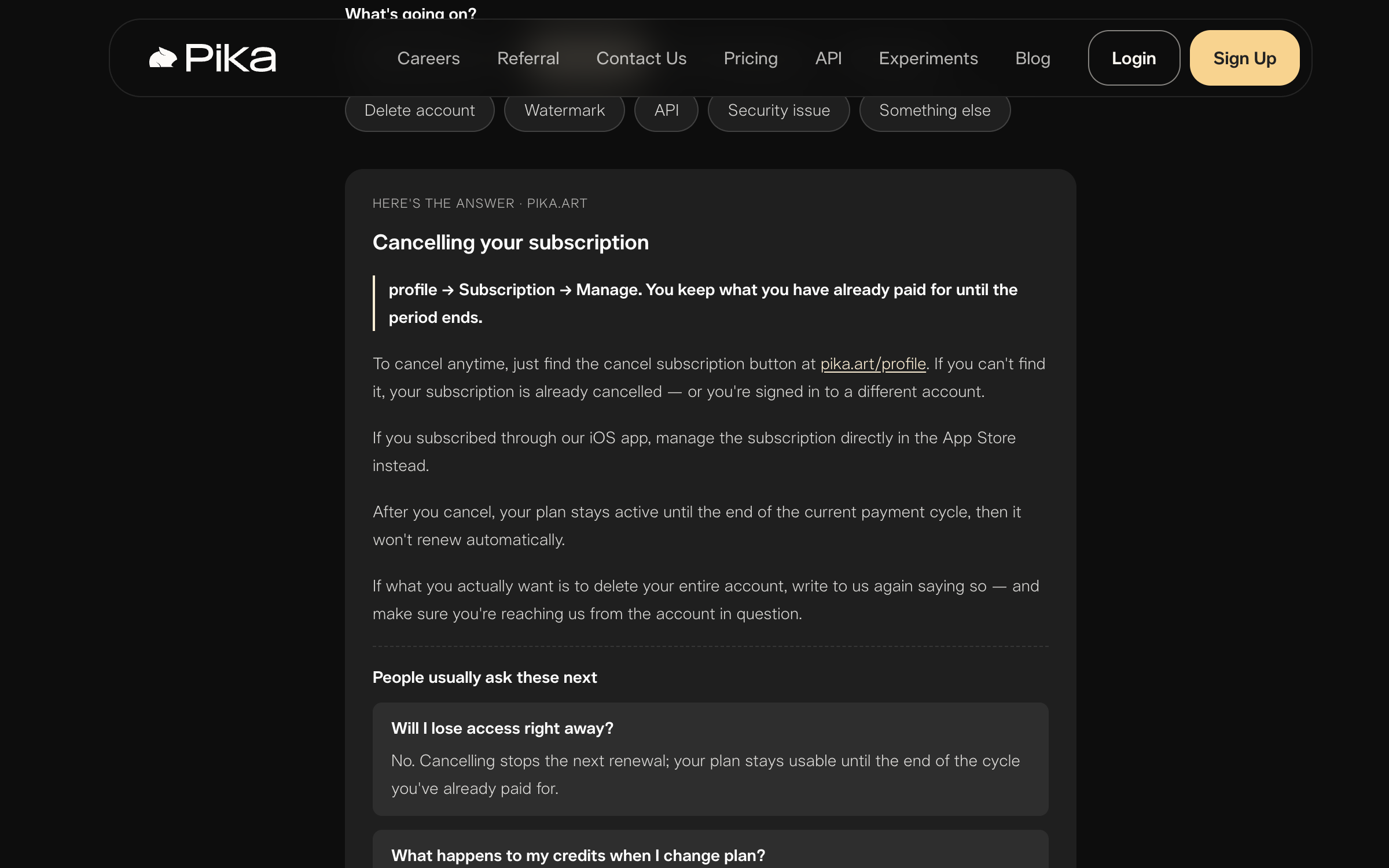
Pika's cancel answer — read 26 August 2026. Cancelling stops the next renewal, nothing before it.
The three billing rules behind most of these
Understanding how Pika handles payments saves time when troubleshooting your balance:
- Plan credits reset every billing cycle and don't carry over.
- Top-up credits bought as separate add-ons don't expire.
- All charges are final, and refunds are only considered in exceptional cases without any guarantee.
What other Pika users report
Trustpilot rates Pika 1.7 out of 5 from 67 reviews, with 84% of them one star. The ones we read are about billing and credits — the same surface the fixes above cover.
Two warnings apply to that number. Trustpilot marks the profile unclaimed and notes Pika has never invited customers to review it. Small, unsolicited review pools skew low across this whole tool category. Runway sits at 1.1 from 311 reviews and Kling at 1.2 from 369, while Pollo AI sits at 4.3 from thousands of prompted reviews.
On mobile, Pika's official iOS app rates 4.7 out of 5 from 3,814 ratings on the US App Store. The two scores disagree because they sample different groups: Trustpilot collects reviews people go out of their way to leave, and the App Store collects them from a prompt inside the app.
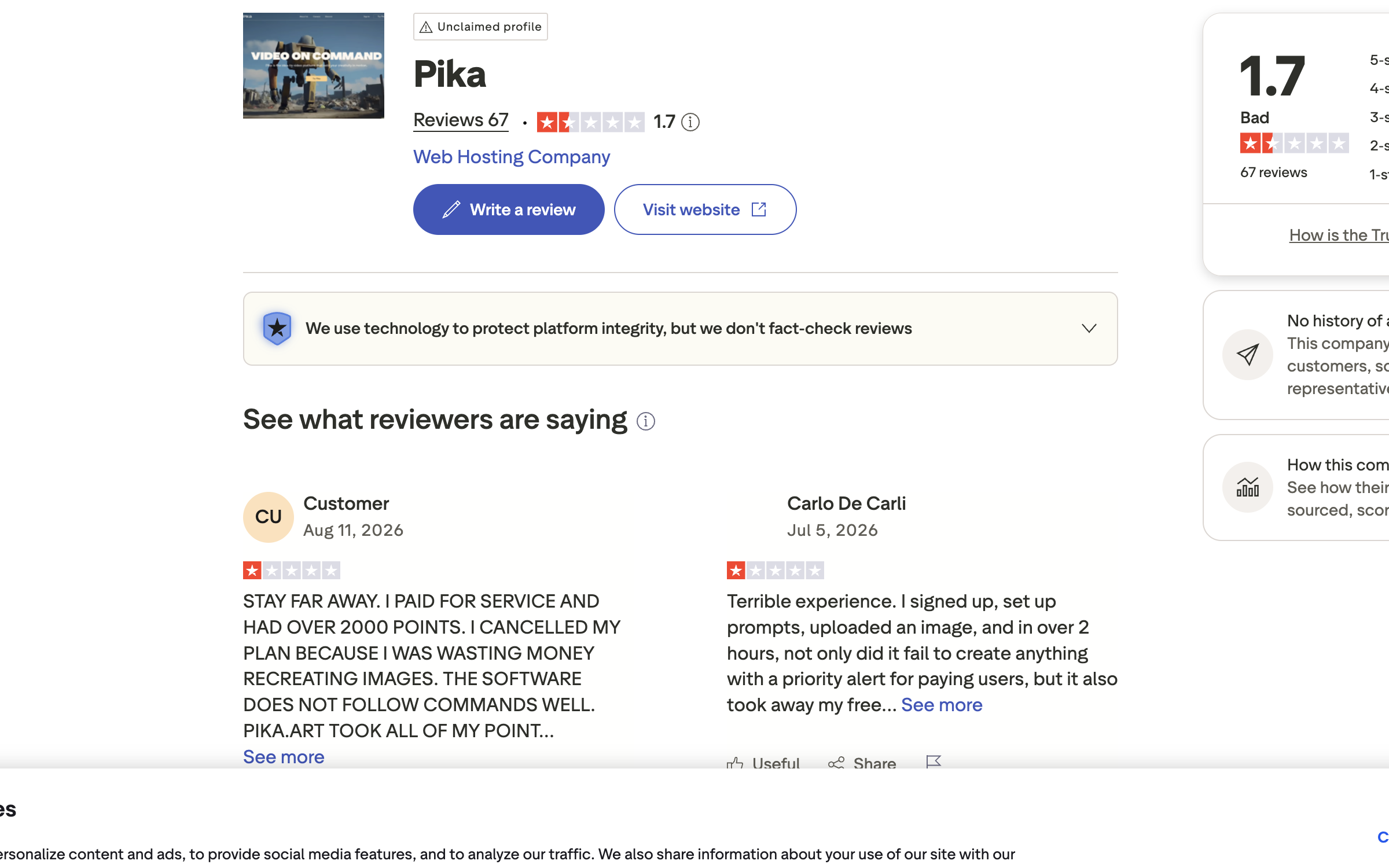
Pika on Trustpilot — read 26 August 2026. The profile is unclaimed and Pika has never invited customers to review it, which is why the sample is small and skewed.
Where to run the same idea instead
If you want to run the same idea elsewhere, open the Seadanse generator in your browser. Free starter credits arrive on sign-up with no card needed, exported video carries no watermark, and failed or interrupted renders are refunded automatically. A single clip runs 5, 10, 15, 20, 25 or 30 seconds, alongside Seedance 2.0 AI Image to Video and six places we checked against their own pricing pages.
Related articles
- 6 Best Pika Alternatives in 2026 (Prices Checked) — six platforms, their plan prices, and where a clean export starts on each ladder.
- Is Pika Free? What the Free Plan Gives You (and What It Doesn't) — the 480p ceiling, the watermark and the commercial-use line.
- How to Use Pika: 7 Steps and What Each One Costs — the walkthrough, with the credit cost of every step.


