What Is FLUX 3? The First FLUX That Makes Video (2026)
FLUX 3 is Black Forest Labs' multimodal model: 20-second video with native audio, generally available since August 4, 2026. Image generation is still coming.

TL;DR — FLUX 3 is Black Forest Labs' multimodal foundation model, announced on July 23, 2026 and generally available for video since August 4. One set of weights generates video with native audio up to 20 seconds long, plus images and robot action prediction. Video shipped first; FLUX 3 Image is still marked coming soon.
You typed a FLUX version number expecting an image model, because that's what FLUX has always been. FLUX 3 is a video model with sound instead — Black Forest Labs shipped video first, and FLUX 3 Image is still marked coming soon on their own site. Here's what BFL actually shipped, on what dates, with the links, and what you can generate today while the rest of it lands.
Jump to: What it is · The three spellings · What it generates · How it stacks up · Where it runs · What it can't do · FAQ
What Is FLUX 3?
Black Forest Labs built its name on still images. With FLUX 3, the team chose to ship video first.
FLUX 3 is a foundation model that handles video, images, audio, and robot action prediction together. It learns from pictures, clips, and sound in one setup, so it captures how objects hold together, how things move, and how events sound. Black Forest Labs built the system on Self-Flow (BFL's own name for how it lines up generation and understanding in one model).
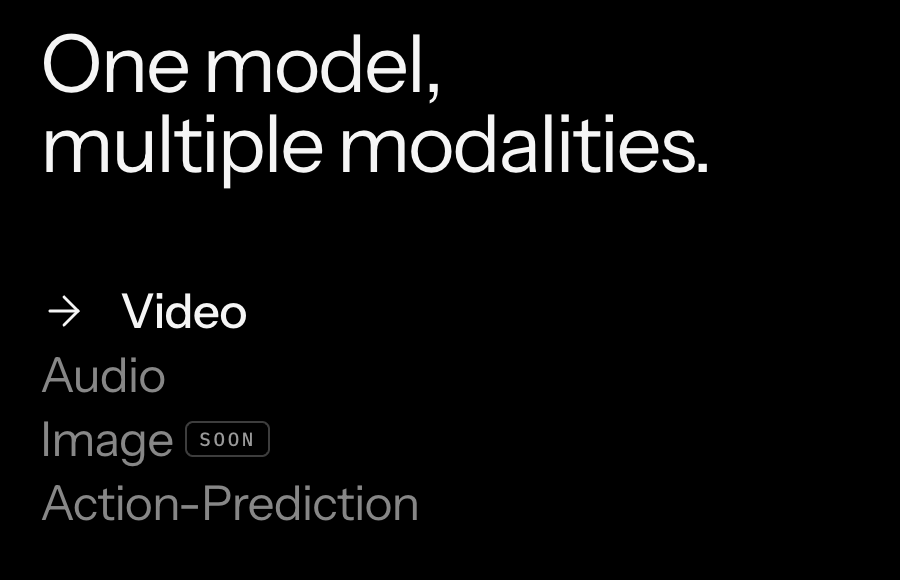
The four-modality list on Black Forest Labs' own FLUX 3 model page. Video and Audio ship; Image still reads "SOON." Source: bfl.ai/models/flux-3, screenshot taken 2026-08-22.
The rollout plan spans four parts: FLUX 3 Video, FLUX 3 Action, FLUX 3 Image, and the open-weight FLUX 3 Dev.
Flux 3.0, FLUX.3, FLUX 3 — One Model, Three Spellings
You'll spot a few different spellings for this release across search results, forums, and docs.
Black Forest Labs writes the name as "FLUX 3" with a space and no dot. Some developer partner endpoints write it as "FLUX.3" to match earlier releases like FLUX.2, while many creators type "Flux 3.0" into search bars.
All three spellings point to the exact same model from Black Forest Labs.
Make a 20-Second Clip With Sound Right Now
Black Forest Labs sells FLUX 3 only through its API and developer partners. It doesn't run a consumer web app where you can sign in and create clips directly.
If you want to generate clips in your browser today without managing API keys, the Seedance 2.5 generator is ready for you right now. You can open the Seedance 2.5 AI Video Maker to create clips up to 30 seconds long with sound turned on from the start.
Here's how you make a clip in a few simple steps:
- Type your scene prompt into the text box.
- Pick your clip length: 5, 10, 15, 20, 25 or 30 seconds.
- Leave audio on so your clip gets sound alongside the picture.
- Click Generate to make your video.
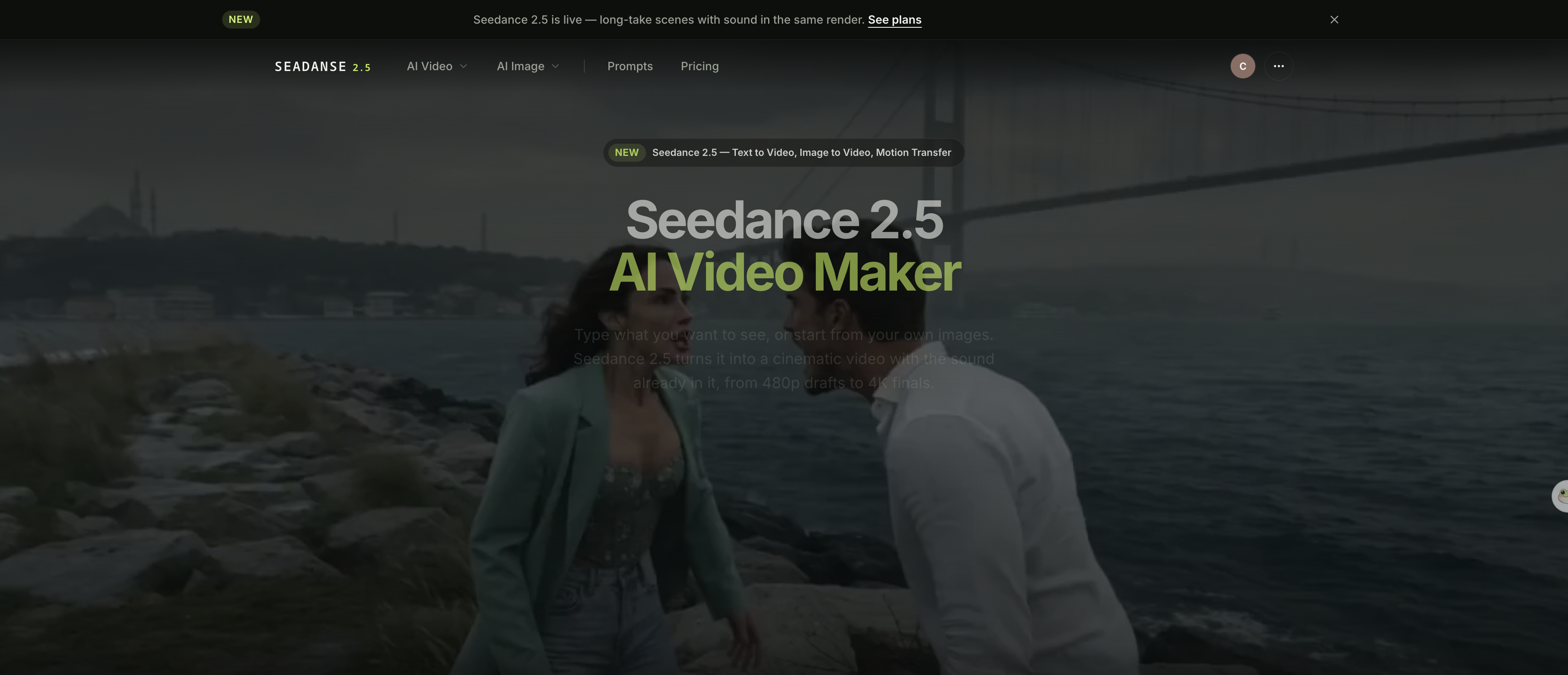
The Seedance 2.5 generator on Seadanse — prompt box, duration chips, resolution and audio in one row. Screenshot taken 2026-08-22.
Here is what comes out of it. Sound on:
Generated with Seedance 2.5 on Seadanse, 1280×720, 16:9, 8s, audio on — 2026-08-12. The wet slap of clay and the wheel's hum came back in the same pass as the picture, the way FLUX 3 does it too.
You can see what Seedance 2.5 actually offers across different prompt styles before you jump in.
What FLUX 3 Generates Today
The first version of FLUX 3 Video became generally available through the BFL API and partners on August 4, 2026.
Single generations run up to 20 seconds long. The base model makes HD video at 720p, and you can upscale that clip to Full HD at 1080p. Every generation creates native audio alongside the picture, so footsteps, room noise, and voices line up with the visible action.
You get five ways in to guide your generation:
- Text prompts that describe the scene.
- A single still image to bring into motion.
- First and last frames to guide the start and end of the shot.
- Up to 10 pinned keyframes that lock exact poses across the timeline.
- An existing video clip that needs new motion.
Video continuation works a bit differently: you hand FLUX 3 up to four seconds of existing footage and its sound, then write what happens next. There's also a separate upscale path — you can regenerate any finished clip at up to native 4K.
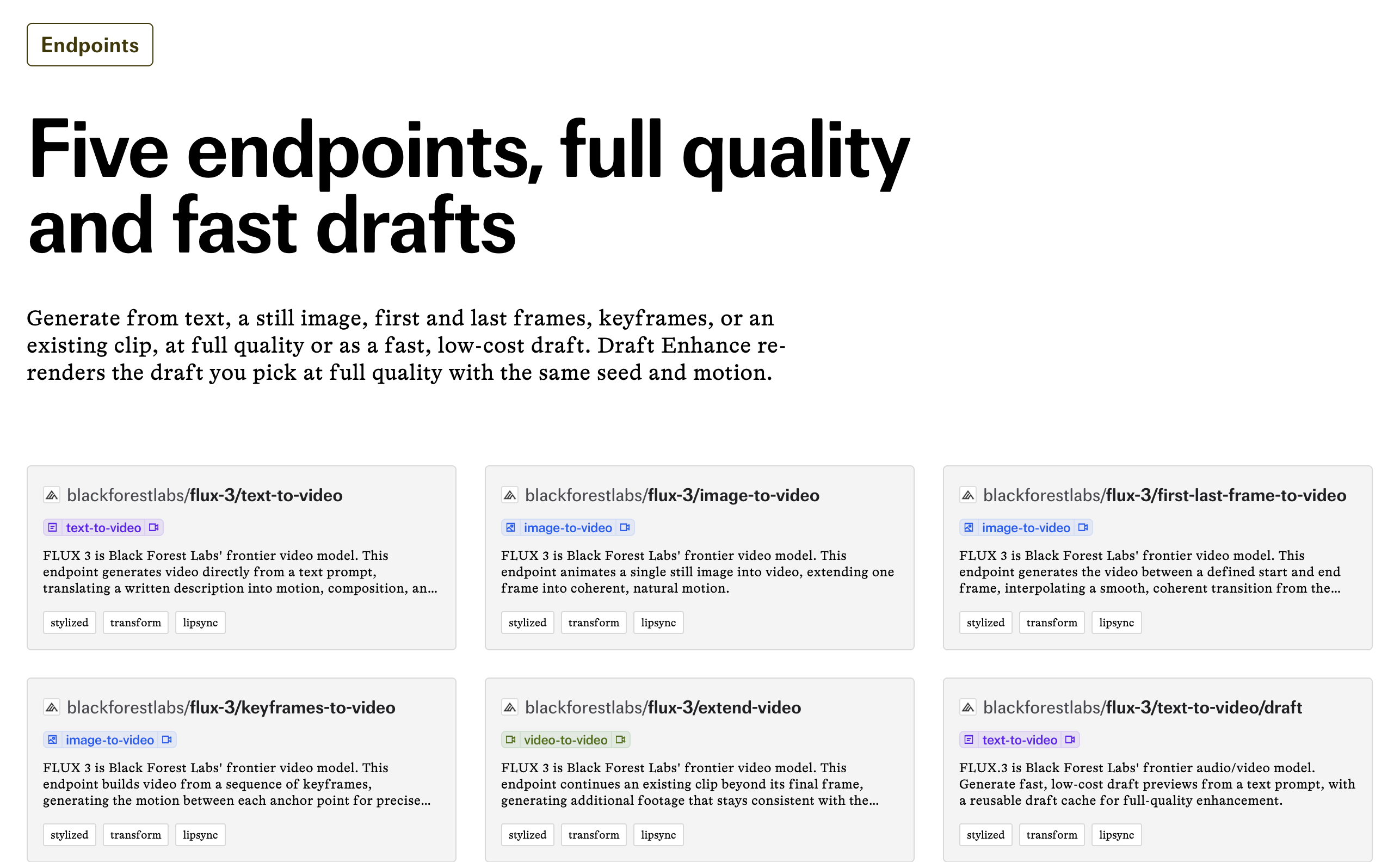
fal.ai groups FLUX 3 into five generation modes, each available at full quality or as a fast draft — eleven endpoints in total. Source: fal.ai/flux-3, screenshot taken 2026-08-22.
You can test the same idea on Seedance 2.5 and compare what comes back.
The Sound Is Made With the Picture
Most video tools make silent footage first and stick sound effects on top later. FLUX 3 makes both in the exact same step.
One generation gives you the video and its sound together, so lips and footsteps stay in sync. When a glass drops or a character speaks, the sound matches the exact frame on screen.
You can generate spoken dialogue with matching lip-syncing across 13 named languages:
- English (in multiple dialects)
- Chinese
- Spanish
- French
- German
- Japanese
- Portuguese
- Russian
- Italian
- Indonesian
- Turkish
- Hindi
- Punjabi
BFL says the list runs longer than these 13.
Dillon Rolnick, CEO of Nous Research, is quoted on the FLUX 3 model page: "Hermes can generate a shot, checks it, then continues from it, so those 20-second clips become cohesive longform pieces." He's a launch partner, so read it as one — but the mechanic he names is real, and it's how you get past 20 seconds.
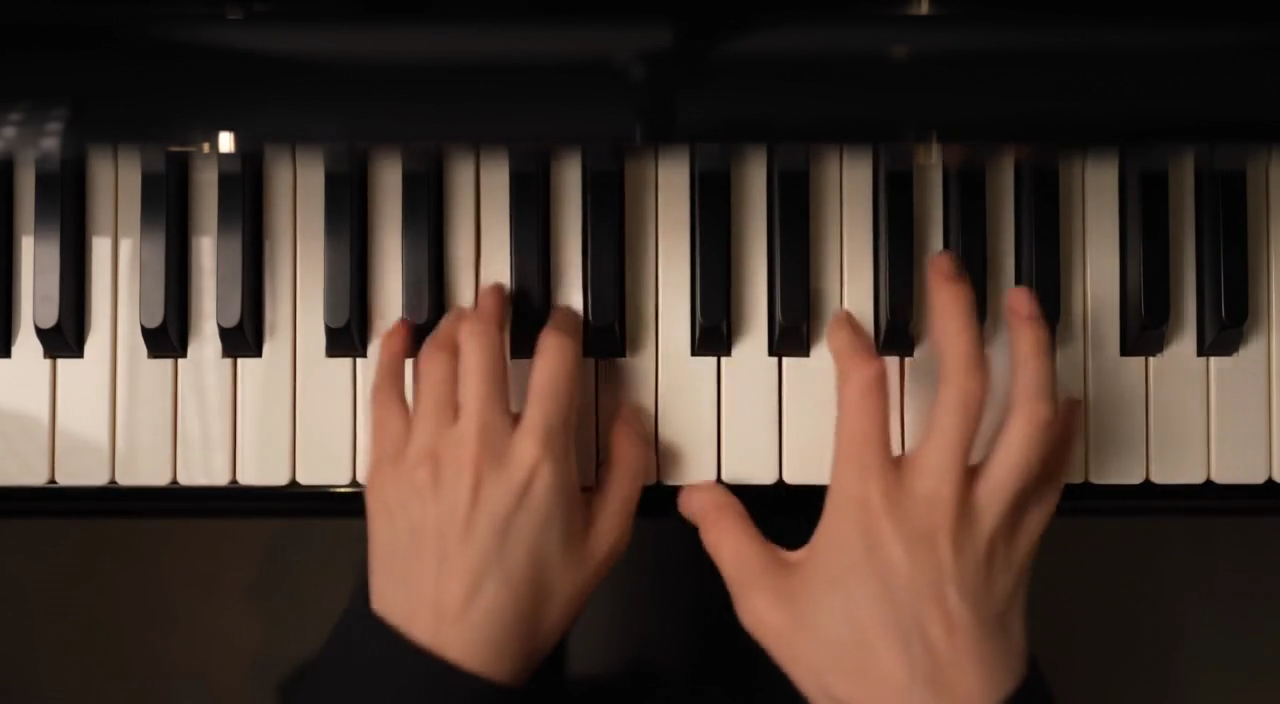
A frame from Black Forest Labs' own "Instrument · Music" demo for FLUX 3's Audio modality — sound generated in the same pass as the picture, no separate audio step. Source: bfl.ai/models/flux-3, Audio tab, captured 2026-08-22.
This built-in audio cuts out the extra editing steps you'd usually need just to get clean speech and ambient noise.
Draft Mode, and Why It Exists
Draft Mode gives you a fast, cheap preview of your prompt. You check the camera move, where the actors stand and how it's lit before you pay for the finished cut.
When a preview looks right, you send that draft back and FLUX 3 renders it at full quality — same subjects, same composition, same motion. That's the part that matters: re-rolling a good prompt at higher settings usually drifts, and this doesn't.
Draft runs cost roughly a third of a full render at the same resolution, and Full HD costs about 1.7 times what base HD costs at the same length. So a dozen draft ideas run you about what a couple of finished clips would.
How It Stacks Up Against the Models People Name
During its launch, Black Forest Labs released win-rate numbers comparing FLUX 3 against competing models on its own testing setup.
Remember that these are Black Forest Labs' own self-reported figures from its own early tests of 10-second 720p clips with audio. They show how human raters scored FLUX 3 against models like Seedance 2.0 AI Image to Video under BFL's internal test conditions.
| Model Black Forest Labs tested against | Preferred FLUX 3 in BFL's own preliminary testing | What it means for you |
|---|---|---|
| Grok Imagine Video | Up to 69% of comparisons | The widest self-reported gap of the three — but it is still Black Forest Labs grading its own homework |
| Kling v3 Pro | 60% of comparisons | A clear lean toward FLUX 3, by BFL's own count, not a blowout |
| Seedance 2.0 | 52% of comparisons | Close enough to call a coin flip, and Seedance 2.5 — the newer model — was never in the test |
All figures are preliminary and self-reported by Black Forest Labs, from 10-second text-to-video comparisons on its own testing harness. Black Forest Labs also reported preferring FLUX 3 over Runway Gen-4.5 in 77% of comparisons and over Luma Ray 3.2 in 93%. Source: Black Forest Labs' FLUX 3 announcement.
Black Forest Labs never tested FLUX 3 against Seedance 2.5, only the older 2.0 release. To see how today's models really compare, read our full FLUX 3 vs Seedance 2.5 comparison.
Where FLUX 3 Actually Runs
FLUX 3 is strictly an API-based model family. You can't open a Black Forest Labs consumer website and type prompts into a simple web box.
Developers get access through the official Black Forest Labs API dashboard or through partner platforms like fal, Comfy, and Krea. These partners wrap the endpoints into visual node graphs or developer tools.
FLUX 3 is coming to Seadanse — it is not live here yet, so nothing on this page is a promise you can click today. kie.ai titles its FLUX 3 page "Upcoming Flux 3 API" and says: "FLUX 3 is currently moving through a phased early access rollout, with its video, image, action, and open-weight capabilities scheduled to become available at different stages. Public pricing, official model IDs, production limits, and complete technical documentation have not yet been announced."
If you'd rather run Seedance 2.5 in the browser today, skip the API keys and generate clips directly on Seadanse. For other working options, read our FLUX 3 alternatives roundup.
What FLUX 3 Still Cannot Do
While FLUX 3 brings strong video tools to developer projects, several core parts of the model aren't ready yet.
- FLUX 3 Image mode still reads SOON: Black Forest Labs built its reputation on images, but you can't make still pictures with FLUX 3 today.
- The open-weight FLUX 3 Dev release hasn't shipped: Open-source creators who want local model weights have to wait for the planned developer drop.
- All published benchmark scores are self-reported: Every win rate released so far comes from Black Forest Labs' internal test setup rather than an independent team.
- General availability means APIs, not consumer apps: You need an API account or a partner platform to use the model, because BFL doesn't run a consumer web portal.
- No benchmark data exists against Seedance 2.5: Black Forest Labs measured itself against Seedance 2.0 (see our Seedance 2.0 page) both times it published numbers, leaving ByteDance's newer model untested.
FLUX 3 FAQ
Is FLUX 3 free or paid? Both, depending on which door you use. Black Forest Labs itself charges by the second of video you get back, with no free tier on its own API.
One partner does give it away. fal runs five free FLUX 3 draft videos a day — text-to-video only, 720p, with sound, in its sandbox. You sign in, and the five don't bill you. Draft is a preview grade rather than a finished render, and the free door doesn't open onto image-to-video, keyframes or clip extension.
For live rates, check the Black Forest Labs pricing page. For how credits work here, see Seadanse pricing.
What's the latest FLUX version? The latest version is FLUX 3, announced on July 23, 2026. Its video generation tools became generally available on August 4, 2026, while Image, Action, and Dev models are still rolling out.
What is FLUX 3 used for? FLUX 3 makes 20-second video clips with native sound and multilingual speech from text, images, or existing video. Creators use it for storyboard generation, keyframe animation, clip extensions, and robot action planning with partner tools.
Final Verdict
FLUX 3 gives developers an impressive video engine with native audio, but its missing image mode means still-picture creators must look elsewhere for now. If you want fast, sound-enabled browser generation without managing raw API keys, you can try Seedance 2.5 on Seadanse right now.
Nathan Cole — writer covering AI video generation: model specs, API pricing, and what the marketing leaves out. Facts in this article were checked against Black Forest Labs' own launch posts, model page and pricing page, and fal.ai and kie.ai's own pages, on August 22, 2026.
Related Articles
- FLUX 3 vs Seedance 2.5: The Comparison BFL Didn't Run — the head-to-head Black Forest Labs never published
- 7 Best FLUX 3 Alternatives in 2026 (Tested) — seven models you can actually run today


