
Best Unforgettable Car Trend App: 8 AI Apps Compared (2026)
Best Unforgettable car trend app compared across 8 tools on price, the song, frame and setup. Seadanse makes the 11-second video with sound for $9.90.
 The Seadanse Team19 min read
The team behind Seadanse. We run the models we write about, and we publish the specs, prices and limits the marketing leaves out.

TL;DR — The apps behind the Unforgettable car trend are Kling, PixVerse, CapCut and Dreamina, plus web tools such as Oakgen, Kavel, Media.io and Seadanse. The first four are the ones named most in the 172 TikTok posts we read on 14 October 2026.
For the finished 11-second 16:9 (a wide frame) video with the 2 and 4 cards, the car and the trend's "Unforgettable" sound, Seadanse's Unforgettable car trend generator costs $9.90 at 720p. You pay once, and there's no app and no sign-up.
Oakgen also keeps the sound and the wide frame, at 2,949 credits (the units an app charges in) for one 720p video. Kavel makes a 12-second vertical clip with a slow R&B beat. The Kling and PixVerse templates (ready-made edits you drop your photo or clip into) run inside their phone apps.
If you want the trend video ready to post from one photo, start with Seadanse.
You saw the Unforgettable car trend and you don't own the car. Under @vladkreii's reveal, a comment with 441 likes asks which AI tools people used to make it: "Im loosing my mind, i wanna know which ai tools people used to do this!!"
The tutorials send you to four different apps. Under a Dreamina and CapCut tutorial with 680,600 plays, the top reply with 247 likes says "Not free".
We opened every app's own pages on 16 October 2026 to see what you add, what you pay, the song and the frame. Here's our side-by-side table, a verdict for each app and how to pick one.
Unforgettable car trend apps compared: 8 at a glance
The Unforgettable car trend apps in this guide come from our review of each app's own pages on 16 October 2026.
| App | How you make it | Price (read 16 Oct 2026) | Song in the file | Frame | Best for | Our rating |
|---|---|---|---|---|---|---|
| Seadanse | Add one photo (and your car, if you like), pay once, download | $9.90 for one 720p video; one-time pack, no subscription | Yes, the trend's "Unforgettable" sound | 16:9 landscape, 11 seconds | The finished trend video from one photo, with no app and no account | ★★★★½ 4.5 |
| Oakgen | Add a photo of you, your car or a place to y0kun's 15-second Reel | 2,949 credits for one 720p video; plans from $9 a month, billed yearly | Yes, copied from the reference clip | 16:9 landscape, 15 seconds | Changing the person, the car and the place | ★★★★ 4 |
| Kling AI | Paste a tutorial's TikTok link into the Kling app, replace one photo | Basic $0; Standard $6.99 for the first month, then $8.80 a month | — | — | Copying a tutorial's video inside the app | ★★★½ 3.5 |
| Kavel | Add one photo, pick a car look | $9.99 pack of 1,000 credits, about one 12-second 720p video | No, a slow R&B beat | 9:16 vertical, 12 seconds | A vertical version for the full phone screen | ★★★½ 3.5 |
| PixVerse | Copy the video link, open the PixVerse app, replace the reference photo | Basic $0 with 60 credits to start; Standard $8 a month, billed yearly | — | — | Swapping your photo into a tutorial's video on your phone | ★★★ 3 |
| Media.io | Upload your image and a reveal clip, paste a prompt | Free plan exports 720p with a watermark; Standard US$7.99 a month, billed yearly | Not automatically | Your clip's frame; 9:16 for its vertical prompt | Editing a reveal clip you're allowed to use | ★★★ 3 |
| CapCut | Add a clip you made elsewhere to its one-slot "Ai" template | No price on the template page; AI features use credits worth $0.01 each | — | 9:16 vertical, 00:11 | Cutting a clip you already made to the beat | ★★½ 2.5 |
| Dreamina | Write or paste a prompt for your own card-to-car reveal | USD 1.50 for the first month, then USD 15 a month (Basic) | No, you add licensed music | 16:9 in its sample prompt | Designing your own reveal scene | ★★½ 2.5 |
A dash (—) means the app's own pages don't say. We read every app's pages on 16 October 2026, and each app's section below links them.
How we scored: up to five stars for how much of the trend each app hands you ready-made: the 2 and 4 cards, the car reveal, the 16:9 frame and the song in the file. We also scored how simply you can pay and start (an app to install, an account, a price shown before you pay), judged from what each app's own pages list.
Add one photo to our Unforgettable car trend AI, see $9.90 on the Create button and pay once.
How to pick an Unforgettable car trend app
Five things decide whether your video looks like the Unforgettable car trend and what it takes to get it.
- Cards that read 24: the 2 sits on the left and the 4 on the right. A mirrored selfie camera turns them into 42. That joke drew 26 comments and 2,437 likes among the 737 comments we read under 15 trend videos on 14 October. That's a separate sample from the 172 TikTok posts on the hashtag whose captions we counted.
- The trend's frame: car owners post it as wide 16:9 clips of 8 to 15 seconds.
- The song in the file: some apps put the song in the video. With others, you'll add it in TikTok or Reels.
- Your own car: some apps take a photo of your car, one asks you to describe it.
- Price and setup: an app to install, an account, a plan, and whether the price shows before you pay.
If your own clip shows 42, here's why your cards say 42 instead of 24.
1. Seadanse: the finished Unforgettable car trend video from one photo
Seadanse turns one photo into the 11-second car reveal in your web browser. You don't need to install an app or write a prompt.
You'll upload one photo of yourself, a person or a cartoon, anime or game character. The face should be clear, facing the camera, and in good light. Everyone in your photos must be 18 or older, and you tick a box to confirm you have the right to use the photos.
Under More options, you can add an optional photo of your car or dream car, labeled "Your car (optional)". Keep the whole car in view, from the side or at an angle. The car's body, color, wheels and lights come from that photo, and that car appears parked behind you.
Without a car photo, the dark-blue sports car from the trend's clip appears behind you. Adding the car photo doesn't cost extra credits, so one photo or two costs the same.
You'll get an 11-second MP4 in a wide 16:9 frame, the one car owners use for the trend. You hold up the green 2 and 4 cards, swipe them past the lens, and the car is parked right behind you. The 2 stays on the left and the 4 on the right, so the cards read 24.
The trend's "Unforgettable" sound is built into every finished video, so there's no audio to add yourself. There's also no watermark on exported video.
A Seadanse sample made from one photo and one car photo. The woman is AI-generated.
You'll pick 480p, 720p or 1080p, and the price shows right on the Create button. One 720p video is $9.90 through a 500-credit pack, and the same pack covers a 480p video for 375 credits. A 1080p video takes 1,480 credits from the $39.90 pack.
Credits come in a one-time credit pack with no subscription, and nothing renews. Credits last 12 months, and a video that fails returns its credits automatically.
When you're signed out, the button reads "Create · $9.90" next to the line "No account needed: pay once and your video starts right here." You pay once and your video starts right on that page. It runs in the browser on a phone, tablet or computer, with no template link and no prompt. The link in your checkout email opens your video on any device.
So with one photo, Unforgettable Car Trend for TikTok and Reels gives you the whole 11-second 16:9 trend video with the trend's "Unforgettable" sound. It's $9.90 at 720p, paid once, and there's no app to install and no sign-up.
Our step-by-step guide shows how to do the Unforgettable car trend from one photo.
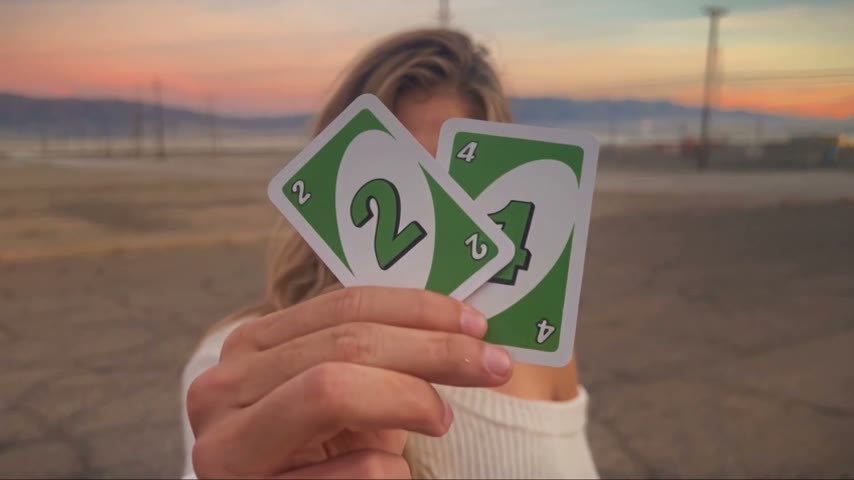 The 2 stays on the left and the 4 on the right, so the cards read 24.
2. Oakgen: a 15-second Unforgettable car trend edit with your car or location
Oakgen introduces its car reveal with the line "Hold up the 24 cards and reveal your car." Its facts strip lists a 15-second final video, 1 to 3 photos as your input, and 720p.
The template uses a 15-second Reel by y0kun as its reference clip (a video the AI copies the moves and timing from), in 16:9. You add a photo of yourself, the car, the location, or any mix of the three.
The cards, the swipe and the reveal are already set. You'll choose 480p, 720p or 1080p and download a 15-second wide MP4.
The page also says "Oakgen copies the source audio into your finished video." Failed generations get an automatic credit refund.
On 16 October 2026, Oakgen's page listed 2,949 credits for one 720p video, after showing 2,269 credits on 14 October.
Oakgen lists plans from $9 a month billed $108 a year with 2,000 credits a month, up to Creator at $79 a month billed yearly ($99 monthly) with 40,000 credits. Pro is $15 a month billed yearly ($19 monthly) with 5,000 credits, and Ultimate is $25 a month billed yearly ($29 monthly) with 10,000 credits.
Good to know: Oakgen's FAQ says AI can change badges, wheels and small details of the car, so you'll want to review the result.
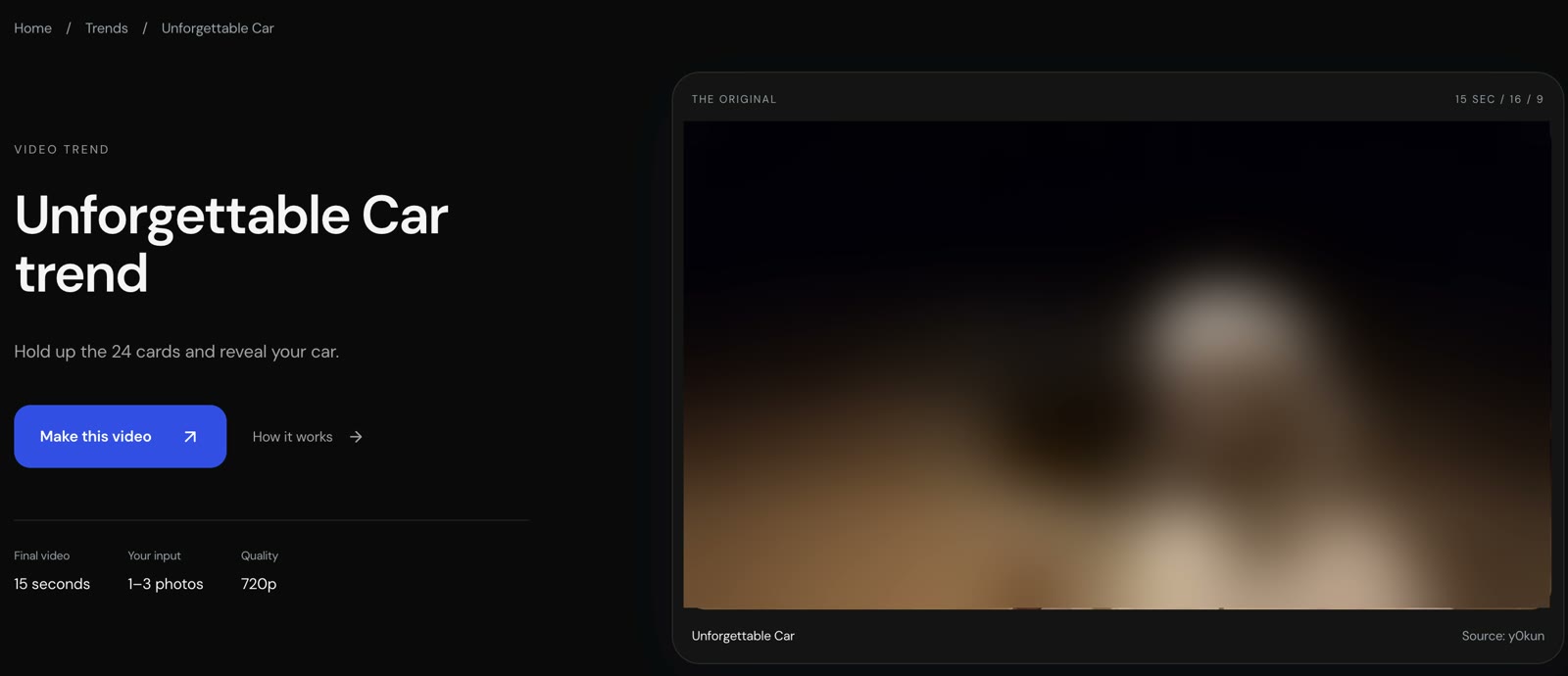 Oakgen's trend page, read on 16 October 2026. We blurred the reference clip.
3. Kling AI: the Unforgettable car trend template most tutorials name
Kling AI is the generator cited most in TikTok tutorials for this car trend. Kling was named in 86 of the 172 posts we read on 14 October 2026.
Under a Kling tutorial with 703,500 plays posted 11 October 2026, the creator shared the steps: "Copy the bottom right video link → Open KLING AI → Paste to auto enter the template. Replace one photo, one-click to generate the same style video." The tutorial carries #KLingCreators, the tag of Kling's creator programme.
Kling's membership page lists a Basic plan at $0. Standard is $6.99 for the first month, then $8.80 a month, with 660 credits a month.
Pro is $25.99 for the first month, then $32.56 a month, with 3,000 credits. Paid plans list brand watermark removal.
Good to know: Kling's membership page doesn't show a credit cost for this template. Under the same tutorial, a Spanish comment says "cobra la aplicación,ya lo he intentado y pide método de pago" [the app charges; I tried and it asks for a payment method].
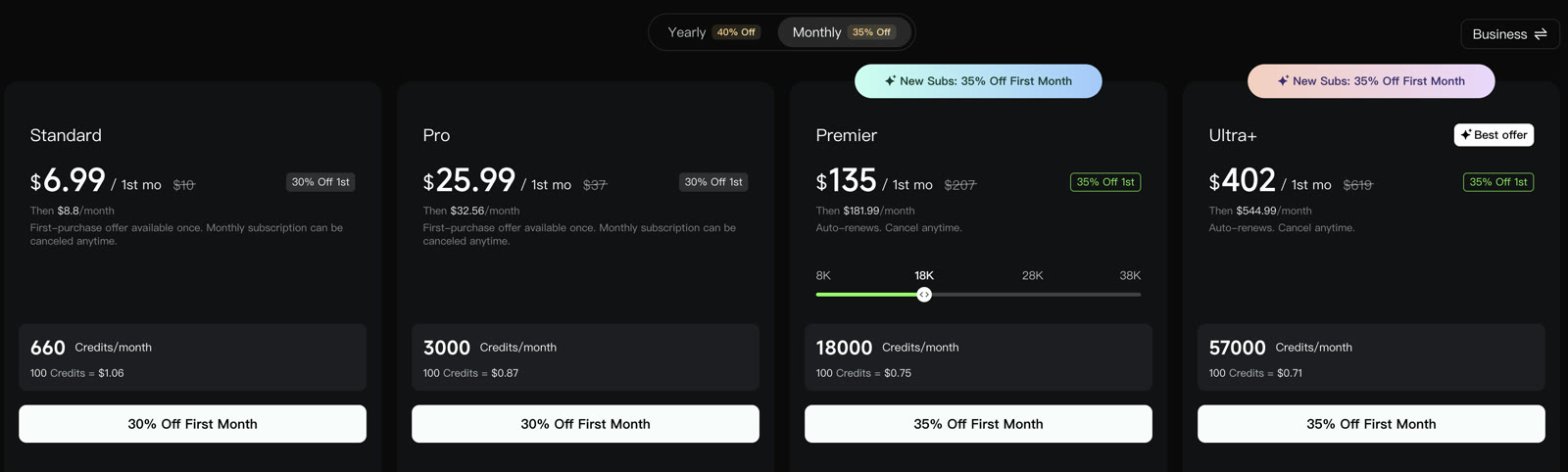 Kling's membership page, read on 16 October 2026.
4. Kavel: a 12-second vertical Unforgettable car trend clip
Kavel advertises its tool with the line "One photo in · Slow beat included · 12-second vertical clip" and "No car, no Dreamina template needed."
You'll upload one photo and keep the default car park, or tap one of three looks. There's a garage reveal with a red 2 and 4, a yellow coupe, and pink and plum at golden hour with the green 2 and 4. There's also a Random option.
For your own car, you'll describe its colour and shape in the prompt, and a car of that look is behind you when the cards drop. The clip is 12 seconds in 9:16 (a tall phone frame).
Kavel's pack box says "This video is $9.99 on its own". It's a 1,000-credit pack that its page says covers about one 12-second 720p trend video, and you can see that $9.99 line right on its page.
The 2,800-credit pack shows $19.90 and the 4,700-credit pack $29.90, marked half price on your first order until 30 October. Kavel's credits never expire, and its FAQ answers "Is the Unforgettable car trend AI free?" with "No."
Good to know: Kavel's page says "It comes back with a slow R&B beat you can post as is, or swap in Unforgettable in TikTok or Reels."
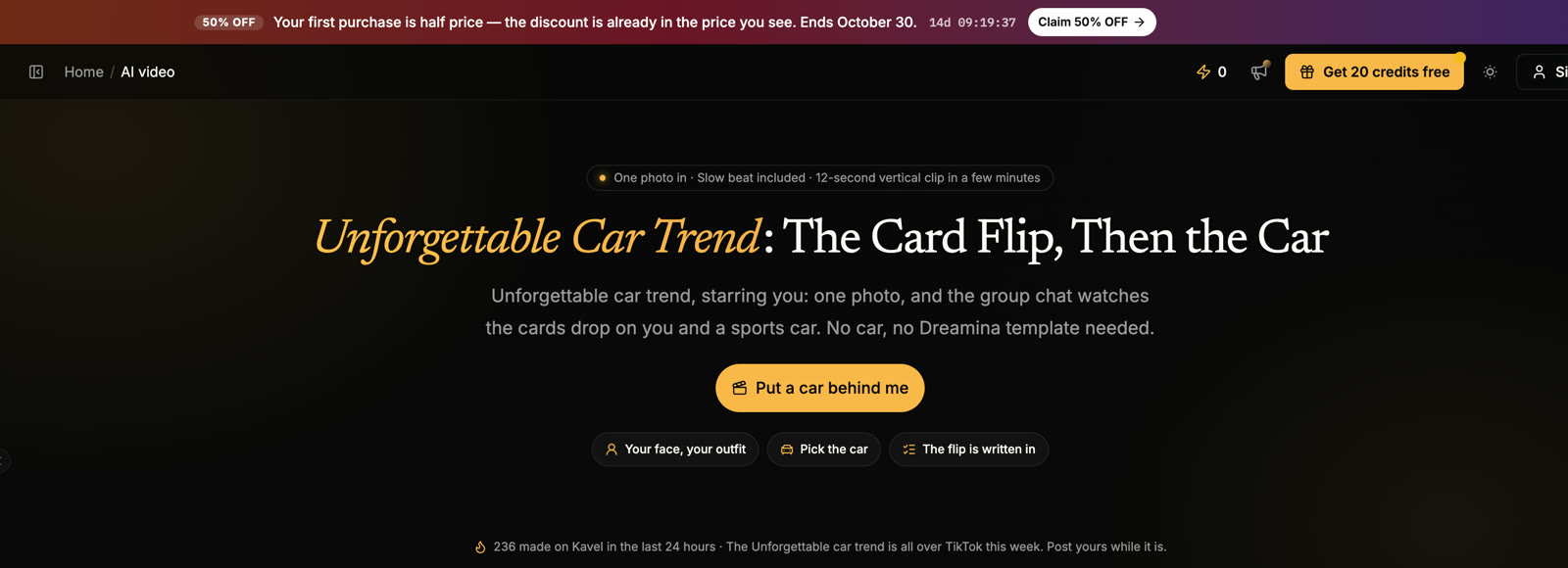 Kavel's trend page, read on 16 October 2026.
5. PixVerse: a phone template that swaps in your photo
PixVerse was named in 46 of the 172 hashtag posts we reviewed on 14 October 2026.
In a PixVerse tutorial from 13 October, the creator tells viewers to copy the video link and open PixVerse. You'll download the app if you don't have it yet, then tap "Allow paste" to jump straight to the dedicated template. The caption adds, "Replace the reference photo and you'll get your result."
The creator who posted the Kling tutorial also shared a PixVerse one with 281,900 plays, tagged #PixVerseCreators.
These prices come from PixVerse's web pricing page on 16 October 2026.
Basic is $0 with 60 credits to start and 30 a day.
Standard is $8 a month billed yearly as $96 (or $10 monthly) with 1,200 credits every 30 days and no watermark. Credit packs start at $5 for 500 credits.
Good to know: PixVerse's web pricing page states that Basic videos go up to 540p, and Standard goes up to 720p.
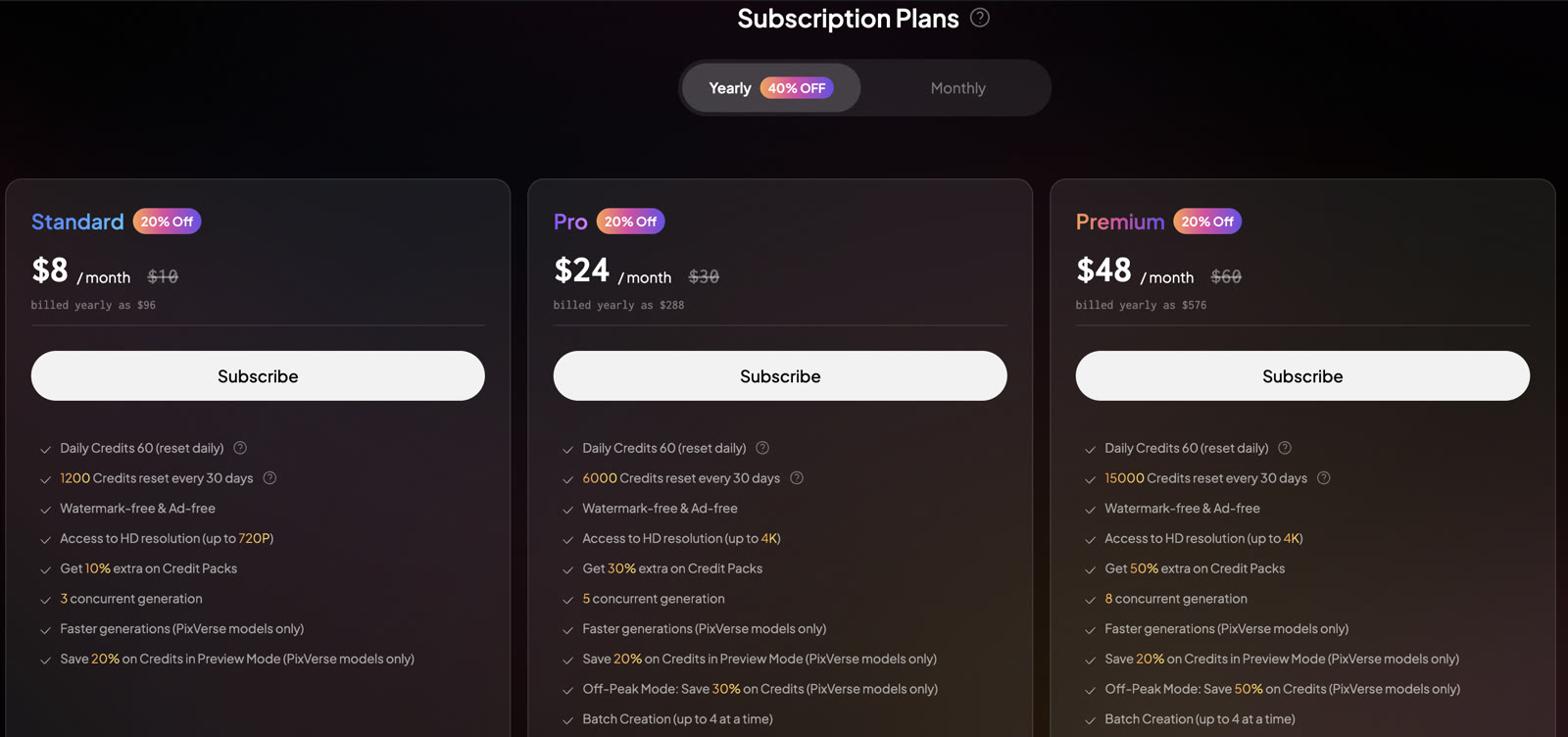 PixVerse's web pricing page, read on 16 October 2026.
6. Media.io: Unforgettable car trend prompts for your own reveal clip
Media.io has a reference tool, and you bring a car-reveal clip of your own.
Its page offers four copy-ready prompts and asks you to "Add a car-reveal reference clip you have permission to edit". You'll open its Reference-to-Video tool, upload your image (and a full-car image, where the mode supports more than one image), add the reveal clip and paste a prompt.
One prompt is a 9:16 "Vertical Card-Drop Adaptation" of 5 to 10 seconds. Its reference tool accepts up to 9 images and 1 video of 2 to 14 seconds and 1 audio file of 2 to 14 seconds.
Pricing on Media.io varies by country. As shown to us on 16 October 2026, the free plan gives 3 daily check-in credits and 720p exports with a watermark. Standard is US$7.99 a month billed US$95.88 a year (US$15.99 monthly) with 200 credits a month and 1080p exports without a watermark.
Good to know: Media.io's FAQ answers "Will my AI video include the Unforgettable song?" with "Not automatically."
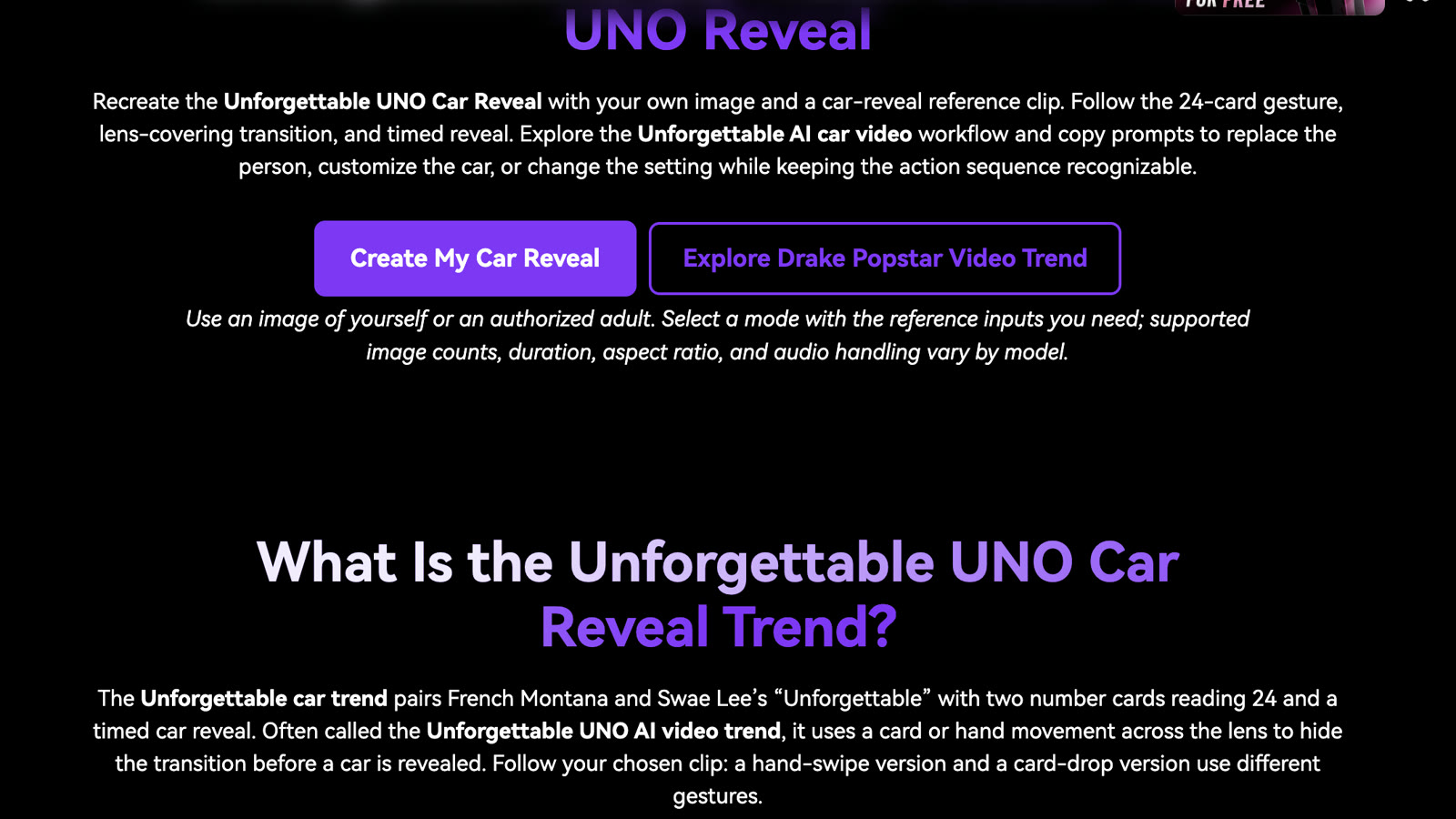 Media.io's Unforgettable page, read on 16 October 2026.
7. CapCut: a one-slot template that syncs a clip to the beat
CapCut appeared in 39 of the 172 TikTok posts we reviewed on 14 October 2026.
The template the tutorials link is "Ai" by Future301, and its page shows one slot, 00:11 and 7.62K uses in a 9:16 frame. It was posted on 6 October 2026.
In the 15 October tutorial that links it, the caption says: "You can recreate the look with Dreamina AI by generating the character, cards, sunset setting and matching car scene, then use CapCut to sync the card reveal and transition with the music."
The template page shows no price. CapCut's help page notes that "Credits are deducted from your balance whenever you use an AI feature", with credits worth $0.01 each.
Good to know: The template's preview shows a young woman in a desert lot at sunset with a dragon beside her, not a car.
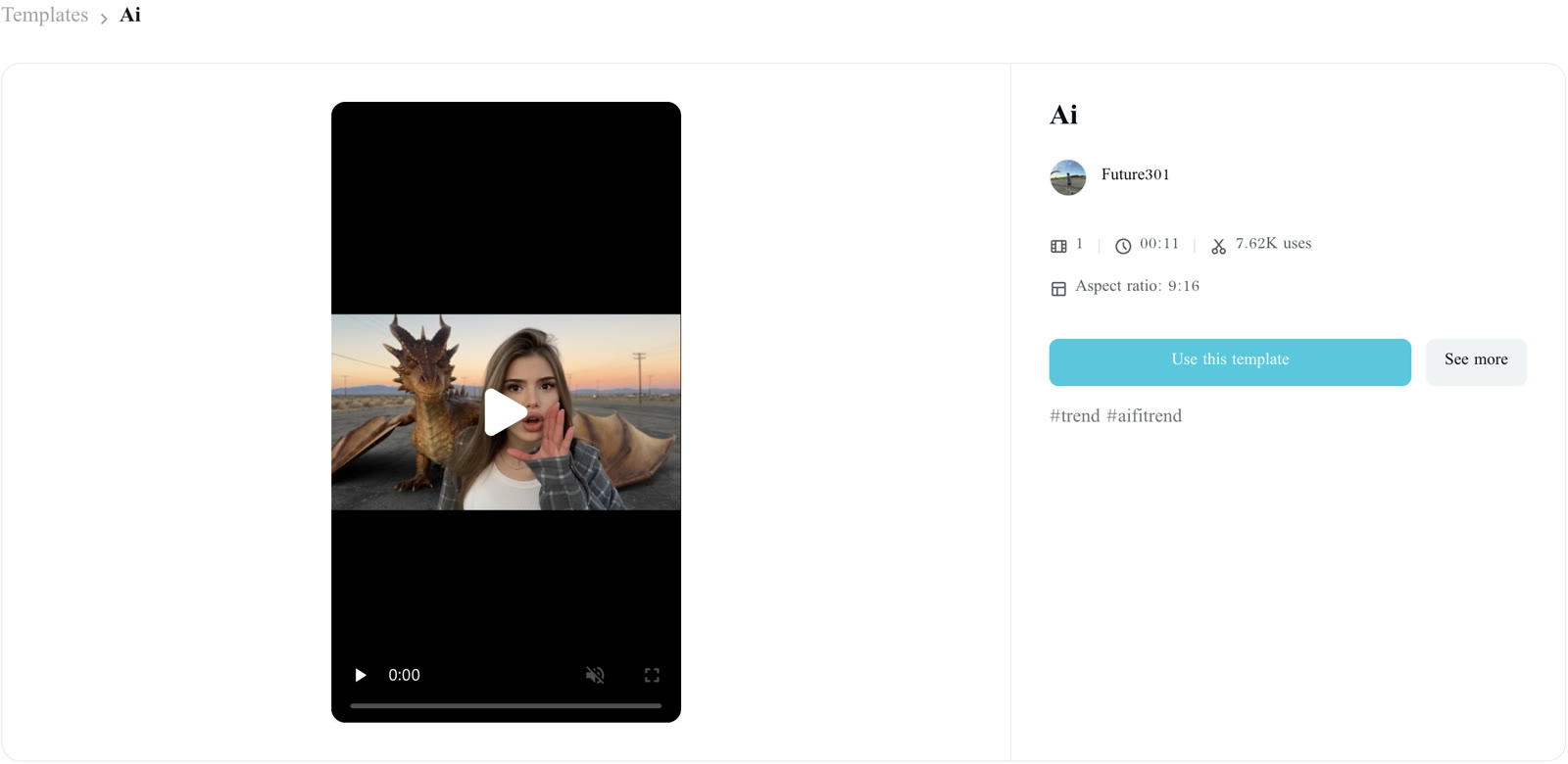 The CapCut template the Unforgettable car trend tutorials link, read on 16 October 2026.
8. Dreamina: prompts for a card-to-car reveal of your own
Dreamina featured in 22 of the 172 posts we checked on 14 October 2026.
Its page "Unforgettable AI Car Video Generator for Reveal Stories" gives you prompts to edit for your own scene. In its first sample prompt, the text asks for a 16:9 frame with a character "holding a generic red-and-yellow reverse-style playing card toward the lens", not a 2 and a 4. Step 3 concludes "before adding licensed music and final text".
The plan box on the page shows Basic at USD 1.50 for the first month, then USD 15.00 a month with 1,575 credits a month. Standard is USD 22 for the first month, then USD 36 a month. "Remove the Dreamina watermark in downloads" is listed as a plan benefit. Tutorials like a Dreamina tutorial from 9 October carry #dreaminapioneer.
Good to know: The tutorials pair Dreamina with CapCut to sync the reveal with the music.
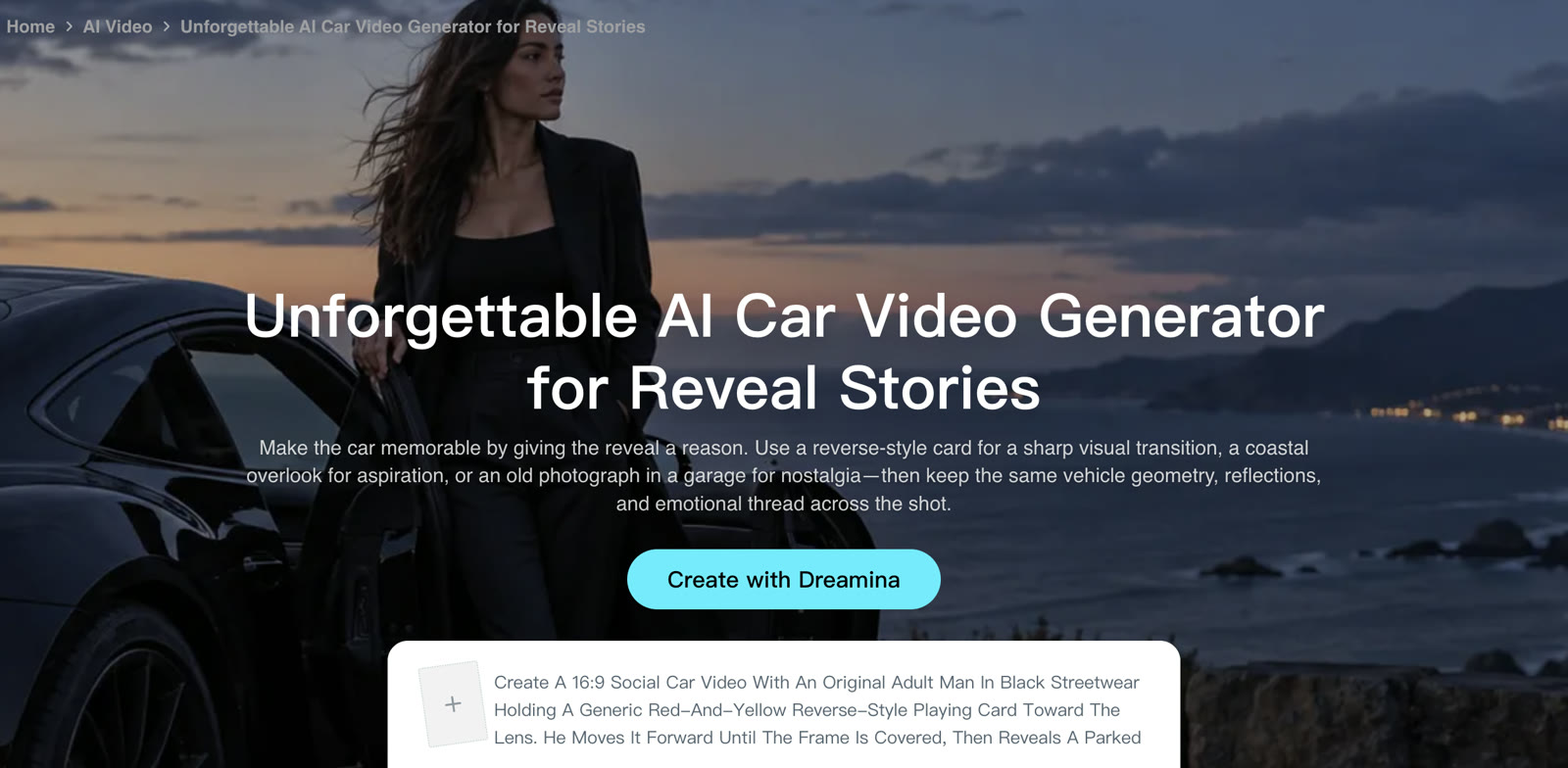 Dreamina's Unforgettable page, read on 16 October 2026.
Is there a free Unforgettable car trend app?
Kavel's own FAQ answers "Is the Unforgettable car trend AI free?" with "No.", and under a Dreamina and CapCut tutorial the top reply is "Not free".
Here's what each app's free offer is.
- Kling AI: a Basic plan at $0; its membership page shows no credit cost for the template.
- PixVerse: Basic gives 60 credits to start and 30 a day.
- Media.io: the free plan gives 3 daily check-in credits and exports at 720p with a watermark.
- CapCut: the template page shows no price; AI features use credits worth $0.01 each.
- Seadanse: one 720p video is $9.90, paid once, and the price shows on the Create button before you pay.
Unforgettable car trend app questions people ask
People looking for an Unforgettable car trend app frequently ask how these tools work and what each one delivers.
Which AI app did people use for the Unforgettable car trend?
In our count of 172 posts on 14 October 2026, creators tagged Kling 86 times, PixVerse 46 times, CapCut 39 times and Dreamina 22 times. The tutorials often carry programme tags like #KLingCreators, #PixVerseCreators, #capcutpioneer and #dreaminapioneer. Our guide explains what the Unforgettable car trend is and where it started.
Do I need the CapCut template for the Unforgettable car trend?
Not on Seadanse: there's no template link and no prompt. The CapCut template has one slot, and the tutorial that links it makes the scene in Dreamina first.
Which apps put my own car in the video?
Seadanse takes a photo under More options at the same price, and the car's body, color, wheels and lights come from your photo. Oakgen takes a photo of the whole car.
Media.io lets you add a second image for the car where the mode supports more than one, and Kavel lets you describe the colour and shape in the prompt.
For a birthday video, our Birthday Car Trend page lets your own car pull up, and you can add a photo of your place too.
Which Unforgettable car trend apps add the song?
Seadanse builds in the trend's "Unforgettable" sound, and Oakgen copies the source audio. Kavel ships a slow R&B beat you can swap for the song in TikTok or Reels, Media.io answers "Not automatically.", and Dreamina's steps end on adding licensed music. The pages of Kling, PixVerse and CapCut don't say.
Can I use a cartoon character for the Unforgettable car trend?
Yes on Seadanse: photo 1 takes cartoon, anime and game characters as well as real people. The character holds up the cards and stands in front of the car.
How we compared these Unforgettable car trend apps
We compared the Unforgettable car trend apps by reading each app's public pages on 16 October 2026, signed out: trend pages, template pages, pricing and help pages. We compared their prices and features and kept one screenshot of each app.
We also read captions across 172 TikTok posts using #unforgettablecartrend on 14 October to see which tools creators mentioned most.
We reviewed comments under the main tutorials on 14 and 16 October.
The star ratings reflect our scoring criteria beneath the comparison table. We made our own sample on our Unforgettable Car Trend page from one person photo and one car photo.
Prices in this trend move fast. Oakgen's price for one 720p video went from 2,269 credits on 14 October to 2,949 on 16 October, and Kavel added a $9.99 one-video pack. That's why every price here carries the date we read it.
Make your Unforgettable car trend video
Making your Unforgettable car trend video doesn't need complex editing software, subscriptions or app installs. From one photo, Seadanse gives you a complete 11-second 16:9 trend video with the trend's "Unforgettable" sound built in. It's $9.90 at 720p, paid once, with no app and no sign-up.
Create your Unforgettable car trend video from one photo today.
Related articles
- How to Do the Unforgettable Car Trend Without a Car (One Photo) — the steps from one photo to the 11-second video with the trend's sound.
- What Is the Unforgettable Car Trend? The 24 Cards, the Song and Where It Started — the cards, the song and the first posts.
- Why Your Cards Say 42 Instead of 24 (and How to Fix It) — the mirror flip behind the 42, and the fix.


