
Bring Your Own Character to Life
Start with a character description, image or sketch. Our AI sprite sheet generator uses your input to create a new action sheet for an animated loop.

Describe your character and the action you want to see. Our AI sprite sheet generator creates the poses and assembles them into a looping GIF, ready to preview and download.
Sign in and write a line or two first — Enhance rewrites what you have.
Start with a character description, image or sketch. Our AI sprite sheet generator uses your input to create a new action sheet for an animated loop.
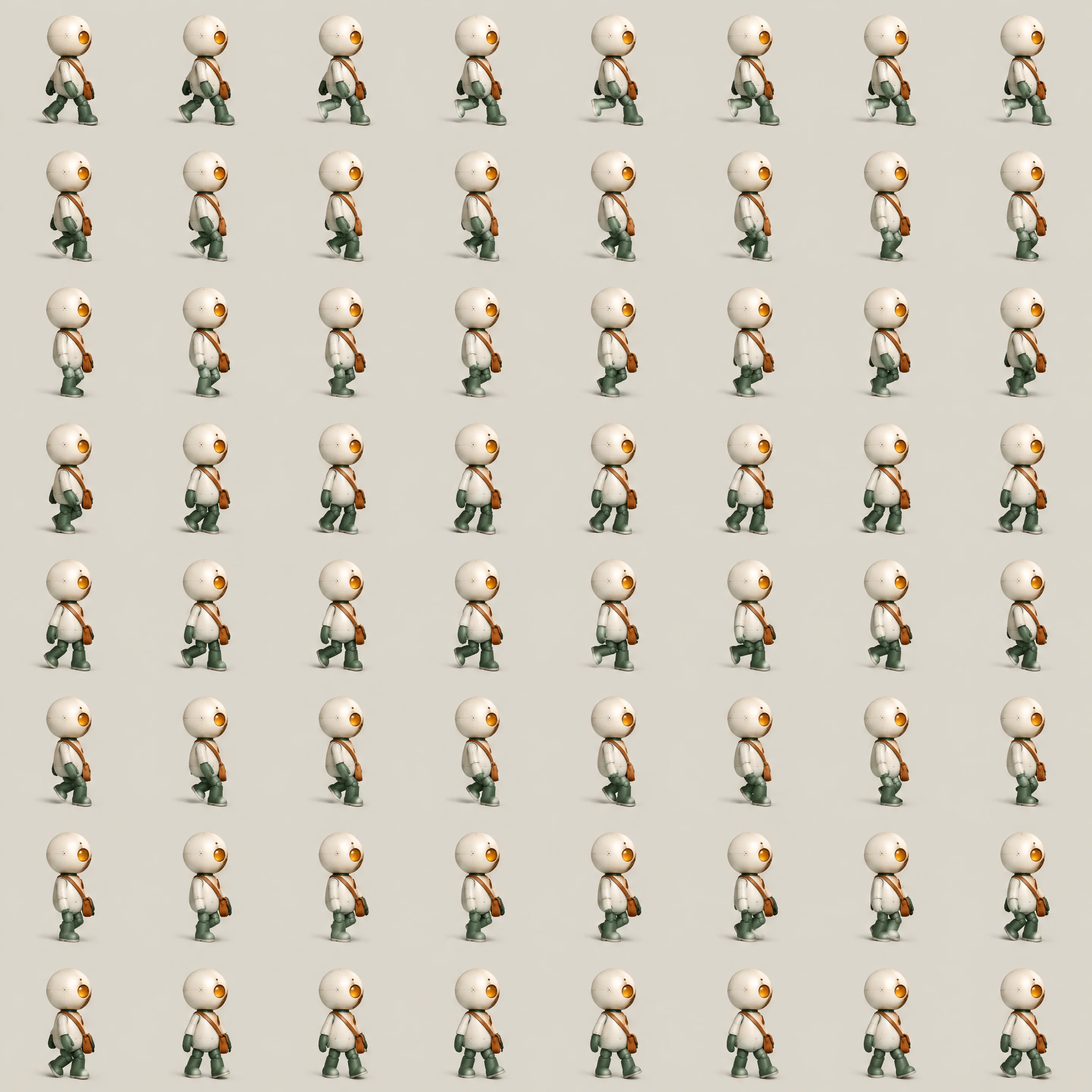
Our AI sprite sheet generator detects the cells in your generated action sheet and assembles its poses in reading order. The conversion happens automatically after image generation.
Watch the finished loop in the result panel of our AI sprite sheet generator. Review the motion before downloading, or revise your prompt and generate another version.


Preview your finished action, then download it as a GIF with our AI sprite sheet generator. Put your character's movement in front of your team, friends or followers.
Turn a character action sheet into a looping GIF for your next motion review. Share the movement with your team and see how each pose fits the action.


Describe a pixel-art character and its action, or add a reference image. Generate a new motion sheet and preview the resulting GIF to explore your animation idea.
Start with a character image or sketch and create an action sheet for a looping GIF. Turn your idea into an animated sticker or a reaction your audience will recognize.

Enter a character and a looping action, such as walking or waving. Add a reference image if you want to guide the design.
Generate the action sheet. Its frames are automatically combined into a GIF and displayed in the result panel when download access is available.
Preview the complete action and download your looping GIF to save and share.
Describe your character and a looping action, then generate. The model creates an action sheet; Seadanse automatically assembles its poses into a GIF. Preview and download it from the result panel, subject to your account’s generation and download access.
This page generates a new action sheet and converts that result into a GIF. An uploaded image is used as a generation reference; it is not sliced as the original file. To turn a sheet you already have into a GIF, use our free Sprite Sheet to GIF converter.
Yes. Add your character image or sketch as a reference and describe its action. The generated action sheet is automatically converted into a GIF. Explore the GPT Image 2.5 Prompt Library for ideas.
GPT Image 2.5 Sunburst creates or edits the static action sheet, and Seadanse assembles its frames into a downloadable GIF. Explore the GPT Image 2.5 Generator to start creating your character artwork.
GIFs made here play at 24 frames per second, with up to 64 frames depending on the generated sheet. To change the speed, remove frames, reorder them or nudge them into line, open your generated sheet in our free Sprite Sheet to GIF converter in one click. To change the character’s action, revise your prompt and generate again.
Transparent pixels in the generated sheet are preserved in the GIF. Request a transparent background in your prompt. This conversion does not remove an opaque background, and GIF supports binary transparency rather than partial transparency.
Every page here runs the real models in your browser — jump to the one that matches the clip you have in mind.
Nano Banana, GPT Image, Seedream and Grok Imagine for stills and first frames.
Describe your character and its next move. Generate a sprite sheet and download the finished loop from your result.


