GTA-style prompt library

GTA Video Prompts

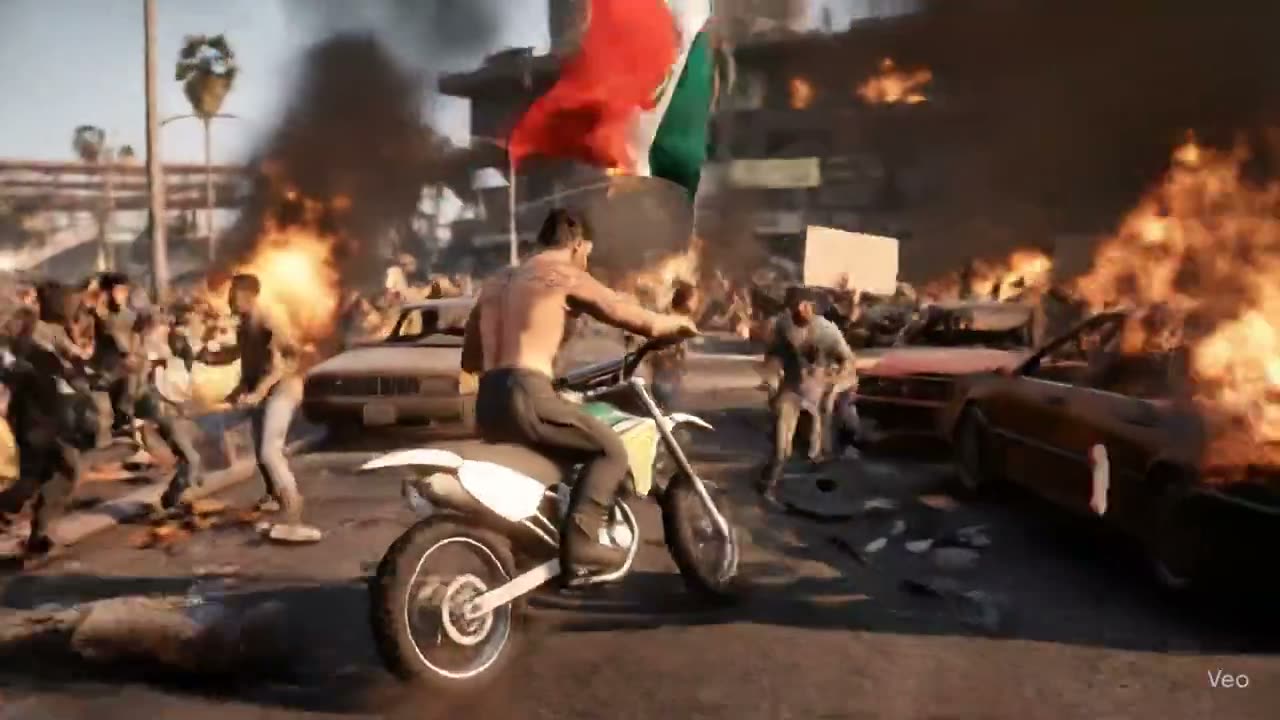
You saw a viral game clip and want to make your own. Run our GTA video prompts in our AI video maker to get up to 30 seconds of action with sound on Seedance 2.5.

61 prompts61 clips45 creators credited2.7M views on Xfrom public posts on X

Turn GTA Video Prompts into Game Scenes

Press Use on any of our GTA video prompts to send it to this AI video maker, swap in your lead, city, car, and mission text, add a character image or a HUD image, choose vertical or horizontal and your length, and generate on Seedance 2.5.

0/10000
Inputs
Made with

Trailer shots9

Cinematic shots and cutscene beats in the look of a game trailer: neon boulevards, beach chases and one-line dialogue close-ups.

15s

by @Inshrah_ali_27.9K viewsOriginal post

Heist escape trailer in seven timed scenes

A style line, then seven named scenes of about two seconds each — arrival, casino heist, escape, rooftop leap, beach pursuit, showdown, ending — cut like a trailer.

  • Text to video
  • Trailer montage
  • Timed scenes
  • 15 seconds
Video prompt2,064 chars
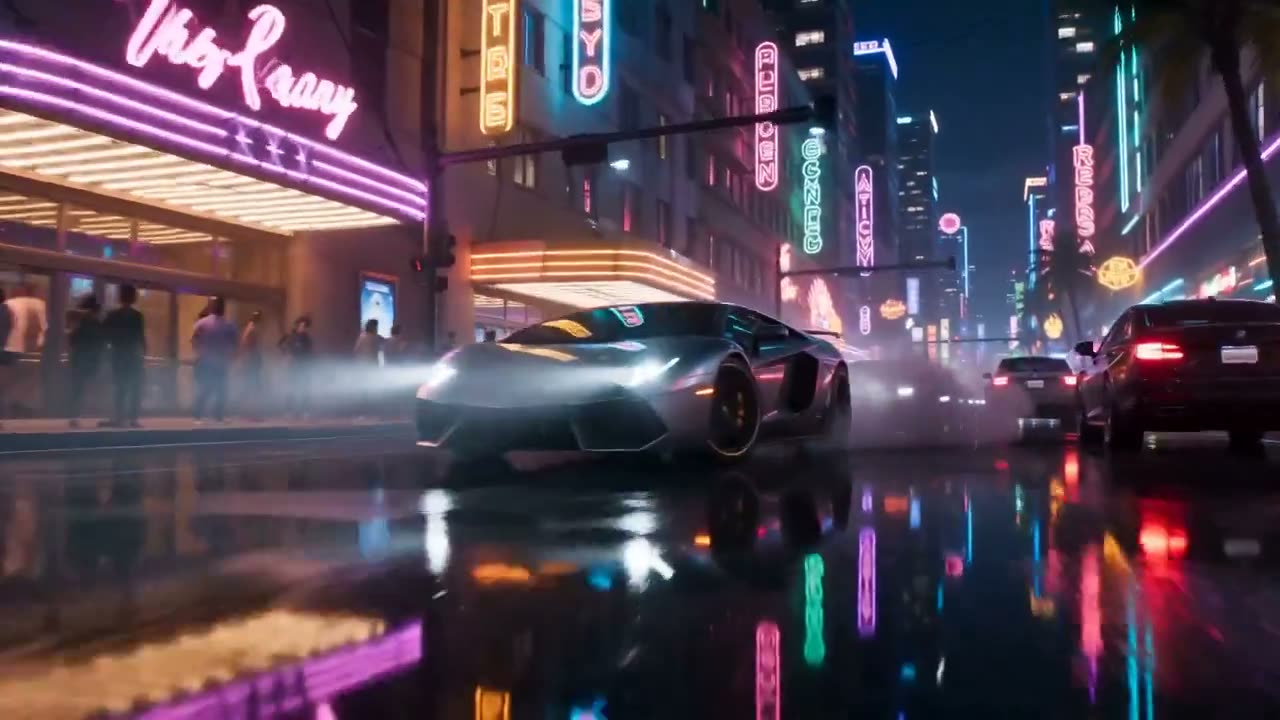
GTA 6 Style: Neon Heist Escape
Style: Ultra-realistic open-world video game cinematic, next-gen graphics, vibrant neon city, cinematic lighting, ray tracing, dynamic reflections, realistic physics, motion blur, dramatic camera work, 4K HDR, 60 FPS, intense sound design, no text, no watermark.
0.0–2.0s | Scene 1 – Neon Arrival
A customized supercar drifts into a neon-lit downtown street at night. Low-angle tracking shot with glowing reflections on wet roads. The confident main character steps out wearing a modern street outfit and sunglasses.
2.0–4.0s | Scene 2 – The Heist
Inside a luxurious casino, the character grabs a mysterious glowing briefcase while alarms suddenly activate. Fast cinematic close-ups, flashing red emergency lights, NPCs running in panic.
4.0–6.0s | Scene 3 – High-Speed Escape
The character jumps into the supercar and launches into a high-speed chase through palm-lined boulevards. Dynamic drone shots, tire smoke, sharp drifts, police cars closing in.
6.0–8.5s | Scene 4 – Rooftop Action
The chase transitions to rooftops where the character performs a cinematic parkour leap between skyscrapers at sunset. Slow motion during the jump, dramatic city skyline in the background.
8.5–11.0s | Scene 5 – Beach Pursuit
A high-performance sports bike races along a crowded tropical beach promenade. Helicopters search overhead while the camera alternates between FPV and wide cinematic angles.
11.0–13.0s | Scene 6 – Epic Showdown
The character stands on a luxury yacht in the marina as rivals arrive by speedboats. Intense cinematic standoff with realistic water physics, golden-hour lighting, and wind-blown clothing.
13.0–15.0s | Scene 7 – Legendary Ending
The hero drives toward the glowing city skyline as fireworks illuminate the night. The camera pulls back into a breathtaking aerial shot, ending with a powerful cinematic freeze-frame and an epic orchestral finish.This prompt is designed to capture the feel of a modern open-world crime game without copying any copyrighted characters, logos, or specific story elements.

Why it works

  • Each scene has a time range and a name, so the model gets a shot list rather than a paragraph.
  • The style line ends on "no text, no watermark", which keeps the frame clean.
Made with LTX-2.3 Pro6s

by @AllarHaltsonen2.8K viewsOriginal post

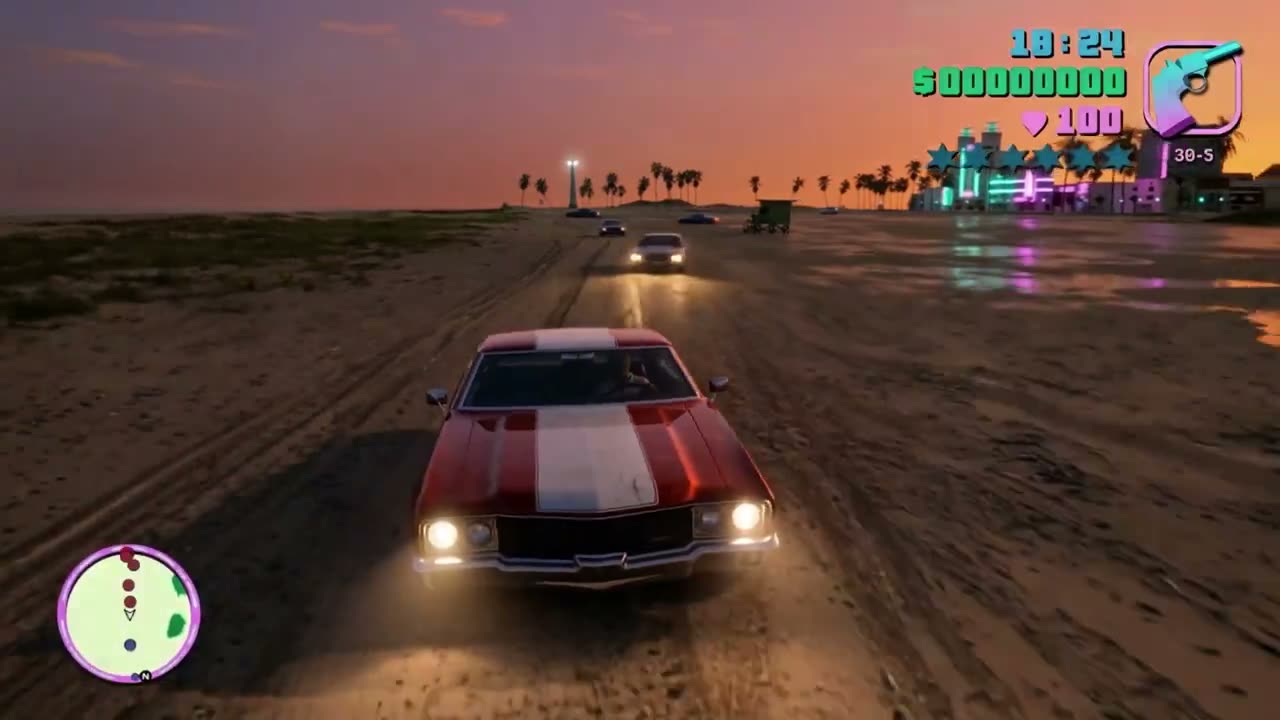
Muscle cars racing a sunset beach, HUD on screen

Six seconds written like a screenshot caption: two cars on wet sand, beachfront neon, then the HUD corner by corner and where the camera sits.

  • Text to video
  • 6-second shot
  • HUD corners
  • Sunset beach
Video prompt584 chars
GTA VI in-game cinematic, red and white muscle car driving fast across a sandy beach toward camera, headlights blazing, second car chasing close behind, wet sand reflecting pink and teal neon from beachside buildings, palm trees and a lighthouse silhouette against a deep orange-pink sunset sky, HUD elements visible, minimap bottom left, money counter and health top right, teal star wanted level icons, third person follow camera low behind the lead car, dust and sand kicking from the tyres, warm orange grade with saturated neon accents, photorealistic GTA VI engine render, 30fps

Why it works

  • The HUD is placed element by element — minimap bottom left, money and health top right, teal wanted stars — instead of asking for "a HUD".
  • Render look and frame rate come last, so the style words do not crowd out the action.
Made with Seedance 2.530s

by @iamrealsnow2.5K viewsOriginal post

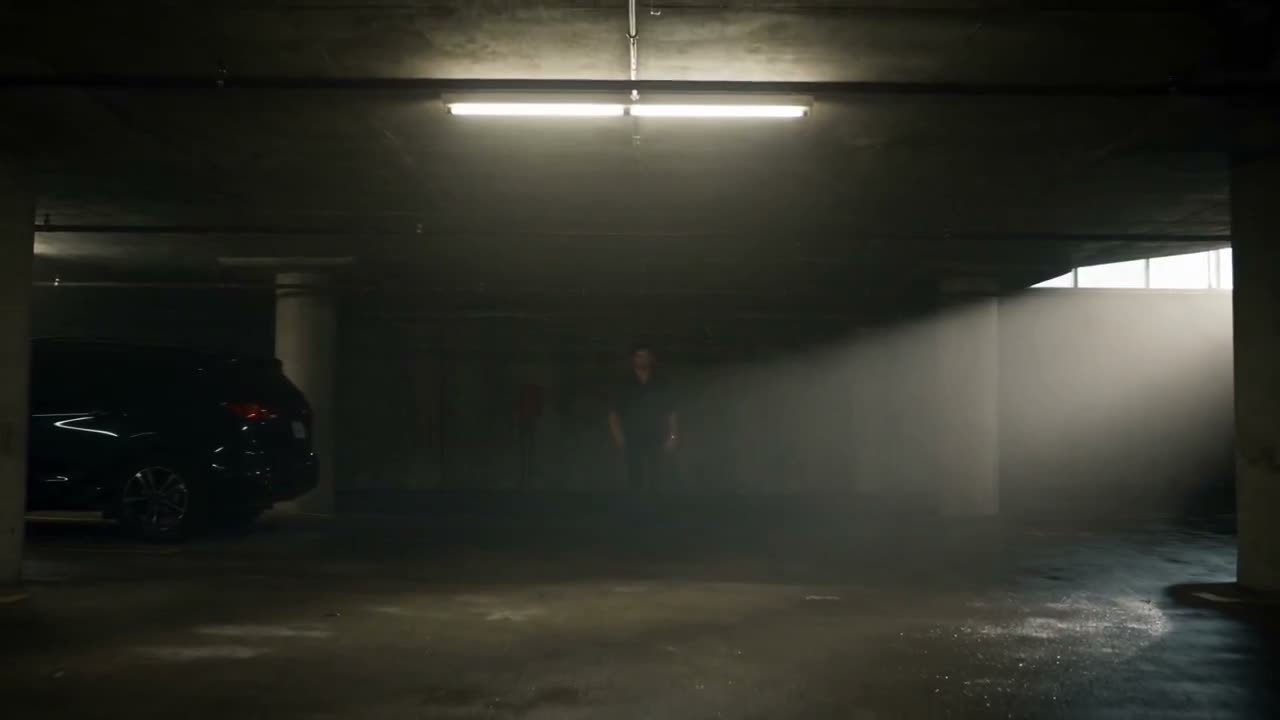
Underground garage fight, one lead held to a face reference

An original crime-action sequence in six timed blocks — arrival, the surrounding, first move, close-quarters fight, silence, final shot — under a long identity lock.

  • Image input
  • 30 seconds
  • Identity lock
  • Fight choreography

Inputs Photo of the lead's face (identity)

Video prompt3,924 chars · 6 beats
SEEDANCE 2.5 — 30 SECOND VIDEO PROMPT | 16:9
Use my uploaded face as the ONLY identity reference for the main male character. Preserve my exact facial identity throughout the entire video — facial structure, skin tone, eyes, eyebrows, nose, lips, jawline, hairline, hairstyle, beard pattern, facial proportions, and natural skin texture. Keep me instantly recognizable in every shot. Do not beautify, reshape, age, de-age, or alter my facial features.
Create a 30-second original cinematic Indian crime-action sequence with a dark, gritty, realistic theatrical-film aesthetic. Do not recreate any existing movie, character, scene, costume, dialogue, logo, or copyrighted visual. The story, characters, location, and choreography must be completely original.
SETTING:
A huge abandoned underground parking garage at night. Concrete pillars, parked black vehicles, fluorescent lights, patches of darkness, light smoke and dust floating in the air. The floor is slightly wet and reflects the overhead lights. The atmosphere feels tense, dangerous, and grounded.
0–5 SECONDS — ARRIVAL
Start with a wide establishing shot of the empty underground garage. My footsteps echo in the distance. Camera slowly tracks backward as I emerge from the shadows and walk toward the center of the garage. I wear a dark fitted shirt with rolled sleeves, dark trousers, leather shoes, and a simple metal watch. Calm expression, controlled body language.
5–10 SECONDS — THE SURROUNDING
Five original hostile men slowly emerge from between the concrete pillars and surround me. The camera moves in a slow 360-degree arc around the group. I remain completely still, looking around calmly. Close-up on my eyes and subtle facial expression. One man takes a step forward. The tension suddenly peaks.
10–16 SECONDS — FIRST MOVE
One attacker suddenly rushes toward me. I quickly dodge the attack and counter with a realistic close-range strike. The choreography is grounded and physically believable. No exaggerated superhero movements. Camera follows the action with controlled handheld movement and brief slow-motion accents.
16–23 SECONDS — CLOSE-QUARTERS FIGHT
The remaining attackers move in. I defend myself through realistic hand-to-hand combat — blocking, dodging, grappling, pushing an attacker into a vehicle, and using the surrounding environment naturally. Every movement has believable weight and momentum. Clothing and body movement respond realistically to impacts. Keep the camera dynamic but never confusing.
23–27 SECONDS — SILENCE
The fight suddenly stops. The attackers are down or retreating. I stand alone in the middle of the garage, breathing heavily but remaining composed. Dust slowly settles around me. Camera pushes toward my face as the fluorescent lights flicker overhead.
27–30 SECONDS — FINAL SHOT
I slowly straighten my shirt, look directly into the camera, and begin walking forward. Low-angle tracking shot follows me as I walk through the garage toward the exit. Bright daylight from the outside creates a powerful silhouette behind me.
VISUAL STYLE:
Ultra-realistic live-action cinematography, gritty Indian crime-thriller atmosphere, dramatic practical lighting, deep shadows, realistic skin texture, natural facial micro-expressions, subtle film grain, cinematic depth of field, realistic motion blur, volumetric light, wet concrete reflections, atmospheric smoke and dust.
CAMERA:
Professional theatrical cinematography, smooth tracking shots mixed with controlled handheld action coverage, low-angle hero shots, close-ups for emotion, wide shots for spatial clarity, realistic lens behavior, natural focus transitions.
PHYSICAL REALISM:
Every character must move like a real human being with believable weight, balance, acceleration, and reaction. Maintain consistent anatomy and clothing. No floating, teleporting, rubbery movements, duplicated people, distorted hands, or unnatural body deformation.

Why it works

  • The identity lock lists every facial feature that must not drift before the story starts.
  • A physical-realism paragraph at the end (weight, balance, no floating or teleporting) is aimed squarely at the fight beats.
Prompt source
Made with LTX-2.3 Pro6s

by @AllarHaltsonen2.5K viewsOriginal post

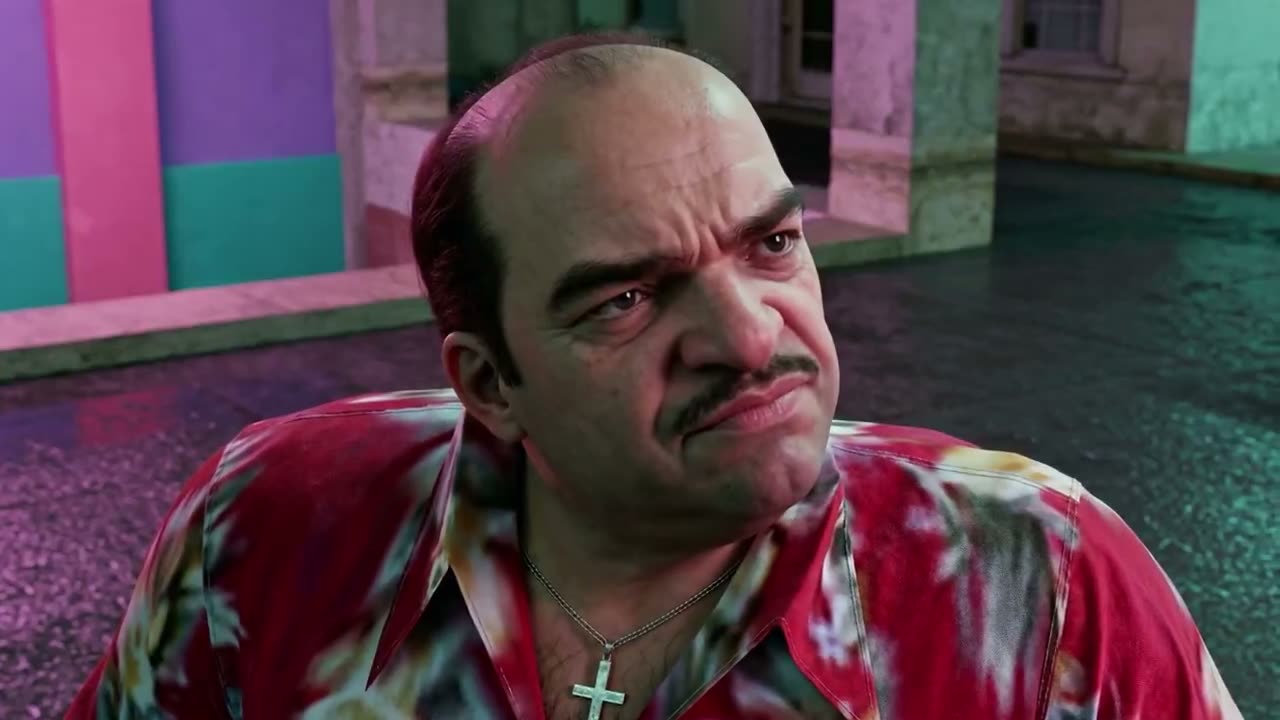
Cutscene close-up with one line of dialogue

A single character beat: wardrobe, pink neon across his face, then one quoted line and the small movements that sell it.

  • Text to video
  • Dialogue close-up
  • Cutscene
  • Letterbox
Video prompt445 chars
thick mustache, red tie-dye shirt, silver cross necklace, looking up with a suspicious squint, pink and teal Art Deco building columns behind him, Vice City neon light washing pink across his face, he leans slightly forward and delivers his line with dead calm
"This city don't care who you are. Only what you're willing to do."
slight jaw movement, eyes scanning left then back, photorealistic GTA VI cutscene render, 24fps, cinematic letterbox

Why it works

  • The line sits in quotes on its own, which marks it as speech rather than description.
  • It names the micro-movements — slight jaw movement, eyes scanning left then back — that keep a talking close-up alive.
Made with LTX-2.3 Pro6s

by @AllarHaltsonen2.3K viewsOriginal post

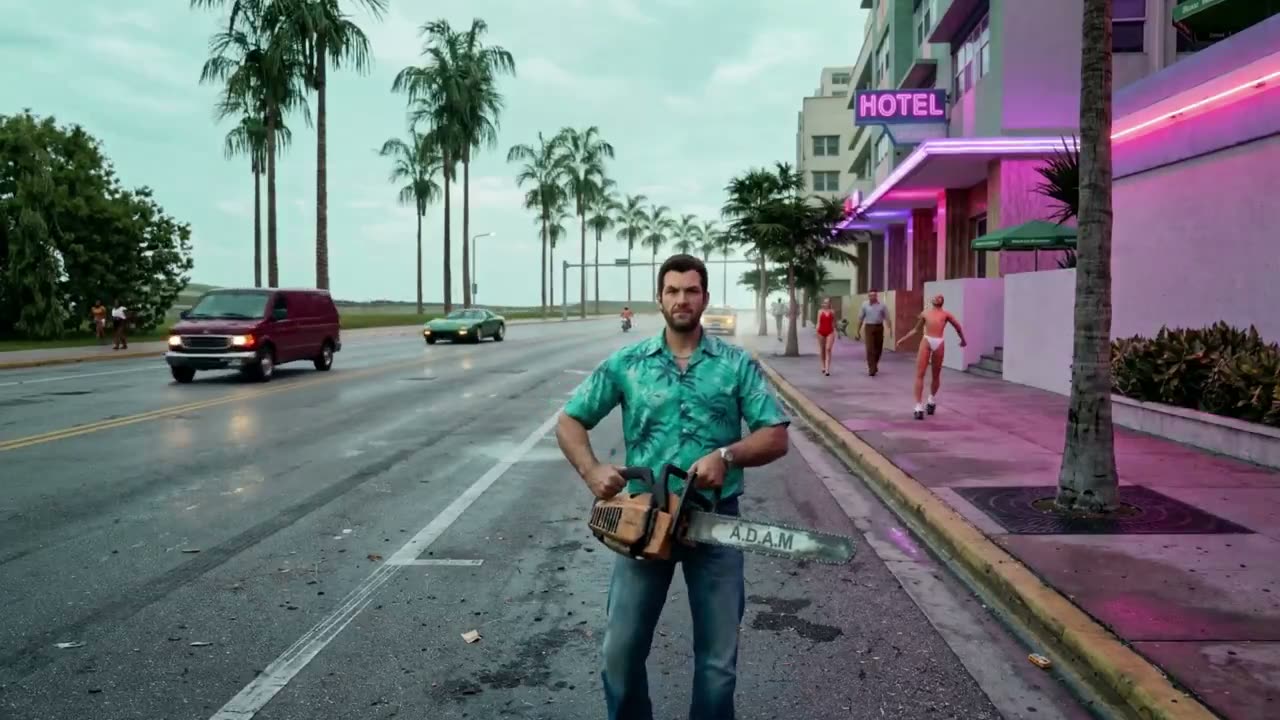
Walking the boulevard toward camera, street crowd around him

A slow pull-back on a man walking straight at the lens down a neon boulevard, with every passer-by and passing car listed.

  • Text to video
  • Pull-back
  • Street crowd
  • Neon daylight
Video prompt599 chars
GTA VI in-game cinematic, 35-year-old white male in teal Hawaiian shirt and jeans holding a chainsaw, walking directly toward camera down a Vice City boulevard, pink neon Hotel sign glowing to the right, pedestrians on the sidewalk, man in brown trousers, woman in red swimsuit, rollerblader in bikini, dark red van and green sports car passing on the wet road, tall palm trees lining the boulevard, overcast teal-grey Miami sky, foggy humid atmosphere, camera slowly pulling back as he advances, HUD visible, warm pink neon against cool overcast daylight, photorealistic GTA VI engine render, 30fps

Why it works

  • Background extras are named one by one, so the street reads as populated rather than generic.
  • The grade is stated as a contrast: warm pink neon against cool overcast daylight.
Made with LTX-2.3 Pro6s

by @AllarHaltsonen2.3K viewsOriginal post

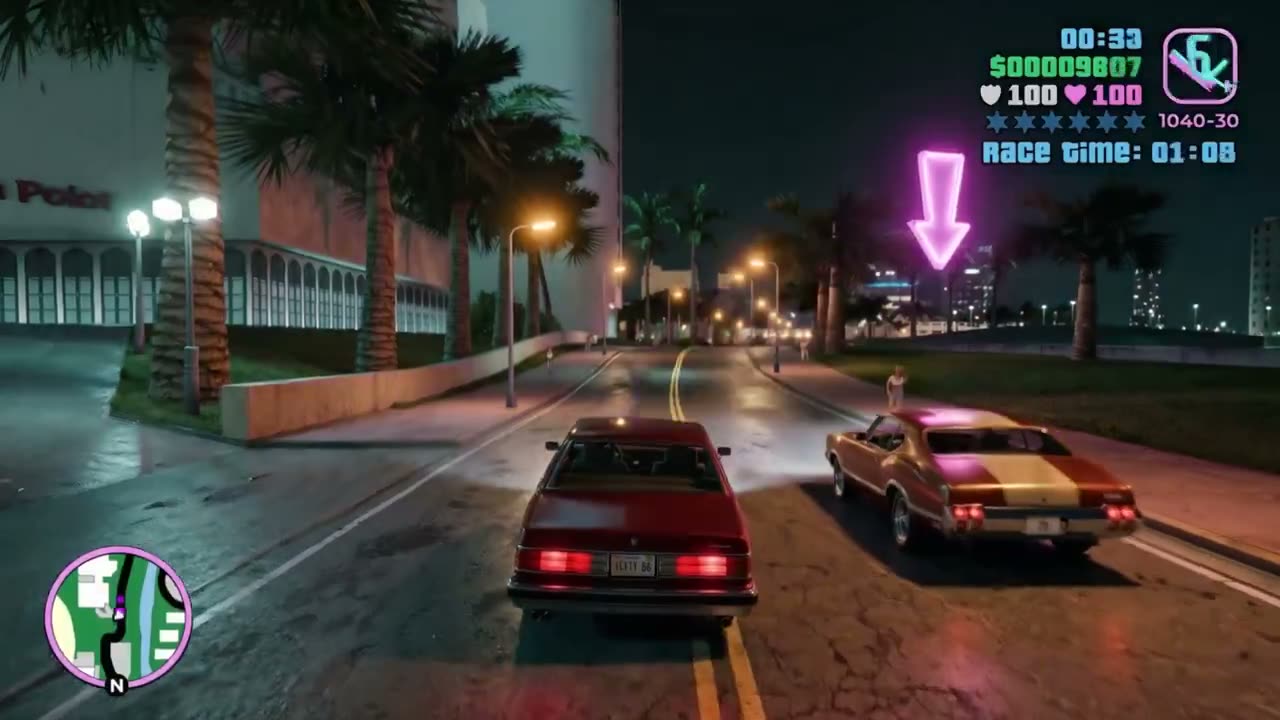
Street race to a glowing checkpoint

Two muscle cars surge toward a pink checkpoint dome on a wet boulevard at night, with a race timer in the top-right corner.

  • Text to video
  • Street race
  • Race timer
  • Night
Video prompt684 chars
GTA VI in-game cinematic, low rear tracking shot following a dark red muscle car accelerating toward a glowing pink race checkpoint dome on a wet Vice City boulevard at night, gold muscle car racing alongside to the right, pink neon arrow pointing down above the checkpoint, wet asphalt reflecting pink and amber street light, large white Art Deco building to the left, palm trees lining both sides, city skyline glowing in the distant background, camera tracking low and tight behind the red car as both vehicles surge toward the start line, race timer visible top right, HUD elements active, deep navy sky, warm pink and teal neon palette, photorealistic GTA VI engine render, 30fps

Why it works

  • Race UI is part of the prompt — checkpoint dome, arrow above it, timer top right — so the clip reads as a mission, not just a drive.
Made with LTX-2.3 Pro6s

by @AllarHaltsonen2.3K viewsOriginal post

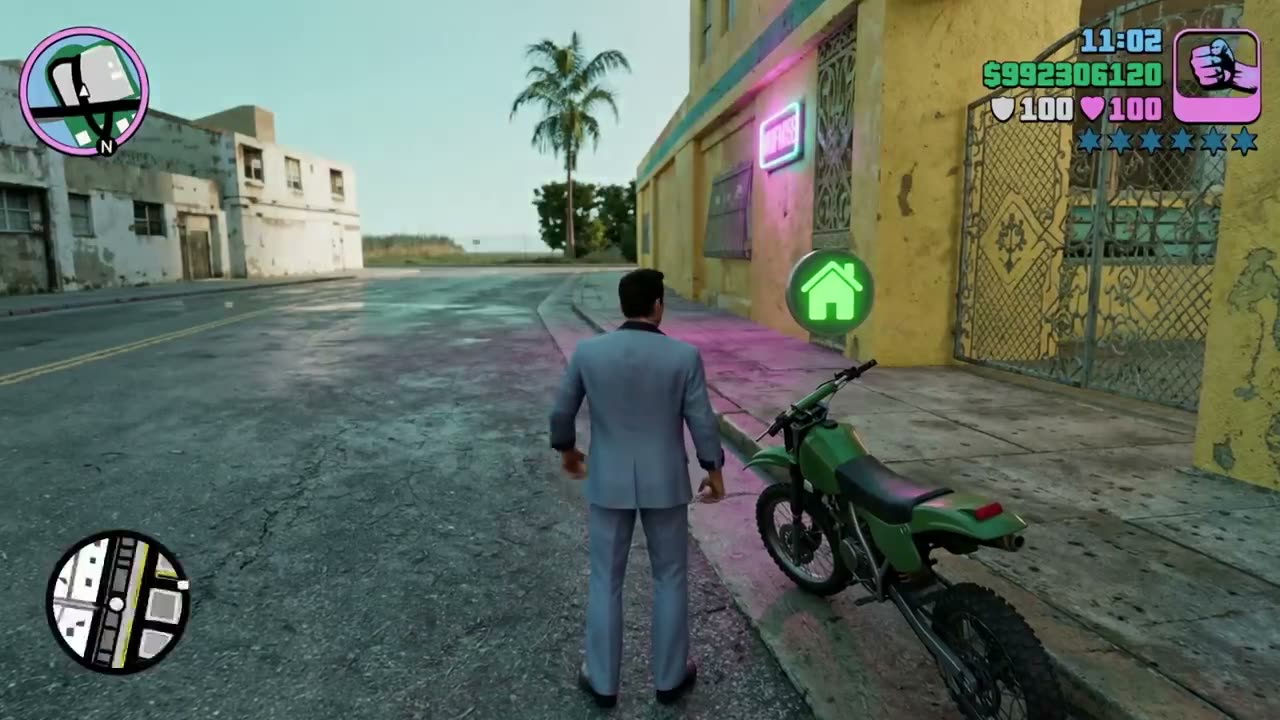
Suit, dirt bike and a five-star wanted level

A man in a light blue suit kicks a dirt bike alive on a side street and the camera tracks low behind him as he pulls away.

  • Text to video
  • 6-second shot
  • Follow cam
  • Wanted stars
Video prompt538 chars
GTA VI in-game cinematic, third person follow camera, 35-year-old white male in light blue suit stepping onto a green dirt bike parked on a Miami side street, weathered yellow building with pink neon sign to the right, palm tree and open road ahead, he kicks the engine alive and pulls away down the empty street, camera tracking low behind him as he accelerates, HUD visible, minimap bottom left, money counter and stats top right, five-star wanted level, morning light, warm Miami color grade, photorealistic GTA VI engine render, 30fps

Why it works

  • The action is one verb chain — steps on, kicks the engine alive, pulls away — about what fits in six seconds.
  • The wanted level is a number ("five-star"), so the HUD has something specific to draw.
Made with LTX-2.3 Pro6s

by @AllarHaltsonen1.9K viewsOriginal post

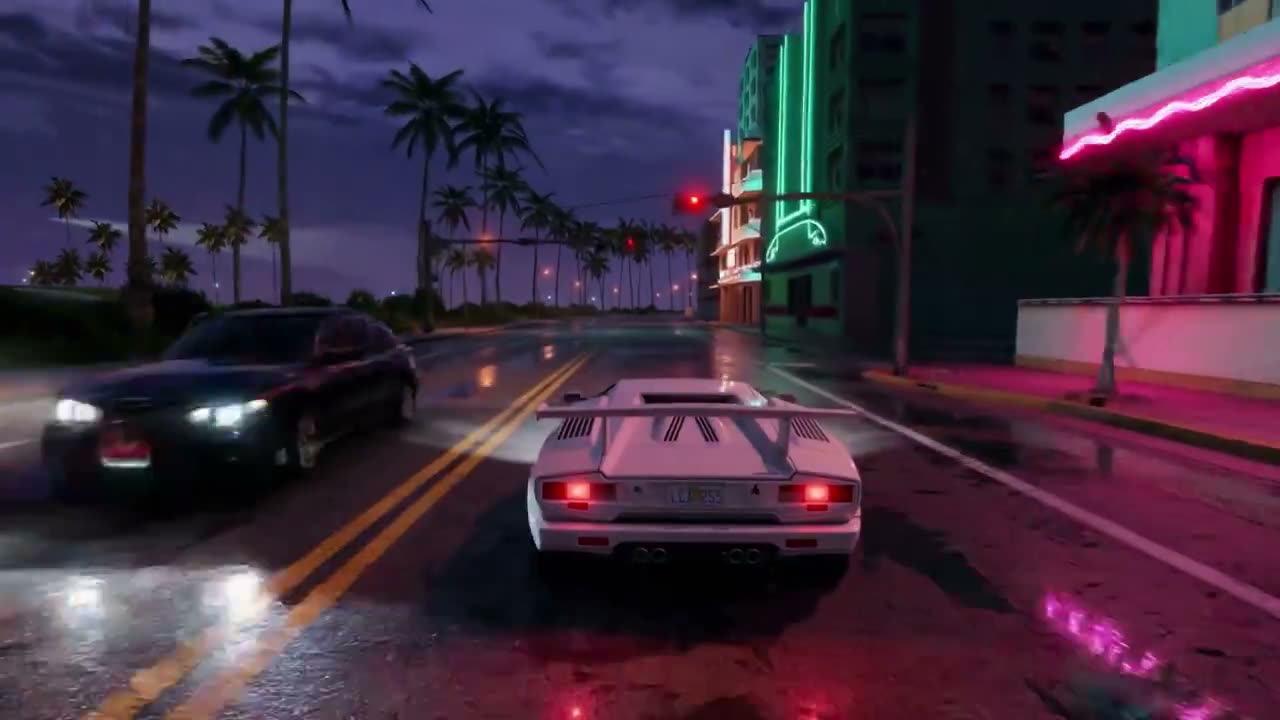
Low rear tracking shot on a wet neon boulevard

A night drive: the camera sits low and close behind a white sports car, and most of the words go to reflections on the wet road.

  • Text to video
  • Night drive
  • Wet reflections
  • Rear tracking
Video prompt633 chars
GTA VI in-game cinematic, low rear tracking shot following a white Lamborghini Countach down a wet Vice City boulevard at night, red tail lights and exhaust pipes sharp, wet asphalt reflecting pink and teal neon from Art Deco buildings lining both sides, oncoming car headlights ahead, palm trees and street lamps stretching to vanishing point, lighthouse visible in the far distance, deep purple-blue stormy sky above, camera tracking low and close behind the car as it accelerates, neon reflections rippling across the wet road beneath, warm pink and teal palette against deep cool night, photorealistic GTA VI engine render, 30fps

Why it works

  • Wet asphalt carries the look — neon, tail lights and street lamps all have something to reflect in.
  • It names a real car model; describe the car yourself if you would rather avoid a brand.
Made with Seedance 2.015s

by @neuralshockwave417 viewsOriginal post

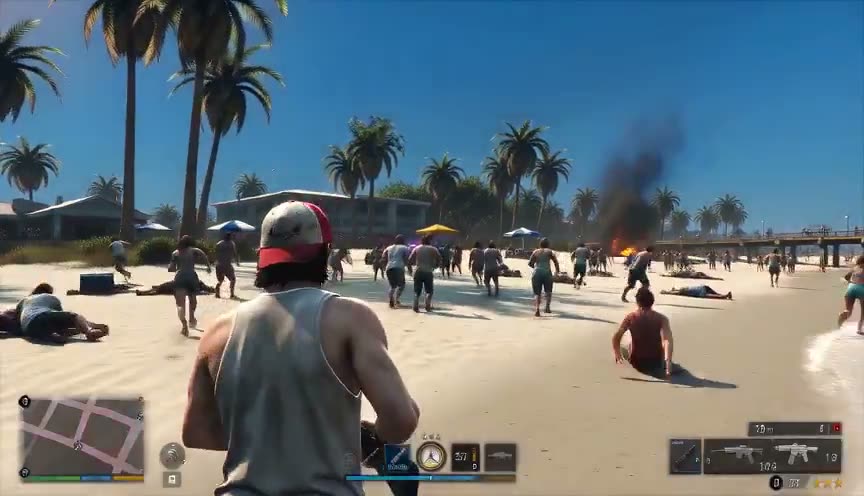
Zombie outbreak on a Florida-style beach, gameplay HUD

A header with model, length and ratio, then camera, HUD, scene, character and timeline as separate blocks, with your character image as the player.

  • Image input
  • Seedance 2.0
  • Character reference
  • Gameplay HUD

Inputs Character image (the player)

Video prompt3,262 chars · 4 beats
(Seedance 2.0 | 15 seconds | 16:9)
Use reference image as the main charcter.
Create a 15-second cinematic gameplay-style video in 16:9 landscape that looks like a modern open-world crime video game inspired by the visual style of GTA 6, without using any official game assets or copyrighted characters.
Camera & Gameplay
Third-person over-the-shoulder camera positioned behind the player character.
Authentic open-world gameplay feel with smooth character movement.
Visible gameplay HUD including a minimap, health bar, armor indicator, ammo counter, weapon icon, wanted level stars, and mission-style UI.
Dynamic gameplay camera with subtle handheld movement and realistic character animations.
Scene
A bright, sunny Florida-style beach with white sand, turquoise ocean, palm trees, lifeguard towers, colorful umbrellas, beach towels, volleyball nets, and a lively boardwalk atmosphere.
The beach is filled with two groups:
Panicked beach visitors in swimsuits running away and taking cover.
Large numbers of aggressive zombies spreading across the beach.
Several police cars are parked on the sand with emergency lights flashing. Police officers are actively engaging the zombies while civilians flee in all directions. Dust, sand, smoke, and debris create an intense action atmosphere.
Main Character
The player character is viewed only from behind throughout the scene. The character carries a pump-action shotgun and moves forward while aiming and firing at approaching zombies. Visible shotgun recoil, shell ejection, realistic reload animation, muzzle flashes, flying sand, and zombie hit reactions.
Action Timeline
0–3 sec: Character walks forward on the crowded beach while zombies emerge ahead. Police sirens begin.
3–8 sec: Zombies rush toward civilians. Police vehicles arrive with flashing lights. Officers open fire.
8–12 sec: The player fires multiple shotgun blasts at nearby zombies while advancing. Dynamic explosions of sand, realistic impacts, and cinematic camera shake.
12–15 sec: The player continues pushing forward through the chaos as police battle zombies in the background. End with a dramatic over-the-shoulder gameplay shot facing the ocean and the zombie-filled beach.
Visual Style
Cartoon GTA 6 style.
Ultra-realistic next-generation graphics.
High-quality lighting with bright Florida sunshine.
Physically based rendering (PBR).
Realistic shadows and reflections.
Volumetric lighting.
Motion blur.
Depth of field.
Detailed facial animations for NPCs.
Dense crowd simulation.
Smooth 60 FPS gameplay appearance.
Highly immersive open-world action game presentation.
Audio
Powerful, realistic pump-action shotgun blasts.
Convincing zombie growls and screams.
Police sirens.
Police officers shouting commands.
Civilians screaming and running.
Ocean waves.
Seagulls.
Footsteps on sand.
Shell casings hitting the ground.
Ambient beach sounds mixed naturally with the combat.
Intense cinematic action mix with realistic spatial audio.
Style Keywords
Next-generation open-world gameplay, third-person action game, cinematic gameplay capture, Florida beach, zombie survival, dynamic police response, immersive HUD, realistic physics, AAA-quality graphics, intense combat, high visual fidelity, gameplay footage aesthetic.

Why it works

  • The HUD is listed item by item — minimap, health, armor, ammo, weapon icon, wanted stars, mission UI.
  • The player is seen only from behind throughout, which makes a reference character easier to hold.
Prompt source

Fake gameplay with a HUD11

Third-person gameplay with the interface on screen — minimap, health, wanted stars, mission text — including fake livestreams with a facecam.

Made with Sora 210s

by @op7418211K viewsOriginal post

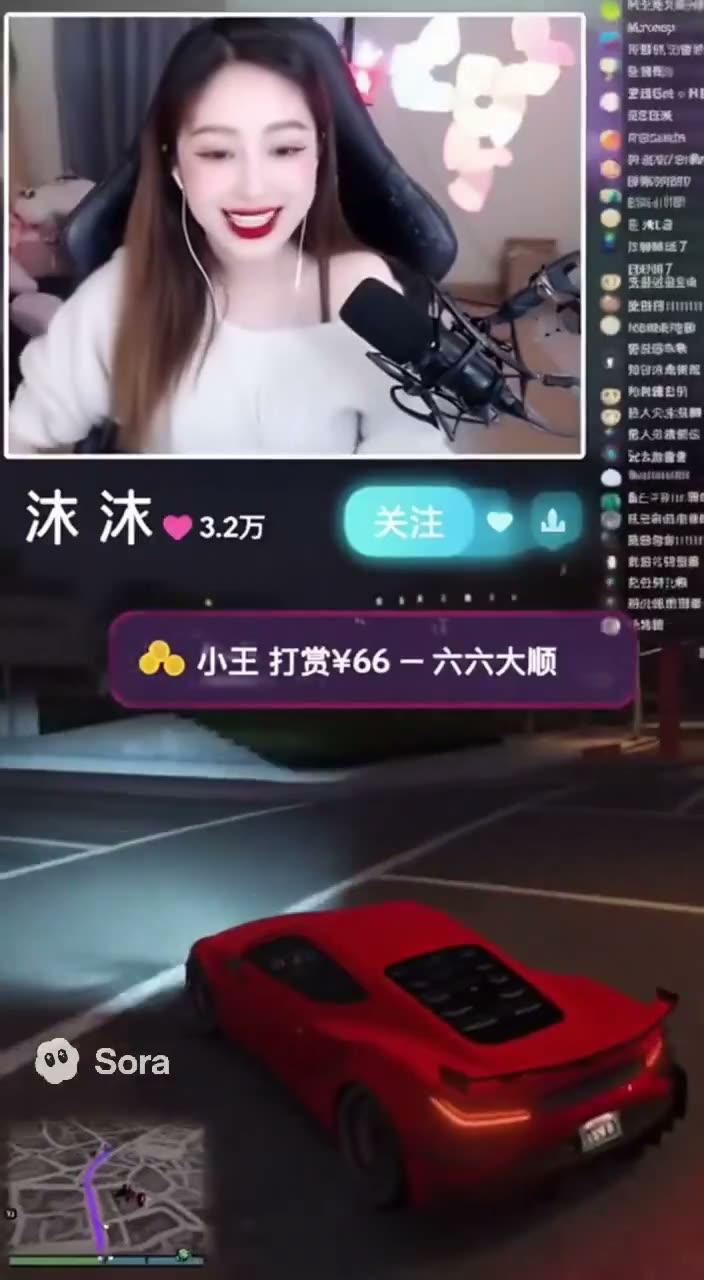
One-sentence livestream prompt, written in Chinese

A single sentence: a streamer playing the game, a webcam view in the top-left corner and streaming software UI around it.

  • Text to video
  • One sentence
  • Chinese prompt
  • Sora 2
Video prompt45 chars
一个美丽的中国女主播正在直播玩《GTA5》的画面,左上角有摄像头画面,还有直播软件的 UI

Why it works

  • It shows how far one sentence gets you: two placement cues, a top-left webcam and streaming UI, set the whole layout.
Made with Wan 3.010s

by @aymducking66.1K viewsOriginal post

Beach backflip dive with only a minimap on screen

Ten seconds in one take: walk onto a beach, run, one backflip into the water, with the camera arcing around the flip.

  • Image input
  • 9:16 vertical
  • Minimap only
  • One take

Inputs Character image (image1)

Video prompt2,925 chars
STYLE REFERENCE: Photoreal, vibrant open-world action-game aesthetic — naturalistic sun-drenched color grading, dynamic third-person gameplay camera, cinematic framing typical of open-world exploration moments DURATION: 10 seconds, single continuous take, no cuts ASPECT: 9:16 vertical SETTING: A sunny tropical beach at midday — turquoise water, white sand, scattered palm trees, gentle rolling waves, bright natural sunlight with soft lens flare off the water CHARACTERS: - MAIN CHARACTER: @image1 — use this reference image as the exact locked visual identity, maintaining the same face, hair, body proportions, and outfit precisely as shown, from every angle, with no design deviation - WOMAN: a beautiful woman standing near the shoreline in casual beachwear, smiling warmly — generic, non-specific appearance CAMERA: Third-person perspective, open-world-game-style follow-cam. Behind-the-shoulder tracking during the walk and run, then a dynamic arcing camera move that swings around the character during the single backflip to capture it cinematically, settling low near the water surface for the dive and splash. HUD OVERLAY: A small minimap in the bottom-left corner of the screen (radar-style circle showing the character's position), unobtrusive — no other UI elements. BEAT-BY-BEAT: 0:00–0:02 — Protagonist walks onto the beach, camera trailing behind the shoulder; they spot the woman standing near the waterline 0:02–0:03 — Protagonist raises a hand and waves, calling out "Hello!" with a warm grin; the woman smiles and waves back 0:03–0:06 — Protagonist turns and breaks into a run down the beach toward the water, sand kicking up behind them, camera dynamically following at running speed 0:06–0:08 — Reaching the shoreline, the protagonist leaps upward and performs exactly one single backflip — one complete 360° rotation, performed only once — as the camera arcs fluidly around the rotation to capture it from a dramatic angle, sunlight flaring across the frame mid-rotation 0:08–0:10 — Protagonist completes the single rotation and plunges into the water with a splash; camera settles low at the water's surface, capturing the splash and rippling water sparkling in the sunlight CHARACTER DIALOGUE: "Hello!" (warm, friendly, called out while waving) — no on-screen subtitles beyond the minimap HUD AUDIO: Gentle ocean waves, seagulls calling, a light breeze, bare feet on sand, the friendly greeting line, a satisfying splash as the character hits the water, an upbeat breezy ambient undertone NEGATIVE PROMPT: no on-screen text or subtitles, no logos or brand names, no extra HUD elements beyond the minimap, no watermark, no extra unintended cuts, no extra limbs, no design drift on the protagonist from the reference image, no first-person view, no sexualized content, no real identifiable person depicted as the woman, no multiple flips or repeated rotations — only one single backflip performed once

Why it works

  • The HUD is limited to one element, a small minimap bottom left, which keeps a 9:16 frame clean.
  • The negative list ends on "only one single backflip performed once", the failure it is guarding against.
Prompt source
Made with Seedance 2.545s

by @QAiStudio47.9K viewsOriginal post

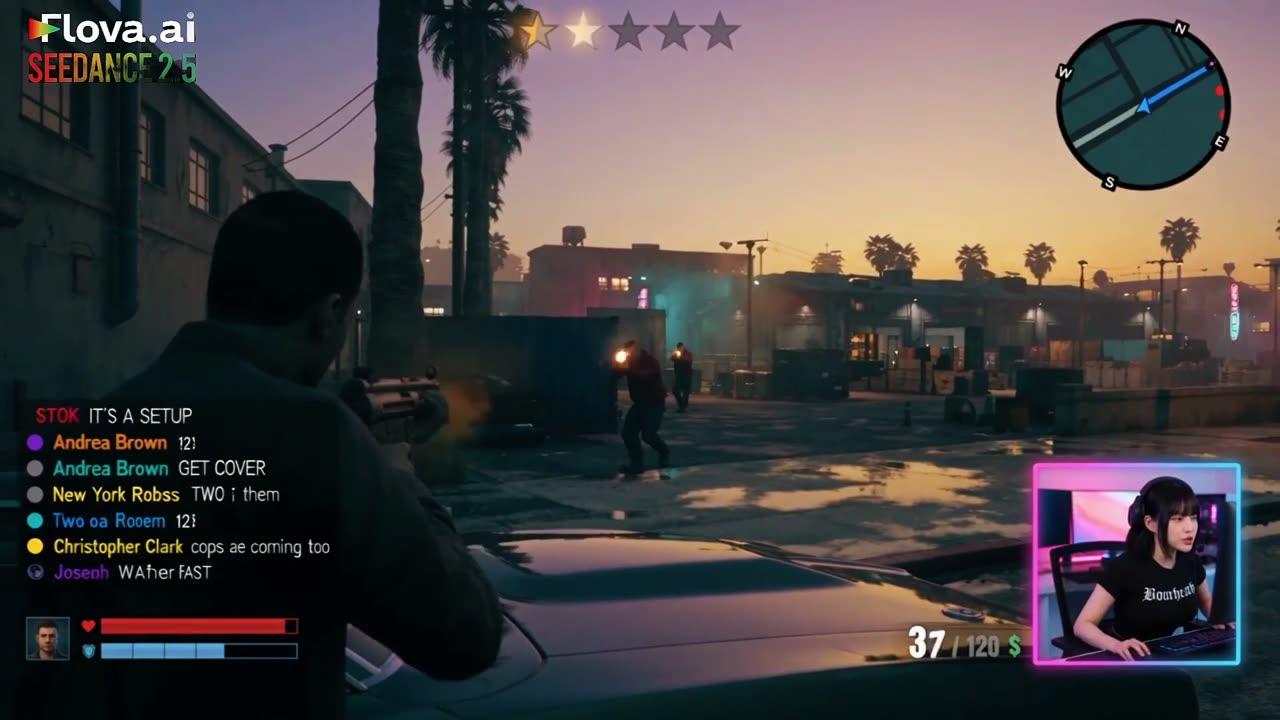
Fake livestream: gameplay, facecam and scrolling chat

A 45-second take built as a 30-second opening plus a 15-second continuation, with the facecam, the chat and the HUD pinned in place throughout.

  • Image input
  • Livestream layout
  • Facecam
  • 45 seconds

Inputs Streamer image for the facecam

Video prompt2,346 chars · 6 beats
Photorealistic fictional open-world coastal crime-action gameplay livestream, 16:9, one continuous 45-second take split into a 30-second opening plus a seamless 15-second continuation. Fixed full-screen game HUD throughout: bottom-right square pink-blue neon facecam of HANEUL only, matching the supplied reference image exactly; fixed HUD, English-only scrolling live chat on the left, Korean streamer speech only with no subtitles, third-person chase camera, no cuts, no transitions, no scene changes, no duplicate characters.
0–8s: Player drives a dark muscle car through a neon coastal city at dusk toward a GPS destination; HANEUL is calm and focused in facecam, with engine, city ambience, faint radio, and keyboard/mouse sounds.
8–15s: At a warehouse, exactly two dark-red-jacket gang enemies emerge from cover, draw pistols, and ambush the player. The player dives behind a car, is visibly grazed, health drops, and wanted level rises to two stars. HANEUL reacts in shocked Korean.
15–24s: Intense reckless firefight. Player uses one compact SMG; enemies use pistols only. A flanking enemy shatters a nearby car window, bullets dent the car and pop a tire, ammo falls from 38/120 toward 24/120, wanted level reaches three stars, and distant police cruisers appear only in the background.
24–30s: Player fires five deliberate SMG shots with visible sequential hit reactions; both enemies fall only after being hit. Ammo drops exactly from 24/120 to 14/120. HANEUL remains wide-eyed and tense; police sirens close in.
30–38s: With both enemies down, the player limps into the damaged muscle car with a shredded tire. Two police cruisers pursue in the background as the car lurches forward on its rim. Health remains critically low and flashing red; wanted level stays at three stars.
38–45s: Player scrapes through a narrow alley, knocks off both mirrors, and reaches a side street where traffic briefly blocks the police. The wanted level remains flashing at three stars, police lights remain visible in the rearview, and the ending stays unresolved.
Strict rules: HANEUL appears only in the bottom-right fixed facecam; exactly one player and two gang enemies; no extra armed characters; no full-screen facecam; no subtitles; English-only HUD/chat text; no weapon swaps; no gore; no victory, clean escape, black screen, or end card.

Why it works

  • The layout is fixed before any action: facecam bottom right, chat on the left, HUD everywhere else.
  • Counts are exact — one player, two enemies — and a strict-rules line repeats them, which keeps extra gunmen out.
Made with Seedance 2.530s

by @doctorwasif37K viewsOriginal post

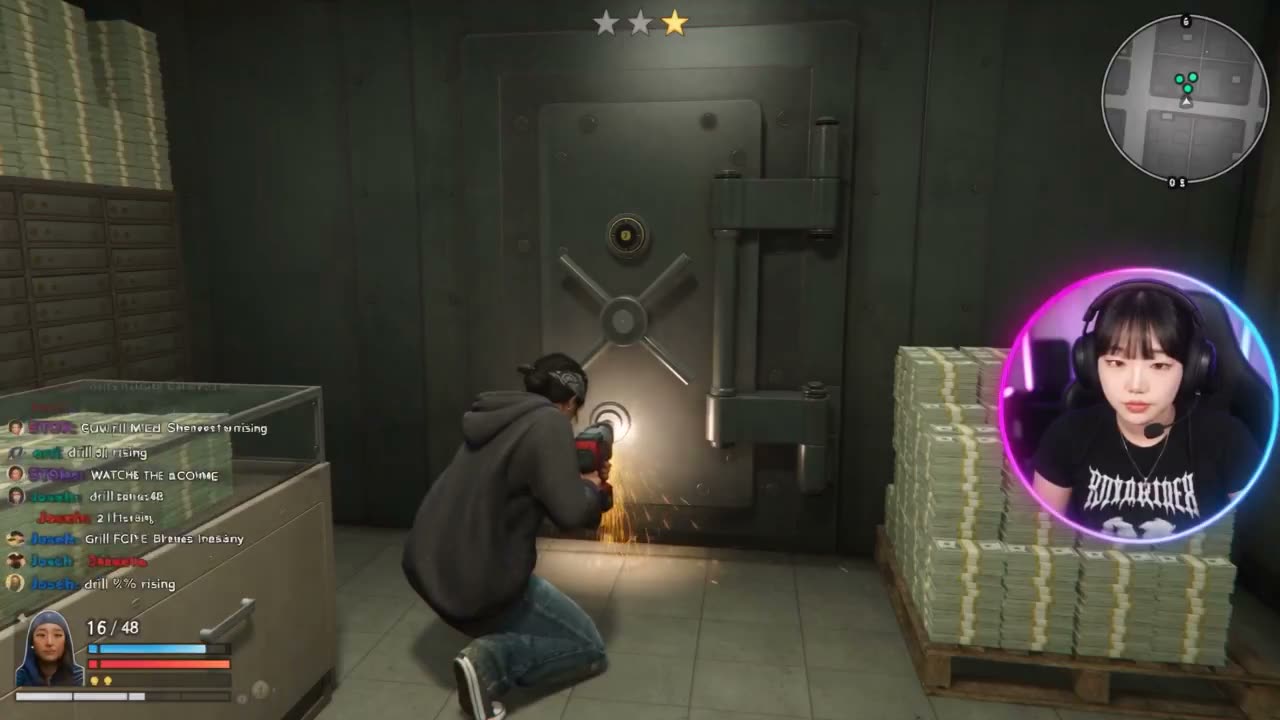
Bank-vault livestream with a fixed facecam

The livestream format on a vault heist: every HUD element has a screen position, and the chat even has usernames.

  • Image input
  • Livestream layout
  • Heist
  • HUD positions

Inputs Streamer image (Image1)

Video prompt3,382 chars · 5 beats
Use Image1 as, highest-priority reference for HANEUL. Preserve her exact, proportions, skin tone, black blunt-bang short hair, piercings, body type, outfit, accessories, lighting, camera angle, and real streaming setup. She must look like the same real adult Korean woman not stylized, plastic, anime, 3D, duplicated, or face-swapped.
Create a strictly 30-second, 16:9 1080p realistic open-world crime-action gameplay livestream, fictional characters/vehicles/setting only. One continuous unbroken take, no cuts, transitions, scene changes, subtitles, narration, or full-screen facecam.
Fixed layout: gameplay throughout; square 1:1 neon pink-blue facecam bottom-right, never moving/resizing; HANEUL only inside facecam. English-only scrolling chat lower-left with usernames: orri, Joseph, New York Robots, Christopher Clark, Wavers, STOK, Andrea Brown. Fixed HUD: health/armor bottom-left, weapon + ammo beside facecam, cash counter, minimap top-right with GPS route + exactly 2 red guard blips, wanted stars top-center.
Gameplay: one female player in dark hoodie/jeans with neck bandana, compact pistol, exactly two armed navy-uniform security guards. No other armed characters; background police cars only during escape. Player takes real damage and remains low-health.
0–5s: crouched in vault while drill finishes, sparks; 0 stars. HANEUL eyes clearly open/focused, natural blinking only. Korean: “Come on... almost through.” Chat: “orri: drill % rising”, “Joseph: keep it quiet.”
5–11s: vault opens → cash grabbed → alarm flashes → two guards approach and fire. Player is visibly grazed, flinches, health drops, wanted level becomes 1. HANEUL sharply widens eyes, gasps, briefly lifts hands. Korean: “Whoa, they found us!” Chat: “STOK: GUARDS INCOMING”, “Andrea Brown: SHE GOT HIT”.
11–19s: intense reckless firefight. HANEUL immediately resumes frantic keyboard/mouse input, eyes wide. Player fires one-handed while holding cash; guards actively flank/fire; glass shatters, metal boxes dent, player takes cover and returns fire. Ammo: 16/48 → 10/48, wanted level 2. Korean: “Don't die! Get them off me!” Chat rapidly scrolls: “Joseph: WATCH THE PILLAR GUY”, “orri: 2 stars already”, “Wavers: FINISH THEM AND RUN”.
19–23s: player fires exactly four decisive shots, each with visible hit reaction: first guard hit, second hit, first collapses, second staggers then falls. Ammo: 10/48 → 8/48 → 6/48 → 4/48. Both guards remain down. Chat: “STOK: BOTH GUARDS DOWN”, “Andrea Brown: GRAB THE REST AND GO”.
23–30s: player grabs final cash, sprints to alley, enters getaway car, smoothly shifts to chase-cam without a cut. Two police cruisers pursue. Car clips trash can, crosses traffic slows police, reaches busy avenue. Health stays flashing red, wanted level stays 2 stars, cash stays increased. HANEUL leans forward, eyes visible and tense, drives while gripping mouse/controls. Korean: “Go, go! We got it, just get us out — we're not clear yet!” Chat: “New York Robots: LOSE THE COPS”, “Christopher Clark: stars haven't dropped”. Final frame remains wanted with police lights behind; no capture, death, clean-escape message, or end title.
Absolute: exactly 1 HANEUL, 1 player, 2 guards; no duplicates; no weapon switching; guards always armed; realistic synchronized gameplay/facecam reactions; no prolonged closed eyes; no gore; wanted stars remain through final frame.

Why it works

  • Positions are exact — health bottom left, minimap top right with two red guard blips, wanted stars top center.
  • An "Absolute" line at the end restates the counts: one streamer, one player, two guards.
Made with Seedance 2.530s

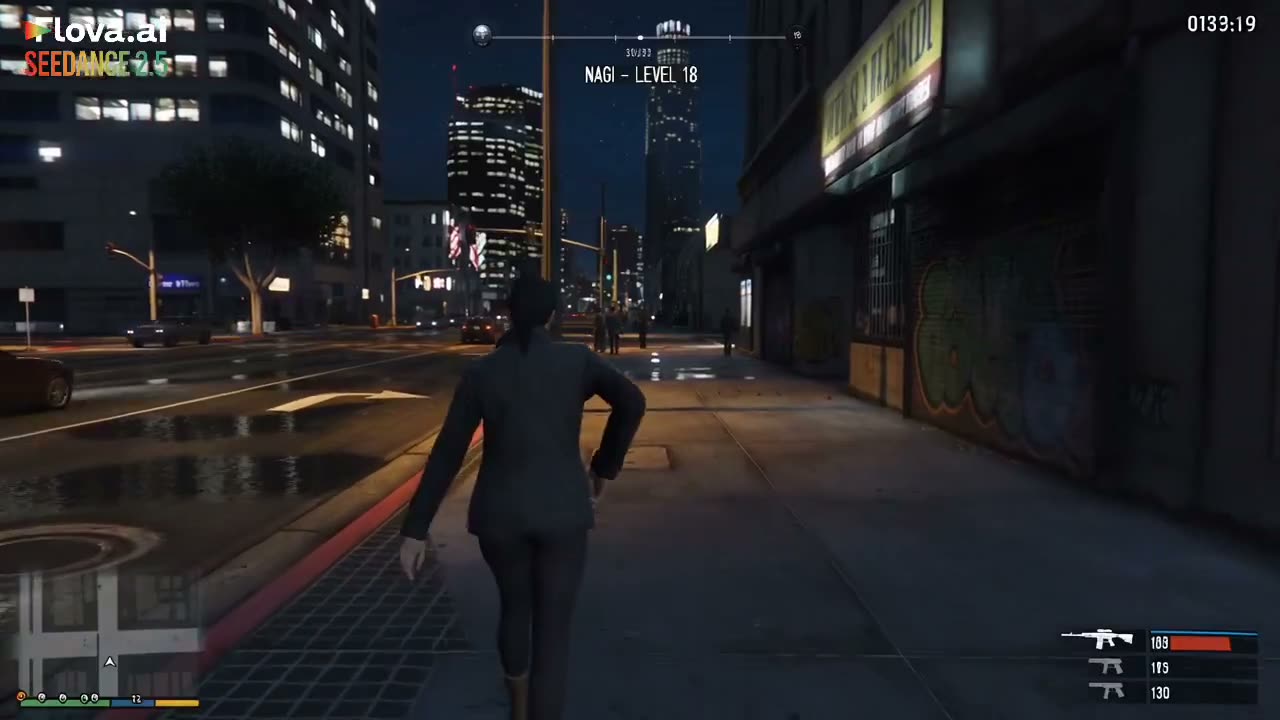
by @saniaspeaks_19.8K viewsOriginal post

Rooftop sniper mission that ends on MISSION PASSED

A phone notification sets the target, she climbs a rooftop across from a nightclub, takes the shot and escapes to a mission-passed screen.

  • Image input
  • Mission passed
  • One hard cut
  • Character reference

Inputs Character image (Image1)

Video prompt2,620 chars
Ultra-realistic AAA third-person open-world action game mission, captured as authentic GTA-style gameplay. Use the exact same female character from @ Image1, preserving her face, hairstyle, body proportions and identity, wearing a dark fitted jacket, dark pants and practical boots. Set the scene in a realistic modern city at night with a crowded neon nightclub, surrounding tall buildings, traffic, pedestrians and realistic reflections. Use a third-person gameplay camera behind and slightly above NAGI, with realistic movement, physics, lighting and NPC behavior. Keep 0–27 seconds as ONE continuous gameplay take with no cuts and exactly ONE hard cut at 27 seconds. Maintain a GTA-style HUD throughout: NAGI — LEVEL 18, mission objective, minimap with target/escape markers, and weapon/ammo display. At 0–5 seconds, NAGI receives a phone notification: NEW MISSION — HIGH VALUE TARGET — OBJECTIVE: ELIMINATE TARGET, and the minimap marks the target inside the nightclub. From 5–10 seconds, she checks the location, observes the surrounding buildings and identifies a tall building across from the club as the best position. From 10–15 seconds, she enters the building, runs upstairs and reaches the highest rooftop, with the nightclub clearly visible below. From 15–19 seconds, she crouches behind a low wall, aims through her weapon optic and the game highlights the target inside the crowded nightclub: TARGET IDENTIFIED — 72M — OBJECTIVE: TAKE THE SHOT. From 19–22 seconds, NAGI fires one precise shot; show a brief visible gameplay-style tracer traveling toward the marked target, which drops out of view, with no blood or graphic injury. HUD changes to TARGET ELIMINATED. From 22–27 seconds, the nightclub music stops, NPCs panic and rush toward the exits while security reacts; NAGI lowers her weapon and moves toward the rooftop exit as a green escape marker appears on the minimap. At 27–30 seconds, make exactly one hard cut to a third-person gameplay shot of NAGI walking down the rooftop stairwell, with the nightclub and fleeing crowd visible in the distance, while the HUD displays MISSION PASSED — TARGET ELIMINATED — ESCAPE SUCCESSFUL — RANK: S. Keep everything spatially connected and visually clear from mission notification → location check → rooftop → target identification → aim → visible shot → target hit → crowd panic → escape → mission passed. Photorealistic AAA game-engine graphics, realistic physics, detailed city, natural character animation, believable NPC reactions, dynamic lighting and reflections. No live-action, anime, cartoon, montage, teleportation, random cuts or graphic gore.

Why it works

  • Continuity is built into the structure: one take from 0 to 27 seconds and exactly one hard cut.
  • On-screen text is written word for word ("NEW MISSION — HIGH VALUE TARGET").
Made with Seedance 2.530s

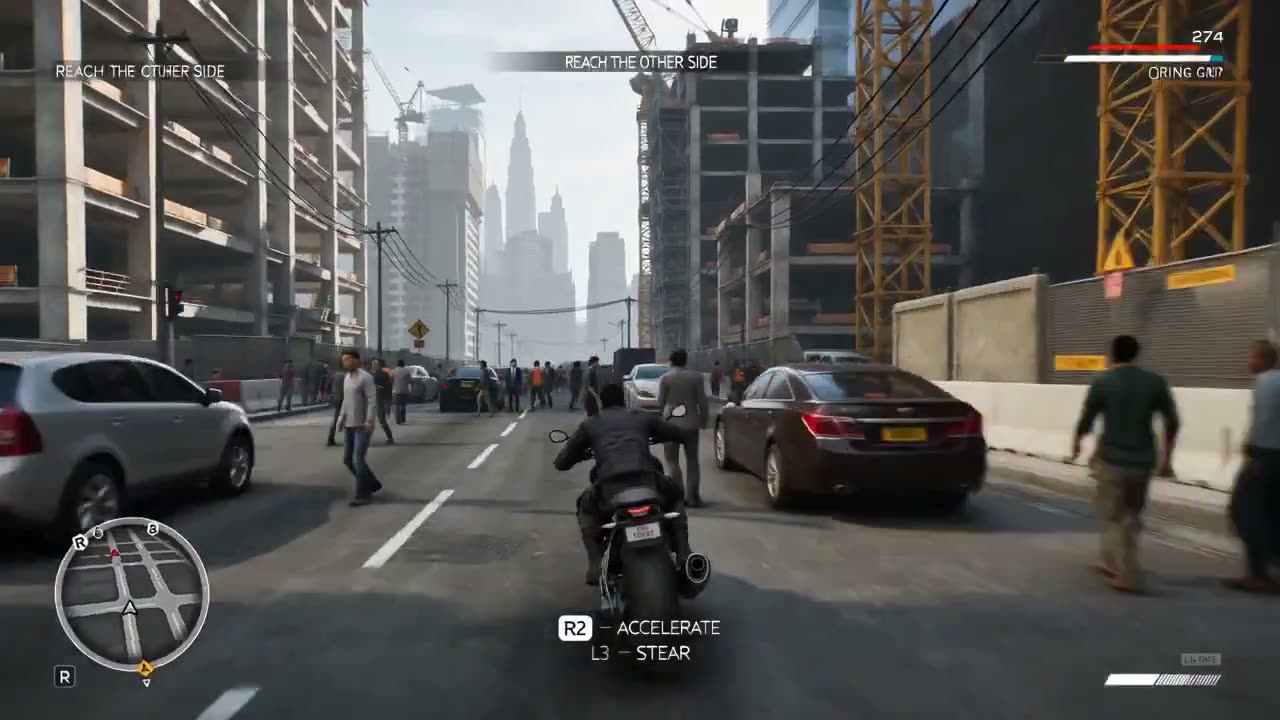
by @RizwanAly0713.7K viewsOriginal post

Crane collapse escape in fifteen two-second beats

A motorcycle ride turns into an escape on foot through an unfinished building, written as fifteen beats of about two seconds each.

  • Text to video
  • 15 beats
  • Controller prompts
  • Destruction
Video prompt3,818 chars
Create a 30-second vertical 16 : 9 video that looks like authentic playable footage from an original, ultra-realistic modern AAA third-person open-world game.
CORE: A young man rides a black motorcycle through a dense Asian-inspired construction district when a massive tower crane suddenly begins collapsing. He must react, escape blocked roads, abandon the bike, run through an unfinished building, dodge falling debris, climb to the rooftop, and reach safety.
IMPORTANT: Original game world, characters, mission, vehicles, HUD and environment. Do NOT recreate GTA V or any copyrighted game scene, character, map, vehicle or interface.
VISUALS: Photorealistic AAA game-engine graphics, realistic NPCs, traffic, construction equipment, concrete, steel, dust, debris, reflections, shadows and physically believable destruction.
PLAYER: Same young male throughout — identical face, hairstyle, body, clothing and motorcycle. No morphing, outfit changes, duplicates or glitches.
CAMERA: Consistent third-person camera behind/slightly above player. Natural player-controlled movement. No cinematic cuts, drone shots, slow motion or independent camera movement.
HUD: Original modern open-world HUD. Circular minimap bottom-left, small health/stamina top-right, objective text top/center, contextual controller prompt bottom-center. Show only relevant inputs.
GAMEPLAY — 15 BEATS / ~2 SEC EACH
0–2s — RIDE
Motorcycle moves through traffic toward the construction zone.
Objective: “REACH THE OTHER SIDE”
Prompt: R2 — ACCELERATE | L3 — STEER
2–4s — LOOK
Metallic creaking. Player uses the camera to look toward an unstable tower crane.
Prompt: R3 — LOOK
4–6s — COLLAPSE
Crane begins falling; workers flee and dust/debris start falling.
Warning: “STRUCTURE FAILURE”
Prompt: R2 — ACCELERATE
6–8s — BARRIER
Metal barrier crashes onto the road. Player brakes and turns around it.
Prompt: L2 — BRAKE | L3 — TURN
8–10s — DEBRIS
Concrete debris lands ahead. Player swerves around it through dust.
Prompt: L3 — STEER
10–12s — TRUCK
Construction truck suddenly reverses into the path. Player brakes hard and narrowly avoids it.
Prompt: L2 — BRAKE
12–14s — SHORTCUT
Scaffolding blocks the road. Player turns into a narrow pedestrian-access lane.
Objective: “FIND AN ALTERNATE ROUTE”
Prompt: L3 — TURN | R2 — ACCELERATE
14–16s — DISMOUNT
Fallen pipes block the lane. Player stops, dismounts and starts running.
Prompt: △ — EXIT | R2 — SPRINT
16–18s — VAULT
Player reaches a temporary fence and vaults over it while the crane collapses behind him.
Prompt: X — VAULT
18–20s — BUILDING
Player sprints through an unfinished concrete building filled with steel beams, pipes, lights and dust.
Prompt: R2 — SPRINT
20–22s — DODGE
A steel beam crashes across the path. Player instantly dodges sideways.
Prompt: ○ — DODGE
22–24s — CLIMB
Player reaches an unfinished staircase and rapidly climbs toward the upper level.
Prompt: △ — CLIMB
24–26s — ROOFTOP
Player reaches the rooftop, jumps across a small construction gap and lands safely.
Prompt: X — JUMP
26–28s — ESCAPE
Player sprints toward the marked safe zone as the crane finally crashes behind him, producing a huge realistic dust cloud.
Prompt: R2 — SPRINT
28–30s — COMPLETE
Player stops at the rooftop edge. Destroyed construction site remains visible below.
HUD: “MISSION COMPLETE”
Subtext: “CONSTRUCTION ZONE ESCAPED”
Keep the minimap visible. End as gameplay footage, with no cinematic ending or fade.
GAMEPLAY RULES
Every displayed input must directly correspond to the player's action. Movement, steering, braking, sprinting, vaulting, dodging, climbing and jumping must feel player-controlled.
Maintain continuous environmental destruction: fallen objects remain where they landed, the motorcycle stays where abandoned, and the crane progressively collapses.

Why it works

  • Fifteen short beats keep one action per two seconds, a pace a follow camera can keep up with.
  • The HUD includes contextual controller prompts, which is what makes it read as played rather than filmed.
Made with Wan 3.015s

by @Inshrah_ali_11.5K viewsOriginal post

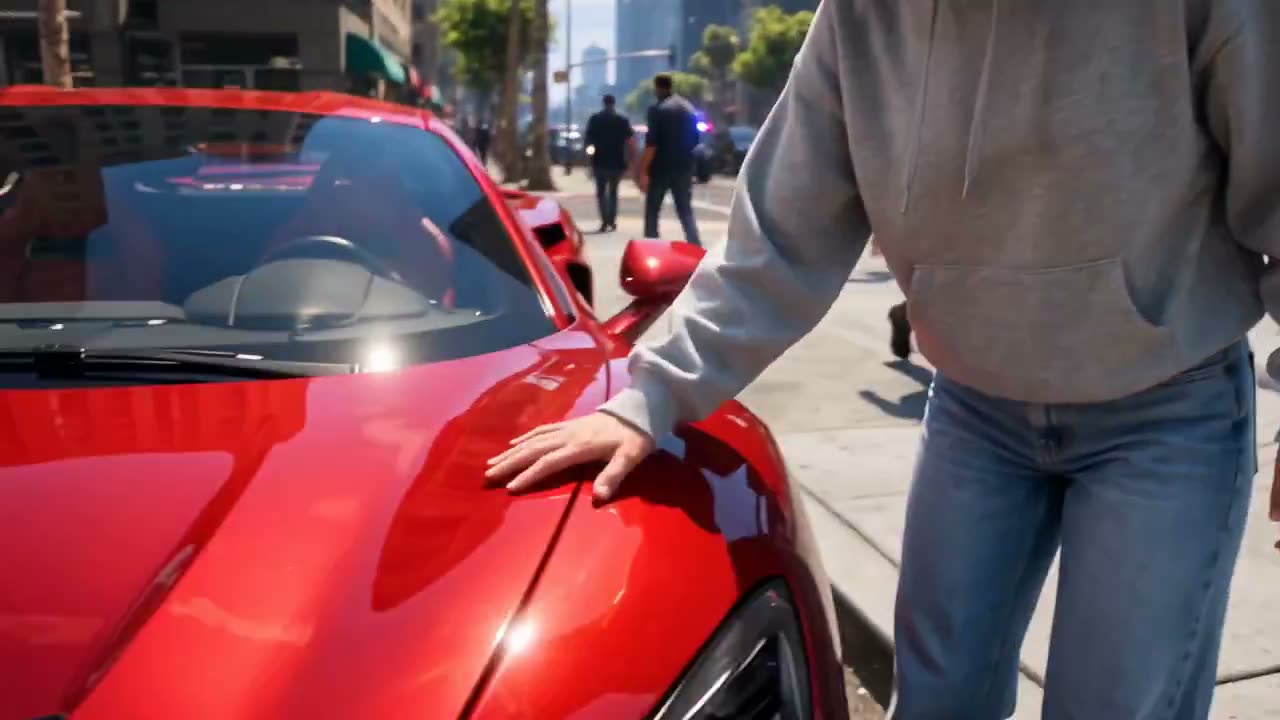
A creator gets pulled into the game

Starts in a real bedroom with a controller, glitches into an open-world city and ends in a police chase, with three short spoken lines.

  • Text to video
  • UGC style
  • Glitch transition
  • Wan 3.0
Video prompt2,775 chars · 4 beats
Create a 15-second ultra-realistic cinematic UGC-style video where a young female creator suddenly finds herself physically inside a fictional open-world video game. She is a real, live-action human character interacting naturally with the game's world, not a gamer watching a screen.
CHARACTER CONSISTENCY:
The exact same young female creator throughout the entire video. Clear realistic face, natural skin texture, expressive eyes, stylish Gen-Z streetwear, same hairstyle and outfit in every shot. She must look like a real person seamlessly placed inside the game world.
0–3 SEC — ENTERING THE GAME
Start with the creator standing in a realistic bedroom holding a game controller. The screen suddenly glitches with a dramatic digital distortion. In a seamless transition, the environment around her transforms and she is teleported directly into a huge fictional open-world city.
She looks around in shock and says:
“Wait… I’m actually inside the game?!”
3–7 SEC — OPEN-WORLD CHAOS
She is now physically walking through the game's city streets as a live character. Massive skyscrapers, pedestrians, sports cars, traffic lights, shops and cinematic city details surround her.
She looks at her hands, then touches a nearby car and reacts with genuine disbelief.
A police siren suddenly starts in the distance.
7–11 SEC — THE CHASE
She jumps into a fictional sports car and starts driving through the city.
Camera switches between third-person cinematic game-camera shots and close-up live-action shots of her face inside the vehicle.
Police cars begin chasing her. She laughs nervously and says:
“Oh no… I think I’m wanted!”
11–15 SEC — ESCAPE
She dramatically turns into a narrow alley, narrowly avoids a pursuing police vehicle, and escapes into an underground parking garage.
She stops the car, looks directly into the camera and says:
“Okay… how do I get OUT?!”
End with a dramatic cinematic pull-back revealing the enormous fictional game city around her.
VISUAL STYLE
Ultra-realistic live-action human seamlessly integrated into a photorealistic open-world game environment, cinematic game graphics, realistic physics, natural facial expressions, detailed city, dynamic camera movement, realistic vehicles, dramatic lighting, shallow depth of field, high-end VFX, premium gaming trailer + authentic UGC reaction style.
IMPORTANT: The woman must remain a realistic live human character inside the game world. Do not make her look like a cartoon, CGI avatar, animated character, or video-game model.
Create an original fictional open-world crime-action game aesthetic. Do not use GTA logos, characters, locations, UI, music, copyrighted assets, or recognizable game elements.
No text overlays, subtitles, watermarks, logos, or futuristic objects.

Why it works

  • Timed blocks place the glitch transition, so the jump from bedroom to game world lands at a known second.
  • It says what she is not — not a CGI avatar, not a video-game model — to keep her live-action inside the game.
Made with GPT Image 2 + Seedance 2.015s

by @HeyAbhishek9.4K viewsOriginal post

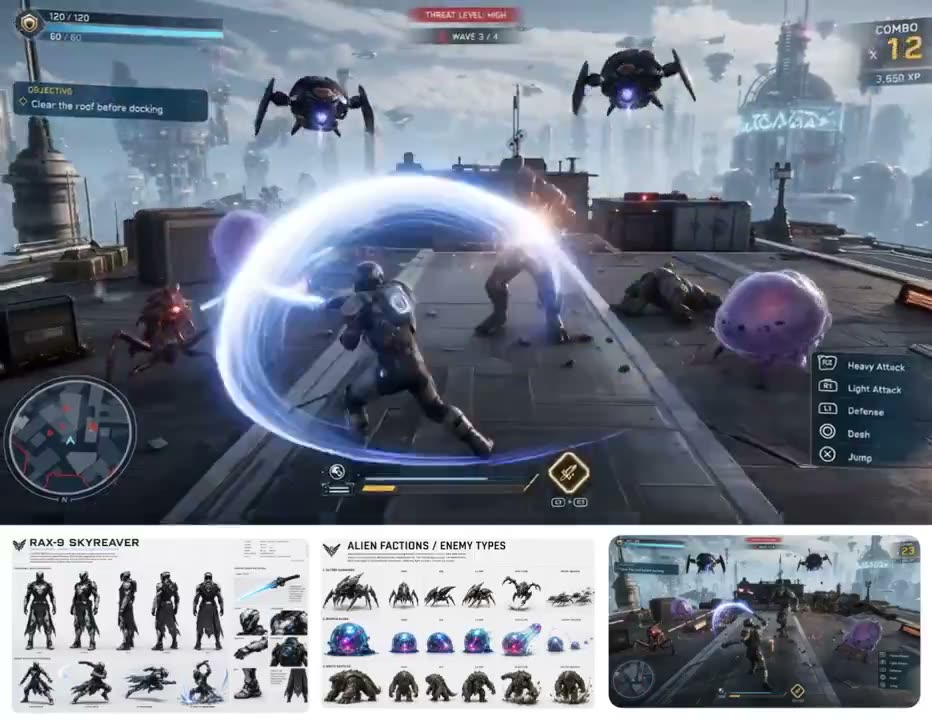
Fill-in template: gameplay screenshot, then gameplay video

Both halves are templates with [BRACKETS] to fill: the image prompt makes a mid-action gameplay screenshot, the video prompt animates it with the same fields.

  • Image input
  • Two-step recipe
  • Template
  • First frame

Inputs Gameplay screenshot made with the image prompt

  1. Step 1 · Gameplay screenshot (image prompt)1,577 chars
    "Create a realistic gameplay screenshot from a fictional third-person [GAME GENRE] game.
    Scene: [SETTING].
    Show the player character in the foreground center from behind in a third-person over-the-shoulder gameplay camera angle.
    Main character:
    [MAIN CHARACTER]
    The character should already be mid-action, aggressively engaged in gameplay from the first frame. Show the character performing a strong attack, defensive move, dash, or active gameplay action. The frame should feel like live gameplay, not a static poster.
    Enemy behavior:
    All enemies should be attacking only the main character.
    Include several enemy types surrounding or rushing the player:
    - [ENEMY GROUP 1]
    - [ENEMY GROUP 2]
    - [ENEMY GROUP 3]
    - [ENEMY GROUP 4]
    Main gameplay objective:
    [CORE OBJECTIVE]
    Main event / payoff building inside the frame:
    [MAIN EVENT / PAYOFF]
    Environment details:
    [ENVIRONMENT DETAILS]
    Add a full game HUD overlay:
    - [HUD DETAILS]
    Style: [VISUAL STYLE]
    Color / mood: [COLOR / MOOD]
    Composition:
    - wide 16:9 frame
    - dynamic action
    - strong third-person gameplay perspective
    - readable HUD
    - visible gameplay motion
    - slight motion blur
    - strong action clarity
    - polished modern game graphics
    Important:
    Make it look like a real playable gameplay screenshot captured in the middle of a mission. The frame should already show action, pressure, enemy threat, and a live event in progress. Do not make it look like concept art or a movie still.
    Negative:
    No brand logos, no watermark, no gore, no broken anatomy, no messy unreadable composition, no cinematic poster look."
Step 2 · Video prompt3,544 chars
"SUBJECTS
Main Character: [MAIN CHARACTER], viewed from behind in a third-person over-the-shoulder gameplay perspective, positioned in the foreground center, actively engaged in gameplay from the first second.
Enemy Group 1: [ENEMY GROUP 1]
Enemy Group 2: [ENEMY GROUP 2]
Enemy Group 3: [ENEMY GROUP 3]
Enemy Group 4: [ENEMY GROUP 4]
SCENE
[SETTING]
[ENVIRONMENT DETAILS]
GAMEPLAY GOAL
[CORE OBJECTIVE]
MAIN EVENT / PAYOFF
[MAIN EVENT / PAYOFF]
ACTION TIMELINE
0.0 - 2.0 sec
Start as live third-person gameplay footage from behind the main character. The main character begins attacking or reacting immediately from the first second. Show a strong action beat right away. All enemies are already rushing or attacking the main character. Establish intense gameplay energy, visible pressure, readable combat, and stable HUD.
2.0 - 4.0 sec
The main character chains into more movement and action. Add side-steps, pivots, dashes, blocks, strikes, or ability use depending on the character. The enemy groups keep attacking only the main character. Make the action feel fast, interactive, and controlled.
4.0 - 6.0 sec
Increase the pressure. Add stronger enemy movement and crowding around the player. Show impacts, knockback, attack reactions, or movement changes. Keep the action readable and energetic. The environment should also feel alive with subtle secondary motion.
6.0 - 8.0 sec
Introduce environmental motion or a gameplay escalation. This can be a vehicle shift, weather burst, object movement, hazard activation, or stronger battle intensity. The main character keeps fighting while reacting to the environment. Keep the enemies focused on the player.
8.0 - 10.0 sec
Trigger the main event or payoff moment:
[MAIN EVENT / PAYOFF]
This should feel like the biggest gameplay beat in the clip. Show reactions from both the environment and enemies while the player continues active gameplay.
10.0 - 12.0 sec
Sustain the action after the payoff. The main character keeps moving and attacking. Enemies continue swarming. Add more layered motion, but keep gameplay clarity. The player should feel powerful and active, not passive.
12.0 - 15.0 sec
End with a strong finish. The main character remains centered and dominant, still in motion. The immediate pressure should ease slightly or show progress. The HUD can subtly reflect success with combo gain, score increase, reduced threat, or mission progress. End like a real gameplay clip, not a cinematic ending pose.
CAMERA
Use a realistic third-person gameplay camera from behind the main character.
Add slight handheld gameplay sway.
Add subtle player-like lateral movement and small forward-back adjustment.
Keep the framing stable, readable, and clearly like captured gameplay footage.
Do not turn it into a cinematic trailer shot.
MOTION
Add layered motion across the full 15 seconds:
- main character movement: [attack style / dash / block / combo style]
- enemy attacks and reactions
- impact effects
- secondary motion from environment objects
- background movement
- subtle camera response to gameplay
HUD / GAME FEEL
Preserve the gameplay UI feeling throughout the whole clip.
Keep these UI elements stable and visible:
[HUD DETAILS]
STYLE
[VISUAL STYLE]
[COLOR / MOOD]
Make it feel like real captured gameplay, energetic, readable, interactive, and exciting to watch.
NEGATIVE
No brand logos, no watermark, no gore, no broken anatomy, no enemies attacking each other, no muddy unreadable motion, no overly dark lighting, no flickering UI, no cinematic trailer style."

Why it works

  • The same fields appear in both prompts, so the screenshot and the video describe the same scene.
  • The screenshot is asked to be mid-action from the first frame, which gives the video a moving start.
Prompt source
Made with Seedance 2.530s

by @AIwithkhan8.9K viewsOriginal post

After-hours store heist on a streamer's channel

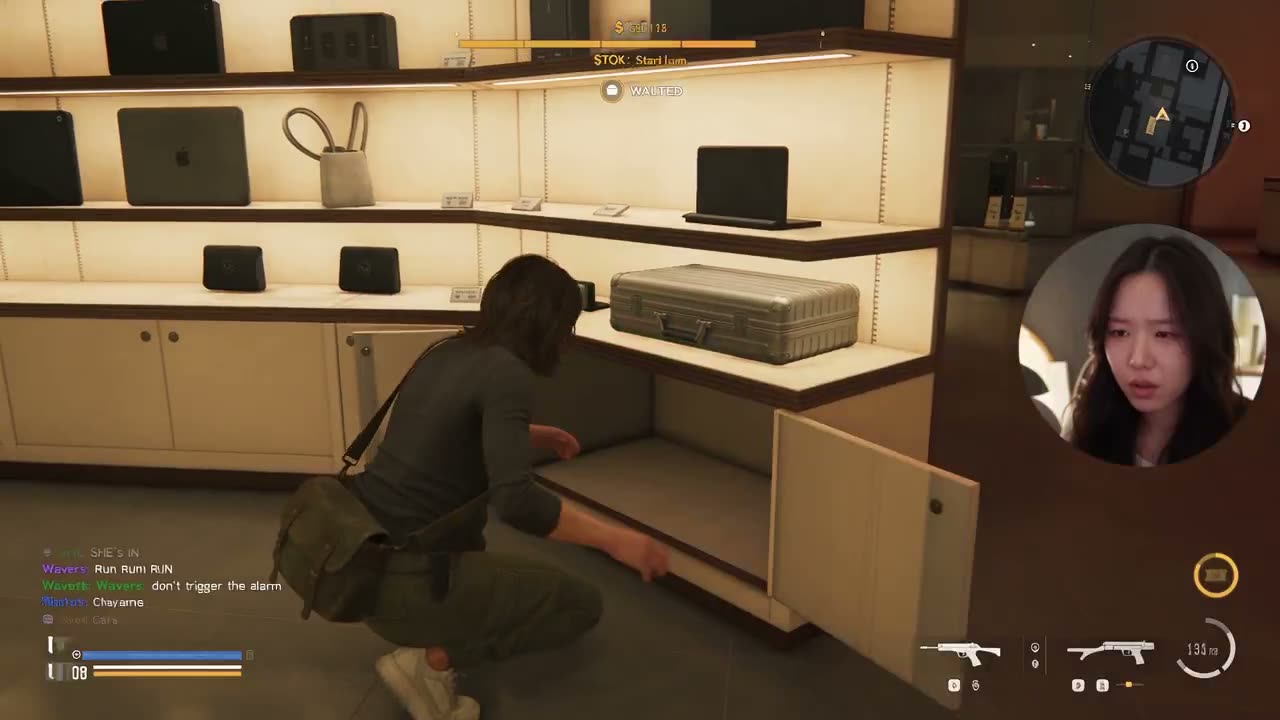
A store break-in at night, played as gameplay behind a fixed 1:1 facecam with chat scrolling along the lower left.

  • Image input
  • Livestream layout
  • Stealth heist
  • Facecam

Inputs Streamer image (Image1)

Video prompt3,751 chars
Use Image1 as the highest-priority visual reference for the Korean female streamer. Preserve her exact adult appearance, facial structure, skin tone, hairstyle, body proportions, clothing, accessories, room lighting and realistic streaming environment. She must remain the same real Korean woman throughout, never stylized, anime, plastic, CGI, duplicated or face-swapped.
Create a strictly 30-second, 16 9 1080p photorealistic open-world crime-action gameplay livestream set in a fictional modern Korean-inspired coastal city. One continuous gameplay sequence with no cuts or transitions.
FIXED STREAM LAYOUT: Full-screen gameplay with a square 1: 1 facecam permanently positioned bottom-right. The streamer remains visible only inside the facecam. English-only live chat scrolls along the lower-left. HUD remains visible throughout: minimap top-right, health/armor bottom-left, weapon/ammo near the lower-right, cash counter, stamina meter and wanted level top-center.
PLAYER: Young Korean female character wearing a fitted black jacket, loose cargo pants, white sneakers and a small crossbody bag. She carries a compact handgun. Exactly three fictional private-security guards with pistols; no other armed NPCs.
0–6s The player quietly sneaks through the back entrance of a luxury electronics store after closing hours. She crouches behind display shelves while a security camera sweeps across the room. The streamer leans toward her monitor and whispers in Korean: “Okay… nobody saw that.” Chat: “orri: SHE'S IN”, “Wavers: don't trigger the alarm”.
She reaches the locked display cabinet, uses a small electronic device to open it, grabs a valuable case and accidentally knocks over a metal stand. A loud crash triggers the alarm. Red warning lights activate and the three guards rush toward her. Wanted level changes from 0 to 1.
: The player sprints through the store while guards chase and fire. She dives behind a checkout counter, returns fire and shatters a glass display for cover. The streamer reacts naturally, eyes widening and hands moving rapidly across keyboard and mouse. Korean dialogue: “Oh no, they're already here!”
: She escapes through a side door into a narrow neon-lit alley. One guard follows outside while the other two remain behind. She quickly disables the pursuing guard with non-graphic gameplay combat and keeps running. Wanted level rises to 2 stars. Chat rapidly scrolls: “Joseph: RUN RUN RUN”, “STOK: TWO STARS”, “Andrea Brown: GET TO THE CAR”.
: She reaches a parked compact sports car, throws the case into the passenger seat and speeds away. Camera smoothly changes into a third-person chase camera without a cut. Two police vehicles appear in the distance and begin pursuing her through busy city traffic. She narrowly avoids a bus, clips a street barrier and escapes into a brightly lit downtown avenue.
STREAMER REACTION: Throughout the entire sequence, maintain synchronized realistic reactions inside the facecam — natural blinking, focused eyes, subtle facial expressions, quick glances at the gameplay, realistic keyboard and mouse movement, nervous smile during the escape. Korean dialogue only, spoken naturally and casually.
FINAL FRAME: The player is still driving with police lights visible several cars behind her, wanted level remains at 2 stars, health is partially depleted and the stolen case remains visible inside the vehicle. End mid-chase with no mission-complete screen.
VISUAL STYLE: Photorealistic AAA open-world gameplay, realistic Korean city architecture, neon storefronts, wet asphalt reflections, believable NPC behavior, detailed vehicles, natural physics, cinematic but authentic gameplay camera, realistic muzzle flashes, glass destruction and environmental reactions.

Why it works

  • "FIXED STREAM LAYOUT" is its own block, so the overlay is settled before the heist is described.
  • Armed characters are capped: exactly three guards, no other armed NPCs.
15s

by @PrometheanAIX8.6K viewsOriginal post

Skate-spot fashion showcase with gameplay callouts

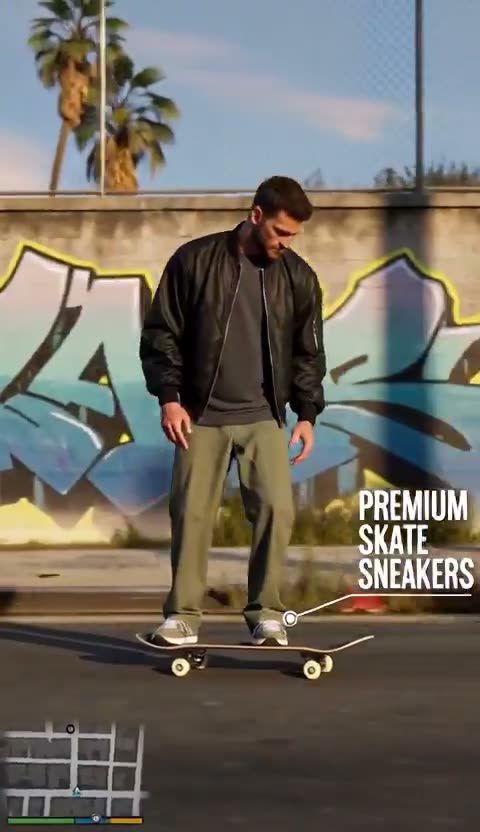
A brand-style clip in three five-second blocks: skate past, callouts on each piece of clothing, then a full-body reveal, with a small minimap kept on screen.

  • Image input
  • Fashion ad
  • Minimap only
  • Vertical

Inputs Character image (the model and outfit)

Video prompt1,611 chars · 3 beats
GTA-Inspired Men's Fashion Showcase
Third-person gameplay · Fashion callouts · Hyper-realistic
Use the uploaded character reference image as the exact visual reference for the male character. Preserve his facial features, hairstyle, body proportions, skin tone, and complete outfit throughout the video. Maintain consistent character identity across every shot.
Create a 15-second, hyper-realistic GTA-style third-person gameplay sequence in a sunlit Los Angeles urban skate spot. Graffiti-covered concrete walls, palm trees, chain-link fencing, and warm late-afternoon sunlight.
0–5s: Rear-follow gameplay camera tracks the character skateboarding naturally along the sidewalk. A small GTA-style mini-map remains visible in the lower-left corner.
5–10s: Smooth side-lateral tracking shot as he rides past a graffiti wall. Interactive fashion callouts appear beside the character, highlighting his jacket, pants, and sneakers with thin white pointer lines and clean typography.
10–15s: The character steps off his skateboard, picks it up, and walks confidently toward the camera. Transition to a full-body fashion showcase with the character's complete outfit clearly visible. Maintain the GTA-style mini-map.
Visual direction: Photorealistic open-world gameplay, realistic skateboard physics, natural body movement, consistent clothing and facial identity, stable cinematic camera tracking, authentic urban atmosphere. No morphing, artificial skin, exaggerated movements, or unnecessary camera cuts.
Audio: Natural city ambience, skateboard wheels, footsteps, and distant traffic. No music or dialogue.

Why it works

  • The minimap is the only HUD piece, asked for at the start and again at the end.
  • Sound is specified and music ruled out ("No music or dialogue"), which leaves room for your own track.
Made with Seedance 2.515s

by @Mayz11692.4K viewsOriginal post

Two steps: a character sheet, then an arcade firefight

Step one draws a full character design sheet; step two uses that sheet as the only character reference for a 15-second ambush in a neon arcade.

  • Image input
  • Two-step recipe
  • Character sheet
  • Cel-shaded

Inputs Character sheet made with the image prompt

  1. Step 1 · Character sheet (image prompt)1,934 chars
    Ultra-detailed 16:9 futuristic character design sheet, official AAA cyberpunk game character bible, clean dark UI editorial layout, premium sci-fi artbook presentation.
    Character name "CANDY-X", title "LOLLI BLASTER". Left and center panel features a full-body futuristic cyber idol soldier character with a cute candy-tech aesthetic. She has twin turquoise and pink hair, colorful mechanical hair accessories, playful anime face, and a vibrant futuristic street combat outfit.
    Her design combines candy aesthetics with advanced technology: oversized pink and white tactical jacket, cropped top, utility belts, cyber backpack, armored boots, mechanical gloves, neon accessories, holographic candy decorations and playful robotic details. The character holds a candy-inspired futuristic blaster weapon with a bright pink and white design.
    Right panel includes professional turnaround views (Front, Side, Back), perfectly consistent anatomy and costume structure. Include detailed close-up panels showing helmet/head accessories, backpack design, chest armor, belt system, gloves, boots, mechanical parts and candy-themed technology details. Include weapons and accessory breakdown: candy-themed energy blaster, glowing pink energy sword, futuristic headphones, robotic candy companion, modular tech accessories, colorful weapon attachments.
    Add a clean color palette featuring neon pink, cyan blue, pastel yellow, white, lavender and dark gray. Style: futuristic anime cyberpunk character sheet, kawaii sci-fi weapon design, virtual idol + military tech fusion, AAA game concept art, Honkai Star Rail inspired quality, premium character design document, detailed mechanical fashion design, vibrant neon colors, clean UI interface, high-end game artbook illustration, production-ready concept art, masterpiece, best quality, ultra detailed, 8K, clean composition, no watermark, no logo, no extra limbs, no deformed anatomy.
Step 2 · Video prompt6,273 chars · 4 beats
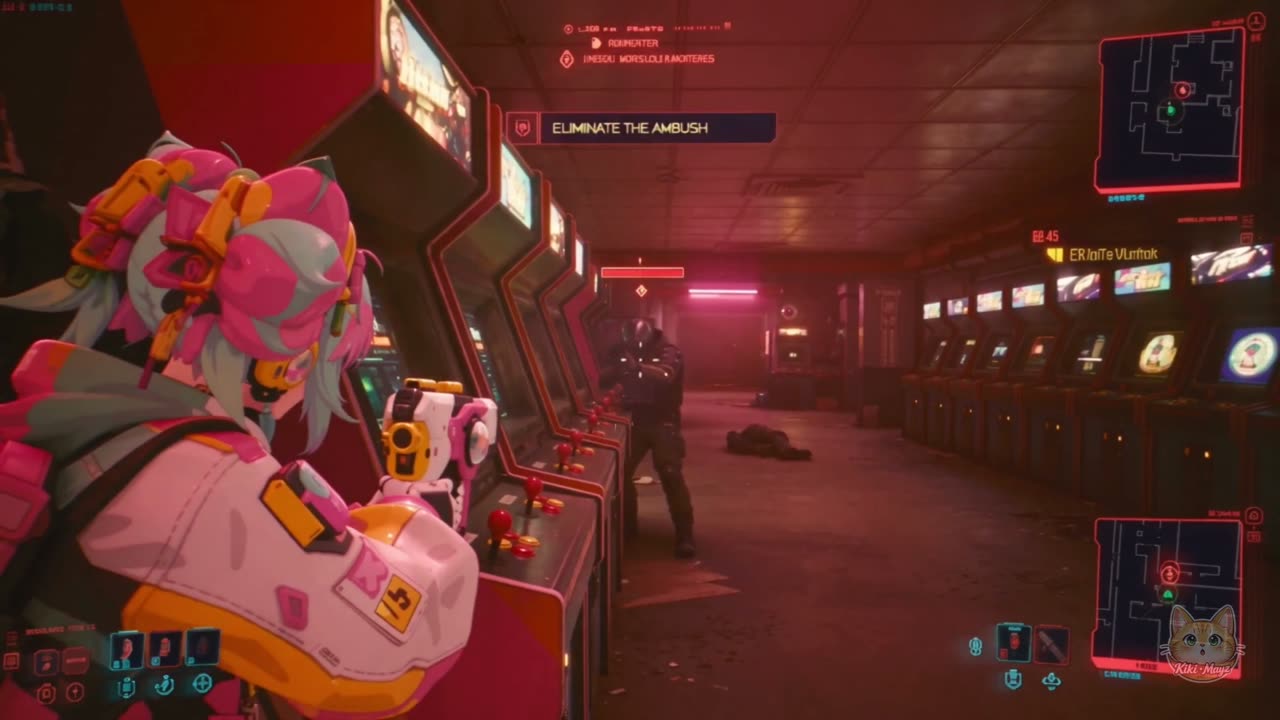
Create a 15-second, 16:9 GTA-style third-person combat gameplay sequence titled “ARCADE AMBUSH.”
An original cyberpunk character-mod mission inside a neon arcade. The entire sequence focuses on a short, aggressive firefight with a close-range counterattack and a decisive finish.
Use a cohesive high-quality stylized 3D game world: anime character rendering, dimensional cel shading, physical materials, responsive combat animation, and readable environmental destruction. Match the arcade and enemies to the character’s visual style.
CHARACTER REFERENCE
Use the uploaded CANDY-X sheet as the appearance reference for ONE playable character. All illustrated views depict the same person.
Preserve her mint-and-pink hair, elaborate hair accessories, pink-white technical jacket, black shorts, asymmetric leg armor, chunky futuristic sneakers, gloves, and original backpack.
Use the compact pink-and-white futuristic pistol shown in the reference. Keep its design consistent. It fires discrete bright energy rounds with visible recoil and brief impact sparks.
Do not reproduce the reference sheet, labels, borders, or background.
MISSION AND GEOGRAPHY
A cyberpunk arcade with two parallel rows of machines and a wide central aisle.
CANDY-X stands at an open wall-mounted mission locker. Inside is a small black data pouch with a glowing cyan latch. This pouch is separate from her existing pink backpack.
Two adult corporate security attackers:
- Attacker A approaches from the aisle immediately to her right.
- Attacker B fires from behind a reinforced change kiosk farther down the same aisle.
Both wear dark armored uniforms and opaque helmets. Their silhouettes contrast clearly with CANDY-X.
Keep the combat within this compact space. Machines provide cover and remain in consistent positions.
CAMERA AND GAMEPLAY
One continuous third-person gameplay shot for all 15 seconds.
Start behind CANDY-X and slightly over her right shoulder. Show her body, the locker, and the nearby aisle.
Widen slightly for close combat so both fighters and their feet remain visible. Tighten smoothly over her right shoulder when she aims.
Use responsive game-camera tracking with subtle inertia and brief impact shake. Keep the horizon stable.
Real-time speed throughout. No cuts, slow motion, cinematic close-ups, or camera orbiting around the fight.
[00:00–00:03] PICKUP TRIGGERS THE AMBUSH
Begin with CANDY-X already pulling the black data pouch from the open locker. She immediately clips it to her left hip.
The pouch remains visibly attached for the rest of the sequence.
Arcade lighting shifts from cyan to alarm red. Two enemy markers appear on the minimap.
Mission changes from “COLLECT THE DATA” to “ELIMINATE THE AMBUSH”.
Attacker A rushes into view from her right with an electrified baton raised.
CANDY-X turns toward the incoming movement and plants her feet.
[00:03–00:07] CLOSE-RANGE COUNTER
Attacker A swings the baton once.
CANDY-X steps diagonally inside the swing, catches his weapon forearm with her left hand, and drives a short right elbow into his armored chest.
She follows with a forceful shove that sends him backward into an arcade cabinet.
His shoulder strikes the cabinet. The display cracks, pixels glitch, and a brief shower of electrical sparks bursts from the damaged screen. He drops to the floor, incapacitated.
The cabinet remains upright and visibly damaged.
The camera widens enough to show the complete exchange. Each movement has a clear cause, contact, and physical reaction.
[00:07–00:12] COVER, AIM, RETURN FIRE
Attacker B fires from the distant kiosk. Rounds strike the outer edge of the damaged arcade cabinet.
CANDY-X immediately shifts behind the neighboring intact machine and draws her reference pistol from its thigh holster.
She leans out from the machine’s right edge. The camera smoothly enters an over-the-shoulder aiming view.
She fires three rapid, distinct energy shots at Attacker B.
The first strikes the kiosk edge, throwing sparks. The next two hit his armored torso with brief shield-impact flashes.
His armor light goes dark, and he collapses behind the kiosk.
Synchronize the reticle, muzzle pulses, recoil, hit markers, and ammunition counter. Keep each target and line of fire clearly readable.
[00:12–00:15] CLAIM THE ROOM
The camera returns to the wider third-person follow position.
CANDY-X steps out into the aisle, pistol held ready, and checks the fallen attacker’s position.
She briefly touches the secured data pouch with her free hand, confirming that it is still attached.
HUD displays:
“AREA CLEARED”
Then:
“COMBAT RANK: S”
The arcade alarm stops. Surviving machines return to their colorful attract-mode animations, while the smashed cabinet continues to flicker.
End on active gameplay framing behind CANDY-X, standing in control of the room. No escape sequence, vehicle scene, celebration pose, or end card.
HUD
A compact GTA-style gameplay interface:
- Bottom-left: minimap, health, and armor.
- Top-right: weapon icon and ammunition.
- Top-center: one short mission instruction at a time.
- Center: a small reticle during aiming.
- Brief hit markers synchronized with successful shots.
All interface text is English. HUD remains fixed to the screen and does not obscure combat.
AUDIO
Fast electronic combat music beneath clear gameplay sounds.
Synchronize the locker latch, alarm activation, baton electrical crackle, blocked swing, elbow impact, body striking the cabinet, breaking display, pistol shots, armor impacts, and final mission confirmation.
Maintain arcade machine sounds beneath the fight. No dialogue, narration, or subtitles.
CONTINUITY AND PHYSICS
One CANDY-X and exactly two attackers.
Preserve her original backpack and weapon.
The separate black data pouch stays clipped to her left hip after collection.
The pistol remains holstered during the hand-to-hand exchange and is drawn only after she reaches cover.
No simultaneous impossible hand actions.
Maintain believable footing, body weight, recoil, and contact.
No teleportation, duplicate weapons, costume changes, graphic injuries, or excessive explosions.
Prioritize immediate action, readable close combat, responsive cover shooting, and authentic third-person gameplay presentation.

Why it works

  • The video prompt says the sheet shows one person and must not be reproduced — labels, borders and background stay out of frame.
  • The space comes before the action (two rows of machines, a wide central aisle), so the fight has somewhere to happen.
Prompt source

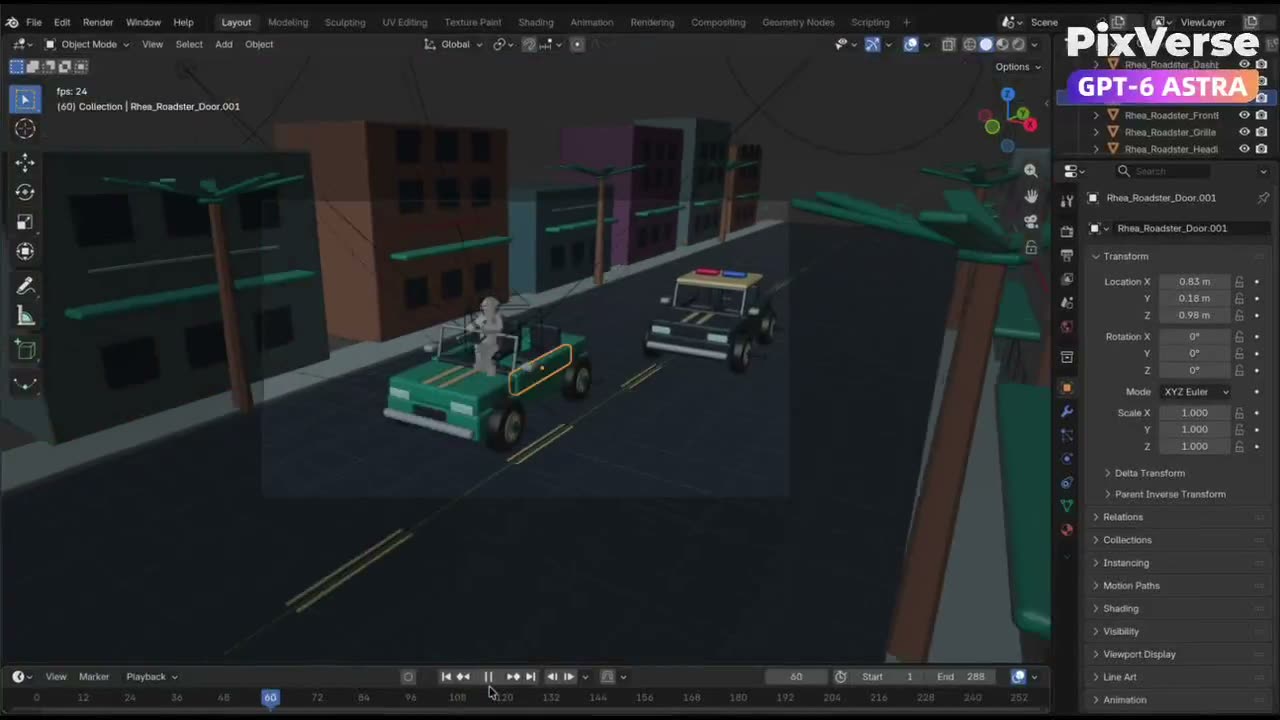
Car chases and heist getaways8

Getaways on four wheels and two: police pursuits, dock and snow chases, and Blender blockouts turned into photoreal car chases.

Made with Seedance 2.57s

by @Mapunda_0179.7K viewsOriginal post

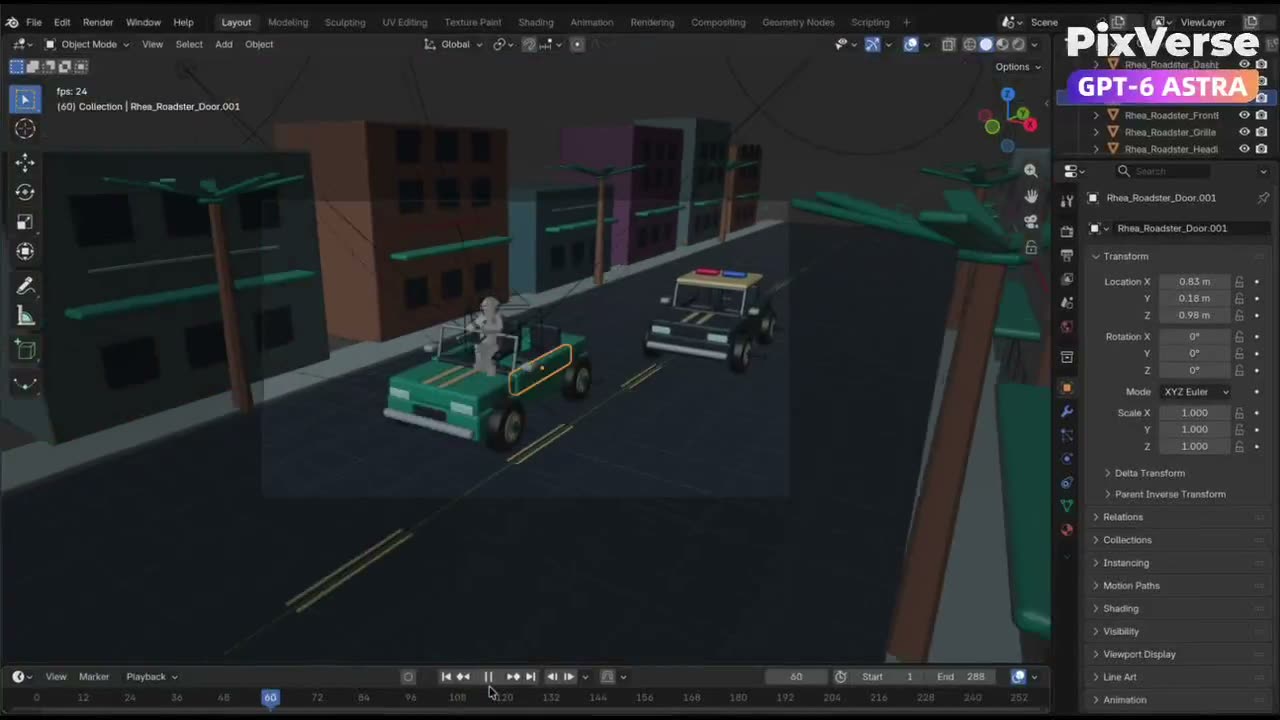
The same Blender chase workflow, in one paragraph

A condensed version of the gray-model workflow: three shots, a 12-second gray render, photoreal first frames, then reference plus clip per shot.

  • Reference video
  • Blender blockout
  • Reference video
  • Short version

Inputs Gray-model Blender clip per shot · Photoreal image made from each clip’s first frame

Video prompt847 chars
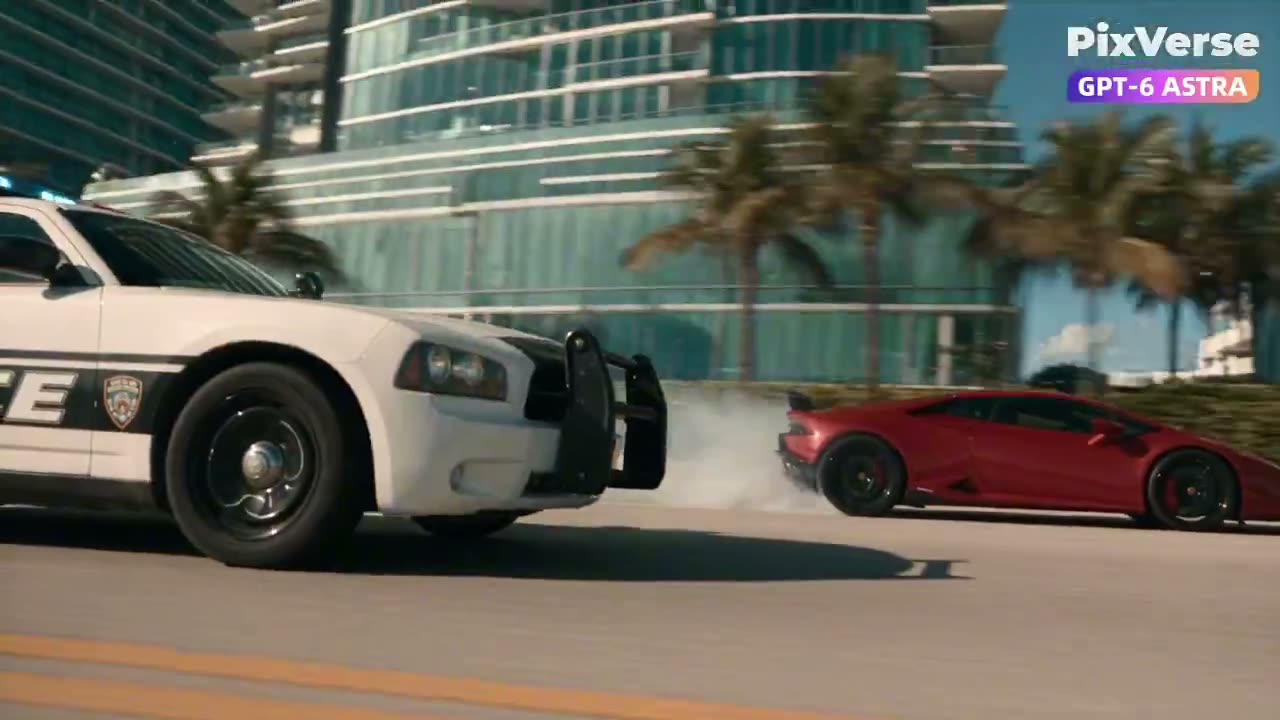
Create an original GTA-inspired car chase with a photorealistic, live-action cinematic finish. Design the driver, two cars and urban environment. Plan three 4-second shots: rear tracking pursuit, side tracking through a sharp turn and a wide exit shot. Build the scene and animation in Blender, including vehicles, wheel rotation, steering, driver movement and cameras. Render the complete 12-second gray-model video at 1280×720 and 24 fps. Then use the PixVerse Plugin with Seedance 2.5 to transform each shot's gray first frame into a photorealistic cinematic reference while preserving composition, perspective, subject positions and vehicle count. Use each cinematic reference together with its corresponding Blender video to generate the final shots while maintaining vehicle identity, colors, camera movement, trajectories and action timing.

Why it works

  • It keeps the pairing rule — each cinematic reference goes with its own Blender clip — in a single paragraph.
Made with Seedance 2.57s

by @clairehbennett79.3K viewsOriginal post

Gray Blender blocks to a photoreal car chase

A production brief rather than a single prompt: plan three 4-second shots, animate them in gray in Blender, turn each first frame into a photoreal image, then run image plus gray clip through Seedance 2.5.

  • Reference video
  • Blender blockout
  • Reference video
  • Three shots

Inputs Gray-model Blender clip per shot · Photoreal image made from each clip’s first frame

Video prompt1,256 chars
Create an original GTA-inspired car chase with a photorealistic, live-action cinematic finish.
Design: define the driver, two cars, and urban environment. Plan three 4-second shots — rear tracking pursuit, side tracking through a sharp turn, and a wide exit shot. Keep identities and vehicle order consistent.
Build in Blender: clean gray models, functional character and vehicle rigs. No textures or UVs needed.
Animate and test: vehicles, wheel rotation, steering, driver, cameras. Fix clipping, floating wheels, sliding tires, broken poses, and hands losing contact with the steering wheel.
Render: full 12-second gray-model video, 1280×720, 24fps. Export each shot separately and extract its first frame.
Finish with PixVerse Plugin: turn each gray first frame into a photorealistic cinematic reference image — preserve composition, perspective, subject positions and vehicle count. No cartoon, toy-like, low-poly or clay styling. Then run Seedance 2.5 at 720p with the reference image + its gray-model video. The image defines appearance; the video defines camera movement, trajectories and timing.
Deliver the .blend, the gray-model video, the reference images, the labeled 12-second Seedance version, and a brief assessment of remaining limitations.

Why it works

  • The jobs are split in one sentence: the image defines appearance, the video defines camera movement, trajectories and timing.
  • It lists what to fix in the gray pass first — floating wheels, sliding tires, hands leaving the steering wheel.
7s

by @dylannknox76.9K viewsOriginal post
Blender workflow for a cartoon-style car chase

The gray-model chase workflow aimed at a cartoon finish, with exact frame ranges, matching gray stills and a retry limit per shot.

  • Reference video
  • Blender blockout
  • Cartoon finish
  • Retry limit

Inputs Gray-model Blender clip per shot · Matching gray still per shot

Video prompt1,606 chars
Create an original GTA-inspired cartoon car chase using this workflow: Design: Define one main driver, one getaway car, one pursuing car, and one urban environment. Keep their designs consistent. Plan three 4-second shots: rear tracking pursuit, side tracking through a sharp turn, and a wide exit shot. Build in Blender: Create clean gray models and functional character and vehicle rigs. No textures or UV unwrapping are required. Animate and test: Animate the driver, steering, wheel rotation, vehicles, and cameras. Maintain coherent travel direction and vehicle order. Fix clipping, floating wheels, sliding tires, broken poses, and hands losing contact with the steering wheel. Render in Blender: Render frames 1–288 at 1280×720, 24 fps. Assemble actual Blender-rendered frames into a complete 12-second gray-model master. Export each shot separately and render matching gray stills as shape and composition references. Finish with PixVerse Plugin: Use Seedance 2.5 at 720p, processing each shot separately. Use the Blender clips as motion references and the gray stills as shape references. Define a consistent cartoon color palette in the generation prompt. Preserve camera movement, action timing, character and vehicle designs, and vehicle count. Review and deliver: Inspect both complete videos for visual defects and continuity. Repair Blender issues and regenerate only failed Seedance shots, with at most two retries per shot. Deliver the editable .blend, the native 720p Blender gray-model video, the separately labeled 720p Seedance version, and a brief assessment of remaining limitations.

Why it works

  • It gives exact frames (1–288 at 24 fps) for the 12-second master, so every shot lines up.
  • It caps retries at two per failed shot and regenerates only those.
Made with Seedance 2.530s

by @saniaspeaks_66.6K viewsOriginal post
Diamond heist at a train station, escape onto the train

A schoolgirl lifts a necklace from a VIP's suitcase and escapes onto a departing train, in timed blocks under one fixed camera rig.

  • Image input
  • Heist
  • Camera rig
  • Character reference

Inputs Character image (Image1)

Video prompt3,390 chars
16:9 landscape, ultra-realistic AAA third-person gameplay, bright afternoon at a luxurious Japanese train station. Realistic game-engine visuals, natural human animation, believable physics, detailed skin and hair, realistic clothing movement, marble reflections and cinematic daylight. Clearly a GAME, not anime or cartoon.
NAGI: Use @ Image1 as exact face and identity reference. Japanese high-school girl, 17, long straight black hair with blunt bangs, white sailor blouse with pink collar stripes and pink ribbon, grey pleated skirt, black knee-high socks, white sneakers and school bag. Same face, hair and outfit throughout.
MISSION: Steal a priceless diamond necklace from a VIP passenger's luxury suitcase and escape onto the departing train.
CAMERA: One physical third-person camera, 1.5m behind NAGI, slightly camera-right. Natural gameplay spring movement, smooth FOV breathing 30°–60°. Camera follows her continuously.
0–6s — INFILTRATION
NAGI moves through the crowded luxury station toward a VIP waiting area. A wealthy passenger sits beside a black suitcase guarded by two security guards. She hides briefly behind a luggage cart as a guard passes.
HUD:
MISSION: STEAL VIP NECKLACE
STEALTH MODE
6–12s — THEFT
NAGI reaches the suitcase while the VIP looks away. She opens it and finds a velvet jewelry case containing a stunning diamond necklace. She grabs it and hides it inside her bag.
HUD:
TARGET ACQUIRED
Suddenly a guard notices her.
ALERT
12–19s — FIGHT
The guard grabs NAGI's arm. She struggles hard to escape. He pulls her backward and she nearly falls. She pushes free and runs.
A second guard intercepts her. They struggle physically in a realistic, difficult fight. NAGI finally breaks away, visibly exhausted.
HUD:
NECKLACE ACQUIRED
ALERT LEVEL: CRITICAL
19–25s — CHASE
NAGI sprints toward the platform while two guards chase her. She jumps over luggage, turns sharply through a narrow passage and runs toward the departing luxury train.
Her hair, skirt and bag move naturally with her speed.
Station announcement:
“Train departing shortly.”
HUD:
ESCAPE ROUTE: PLATFORM 4
25–27s — LAST SECOND
The train doors begin closing.
A guard grabs NAGI's shoulder.
She struggles free and runs the final few meters.
She jumps into the train.
The doors close immediately behind her.
HUD:
ESCAPE SUCCESSFUL
27.0s HARD CUT
27–30s — FINAL SHOT
Locked frontal camera inside the moving luxury train, eye-level, 29° FOV, completely static.
NAGI stands in the aisle facing camera, breathing heavily, hair slightly messy.
She opens her bag and reveals the stolen diamond necklace.
Bright afternoon sunlight enters through the train windows.
HUD:
MISSION COMPLETE
DIAMOND SECURED
ESCAPE RANK: S
NAGI looks directly at camera and gives a tiny victorious smile.
AUDIO: tense stealth music, station ambience, footsteps, luggage wheels, security radio, realistic struggle sounds, fast breathing, train warning chime and a short victory sting.
ABSOLUTE LOCKS: Exactly one hard cut at 27s. First 27 seconds completely continuous. Same NAGI, same outfit, same necklace and same environment continuity. Realistic physics and difficult physical struggles. No superhuman movements, no cartoon animation, no face changes, no teleportation. Daytime only. HUD fixed in the same screen positions. All HUD text English; dialogue/announcements natural Japanese.

Why it works

  • The camera is specified like a rig — 1.5 m behind, slightly camera-right, FOV between 30° and 60° — which keeps it in gameplay mode.
  • HUD text stays English while dialogue and announcements are Japanese, settled in one line.
How to prompt

How to write a GTA video prompt

The prompts above cover trailers, livestreams and grandma heists, and most of them are built from the same parts: a look, a city, timed beats, a HUD and a sound line. Here is that structure as a template you can copy, block by block.

Template840 chars
[LOOK] Photoreal next-gen open-world crime game, third-person follow camera, 16:9, 30 seconds.
[CITY] A fictional beach city at golden hour: palm-lined boulevard, pastel art deco hotels, wet asphalt after a passing storm, traffic and pedestrians.
[0–5s] The player walks out of a diner to a parked muscle car, camera low behind him.
[5–10s] He pulls away; the camera swings to a side tracking shot as a police car pulls out.
[10–15s] Chase down the boulevard, the camera locked behind the car.
[HUD] Small round minimap bottom left with health and armor bars under it, wanted stars top right, short mission text top center: "GET TO THE DOCKS". Every HUD element stays fixed in place.
[SOUND] V8 engine, police sirens closing in, talk radio on the car stereo. No BGM.
[LEAVE OUT] Invented names only. No subtitles. Do not generate Logos.
  1. 01

    Set the era look first

    Decide which era the clip lives in before anything else: a 2000s console look (low-poly, blocky characters, a green-tinted minimap), a sunny 2010s West Coast city, or a photoreal neon beach city. Describe the look in words instead of naming a game; the words are what the model can draw.

  2. 02

    Build the city

    Give the city a coastline or a skyline, a street, a building style and the weather, and give it a name of your own. Night neon is the genre's default look, so a sunlit street is an easy way to stand out.

  3. 03

    One action and one camera move per time block

    Split the clip into time blocks and give each block one action and one camera move. The longer prompts in this library are built this way, from two-second beats to five-second blocks, and Seedance 2.5 renders up to 30 seconds in one take.

  4. 04

    Place the HUD piece by piece

    Say where each element sits and keep on-screen text short and in quotes. For an exact layout, make a HUD image in the AI image generator, add it as a reference image and say that it stays in place.

  5. 05

    Write the sound, then what to leave out

    Seedance 2.5 renders sound with the picture, so name the engine, the sirens and the radio, and write "no BGM" if you will add your own music. End on what must not appear: "no subtitles" and "Do not generate Logos" keep the frame clean.

  6. 06

    Name everything yourself

    Write the camera, the light, the city and the HUD instead of a game's name, and give the game, the city, the characters and any brands names of your own. Leave out official logos, title lettering, real car brands and official characters. A few prompts in this library still name a game or a real car, and their cards say so.

Why Pick Our GTA Video Prompts on Seadanse

Watch Every Clip Before You Copy the Prompt

Browse 61 exact creator prompts paired directly with the original video clip and credit link on X. See the finished results upfront, where 53 cards name the model and 36 clips run on Seedance 2.5 before you spend a single credit with our GTA video prompts.

Explore Prompts Free

Pick From Every Viral Open-World Format

Find the exact layout you want across six popular video groups. Our GTA video prompts give you mission parodies (20 prompts), fake gameplay with a HUD (11), GTA in your city (10), trailer shots (9), car chases and heist getaways (8), and era looks (3).

Browse Formats Free

Remix Any Clip With One Click

Hit Use to load the text into our AI video maker, where you swap in your own lead, city, car, and mission text. Our GTA video prompts are free to view and copy, so you launch your own custom cut on Seedance 2.5 right away.

Use Prompts Free

Generate 30 Seconds With Sound in One Take

Run our GTA video prompts to create up to 30 seconds of connected action with sound in one single take. Match the 29 clips in our library that run for 30 seconds, complete with engine roars, sirens, radio music, and spoken voices.

Make 30-Second Clips Free

Lock the HUD Right Where It Belongs

Set wanted stars in the top-right corner and a minimap in the bottom-left corner across 11 fake gameplay setups using our GTA video prompts. You can also craft a fresh interface with the AI image generator and bring it in as one of up to 30 reference images.

Build Gameplay HUDs Free

Keep the Same Lead and Car in Every Shot

Upload up to 50 references, including 30 images, 10 videos, and 10 audio clips to keep your star and getaway ride consistent in every cut. Tag your shots by number and write timed action blocks using the Seedance 2.5 prompt guide with our GTA video prompts.

Try Seedance 2.5 Free

Use GTA Video Prompts for Viral Game Visuals

Short-Form Creators

Make Vertical Fake Gameplay Clips

Bring your fresh ideas and turn them into vertical fake gameplay or mission parodies for TikTok, Reels, and Shorts. You get a 9:16 clip of up to 30 seconds with full sound ready to post.

Make Vertical Clips Free
GTA 6 Fans

Build Cinematic Beach Trailer Shots

Bring a one-line story to create a GTA 6-style trailer shot in a neon beach city with your own criminal duo. You get a photoreal scene with engine roars and voices in one take.

Create Trailer Shots Free
Comedy Creators

Turn Unlikely Heroes into Missions

Bring your funniest joke and get a mission parody clip with an on-screen HUD and sound. Choose from 20 mission parodies starring an office worker, a grandma, or a pet on a wild task.

Make Funny Parodies Free
City Creators

Turn Your City into an Open World

Bring real streets and local landmarks to see your hometown as an open-world action map. Use 10 GTA in your city prompts to produce game scenes that highlight your favorite spots.

Build Your City Free
Musicians and Rappers

Stage Gritty Music Video Scenes

Bring the mood of your track to film slow-motion crew walks, lowrider cruises, or rooftop shots. You get dramatic visuals of up to 30 seconds with sound to back your new track.

Make Music Visuals Free

How to Use Our GTA Video Prompts

Step 1

Pick Your Prompt

Pick one of our GTA video prompts by the clip it made, in the group for your format.

Step 2

Customize the Details

Press Use or Copy, swap in your lead, city, car, and mission text, and add a character image or a HUD image.

Step 3

Generate and Download

Choose 9:16 for shorts or 16:9 or 21:9 for a trailer, set the length up to 30 seconds, generate on Seedance 2.5, and download your MP4 with sound.

FAQ

Questions about GTA video prompts

What are GTA video prompts?

GTA video prompts are text instructions that tell an AI video model to make GTA-style footage. You use them to generate trailer shots, fake gameplay with a HUD, car chases, or mission parodies. Read our Seedance 2.5 prompt guide to structure your camera moves, sound, and timing blocks for the best results.

Are these GTA video prompts free?

Yes. You can view and copy every prompt in our library for free. Sign up free to receive 40 starter credits to run our GTA video prompts in the AI video maker. You can also view Seadanse plans and credits if you want to purchase more render time.

What is the best AI for GTA-style videos?

Seedance 2.5 is the best model for GTA-style action, launched on July 31, 2026 as announced in ByteDance's Seedance 2.5 launch post. It creates up to 30 seconds of video with sound, handles up to 50 references, and renders in our Seedance 2.5 AI video maker. For 4K trailer shots up to 15 seconds, switch to our Seedance 2.0 AI video maker.

Do Sora GTA prompts still work?

Yes. Paste your prompt into our AI video maker and run it on Seedance 2.5 to get up to 30 seconds of action with sound. OpenAI ended the Sora app on April 26, 2026 and closed the Sora API on September 24, 2026, as explained in OpenAI's Sora notice.

How do I add a HUD, minimap or WASTED screen to my GTA video?

Write where each piece sits on screen, or supply an interface image. Tell the model to place a minimap in the bottom-left corner with health and armor bars right under it, wanted stars in the top-right corner, and put phrases like "WASTED" or "MISSION PASSED" in quotes. You can also import interface graphics from reference images, just like the official example in ByteDance's Seedance 2.5 prompt guide where UI slides in from @Image 6.

Can I get a San Andreas, GTA V or GTA 6 look?

Yes. Describe the era look in your prompt to get the exact style you want. Ask for a 2000s console look with low-poly characters and a green-tinted minimap, a sunny 2010s West Coast city with a third-person follow camera, or a photoreal neon beach city with wet streets. You can copy ready-to-use prompts from our era looks group right now.

How long can a GTA-style AI video be?

You can generate up to 30 seconds per take on Seedance 2.5, complete with multiple camera cuts and matched sound. Extend your clip round after round to build longer scenes. In our library, 29 of the 61 clips run for the full 30 seconds.

Should my GTA video be vertical or horizontal?

Use 9:16 for TikTok, Reels, and Shorts, or choose 16:9 and 21:9 for widescreen cinematic trailers. Seedance 2.5 renders 21:9, 16:9, 4:3, 1:1, 3:4, and 9:16 videos. Pick the ratio you want before you generate so your clip fits your target screen.

Can I turn a GTA-style image into a video?

Yes. Create your character, car, or city backdrop first using our AI image generator. Then upload the picture as your first frame in our image to video AI tool, write your motion prompt, and Seedance 2.5 will animate it with full sound.

Can I use the GTA name, logo or characters in my prompt?

Describe the visual style instead of using trademarked names. Write descriptions such as "a fictional open-world crime-action game, third-person follow camera" and give your heroes and cities unique names. Add the phrase "Do not generate Logos" to your prompt to keep your picture clean.

Are these official GTA or Rockstar prompts?

No. These are fan-made GTA-style video prompts created by independent video creators. Each card shows the creator's exact words and links back to their post on X. Seadanse and these prompts have no tie to Rockstar Games or Take-Two, and neither company made or endorses them.
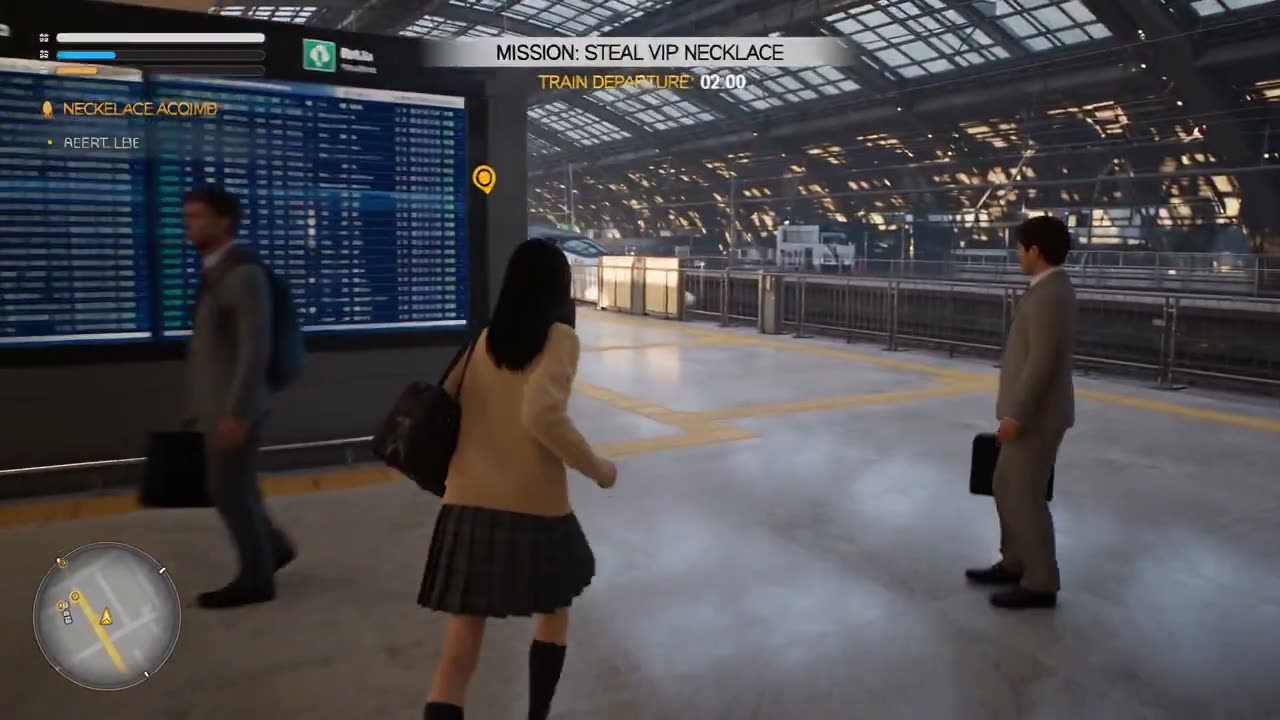
SourceCollected from public posts on X and mirrored to our own storage so the clips keep playing. Every card credits its creator and links the original post, and the reply that holds the prompt when it was posted there. Counts are as of collection. Prompts are the creators' own words; titles and notes are ours.

Try Our GTA Video Prompts for Free Today

Walk away with a GTA-style clip with sound ready to post, or explore more Seedance 2.5 prompts for your next video.