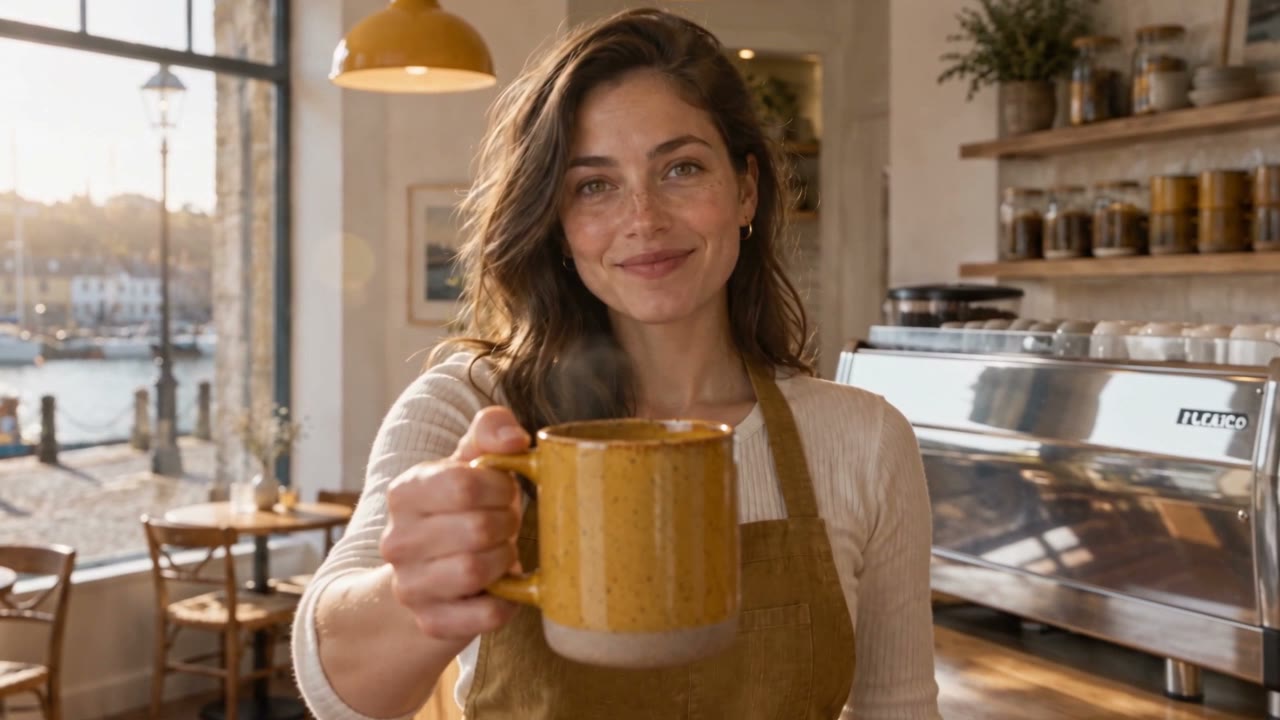
Image to Video AI

Bring your still photos to life as moving scenes with sound. Use our image to video AI to turn one photo or more into videos up to 30 seconds in one go.

Image to Video AI That Turns Photos into Videos with Sound

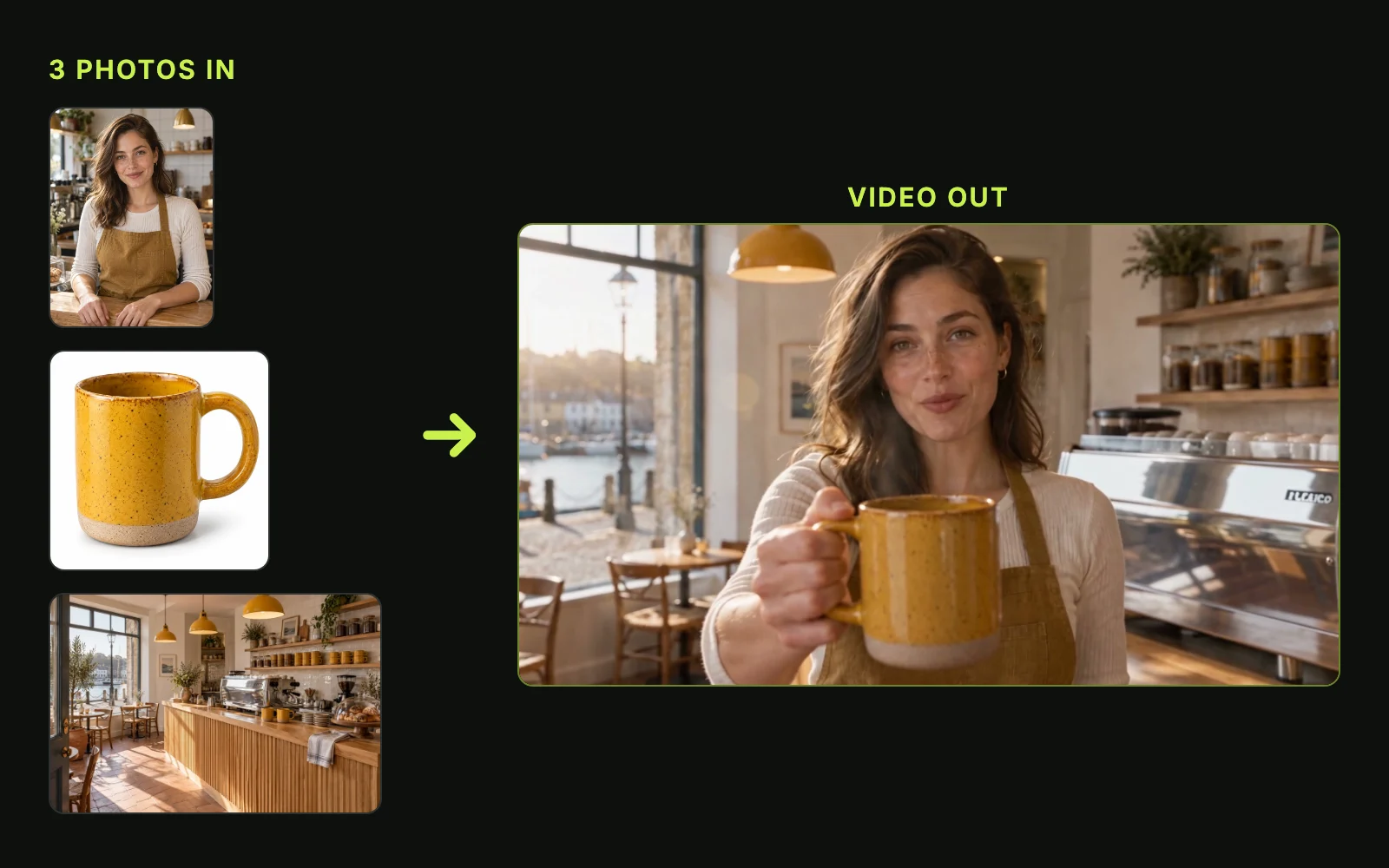
Add one photo as the first frame, a second photo as the last frame, or several reference photos to our image to video AI, write the motion and the sound, pick the model, the length, the resolution, and the aspect ratio, and get a video with sound.

0/20000

Why Create With Our Image to Video AI on Seadanse

Start With One Photo to Direct Natural Moves

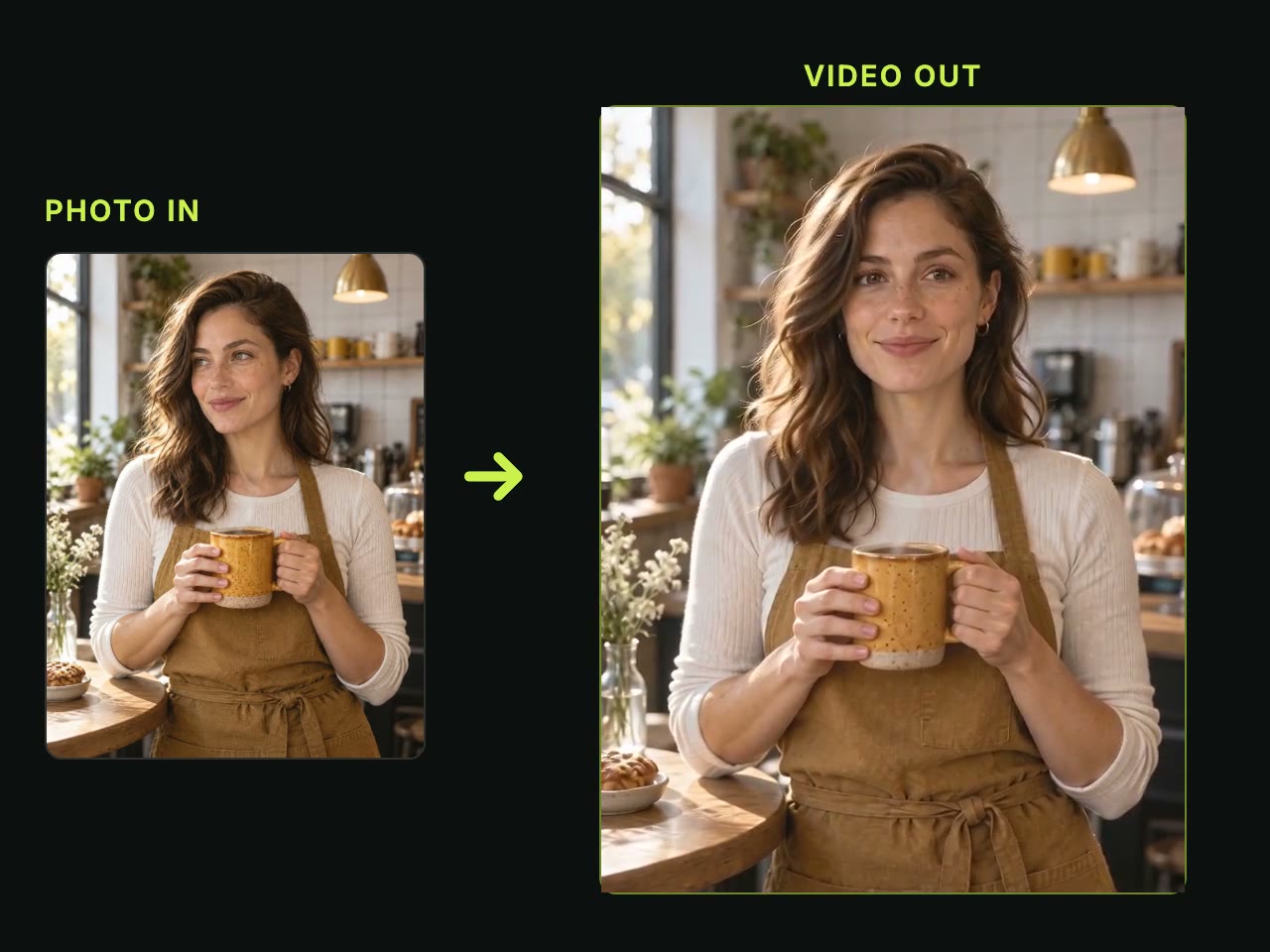
Upload your picture so the same person, outfit and light start the video without shifting. You simply write a small action or add camera moves like push in, pan, orbit or pull out using our image to video AI.
Set Two Photos to Guide Smooth Transitions

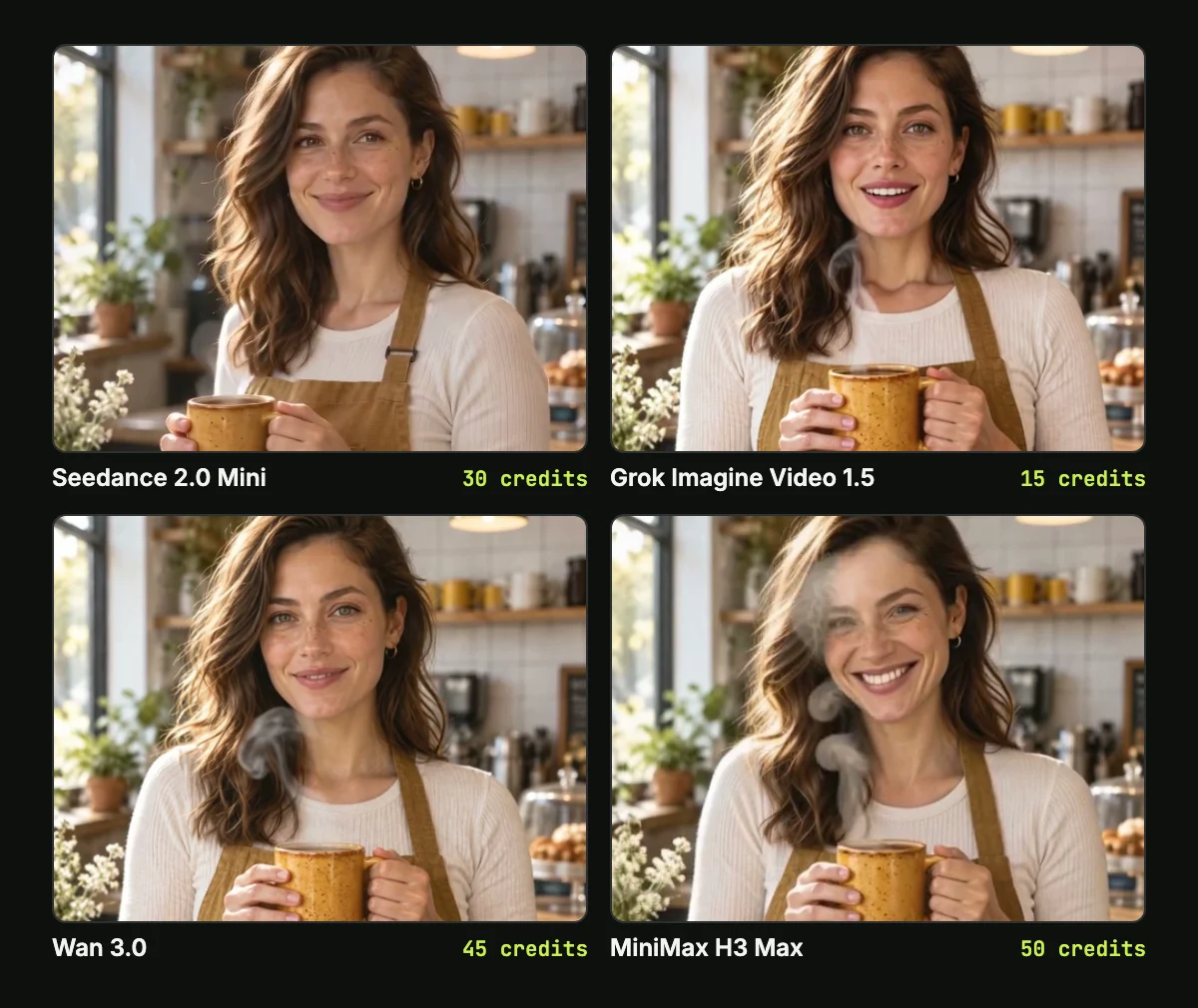
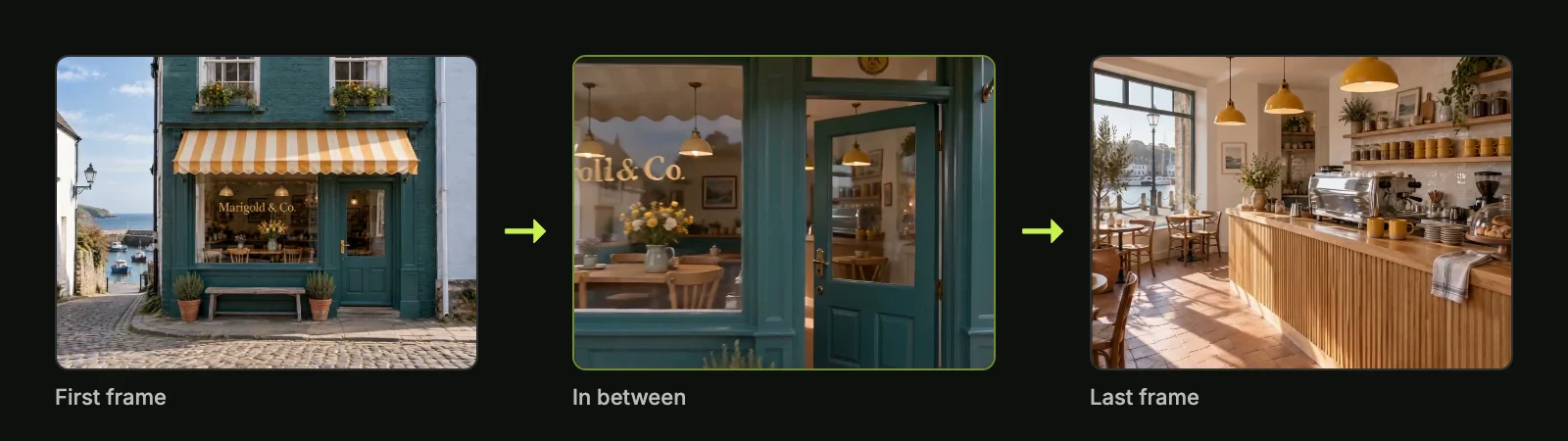
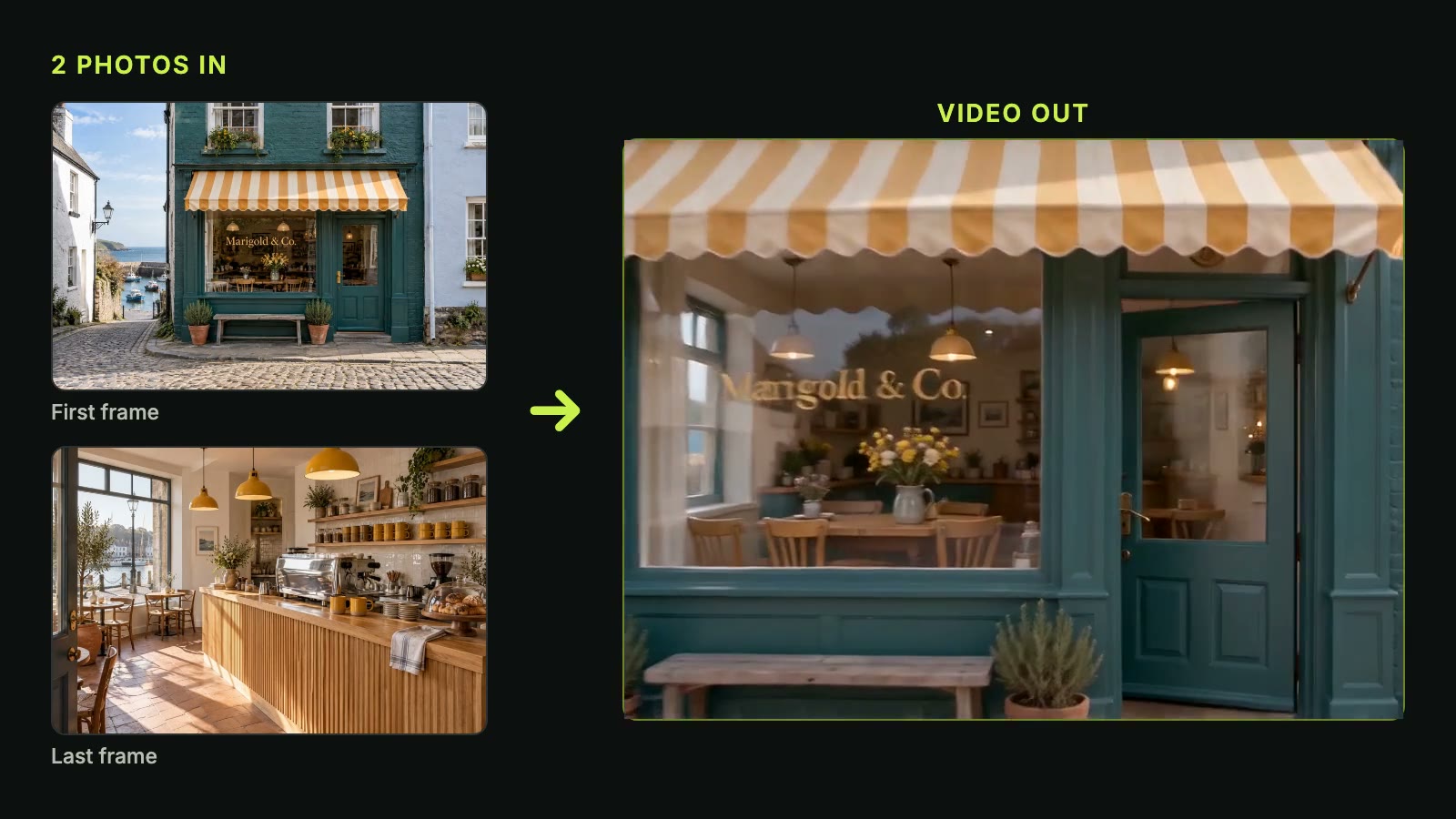
Set one photo to open your video and a second photo to close it for smooth before-and-after scenes or product reveals. Our image to video AI crafts the motion in between across every Seedance model, Wan 3.0, Hailuo 3, MiniMax H3 Max, Kling O3 and Veo3.

Bring Several Photos Together in One Scene

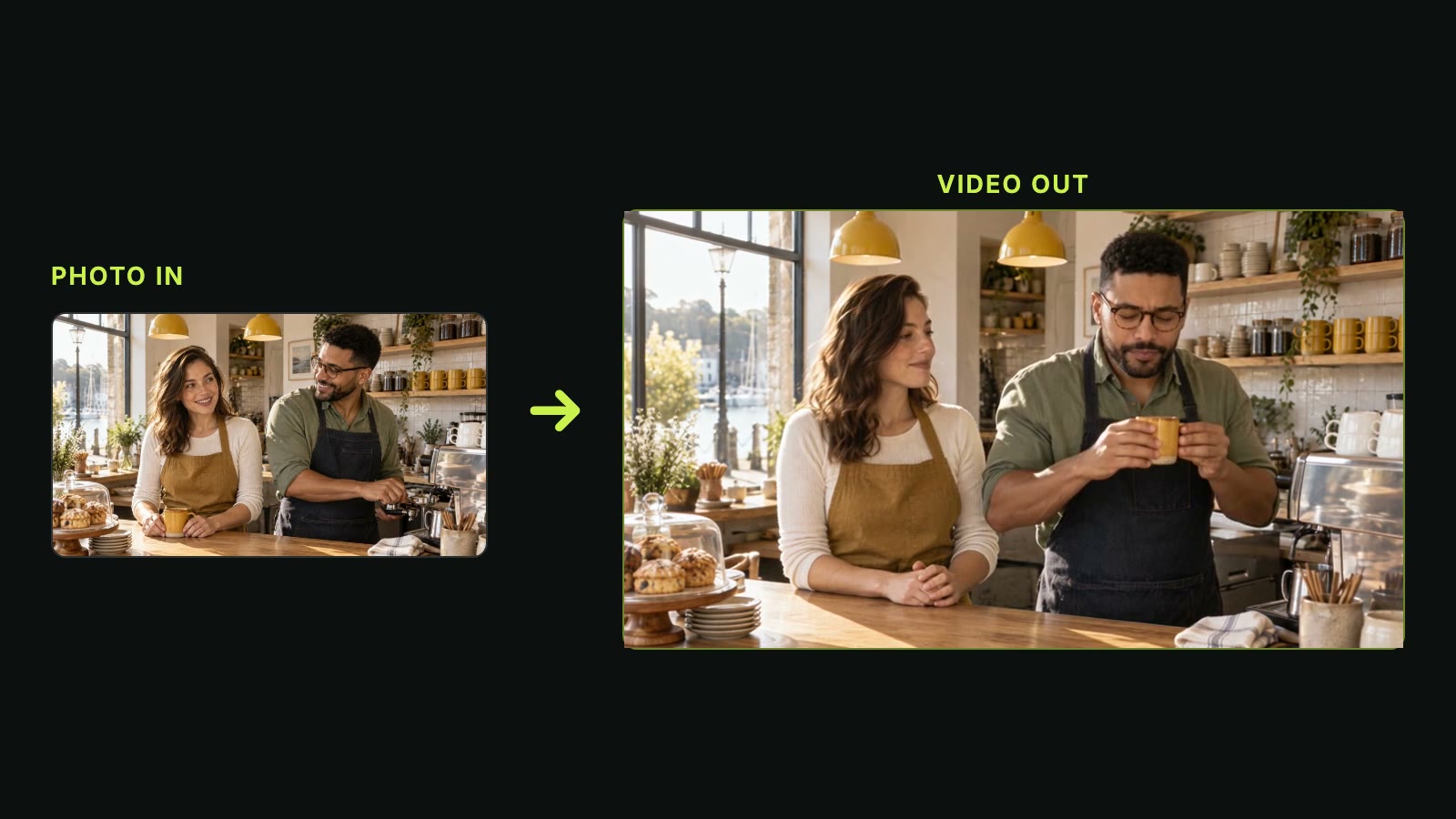
Bring people, products and places from different pictures into one shot with up to 30 reference photos in Seedance 2.5. Our image to video AI keeps character looks and voices steady in your scene, or you can make two people embrace with AI Hug.

Bring Several Photos Together in One Scene
Make 30-Second Videos With Full Native Sound

Make 30-Second Videos With Full Native Sound

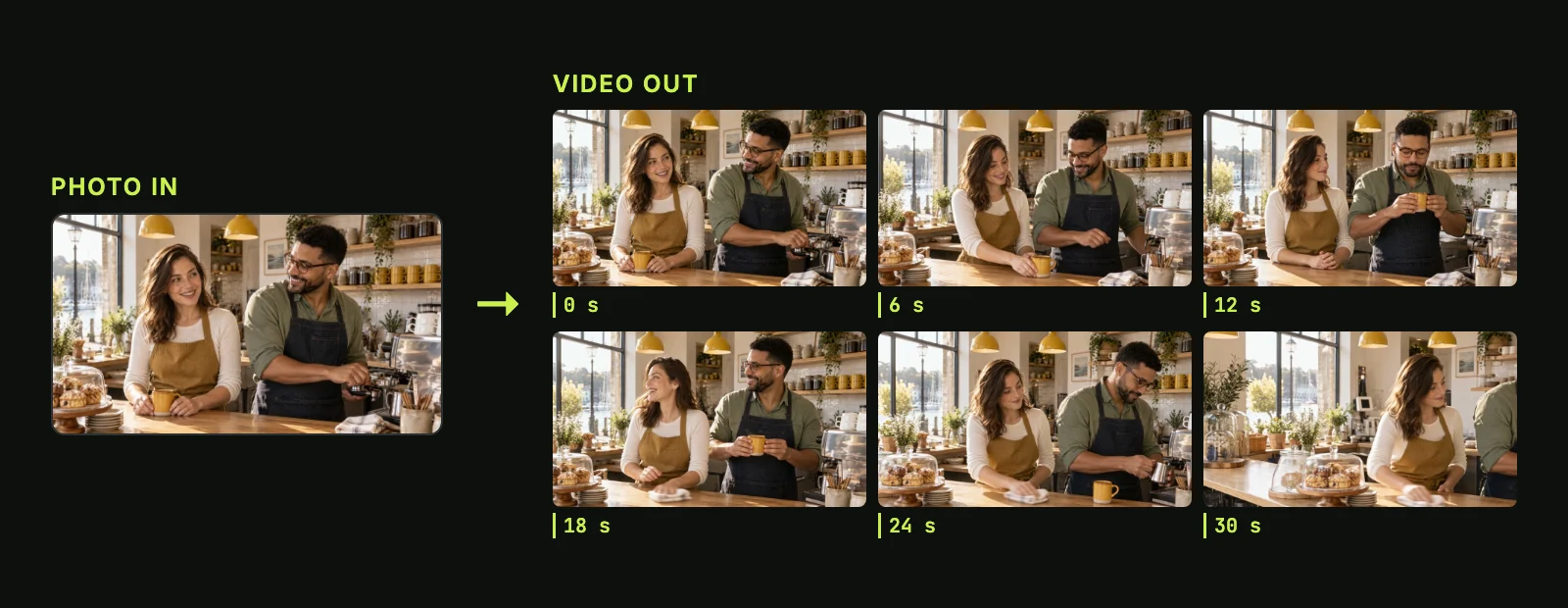
Render clips from 4 to 30 seconds on Seedance 2.5 or up to 30 seconds on Wan 3.0 in a single run. Our image to video AI produces voices in 11 languages, sound effects and music right with the picture, and lets you add your own audio track or extend the clip.

Check Exact Costs Upfront to Protect Your Credits

Check Exact Costs Upfront to Protect Your Credits

Check the exact credit price beside Generate or calculate it with the Seedance 2.5 cost calculator before you submit. Our image to video AI returns your credits automatically if a render fails, times out or stops at the safety check so you only pay for completed videos.

Use Image to Video AI to Make Moving Videos

Families & Memories

Bring Old Family Photos to Life

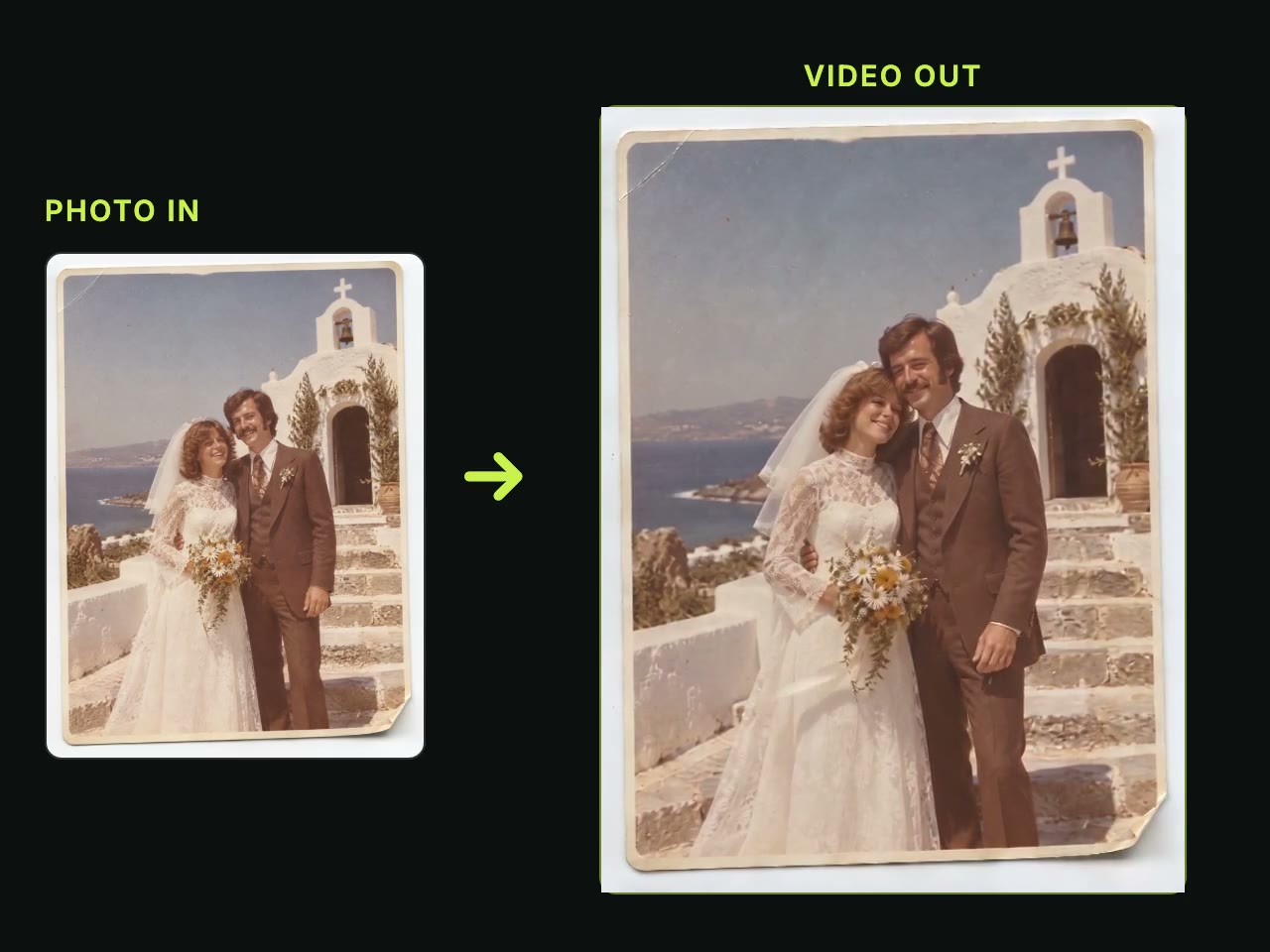
Use our image to video AI to turn scanned old photos, wedding pictures, or portraits into moving memories. You get a gentle moving clip with a soft smile, or you can bring two relatives together in one clip with AI Hug.

Brands & Sellers

Turn Product Photos into Video Ads

Upload photos of your product, model, and setting as references into our image to video AI. You get a polished 9:16 or 16:9 product video with sound, or you can turn a brief into a multi-scene ad with our AI video agent for ads.

Short-Video Creators

Post Fresh Video Clips Daily

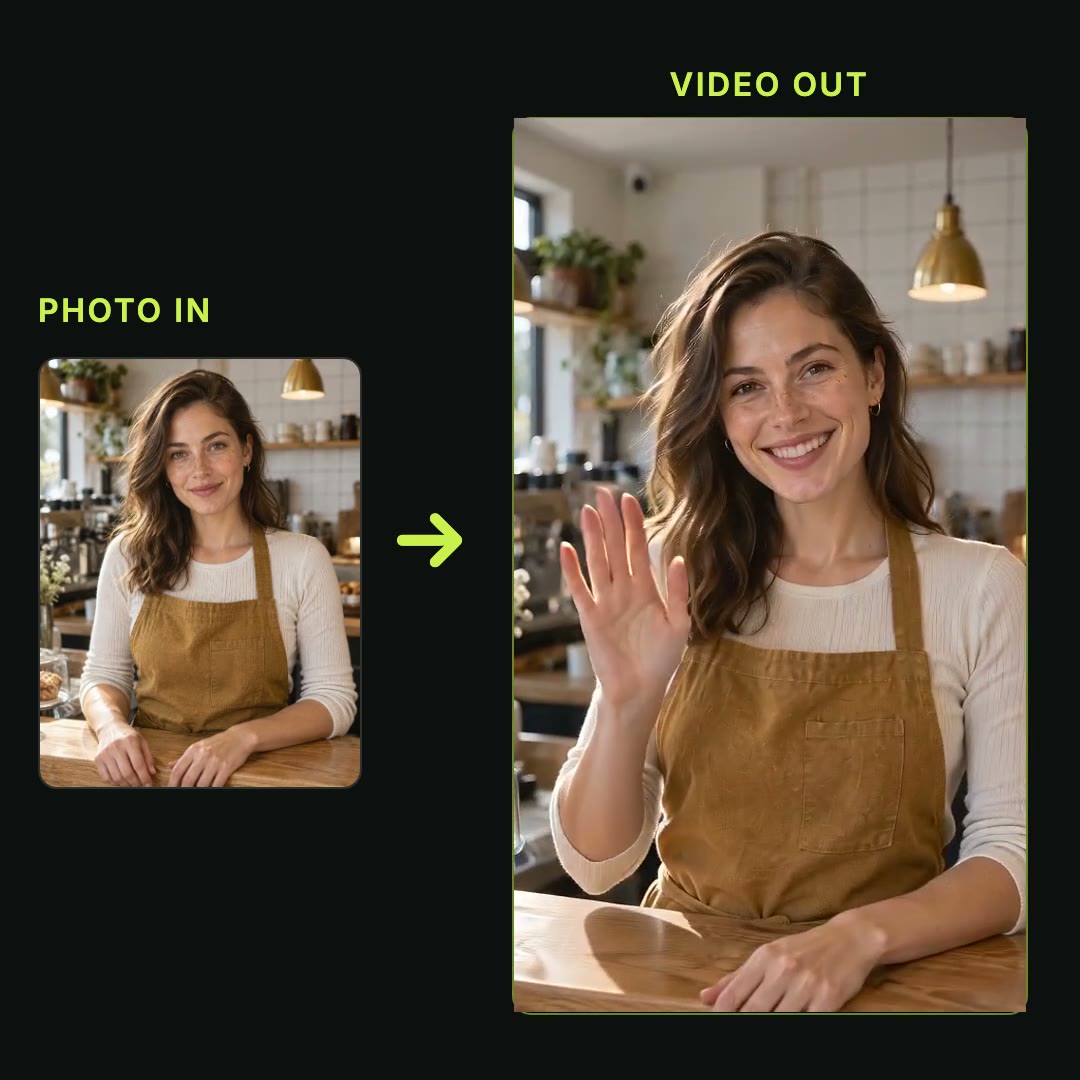
Turn one still photo into a vertical 9:16 short with sound using our image to video AI and your 40 starter credits. You post more often on social feeds, or you can add ready-made looks with no prompt to write through AI video effects.

Walk Buyers Through Any Listing
Real Estate Agents

Walk Buyers Through Any Listing

Set two listing photos as your first and last frame in our image to video AI. You give buyers a smooth tour that moves from the street to the front door, or walks from the living room into the bedroom.

Artists & Storytellers

Bring Your Artwork to Life

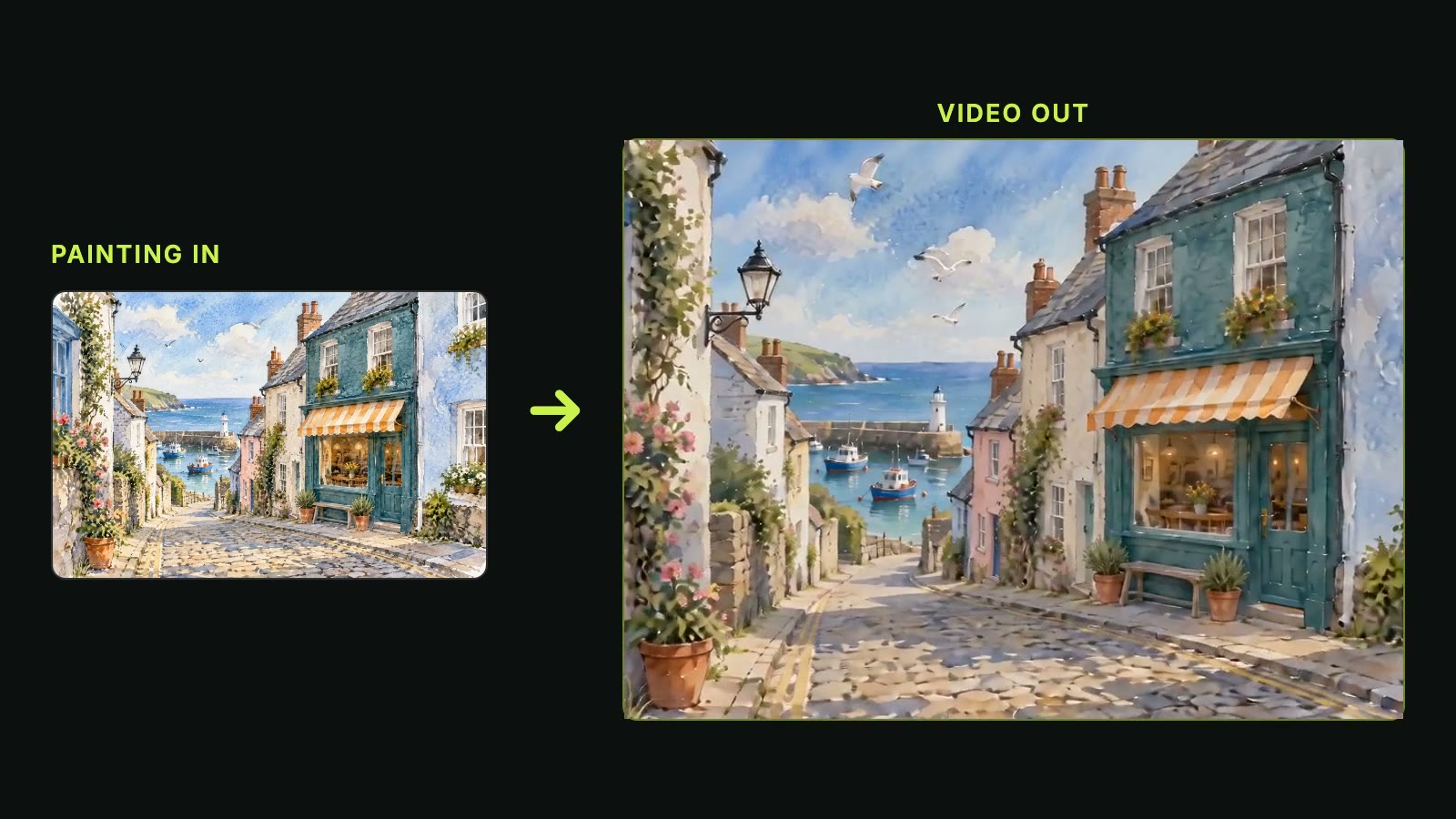
Animate illustrations, concept art, or visuals from our AI image generator using our image to video AI. You keep character looks steady across clips with reference photos and build smooth transitions between key scenes.
How to Use Our Image to Video AI

Step 1

Upload Your Photos

Upload one photo as the first frame, and add a last frame or reference photos if you want.

Step 2

Describe Motion and Sound

Write the motion and the sound with our Seedance 2.5 prompt guide, pick the model, length up to 30 seconds, resolution, and aspect ratio, and see the exact cost beside Generate.

Step 3

Download Your Finished Video

Generate your video and download your MP4 with sound to post or keep.

Try Our Image to Video AI Free With 40 Starter Credits

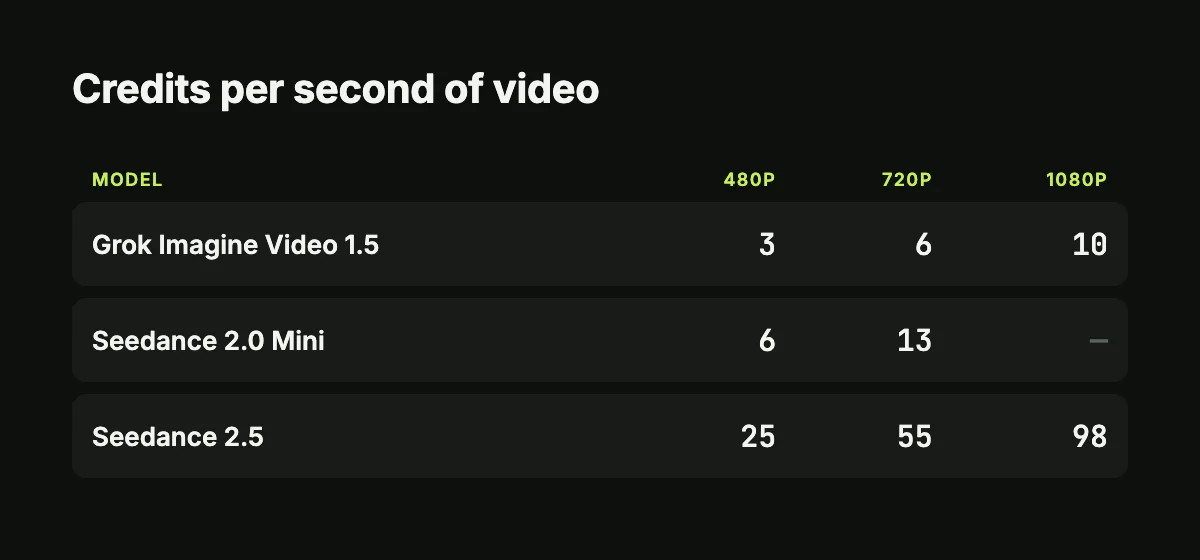
You get 40 starter credits when you sign up free with no credit card, enough for a 5-second 480p Seedance 2.0 Mini video. Use our image to video AI from 3 credits a second on Grok Imagine Video 1.5 or 25 on Seedance 2.5, and get your credits back automatically if a render fails.

Get Straight Answers on Image to Video AI Before You Render

What is image to video AI?

Our image to video AI turns your photo into a moving video clip with sound. You upload a photo and write the motion you want, and a video model uses the photo as the first frame. You can also pick two photos to set the first and the last frame, or add several photos as references for one scene. To start from words alone, use our AI video creator to generate video from a text prompt.

Is image to video AI free?

Yes. You sign up free with no credit card required and get 40 starter credits right away. That gives you enough credits for a 5-second 480p Seedance 2.0 Mini video, which costs 30 credits. When you want more renders, visit our Seadanse pricing page to find paid plans and credit packs.

How long can an image to video AI clip be?

You get clips up to 30 seconds long in one render. Seedance 2.5 makes video from 4 to 30 seconds, and Wan 3.0 creates video up to 30 seconds. Seedance 2.0, Kling O3, Hailuo 3, MiniMax H3 Max and Grok Imagine Video 1.5 create clips up to 15 seconds, and Veo3 makes 8-second clips. You can extend a Seedance 2.5 video to keep your story going, or extend a clip up to 40 seconds in total with Gemini Omni.

Can I turn two images into one video with a start and end frame?

Yes. Set one photo as the first frame and the other photo as the last frame, and our image to video AI creates the motion in between. You can make transitions, before-and-after clips and product reveals this way. Every Seedance model, Wan 3.0, Hailuo 3, MiniMax H3 Max, Kling O3 and Veo3 support a first and last frame on Seadanse.

Can I combine multiple images into one video?

Yes. Our image to video AI combines people, products and places from different photos into one unified scene. Seedance 2.5 takes up to 30 reference photos in one render, Gemini Omni takes 16, Wan 3.0 takes 10, Seedance 2.0 and Hailuo 3 take 9, and Grok Imagine Video 1.5 takes 7 at no extra credit cost. To bring two people from two photos together, try AI Hug or AI Kiss to create a hug or kiss video.

Does image to video AI add sound, voices or music?

Yes. Every video model on Seadanse creates sound with the picture. Seedance 2.5 makes voices, sound effects and music in the same render, and the person in your photo speaks the line you write. Seedance 2.5 supports dialogue in 11 languages: Chinese, English, Spanish, Indonesian, Malay, Thai, Arabic, Portuguese, Vietnamese, Japanese and Korean. You can also upload your own song or voice recording as an audio reference with up to 10 audio clips.

Which image to video AI model is best?

Choose your model using independent blind votes from the Artificial Analysis image-to-video arena in September 2026. For video with audio, MiniMax H3 Max ranks #1 (Elo 1194), Hailuo 3 ranks #2 (1181), Gemini Omni Flash ranks #3 (1178) and Seedance 2.0 ranks #4 (1176). For video without audio, Gemini Omni Flash ranks #1 (1369) and Wan 3.0 ranks #3 (1362). Pick Seedance 2.5 for 30-second clips or up to 30 reference photos, and pick Seedance 2.0, Kling O3 or Veo3 for 4K resolution. Run all these AI video models in one tool on one credit balance.

Can ChatGPT turn a photo into a video?

No. OpenAI discontinued Sora, its video tool, on April 26, 2026, and shut down the Sora API on September 24, 2026, as documented in the OpenAI Help Center. To turn your photo into a video today, upload your image to our image to video AI, choose a model and get a complete video with sound.

What kind of photo works best, and which files can I upload?

Upload a sharp, well-lit photo with your subject large in the frame and facing the camera. Seedance 2.5 accepts JPG, PNG, WebP, BMP, TIFF, GIF, HEIC and HEIF files from 300 to 6000 pixels on each side, under 30 MB each. To create a fresh picture to animate first, use our AI image generator.

How do I write a good image to video prompt?

Write the motion, not the photo. Say what stays the same, like the person, outfit and light, then add one camera move or one small action. When you use multiple photos, tag each photo as @Image 1 or @Image 2 and give it a role. On Seedance 2.5, write dialogue in {}, music in () and sound effects in <>. Explore our Seedance 2.5 prompt guide and browse Seedance 2.5 prompts to inspect tested prompts with their final videos.

Can I use the videos commercially, without a watermark?

Yes. Paid plans and credit packs give you watermark-free MP4 video downloads and a full commercial license. Explore our Seadanse pricing page to unlock private renders and use your videos for commercial projects.

Can I use image to video AI on my phone?

Yes. Open Seadanse in the web browser on your phone or computer, with nothing to install. Our image to video AI runs online so you can create moving videos on any device.

Are my photos kept private?

Yes. Paid plans and credit packs keep your renders private. Your uploaded photos and finished video projects remain completely your own.

Try Our Image to Video AI for Free Today

Turn your photos into a moving video with sound up to 30 seconds, ready to post or keep.