Text to Video AI

Turn your ideas into finished scenes with dialogue and music right away. Pick from 10 top models to create videos up to 30 seconds long with our text to video AI.

Text to Video AI for Instant Videos with Sound

Type what you want to see and hear, then pick one of 10 models, the length, the resolution, and the aspect ratio to make your scene with our text to video AI.

0/20000

What Makes Our Text to Video AI Stand Out

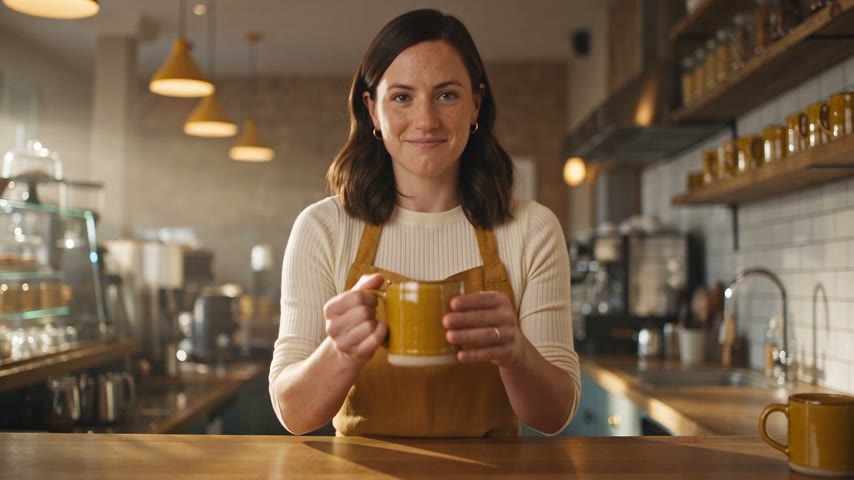
Generate Natural Sound and Dialogue in Every Video

You get clear speech, background effects and music generated directly with your visuals across all 10 models. Our text to video AI speaks 11 languages on Seedance 2.5 when you put lines in quotes, and you type "no music" to leave tunes out.
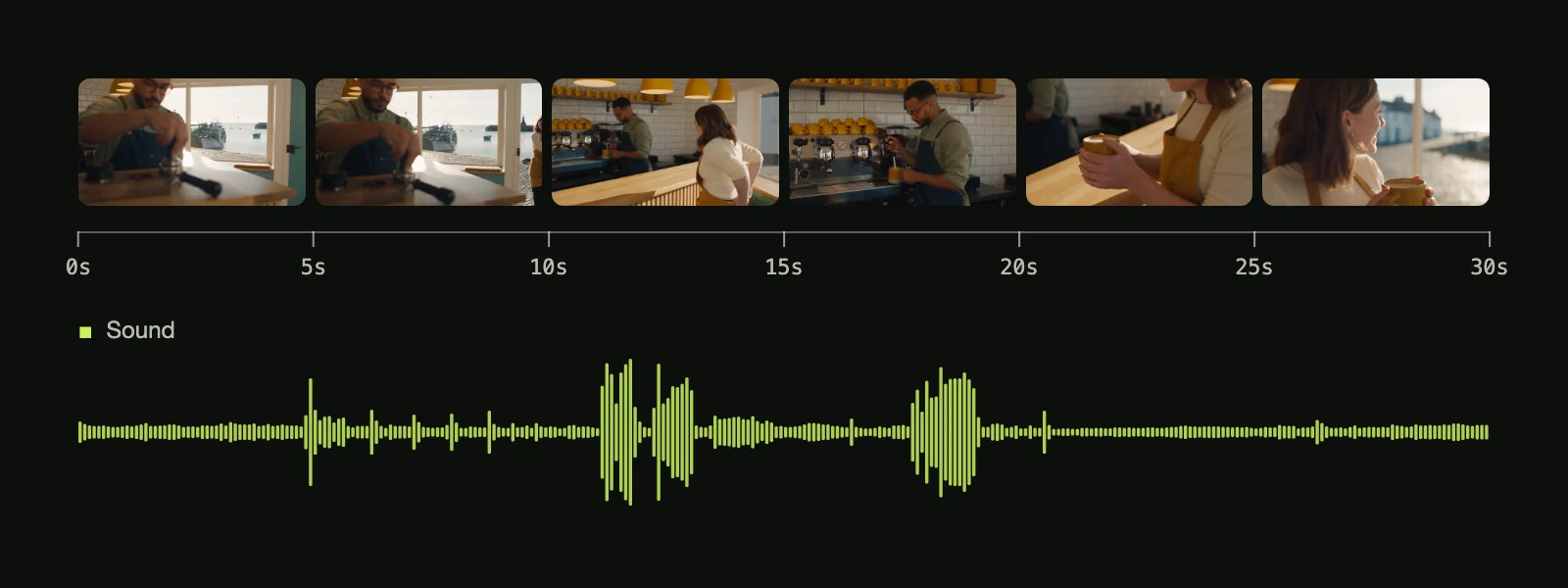
Generate Natural Sound and Dialogue in Every Video

Create 30-Second Scenes Without Stitching Separate Clips

Produce complete scenes in one continuous take or direct connected cuts using second marks on Seedance 2.5. Our text to video AI also runs Wan 3.0 for single 30-second generations with sound, highlighted in Alibaba's Wan 3.0 launch post.

Download Sized MP4 Videos for Any Social Platform

Download Sized MP4 Videos for Any Social Platform

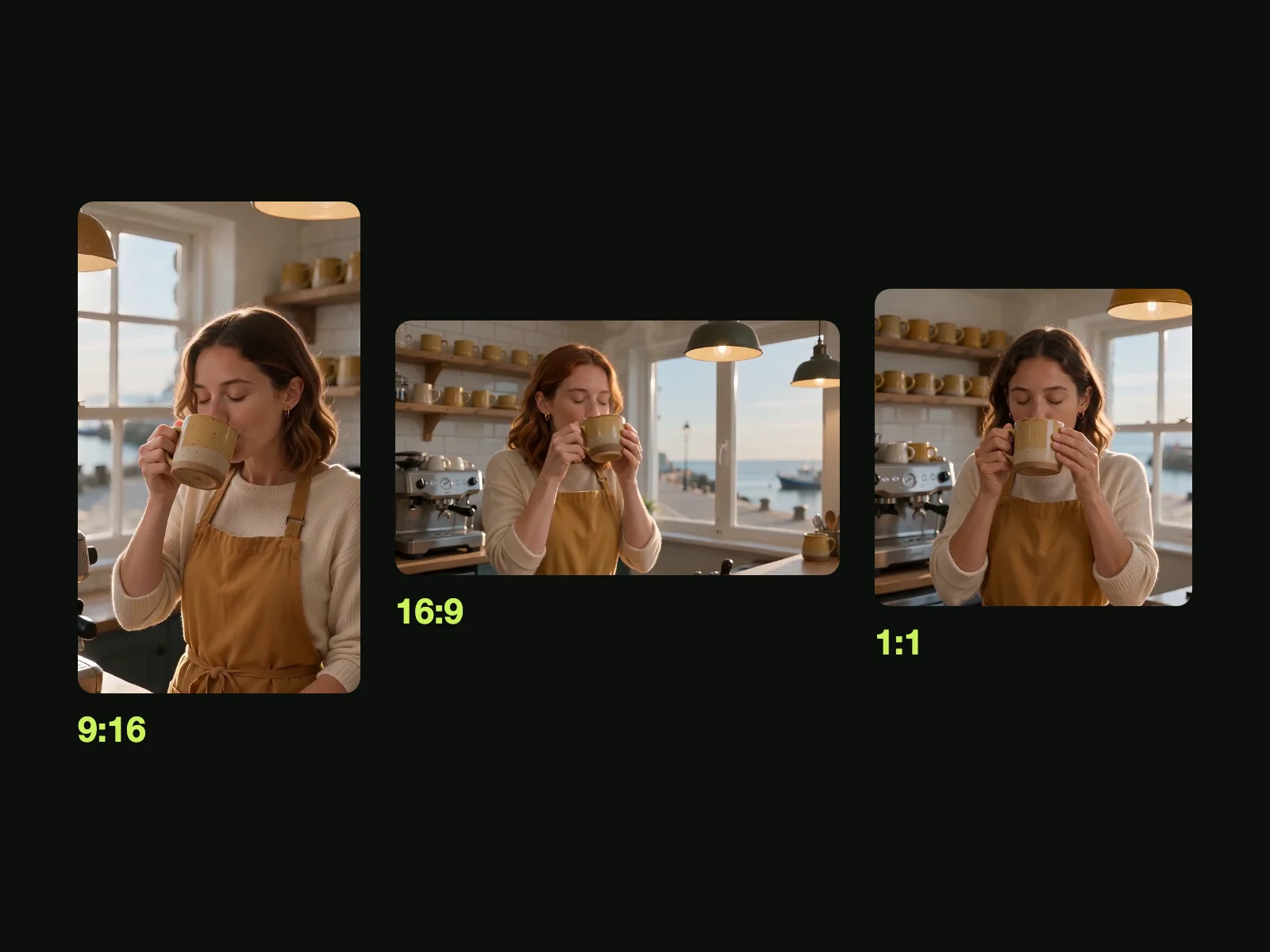
Export ready-to-share MP4 files in vertical 9:16 for TikTok, Reels and YouTube Shorts, widescreen 16:9 for YouTube, square 1:1 or 21:9. Our text to video AI delivers clean resolutions at 480p, 720p, 1080p and up to 4K on Kling O3.

Turn Everyday Words Into Direct Video Prompts

Write plain phrases for your subject, action, setting, camera move, style and audio to direct your scene. Our text to video AI helps you begin fast with proven text examples in the Seedance 2.5 prompt guide and the Seedance 2.5 prompts library.

Review Credit Costs Upfront to Protect Your Balance

Review Credit Costs Upfront to Protect Your Balance

Check your required credits right beside the Generate button before any task begins. Our text to video AI returns your credits automatically if a render stops, times out or hits a safety stop, so you pay only for videos that finish.

Use Text to Video AI for Every Video Project

Short-Video Creators

Post Fresh Clips Every Day

Type a one-line idea into our text to video AI to get a vertical 9:16 video with sound, ready to post. Keep your TikTok, Reels, and YouTube Shorts feeds full of fresh clips without filming anything yourself.

Marketers & Business Owners

Test Video Ads Before Shooting

Write your pitch in a few lines to get a vertical or widescreen ad with dialogue, sound effects, and music. Our AI video agent plans and renders your ad in up to five beats so you see the finished clip before paying for a shoot.

YouTubers & Teachers

Add Clear Visuals to Narration

Describe the scene you talk about to generate 16:9 explainer shots and cutaways at up to 1080p. Use Script to Video to turn your full script into a video where a character speaks your lines.

Storytellers & Animators

Tell Multi-Shot Stories with Dialogue

Describe your characters, their spoken lines in quotation marks, and a visual style like anime, cartoon, or live action. You get a multi-shot story with dialogue and audio, up to 30 seconds long from a single generation.

Filmmakers & Directors

Preview Scenes Before Your Shoot

Type your scene, camera moves, and sound into our text to video AI to make a finished test clip. Share the video with your crew or clients to show your exact vision before the shoot starts.

How to Create Videos with Our Text to Video AI

Step 1

Step 1: Describe Your Idea

Write what you want to see and hear, and put your spoken lines inside quotation marks.

Step 2

Step 2: Choose Your Settings

Pick one of 10 models, set your length up to 30 seconds on Seedance 2.5 and Wan 3.0, select your resolution and aspect ratio, and check the credit cost beside Generate.

Step 3

Step 3: Download Your Video

Press Generate to run our text to video AI, and download your finished MP4 video with sound.

Try Our Text to Video AI Free With 40 Starter Credits

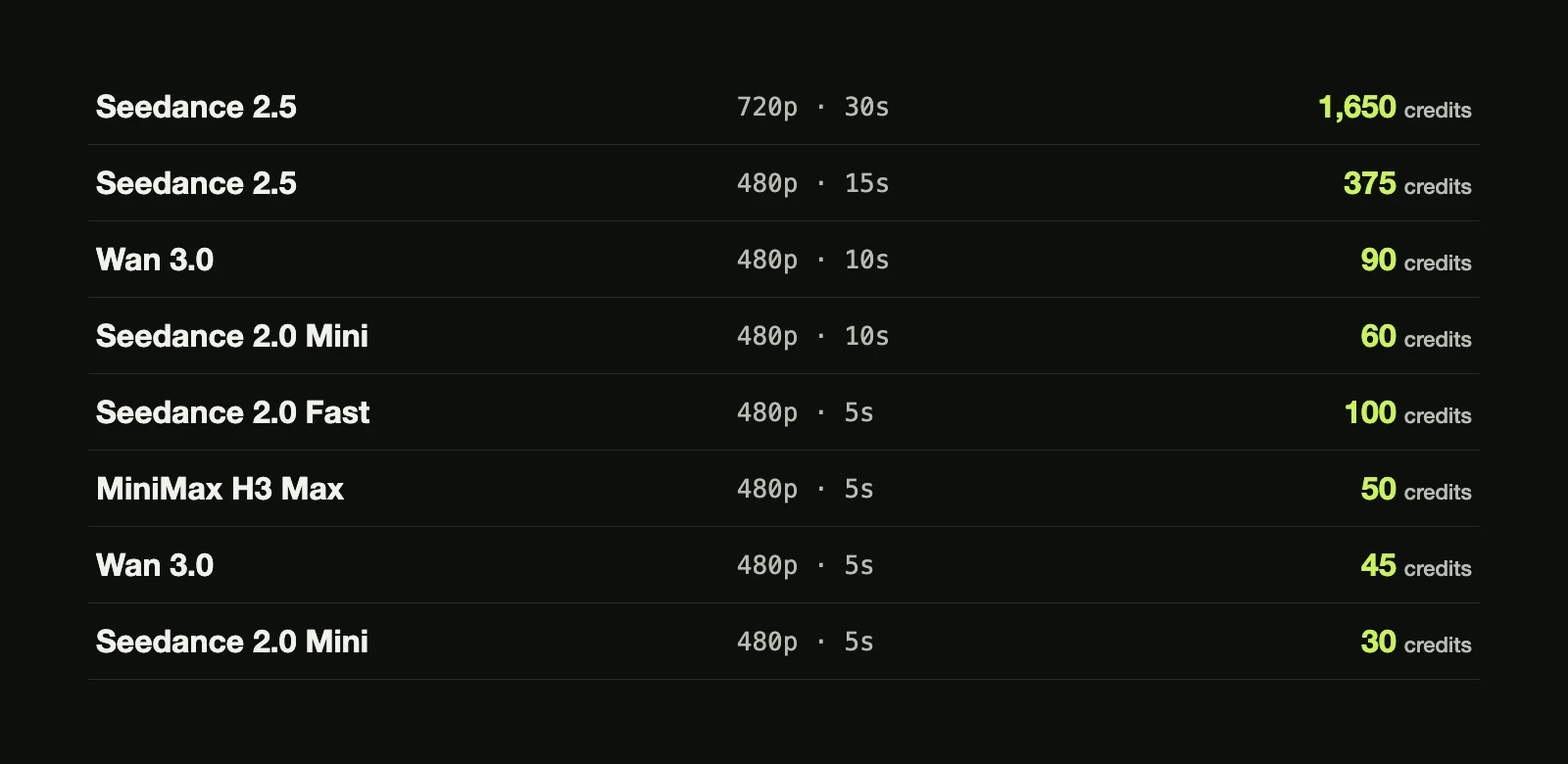
Sign up free with no credit card to get 40 starter credits, enough for a 5-second 480p Seedance 2.0 Mini video at 30 credits, while Seedance 2.5 uses 25, 55 or 98 credits per second and Wan 3.0 uses 9, 18 or 36 credits per second at 480p, 720p or 1080p. Check the price of a Seedance 2.5 video before you press Generate, and failed renders return your credits automatically.

Get Straight Answers on Text to Video AI Before You Render

What is text to video AI, and can AI really make a video from text?

Yes. You write a plain description, and our text to video AI makes brand-new footage from it with dialogue, sound effects and music at the exact same time. You can choose from 10 top models on Seadanse, with Seedance 2.5 and Wan 3.0 generating up to 30 seconds of video in a single try.

Is there a free text to video AI?

Yes. Sign up free with no credit card and get 40 starter credits to try our text to video AI right away. That gives you enough credits for a 5-second 480p Seedance 2.0 Mini video at 30 credits. To make 30-second videos on Seedance 2.5 and Wan 3.0, pick a plan or credit pack on our Seadanse pricing page.

How long can a text to video AI clip be, and can I make longer videos?

You get up to 30 seconds in a single generation on Seedance 2.5 and Wan 3.0. As shared in ByteDance's Seedance 2.5 launch post, you can extend your video forward or backward again and again for clips several minutes long. You can also extend clips up to 40 seconds with Gemini Omni Flash, plan multi-beat ads with our AI video agent, or turn full stories into scenes with Script to Video.

Does text to video AI make sound, voices and dialogue?

Yes. Dialogue, sound effects and music come out with your picture in the same generation across all 10 models. Put spoken lines inside quotation marks and name the speaker to direct the voices. With Seedance 2.5, your characters speak dialogue in 11 languages, including English, Spanish, Chinese and Japanese.

Which AI video models can I use for text to video on Seadanse?

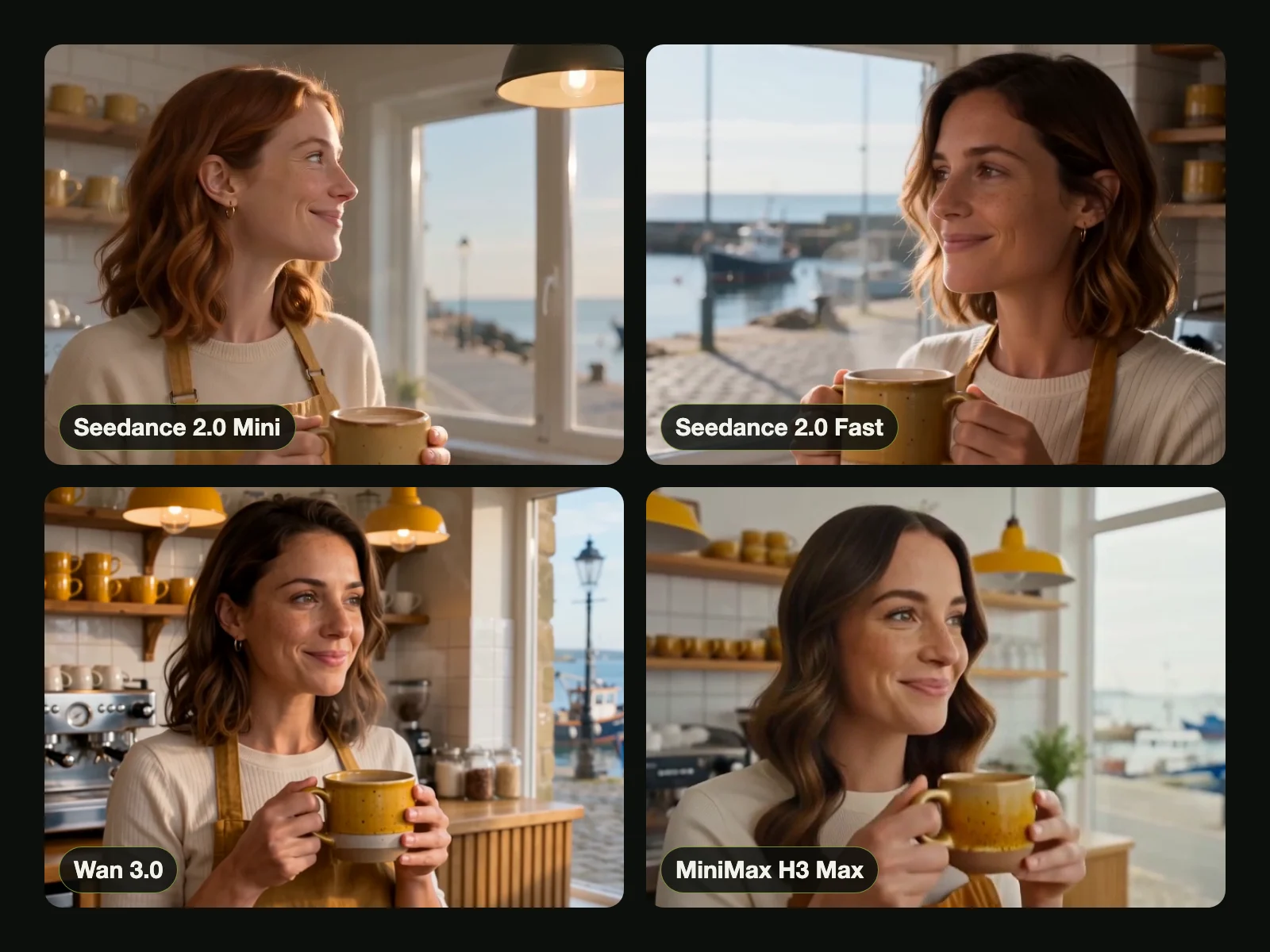
You get 10 top AI video models in one tool on a single credit balance: Seedance 2.5, Wan 3.0, Gemini Omni Flash, MiniMax H3 Max, Hailuo 3, Kling O3, Veo3, Seedance 2.0, Seedance 2.0 Fast and Seedance 2.0 Mini. These come from Google, ByteDance, Alibaba, Kuaishou and MiniMax. You pick the best model for each video you create.

Which AI model is best for text to video?

The best model matches your creative goal. In the Artificial Analysis Video Arena blind votes for text to video with audio (September 2026), the top five are Gemini Omni Flash (Elo score 1233), Wan 3.0 (1229), MiniMax H3 Max (1227), MiniMax H3 (1220) and Seedance 2.0 (1210). Pick Seedance 2.5 or Wan 3.0 for 30-second continuous scenes, or choose Kling O3 to set your own multi-shot cuts.

What can I use now that Sora is gone?

You can use Seadanse to create full scenes with sound from a simple prompt. As explained in OpenAI's Sora notice, OpenAI closed the Sora app and website on April 26, 2026, and shut down the Sora API on September 24, 2026. On Seadanse, our text to video AI gives you up to 30 seconds of video on Seedance 2.5 and Wan 3.0, or 10-second clips on Gemini Omni Flash.

Can I make vertical videos for TikTok, Reels and YouTube Shorts?

Yes. You can select vertical 9:16 to make ready-to-post videos for TikTok, Instagram Reels and YouTube Shorts. Our text to video AI also creates widescreen 16:9, square 1:1, cinematic 21:9, and 4:3 or 3:4 on Seedance 2.5 and Wan 3.0. Download every finished video directly as an MP4.

How do I write a good text to video prompt?

Describe your subject, action, setting, camera move, style and sound in plain words. Put dialogue inside quotation marks, add time marks such as "0-5 seconds" for scene beats, or write "one continuous take, no cuts" for unbroken footage. To find tested styles, explore the Seedance 2.5 prompt guide, the Wan 3.0 prompt guide and our library of Seedance 2.5 prompts.

Do I lose credits if a video fails?

No. If a render fails, times out, hits a platform error or is turned down by the safety check, your credits return to your balance automatically. The credit price shows beside Generate before you start. You pay only for videos that finish.

Can I download videos without a watermark and use them commercially?

Yes. Every paid plan or credit pack gives you water-mark-free downloads, private renders and a full commercial license. You can pick your package on our Seadanse pricing page and start creating clips for business use right away.

Should I start from text, a photo or a script?

Start from text to turn fresh ideas into full scenes with our text to video AI. To start from your own photo or reference clip, use our AI Video Creator or turn photos into 8-second clips with Veo3 image to video AI. When you have a full script ready, use Script to Video to let characters speak your lines on screen.

Can I use text to video AI on my phone?

Yes. Open Seadanse in the web browser on your iPhone or Android phone to make videos anywhere, with nothing to install. Type your prompt, tap Generate, and watch your scene come to life in minutes.

Try Our Text to Video AI for Free Today

Sign up with no credit card to get 40 starter credits and download your first video with sound today.