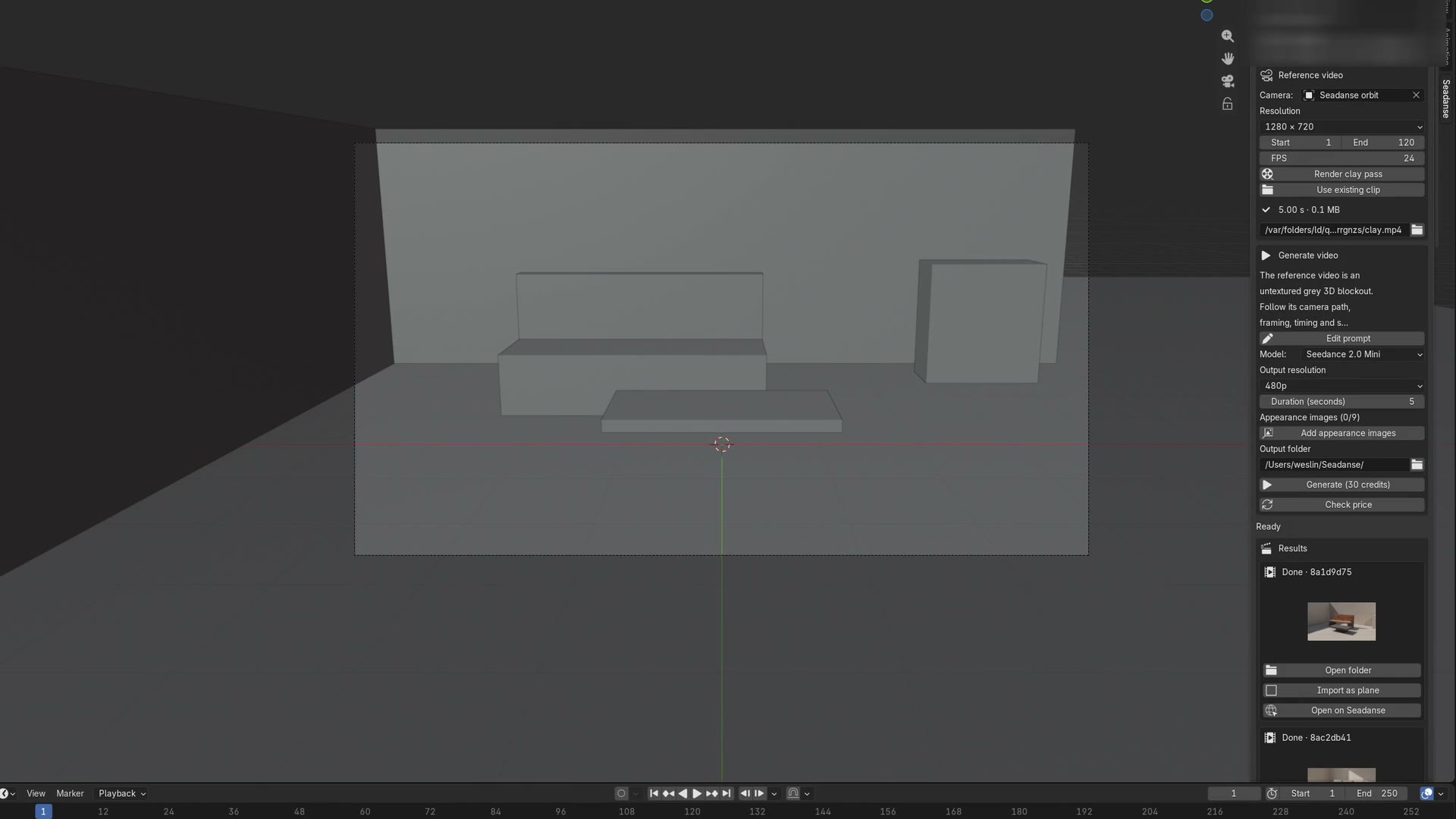
Seedance 2.5 Blender add-on

Seedance 2.5 Blender

Get the exact camera move you want in your AI shots every time. Use our Seedance 2.5 Blender to turn your gray 3D blockout into a finished video up to 30 seconds long.

Seedance 2.5 Blender to Turn 3D Camera Moves into AI Video

Download our Seedance 2.5 Blender plugin free for Blender 4.2 and up on macOS and Windows, drag the zip file onto Blender to sign in once, or drop an earlier clay clip into our AI video creator without Blender open.

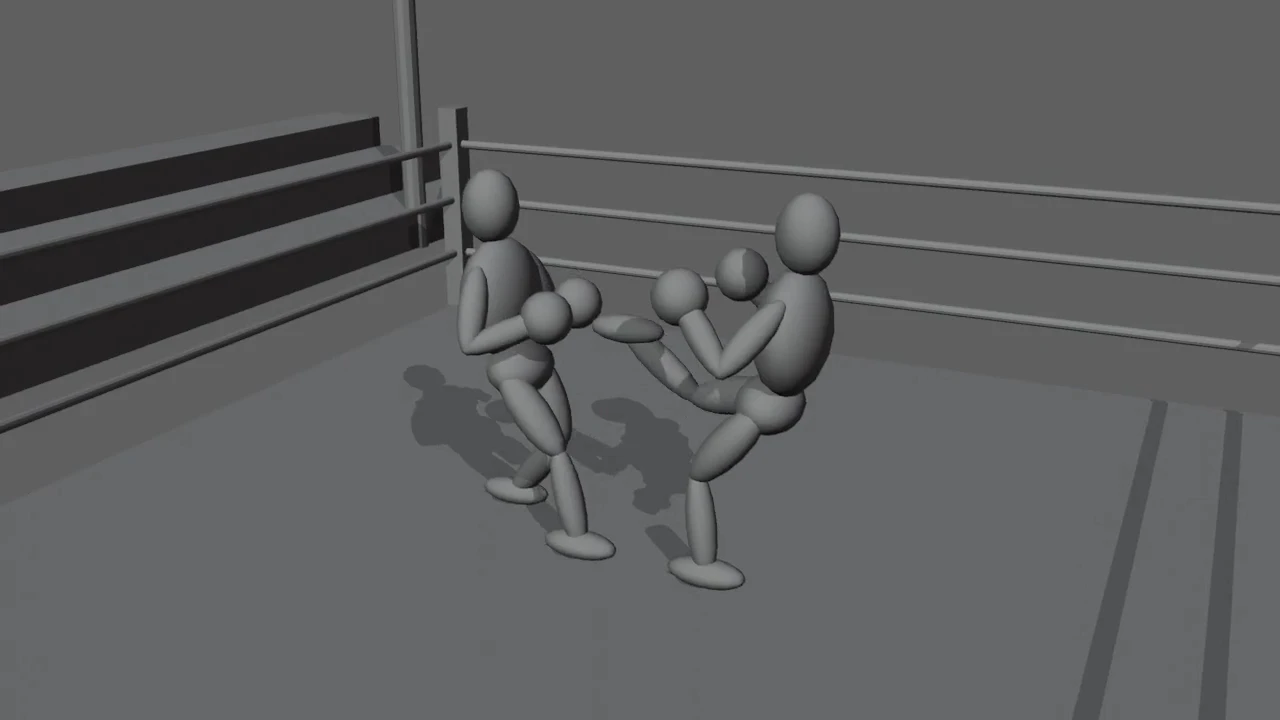
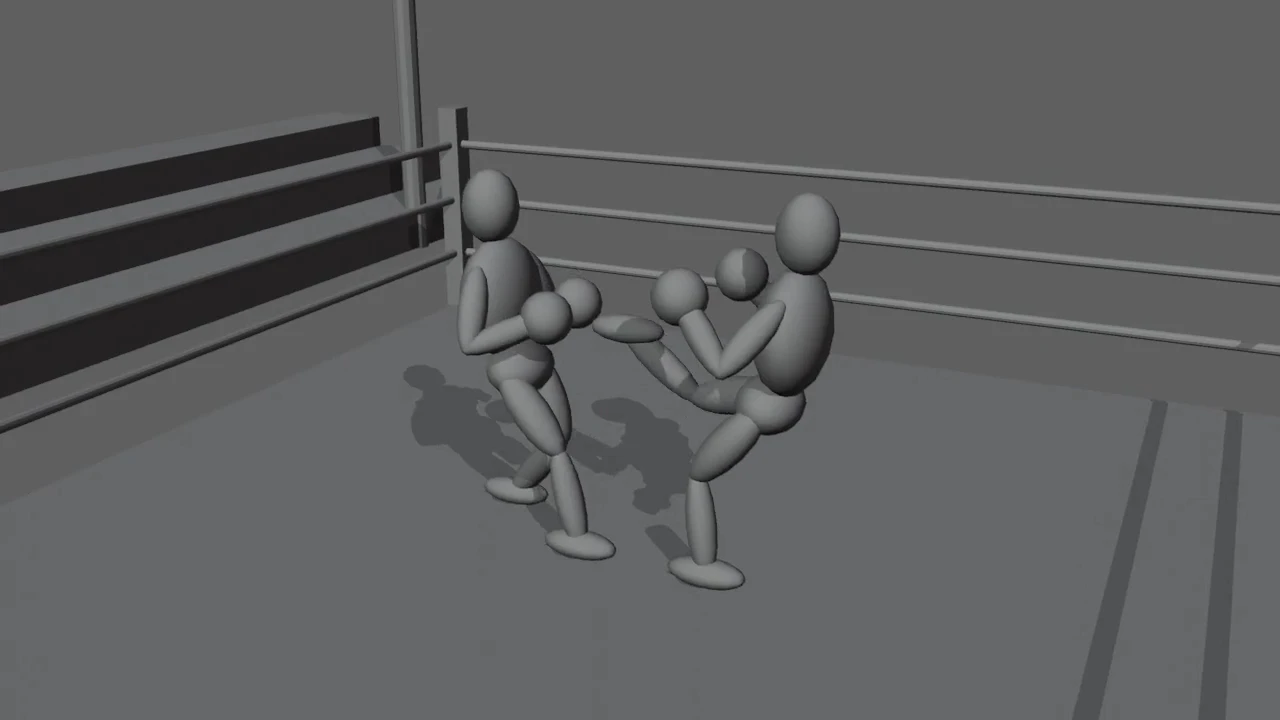
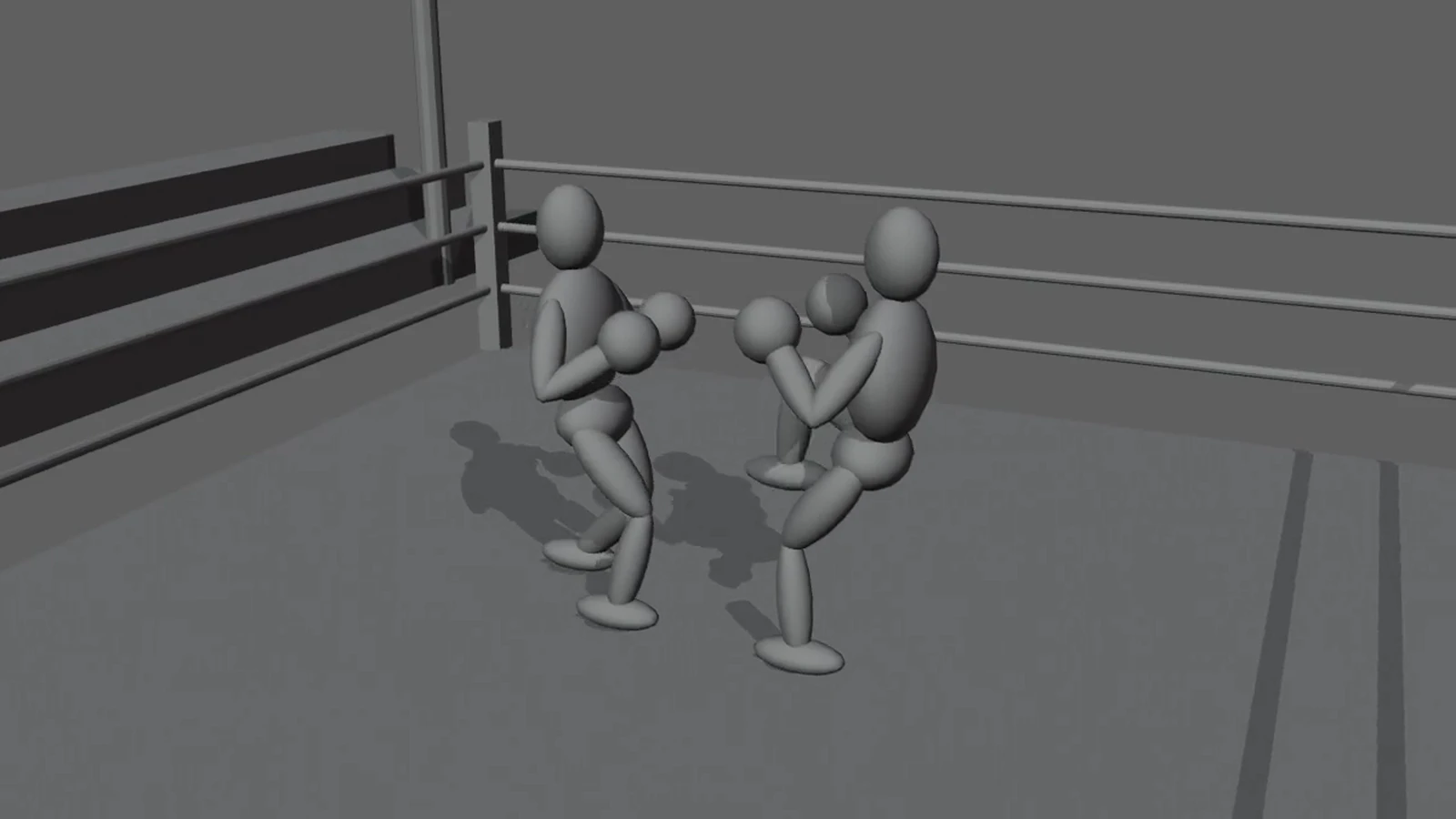
InClay pass
The grey Workbench clay pass rendered from the Blender scene camera

One button renders a Workbench clay render from your scene camera to an H.264 mp4.

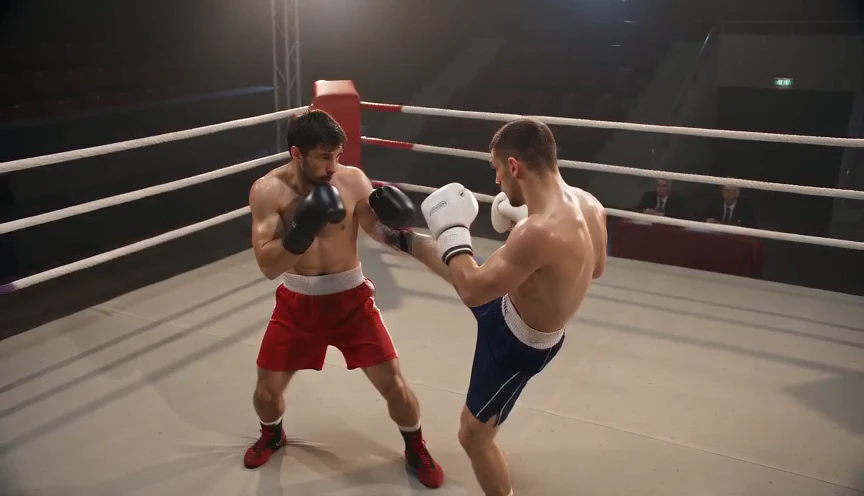
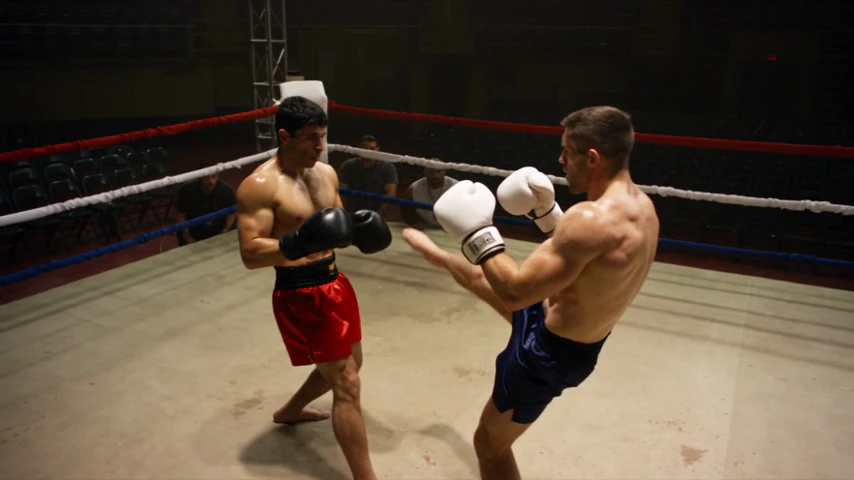
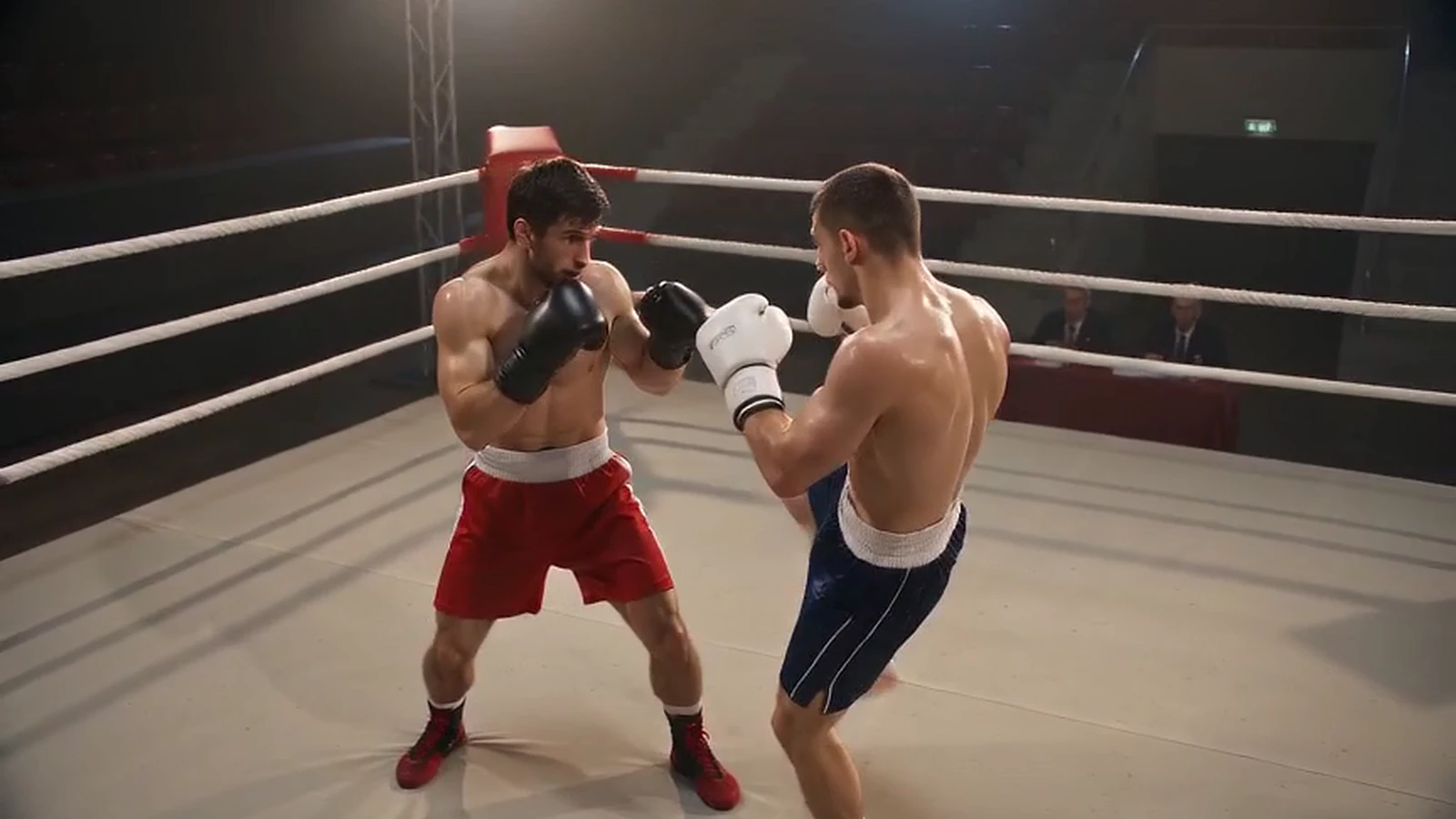
OutThe take
The finished Seedance 2.5 take that clay pass produced

The finished mp4 lands back in your scene as a video plane.

Try Seedance 2.5 Blender Freeseadanse-blender-1.0.1.zip30.3 KB
SHA-25672a9cb115875c153d30d92a36895acd87e8a59c5d348edfc7d9ccbd0cd6d393e
seadanse-blender-skill-1.0.1.zip29.3 KBDownload
SHA-256e10d323cad800b2990efef6a61d4e480cba7f5889bcadb809e1fbbcfd05e4df3
  • What you getA Blender extension zip, plus the agent skill as a second zip. Both free.
  • RequiresBlender 4.2 and up, on macOS and Windows. There is no third-party Python dependency, so nothing has to be installed into Blender's Python.
  • InstallDrag the zip onto an open Blender window; verified on 4.2.23, 5.1.2 and 5.2.1. You can also use Edit, Preferences, Add-ons, Install. Keep the file zipped.
  • Verified on4.2.23 · 5.1.2 · 5.2.1 on macOS Windows CI covers 4.2.23 and 5.1.2.
  • Sign-inA device code signs you in from the browser, and Settings, Security, Connected apps revokes it.

A self-hosted Blender extension zip. It is not a listing on the Blender Extensions platform.

How to Create Videos with Seedance 2.5 Blender

Step 1

Install the Add-On and Sign In

Drag the zip file onto Blender 4.2 or up, and sign in once through your browser to get your 40 starter credits.

Step 2

Set Your Camera and Render the Clay Pass

Build your blockout with simple gray shapes, render the clay pass from the sidebar or choose an existing clip in our AI video creator, and add your prompt with reference images.

Step 3

Generate and Receive Your MP4

Confirm the credit price on the button, generate your video, and watch your finished MP4 file arrive directly in your Blender scene on a video plane.

What Makes Seedance 2.5 Blender Stand Out

Match Your Exact Keyframed Camera Moves

Lock your exact camera path directly into your generated video. Our Seedance 2.5 Blender workflow uses your gray clay pass to match camera movement, pacing, shot-size transitions, subject trajectory, and blocking with Seedance 2.5 camera control with a 3D camera path.
Send Clay Passes With One Click

Render your gray clay pass as an H.264 MP4 and upload it with one click in your sidebar. Our Seedance 2.5 Blender plugin handles every export rule with no extra apps needed, or you click Use existing clip to send an MP4 or MOV you already made.

Turn 3D Gray Shapes Into Finished Scenes

Turn simple gray shapes into realistic people, products, and places with up to 30 reference images. Our Seedance 2.5 Blender workflow builds realistic lighting effects and shadows from your 3D layout using our white model prompt guide.

Check Upfront Prices Before You Render

Check the exact credit cost on the Generate button before you run your render. Our Seedance 2.5 Blender tool lets you test shots in 480p draft mode before making your 1080p final, and every failed render returns your credits automatically.

30-Second Takes Delivered With Built-In Audio

Download finished clips from 4 to 30 seconds with generated sound placed right into your Blender workspace. Our Seedance 2.5 Blender plugin drops the completed MP4 onto a video plane beside your clay pass in 480p, 720p, or 1080p.

Automate Shot Setup With AI Coding Agents

Let Claude Code, Codex, or Cursor set up gray shapes and animate cameras using the Blender Lab MCP server. Our Seedance 2.5 Blender agent skill applies five camera presets, quotes your credit price, and renders your finished shot automatically.

What twelve paid runs actually showed

See What the Seedance 2.5 Blender Add-On Delivered

Twelve paid runs are on record with run ids, model tier and credit cost. The three below are shown, each with what went in and what came back. The nine earlier ones covered a car chase, an architectural walkthrough and a two-fighter ring beat; that car pass held both vehicles and their spacing, and the street still read as clean CG rather than live action. The Seadanse add-on is the same client as the website, so every take here was billed and logged exactly like yours will be.

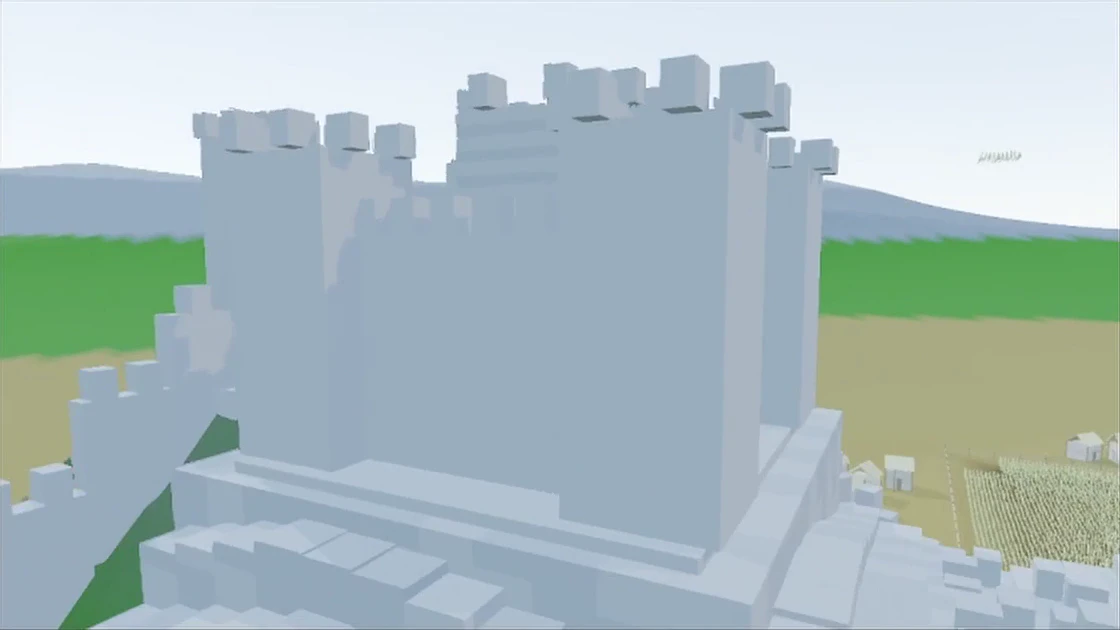
InReference clip
The 13.75-second reference clip submitted for run b2b93be2

IN · run b2b93be2 · reference clip 1120×630 · 13.75 s

OutThe take
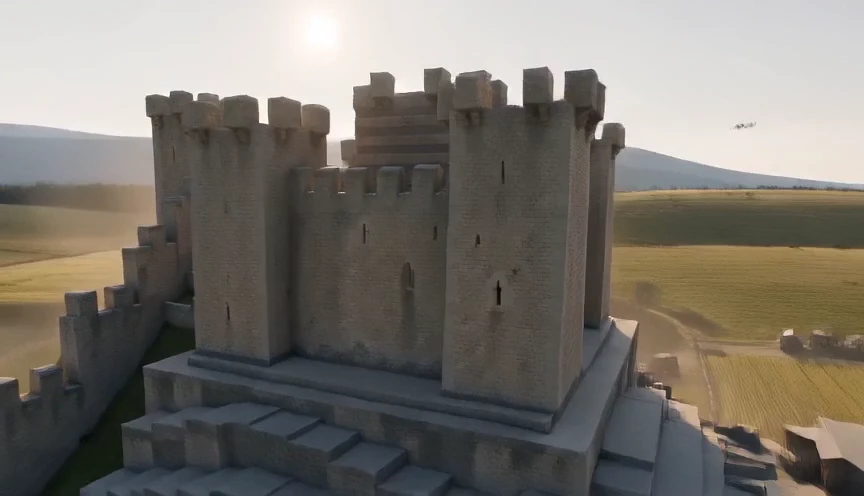
The finished castle-and-windmill flight Seedance 2.0 Mini returned for run b2b93be2

OUT · run b2b93be2 · Seedance 2.0 Mini, 480p tier · 864×496 · 14.08 s

Run 01 · Camera follow

The Camera Order Came Back. The Castle Close-Up Still Reads as CG.

What it proved
  • Approach the windmill, turn to the castle, pass the tower, rise to an overhead — the main camera order arrived in the order the reference had it.
  • The fields and the stone castle took their materials and their light from the single appearance image attached to the run.
  • The whole job went through the shipped upload, generate, poll and download path. No direct call to the vendor.

Run b2b93be2-7530-484c-ba30-6a94ce3fd11f · Seedance 2.0 Mini · 480p tier, file 864×496 · 14.08 s

Also on the record

  • HiggsfieldHiggsfield's plan table gives its Starter plan Seedance 2.0 Fast and 2.0 Mini, and puts every Seedance model on Plus and above, read 2026-09-09. Here Seedance 2.5 is the add-on's default model, on the same account and the same credits as the website.
  • MixarMixar answers the same job with a Blender fork, so adopting it means leaving your Blender. This is an add-on, so your .blend, your other add-ons and your build all stay.

Use Seedance 2.5 Blender for Exact Camera Control

Turn your gray blockouts into finished shots that follow your exact camera paths. Read 6 things to make with Blender and Seedance 2.5 for more project ideas, or browse our Seedance 2.5 Blender prompts to see prompts matched with finished clips.

Generate Polished Product Commercials

Block out simple cylinders, cubes, and spheres for your cans, ice, and fruit, then attach your product photos. Get back commercial-grade shots on your exact camera move, and swap reference images to render new flavors on the same motion path.

Try Seedance 2.5 for Free

Know What a Seedance 2.5 Blender Render Costs Before You Press Generate

You see the price before you commit. The server quotes the job, the number sits on the Generate button, and a re-measured cost above the cap you confirmed is refused rather than charged.

  • A Seedance 2.5 reference video is billed at 0.6 times the output rate, for its own seconds only.
  • Seedance 2.0 Mini does not bill reference seconds at all.
  • Appearance reference images never change the price.
  • New accounts start with a sign-up gift, which covers a first Seedance 2.0 Mini run at 480p.
Credits
Credits are the website's credits. Plan credits expire at the end of each 30-day cycle. Extra credit packs stay valid for 12 months.
Failures
Failed or interrupted renders return their credits automatically.
Privacy
What uploads is the clay mp4 and any appearance images you pick. Your .blend stays on your machine.
Quality
Asking the model to follow your reference is creative direction. It is not a guaranteed rebuild of your camera matrix.

Seedance 2.5 Blender Questions, Answered Before You Install

Is there a Seedance 2.5 Blender plugin, and is it free?

Yes. Our Seadanse plugin for Blender is a free download, and Blender lists it as an add-on. You can also download our agent skill for free. Sign up free to get 40 starter credits and start creating. Each video render is paid in credits.

How does the Seedance 2.5 Blender workflow work?

Build your scene with simple gray shapes, keyframe the camera, and render a clay pass from your sidebar. Send that clay pass to Seedance 2.5 along with your reference images and prompt. Seedance 2.5 keeps your camera move, framing, pacing, and blocking, and paints the surfaces, light, and people. ByteDance calls this clay render referencing, introduced in ByteDance's Seedance 2.5 launch post on July 31, 2026. Read the Seedance 2.5 Blender workflow explained to see how it works.

Do I need Claude or a Blender MCP server?

No. Our plugin renders the clay pass and runs Seedance 2.5 straight from the Blender sidebar on its own. You do not need any coding tool or second app. If you prefer to automate your workflow with an AI assistant, our free agent skill works with Claude Code, Codex, or Cursor over Blender MCP. Compare all ways to run Seedance 2.5 from Blender to pick the best fit.

Which Blender versions and computers does it work on?

Our plugin runs on Blender 4.2 and up on macOS and Windows. Drag the zip file onto an open Blender window to install it right away. Your video renders in the cloud, so you do not need a strong graphics card. Read why Seedance 2.5 runs in the cloud to learn how any computer can make high-end shots.

How do I make the result look real instead of gray boxes?

Add a reference image for each person, product, and place, using up to 30 images. Color each shape in Blender and map each image to its color in your prompt, such as: "Map the man in gray clothing from [Image 1] to the red model in [Video 1]". State in your prompt: "The 3D clay-model video should only be used as a reference for camera movement, camera motion, shot rhythm, camera blocking, and character animation. Do not reference its visual content." Keep your shapes simple, and explore Seedance 2.5 Blender prompts and ByteDance's Seedance 2.5 prompt guide for proven prompt structures.

Does blocking the shot in Blender save credits?

Yes. You set your camera move, framing, and pacing before you spend any credits, so your balance goes toward final visuals instead of rerolls. You can render a 480p draft to check the motion, then render your 1080p final from that draft. You can also test a camera move on Seedance 2.0 Mini, our lower-cost model for quick tests.

How much does a Seedance 2.5 Blender render cost?

The credit price shows directly on the Generate button before you press it. A render never costs more than the confirmed price, and a failed render returns its credits automatically. You get 40 starter credits when you sign up free. Calculate your render price with our Seedance 2.5 cost calculator or view Seadanse plans and credits to choose a package.

What resolution and length can I get from a Blender clip?

You can generate videos in 480p, 720p, or 1080p resolution, with lengths from 4 to 30 seconds in a single take. Choose from six aspect ratios: 21:9, 16:9, 4:3, 1:1, 3:4, or 9:16. The model creates audio together with your video in the same render, and you download the result as an MP4. See ByteDance's Seedance 2.5 tutorial for sample videos and settings.

What settings should my Blender clip use?

Export your clip as an MP4 or MOV file using H.264 or H.265 at 24 to 60 fps. Set the size to at least 854x480, keep the duration between 2 and 30 seconds, and stay under 200 MB. Turn off overlays, gizmos, and motion paths and hide your camera before rendering. The clay pass button in our plugin renders an MP4 that meets these rules automatically. Follow our step-by-step Blender blockout to Seedance 2.5 tutorial and review ByteDance's Seedance 2.5 tutorial to set up your shot.

Can I use Seedance 2.0 with Blender too?

Yes. Seedance 2.0 also takes a Blender clip as a reference video. Seedance 2.5 expands your options with 30-second takes instead of 15 seconds, up to 50 references instead of 15, and exact time ranges in whole seconds. Our plugin lets you choose between Seedance 2.5 and Seedance 2.0 Mini for quick, budget-friendly tests.

Is Seedance 2.5 available now, and who makes it?

Yes. The ByteDance Seed team launched Seedance 2.5 on July 31, 2026, as announced in ByteDance's Seedance 2.5 launch post. You can use it today in our Seadanse Blender plugin and on our Seedance 2.5 AI video maker web platform. Read what Seedance 2.5 is to explore all its core features.

Will AI replace Blender?

No. Blender and Seedance 2.5 split the workload. Blender controls the camera move, blocking, and scale of your shot, while Seedance 2.5 paints the surfaces, realistic lighting, and characters on top. You keep full control over your directing decisions while saving hours of manual asset building.

Blender to Seedance 2.5 Guides

The workflow end to end: white model, clay pass, reference video, prompt — and what to check when the model ignores your reference.

All articles

Try Seedance 2.5 Blender for Free Today

Start now to get a finished Seedance 2.5 video on your own keyframed camera move.