
Can I Run Seedance 2.5 Locally? What Your GPU Can Do
Can I run Seedance 2.5 locally? Learn what your GPU can handle, what open models demand, and why Seedance 2.5 has no downloadable file.
 The Seadanse Team11 min read
The team behind Seadanse. We run the models we write about, and we publish the specs, prices and limits the marketing leaves out.

TL;DR — There's no Seedance 2.5 file to download, so it can't run on your machine. The models you can download need far more memory than most pages admit — MiniMax H3 is 123.6 GB in full precision. Quantized builds bring it down to consumer cards, and this article says what that costs you.
Many people hear "open weights" and assume any new video model runs on a home gaming PC. But the files you can download need huge hardware, like the 123.6 GB file for MiniMax H3 or the 32 GB of card memory Lightricks asks for. If you want to run Seedance 2.5 in the browser, here is what your graphics card can actually handle with the models you can download today.
Seedance 2.5 has no file to run
ByteDance introduced Seedance 2.5 on 31 July 2026. The announcement names platform apps and an API, but it links no download, no repository, and no license.
We checked the ByteDance-Seed Hugging Face organisation on 26 August 2026. No Seedance model appears there.
The BytePlus ModelArk API documentation lists Seedance 2.5 under the model ID dreamina-seedance-2-5-260628. An API key buys calls against ByteDance's servers, not a file you keep on your drive. We cover the licensing side and why Seedance 2.5 has no weights to download in our companion guide.
"Open weights" and "fits your graphics card" are different claims
When an AI lab releases open weights, that doesn't mean the file fits on a desktop card. MiniMax H3 contains 33 billion parameters (the settings the model learned in training). Its full-precision file weighs in at 123.6 GB.
That file is 123.6 GB, so it doesn't fit on any consumer card. It won't load into consumer VRAM (the memory on the graphics card itself, not your system RAM).
To fix that, the ComfyUI team built a repackaged version that shrinks the file to 42.5 GB with the smallest model variants. That's a 66% cut in the total memory footprint.
In their 3 August 2026 release post, the ComfyUI team explained how they did it. They wrote that "the model's modulation weights (~40% of the parameters) could be pruned and replaced with a functionally equivalent lookup table".
They also used int8 convrot quantization (a shrunk copy of the model that trades some quality to fit in less memory) with custom kernels to lower peak VRAM use.
They published those weights at Comfy-Org/MiniMax-H3 on Hugging Face. The post notes that combining these smallest variants with dynamic VRAM offloading enables it to run "on a GPU like the RTX 3060".
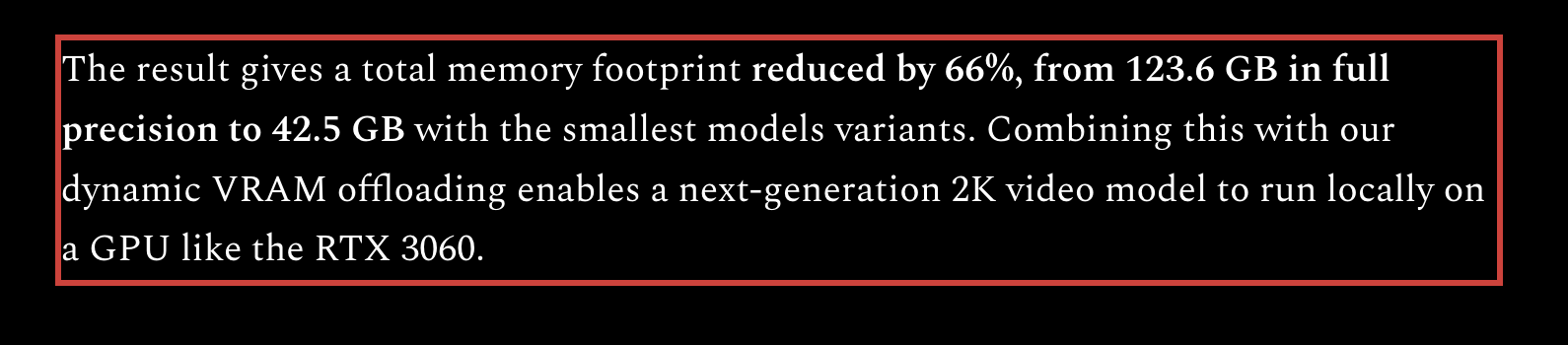
The ComfyUI team's own numbers, and the condition attached to them. Read 27 August 2026.
Make a 30-second clip without installing anything
You don't have to buy a new card if you just want to run Seedance 2.5 on Seadanse. The model runs on our machines, and the finished video comes right back to your browser.
You can make a 30-second clip in a single pass without downloading weights or configuring drivers. You can see what a clip costs on Seadanse before you start.
What your card can actually do
| Model | What the maker asks for | What community builds report | What you actually get |
|---|---|---|---|
| Seedance 2.5 | No download exists | — | Nothing to run; hosted or API only |
| MiniMax H3 | 123.6 GB at full precision; 42.5 GB for ComfyUI's smallest variants | Runs on an RTX 3060 only with offloading on top; ~46 GB peak on a 4090 for a 20-second 608x352 clip | 4 to 15 seconds, 768p short side, stereo audio |
| LTX-2.5 | 32 GB VRAM minimum; A100 or H100 recommended | An int8 build reported at ~22.67 GiB on a 24 GB RTX 4090 for 5-second clips | 5-second clips reliably; 10-second clips may stall at decode |
| Wan 2.2 | At least 80 GB for the 14B model at full precision | 480p at roughly 8 GB peak on a 12 GB RTX 4070 with GGUF | 480p comfortably; 720p wants far more card |
| HunyuanVideo | 60 to 80 GB for the original model | — | HunyuanVideo-1.5 is the smaller 8.3B version; we found no firm figure for it |
A dash (—) means we found no figure worth printing. Sources: the ComfyUI release post, the LTX system requirements, and the community reports linked in the sections below.
Under 16 GB: quantized builds, small clips
Cards with 12 GB of VRAM can't fit full-precision video models. They depend on quantized builds and offloading (parking part of the model in system RAM, which works but runs slower).
Wan 2.2 shipped open weights under Apache 2.0 on 28 July 2025. Wan 2.2 is still the newest Wan flagship with published weights, because Wan 3.0 is an API-only beta with no downloadable files.
For Wan 2.2, Will It Run AI reported that community GGUF builds let 480p run at roughly 8 GB peak on a 12 GB RTX 4070.
The ComfyUI team also noted that combining their 42.5 GB smallest variants with dynamic VRAM offloading enables MiniMax H3 to run "on a GPU like the RTX 3060". You can make short test clips on these setups, but you are limited to 480p on Wan 2.2 or the 768p ceiling on the published H3 checkpoints.
16 to 32 GB: the practical home setup
A card with 16 GB to 24 GB of VRAM gives you enough room to run heavier community builds.
In a local setup guide, MindStudio reported that 16 GB of VRAM with 64 GB of system RAM is a workable starting point. That setup uses quantized weights and offloading for MiniMax H3.
MindStudio described 24 to 32 GB as practical. They also reported that a 20-second clip at 608x352 on an RTX 4090 peaked at roughly 46 GB.
Lightricks shipped LTX-2 on 6 January 2026 with open weights, full training code, native 4K output, and synchronised audio. LTX-2.5 followed on 11 August 2026.
For LTX-2.5, Smeltcore reported that an int8 build fits a 24 GB RTX 4090 with about 22.67 GiB resident for 5-second clips.
Smeltcore also noted that 10-second clips can stall at the decode step. Even with 24 GB of card memory, longer local clips push your hardware right to its ceiling.
32 GB and up: what the vendors actually ask for
If you look at official vendor pages, the memory numbers jump quickly.
The official LTX documentation asks for:
NVIDIA GPU with a minimum 32GB+ VRAM - more is better
Lightricks recommends an "NVIDIA A100 (80GB) or H100". It also asks for 32 GB of system memory minimum (64 GB or more recommended).
In addition, Lightricks asks for 100 GB of free disk minimum (200 GB or more on an SSD recommended). It needs CUDA 12.7 or higher and Python 3.12 or higher.
Will It Run AI reported that the official single-GPU path for the 14B Wan 2.2 model needs at least 80 GB of VRAM at full precision.
The original HunyuanVideo model is reported by Spheron to need 60 to 80 GB, with out-of-memory risk even on an 80 GB card. Tencent later released HunyuanVideo-1.5 at 8.3 billion parameters, which is the smaller version. We found no firm VRAM figure for HunyuanVideo-1.5.
What you give up when you run it at home
Running open weights locally gives you control, but you accept four clear trade-offs:
- Shorter clip lengths. The published MiniMax H3 model card shows its checkpoints stop at 15 seconds. Seedance 2.5 does 30 seconds in one pass. No downloadable model matches that today.
- Lower resolution. H3's published checkpoints are 768p on the short side at 24 frames per second with 32 kHz stereo audio, because MiniMax didn't release the 2K module.
- Heavy setup requirements. LTX asks for 100 to 200 GB of disk, CUDA 12.7, and Python 3.12 before you can make a single clip.
- Licensing paperwork. H3 needs an application form for users in the US, EU, UK, and South Korea. The HunyuanVideo license doesn't apply in the EU, the UK, or South Korea.
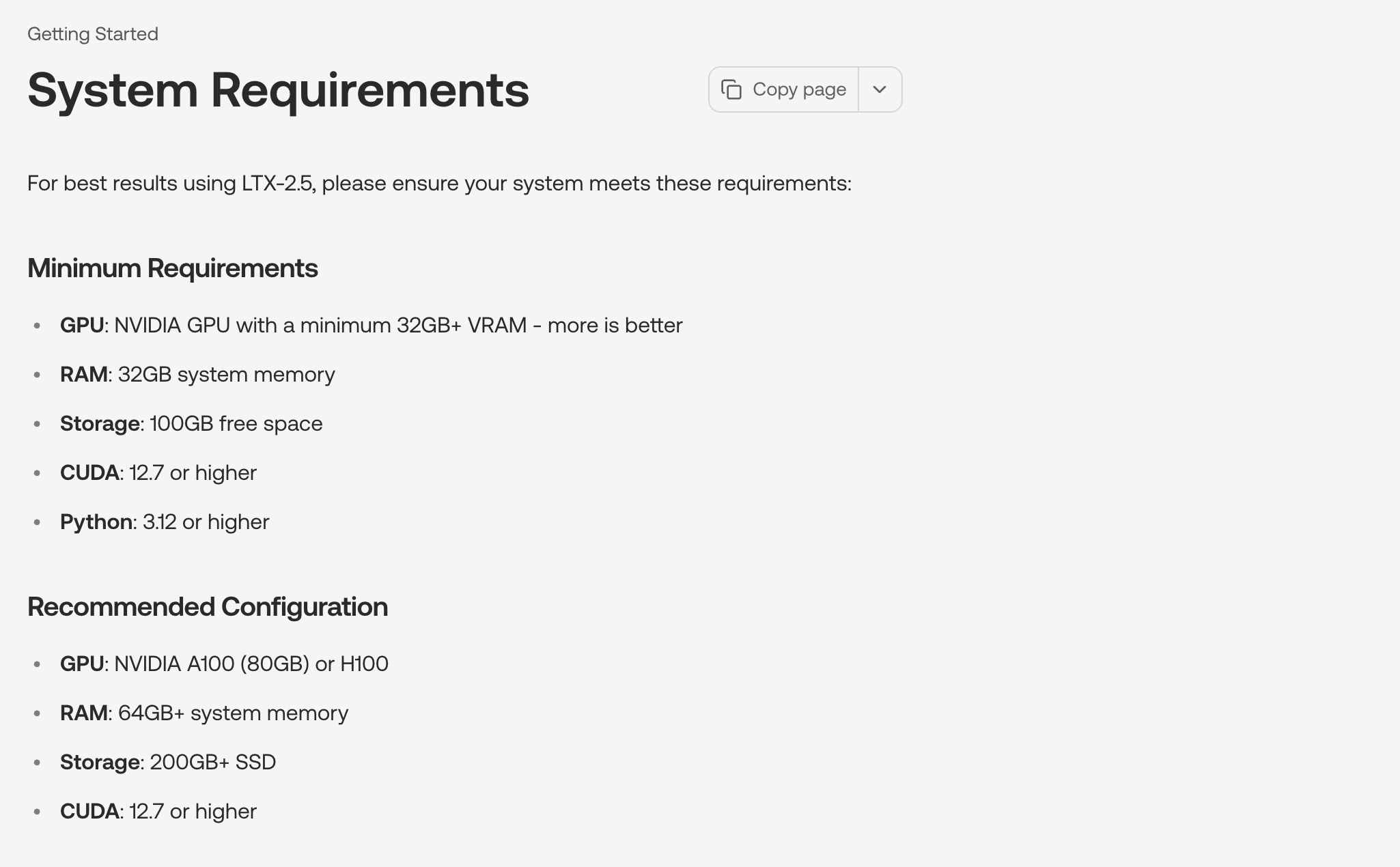
Lightricks asks for 32 GB of VRAM as its minimum and recommends an A100 or H100. Read 27 August 2026.
What you get that no hosted tool gives you
Running an open model on your own PC gives you three things no cloud service can match:
- Total privacy. Nothing leaves your machine, so private footage and prompts stay private on your local drive.
- Zero marginal cost. You don't pay per clip once your hardware is paid for, so you can run as many tries as you want.
- You can fine-tune it, which no hosted tool allows. You can fine-tune the model or attach your own LoRAs. Lightricks published LTX-2 with full training code, which is what makes custom fine-tuning possible.
If you need the 30-second single-pass clip
If you need longer continuous clips without buying an enterprise card, you can use our Seedance 2.5 video maker.
Seadanse runs Seedance 2.5 in the browser at 480p, 720p, or 1080p. There is no 4K on Seedance 2.5 — 4K belongs to our Seedance 2.0 preset.
Clip lengths are 5, 10, 15, 20, 25, or 30 seconds. You can choose from six aspect ratios: 16:9, 9:16, 1:1, 4:3, 3:4, and 21:9.
The prompt box holds 10,000 characters, and you can attach reference pictures and reference clips. Reference audio isn't wired into the tool, so a voice has to be described in text rather than copied from an audio file.
We also run MiniMax H3 on Seadanse at 4 to 15 seconds across the same six aspect ratios. That's the same model whose weights sit on Hugging Face.
New accounts get free starter credits without a card. There's a $9.9 credit pack that needs no subscription. If a clip fails or gets interrupted, it's refunded automatically.
Here's the limit, stated plainly: a browser tool can't give you private local storage, offline work, or weight fine-tuning. If that's what you need, download open weights to your own machine instead.
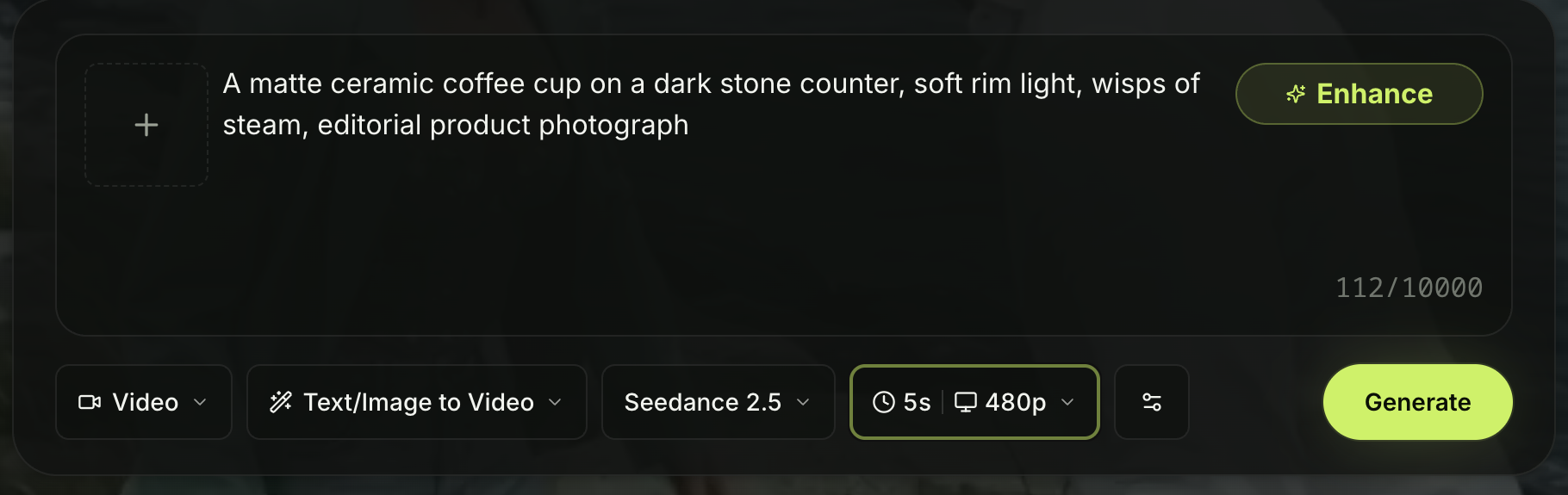
Seedance 2.5 on Seadanse, set to a five-second 480p draft. Nothing installed, nothing downloaded. Captured 27 August 2026.
FAQ
Is there a Seedance 2.5 download anywhere?
No. ByteDance hasn't published model weights, code, or downloadable checkpoints for Seedance 2.5. You reach it through ByteDance's hosted platforms or by paying for API calls through BytePlus ModelArk.
What GPU do I need for AI video in 2026?
A 12 GB or 16 GB card can run quantized community builds if you use system RAM offloading. If you want to run vendor-recommended settings without heavy quantization, you need a 24 GB card like an RTX 4090 or data-center cards like an A100 or H100.
Can I run Seedance 2.5 on a Mac?
No. There's no Seedance 2.5 file to run on macOS or any other operating system. The open models in this article are the ones you can download instead.
The verdict
Seedance 2.5 has no local file, so it only runs in the cloud. Truly open models like MiniMax H3 or LTX-2.5 let you generate on your own hardware, but full quality demands huge VRAM numbers. Choose local builds if you need complete privacy and fine-tuning, or use hosted tools if you want long, 30-second single-pass clips without hardware headaches.
Written by The Seadanse Team. We read every vendor page and release note named in this article on 26 August 2026 and separated what the makers state from what community builds report.
Related Articles
- Is Seedance 2.5 Open Source? Here's What Is — the license side of the same question, and the four models that do publish weights.
- Where Is Seedance 2.5 Available? Every Surface, by Region — which apps and consoles carry it, and where they work.
- How to Access Seedance 2.5: 4 Routes and Their Catches — the steps for each route, with what each one costs you.
- What Is Seedance 2.5? ByteDance's 30-Second Video Model, Explained — what the model does, before you decide where to run it.


