
7 Best Unscreen Alternatives in 2026 (Unscreen Is Gone)
Unscreen shut down in 2025. Here are the 7 best video background removers in 2026, including tools that export real transparency with WebM and ProRes.
 The Seadanse Team13 min read
The team behind Seadanse. We run the models we write about, and we publish the specs, prices and limits the marketing leaves out.

TL;DR — Unscreen stopped removing video backgrounds on 1 December 2025, and unscreen.com has sent visitors to Canva since mid-2026. Canva's replacement needs a paid plan and downloads an MP4, which can't hold transparency. For a truly see-through clip, pick a tool that exports WebM or ProRes 4444, like Seadanse, VidBG Remover or Beeble. Use Canva only if you already pay for it and a solid background is fine.
Every month, thousands of creators still search for Unscreen to cut backgrounds out of their clips. Those searches now land on Canva or on look-alike sites that borrow the name. The official replacement quietly changed what you get: a paid subscription and a flat MP4. Below, we explain why Unscreen closed, why your exported video downloads with a background, and which video background remover fits your editing workflow.
What happened to Unscreen
Unscreen was part of Canva, and the standalone service is now closed permanently.
- Service: Unscreen officially shut down on December 1, 2025 at 9:00 a.m. Central European Time (CET).
- Website: As of June 29, 2026, Unscreen.com has closed and the address sends visitors straight to Canva.
- Subscriptions and minutes: All active Unscreen subscriptions were cancelled, and unused minutes or credits expired along with them.
- Your old videos: Uploaded source files were deleted 30 days after processing, but Canva says previously exported videos can still be used.
- Plugins: The Unscreen plugins for Adobe After Effects and Premiere Pro were removed from app stores.
- Look-alike sites: Domains like unscreen.io and unscreen.pro rank for Unscreen searches, but neither site is the original Unscreen service.
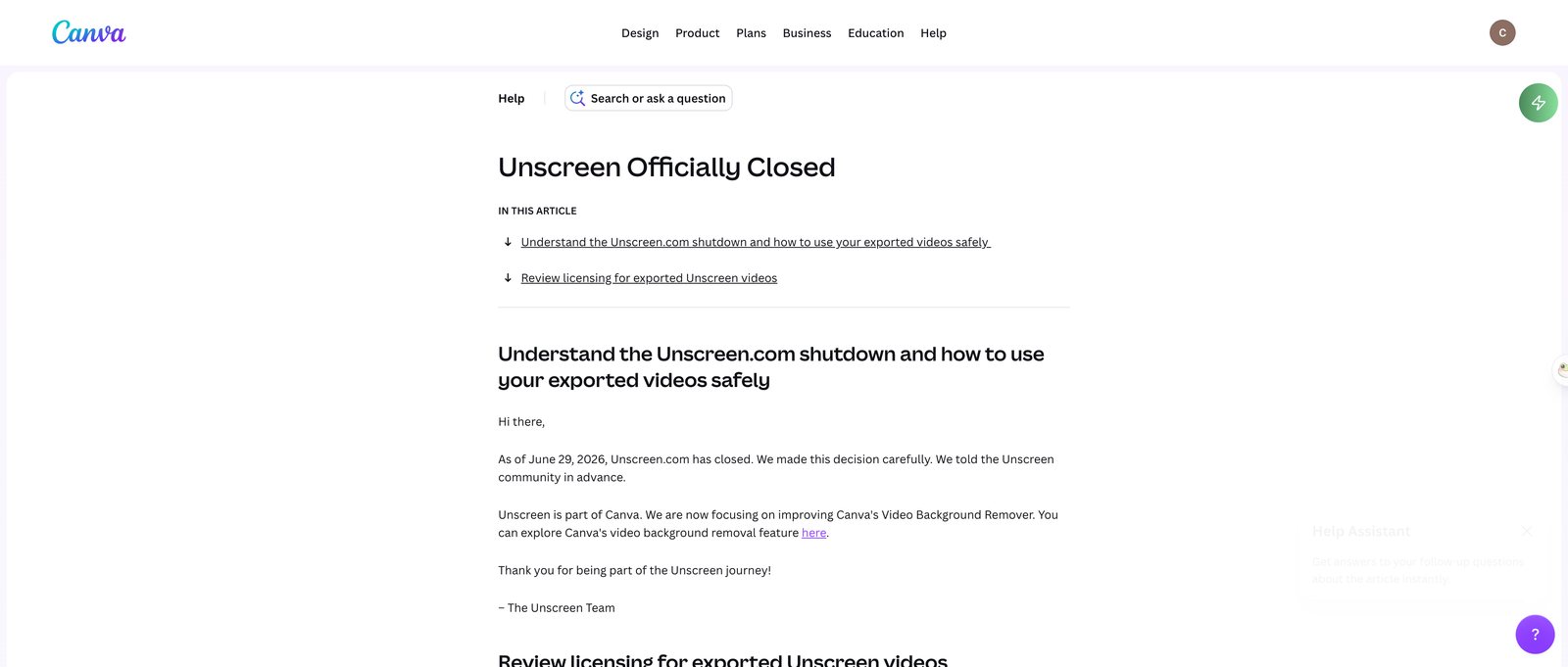 Canva's help centre, read 29 September 2026. Unscreen's own goodbye page gives 1 December 2025 as the day the service stopped.
Why your "transparent" video downloads with a background
An MP4 can't hold an alpha channel (the hidden layer in a file that says which parts are see-through). When a tool exports an MP4, it has to fill the background with a flat colour like black, white or green.
To keep a see-through background, you need to export as WebM (a web video format that can keep transparency) using VP9, or MOV using ProRes 4444 (Apple's editing format, one of the few that keeps transparency). Apple confirms ProRes 4444 and 4444 XQ are the only ProRes codecs that support alpha channels.
Even with a correct file, some video players skip the alpha layer. As Cutout.pro notes, media players that do not support transparency can show a black background, while editors like Premiere Pro, After Effects, DaVinci Resolve and Final Cut Pro read it properly.
In our own tests on 29 September 2026, opening a transparent WebM in a basic decoder showed the original room behind the subject, while an editing timeline showed a clear cutout. If you use CapCut, an easy workaround is to export your cutout on a solid green background and use chroma key (an editor setting that deletes one flat colour, like green) to remove it on your timeline.
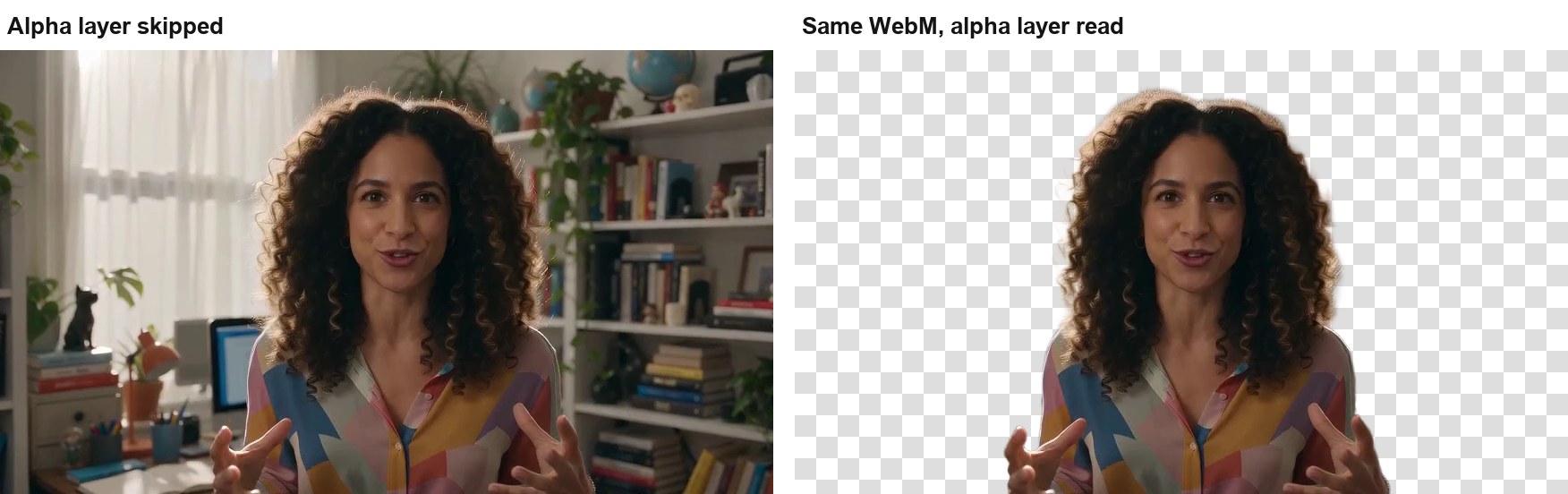 One file, two views. Left: the alpha layer skipped, so the old room shows. Right: the same WebM with its alpha layer read. Our test, 29 September 2026; the source clip is AI-generated.
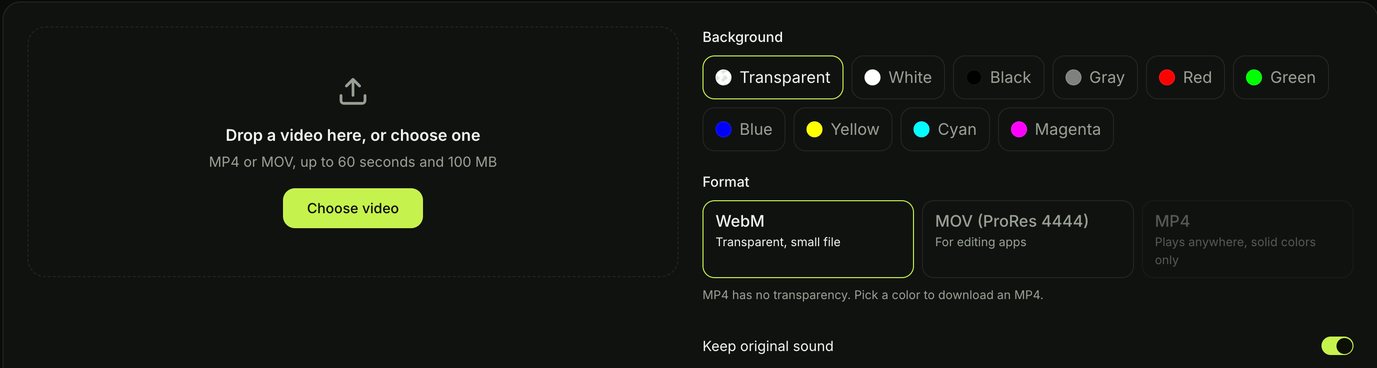 The format choice in the Seadanse Video Background Remover: WebM or ProRes 4444 for transparency, MP4 for a solid colour.
Try a video background remover that exports real transparency
If you need a cutout file you can place over other footage, try our browser tool. You can remove the background from your video and download a true transparent WebM or ProRes 4444 file directly.
What to look for in an Unscreen alternative
Before you pick a replacement tool, check these five features:
- Transparent export: The tool should export WebM or ProRes 4444, not only MP4.
- Sound kept: The exported file should keep your original sound in sync.
- Length limit: The upload limit must fit the length of your clip.
- Free or paid, stated before you upload: Clear pricing saves you from waiting on a run only to hit a surprise paywall.
- Fixing mistakes by hand: Manual brush controls help when the automatic cut misses an edge.
The 7 best Unscreen alternatives at a glance
| Tool | Best for | Free? | Transparent download | Max length | Where it falls short | Score |
|---|---|---|---|---|---|---|
| Canva | People who already pay for Canva | No, Canva Pro | No, MP4 only | 90 seconds, per a third-party test | No way to fix a bad cut | ★★★☆☆ |
| Seadanse | Transparent files with the sound kept | No, starts with a $5 trial pack | WebM or ProRes 4444 | 60 seconds | No free run, no edge brush | ★★★★☆ |
| VidBG Remover | Pay-as-you-go transparent files | Queued free tasks | WebM or ProRes 4444 | 60 seconds signed in | Free tasks wait behind paid ones | ★★★★☆ |
| Beeble | Frame-by-frame files for editors | No, from $16 a month | PNG sequence or ProRes 4444 | 1 minute on Professional | Priced for pros | ★★★★☆ |
| CapCut | People already editing in CapCut | Removal needs Pro, per a third-party test | Yes, per CapCut | Not stated | Button went missing for some users in 2026 | ★★★☆☆ |
| Adobe Express | Clips up to two minutes | No, Premium | No, MP4 | 2 minutes | No manual fixes | ★★★☆☆ |
| After Effects Roto Brush | The cleanest cut | No, Creative Cloud Pro | Yes | No limit stated | Slow, manual, steep to learn | ★★★★☆ |
We scored each tool on four things: whether you get a truly transparent file, what it costs to start, how long a clip it takes, and how much you can fix. Figures come from each tool's own page on 29 September 2026, except where the table says a third-party test.
Canva: the official successor, if a solid background is fine
Canva's built-in background remover is the replacement Unscreen recommended when it closed. It runs directly inside Canva as a Canva Pro feature, letting you cut out backgrounds with one click.
When you finish processing, Canva allows you to download a high-resolution, watermark-free MP4 video. Because the export is an MP4, the background cannot be transparent; it exports against whatever background colour or canvas you set in your project.
In an independent test on YouTube, Thomas Creates found that your video cannot be longer than 90 seconds and that if the automatic cut makes a mistake, "you cannot fix it". Canva works well if you already design inside Canva, but it won't give you a transparent video file to layer elsewhere.
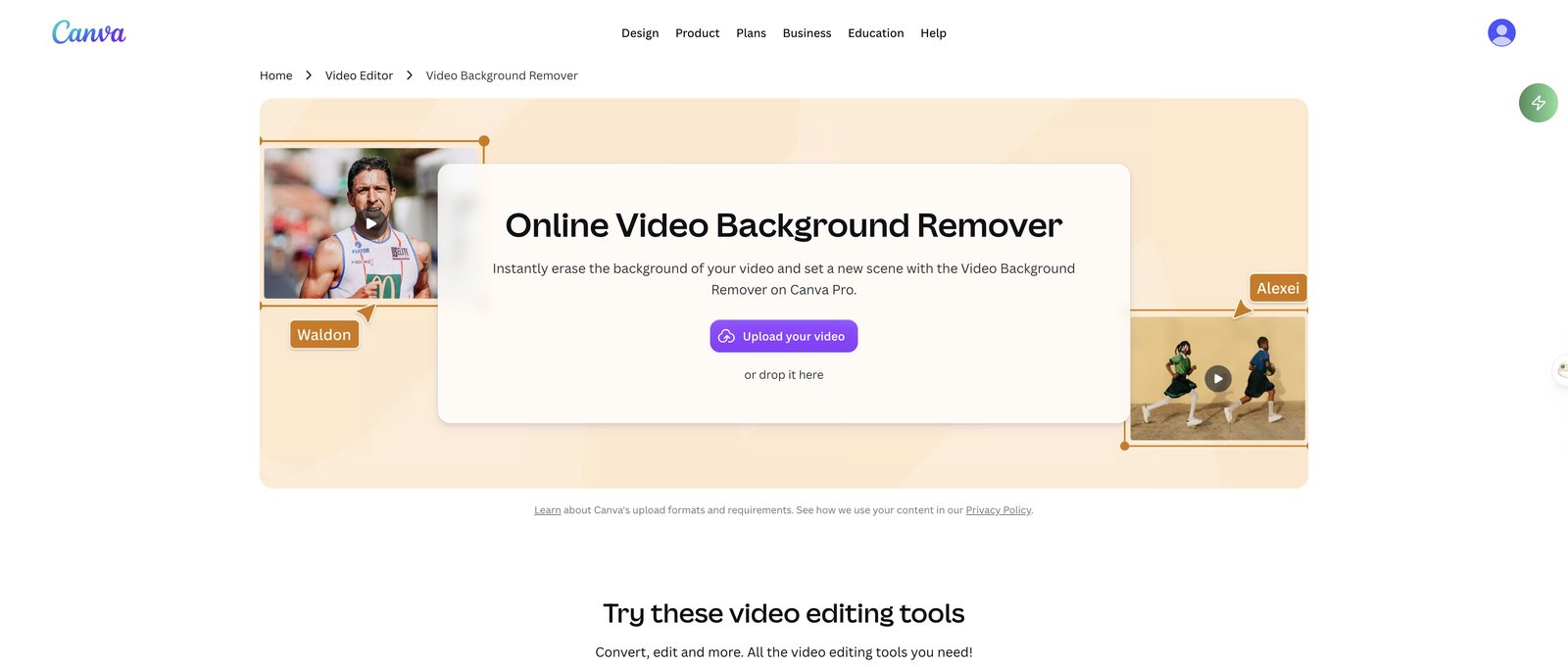 Canva's video background remover page, 29 September 2026: a Canva Pro feature.
Seadanse: best for transparent WebM and ProRes files with the sound kept
The Seadanse Video Background Remover is built for creators who need transparent files to layer over other footage. You upload an MP4 or MOV file up to 60 seconds and 100 MB directly in your desktop or phone browser.
The tool tracks the person or product across every frame without a green screen, using previous frames as a guide so edges don't jump. You can export a transparent WebM for web playback, a ProRes 4444 MOV for your editor, or pick one of nine solid colours to download as an MP4.
Your original sound stays in by default, with a switch to mute it. If you want to swap in a brand-new AI scene instead of a flat colour, you can send clips up to 10 seconds to the Gemini Omni AI video maker.
In our test runs on 29 September 2026, a 10-second talking-head clip came back as a 10-second transparent WebM with its sound kept. A 10-second product clip of a hand holding a white sneaker kept the hand in the shot. Both source clips were made with Seedance 2.0 Mini.
Seadanse Video Background Remover, 29 September 2026: 10 seconds in, 10 seconds of transparent WebM out, sound kept. Shown here on a checkerboard; the source clip was made with Seedance 2.0 Mini.
A product clip: the hand stays in the cutout. Seadanse, 29 September 2026; AI-generated source clip.
Limits, plainly: there is no free test run for video. Seadanse pricing begins with a $5 trial pack that covers 30 seconds of video processing. Clips are capped at 60 seconds, there is no manual edge touch-up brush, and there is no bulk upload or API. For still photos, use the separate Seadanse Background Remover, which includes 10 free full-size image exports upon sign-up.
VidBG Remover: best pay-as-you-go pick for transparent files
VidBG Remover is a web tool built for editors who want true alpha channel exports without a monthly subscription. It accepts uploads of MP4, MOV or WebM files up to 200 MB.
Signed-in users can process clips up to 60 seconds. It downloads WebM (VP9) or MOV (ProRes 4444) files with an alpha channel ready for Premiere Pro, DaVinci Resolve, After Effects and CapCut.
Pricing operates on non-expiring credit packs starting at $9.90, avoiding recurring subscriptions. Free tasks are available on the site, but they queue behind paid users during busy processing periods.
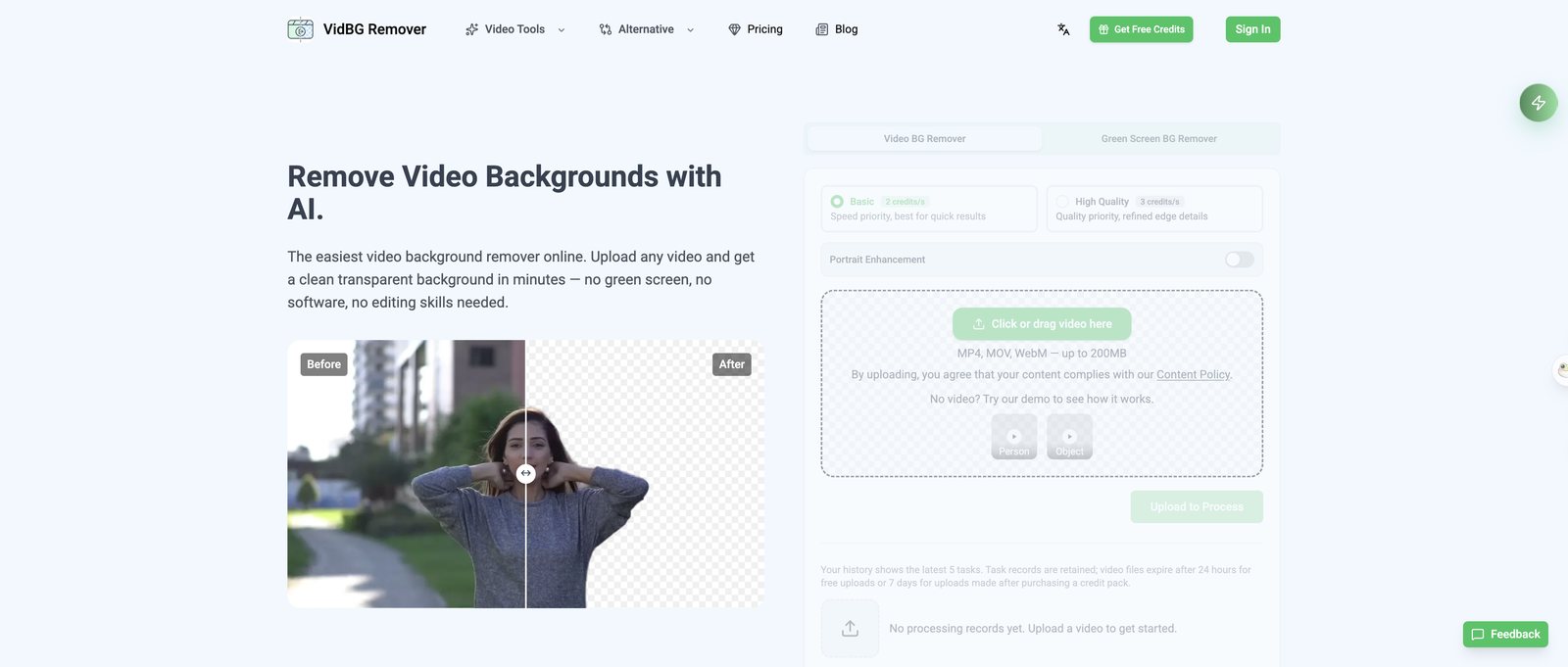 VidBG Remover, 29 September 2026: uploads up to 200MB, transparent WebM or ProRes 4444 out.
Beeble: best for editors who need frame-by-frame files
Beeble Background Remover is designed for visual effects artists and compositors who need deep control over their output. It serves as Google's top-cited direct alternative to Unscreen.
The tool exports PNG image sequences with transparency, separate black-and-white mattes, and 10-bit ProRes 4444 MOV files up to 2K. If the automatic cut misses an edge, Beeble lets you guide the cutout by hand.
There's no free plan. The Beeble Creator plan costs $19 a month, or $16 billed yearly, with 540 credits that cover 540 seconds of background removal. Uploading 1-minute clips needs the $75-a-month Professional plan.
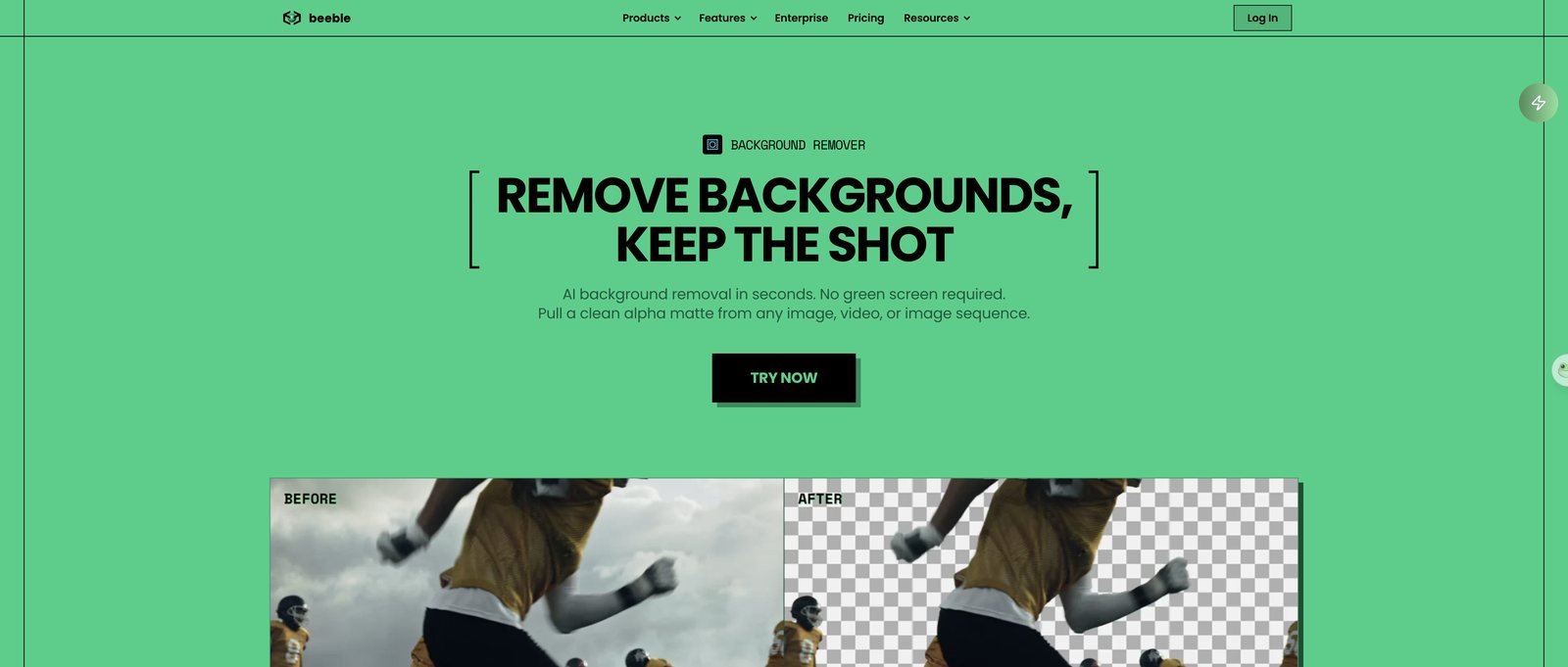 Beeble's background remover, 29 September 2026: PNG sequences and ProRes 4444 for compositing.
CapCut: fine if it's already your editor
CapCut provides background isolation tools directly within its desktop and mobile editing suites. CapCut titles its online tool Remove Video Background for Free and notes support for transparent exports.
However, in an independent test, Thomas Creates found that while CapCut Desktop is free to install, the video background removal feature requires a paid CapCut Pro subscription.
Users on Reddit reported between May and September 2026 that the background removal button intermittently vanished from the desktop interface, even for active Pro subscribers. If you already cut your projects in CapCut, it remains a convenient option, but standalone exports can be unpredictable.
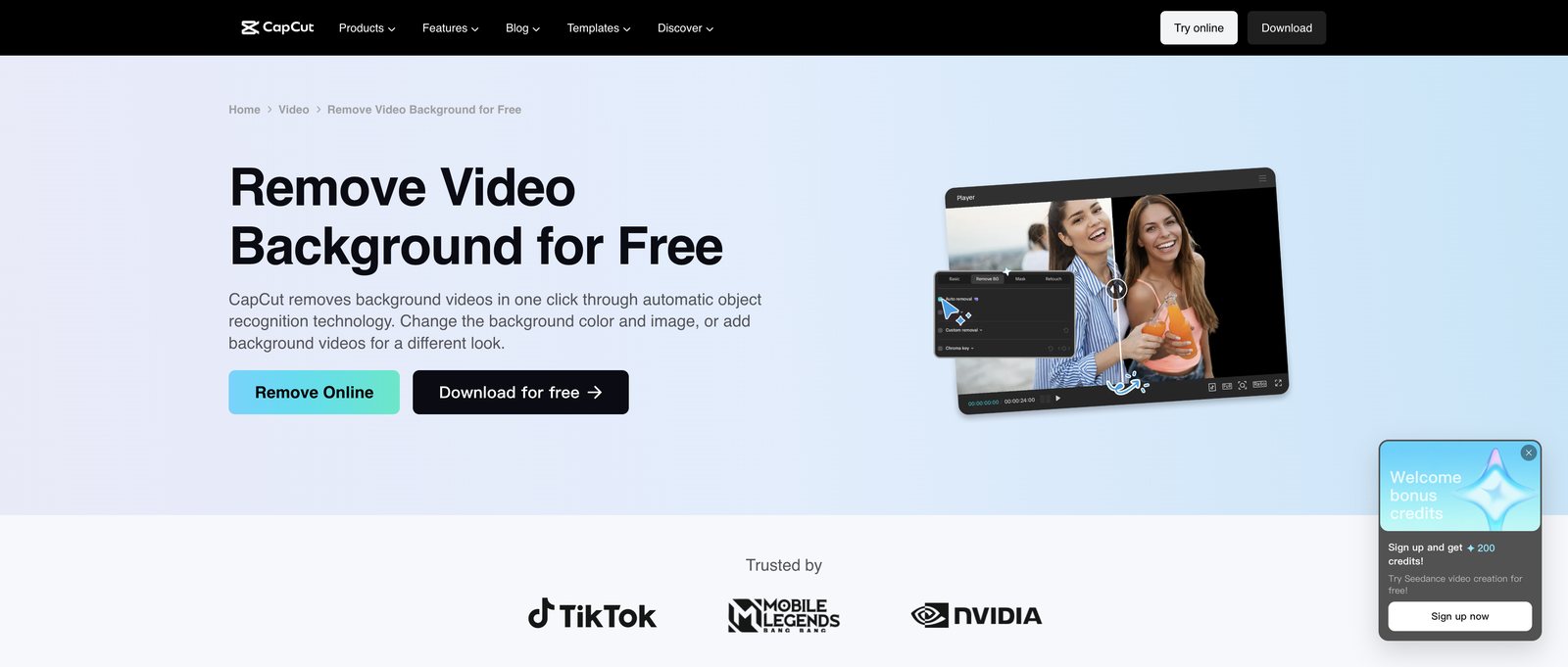 CapCut's page, 29 September 2026. The page says free; an independent test found the removal itself needs Pro.
Adobe Express: best for clips up to two minutes
Adobe Express offers a web-based background removal quick action aimed at social media creators. It allows longer uploads than most basic web tools.
The tool takes clips up to two minutes long, but video background removal requires an Adobe Express Premium plan.
The output file is an MP4 video placed on a solid background colour. It does not export transparent alpha channels and does not offer manual brush tools to correct missed edges.
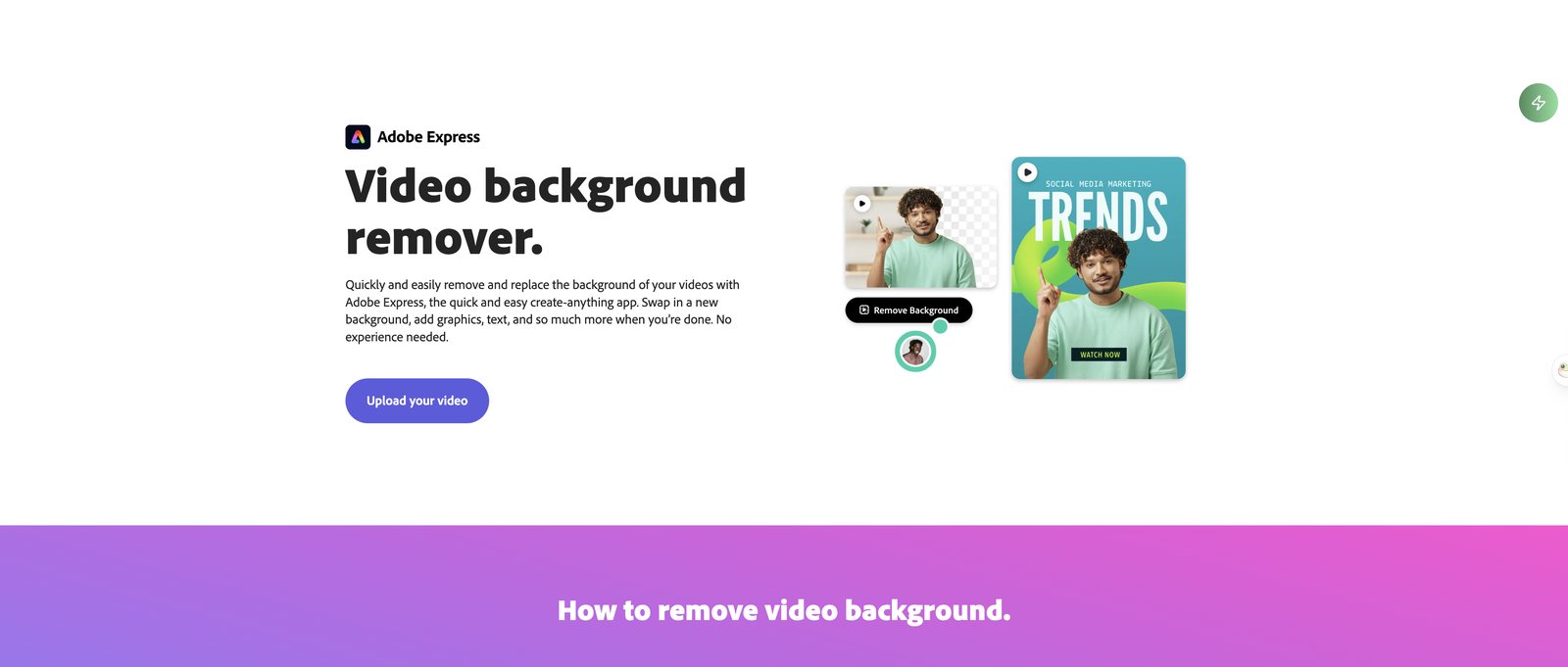 Adobe Express, 29 September 2026: a Premium feature for videos up to two minutes.
After Effects Roto Brush: cleanest result, most work
Adobe After Effects is the standard desktop route when automated web tools fail on complex shots. It uses a semi-automated rotoscoping workflow rather than a one-click cloud button.
Inside the software, Roto Brush lets you paint over the subject on sample frames while After Effects tracks the boundary across the clip, paired with Refine Matte to clean fine edges.
In his test video, Thomas Creates observed that After Effects "gives you the cleanest result of everything in this test", though it took the longest time to finish. It requires an Adobe Creative Cloud Pro plan, which cost $34.99 a month in that review.
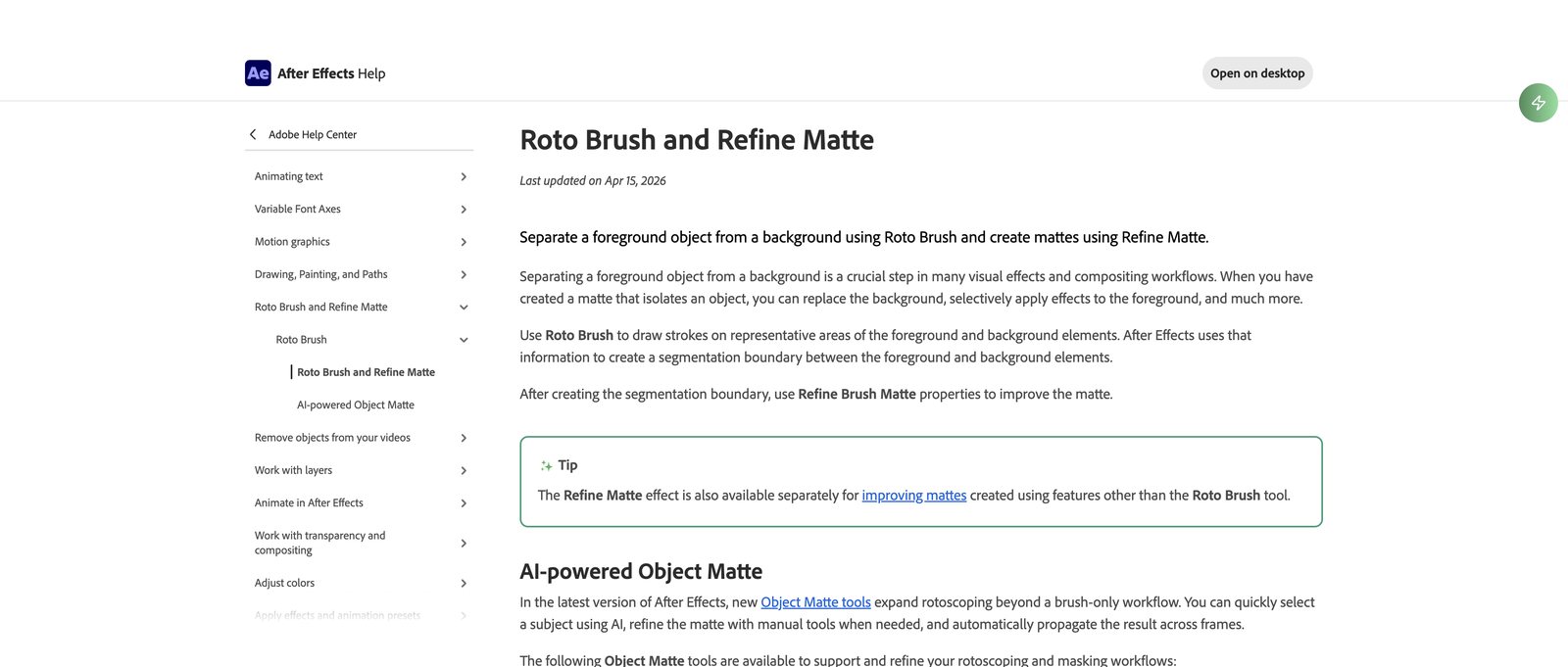 Adobe's Roto Brush guide, 29 September 2026: you mark the subject, After Effects follows it.
How we picked these
We reviewed Unscreen's archived goodbye notices, Canva's official help documentation, and each competitor's website on 29 September 2026. The Seadanse test clips were processed through our own tool on that date using AI-generated source media from Seedance 2.0 Mini. We did not run the external tools firsthand; third-party operational details and quotes come directly from the attributed Thomas Creates test video.
FAQ
What is the best free app for removing video backgrounds?
Truly free options for video background removal are thin. Canva and Adobe Express both need paid plans, CapCut's desktop tool needs a Pro subscription per an independent test, and Cutout.pro limits free previews to 5 seconds at 360p.
For low-cost testing, Seadanse has a $5 trial pack covering 30 seconds of video, while VidBG Remover lets you queue free tasks behind paid orders.
How do I remove a background without a green screen?
All seven tools listed here use computer vision AI to detect human subjects and products automatically without physical green screens. Filming against a clean, contrasting wall will still yield sharper edges and reduce artifacts during AI processing.
Can I still use videos I made with Unscreen?
Yes. Canva's official shutdown notice confirms that all videos previously exported from Unscreen remain valid for you to use in any personal or commercial project.
What about photos?
Photo background removal uses different models than video processing. You can check our guide to remove.bg alternatives for photos or process still images with the Seadanse Background Remover, which includes 10 free full-size image exports upon sign-up.
Which Unscreen alternative should you pick?
If you already pay for Canva Pro, stick with Canva whenever an MP4 on a solid background works for your project.
If you need a transparent file for an editor, pick a dedicated transparent video background remover like Seadanse or VidBG Remover.
If you do professional compositing work with tricky edges, spend the time and money on Beeble or After Effects.
We reviewed the documentation, shutdown notices, and pricing tiers for every tool on this list on 29 September 2026. All product specifications reflect features active on that date.
Related Articles
- remove.bg Is Shutting Down: 7 Best Free Alternatives for 2026 — the same shutdown story for photos, and what happens to your remove.bg credits on 1 December.


