
Dog Tiny Desk AI Videos: How to Make One With Your Dog (4 Steps)
Seadanse: make Dog Tiny Desk AI videos. Your dog sings lead in the 'Outstanding' finale, up to five dogs, 19 seconds, 720p for $9.90, no sign-up.
 The Seadanse Team8 min read
The team behind Seadanse. We run the models we write about, and we publish the specs, prices and limits the marketing leaves out.

TL;DR — You make a Dog Tiny Desk AI video by adding one photo of your dog to our page, which fronts the "Outstanding" finale for 19 seconds. Up to four more photos fill the sax, the red keyboard and two backup spots, with more dogs, you or friends. One 720p video is $9.90 with no sign-up on Seadanse's Dog Tiny Desk AI for TikTok and Reels page.
You've seen dog bands play the "Outstanding" finale on TikTok, and you want your own dog in front. Most guides tell you to write prompts, grab motion clips and align audio tracks yourself.
On our page, you don't need any of that complex editing work. You only need one photo of your dog and four simple steps to make the whole video.
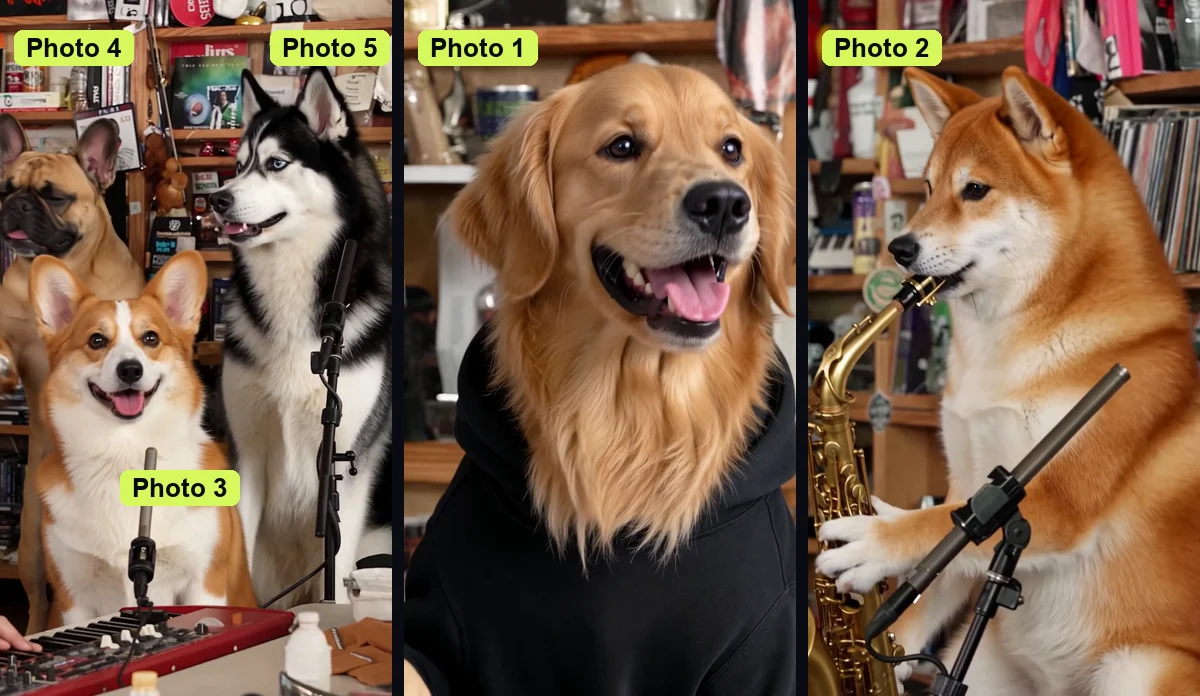
We've made our own five-dog band this way using five AI-made dogs. It shows our golden retriever singing lead while four other dogs play the instruments and sing backup.
What You Need to Make a Dog Tiny Desk AI Video
To make a Dog Tiny Desk AI video, you'll need one photo of your dog and a phone, tablet or computer with a browser. That's everything you need to build your band.
- One dog photo: A clear photo of one dog facing the camera in good light works best, and a simple phone photo is enough. It keeps your dog's face, coat colour, markings, ears and eyes, while removing the background.
- Up to four more photos: You can add up to four optional photos for the sax player, keyboard player and two backup singers. They'll take more dogs, people 18 or older, other pets or characters.
- $9.90 for 720p: You'll pay once for a 720p video without creating an account, and one photo or five cost the same.
You don't need to film your dog, teach a trick, find a clip, add a song or write a prompt. It'll run entirely inside your browser.
Step 1: Add Your Dog's Photo as the Lead Singer
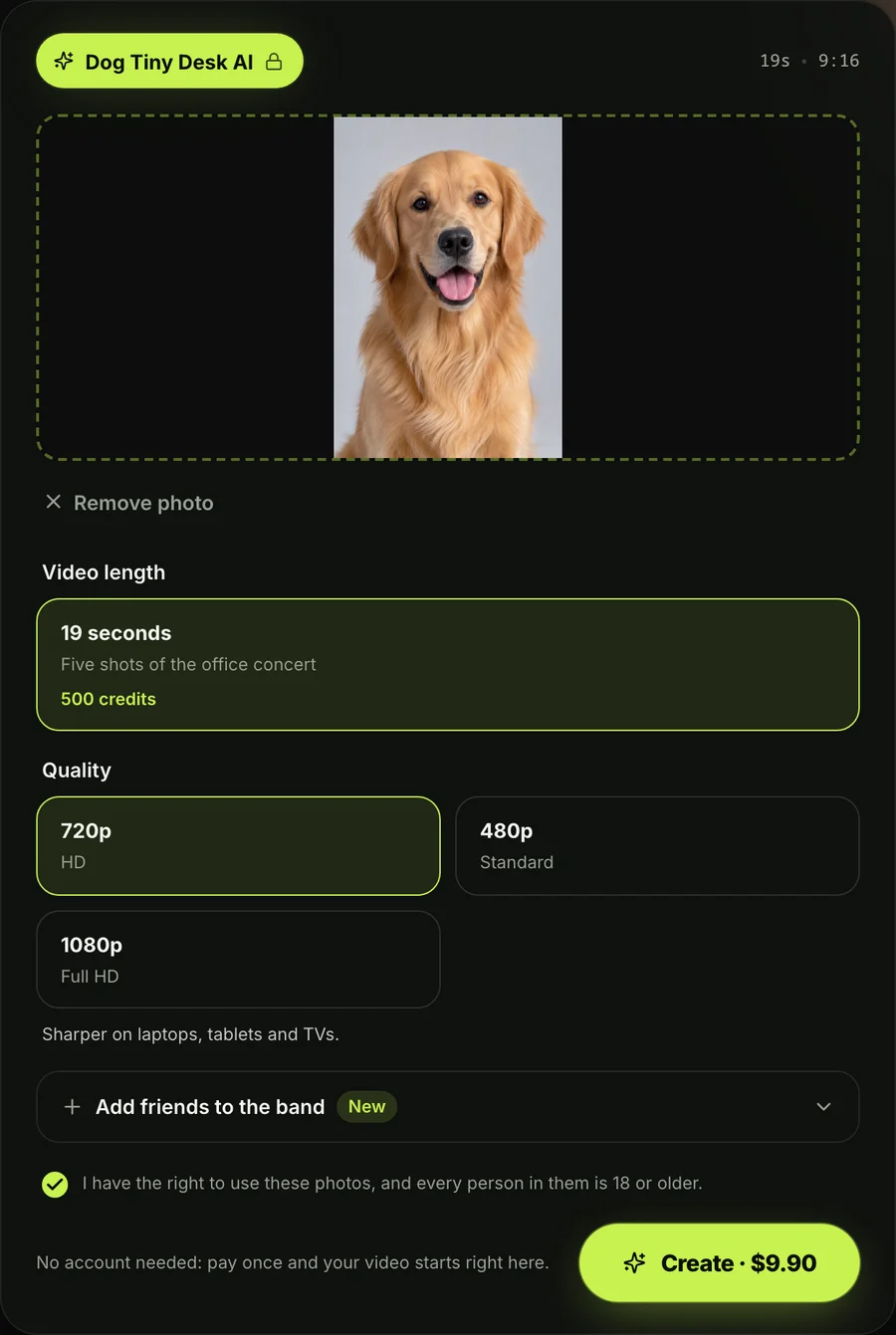
Add your dog's photo in the first box, and your dog becomes the lead singer. Your dog sings the opening line side-on and stars in the big laughing close-up sung straight to the camera.
That's the only photo you need. If you don't add any other pictures, they'll fill the rest of the stage with built-in band members.
Step 2: Fill the Band With More Dogs, You or Friends
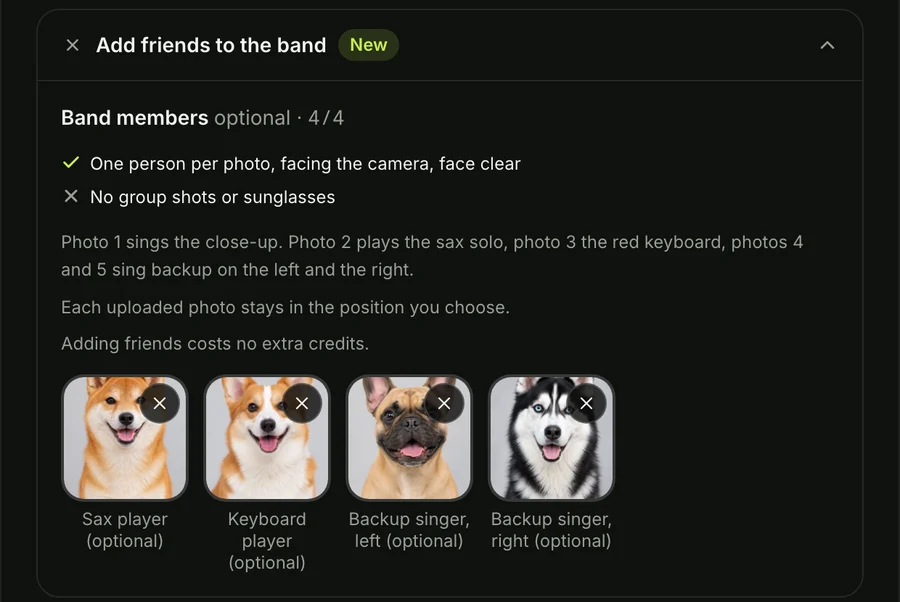
Add up to four more photos for the sax player, the keyboard player and the two backup singers. You can fill every spot or leave some open.
Each spot takes another dog, a person 18 or older, another pet or a character. Any empty spots are played by built-in band members, and one photo or five cost the same.
Step 3: Keep the Box Ticked and Pick 720p
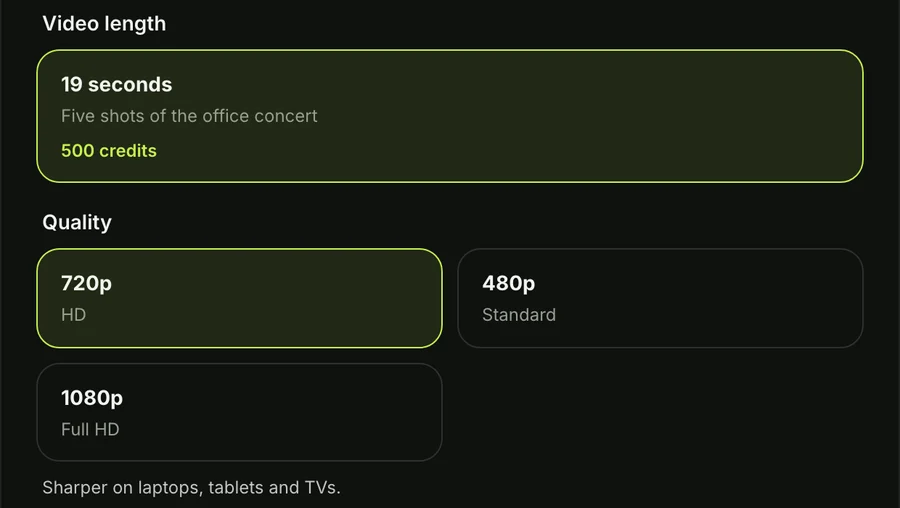
Keep the box ticked to say you may use the photos you added, then pick 720p, 480p or 1080p. It's already picked when the page opens.
If you're looking for a higher resolution for your post, 1080p is $39.90. You can also pick 480p if you'd prefer a smaller file.
Step 4: Press Create and Download Your Dog Tiny Desk AI Video
Press Create, pay once — the price shows on the button before you pay — and download the MP4. You'll get your finished clip ready to share.
If a video doesn't finish, its credits come back on their own. You'll see how this works on our Seadanse pricing page.
Which Dog Goes in Which Spot in a Dog Tiny Desk AI Video?
Each photo has its own spot in the band, and the lead singer gets the most screen time. You'll choose which dog fits each role best.
- Lead singer (photo 1): Your dog takes the lead vocal role, singing the side-on opening line and appearing in the laughing close-up straight to the camera.
- Sax player (photo 2): Your dog holds the saxophone and gets its own solo shot during the horn break.
- Keyboard player (photo 3): Your dog sits upright with its front paws on the keys, front and centre at the red keyboard across both band shots.
- Backup singer, left (photo 4): Your dog stands behind the desk on the left side, singing backup during the group shots.
- Backup singer, right (photo 5): Your dog stands behind the desk on the right side, singing backup during the group shots.
In our five-dog band, a golden retriever sings lead and a shiba inu plays the sax solo. A corgi sits at the red keyboard, while a French bulldog and a husky sing backup.
If you'd like to create a group video with humans instead of dogs, you can check out our Tiny Desk AI page.
You can also read what Dog Tiny Desk AI means and where it started to learn about the viral trend.
Post Your Dog Tiny Desk AI Video on TikTok and Reels
Your Dog Tiny Desk AI video is a 19-second vertical 9:16 MP4 in five shots, made for TikTok and Reels. It'll fit phone screens without any cropping.
- The opening line: The lead singer sings the first vocal line from a side-on angle.
- The band: The full band plays together behind the desk around the red keyboard.
- The laughing close-up: The lead singer throws its head back laughing and sings straight into the camera.
- The sax solo: The sax player takes over the screen for the horn solo.
- The band again: The entire band plays together at the desk to bring the song home.
There's no watermark, and the original "Outstanding" sound is already on it, so there's no song to add in the app. You'll post the file straight to your feed.
Dog Tiny Desk AI Videos FAQ
Do I need a prompt or a template to make a Dog Tiny Desk AI video?
No, you don't need a prompt or a template on our Dog Tiny Desk AI generator. You'll only need one photo of your dog, with no video clips to find and no song to add.
Can I put more than one dog in a Dog Tiny Desk AI video?
Yes, you can make a Dog Tiny Desk AI video with all your dogs by adding up to five dogs to the band. You'll add one photo for each spot, and one photo or five cost the same.
What song plays in Dog Tiny Desk AI videos?
The song that plays in Dog Tiny Desk AI videos is "Outstanding" by The Gap Band, which band member Raymond Calhoun wrote for their 1982 album Gap Band IV. It reached No. 1 on Billboard's Hot Black Singles chart in February 1983 and was the closer of Charlie Wilson's NPR Tiny Desk concert, which NPR Music posted on June 5, 2023.
Does my dog have to do anything?
No, your dog doesn't have to do anything, learn tricks or sit through filming. The vocals, horn line and keys come from the original "Outstanding" sound, while the moves come from the concert finale.
Are there other dog video effects on Seadanse?
Yes, you can try our AI Zombie Dog Video Generator, another video effect that turns your dog's photo into a short vertical video. You'll also find our other AI video effects in your browser.
Make Your Dog Tiny Desk AI Video Today
You'll make a Dog Tiny Desk AI video with one photo of your dog in four simple steps. Our Dog Tiny Desk AI video maker puts your dog at the front of the 19-second "Outstanding" finale for TikTok and Reels.
Written by The Seadanse Team, the team that built the Dog Tiny Desk AI page.
Related Articles
- Dog Tiny Desk AI Meaning: Why Dogs Took Over the Band — what the dog version means and where the trend started.
- How to Make a Tiny Desk AI Video From One Photo (4 Steps) — the same four steps for a band of people.
- Tiny Desk AI Meme Ideas: Who Goes on the Sax (and How) — the casts people have made, and who to put in yours.
- Tiny Desk AI Song: "Outstanding" by The Gap Band, Explained — the 1982 song behind every Tiny Desk AI video.


