
How to Do the Bicep Heart Trend: The Pose, the 7 Seconds and the Video From One Photo
Seadanse: how to do the bicep heart trend with the pose, or make the 7-second video from one photo with the trend sound, 720p for $9.90, no sign-up.
 The Seadanse Team10 min read
The team behind Seadanse. We run the models we write about, and we publish the specs, prices and limits the marketing leaves out.

TL;DR — Here's how to do the bicep heart trend: flex one arm, fist by your head, curl your other hand against it into a heart, and hold it for 7 seconds. You can also make it from one photo on Seadanse's Bicep Heart Trend AI page, with nothing to film. You keep your face, arms and outfit, the trend's original sound is built in, and one 720p video is $9.90, paid once, no sign-up.
The bicep heart looks simple until you try it in front of a mirror. One viewer wrote, "I barely got biceps AND MY HAND GOES CROOKED", while another admitted, "I can't im holding my phone".
On TikTok, "Biceps Heart Tutorial" shows up as a search under 14 of the 90 trend videos we read.
You don't have to guess the hand placement or balance your phone on a shelf. Below, you'll find the pose move by move and the 7 seconds timed to the second. Then there are three steps on our page for when you'd rather not film.
There's nothing to film: our page gives you the shy smile, the sleeve push, the flex, the heart and the hold, complete with the sound. You'll keep your own face, hair, arms and outfit in every second.
Here's what's below:
- The pose: where each finger goes.
- The 7 seconds: every beat timed to the second.
- The steps: three moves on our page.
- The FAQ: big arms, filming, girls, sound and cost.
How to Do the Bicep Heart Pose With Your Own Arms
How to do the bicep heart trend starts with the pose: one flexed arm and your other hand make one heart.
Here's the bicep heart pose, move by move:
- The flex: bend one arm up at shoulder height with the fist closed by your head.
- The hook: curl the four fingers of your other hand over against the inside of that wrist, just under the fist.
- The thumb: rest the thumb of that hand on top of the flexed arm.
- The heart: the curled fingers and the fist make the two round tops of the heart, and the thumb is its point.
A viewer under one of the videos shared a tip: "put your thumb on your bicep w the arm you aren't flexing i think".
You don't need big arms, since the heart's your own flexed arm and your own curled hand, so any arm makes it.
The Bicep Heart Trend in 7 Seconds, Beat by Beat
A bicep heart trend video runs about 7 seconds in one take, from a shy smile to a held heart.
Here's how our 7-second version plays out:
- The smile (0 to 0.5 seconds): one hand holds your other forearm low in front of you. You give the camera a shy, closed-mouth smile with a slow blink and a little head tilt.
- The sleeve (0.5 to 2.4 seconds): one arm crosses your chest, and that hand pushes the T-shirt sleeve on your other arm up toward the shoulder.
- The flex (2.4 to 3 seconds): your other arm lifts out to the side and bends up, fist closed by your head. The bicep tenses into a curve, right on the beat.
- The heart (3 to 4.2 seconds): the crossing hand rises to the flexed arm and curls. The fingers hook up under the fist and the thumb rests on top of the bicep, so your hand, forearm and fist frame one heart.
- The hold (4.2 to 7 seconds): you keep the heart still with a proud little smile. Your eyes close softly for a moment with a smile and a head tilt, then you look back into the lens to the end.
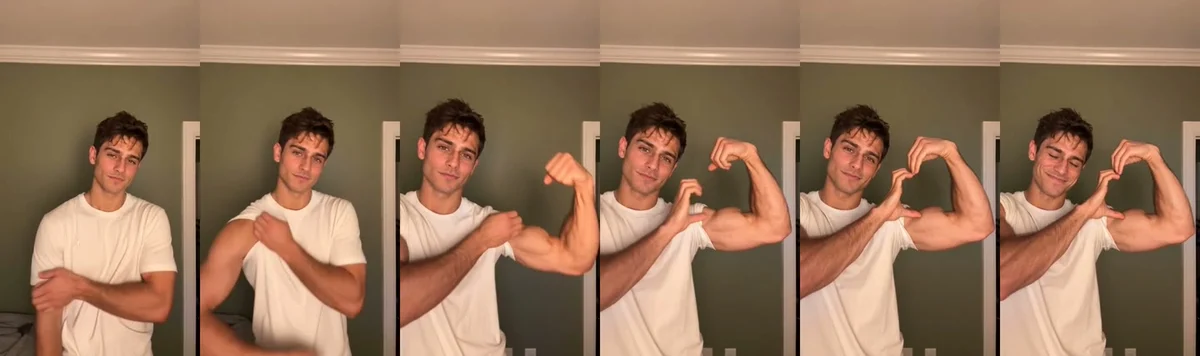
It's set to the music: the flex lands on a beat of the trend's original sound, and the heart lands on the next.
When people film it themselves, they prop the phone's front camera at chest height and film from the waist up, indoors, in a short-sleeve top. It's one take of about 7 seconds. Before the flex, most push the sleeve of the arm they flex up over the shoulder.
If you'd rather skip filming, add one photo to our Bicep Heart Trend AI generator and press Create.
How to Make the Bicep Heart Trend Video From One Photo in 3 Steps
You make the bicep heart trend video from one photo on our page, in your browser, with nothing to install and nothing to film.
Step 1: Add Your Photo
It's easy: open the page to make the bicep heart trend video from one photo in your browser. Add one photo of one person, character, dog or cat, with the face clear and in good light.
A T-shirt or tank top shows the flex best. On a computer, you can also scan a code with your phone and pick the photo from your camera roll.
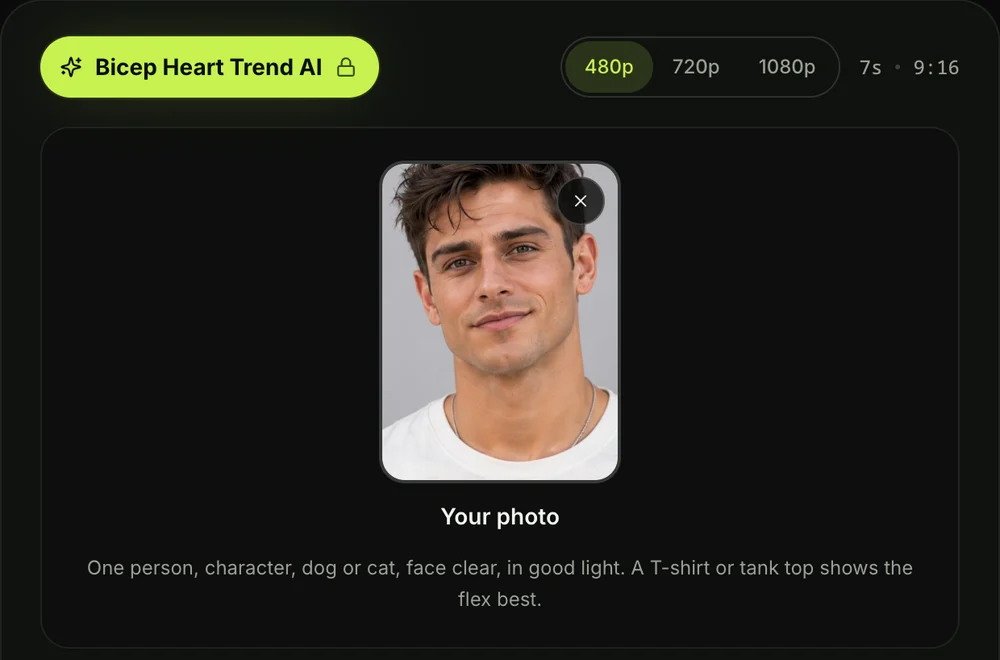
Step 2: Pick 480p, 720p or 1080p
480p is picked to start, so tap the quality you want. You're getting the same 7 seconds at any quality, in the same vertical frame.
The price shows on the Create button before you pay, so you'll know what it costs ahead of time.

Step 3: Tick the Box and Press Create
The tick box confirms you have the right to use the photo and that any person in it is 18 or older. You'll just tick it before moving on, then press the Create button.
You don't need an account, since you pay once and your video starts right on the page.
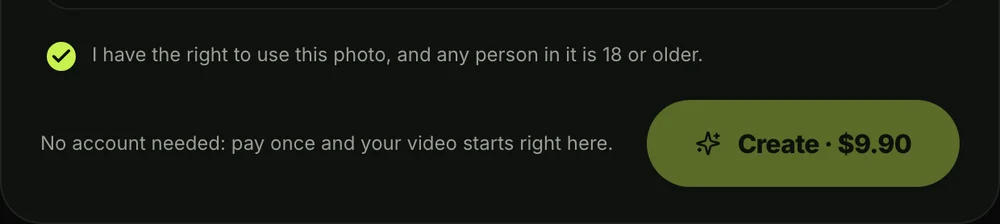
Once you press Create, a window with credit packs opens. You'll pay once at checkout with no account and no subscription. Here's how pay-once credits work: pack credits stay valid for 12 months, and if a video fails, your credits come back automatically.
The checkout email carries a link, so your video opens on any phone, tablet or computer. It's sent straight to your inbox, so you won't lose your place.
When your video's ready, you download the MP4 with its sound and no watermark on exported video. Your photos and videos stay in your account until you delete them. We run no facial recognition, collect no biometric data and never sell personal information.
Which Photo Works Best for the Bicep Heart Trend?
The photo that works best for the bicep heart trend shows one face, clear, in good light, in a top that shows your arms.
Here's what to pick:
- One face: choose a photo showing one person who is 18 or older, looking toward the camera.
- Good light: pick a clear shot where your face and arms are easily seen without deep shadows.
- A short sleeve: wear a T-shirt or tank top to show the flex best, though a long sleeve stays on with the flex showing through it.
- A pet or a character: upload a dog, a cat, or a cartoon or game character if you want a playful spin.
A viewer under one clip said, "look so good i had to use a photo i have of me". A photo you already have is all it takes.
Making a Bicep Heart for Your Boyfriend or Girlfriend
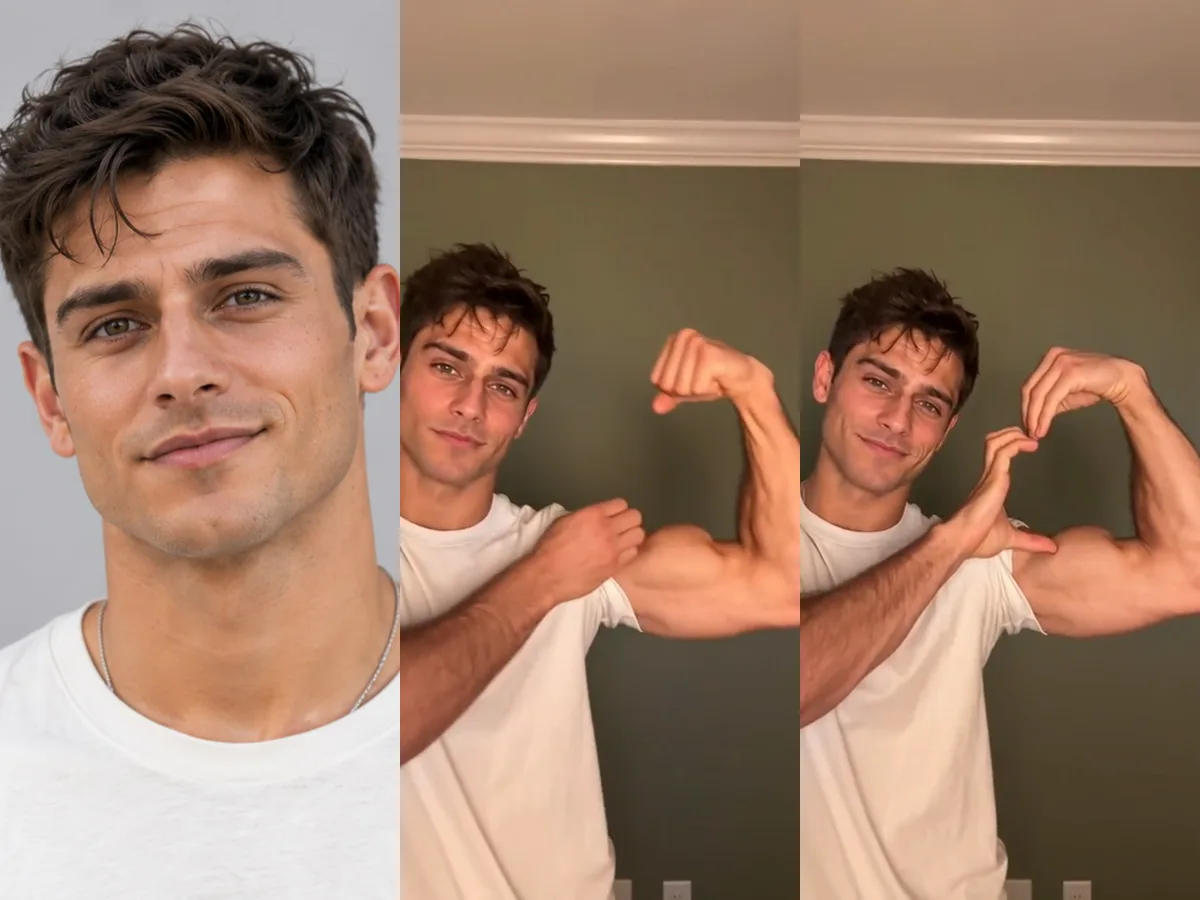
You can make a bicep heart video for your boyfriend or girlfriend from one photo of them, when they say yes. One viewer wondered, "now how to make my bf do it", but with our page, he doesn't have to pose or film anything.
You simply tick the box confirming you have the right to use their photo and that they're 18 or older. Then you can do the bicep heart with Bicep Heart Trend AI and send them the finished clip.
It's an easy way to show what sending a bicep heart means as a sweet gesture.
Bicep Heart Trend FAQ
How long is a bicep heart trend video?
A bicep heart trend video runs about 7 seconds in the trend. It's 7 seconds in our version, framed vertically for TikTok and Reels, moving from the shy smile to the held heart in one continuous take.
Do I need big arms for the bicep heart trend?
You don't need big arms for the bicep heart trend at all. The heart is your own flexed arm and your own curled hand, so any arm makes it. In our video, you keep your own arms at their natural size.
Do I have to film myself?
You don't have to film yourself to do the bicep heart trend. One photo you already have is enough, so nobody has to hold the phone. You appear waist-up in a warm, lamp-lit bedroom made new for every video.
Can girls do the bicep heart trend?
Girls can do the bicep heart trend just as easily as guys. There's no difference between who can do it: women and men alike make the video in their own top, at the exact same price.
What sound does the bicep heart trend use?
The bicep heart trend uses a TikTok original sound that powers every clip in the feed. By November 2, 2026, creators had used the trend's original sound in more than 73,000 videos. Our video plays it from the first second, matching the flex and the heart to its beats.
How much does a bicep heart trend video cost?
One 720p bicep heart trend video costs $9.90 through our 500-credit pack. That's paid once with no subscription. That same pack also covers a 480p video for 375 credits, leaving the rest in your balance, while 1080p takes 1,480 credits.
Pack credits stay valid for 12 months, and if a video fails, its credits come back automatically. Check Seadanse pricing for more on our credit packs.
Can I make other trend videos from my photos?
You can turn your photos into several popular trend clips on Seadanse. Try Oh You Can Make It Cap AI to turn 1 or 2 photos into a 14-second remake of the white-studio clip, with the original sound.
You can also pick Dime Dime Baby AI to create a 9-second video with the trend's "dime dime baby" sound. You'll find both alongside all our other AI video effects, where there's no prompt to write.
Make Your Bicep Heart Trend AI Video Today
Learning how to do the bicep heart trend doesn't need awkward filming when every beat is handled for you. The shy smile, the sleeve, the flex, the heart and the sound are all timed from one photo. You can make your Bicep Heart Trend AI video right now for $9.90 at 720p with nothing to film.
Written by The Seadanse Team, the team that built the Bicep Heart Trend AI page.
Related Articles
- What Is the Bicep Heart Trend? The Flex-and-Heart Video People Send, Explained — the move, what "send bicep hearts" means and where the trend came from.


