Tiny Desk AI is liveTry it
Video effect

BigXthaPlug Give It All AI for TikTok and Reels

Seadanse BigXthaPlug Give It All AI puts you rapping at the hanging mic in a packed cinema lobby while the crowd goes wild. Add one photo to get a 15-second 4:3 video for TikTok and Reels with the trend's sound laid under. Make a 720p video for $9.90 in your web browser with no account and no app to install.

Also called Give It All to Me AI Trend · BigXthaPlug AI Trend · Give It All AI Trend · From The Block AI Rap Trend

BigXthaPlug Give It All AIThis effect is built into the page and cannot be removed.
15s · 4:3

A person 18 or older, a cartoon or game character, or a pet, with the face clear and in good light.

No account needed: pay once and your video starts right here.
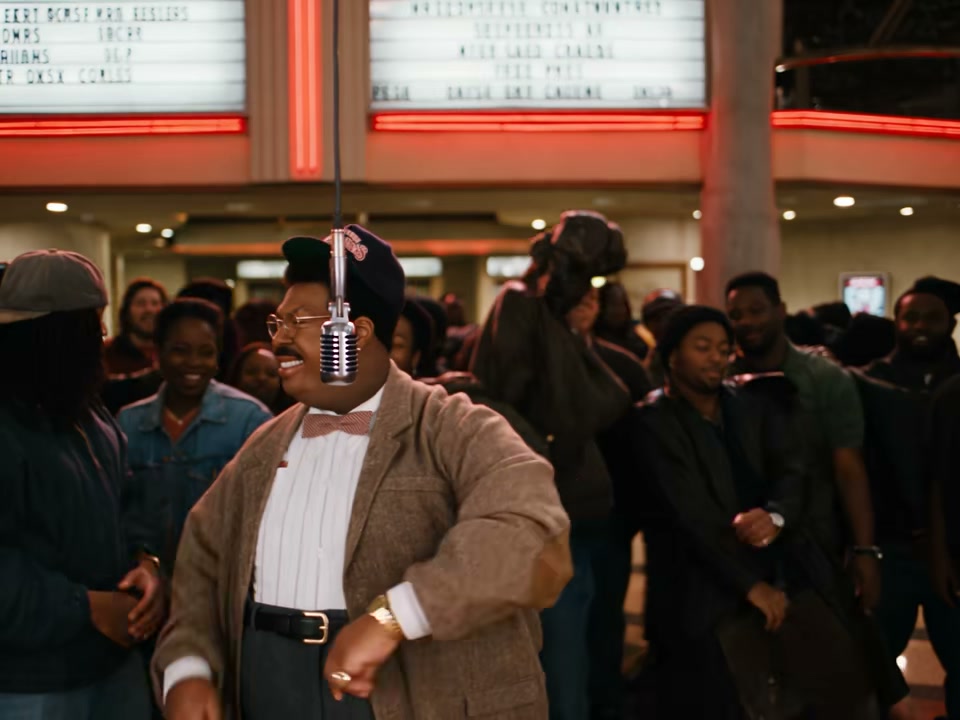
  1. In the lobby
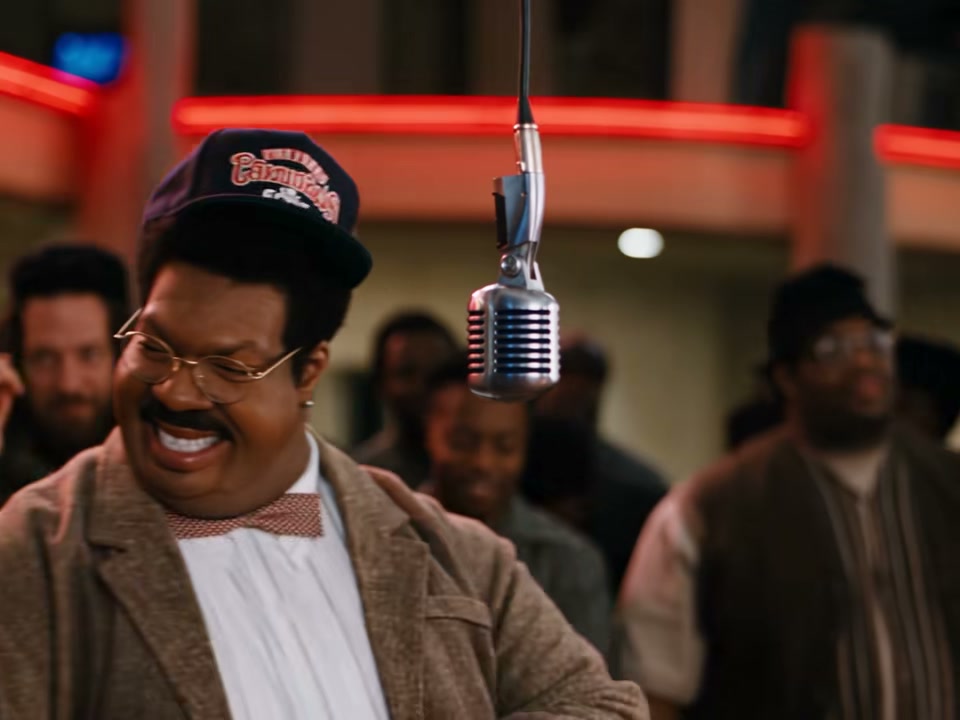
  2. The close-up
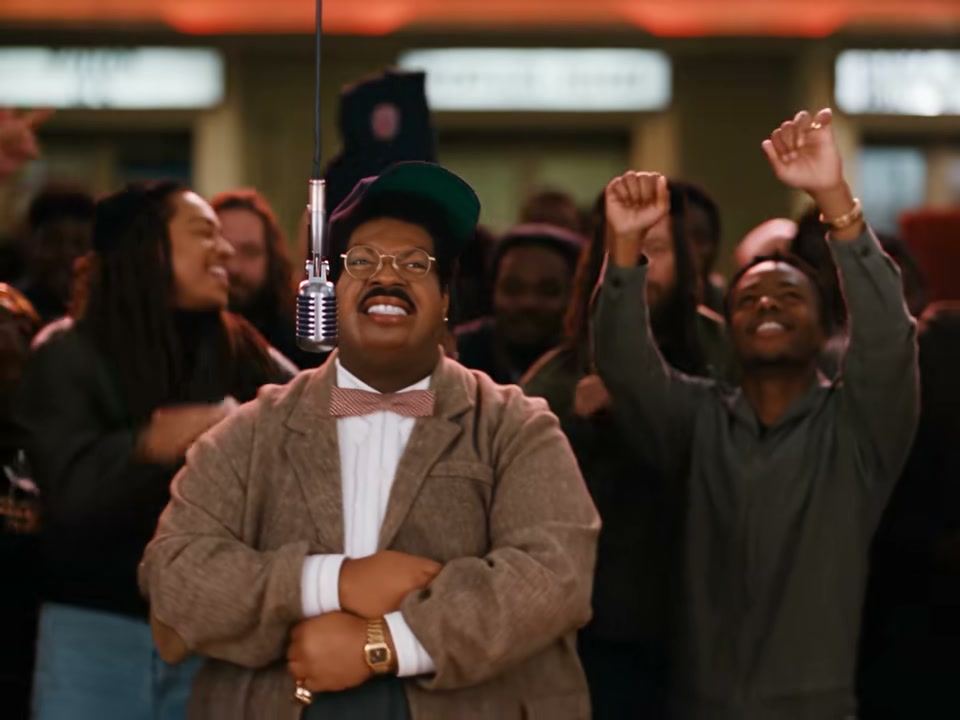
  3. Crowd goes up
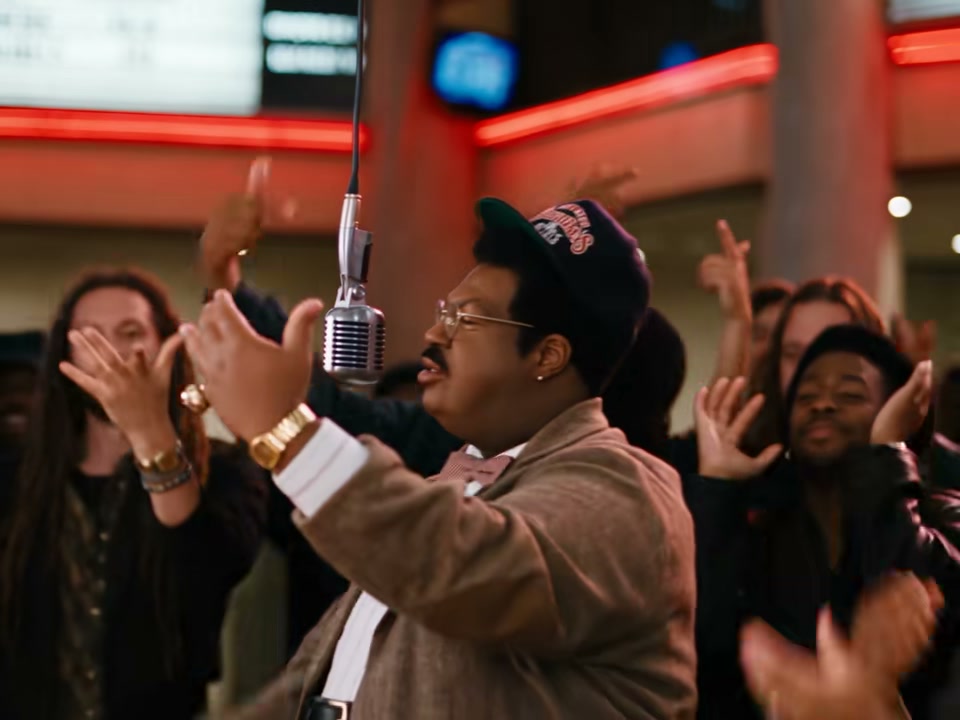
  4. Side angle

What Is the BigXthaPlug Give It All AI Trend?

BigXthaPlug Give It All AI is the video trend where you rap at the hanging mic in a packed cinema lobby while the crowd goes wild. The trend turns one photo into the clip of BigXthaPlug's From The Block performance of "Give It All". You own the mic like it is your big moment, and people put themselves, friends, parents, pets and characters in the scene. People also call it Give It All to Me, after the line in the song. That search also brings up Sean Paul's Give It Up to Me dance trend on Google, but the BigXthaPlug Give It All AI trend is the rap at the hanging mic.

BigXthaPlug released "Give It All" on 30 October 2026 on his album "Better Over Time". From 4 November 2026, clips of his From The Block performance spread on TikTok, and one upload had 405,100 views on 17 November 2026. The first AI how-to came on 7 November 2026. An AI version posted on 14 November 2026 had 331,900 views on 17 November 2026, and its sound runs under the one-photo posts that followed. In the week to 17 November 2026, 24 accounts posted an AI version.

Each 15-second video moves through four shots cut on the beat, with the trend's sound laid under. From second 0 to 2.5, the lobby puts you in a wide shot, dancing on the beat at the hanging mic with the crowd around you. From second 2.5 to 6, the close-up shows your big grin at the mic as you bob to the beat and put both hands up to your head. From second 6 to 13, the crowd shows you straight on at the mic, rapping with your arms folded across your chest while the crowd throws its hands up. From second 13 to 15, the side angle captures you with both hands up as you work the beat toward the crowd.

Seadanse builds the trend's 15 seconds into our BigXthaPlug Give It All AI, from the lobby to the side angle, with the trend's sound laid under. Add one photo of you, a cartoon or game character, or a pet. Your face, hair and clothes come from the photo, and only you change. You get a 15-second 4:3 video for TikTok and Reels in 720p or 1080p. One $9.90 credit pack makes one 720p video, with no account needed.

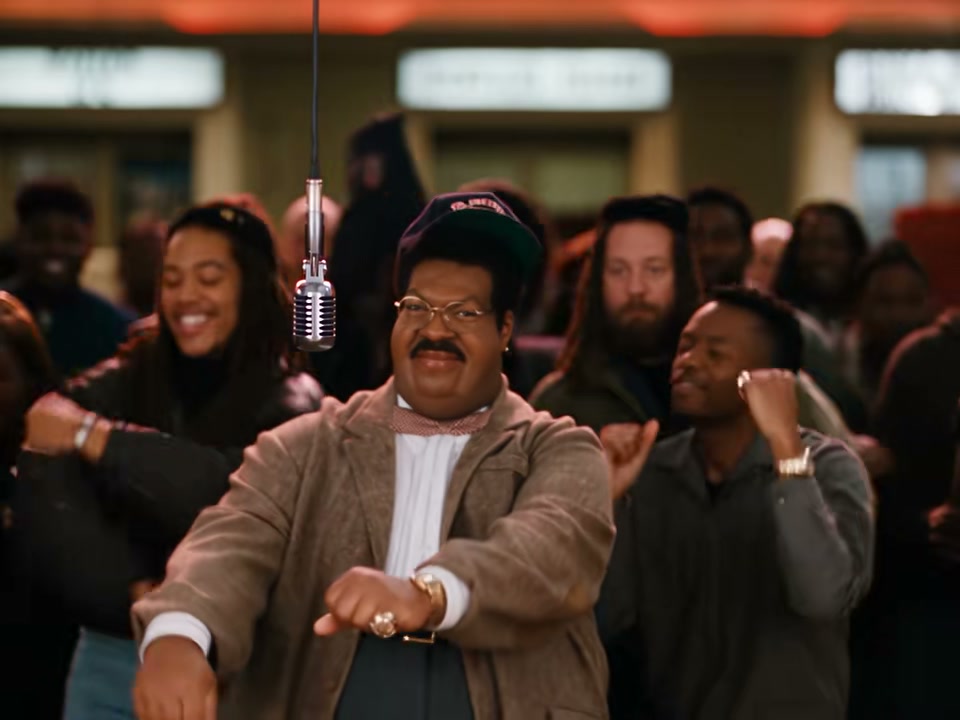
What the BigXthaPlug Give It All AI Trend Looks Like

This is the TikTok post as it went up: a packed cinema lobby at night, orange-red neon and showtime boards overhead, a chrome mic hanging on a long cable, and one rapper owning it while the crowd goes wild, shot by shot on the beat. Our BigXthaPlug Give It All AI makes the same shots, from the lobby to the side angle, with you at the mic and the trend's sound.

What Happens in Your BigXthaPlug Give It All AI Video

Your video is 15 seconds long, 4:3, four shots cut on the beat with the trend's sound under them. Only you change.

PartWhat you see
0–2.5 s · The lobbyA wide shot of the packed cinema lobby under the showtime boards: you dance on the beat at the hanging mic, the crowd all around you.
2.5–6 s · The close-upRight at the mic: a big grin, bobbing to the beat, then both hands go up to your head.
6–13 s · The crowdStraight on at the mic, you rap with your arms folding across your chest while the crowd behind you throws its hands up.
13–15 s · The side angleFrom the side, both hands up, you work the beat toward the crowd.

Where Did the BigXthaPlug Give It All AI Trend Start?

BigXthaPlug Give It All AI grew out of his From The Block performance of "Give It All", a rap at a hanging mic in a packed cinema lobby. In November 2026 people started putting anyone at that mic from one photo: themselves, friends, parents, pets and characters; 24 accounts posted an AI version in the week to 17 November.

  1. BigXthaPlug releases "Give It All" on his album "Better Over Time" (@o.g_ruthless).

  2. @winskychoute posts his From The Block performance of the song, at the hanging mic in the cinema lobby: 405,100 views by 17 November.

  3. @ela75857 posts the first how-to for putting your own photo at the mic.

  4. @reggiewiththefork posts the AI version that takes off: 331,900 views by 17 November, and its sound runs under the one-photo posts that follow.

  5. Seadanse adds BigXthaPlug Give It All AI: the trend's 15 seconds from one photo, with the trend's sound.

Why Make Your BigXthaPlug Give It All AI Video With Seadanse

Own the Hanging Mic and Work the Beat

You dance on the beat at the hanging mic in a packed cinema lobby, then rap with arms folded as the crowd throws hands up. Our BigXthaPlug Give It All AI creates four shots cut on the beat with the trend's sound laid under.

Own the Hanging Mic and Work the Beat
Keep Your Face and Style in Every Shot

Keep Your Face and Style in Every Shot

Your face, your hair, and your clothes stay in the frame from the lobby to the side angle. Our BigXthaPlug Give It All AI keeps you as you from the first second to the last.

Step Into the Packed Cinema Lobby

You stand in a packed cinema lobby with orange-red neon and showtime boards overhead. Our BigXthaPlug Give It All AI places you at the hanging mic exactly where the crowd goes wild.

Step Into the Packed Cinema Lobby
Turn Your Photo Into a 15-Second Clip

Turn Your Photo Into a 15-Second Clip

Upload a photo of a person, a cartoon or game character, or a pet. Our BigXthaPlug Give It All AI makes a 15-second 4:3 video for TikTok and Reels with no app, no prompt, and no editing needed.

Use BigXthaPlug Give It All AI for Hyped Videos

Trend Posters

Post Your Own Trend Video

Upload one photo of yourself to get a 15-second 4:3 video with the trend's sound laid under, made for TikTok and Reels. Post your clip with our BigXthaPlug Give It All AI while everyone is sharing it so you never miss the fun.

Friends and Family

Give Friends Their Big Moment

Bring one photo of an adult friend or parent who said yes to put them at the hanging mic from the lobby to the side angle. Surprise them with our BigXthaPlug Give It All AI and show them rapping while a hyped crowd cheers them on.

Pet Owners

Let Your Pet Own the Mic

Add one photo of your dog or cat with the whole head in view to place your pet right at the hanging mic. Make your friends laugh with our BigXthaPlug Give It All AI as your pet raps on the beat while the crowd goes wild.

Character Fans

Make Favorite Characters Rap

Pick one photo of your favorite cartoon character or game character to put them at the hanging mic in the packed cinema lobby. Use our BigXthaPlug Give It All AI to watch them rap for the whole 15 seconds and share the fun with other fans.

How to Create a BigXthaPlug Give It All AI Video

Step 1

Step 1: Upload your photo

Add one photo of yourself, a cartoon character, a game character, or a pet, making sure the face is to the camera and in good light, then tick the box to confirm you have the right to use the image.

Step 2

Step 2: Select your quality

Choose between 720p or 1080p and see the total price update on the Create button.

Step 3

Step 3: Generate your video

Press Create to pay once with no account required and download your 15-second 4:3 video featuring the trend's sound.

Which Photo Works Best for BigXthaPlug Give It All AI?

  • Face to the camera: Sharp and in good light: the close-up is the biggest your face gets in the video.
  • Waist up or more: The lobby and the side angle show your arms and hands working the beat, so more of you in the photo carries through.
  • Dress for the stage: What you wear in the photo is what you wear at the mic.
  • One subject: One person, one pet or one character in the photo.
  • Pets and characters: A dog or a cat with the whole head in view, or a cartoon or game character, works too.
  • Whose photo: Your own photo, or a friend who said yes.

Get Your BigXthaPlug Give It All AI Video for $9.90

A $9.90 credit pack buys 500 credits, enough to make one 15-second 720p BigXthaPlug Give It All AI video with no account or subscription. A 1080p video uses 1,480 credits, credits stay valid for 12 months, and if a render fails, we return your credits automatically. The Seadanse pricing page lists every credit pack.

BigXthaPlug Give It All AI FAQ

How do I make a BigXthaPlug Give It All AI video?

Add one photo of you, a cartoon or game character, or a pet, face to the camera and in good light, and tick the box to confirm you have the right to use it. Pick 720p or 1080p and see the price on the Create button. Press Create, pay once with no account, and download your 15-second video; no prompt, no template, no app and no editing.

What is the BigXthaPlug Give It All AI trend?

The BigXthaPlug Give It All AI trend features the clip of BigXthaPlug's From The Block performance of "Give It All," with someone else at the mic. You see a packed cinema lobby at night, a hanging mic, and an ordinary photo rapping it like their big moment while the crowd goes wild. Our BigXthaPlug Give It All AI makes it from one photo.

Where did the BigXthaPlug Give It All AI trend come from?

BigXthaPlug released "Give It All" on 30 October 2026 on his album "Better Over Time." From 4 November 2026, clips of his From The Block performance spread on TikTok, one upload with 405,100 views on 17 November 2026. The first AI how-to came on 7 November 2026; an AI version posted on 14 November 2026 had 331,900 views on 17 November 2026, and its sound runs under the one-photo posts that followed. Our BigXthaPlug Give It All AI makes the same 15 seconds with you in it.

What happens in my BigXthaPlug Give It All AI video?

Your BigXthaPlug Give It All AI video plays for 15 seconds in four shots. From 0 to 2.5 seconds you dance on the beat at the hanging mic in a wide shot of the packed cinema lobby; from 2.5 to 6 seconds a close-up of you grinning and bobbing to the beat, both hands going up to your head; from 6 to 13 seconds you rap with your arms folding across your chest while the crowd throws its hands up; from 13 to 15 seconds a side angle of you working the beat with both hands up. The trend's sound is laid under.

Is this the Give It Up to Me dance trend?

No. On Google, give it all to me also brings up Sean Paul's Give It Up to Me dance trend. The BigXthaPlug Give It All AI trend is the rap at the hanging mic in the packed cinema lobby, and our BigXthaPlug Give It All AI makes that one from your photo.

Can I use my dog, my cat or a cartoon character?

Yes. The photo can be a person 18 or older, a cartoon or game character, or a pet such as a dog or a cat. It takes the hanging mic for the whole 15 seconds, from the lobby to the side angle.

Which photo works best for BigXthaPlug Give It All AI?

Use one person, pet or character, face to the camera, sharp and in good light. Use a photo from the waist up or more, because the lobby and the side angle show your arms and hands. Wear the clothes you want to see on stage, and for a pet, ensure the whole head is in view with the eyes open.

Do I keep my own clothes?

Yes. Your face, your hair and the clothes from your photo are kept from the first second to the last in your BigXthaPlug Give It All AI video.

Does my video come with the trend's sound?

Yes. The trend's sound is laid under every video from our BigXthaPlug Give It All AI, so it is ready to post on TikTok and Reels.

How long is the video, and will it fit TikTok and Reels?

Your BigXthaPlug Give It All AI video is 15 seconds long in a 4:3 frame, made for TikTok and Reels. It is available in 720p or 1080p, with the trend's sound laid under.

Is BigXthaPlug Give It All AI free? How much does it cost?

The $9.90 credit pack of 500 credits makes one 15-second 720p video. A 1080p video uses 1,480 credits. Credit packs are a one-time payment with no subscription, and credits stay valid for 12 months. You buy with no account, and sign-up is free with no card and adds 40 starter credits. The price shows on the Create button before you pay, and a render that fails returns its credits automatically. The pricing page lists every credit pack.

Do I need a prompt, a template or an app for BigXthaPlug Give It All AI?

No prompt, no template and no app. The packed cinema lobby, the crowd, the hanging mic, the four shots and the trend's sound are built into our BigXthaPlug Give It All AI. It runs in your web browser on a phone, tablet or computer, and your video starts right on this page with no account.

Can I make other rap and music trend videos from one photo?

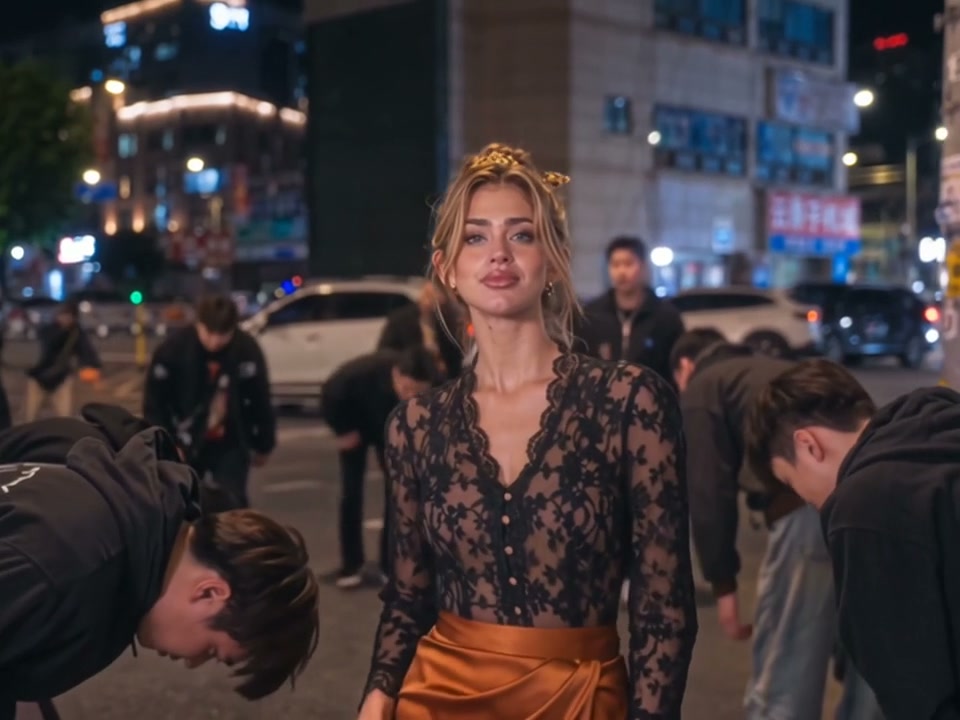
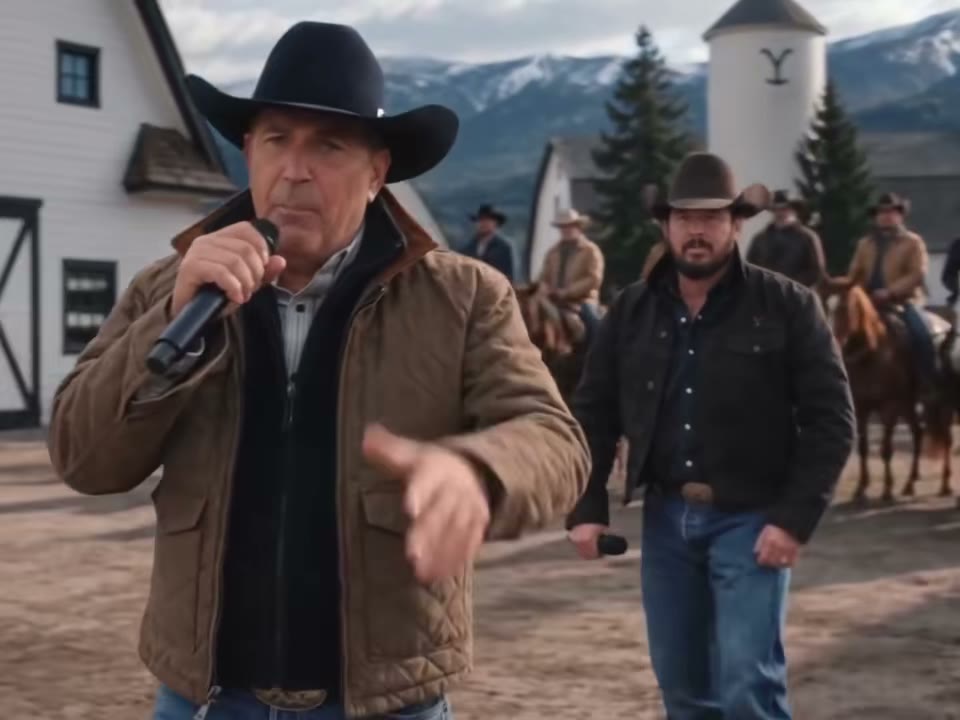
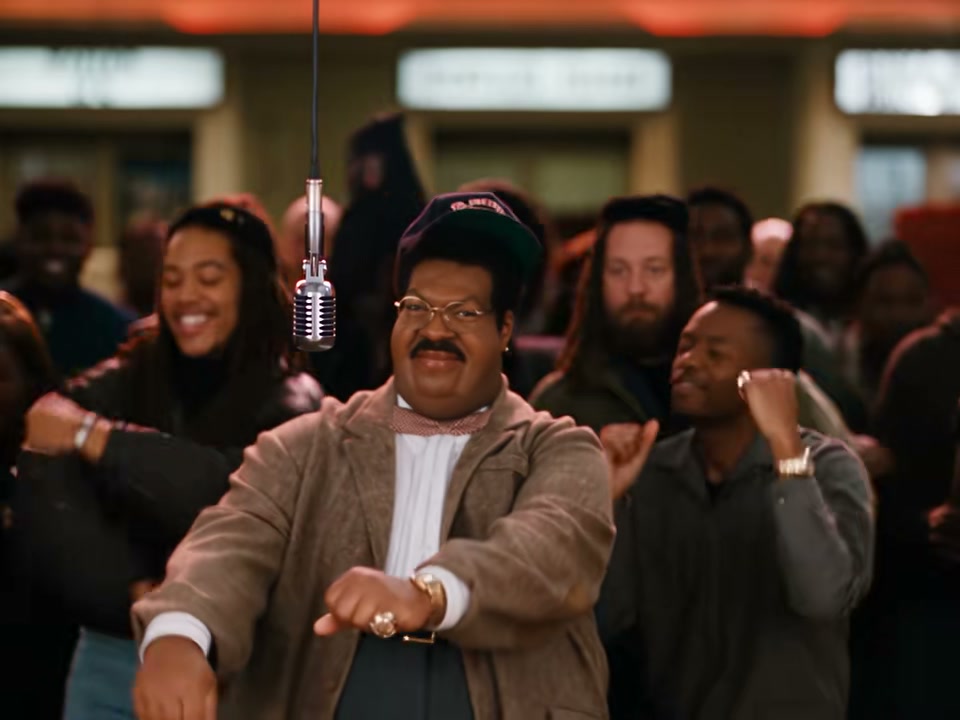
Yes. AI Rap Duo turns one or two photos into a 10-second video of you and a friend or your pet taking turns on one hanging mic in an orange recording booth. Tiny Desk AI turns one to five photos into a 19-second video in which you sing lead at a crowded desk session, with the original "Outstanding" sound. King Jin AI turns one photo into a 10-second 4:3 video in which a whole night street bows to you.

Are my photos private?

Yes. Seadanse runs no facial recognition on the photos you upload and collects no biometric data. It never sells personal information, and your photos and videos stay in your account until you delete them.

Guides for BigXthaPlug Give It All AI

Articles written for this model: how to prompt it, where it runs and what its limits are.

All articles

Take the Mic with Our BigXthaPlug Give It All AI

Put yourself, a friend who said yes, your pet or a character at the hanging mic to get a 15-second 4:3 video for TikTok and Reels with the trend's sound, at 720p for $9.90 with no subscription and no account.