Tiny Desk AI is liveTry it
Video effect

Car Drift AI for TikTok and Reels

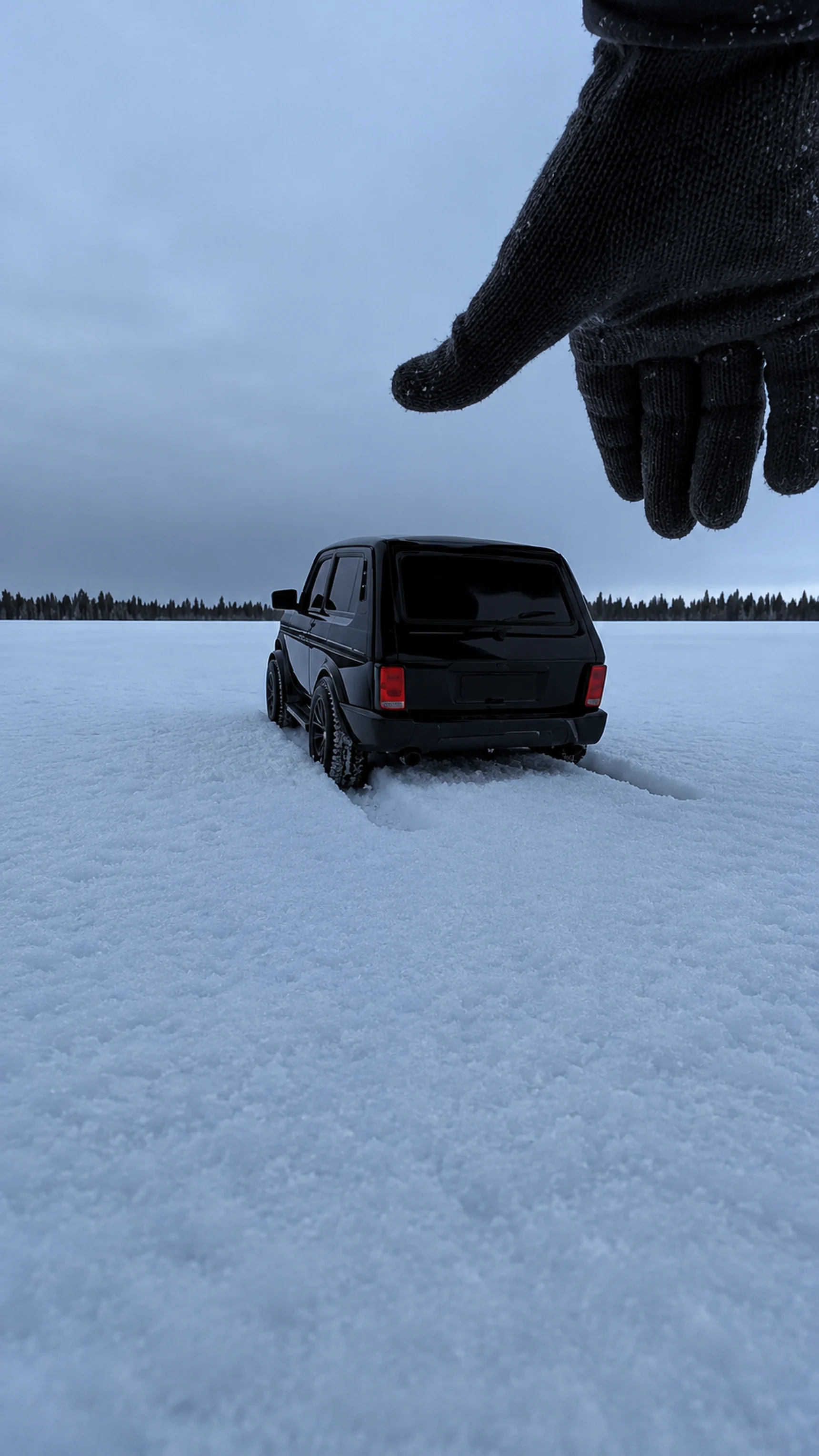
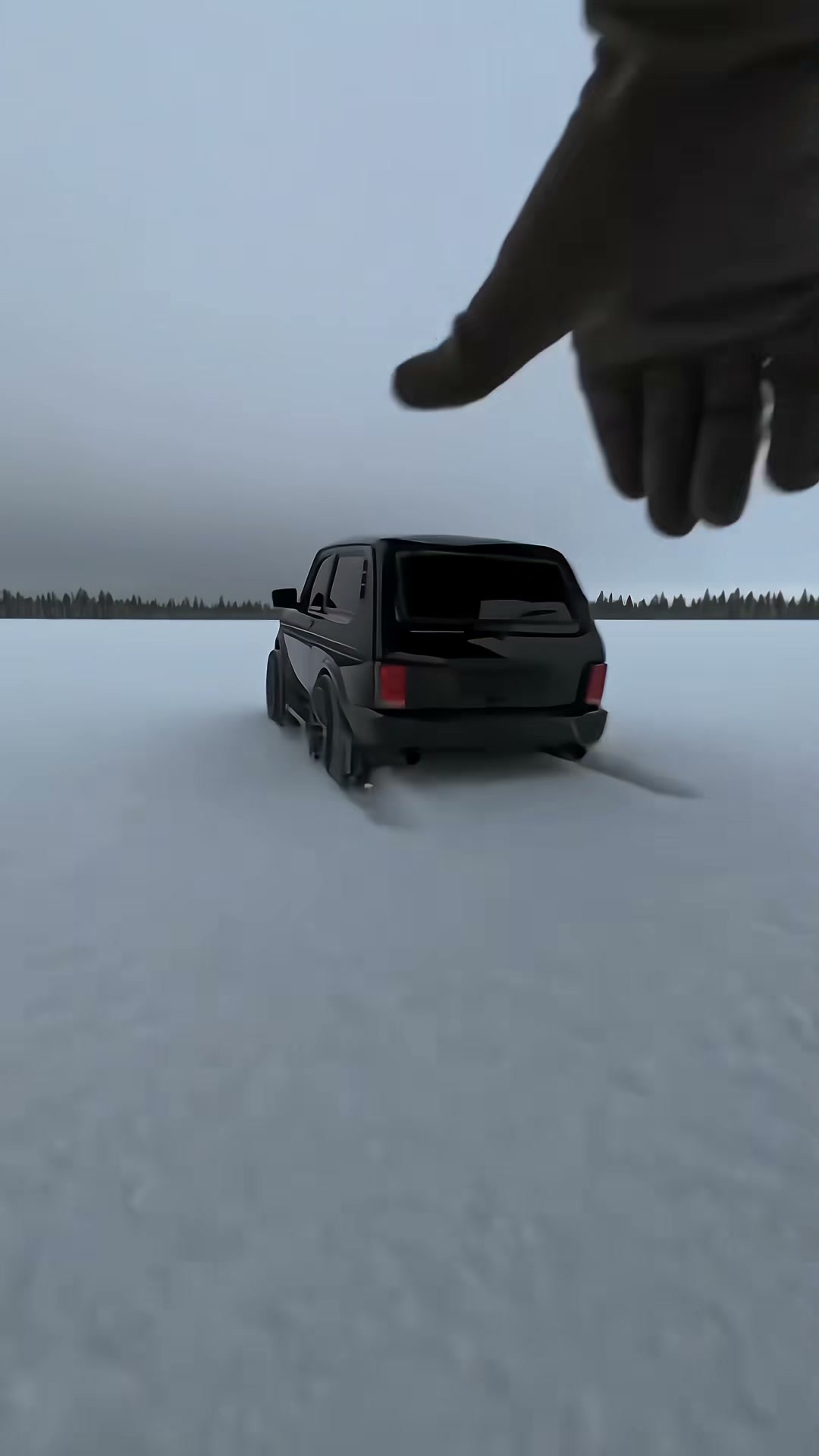
Seadanse Car Drift AI sets a toy-size model of your car on the snowy frozen lake from a gloved hand, and then your car drives off full size and drifts sideways through the snow. Add one photo of your car, pickup, SUV or van to create a 15-second 9:16 video for TikTok and Reels with the original sound laid under. Pick 720p or 1080p in your web browser with no app to install, and pay $9.90 for one 720p video with no account needed.

Also called Winter drift · Winter car drift · зимний дрифт · Car drift filter · AI car drift video · Make my car drift AI

Car Drift AIThis effect is built into the page and cannot be removed.
15s · 9:16

Your vehicle 0/1

Tap the circle to put your photo there, or drop a photo onto it. It is the only photo needed: your car is the toy in the glove and the car in the drift, in every shot.

  • The whole vehicle from a front corner, roof to tyres, in daylight.
  • Nothing in front of it, no other cars in the shot.
No account needed: pay once and your video starts right here.

What Is the Car Drift AI Trend?

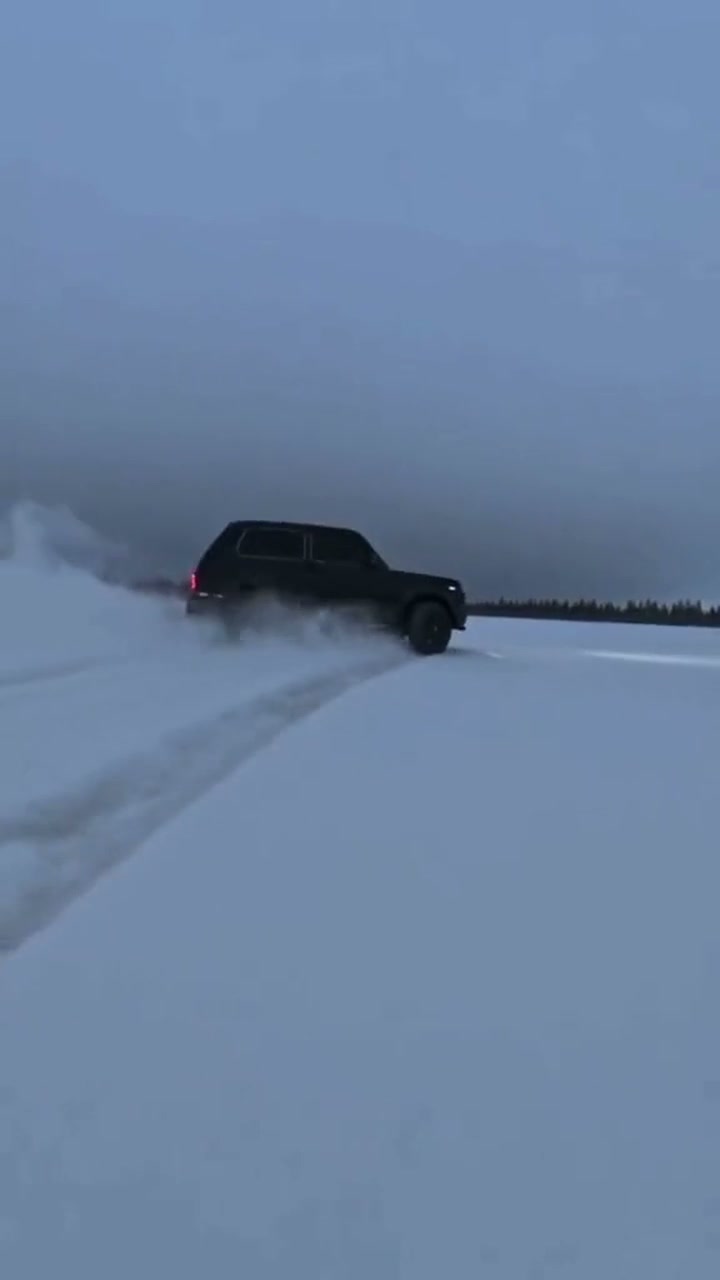
The Car Drift AI trend is a video where a gloved hand sets a toy-size model of your car on the snow, and your car suddenly drives off full size to drift across a snowy frozen lake. The clip moves through the drive-off, the snow burst over the lens, the sideways drift, the headlights, and the getaway. Posts on TikTok and Reels often show two cars in turn. Russian-speaking posts call it «зимний дрифт», winter drift.

The winter drift clip first showed up on 20 November 2026 with a black SUV set down by a gloved hand. By 22 November 2026, people had made more than 29,000 videos with it. On 21 November 2026, a creator posted the take shown on this page with two cars in turn, reaching 195,300 views on 22 November 2026. The most viewed post went up the same day, with 303,800 views on 22 November 2026.

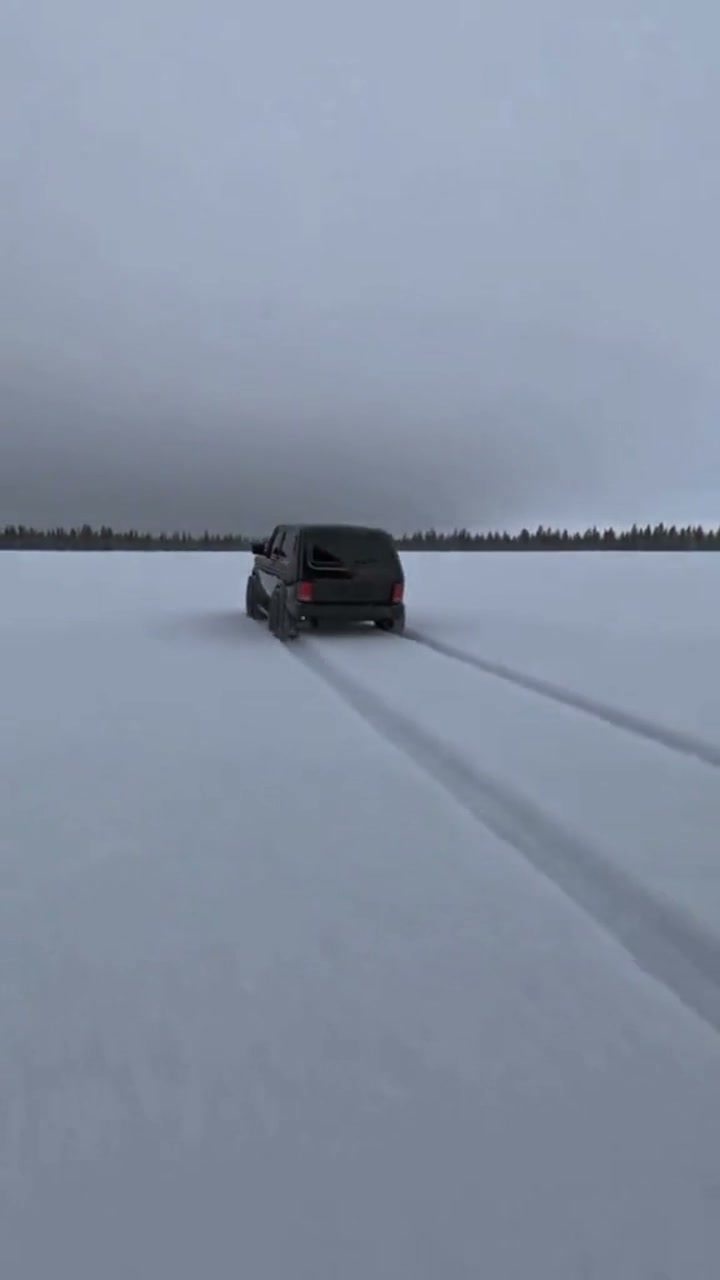
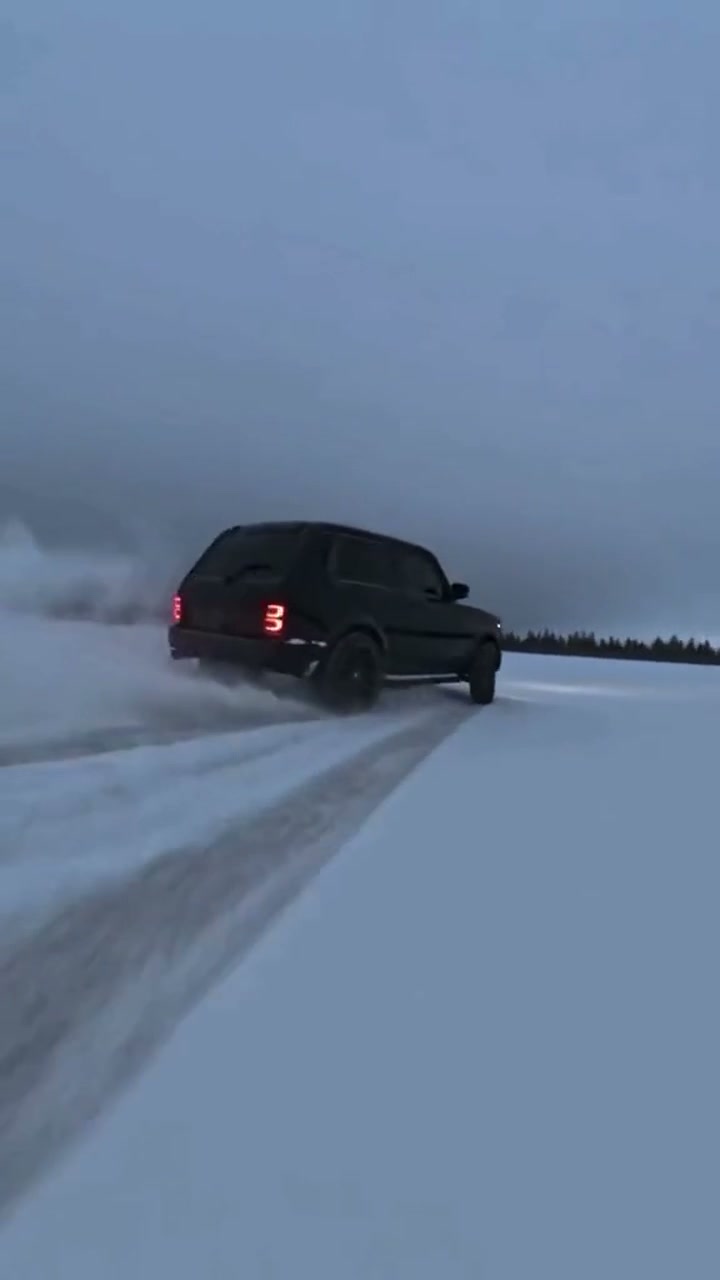
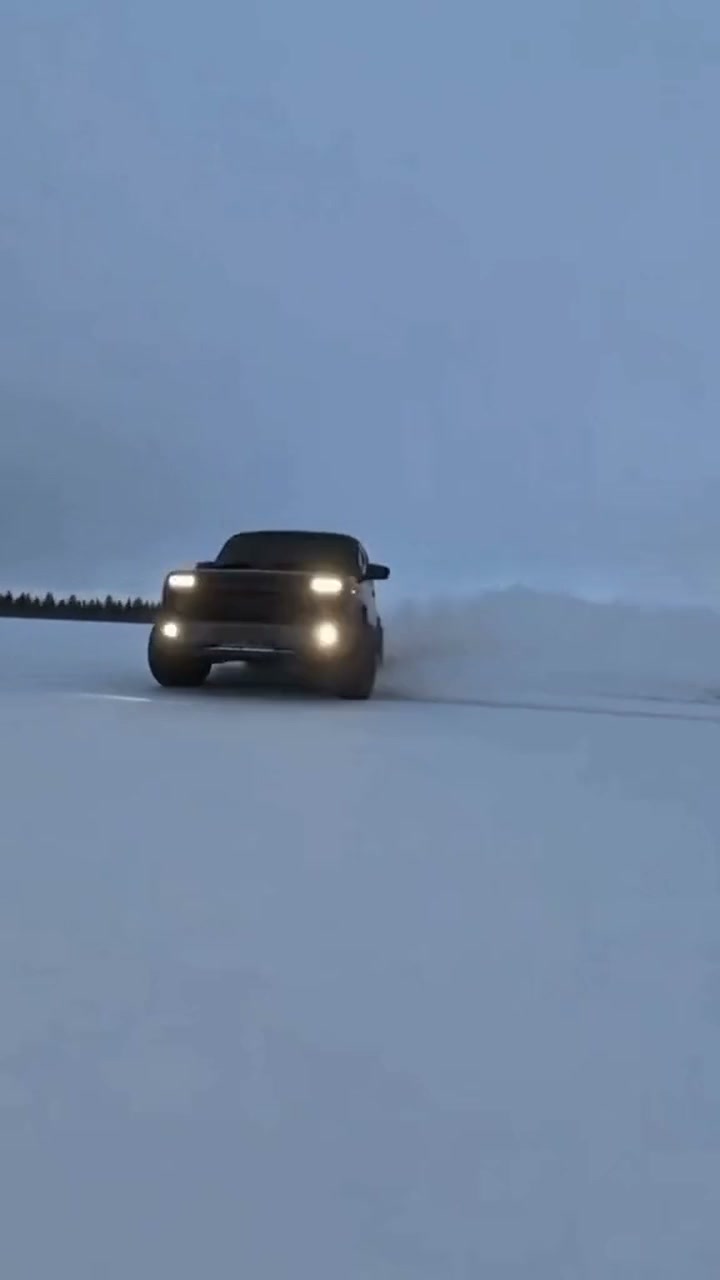
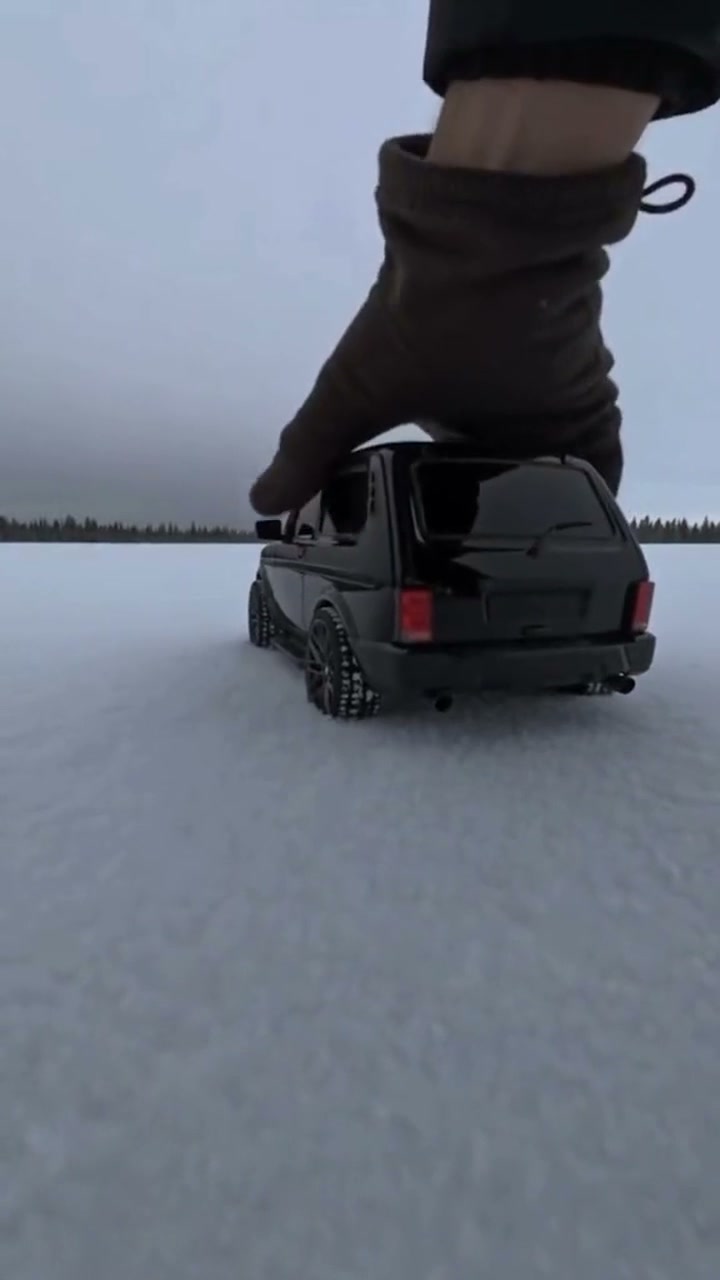
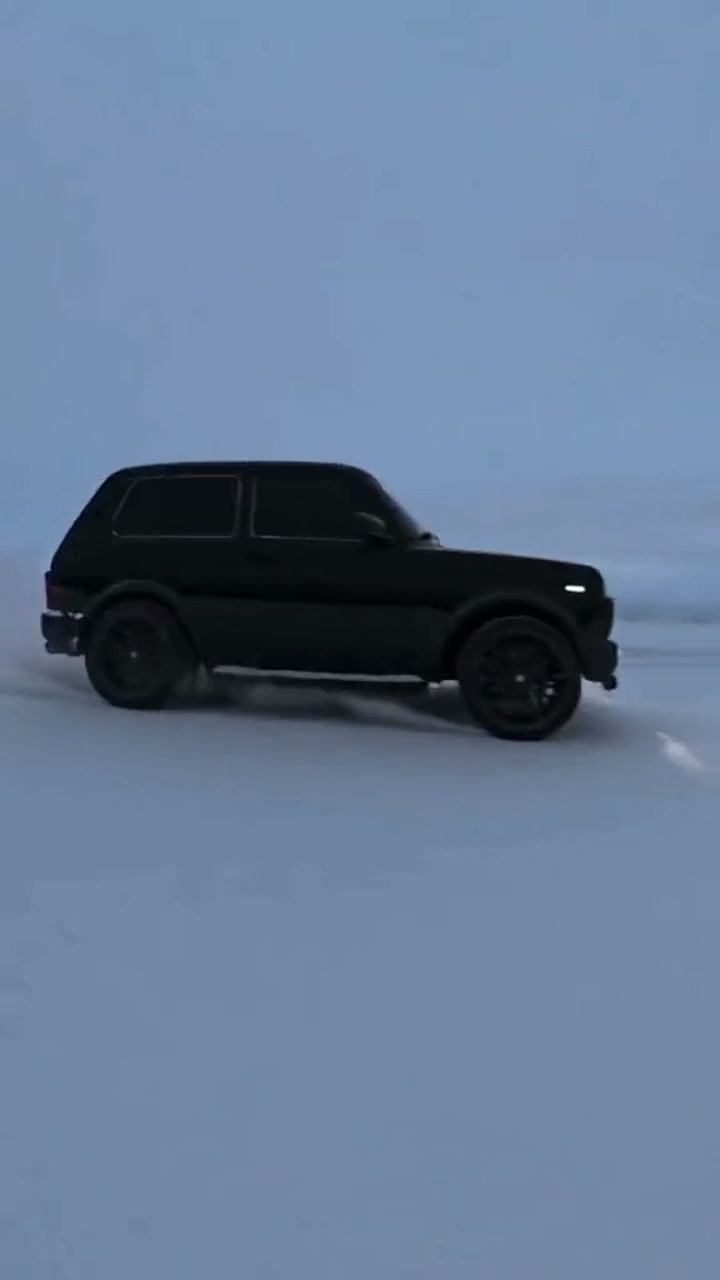
Every clip runs for 15 seconds with the original sound laid under the video. Second 0 to 1.7 shows the hand setting down the toy-size vehicle. Second 1.7 to 5.8 brings the drive-off across the frozen lake as the low camera follows behind. Second 5.8 to 6.8 delivers the snow burst over the lens with glowing tail lights. Second 6.8 to 10.5 covers the drift sideways through thick snow spray. Second 10.5 to 12.5 turns the headlights to the camera for a close slide past. Second 12.5 to 15 finishes with the getaway toward the snowy mountains.

Seadanse builds the whole winter drift into our Car Drift AI, from the hand to the getaway, with the original sound included. Add one photo of your car, pickup, SUV or van to make your clip. Its body, paint, wheels and mods come straight from your photo, with no snow and no drifting needed. Only your car changes. You get a 15-second 9:16 video for TikTok and Reels in 720p or 1080p, and $9.90 makes one 720p video with no account.

What the Car Drift AI Trend Looks Like

This is the TikTok post as it went up, its first 8 seconds: a gloved hand sets a toy-size car on a snowy frozen lake, it drives off full size and drifts through the snow, then a second car does the same, with a Russian voice-over asking how to do the winter drift with your own car. Our Car Drift AI makes the whole winter drift, 15 seconds from the hand to the getaway, with your car from one photo and the original sound.

What Happens in Your Car Drift AI Video

Your video is 15 seconds long, 9:16, on a snowy frozen lake at dusk, with the original sound under it. Only your car changes.

PartWhat you see
0–1.7 s · The handA gloved hand holds a toy-size model of your car on the snow at lens level, then lets go.
1.7–5.8 s · The drive-offYour car is full size and drives off across the frozen lake, the low camera following, twin tracks behind it.
5.8–6.8 s · The snow burstIts wheels throw a burst of snow over the lens, the tail lights glowing through the white.
6.8–10.5 s · The driftYour car drifts sideways through thick snow spray, seen from the side and from behind.
10.5–12.5 s · The headlightsIt turns its glowing headlights to the camera and slides past close, in profile.
12.5–15 s · The getawayIt drives off small toward the snowy mountains, past the circles of tracks it left.

Where Did the Car Drift AI Trend Start?

The winter drift, «зимний дрифт» in its Russian-speaking posts, is two days old: the clip first showed up on 20 November 2026, and by 22 November 2026 more than 29,000 videos had been made with it.

  1. The winter drift clip first shows up: a gloved hand sets a toy-size black SUV on a frozen lake, and it drives off full size.

  2. @rhetta.chandler posts the take shown above, two cars in turn: 195,300 views by 22 November 2026.

  3. @rhetta.chandler posts another pair of cars, the most viewed post we found: 303,800 views by 22 November.

  4. Seadanse adds Car Drift AI: the whole 15-second winter drift, from one photo of your car, with the original sound.

Key Features of Car Drift AI

Go from Toy to Full Size

Watch a gloved hand set a toy-size model of your vehicle on the snow before it drives off full size at 1.7 seconds across the frozen lake. Our Car Drift AI lays the original sound underneath and delivers the entire sequence without templates, prompts or editing.

Go from Toy to Full Size
Keep Your Exact Build and Mods

Keep Your Exact Build and Mods

Keep your own body shape, paint, wheels, lights, trim and mods like a lift, racks, light bars or bumpers in every shot. Our Car Drift AI takes them from your photo, from whatever angle each shot shows, from the toy-size model in the glove to the full-size drift.

Slide Sideways Through Thick Snow Spray

See your vehicle throw a burst of snow over the lens, drift sideways through thick spray and turn glowing headlights toward the camera. Our Car Drift AI keeps the snowy frozen lake, mountain backdrop and sweeping camera moves true to the trend.

Slide Sideways Through Thick Snow Spray
Use Any Photo in Any Season

Use Any Photo in Any Season

Drop in a photo of your car, pickup, SUV or van parked in your driveway in the middle of summer and get a complete winter run. Our Car Drift AI supplies the frozen lake, fresh snow and high-speed drift automatically.

Make a Car Drift AI Video for Any Ride

Car Owners

Watch Your Own Ride Drift

Add one photo of your car or truck taken from a front corner to our Car Drift AI. Watch it start as a toy-size model in the glove, then drive off full size into the drift with your own paint, wheels and mods.

TikTok Creators

Post the Winter Drift Trend

Use our Car Drift AI with one photo of your vehicle right from your phone. Get back a 15-second 9:16 video with the original sound laid under, ready to post on TikTok and Reels.

Car Clubs

Feature a Member's Custom Build

Bring one photo of a member's vehicle to our Car Drift AI, with the owner's yes. Show off their build drifting sideways through thick snow spray on your club page.

Car Friends

Surprise a Friend with Their Ride

Pick one photo of your friend's car or truck, with their yes. Let our Car Drift AI turn it into the full winter drift, from the hand all the way to the getaway.

How to Make Your Car Drift AI Video

Step 1

Add Your Vehicle Photo

Add one photo of your car, pickup, SUV or van from a front corner showing the whole vehicle, and tick the box to confirm it is your own vehicle or its owner said yes.

Step 2

Pick Your Resolution

Pick 720p or 1080p and see the price on the Create button.

Step 3

Create and Download

Press Create, pay once with no account, and download your 15-second 9:16 video with the original sound.

Which Photo Works Best for Car Drift AI?

  • The whole vehicle: Roof to tyres in the shot: a car, a pickup, an SUV or a van.
  • From a front corner: So the front and one side show, the way the car turns in the drift.
  • In daylight: Sharp and in good light, with the vehicle on its own and nothing in front of it.
  • Your build carries over: Paint, wheels, lights and mods in the photo show up in every shot.
  • Any place, any season: Parked in the driveway or on the street in summer works: the snow comes with the video.
  • Whose car: Your own vehicle, or one whose owner said yes.

Make One Car Drift AI Video for $9.90

You get 500 credits in a $9.90 pack to make one 15-second 720p video with our Car Drift AI, while a 1080p video uses 1,480 credits. You pay once with no subscription and no account, check the price on the Create button before you pay, and keep your credits for 12 months. A render that fails returns its credits automatically, and the Seadanse pricing page lists every credit pack.

Car Drift AI FAQ

How do I make a Car Drift AI video?

You follow three simple steps. Add one photo of your car, pickup, SUV or van showing the whole vehicle from a front corner, and tick the box to confirm you own it or the owner said yes. Pick 720p or 1080p to see the price on the Create button. Press Create, pay once with no account, and download your 15-second video. You need no prompt, no template, no app and no editing.

What is the winter car drift trend?

It is a viral video trend where people post their own car as a toy-size model in a gloved hand on a snowy frozen lake. The hand lets go, and the vehicle suddenly drives off full size to drift sideways through thick snow spray. Posts often show two cars in turn. Russian-speaking posts call it «зимний дрифт», winter drift. Our Car Drift AI makes this exact video from one photo of your car.

Where did the Car Drift AI trend come from?

The winter drift clip first showed up on 20 November 2026 with a black SUV set down on the snow by a gloved hand. By 22 November 2026, creators had made more than 29,000 videos with it. On 21 November 2026, a creator posted the take with two cars in turn, reaching 195,300 views on 22 November 2026. The most viewed post went up that same day and reached 303,800 views on 22 November 2026.

What happens in my Car Drift AI video?

Your 15-second video features six exciting parts with the original sound laid under. From 0 to 1.7 seconds, a gloved hand sets a toy-size model of your car on the snow and lets go. From 1.7 to 5.8 seconds, your car drives off full size across the frozen lake as the low camera follows behind. From 5.8 to 6.8 seconds, its wheels throw a burst of snow over the lens. From 6.8 to 10.5 seconds, your car drifts sideways through thick snow spray. From 10.5 to 12.5 seconds, it turns its headlights to the camera and slides past close. From 12.5 to 15 seconds, it drives off toward the snowy mountains.

Do I need snow or a car that can drift?

No. The snowy frozen lake, the snow, the glove and the drift come built into the video. A photo of your car parked in your driveway, on the street or in summer works. Nobody has to drive or drift in real life.

Can I use my pickup, SUV or van?

Yes. You can add a photo of a car, a pickup, an SUV or a van. A pickup, an SUV or a van stays that same kind of vehicle in every shot.

Will it keep my paint, wheels and mods?

Yes. The body shape, paint colour and finish, wheels, lights, trim and mods like a lift, racks, light bars or bumpers carry over from your photo. They show on both the toy-size model in the glove and the full-size drift.

Which photo of my car works best?

Use a clear daylight photo showing your whole vehicle from the roof to the tyres. Take the photo from a front corner so the front and one side show, with your vehicle on its own and nothing in front of it. Wheels and mods in the photo carry over into the video.

Does my video come with the original sound?

Yes. The original sound of the trend's clip is laid under every video from our Car Drift AI. Your download is ready to post on TikTok and Reels.

How long is the video, and will it fit TikTok and Reels?

Every video runs for 15 seconds in a 9:16 frame. It is made for TikTok and Reels, renders in 720p or 1080p, and has the original sound laid under.

What changes in the video, and what stays the same?

Only your car changes. The gloved hand, the frozen lake, the snow, the tyre tracks, the snow spray, the dusk sky, the mountains, the camera moves, the cuts and the timing stay as they are in the trend's clip.

Is Car Drift AI free? How much does it cost?

A $9.90 credit pack gives you 500 credits and makes one 15-second 720p video. A 1080p video uses 1,480 credits. Credit packs are a one-time payment with no subscription, and your credits stay valid for 12 months. You buy with no account, and sign-up is free with no card and adds 40 starter credits. The price shows on the Create button before you pay, and a render that fails returns its credits automatically. The Seadanse pricing page lists every credit pack.

Do I need a prompt, a template or an app for Car Drift AI?

No. You need no prompt, no template and no app to install. The gloved hand, the frozen lake, the drift and the original sound are built into our Car Drift AI. It runs in your web browser on a phone, tablet or computer, and your video starts right on this page with no account.

Can I make other car videos?

Yes. You can create other popular car video styles on Seadanse. Need for Speed AI puts your vehicle in a sunny street scene where a following car tails it and it spins burnouts in thick white tyre smoke while restaurant patio diners turn to watch. AI Car Shootout Video puts you at the wheel from one photo in an in-car clip. Goodbye GTA 5 AI puts you on the pier at sunset and sends you driving off down the beach road in a pink sports car.

Are my photos private?

Yes. Seadanse never sells personal information. Your photos and videos stay in your account until you delete them.

Guides for Car Drift AI

Articles written for this model: how to prompt it, where it runs and what its limits are.

All articles

Make Your Car Drift AI Video Today

Turn one photo of your vehicle into a 15-second 9:16 video for TikTok and Reels with the original sound, with one 720p video for $9.90, no subscription and no account needed.