Tiny Desk AI is liveTry it
Video effect

Flamingo Float AI for TikTok and Reels

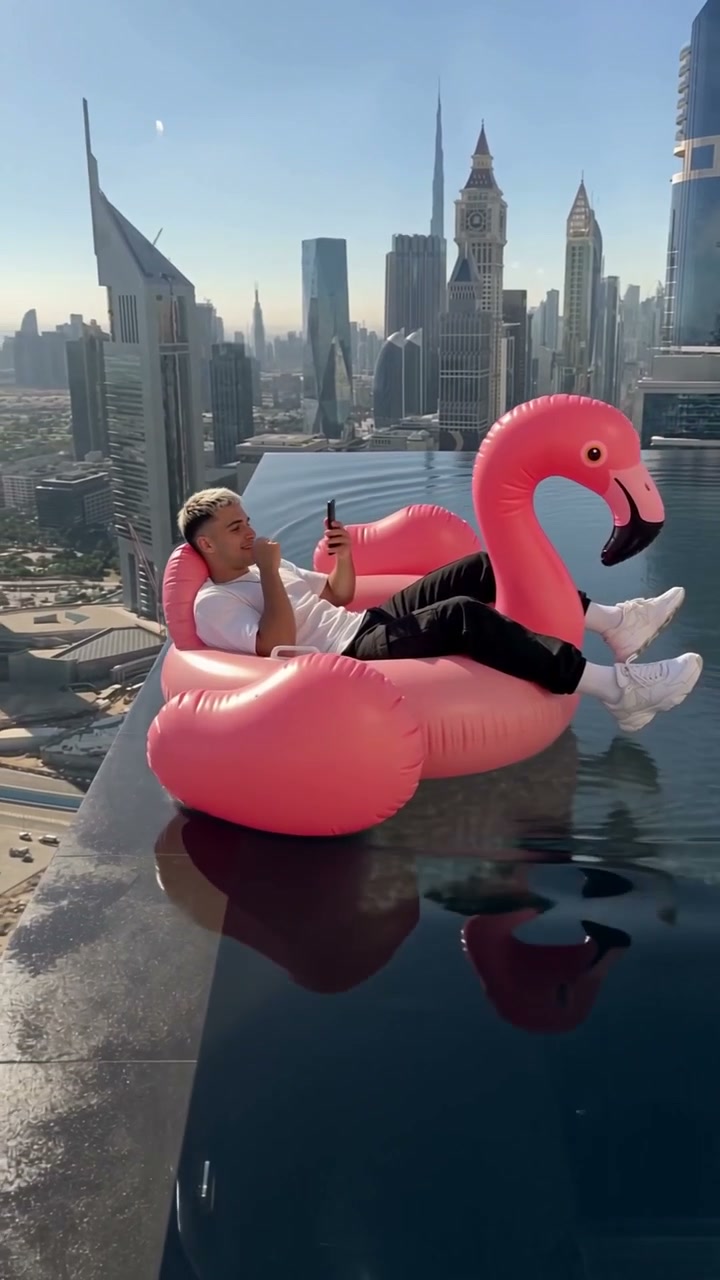
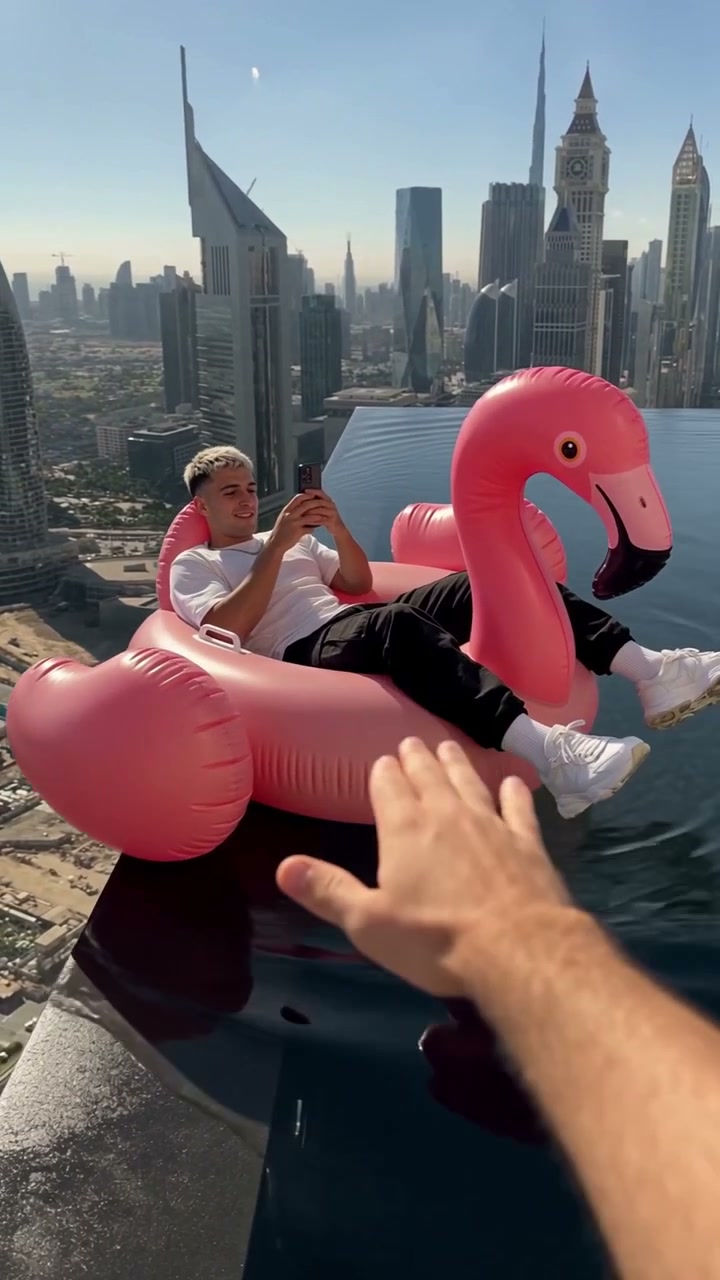
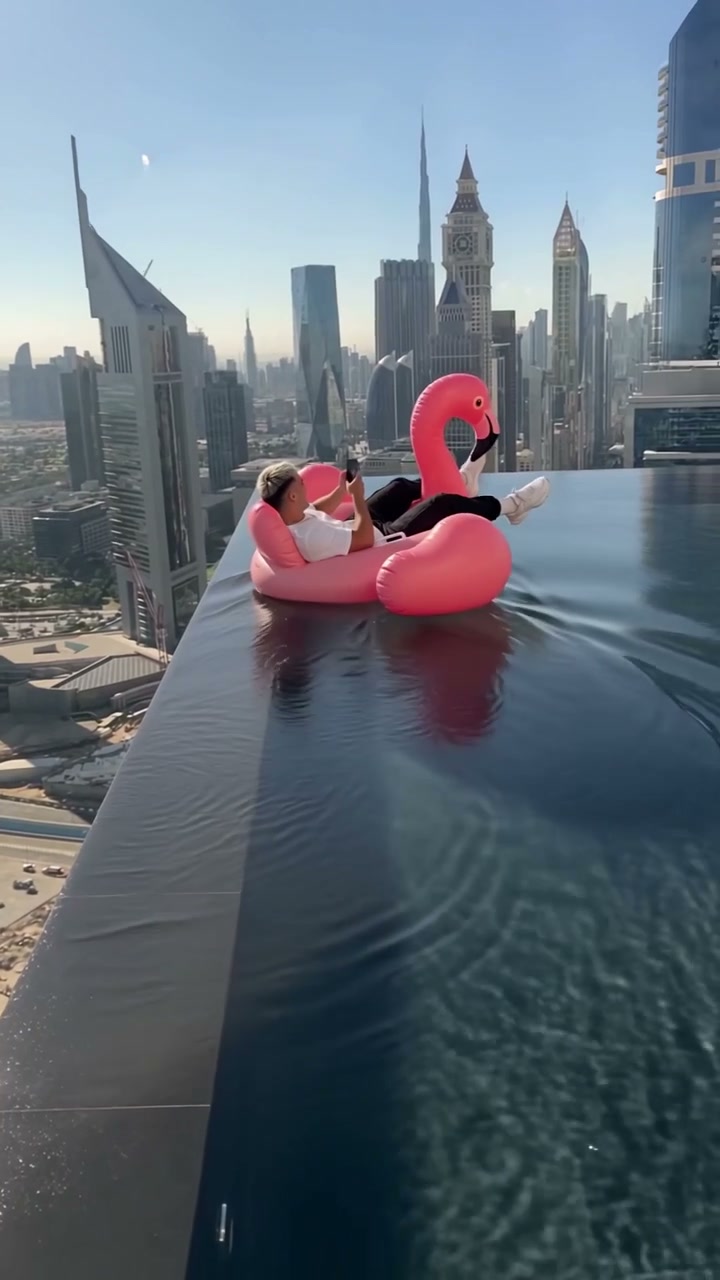
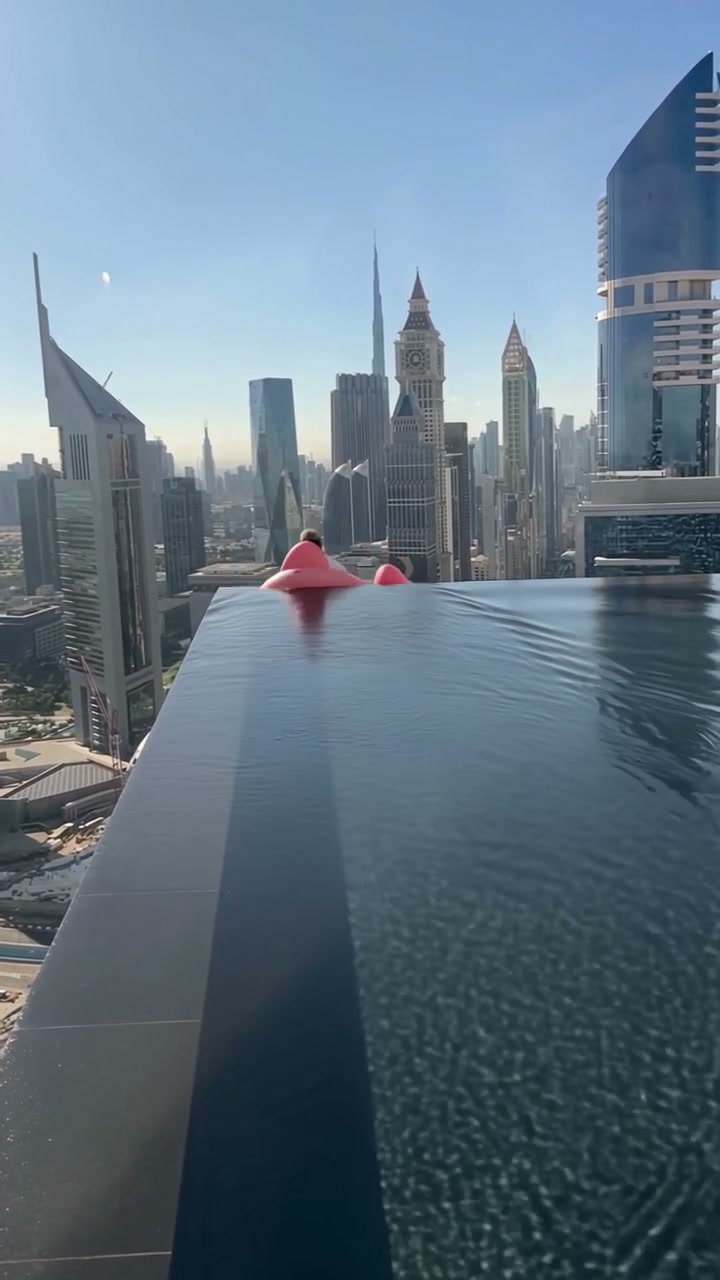
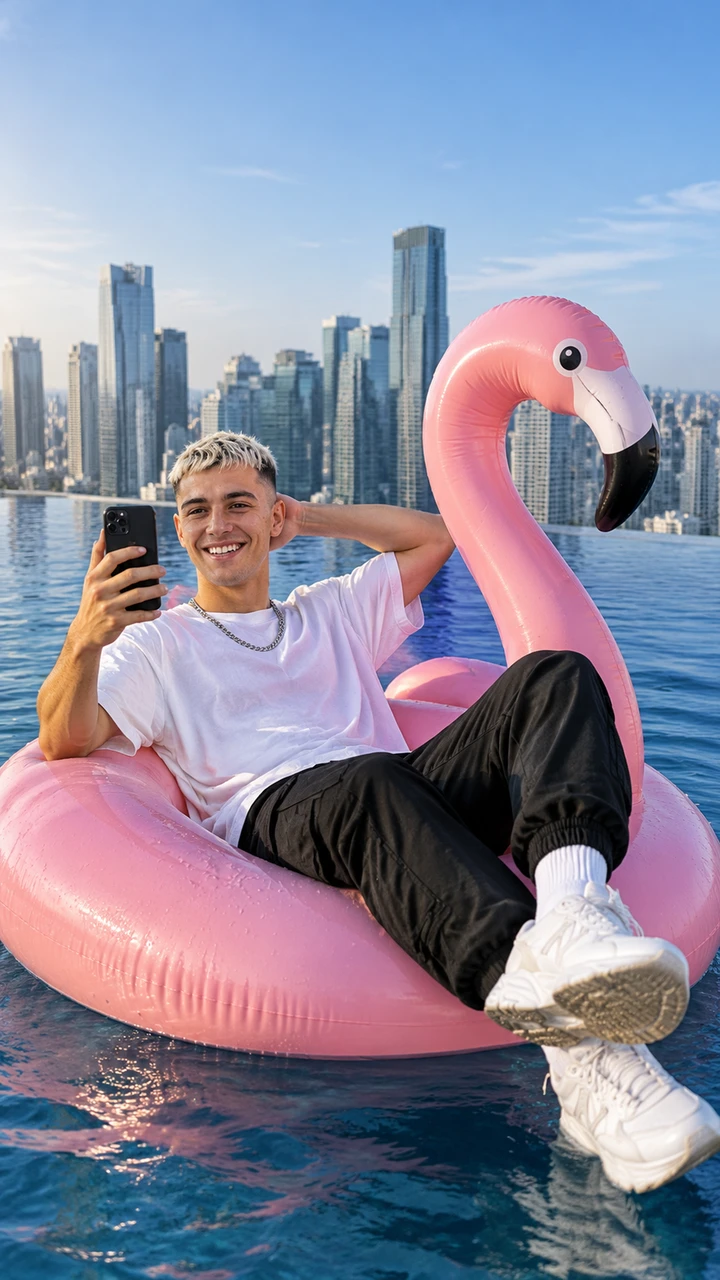
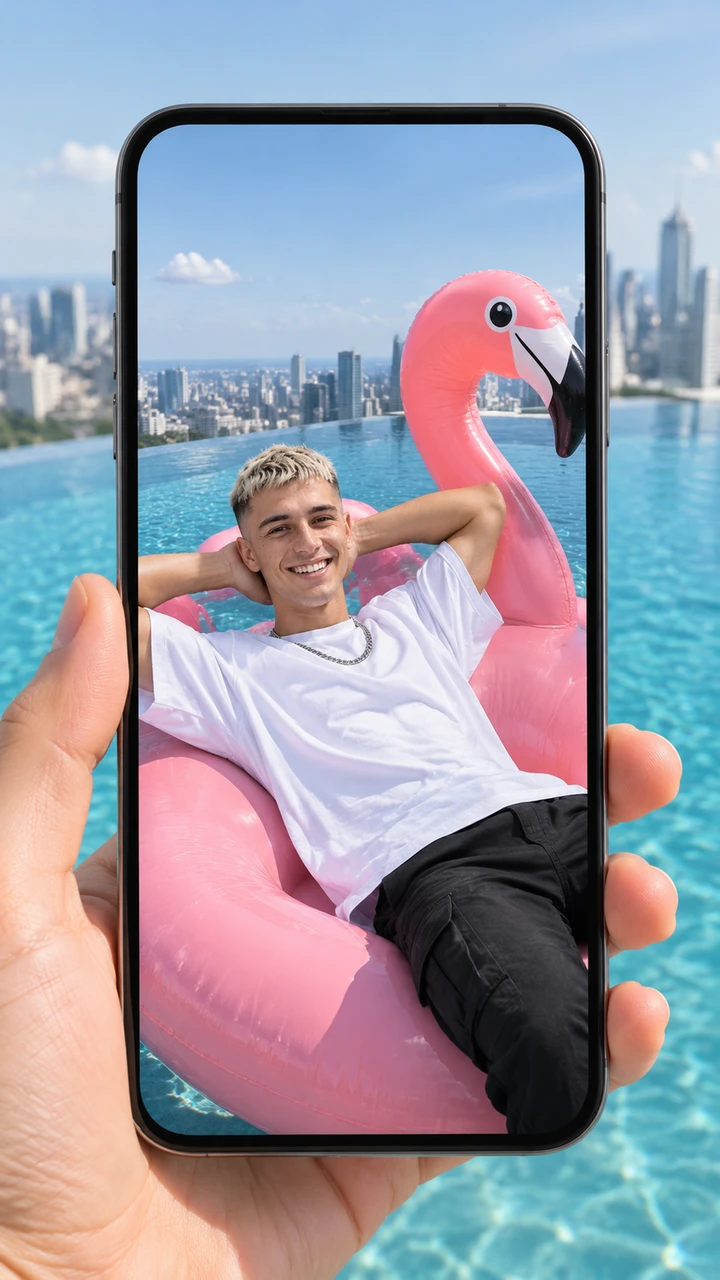
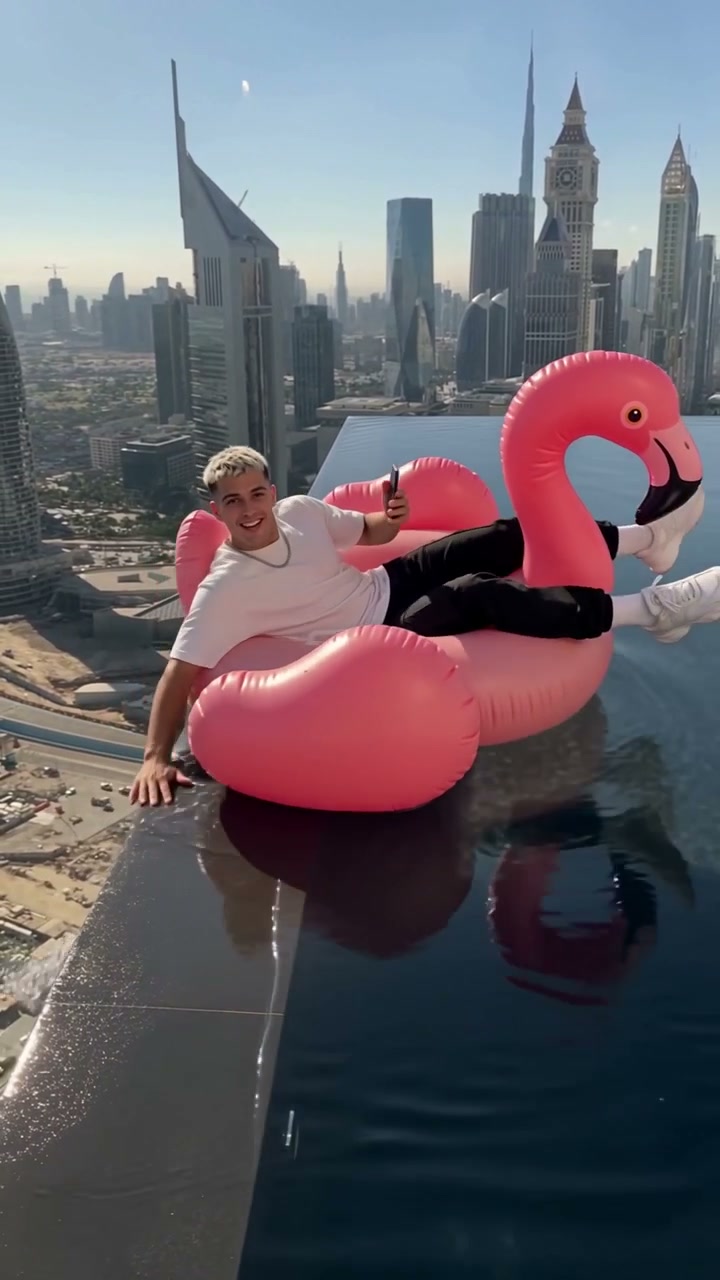
Seadanse Flamingo Float AI puts you on the big pink flamingo float in your own clothes with your phone in hand in a rooftop infinity pool high above a city skyline: a hand from behind the camera pushes the float, you slide to the edge, grab it laughing into the camera, and drift away until the float tips forward over the far infinity edge as the video ends. One photo makes a 12-second vertical 9:16 video for TikTok and Reels with the trend's sound laid under. Pick 720p or 1080p, and pay $9.90 for one 720p video with no account needed.

Flamingo Float AIThis effect is built into the page and cannot be removed.
12s · 9:16

A person 18 or older, a cartoon or game character, or a pet, with the face clear and in good light.

No account needed: pay once and your video starts right here.

What Is the Flamingo Float AI Trend?

The Flamingo Float AI trend is one handheld shot in a rooftop infinity pool high above a city skyline where someone lying back on a big pink flamingo float with their phone gets a push from a hand behind the camera, grabs the edge laughing into the camera, lets go and drifts toward the far edge until the float tips over it. The laugh is the push, the thank-you and the float heading straight for the other edge. People also call it the infinity pool flamingo trend and the Hey Bro Thank You Bro trend.

Younes Zarou posted the original clip on TikTok on November 2, 2026, captioned "Thank you bro". By November 5, 2026 it had more than 24 million views on TikTok, and the same clip had more than 3 million likes on Instagram. Within a day, CapCut templates named "Thank you bro" and "infinity pool trend" turned one photo into the scene, and copies of the same shot with someone else on the float followed, one of them with 2 million views.

You lie back on the big pink flamingo float with your phone up, drifting across the pool toward the camera. A hand from behind the camera pushes the float, as the sound says "Hey bro, bro, bro". You slide to the edge, grab it and laugh into the camera, as the sound says "Hey, thank you, thank you". You let go and drift away down the pool toward the far infinity edge. The float tips forward over the far infinity edge as the video ends.

The original post's TikTok sound is "Under the Sea - Instrumental" by London Music Works, with the two spoken lines on top. The top comment on the original post, "hey brooo", has more than 210,000 likes, and viewers joke about the float heading straight for the other edge.

Seadanse builds the trend's own scene, shot and timing into our Flamingo Float AI, with the trend's sound laid under. Add one photo and you are the one on the float, in your own clothes. The photo can be a person, a cartoon or game character, or a pet. You get a 12-second vertical 9:16 video for TikTok and Reels in 720p or 1080p. One $9.90 credit pack makes one 720p video, with no account needed.

Key Features of Flamingo Float AI

The Full Flamingo Float Scene Built In

Get the complete rooftop infinity pool high above a city skyline on the big pink flamingo float. Our Flamingo Float AI delivers the push from behind the camera, the grab at the edge, the drift and the tip over the far edge in a 12-second vertical 9:16 video with the trend's sound laid under, with no CapCut, no template, no prompt, no app and no editing.

The Full Flamingo Float Scene Built In
Float in Your Own Clothes With Phone in Hand

Float in Your Own Clothes With Phone in Hand

Lie back on the big pink flamingo float in whatever you wear in your photo, holding your phone just like in the original clip. Our Flamingo Float AI keeps your outfit in place as you slide across the dark water.

Put Yourself, a Friend, a Character or a Pet on the Float

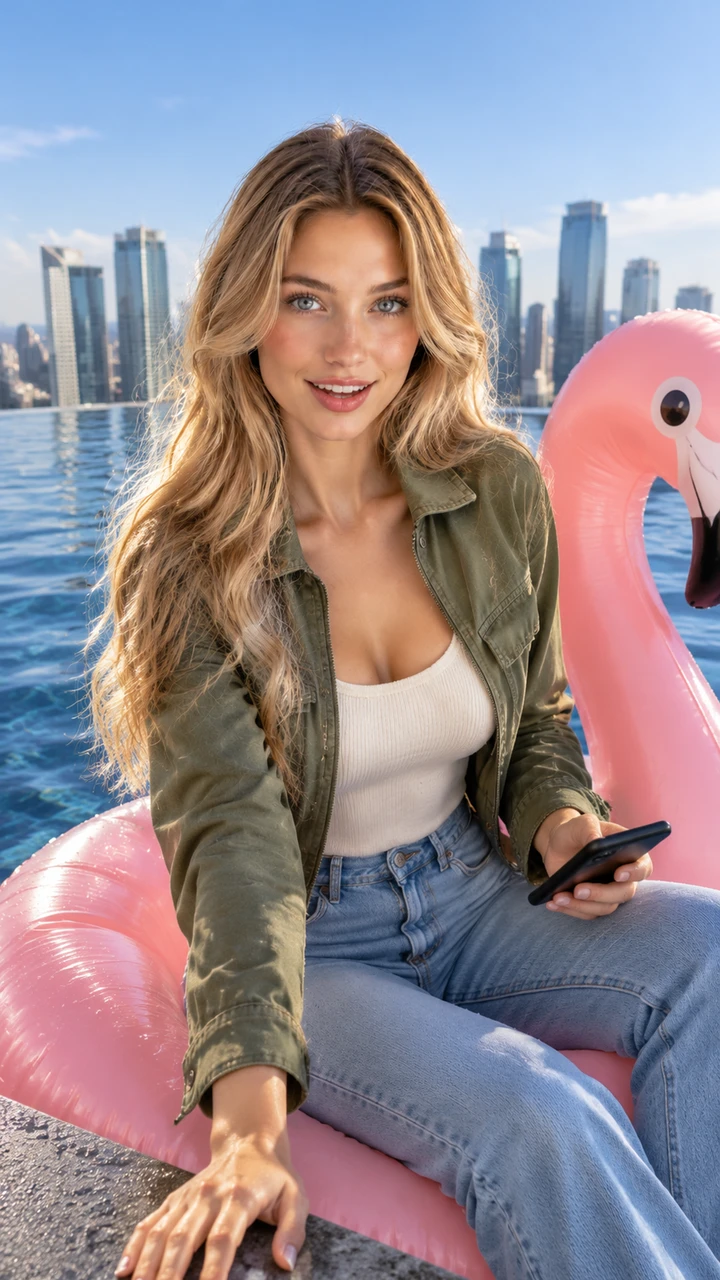
Add one photo of yourself, an adult friend with their say, a dog, a cat, a cartoon character or a game character. Our Flamingo Float AI places whoever you pick right on the float for the whole ride.

Put Yourself, a Friend, a Character or a Pet on the Float
Make a 720p Video for $9.90 With No Account

Make a 720p Video for $9.90 With No Account

One $9.90 pack of 500 credits makes one 12-second 720p video, and 1080p uses 1,480 credits. The price shows on the Create button before you pay, so you start our Flamingo Float AI right in your browser with no account needed.

Join the Infinity Pool Flamingo Trend on Your Feed

TikTok & Reels Creators

Post Your Own Trend Clip

Bring one selfie to share your own clip while the sound is everywhere. You get yourself on the big pink flamingo float, pushed from behind, grabbing the edge and drifting toward the far infinity edge with the trend's sound laid under.

Friends & Group Chats

Surprise Your Group Chat

Bring a friend's photo, with their say, for a birthday post or an easy laugh with friends. You get that friend on the float, laughing into the camera before drifting away down the water.

Feed Curators

Show Off a Rooftop Morning

Bring a photo in the outfit you love best. You get yourself lying back on the big pink flamingo float with your phone, in your own clothes, high above the city skyline.

Pet Owners & Fans

Put Pets and Characters on the Float

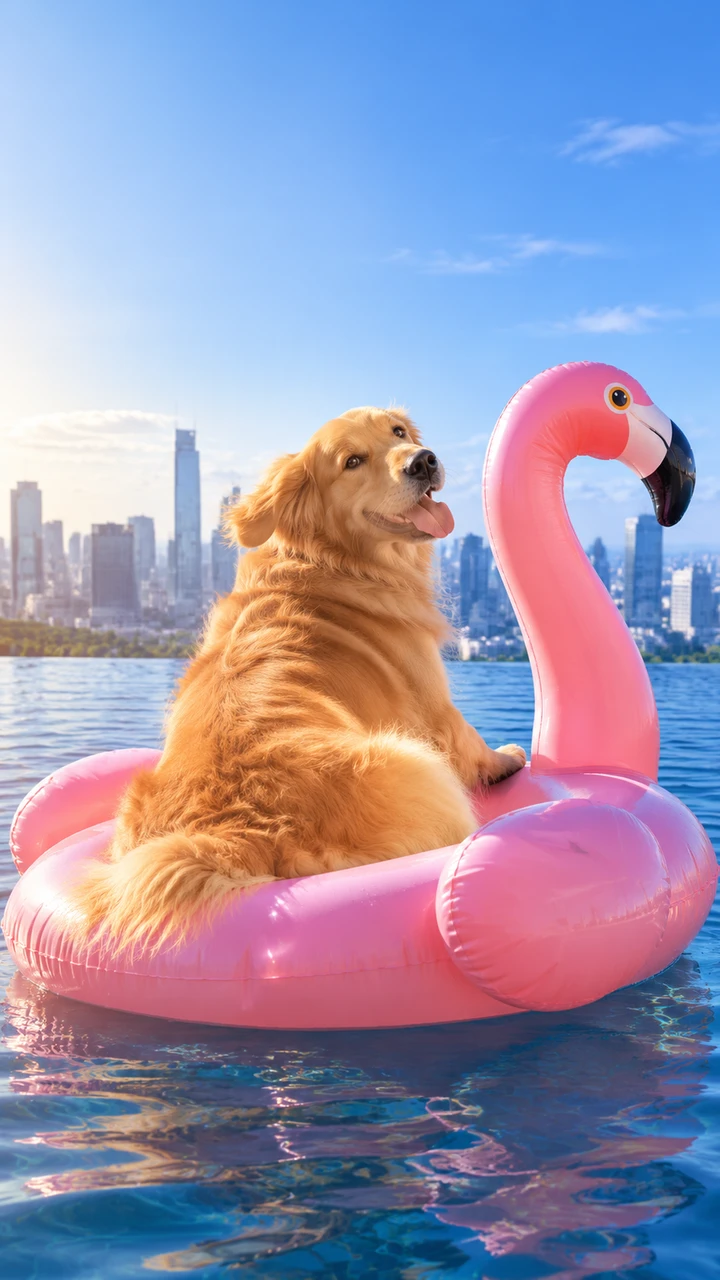
Bring one photo of your dog, cat, cartoon character or game character. You get them riding the float, getting pushed to the edge, and drifting off across the pool.

How Our Flamingo Float AI Works

Step 1

Add Your Photo

Add one photo of a person, a cartoon or game character, or a pet, and tick the box to confirm you have the right to use the photo and that any person in it is 18 or older.

Step 2

Choose Your Resolution

Pick 720p or 1080p and see the price on the Create button.

Step 3

Download Your Video

Press Create, pay once with no account, and download your 12-second vertical video with the trend's sound.

Make One Flamingo Float AI Video for $9.90

A $9.90 pack gives you 500 credits to make one 12-second Flamingo Float AI video in 720p with no account, 1080p uses 1,480 credits, and a render that fails returns its credits automatically. You pay once with no subscription, credits stay valid for 12 months, and the Seadanse pricing page lists every credit pack.

Flamingo Float AI FAQ

How do I make a Flamingo Float AI video of myself?

Follow three quick steps. Add one photo of a person, a cartoon or game character, or a pet, and tick the box to confirm you have the right to use the photo and that any person in it is 18 or older. Pick 720p or 1080p and see your price right on the Create button. Then press Create, pay once with no account, and download your 12-second vertical Flamingo Float AI video with no prompt, no template, no app and no editing.

What is the Flamingo Float AI trend?

It is a viral video trend set in one handheld shot in a rooftop infinity pool high above a city skyline. Someone lies back on a big pink flamingo float with their phone, gets a push from behind the camera, grabs the pool edge laughing into the camera, lets go and drifts toward the far edge until the float tips over it. People also call it the infinity pool flamingo trend and the Hey Bro Thank You Bro trend. Our Flamingo Float AI makes this scene from your photo.

Where did the flamingo float trend come from?

Younes Zarou posted the original clip on TikTok on November 2, 2026, captioned "Thank you bro". By November 5, 2026, it had more than 24 million views on TikTok and more than 3 million likes on Instagram. Within a day, CapCut templates named "Thank you bro" and "infinity pool trend" turned one photo into the scene, and copies of the same shot with someone else on the float followed, one of them with 2 million views.

What happens in my Flamingo Float AI video?

Your video runs for 12 seconds in one continuous shot. You lie back on the big pink flamingo float with your phone up, drifting toward the camera. A hand reaches in from behind the camera and pushes the float to "Hey bro, bro, bro". You slide to the edge, grab it and laugh into the camera to "Hey, thank you, thank you". Then you let go and drift away down the pool until the float tips forward over the far infinity edge as the video ends, with the trend's sound laid under.

What song is in the flamingo float trend, and what is "hey bro, thank you"?

The trend's sound uses "Under the Sea - Instrumental" by London Music Works, with the two spoken lines "Hey bro, bro, bro" and "Hey, thank you, thank you" on top. Every video from our Flamingo Float AI comes with the trend's sound laid under, both spoken lines included.

How many photos do I need?

One photo is all it takes. The one in your photo rides the float. A clear face in good light works best.

Will I be wearing my own clothes?

Yes. You lie back on the float in whatever you wear in your photo, with a phone in your hand, as in the original clip.

Can I put my friend, my dog or a cartoon character on the float?

Yes. Your photo can show a person, a cartoon or game character, or a pet, such as a dog or a cat. Always use a friend's photo with their say.

Does the float go over the edge at the end?

Yes. After the grab at the edge, you let go and drift away down the pool, and the float tips forward over the far infinity edge as the video ends, as in the original clip.

How long is the video, and will it fit TikTok and Reels?

Every video runs for 12 seconds in vertical 9:16, made for TikTok and Reels. You choose 720p or 1080p, and your download comes with the trend's sound laid under.

Is there a free Flamingo Float AI generator? How much does it cost?

One $9.90 credit pack of 500 credits makes one 12-second 720p video, while a 1080p video uses 1,480 credits. You pay once with no account and no subscription, and your credits stay valid for 12 months. Sign-up is free with no card and adds 40 starter credits. The price shows on the Create button before you pay, and a render that fails returns its credits automatically. The pricing page lists every credit pack.

Do I need a CapCut template, an app or a prompt?

No. You need no CapCut template, no app and no prompt. The rooftop infinity pool, the big pink flamingo float, the push, the grab, the drift and the trend's sound are all built into our Flamingo Float AI. It runs in your web browser on a phone, tablet or computer, and your video starts right on this page with no account.

What other trend videos can I make on Seadanse?

AI Basketball Dunk turns one photo into a 15-second video where, in your own clothes, you catch the ball at centre court of a packed NBA-style arena, drive the length of the floor, throw down a one-hand dunk and shout into the camera. Window Dance AI turns one photo into a 10-second video where you dance at your lit window next to the party speaker, freeze with a stare into the camera and pull the curtains shut. 58th Floor AI turns two photos into a 15-second video of the two of you at one hanging mic in a teal studio.

Are my photos private?

Yes. Seadanse runs no facial recognition on the photos you upload and collects no biometric data. It never sells personal information. Your photos and videos stay in your account until you delete them.

Guides for Flamingo Float AI

Articles written for this model: how to prompt it, where it runs and what its limits are.

All articles

Make Your Flamingo Float AI Video Today

Lie back on the big pink flamingo float, take the push, grab the edge laughing into the camera, and drift toward the far edge in your 12-second vertical video for TikTok and Reels with the trend's sound, at 720p for $9.90 with no subscription and no account.