Tiny Desk AI is liveTry it
Video effect

Santa Caught on Camera AI for TikTok and Reels

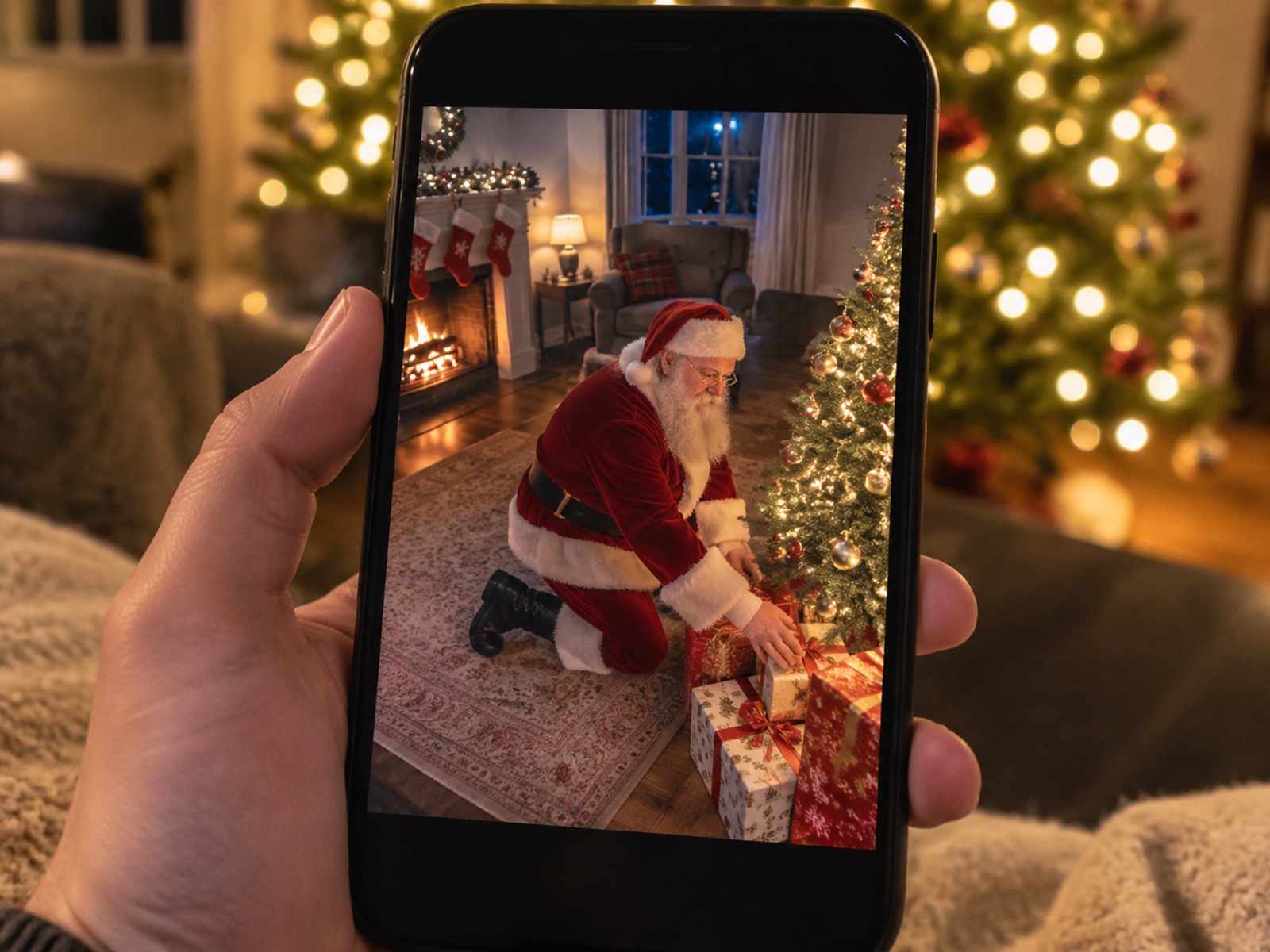
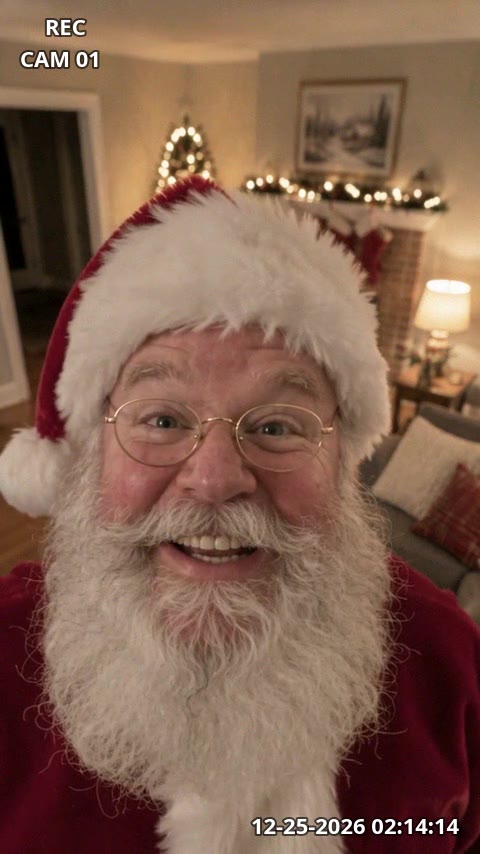
Seadanse Santa caught on camera shows your own room on your own security camera as Santa tiptoes in with his sack, leaves presents under your tree, looks into the lens and says your child's name. Add one photo of your living room or your front door to get a 10-second video with sound, REC, CAM 01 and a time stamp on screen, ready for TikTok and Reels. Pick 480p, 720p or 1080p; $9.90 makes one 720p video with no account needed.

Santa Caught on Camera AIThis effect is built into the page and cannot be removed.
10s

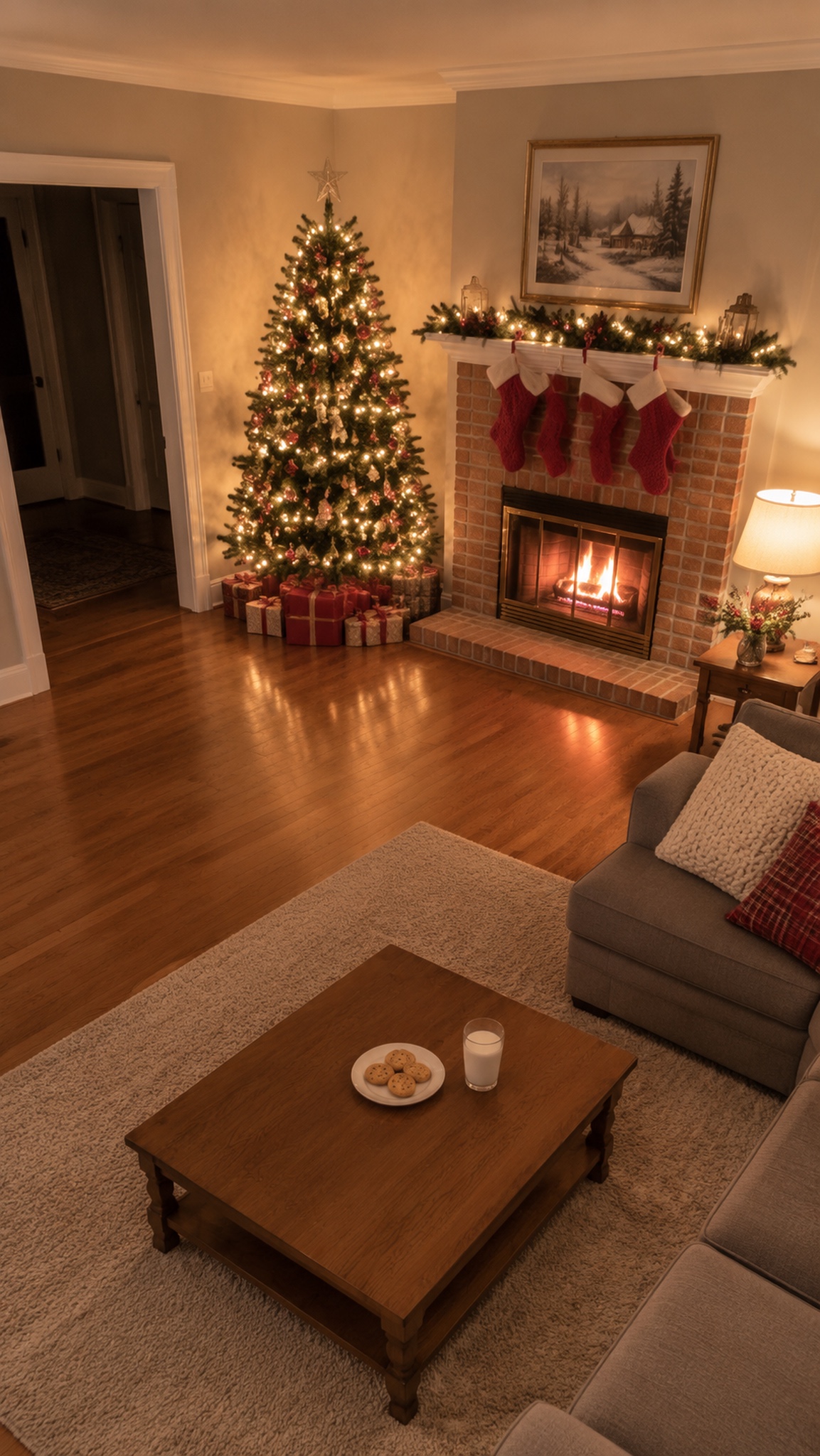
A photo of your living room or your front door. For the living room, best at night with the tree lights on, wide, with the floor showing. A portrait photo makes a vertical video for TikTok and Reels.

Optional. Leave it empty and Santa greets the whole family.

No account needed: pay once and your video starts right here.

What Is Santa Caught on Camera?

Santa caught on camera is a video that shows your own room on your own security camera, Santa tiptoeing in, the presents, and Santa looking into the lens and saying your child's name. Parents search to catch Santa on camera, set up a Santa cam, or find Santa on Ring camera clips to create holiday magic on Christmas morning.

Home security and doorbell cameras made these clips a Christmas tradition. Viewers watch YouTube compilations such as "50 Times Santa Claus Has Been CAUGHT On Camera! IN REAL LIFE!" every December. Kids make plans to catch him too: in 2026, a dad on Reddit wrote that his 8-year-old's Christmas plan is to catch Santa on a security camera pointed at the tree. In the US, about 9,900 people search for Santa caught on camera each December, and as many search for catch Santa on camera. Parents now make the clip from one photo of their own room.

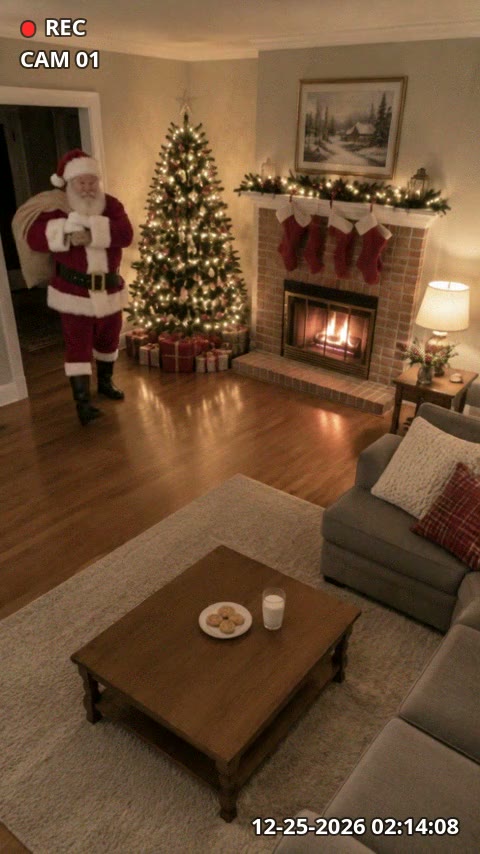
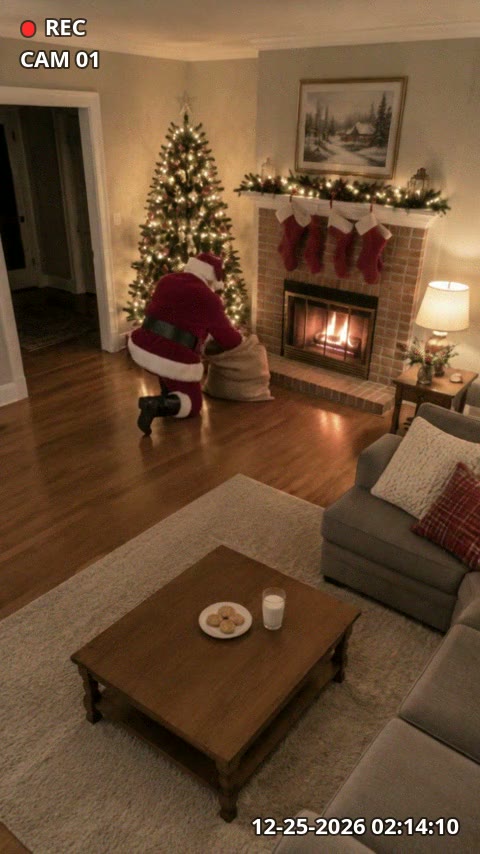
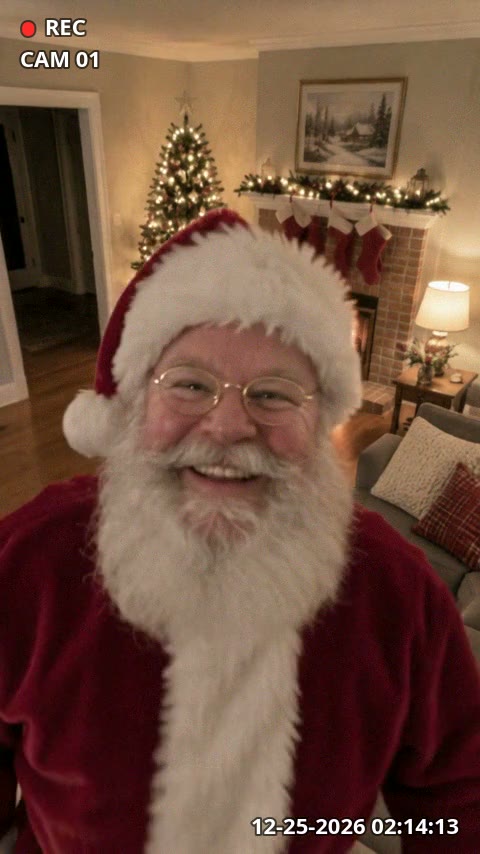
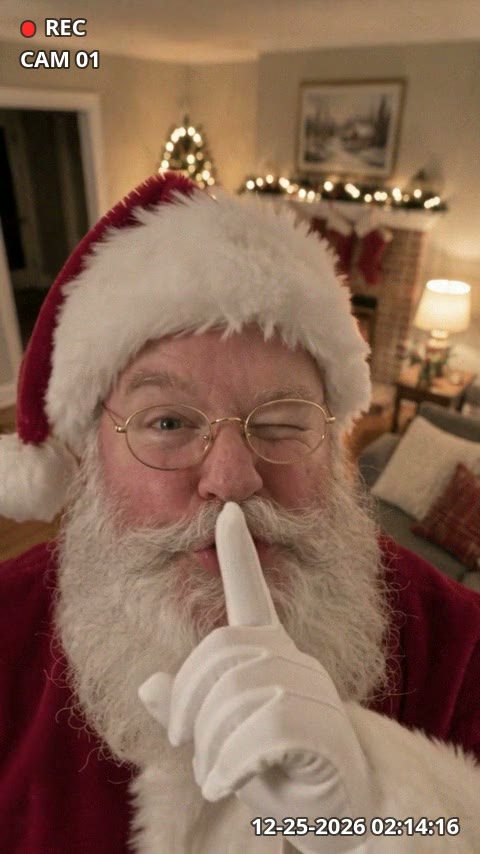
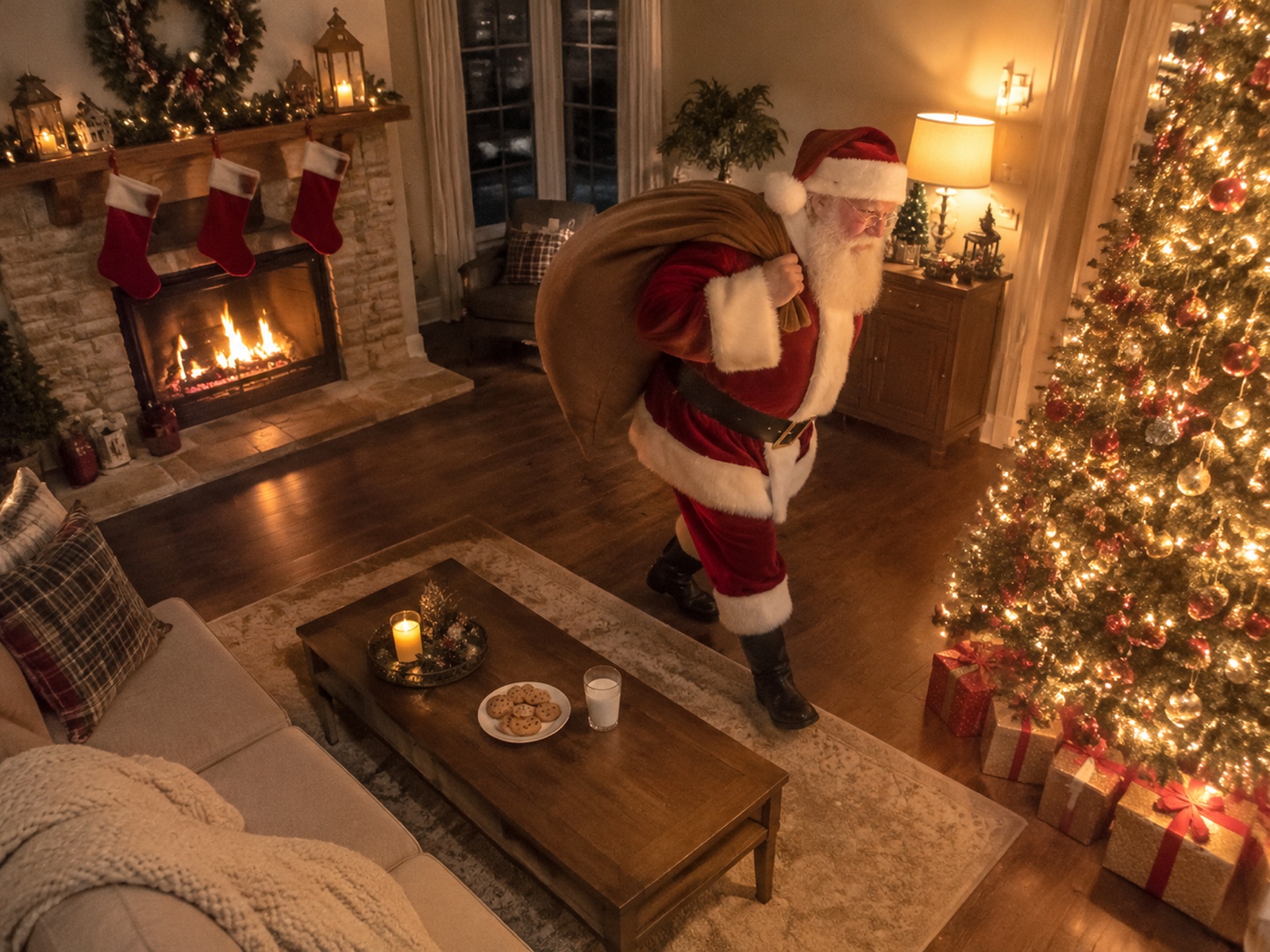
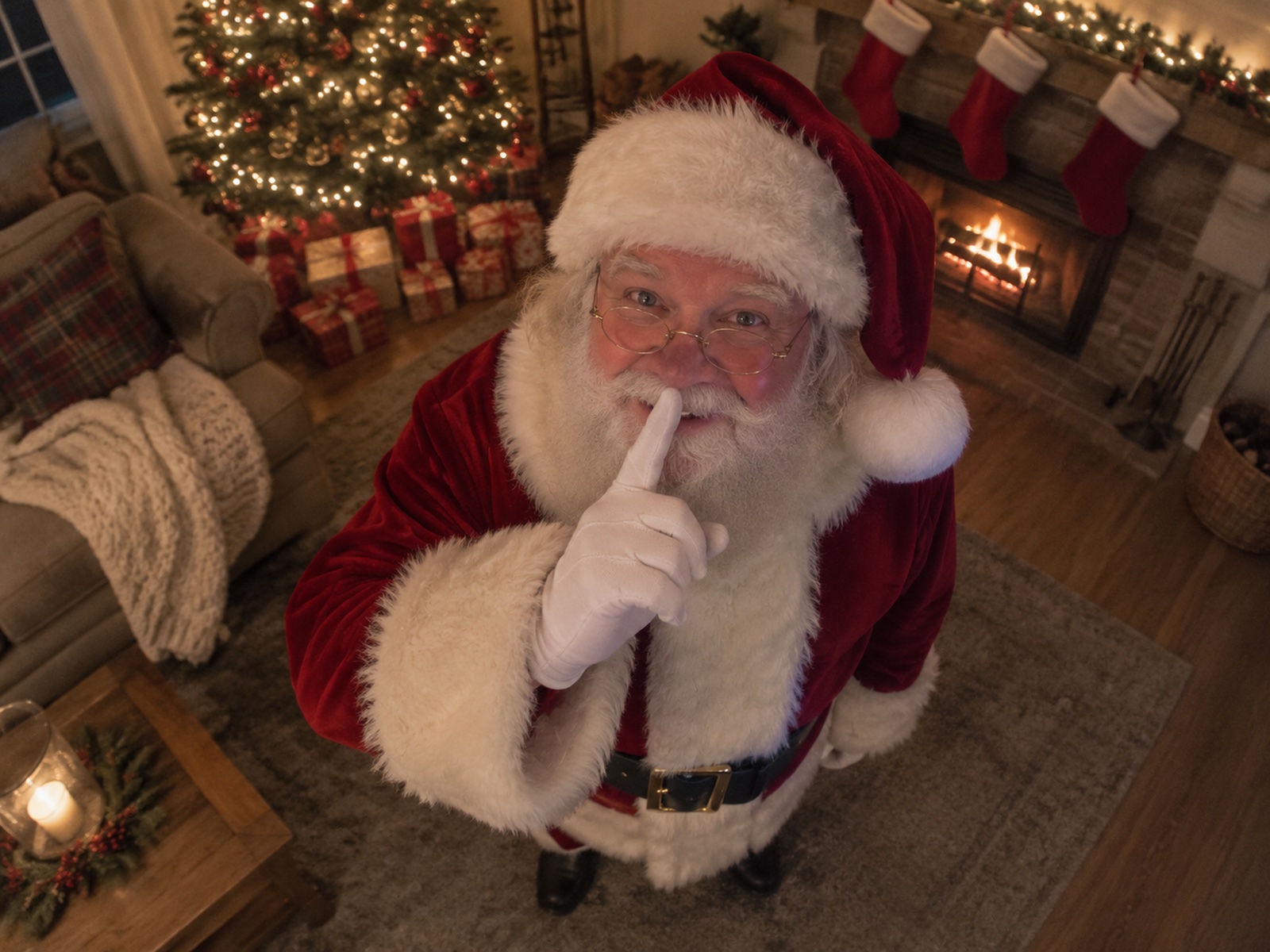
The 10-second scene shows your room on the camera, and the camera never moves. Santa tiptoes in with his sack, leaves presents under your tree, notices the camera, looks into the lens, and says your child's name. Then he puts a finger to his lips, winks, and leaves the new presents behind under the tree.

Every clip comes with sound made with your video. You hear the quiet room, the creak of boots, the rustle of the sack and wrapping paper, a soft chuckle, Santa's voice, and faint sleigh bells far away at the end, with no music. The screen shows REC with a red dot, CAM 01, and a ticking time stamp, and the front door scene shows FRONT DOOR.

Seadanse builds this visit into our Santa Caught on Camera AI from one photo of your living room or your front door. Type your child's name if you want, get 10 seconds with sound, and use a portrait photo to make a vertical video for TikTok and Reels. Choose 480p, 720p or 1080p; the $9.90 pack buys 500 credits to make one 720p video, with no account needed.

Key Features of Santa Caught on Camera AI

Your Real Room on a Security Screen

Turn your photo into an authentic security camera view where your furniture and tree stay untouched. Our Santa caught on camera effect adds only Santa, his sack and three wrapped presents, complete with REC, CAM 01 and a ticking time stamp.

Your Real Room on a Security Screen
Santa Speaks Your Child's Name

Santa Speaks Your Child's Name

Type your child's name so Santa looks straight into the lens and says "Merry Christmas, Lily! I know you've been very good this year." If you leave the field empty, our Santa caught on camera video has him say "Ho ho ho! Merry Christmas! I know you've all been very good this year." instead.

Living Room and Front Door Scenes

Choose Living room to watch Santa place presents under your tree, or pick Front door for a view with FRONT DOOR on screen. Our Santa caught on camera tool keeps your photo's exact shape so your clip is ready for TikTok and Reels.

Living Room and Front Door Scenes
Clear 10-Second Video with Sound for $9.90

Clear 10-Second Video with Sound for $9.90

Hear quiet footsteps, rustling paper, Santa's voice and faint sleigh bells far away. Spend $9.90 for 500 credits to make one 720p clip with no account, use 375 credits for 480p or 1,480 for 1080p, and our Santa caught on camera tool returns credits automatically if a video fails.

Catch Santa on Camera for Every Christmas Moment

Parents

Show Real Christmas Morning Proof

Add a photo of your living room with the tree lit and type your child's name. You get a video of Santa setting presents under your tree, looking into the camera, and saying their name to amaze your kids on Christmas morning.

Social Creators

Post a Festive Holiday Video

Add a portrait photo of your decorated room to get a vertical 10-second video with sound and CAM 01 on screen. Post a crisp Santa caught on camera clip that stands out on TikTok and Reels.

Families

Brighten the Family Group Chat

Add a photo of your room and type your child's name to share with grandparents. Make one video for each child so Santa looks straight into the camera and greets each one by name.

Homeowners

Spot Santa at Your Door

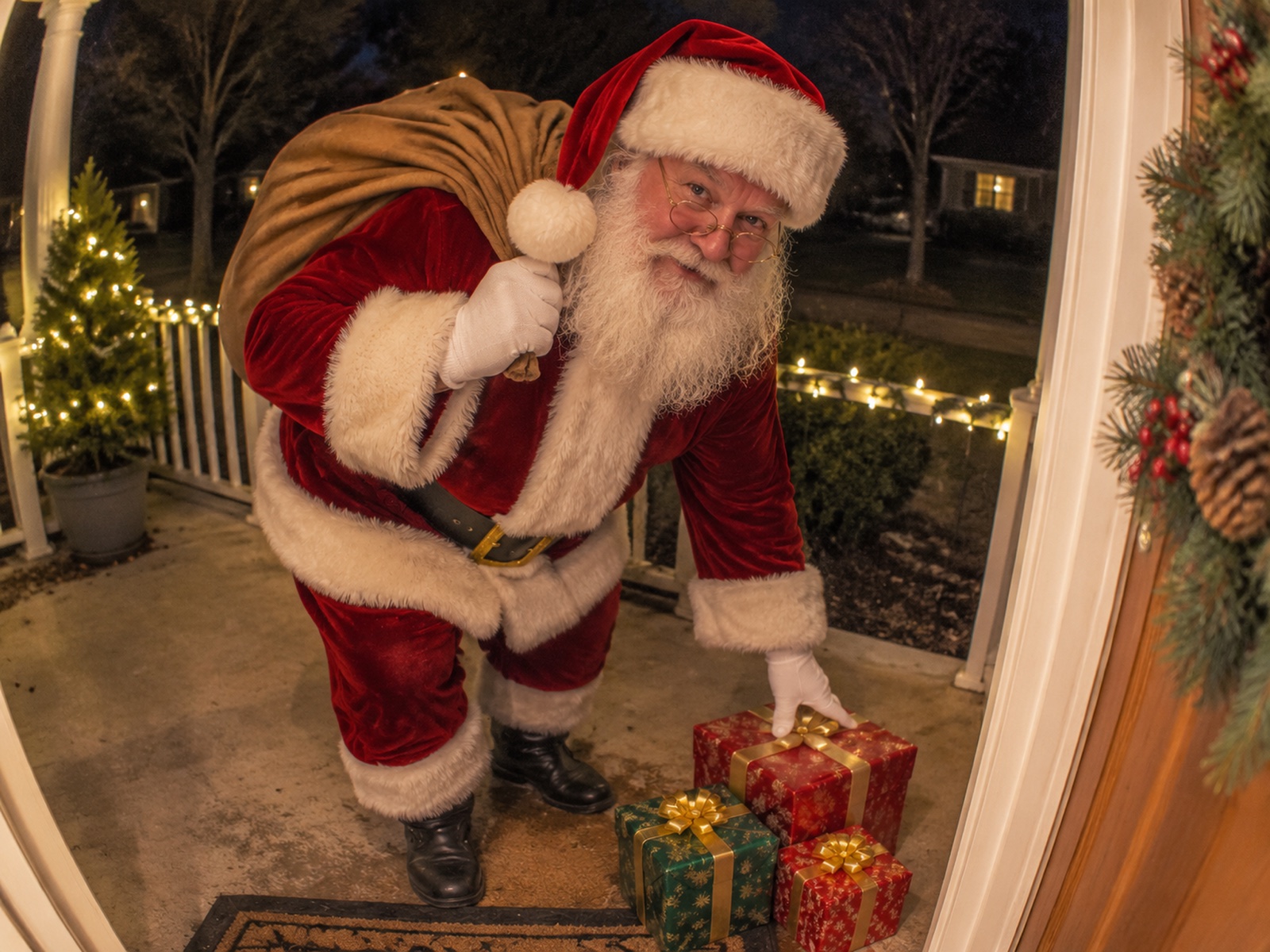
Add a photo of your front door and select the Front door scene. You get a video with FRONT DOOR on screen as Santa walks up with his sack, leaves presents, and winks into the lens.

How to Make a Santa Caught on Camera Video

Step 1

Add Your Scene and Photo

Pick Living room or Front door, add your photo, type your child's name if you want, and tick the box to confirm the photo is yours or you have the right to use it.

Step 2

Choose Your Resolution

Pick 480p, 720p or 1080p and see the price on the Create button.

Step 3

Download Your Video

Press Create, pay $9.90 with no account, and watch and download your 10-second video with sound.

Make a Santa Caught on Camera Video for $9.90

The Create button shows Create · $9.90 and buys a 500-credit pack, which makes one 10-second 720p video with no account needed. A 480p video uses 375 credits, a 1080p video uses 1,480 credits, and a video that fails returns its credits automatically. The Seadanse pricing page lists the credit packs.

Santa Caught on Camera AI FAQ

How do I catch Santa on camera?

Follow three simple steps on this page. Pick Living room or Front door, add one photo of your living room or front door, type your child's name if you want and tick the box. Next, pick 480p, 720p or 1080p and check the price on the Create button. Press Create, pay $9.90 with no account, and download your 10-second video with no filming, no Santa suit, no editing and no prompt.

What is a Santa caught on camera video?

It is a short clip that looks like your home security or doorbell camera recorded Santa in your home on Christmas night. People also search for catch Santa on camera and Santa cam. YouTube compilations such as "50 Times Santa Claus Has Been CAUGHT On Camera! IN REAL LIFE!" collect these clips, kids plan to catch Santa on a security camera, and about 9,900 people in the US search for Santa caught on camera in December. Our Santa Caught on Camera AI makes this video from a photo of your own room.

What happens in my Santa caught on camera video?

Your 10-second video plays from one fixed camera view of your room. Santa tiptoes in with his sack, sets three wrapped presents under your tree, notices the camera, looks straight into the lens and says the line. Then he puts a finger to his lips and winks, with REC, CAM 01 and a ticking time stamp on screen.

Can Santa say my child's name?

Yes. Type your child's name in the name field, and Santa looks straight into the lens and says "Merry Christmas, Lily! I know you've been very good this year." If you leave the field empty, he says "Ho ho ho! Merry Christmas! I know you've all been very good this year." This gives you a personalized Santa video ready to delight your kids on Christmas morning.

What language does Santa speak?

On this page Santa speaks English. He looks right into the camera and says "Merry Christmas, Lily! I know you've been very good this year." with your child's name in the greeting.

What photo works best?

Use a wide photo of your living room taken at night with the Christmas tree lights on and the floor in view. Take it as a portrait photo so you get a vertical video for TikTok and Reels. The video keeps the shape of your photo, so your room looks completely natural.

Can I get Santa on my Ring camera or front door camera?

Yes. Pick Front door and add a photo of your front door to make a doorbell-camera view with FRONT DOOR on screen. Santa walks up to your entrance with his sack, sets three wrapped presents by the door, leans toward the camera and says the line. You need only your photo, so you can make it without a security camera.

Does the video have sound?

Yes. Sound comes made with your video. You hear the quiet room, the creak of boots, the rustle of the sack and wrapping paper, a soft chuckle, Santa's voice saying the line and faint sleigh bells far away at the end, with no music.

How long is the video, and will it fit TikTok and Reels?

The video runs for 10 seconds. A portrait photo gives you a vertical video made for TikTok and Reels. You can download your video in 480p, 720p or 1080p, complete with realistic room sound.

Will my room change?

No. Your furniture, decorations, tree, lights, walls and floor stay exactly as they appear in your photo. The only things added to the room are Santa, his sack and the presents under your tree.

Is the Santa caught on camera video real?

Our Santa Caught on Camera AI creates the video from your real photo. It places Santa inside your room with realistic movement, camera marks and sound so it looks just like your security camera caught him in the act.

Do I need an app, a security camera or a prompt?

No. One photo of your living room or front door is all you need. The visit, the camera marks and the sound are built into our Santa Caught on Camera AI, and your video generates right on this page with no account needed.

How much does Santa Caught on Camera AI cost?

The Create button shows Create · $9.90. That buys a 500-credit pack, which makes one 10-second 720p video. A 480p video uses 375 credits, while 1080p uses 1,480 credits. You need no account to pay, and a video that fails returns its credits automatically.

Can I make other Christmas and holiday videos on Seadanse?

Yes. Elf Dance AI turns one photo into a 10-second Christmas video where gold sparkles put the elf suit on you and you dance by the lit tree. Goodbye 2026 Welcome 2027 turns one photo into a 10-second New Year video of you on a giant 2027 at sunrise. Closing Door Prank AI turns one photo into a 10-second video with live sound of a countdown, a sprint and a door that slams shut right in front of you.

Guides for Santa Caught on Camera AI

Articles written for this model: how to prompt it, where it runs and what its limits are.

All articles

Get Santa Caught on Camera This Christmas

Use our Santa Caught on Camera AI to turn one photo into a 10-second video with sound for TikTok and Reels, with Santa saying your child's name in 720p for $9.90 and no account needed.