
Best Talk Dirty Dance AI Generators (2026): 8 Tools Compared
The best Talk Dirty dance AI generators: 8 tools compared on the concert stage, sound and price, read on October 21, 2026, to help you pick the right one.
 The Seadanse Team20 min read
The team behind Seadanse. We run the models we write about, and we publish the specs, prices and limits the marketing leaves out.

TL;DR — Seadanse's Talk Dirty Dance AI for TikTok and Reels is the best of the 8 Talk Dirty dance AI generators we compared on October 21, 2026. It puts 1 photo on the real concert stage with the clip's own live sound. You'll get one 15-second 720p video for $9.90, paid once, with no account, and the page goes up to 1080p.
PicLumen and AI Photo Animator also put your photo on the concert stage, with an account and credits first. The two CapCut templates and PixVerse work in phone apps, and Viggle copies the dance from a clip you bring.
Under a CapCut promo post with 94,500 plays, one viewer put the template route in three words: "not free people". That comment points straight to what people run into when they're trying to join this trend.
We opened every tool's own page on October 21, 2026. We wrote down what it makes, how long it runs, what sound comes in the file and how you pay. We've checked the stage setup, the dancer lineup, the pricing models and the apps you'll need to install.
You want your best friend, your dad or your favourite character leading that arena dance break tonight. This list shows what each route gives you before you've spent anything. You'll see which options give you the full concert scene, which ones include the sound, and how much each choice costs.
The Best Talk Dirty Dance AI Generators at a Glance
The 8 Talk Dirty dance AI generators differ on the stage you get, the sound in the file and how you pay. Some tools run right in your web browser. Other options need phone app downloads or separate video uploads.
| Tool | What you get | Length and frame | Sound in the file | How you pay | Best for |
|---|---|---|---|---|---|
| Seadanse Talk Dirty Dance AI | Your photo as the lead in the real concert clip | 15 s, 9:16 | The clip's own live "Talk Dirty" sound | $9.90 for one 720p video, no account | The real stage from one photo |
| PicLumen | Your photo as the lead on the concert stage | 15 s, 9:16 (its sample) | In its sample; "depends on the selected PicLumen workflow" | A PicLumen plan, Lite from US$7.59 a month | PicLumen plan holders |
| AI Photo Animator | A hip hop stage solo in the outfit from your photo | 15 s, 480P | On by default | 300 credits a run; $4.99 trial pack | A first try on a trial pack |
| CapCut "ai dance" template | Your photo as the lead, in the CapCut app | About 10 s, 9:16 | Not listed | No price on the page | People who edit in CapCut |
| CapCut "Ai" template | A wider take, the lead in a row of four | About 14 s, 9:16 | Not listed | No price on the page | The wider take |
| PixVerse | A template you open in the PixVerse app | Not listed | Not listed | Not listed | Phone app users |
| Viggle | Your photo doing the moves of a clip you bring | Your clip's | Not listed | 5 free videos a day; Pro from $7.99 a month | Your own dance clip |
| Jianying and Qwen | Chinese app routes with their own version | 15 s (a Jianying version) | Not listed | Free, says a Bilibili tutorial (Qwen) | Seeing the Chinese versions |
Prices and specs are as each tool's own page showed them on October 21, 2026, and "Not listed" means the page doesn't say.
What to Look for in a Talk Dirty Dance AI Generator
A good Talk Dirty dance AI generator puts your photo on the real concert stage and keeps the clip's live sound. When you pick a generator for this trend, you'll want to check six specific features:
- The real stage: The crew in varsity jackets, the flame columns, the white spotlight and the giant letters on the screen stay. Only the lead changes.
- The sound in the file: The live "Talk Dirty" hook plays from the first second, so you don't add it in TikTok.
- One photo, nothing else: There's no prompt to write, no template link to copy, and no dance clip to find.
- The whole 15 seconds: The video runs from the walk-in to the closing squats between the flames.
- Your own clothes: The outfit in your photo is what you wear on stage.
- The price before you pay: You'll see the full price before paying, you'll pay once, and you don't need an account.
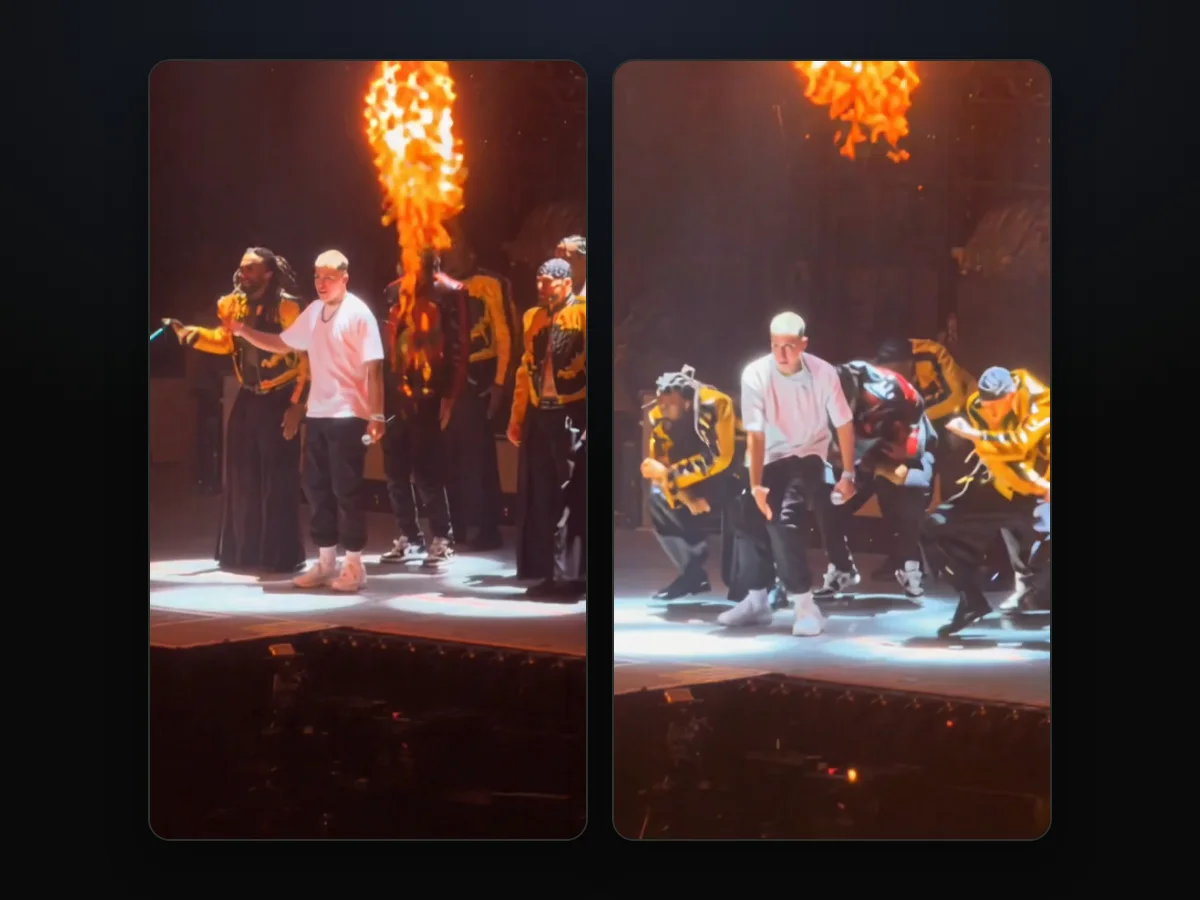
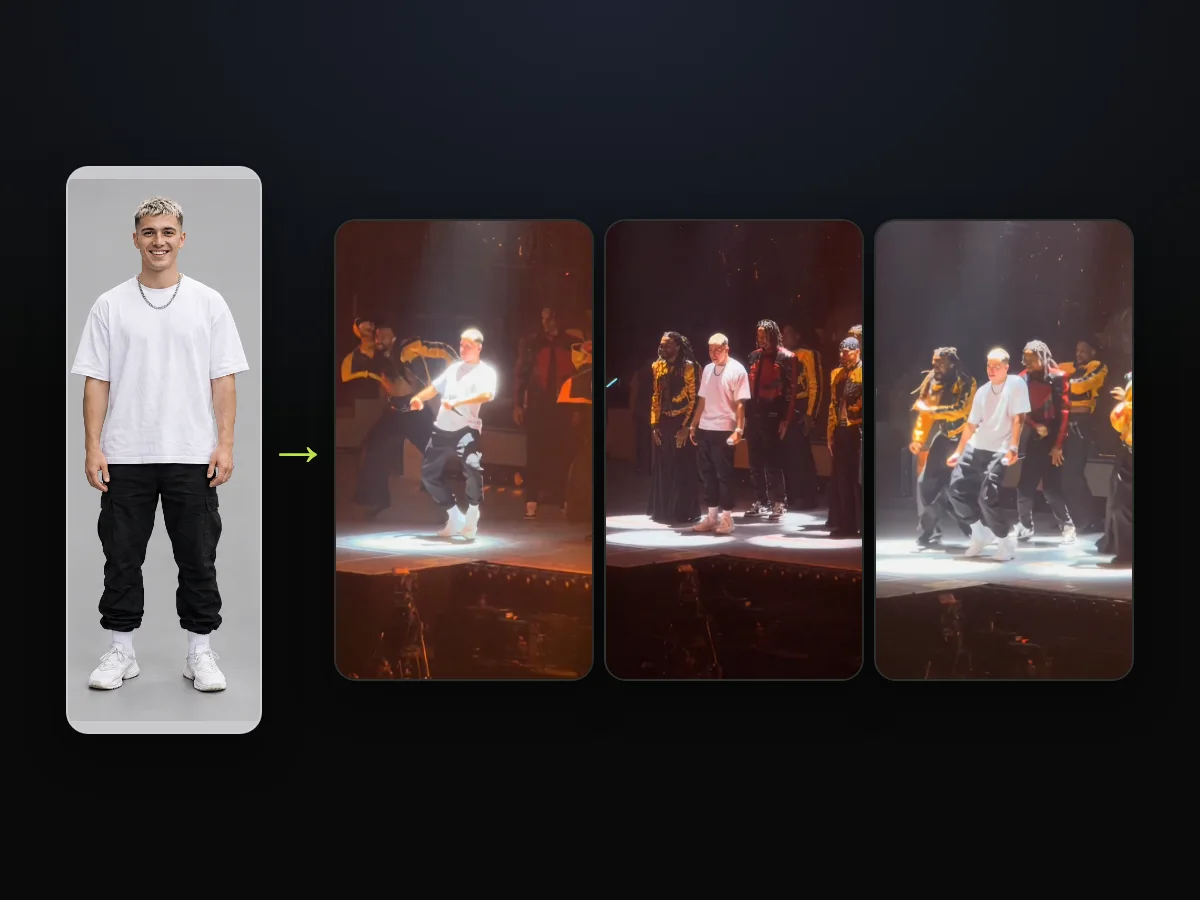
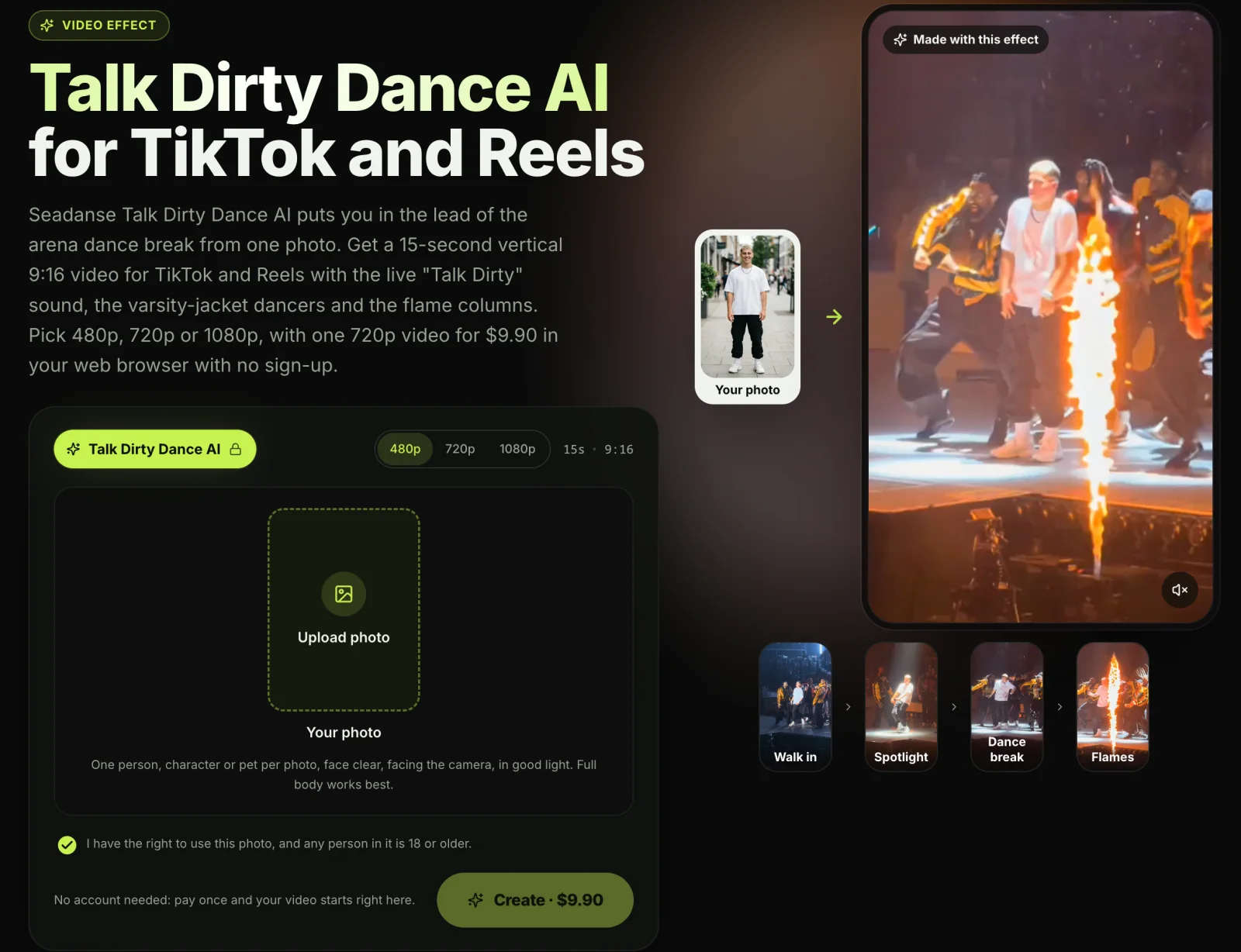
Seadanse's version, the Talk Dirty dance AI effect, covers all six.
1. Seadanse Talk Dirty Dance AI: Best for the Real Concert Stage From One Photo
Seadanse puts your person straight into the viral arena concert clip. You'll keep the full dance crew and the clip's own live sound.
- What you add: You'll add 1 photo of yourself, a friend or family member who's 18 or older, a cartoon or game character, an AI-made character, or your pet.
- What you get: You'll get 1 video where your person leads the dance at the centre of the concert stage for all 15 seconds.
- The lead: Only the lead changes, taking the lead performer's place. The face, hair, body and whole outfit come from your photo, so the person dances in the clothes from the photo. They're the same person from the first frame to the last, while the microphone stays in the lead's hand.
- What stays: The crew of about eight dancers in yellow-and-black and red-and-black varsity jackets with wide black trousers stays. So do the flame columns bursting on the same beats, the white spotlight and the round floor lights. The blue, white and orange stage light and the giant white letters on the screen behind the stage stay too. So does every step, and so do the camera's view and zooms from the crowd.
- The moments: The 15-second clip captures four distinct parts. First comes "Walk in", then "Spotlight" at 2.4 seconds as the lead drops into a deep, wide-legged crouch. Next, "Dance break" brings in the row of dancers, and "Flames" is where the clip ends on deep squats between bursts of flame.
- The sound: The clip's own live sound plays under your video from the first second. It's the live "Talk Dirty" hook as the arena heard it, and it's the same sound the trend's TikTok videos use.
- The video: You'll download a 15-second, vertical 9:16 MP4 with the sound, in 480p, 720p or 1080p, with no watermark on exported video.
- How you pay: You'll check Seadanse pricing directly on the site. One 15-second 720p video costs $9.90 through the $9.90 pack of 500 credits, and a 720p video takes 500 credits.
- The options: The same $9.90 pack covers a 480p video, which takes 375 credits. A 1080p video uses 1,480 credits from the $39.90 pack of 2,500 credits, and the rest of the pack stays in your balance.
- Before you pay: The price shows on the Create button before you've paid anything. Credit packs are a one-time payment with no subscription, and pack credits stay valid for 12 months. The same credits work on every one of Seadanse's AI video effects.
- If a video fails: You'll get its credits back automatically.
- Your photos: Seadanse runs no facial recognition on the photos you upload, collects no biometric data and never sells personal information. Your photos and videos stay in your account until you delete them.
On Seadanse's Talk Dirty Dance AI, you'll add one photo, keep the consent box ticked, pick 480p, 720p or 1080p, and press Create.
We've also written a complete guide on how to make the Talk Dirty dance AI video from one photo of one person, character or pet, with the face clear.
You'll pay once at checkout as a guest, with no account and no subscription, and your video starts right on the page.
The email from checkout brings a link that opens your video on any device. So you can pick it up on your phone or computer whenever you want.
2. PicLumen: Best Talk Dirty Dance Effect Inside a PicLumen Plan
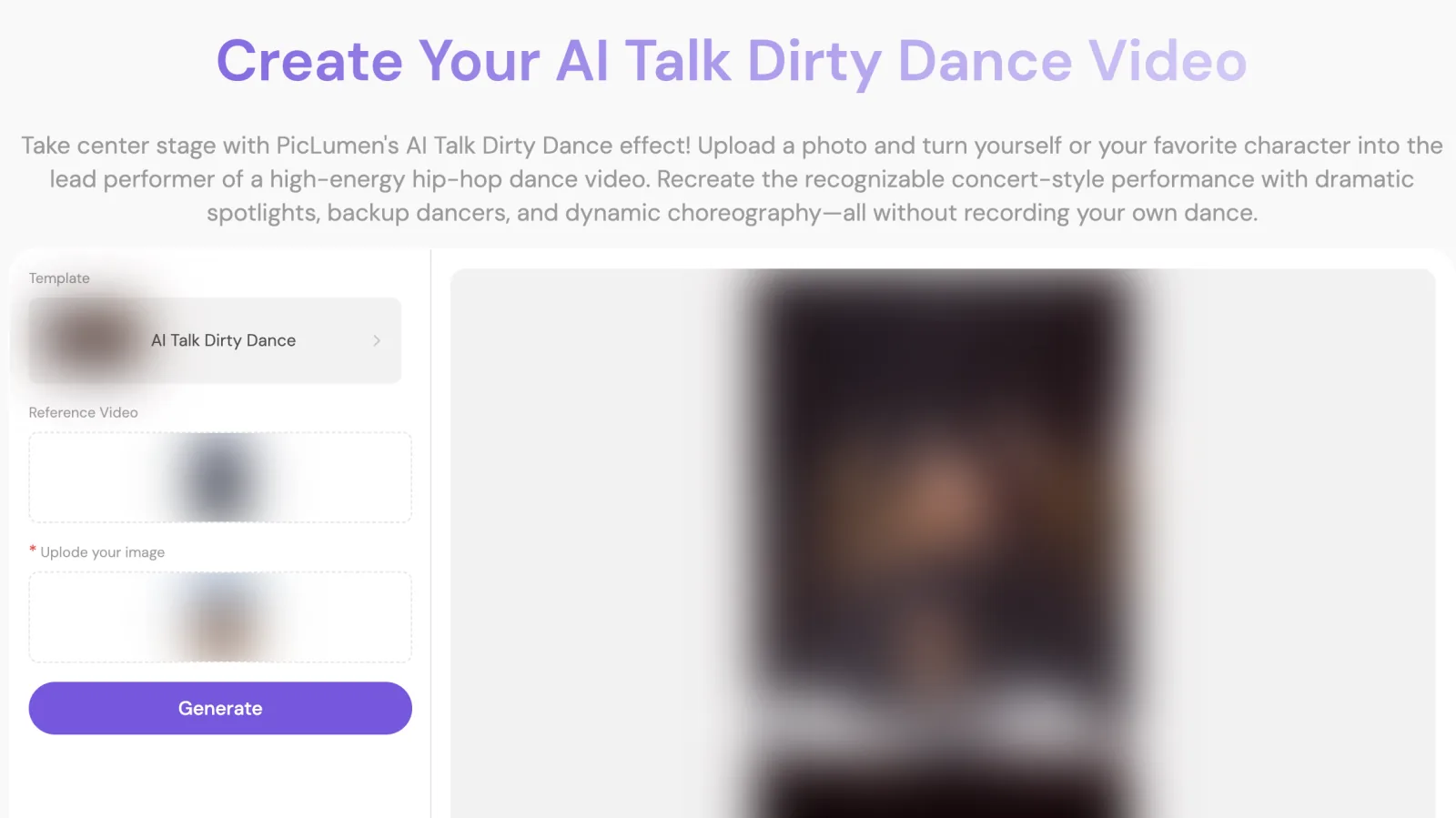
PicLumen offers an in-browser Talk Dirty dance effect that works best if you've already subscribed to its monthly credit service.
- What it makes: PicLumen says its effect works by replacing the lead performer with any chosen character. Its page says it keeps their identity, full-body appearance, choreography and microphone performance, plus the dancers, stage effects, camera work, and synchronized audio.
- The setup: The page has a template picker ("AI Talk Dirty Dance"), a "Reference Video" slot, an image upload box and a Generate button.
- Length, frame and sound: Its sample video runs 15 seconds in a vertical 480 by 854 frame with sound. But its FAQ notes that "Audio availability depends on the selected PicLumen workflow and its current settings."
- How you pay: Lumens are PicLumen's credits. Its Lite plan starts at US$7.59 a month for 750 Lumens, with Standard at US$24.99 and Pro at US$49.99 a month. Plan Lumens reset at the start of each monthly cycle.
- Account requirements: When you're signed out, the page opens a "Sign up to enjoy all benefits" box, and the Generate button doesn't show a price. Its FAQ says you can sign up and explore, while new accounts get a welcome offer to start creating.
3. AI Photo Animator: Best for a Talk Dirty Dance Trial Pack
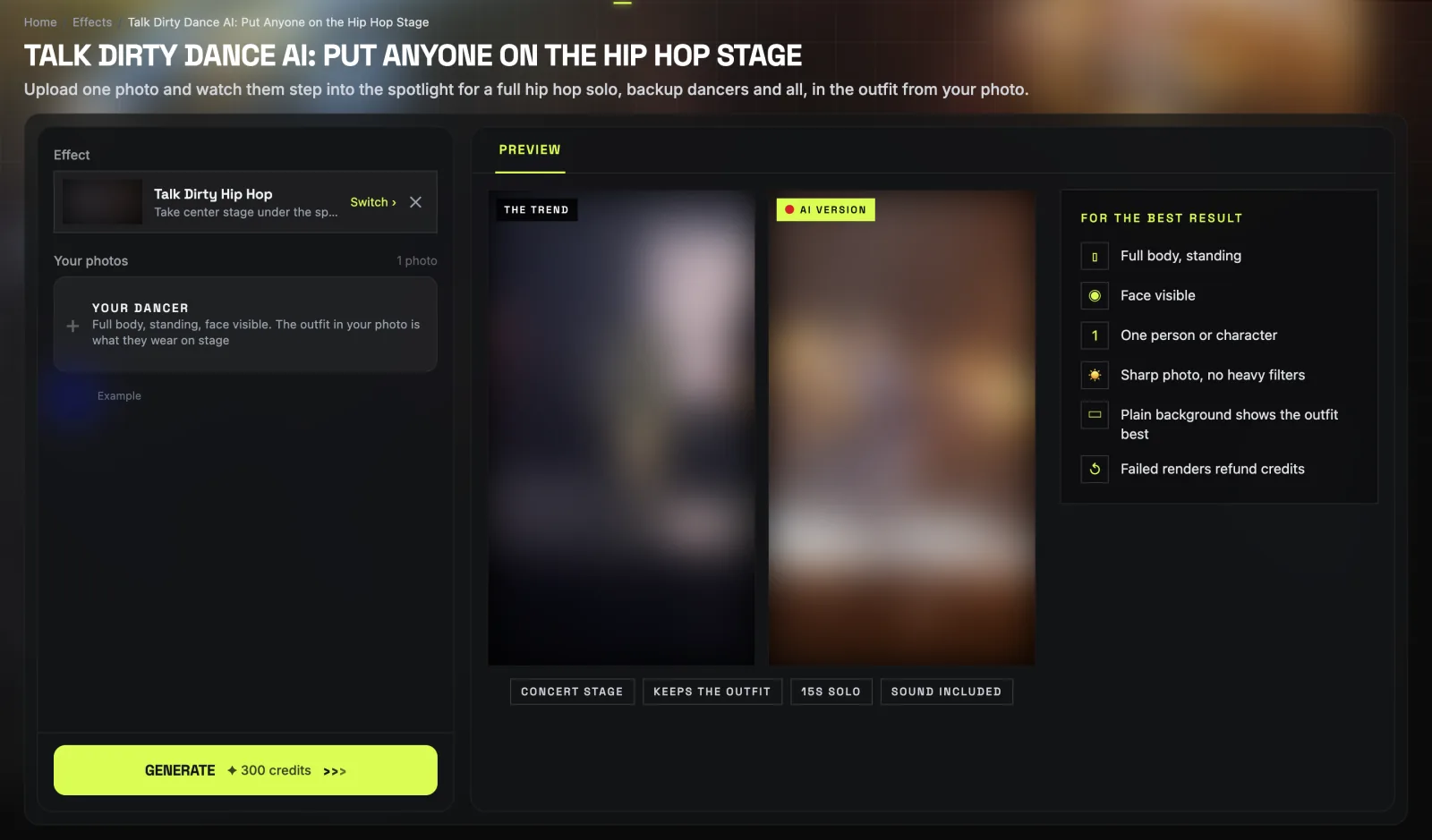
AI Photo Animator gives you an in-browser generator for the concert dance break with an inexpensive introductory credit pack.
- What it makes: The page says to "Upload one photo and watch them step into the spotlight for a full hip hop solo, backup dancers and all, in the outfit from your photo."
- The specs: The site lists an input of "1 photo", an output of 15s · 480P, audio "On by default" and an aspect ratio set to "auto".
- The credits: The Generate button reads "300 credits", and failed renders refund credits. You'll download the MP4 without a watermark into your "My Videos" folder.
- How you pay: You'll get 75 credits on sign-up without a card. You can also buy a $4.99 trial pack for 540 credits as a single payment, limited to one per account. One-time credit packs sell for $14.99 for 1,000 credits and $39.99 for 4,000 credits that never expire, or monthly plans from $9.99.
- Account requirements: The page buttons are "Start free" and "Log in", so you'll have to create an account before you can make your dance video.
4. CapCut "ai dance" Template: Best Talk Dirty Dance Route if You Already Edit in CapCut
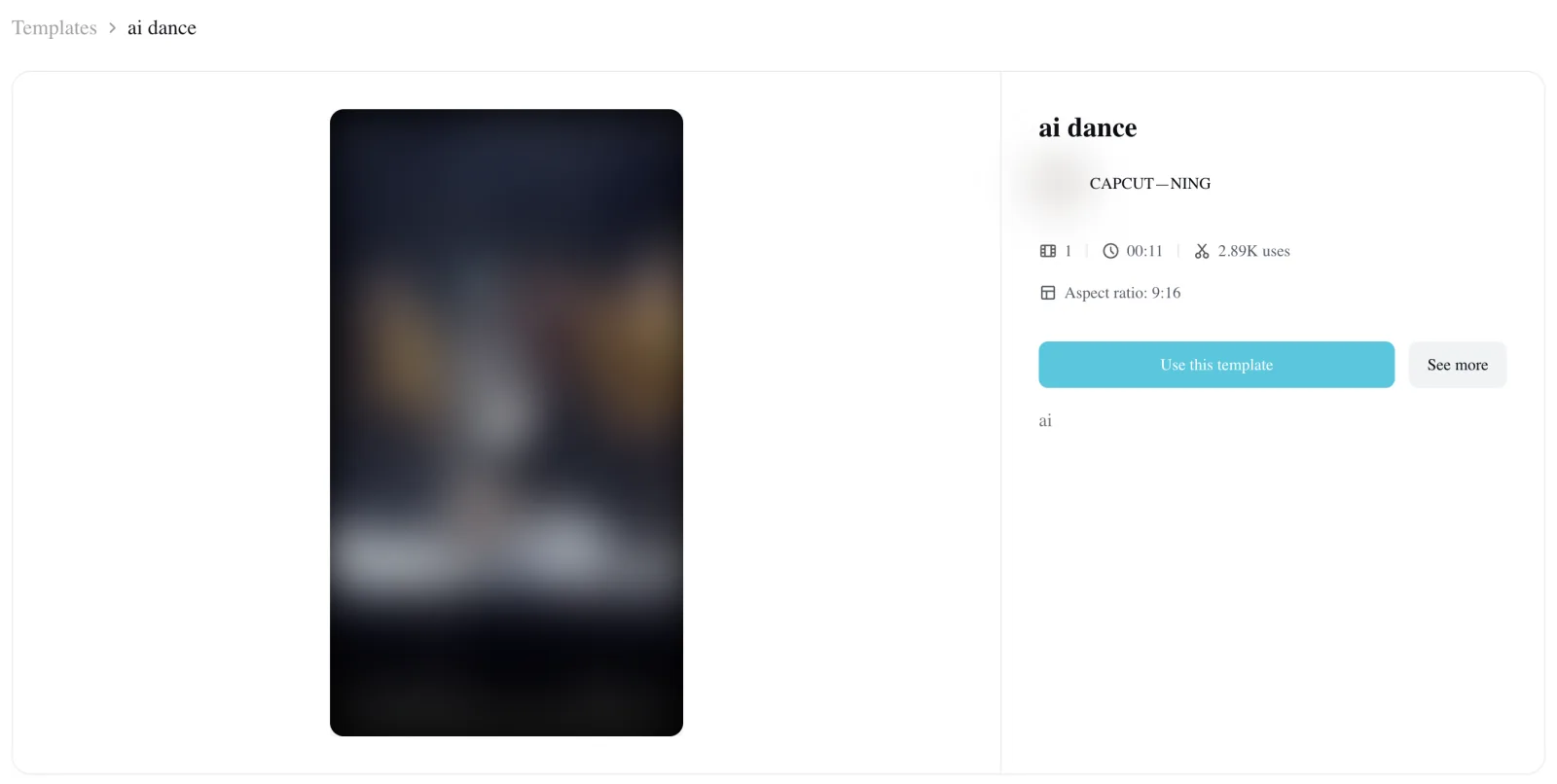
CapCut's "ai dance" template is the main editing shortcut linked across TikTok's viral dance clips.
- What it makes: It's an edit someone else built in the CapCut app, with a slot for 1 photo. Its preview shows the lead dancing with the crew in varsity jackets and flames.
- Usage and numbers: The template had 2,892 uses at 14:43 UTC on October 21, 2026. It's the template 66 of the 82 template-linked trend TikToks point to, making it the most common link among the trend TikToks we found.
- Length, frame and sound: The template page shows "00:11" for a template that runs about 10 seconds. It lists "Aspect ratio: 9:16" and doesn't list the audio.
- How you use it: You'll have to open it inside the CapCut app by tapping "Use this template".
- Tutorial steps: On the trend's most-shared tutorial, the on-screen captions walk you through it. You copy the link, open the poster's profile, find the video, open the template, import your photo, and tap next.
- Viewer feedback: Four of the 66 comments we counted say it didn't work for them. Under that tutorial, one viewer wrote: "What video on your profile. Can't find video". We've broken down these navigation hurdles in our guide on why the Talk Dirty dance CapCut template fails.
5. CapCut "Ai" Template: Best for the Wider Talk Dirty Dance Runway Take
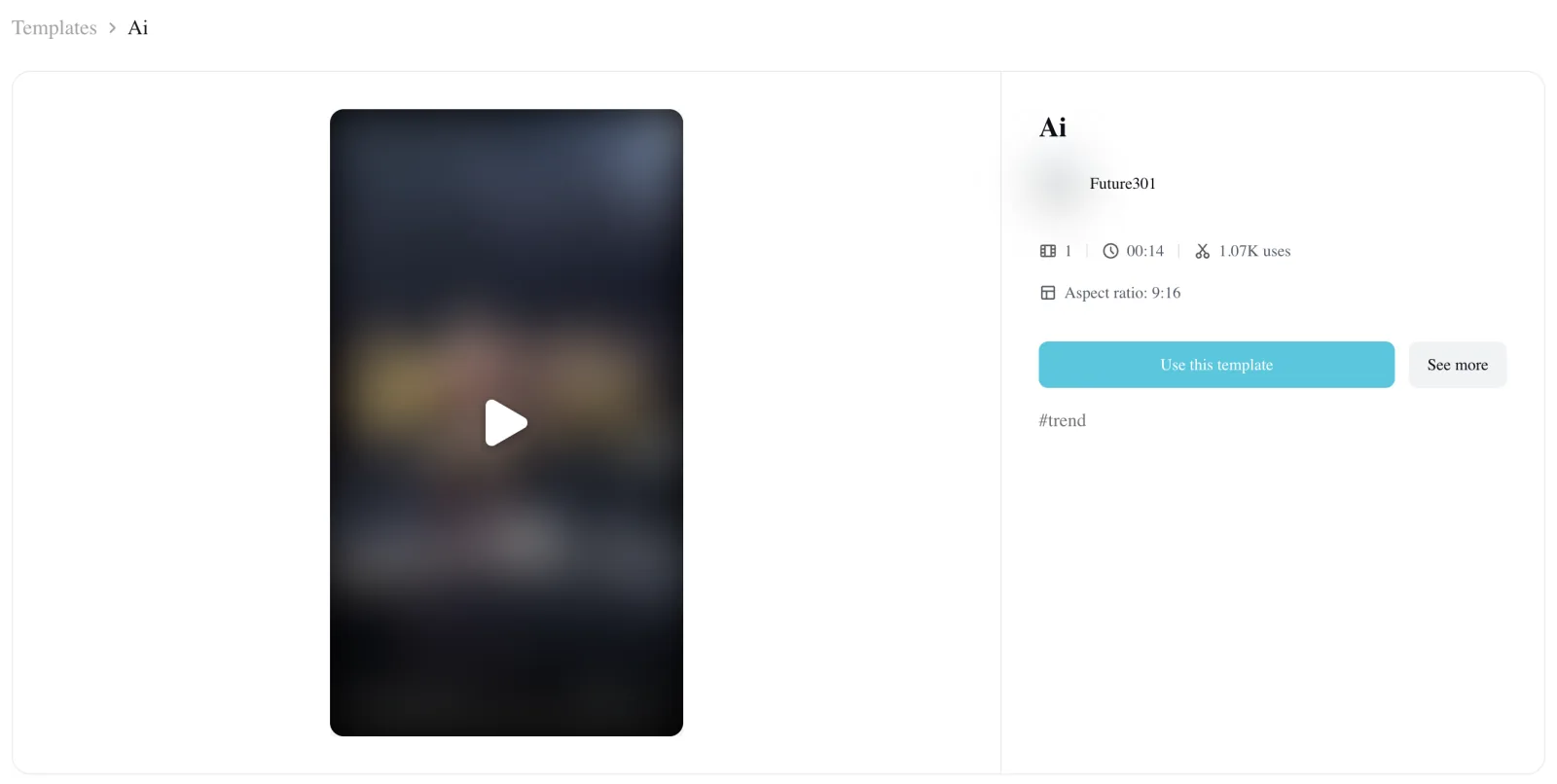
CapCut's "Ai" template gives you a broader stage view where your character performs alongside a line of three dancers.
- What it makes: The template takes 1 photo and sets the lead into a wider take of the stage. Its preview features Iron Man dancing the routine in a line with three dancers.
- The timing: Posted on October 17, 2026 at 07:48 UTC by Future301, it was the first CapCut template for the trend.
- Usage and popularity: It had 1,074 uses at 14:43 UTC on October 21, 2026, and 16 of the trend TikToks link to it. Some TikTok captions refer to this look as the "bodyfunk ai dance trend".
- Length, frame and sound: The template page lists "00:14" for a run of about 14 seconds. It shows "Aspect ratio: 9:16" and doesn't list sound details.
- How you pay: The page shows no price, but viewers' comments say it costs money. A Thai viewer wrote: "มันให้จ่ายตังค่ะ นี่ก็เลยไม่ทำ" (Thai for "it makes you pay, so I didn't").
6. PixVerse: Best for Making the Talk Dirty Dance in a Phone App
PixVerse lets you create the arena dance break through a template in its phone app.
- What it makes: PixVerse places your character into the Talk Dirty dance routine on the concert stage using a template you open inside its phone app.
- How you access it: A TikTok tutorial captioned "made with PixVerse AI" explains the steps through its captions. You copy the link from the post first, then download Pixverse from the App Store. Next, you open Pixverse, allow paste, tap the use button, pick your photo, and tap create.
- Length, frame and sound: The tutorial's captions list no video length, frame size or audio specs.
- How you pay: The tutorial doesn't name any pricing or credit costs for exporting the clip.
7. Viggle: Best for Copying the Talk Dirty Dance From Your Own Clip
Viggle works best when you've got an existing video clip of the choreography and want to map your own photo onto the movements.
- What it makes: Viggle lets you upload a character image and upload any clip you like. Then it makes your character perform the exact moves from that video.
- The templates: Viggle features more than 10,000 dance templates, but it doesn't name a Talk Dirty dance template. So you'll have to bring the dance clip yourself.
- Length, frame and sound: The video's length and framing depend entirely on the reference clip you bring, and its page doesn't list the sound.
- How you pay: You can make one video on the page without signing in, while signed-up free users get 5 free videos a day with 7-day storage. Viggle's Pro plan starts from $7.99 a month (marked down from $9.99) with 80 credits. Its pricing table lists "No watermark" only for Pro, Live and Max plans.
- Prompts: If you'd rather write custom video instructions, you can read our copy-ready Talk Dirty dance AI prompt. It edits the clip, so you'll still need the clip.
8. Jianying and Qwen: Chinese Apps With a Talk Dirty Dance AI Version
Jianying and Qwen are Chinese phone apps with their own versions of the concert dance break.
- The Chinese versions: Douyin (TikTok's Chinese version) has its own version of the trend, and the Chinese apps Jianying and Qwen have it too. The first AI version on TikTok that didn't use a CapCut template went up on October 17, 2026. It was a 15-second video carrying a "剪映AI" mark from Jianying (CapCut's Chinese edition).
- The captions: 38 of the 92 trend TikToks we found carry the caption words "#Feel the blazing hot hip-hop live". That's a word-for-word translation of the Douyin tag "#感受超燃hiphop现场", which also tags the Bilibili tutorial's title.
- The Qwen route: A Bilibili tutorial posted October 19, 2026 shows users copying the link of a Douyin video that had 455,000 likes and 322,000 shares. Then they open the Chinese AI app Qwen (千问) and tap "做同款" (Chinese for "make the same").
- Cost: The Bilibili tutorial's on-screen title calls the route free: "免费制作教程" (Chinese for "free how-to").
- Trend background: If you'd like to explore the history of these concert clips, check our article on how the Talk Dirty dance AI trend started.

How We Picked These Talk Dirty Dance AI Generators
We picked these Talk Dirty dance AI generators from Google's first page for "talk dirty dance ai generator" and from the CapCut templates the trend's TikTok tutorials link. We also added the newest tutorials for other apps and the Chinese app routes from a Bilibili tutorial.
On October 21, 2026, Google's top results featured PicLumen alongside broad dance tools that lack a dedicated Talk Dirty dance effect, plus a Dirty Dancing page.
We gathered the two CapCut templates that 82 of the 92 trend TikToks we found link directly. We added the PixVerse app route from an October 21 tutorial and AI Photo Animator's dedicated effect page.
We rounded out the collection with Viggle for users bringing their own clips, and the Bilibili tutorial on Qwen and Jianying.
Every single fact about competitor tools comes straight from their own websites and tutorials, recorded between 14:20 and 14:45 UTC on October 21, 2026.
We've logged output lengths, resolutions, sound settings, sign-in demands and payment models directly from their live product pages.
We've arranged this list logically: Seadanse sits first as the web-based tool with the complete stage and live audio. Next come browser tools that recreate the stage, followed by mobile app templates, clip-matching tools, and the Chinese apps.
Talk Dirty Dance AI Generator FAQ
Is there a free Talk Dirty dance AI generator?
Viggle is the free route on this list, with a catch from its own pages.
You can create one video on its page without signing in and 5 a day on a free account. But you'll have to bring the dance clip yourself. Its plan table lists "No watermark" only from the Pro plan up.
AI Photo Animator gives 75 credits on sign-up, but its Talk Dirty dance run takes 300 credits. The two CapCut template pages show no upfront price, yet 5 of the 66 comments we counted mention paying.
A Chinese tutorial on Bilibili calls the Qwen route free, though it means using Chinese apps.
On Seadanse, one 15-second 720p video is $9.90, paid once with no subscription. You can learn how pay-once credits work across our entire catalog.
Is the Talk Dirty dance AI generator the same as Dirty Dancing AI?
No, the Talk Dirty dance AI trend is built on an arena concert clip of the "Talk Dirty" dance break. "Talk Dirty" is Jason Derulo's 2013 song featuring 2 Chainz.
Dirty Dancing is a 1987 romantic film. The media.io Dirty Dancing AI page turns a photo into the iconic Dirty Dancing lift, spin, and sway. CapCut's Dirty Dancing templates belong entirely to that movie trend.
Can I download a Talk Dirty dance AI app?
Yes, you can download several phone apps.
The two CapCut templates open directly in the CapCut app. PixVerse's template opens in the PixVerse app after you download it from the App Store. Jianying and Qwen are Chinese mobile apps that have their own version of the effect.
Seadanse, PicLumen, AI Photo Animator and Viggle run entirely in your web browser instead. On Seadanse, there's nothing to install, and you'll download the finished MP4 straight to your device.
Which Talk Dirty dance AI generator makes 1080p?
Seadanse makes the Talk Dirty dance clip in 480p, 720p or 1080p. A 1080p video uses 1,480 credits from the $39.90 pack of 2,500 credits, and the remaining credits stay in your balance.
AI Photo Animator's page lists its output strictly as "15s · 480P", and PicLumen's sample video is a vertical 480 by 854 file. The CapCut, PixVerse and Viggle pages don't list a resolution for this dance.
Which Talk Dirty Dance AI Generator Should You Use?
Choosing the right Talk Dirty dance AI generator depends on whether you want an effortless browser setup, an app template, or a custom video matcher:
- The real stage and its live sound from one photo: Seadanse's Talk Dirty Dance AI.
- A cheap first try: AI Photo Animator's $4.99 trial pack, one per account.
- A PicLumen plan you already pay for: PicLumen.
- The CapCut app you already use: The "ai dance" template, with the credits viewers say it asks for.
- A dance clip of your own: Viggle.
Ready to see your person in the arena spotlight tonight? Add one photo, keep the consent box ticked, pick 720p and press Create on Seadanse's Talk Dirty dance AI generator.
We checked 8 Talk Dirty dance AI generators on October 21, 2026. Ours is the one that puts 1 photo on the real concert stage with the clip's live sound. And it does that with no account, up to 1080p.
Written by The Seadanse Team; we read every tool's page on October 21, 2026; prices change, so each tool's own page has the last word.
Related Articles
- How to Make the Talk Dirty Dance AI Video From One Photo (3 Steps) — add a photo, pick a quality, press Create.
- What Is the Talk Dirty Dance AI Trend? (Real Stage, AI Lead) — the concert clip, how the AI versions started, and why they spread so fast.
- Talk Dirty Dance CapCut Template: Which One It Is and Why It Fails — the two templates the tutorials link, and what people say happens when they use them.
- Talk Dirty Dance AI Prompt (Copy-Ready) — and How to Skip the Prompt Entirely — the edit prompt, if you'd rather write it yourself.


