
Best Charme Dance AI Generators (2026): 10 Tools Compared
The best charme dance AI generators, checked Oct 20, 2026: CapCut, Viggle, Kling and 7 more. Seadanse puts 1 photo in the viral clip for $9.90.
 The Seadanse Team24 min read
The team behind Seadanse. We run the models we write about, and we publish the specs, prices and limits the marketing leaves out.

TL;DR — Seadanse's Charme Dance AI is the charme dance AI generator we'd pick out of the 10 we checked. You'll add 1 photo and get the viral Seu Zé clip's first 15 seconds with that person dancing, in the same Pedra do Sal crowd, with its original sound. It's $9.90 for a 720p video, paid once, and you don't need to sign up.
We checked 10 tools on October 20, 2026. Seadanse builds in the viral clip itself, and bailecharmeai.com's samples show the same crowd.
MakeViral, Vismuse and Kavel AI build a new party around you, and bailecharmeai.org asks you to sign in first. The CapCut template opens in the CapCut app, and Viggle, Kling AI and DanceGenerator.ai need you to pick a dance template or bring a clip.
Google's answer for "charme dance ai generator" lists general dance tools like Viggle and Kling AI that copy reference choreography. And the TikTok tutorials send you to a CapCut template.
Charme is a smooth Brazilian street dance from Rio, all small side steps and bouncing shoulders, that began in the early 1980s. A CapCut template is a ready-made edit inside the CapCut app that you drop your own photo into. A motion source is the dance clip whose moves your photo copies.
Those general tools don't have a charme page, so you'll bring the clip yourself. Commenters under the tutorials say the template's button never shows or that it asks you to pay, and the charme tools don't agree on what you get.
So on October 20, 2026, we opened all 10. We wrote down what each one asks you for, what you get back and what it costs, so you can pick one in a minute.
The 10 Charme Dance AI Generators at a Glance
The 10 charme dance AI generators fall into four kinds. There are tools that put you in the viral clip, charme tools that build their own version, a CapCut template, and general dance tools you bring the clip to.
| Tool | Best for | What you give it | What you get | How you pay (Oct 20, 2026) |
|---|---|---|---|---|
| Seadanse Charme Dance AI | The viral Seu Zé clip itself, from 1 photo | 1 photo | The clip's first 15 seconds with you dancing, its original sound | $9.90 once for a 720p video, no sign-up |
| bailecharmeai.com | Picking 10 or 15 seconds | 1 photo | 10 or 15 seconds, 720p, 9:16, "AI sound" | $6.99 for 10 credits (one 10-second video) |
| bailecharmeai.org | Six templates and three frame shapes | 1 photo, or 2 for two-person templates | A 12-second MP4 with the party sound | $6.99 for 10 credits, after you sign in |
| MakeViral | A duo or a pet version | 1 photo, or 2 for Duo | A new 10-second clip in the same style, its own groove | 126 credits; packs from $9.99 for 100 |
| Vismuse | Changing the scene with a typed note | 1 adult photo | 10 seconds, 768p, a new group behind you | Paid credits; Pro is $19.99 a month |
| Kavel AI | Picking a different charme scene | 1 photo | 12 seconds, 9:16, a party built around you | $9.99 for one video |
| CapCut template "Ty" | Editing inside CapCut | 1 photo in 1 slot | The template's 9:16 edit | Free plan $0; Pro $19.99 a month |
| Viggle | Making a character copy a dance clip | 1 photo and a template or your own clip | Your photo doing the clip's moves | 5 free videos a day; Pro $9.99 a month |
| Kling AI | Replacing the dancer in a clip you have | 1 photo and a dance clip | A new character in your clip, 720p or 1080p | Standard $6.99 first month, then $8.80 a month |
| DanceGenerator.ai | Using a TikTok link as the dance | 1 photo and a template, TikTok link or clip | Your photo doing the dance | 2 free videos a day; paid models |
Prices are in US dollars, as each tool's own pages showed them on October 20, 2026. Credits are the units a tool spends on each video.
What Should You Look for in a Charme Dance AI Generator?
Look for six things when you pick a charme dance AI generator. They decide whether you get the clip everyone knows tonight or a new party and a monthly bill.
- The viral clip itself: You'll want to know if you're getting the Seu Zé clip's own crowd, handheld take and moves, or a new party the tool builds. MakeViral's page says its clip is "a new clip made from your photo in the same style, not a copy of these shots". Vismuse puts "a new group behind you", and Kavel AI builds the party around your photo.
- One photo, nothing else: It's worth checking what the tool asks you to upload. Seadanse, bailecharmeai.com, bailecharmeai.org, MakeViral, Vismuse and Kavel AI start from one photo with no prompt to write. Viggle, Kling AI and DanceGenerator.ai also need a dance clip or a template, and the CapCut template opens in CapCut.
- The clip's own sound: You'll want the music that matches the steps right away. Seadanse keeps the clip's original sound from the first second. But bailecharmeai.com lists "AI sound", MakeViral makes its own soul and R&B groove, and Kavel AI tells you to add the trend sound on TikTok.
- No account, one payment: It's worth checking how you'll pay before you start. Seadanse doesn't need an account, and you'll pay once. But bailecharmeai.org asks you to sign in first, and Vismuse, Viggle and Kling AI sell monthly plans.
- The whole move: You'll want to know how much of the routine you're getting. The viral clip's first 15 seconds run from the first glance back at the phone to the turn back to the camera. MakeViral and Vismuse list 10 seconds, bailecharmeai.org and Kavel AI list 12, and bailecharmeai.com lets you pick 10 or 15.
- Characters too: Maybe you'd like to dance as someone fictional. Seadanse takes a photo of you, an adult friend or family member, or a cartoon, game or AI-made character. Vismuse asks for one adult and bailecharmeai.com for one person.
Our Charme Dance AI for TikTok and Reels covers all six.
1. Seadanse Charme Dance AI: Best for the Viral Seu Zé Clip From One Photo
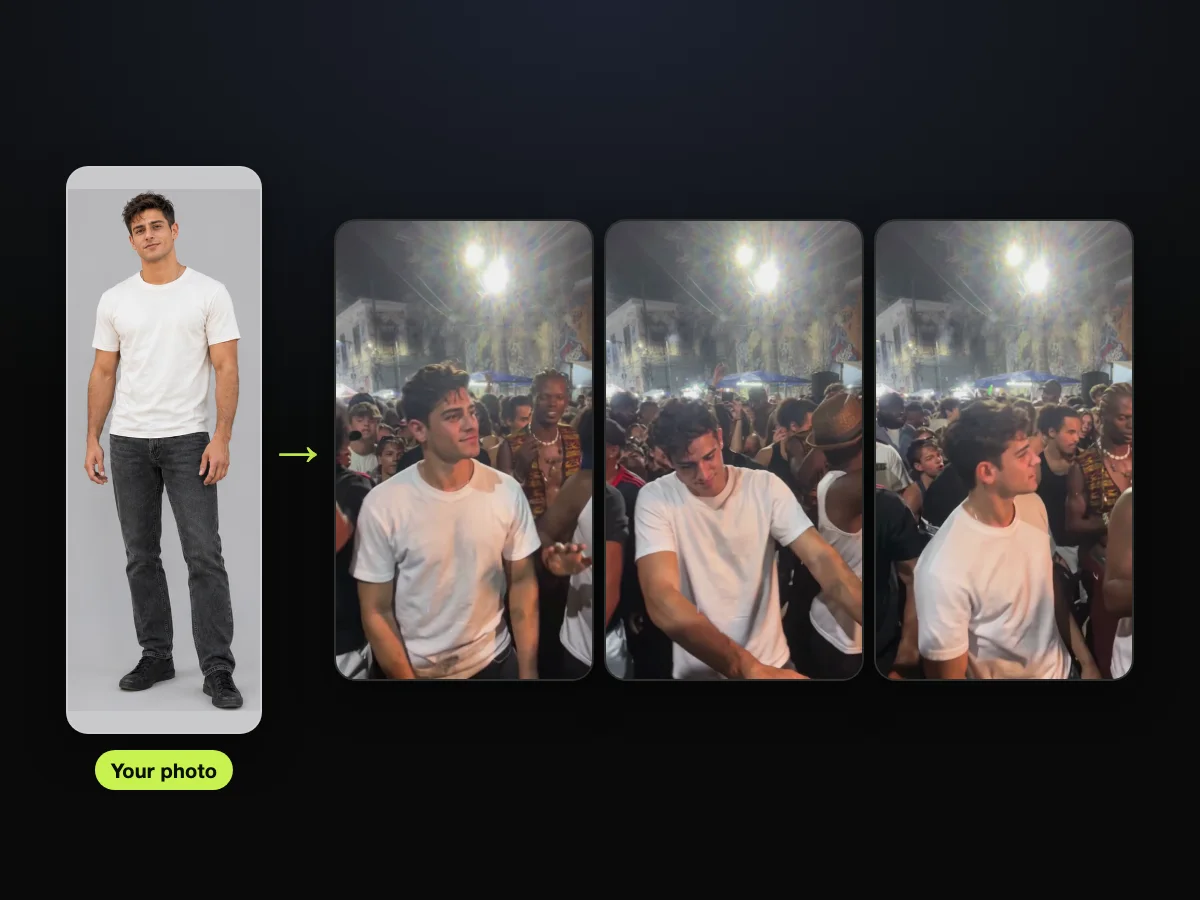
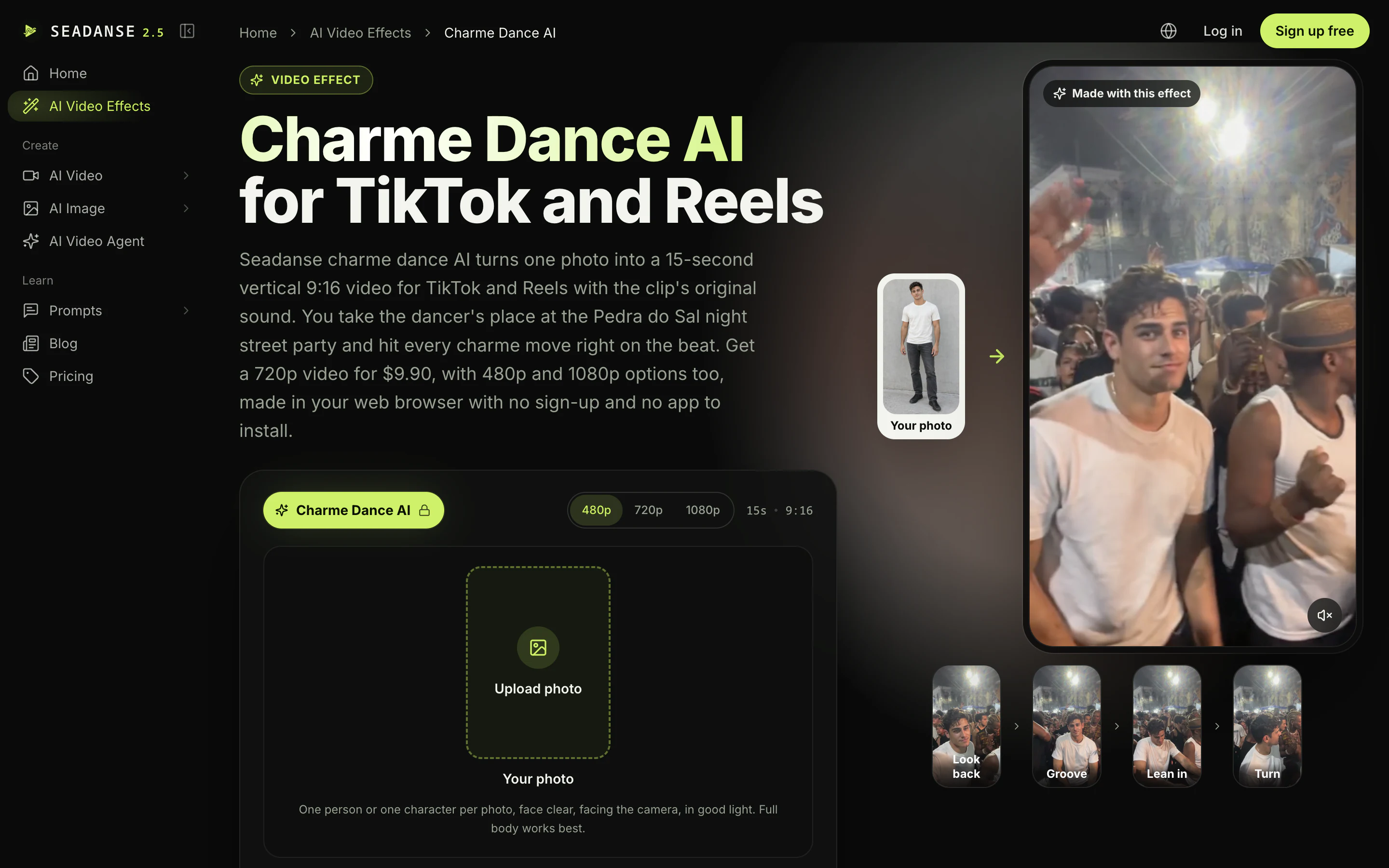
Seadanse puts 1 photo into the first 15 seconds of the viral Seu Zé clip, with that person as the dancer. You'll keep the same crowd and the clip's original sound, and you don't need to sign up.
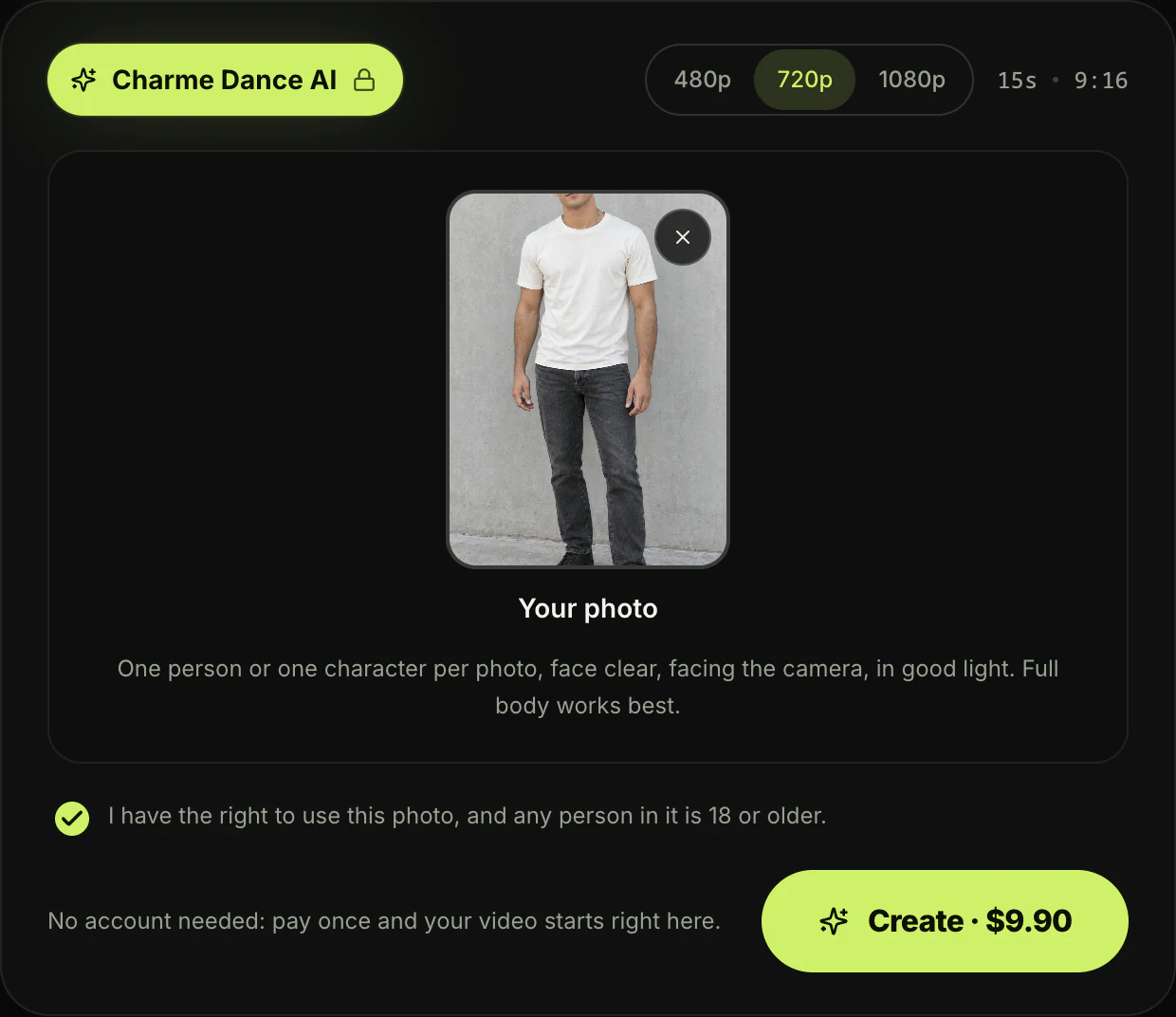
- What you give it: You'll add one photo of you, an adult friend or family member, or a cartoon, game or AI-made character. Keep the face clear, facing the camera, in good light, and full body works best.
- No extras: You don't need a prompt, a template link, an app or any editing. The clip and its audio are built in.
- What you get: You'll get the first 15 seconds of the viral Seu Zé clip, with you in the dancer's place. It runs from the first glance back at the phone to the turn back to the camera. The page labels four moments: "Look back", "Groove", "Lean in" and "Turn".
- What stays: You'll keep the packed night crowd at Pedra do Sal and the man in the white tank top and brown hat at your shoulder. The man with long braids and a shell necklace stays too. You'll also keep the big white floodlights, the blue market tents, the colonial buildings, every move, the one continuous handheld shot and the clip's original sound.
- Your look: Your face, hair and whole outfit come from your photo, and you're the same person from the first frame to the last. For the 80s action look from the remakes, put on a denim shirt or other 80s action-movie clothes and take a photo.
- Format: You'll get a 15-second vertical 9:16 MP4 at 480p, 720p or 1080p, with no watermark on exported video. It's ready in a few minutes in the browser on a phone, tablet or computer.
- How you pay: You'll pay $9.90 once for one 15-second 720p video, and the same pack covers 480p. A 1080p video uses 1,480 credits from the $39.90 pack of 2,500, and the rest stays in your balance.
- No sign-up: You'll pay once with no subscription and no account, and the price shows on the Create button before you've paid anything. The checkout email brings a link that signs you in on any device, and you'll find every credit pack on Seadanse pricing.
- Good to know: If a video fails, you'll get your credits back automatically. Pack credits stay valid for 12 months, start at $9.90 for 500 credits, and work on our other AI video effects.
- Your photos: Seadanse runs no facial recognition on the photos you upload and collects no biometric data. Your photos and videos stay in your account until you delete them.
Here's how it goes, in three steps.
- Step 1: Add your photo: You'll upload your image and tick the box to say you've got the right to use it and anyone in it is 18 or older.
- Step 2: Pick 480p, 720p or 1080p: You'll choose your resolution, and the price shows on the Create button.
- Step 3: Press Create: You'll hit the button, and your video starts.
You'll pay once with no sign-up, and your MP4 is ready in a few minutes.
Head over to make your charme dance AI video from one photo in your browser. You'll find more tips in the three steps to make the charme dance AI video.
2. bailecharmeai.com: Best if You Want to Pick 10 or 15 Seconds
On bailecharmeai.com, one photo becomes a charme dance video of 10 or 15 seconds at a Rio street party.
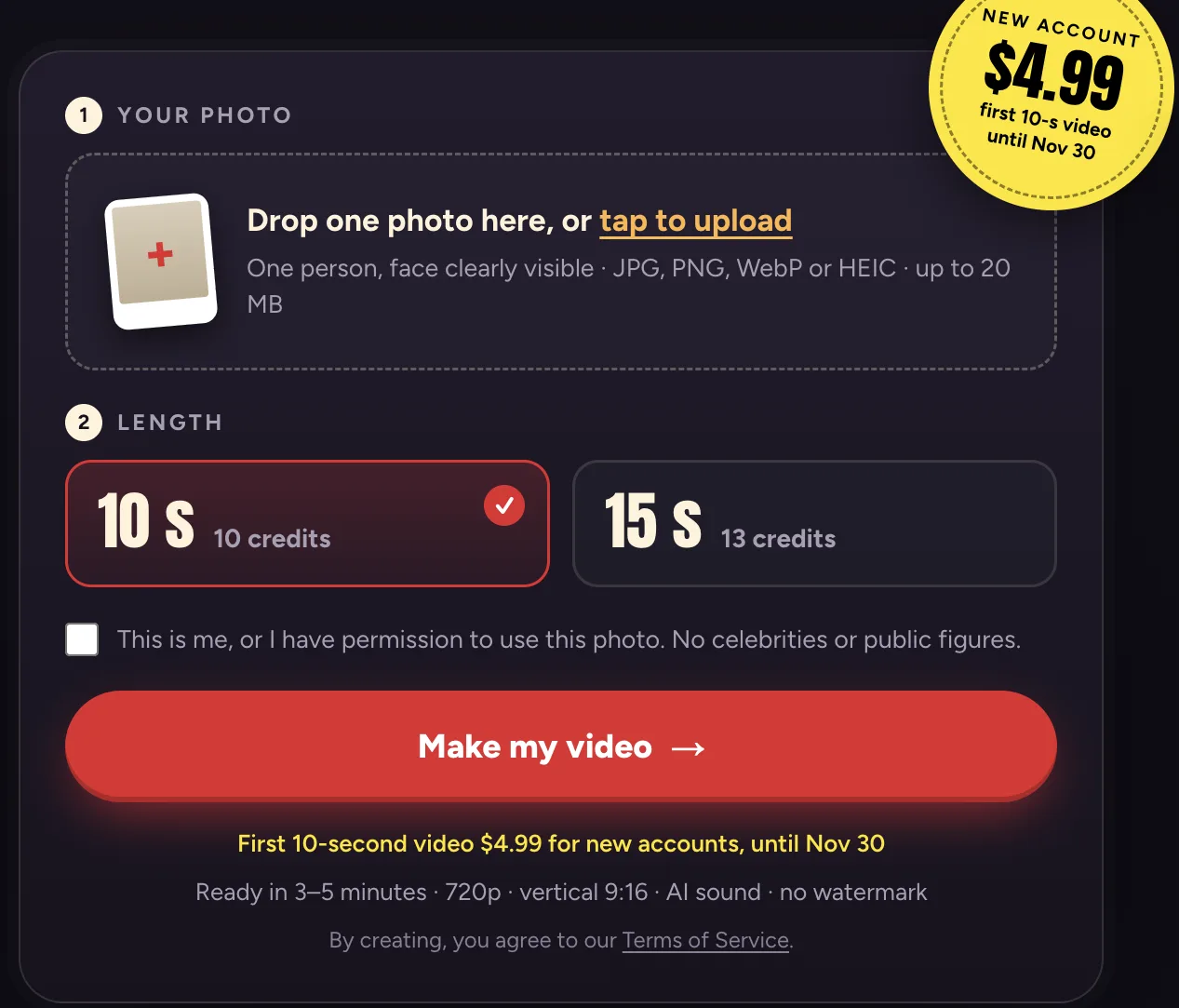
- What you give it: You'll upload one photo of one person with their face clearly visible. The tool accepts JPG, PNG, WebP or HEIC files up to 20 MB.
- What you get: You'll get a 720p vertical 9:16 MP4 with "AI sound" and no watermark. It's ready in 3 to 5 minutes.
- How you pay: Solo is $6.99 for 10 credits, which pays for one 10-second video, and a 15-second video costs 13 credits.
- Packs: Crew is $16.99 for 30 credits, and Baile is $34.99 for 80 credits. You'll pay once with no subscription, and the credits don't expire.
- Discounts: A new account's first buy can be 10 credits for $4.99 until November 30, 2026. That's one 10-second video, once, at that rate.
- Good to know: Its FAQ says: "It isn't free, and there is no free preview." If a video fails, you'll get your credit back.
- Your files: It deletes your photo 24 hours after your video finishes, and the video stays in "My videos" for 30 days.
- Our check: On October 20, 2026, we checked its sample clips, called Boss and Dad, against the viral clip. They show the same crowd, the same neighbours and the same blue tents, and only the dancer changes.
3. bailecharmeai.org: Best for Six Templates and Three Frame Shapes
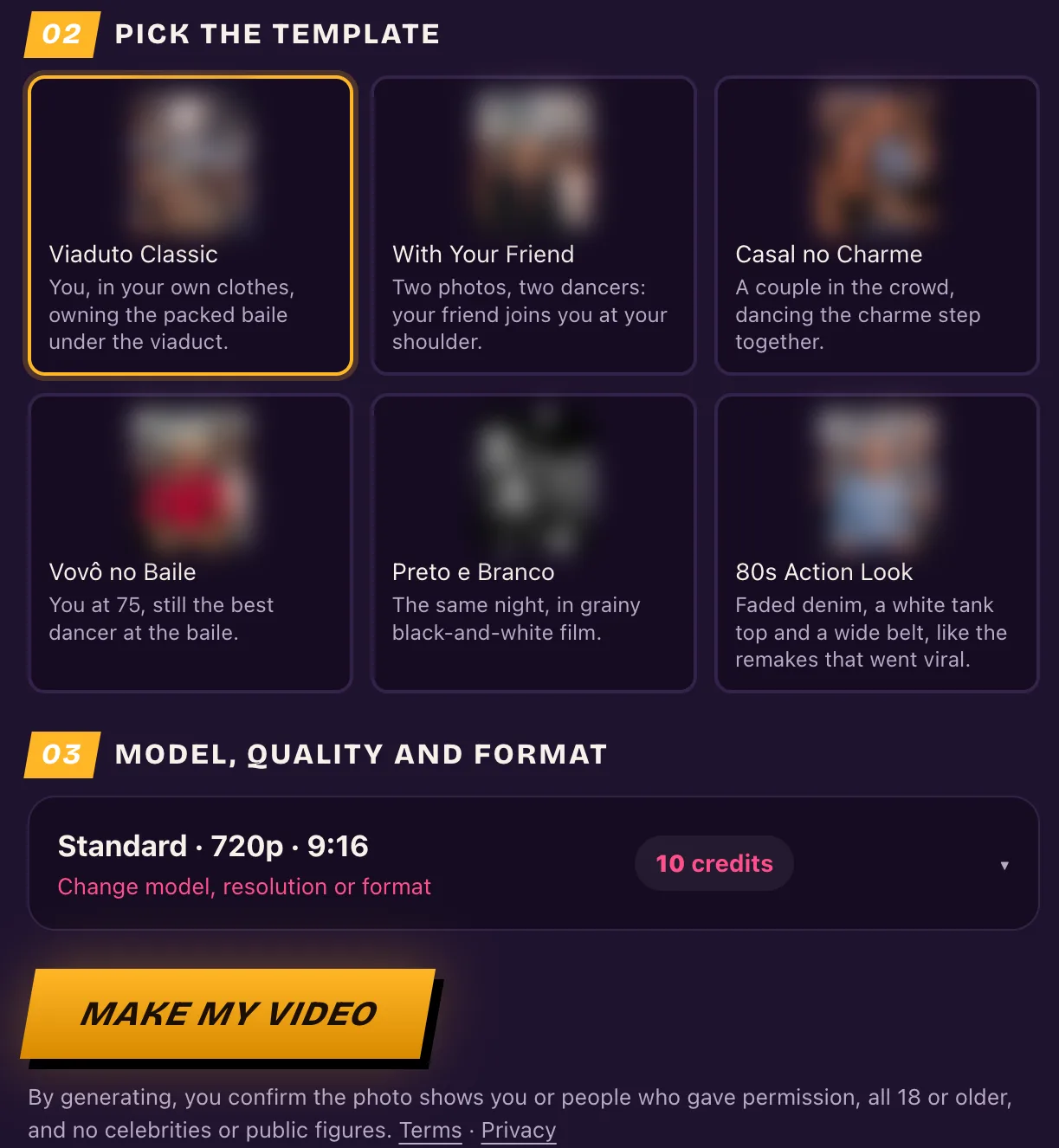
The bailecharmeai.org generator offers six charme templates and three frame shapes, and it makes a 12-second MP4 with the party sound.
- What you give it: You'll pick a photo and a template. You'll use one photo for solo templates, or two photos for two-person templates.
- Templates: The six choices are Viaduto Classic, With Your Friend, Casal no Charme, Vovô no Baile, Preto e Branco, and 80s Action Look. These cover looks like your own clothes, two dancers, a couple, an older version at 75, grainy black-and-white film, and faded denim with a tank top.
- What you get: You'll download a 12-second MP4 with the viral clip's party sound on it in about four minutes. You can pick 480p, 720p or 1080p, and frame shapes of 9:16, 1:1 or 16:9.
- Sign-in: You'll need to sign in to use the tool. Its sign-in box says creating an account is free, and you don't need a card.
- How you pay: The Single pack is $6.99 for 10 credits, which the page calls about one video. The default Standard setting at 720p uses 10 credits, and pack credits don't expire.
- Good to know: The page says: "There is no free tier". The example videos on the site come from TikTok, where its "trend in the wild" section shows remakes starting with the Seu Zé clip.
4. MakeViral: Best for a Duo or a Pet Version
MakeViral makes a new 10-second charme clip from your photo "in the same style, not a copy of these shots". You can make it solo, as a duo or with your pet.
- What you give it: You'll upload one photo for Human, two photos for Duo, or one photo of your pet for Pet. For Duo, photo 1 dances on the left and photo 2 dances on the right. You don't have to write any prompt.
- What you get: You'll get a 10-second vertical 9:16 video at 720p for Human and Duo, ready in a few minutes with no watermark. The sound is an original smooth soul and R&B groove and crowd noise made by the video model, not the song from the viral clips.
- How you pay: It's 126 credits for Human, 126 credits for Duo, and 56 credits for Pet. You can buy one-time packs from $9.99 for 100 credits with no subscription, and those pack credits don't expire.
- Plans: MakeViral also sells weekly plans from $9.99 a week, with the first week at $3.99.
- Good to know: Everything runs right in the browser without an editing app, and the only video you'll see on the template page is the original reel by @seuzerj.
- Refunds: The Generate button shows the credit price before you've spent anything, and if a video fails, you'll get your credits back.
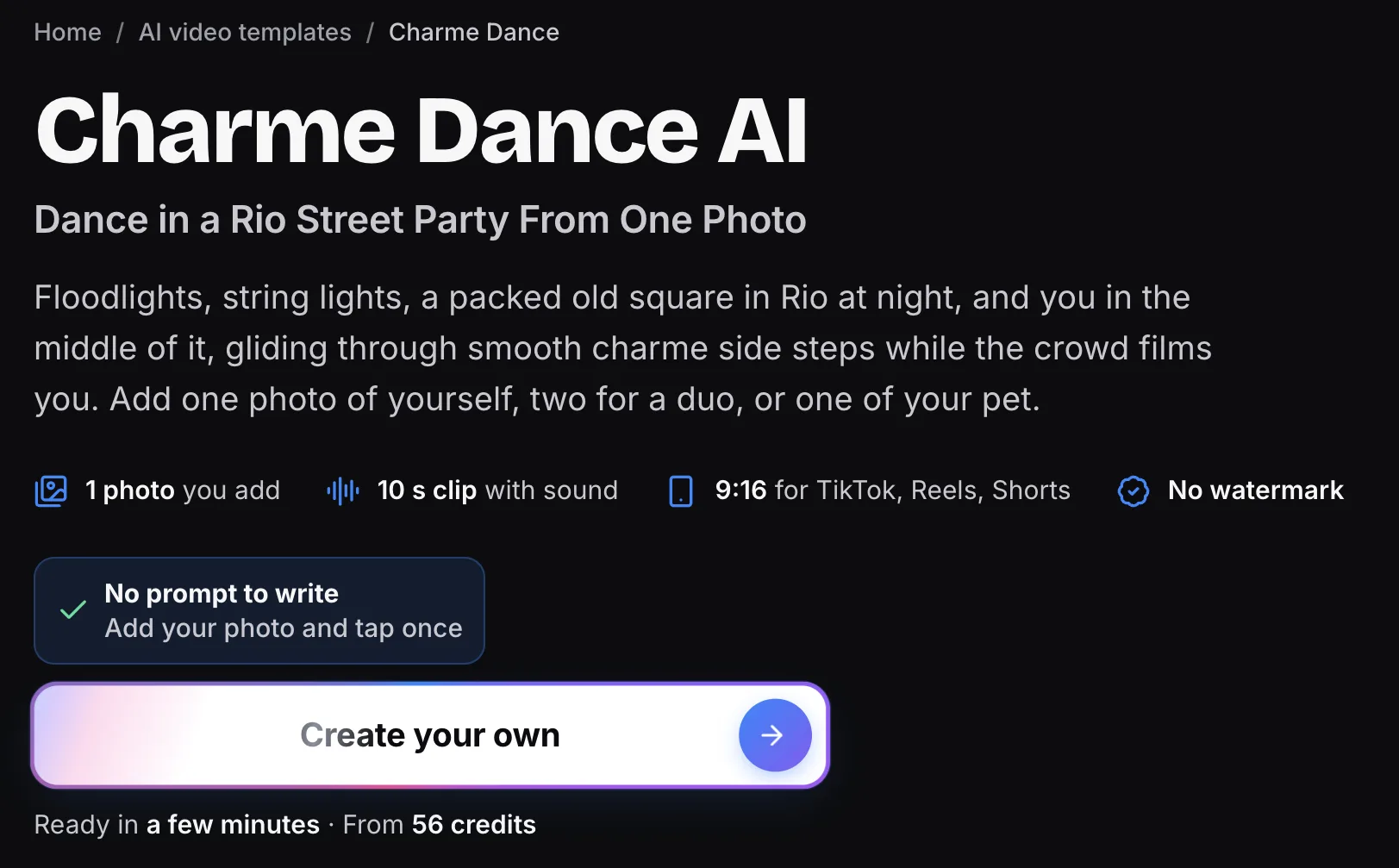
5. Vismuse: Best for Changing the Scene With a Typed Note
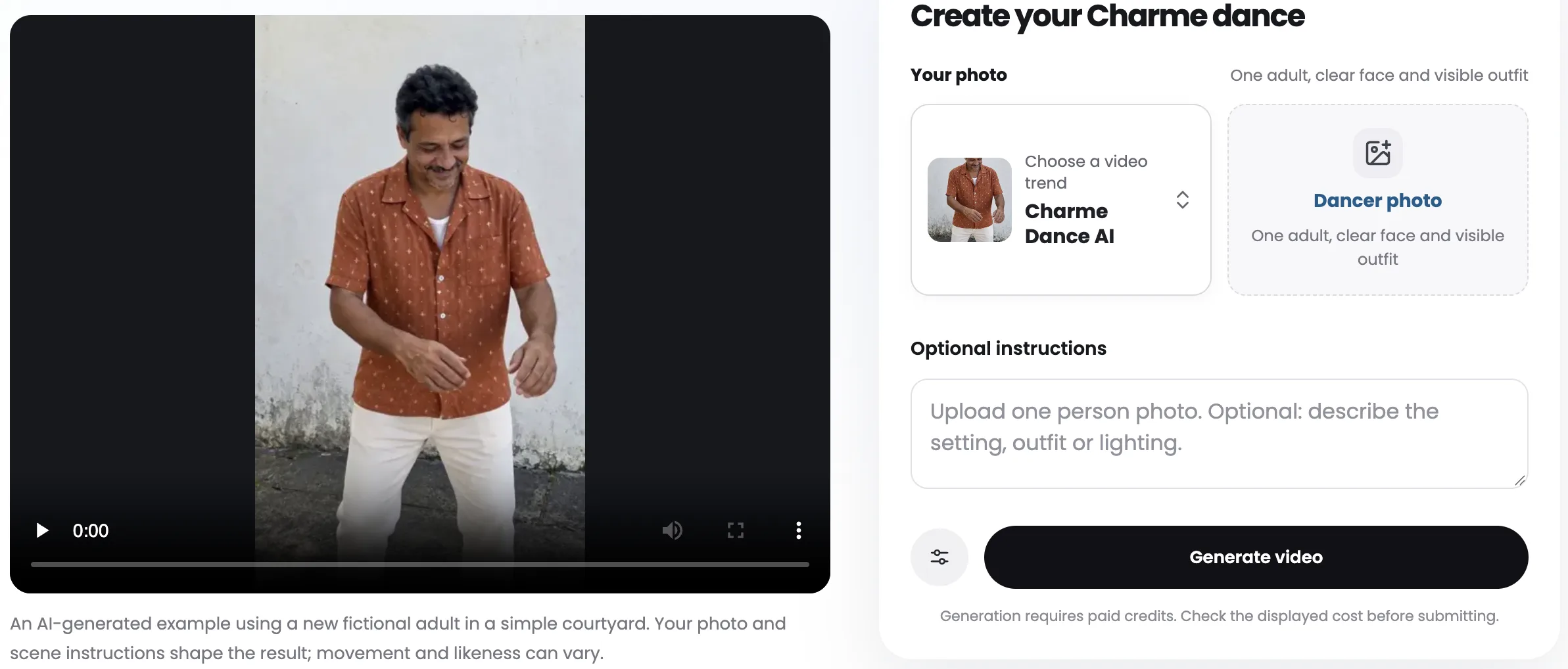
Vismuse turns one adult photo into a 10-second charme dance with "a new group behind you", and a typed note can change the scene.
- What you give it: You'll upload one clear photo of an adult. You can also add an optional typed note if you'd like to change the scene.
- Typed note: That typed note can change the setting, the lighting or the clothes, or ask for a solo courtyard. The background dancers are new, generic people, and the example video features a new fictional adult in a simple courtyard.
- What you get: You'll get a 10-second vertical 9:16 MP4 at 768p. It adds the matching original 10-second audio after it makes the picture.
- How you pay: You'll need paid credits, and the tool tells you to check the cost before you submit. Its Free plan is $0 with 50 credits, and Pro is $19.99 a month for 2,000 credits a month.
- Plans: Max is $79.99 a month, and the plans renew automatically unless you cancel them.
- Good to know: Its page says the included clip guides the dance motion and timing only. You'll stay in the center of the frame as the lead dancer while the new group behind you follows along.
6. Kavel AI: Best for Picking a Different Charme Scene
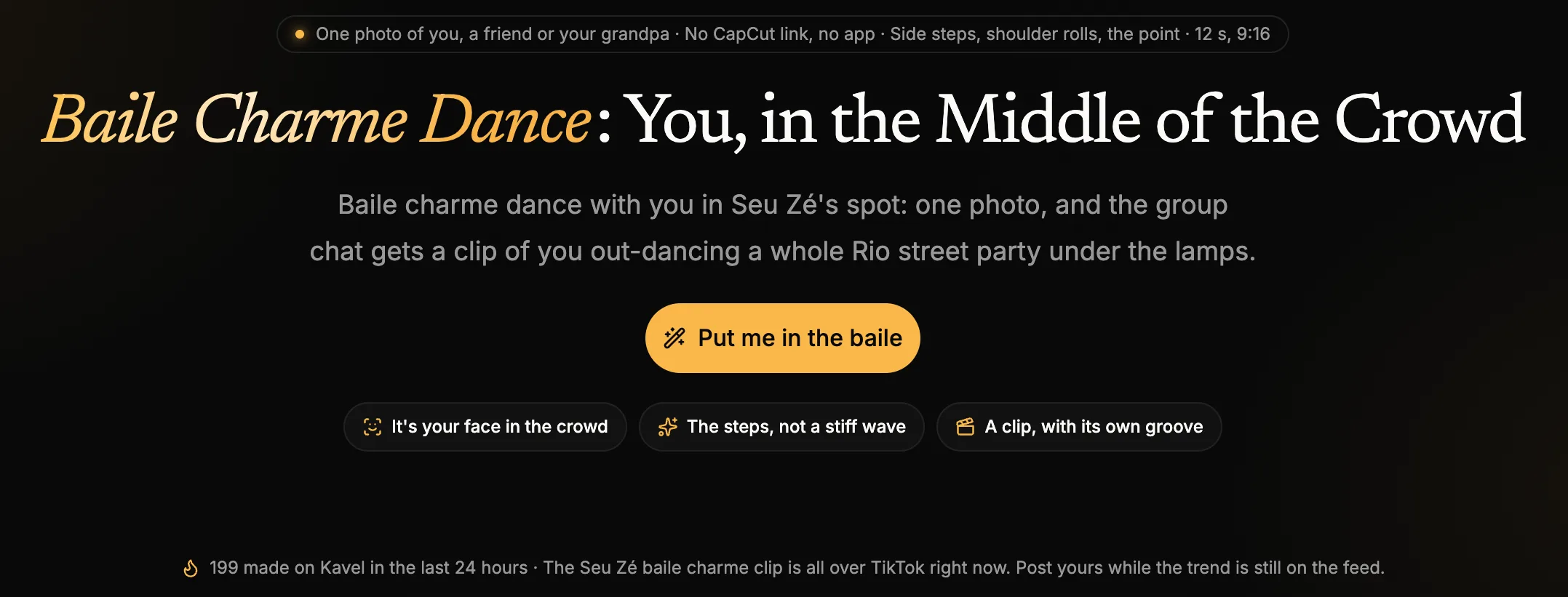
Kavel AI builds a 12-second charme party around your photo, and its page says "This video is $9.99 on its own".
- What you give it: You'll upload one photo of you, a friend or your grandpa. There's no CapCut link to open and no app to install.
- Scene choices: You can keep the default square at night or tap another scene: under the viaduct, the dance class, or the Madureira crew. You can also press Random to let the tool pick.
- What you get: You'll get a 12-second vertical 9:16 video at 720p with side steps, shoulder rolls and the point. The party is built around your subject with street lamps and a clapping crowd, accompanied by a slow R&B groove.
- Sound: The site notes that your clip comes back with that slow R&B groove. But it tells you to put the trending baile charme sound on it inside TikTok.
- How you pay: It's $9.99 for a video on its own, with nothing to cancel later. Your first buy is half price, the Generate button displays the price before you press it, and pack credits never expire.
- Good to know: If a run fails, it puts its credits back into your balance automatically.
7. CapCut Template "Ty": Best if You Already Edit in CapCut
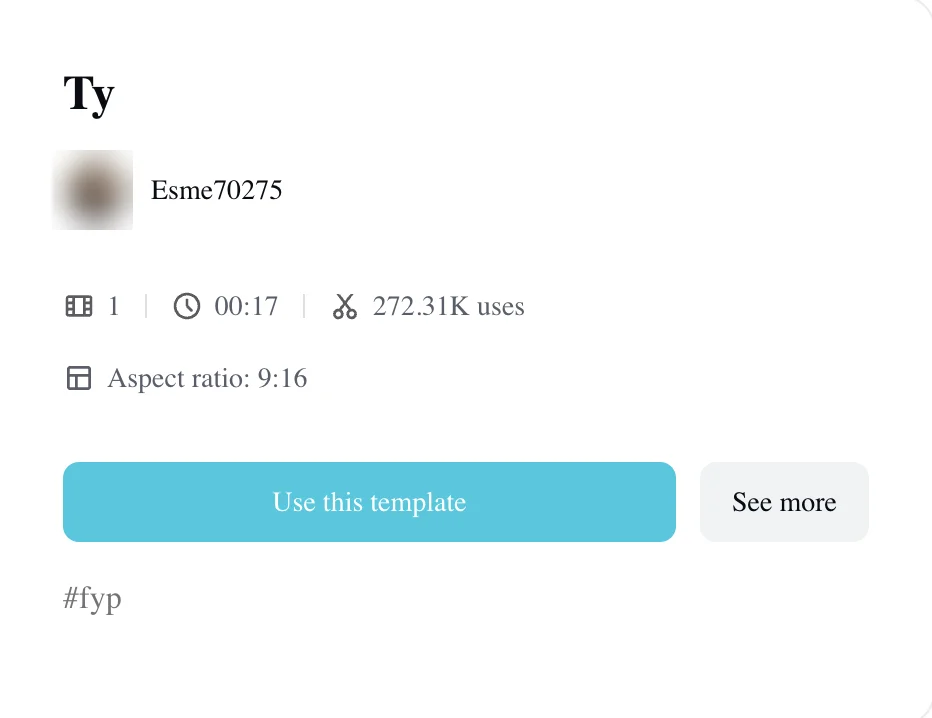
The CapCut template the tutorials teach is "Ty" by Esme70275, with 1 photo slot and 272,297 uses on October 20, 2026.
- What you give it: You'll open the template inside the CapCut app and put one photo into its single slot. Its page lists 00:17 and a 9:16 vertical frame.
- What you get: You'll get the template's ready-made edit. Its own demo is titled "THE WALKING STEP", which shows a rainy, lightning-lit version of the square.
- How you pay: CapCut has a Free plan at $0 with free templates to start. Pro is $19.99 a month, and it gets you all premium templates and 1,200 monthly AI credits.
- Good to know: The biggest tutorial for this template is a Spanish TikTok by @isolde3292 with 744,000 plays. That tutorial links directly to the template page.
- Viewer reports: Some viewers ran into trouble trying to make it work. Under that Spanish tutorial, one viewer wrote "no me sale el botón rojo" ("the red button doesn't show up for me").
- Costs money: Under a Portuguese tutorial by @rika318294, a comment with 6 likes reads "tem que pagar" ("you have to pay").
- Our count: Of 135 text comments we read across six CapCut tutorials on October 20, 2026, 17 say it doesn't work or the button never shows. And 10 of them say it costs money.
If you've hit errors in the mobile app, see why the charme dance CapCut template fails or asks you to pay.
8. Viggle: Best for Making a Character Copy Any Dance Clip
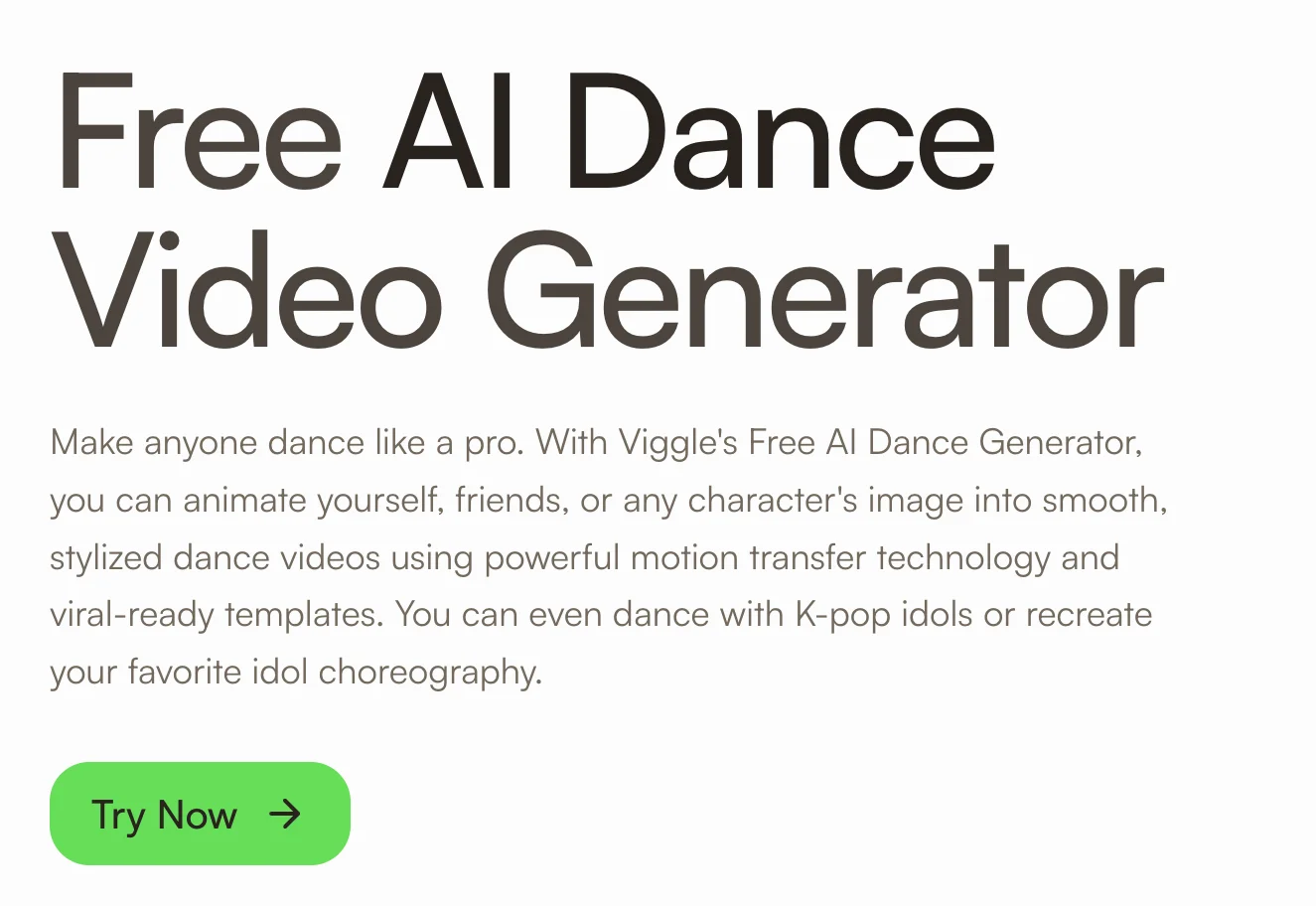
Viggle makes your photo do the moves of any dance clip you upload. Its AI dance page has no charme template, so you'll bring the clip.
- What you give it: You'll upload a character image and give it a dance video to use as your motion source. You can upload any dance clip into its Mix tool, or choose from its library of over 10,000 dance templates.
- What you get: You'll get an animated video of your character doing the moves from the reference video.
- Extras: Its Multi-Track tool can swap up to 7 characters in one dance clip, and its page says most videos take under a minute.
- Sign-in: You can make one video on the AI dance page without signing in. Free users who sign up get 5 free dance videos each day.
- How you pay: Its Free plan is $0 with 5 daily videos. Pro is $9.99 a month with 80 credits a month and no watermark on exports, and Live is $19.99 a month.
- Good to know: Viggle's AI dance page doesn't list a charme template. You'll need to bring the dance video yourself if you want the Rio street routine.
9. Kling AI: Best for Replacing the Dancer in a Clip You Already Have
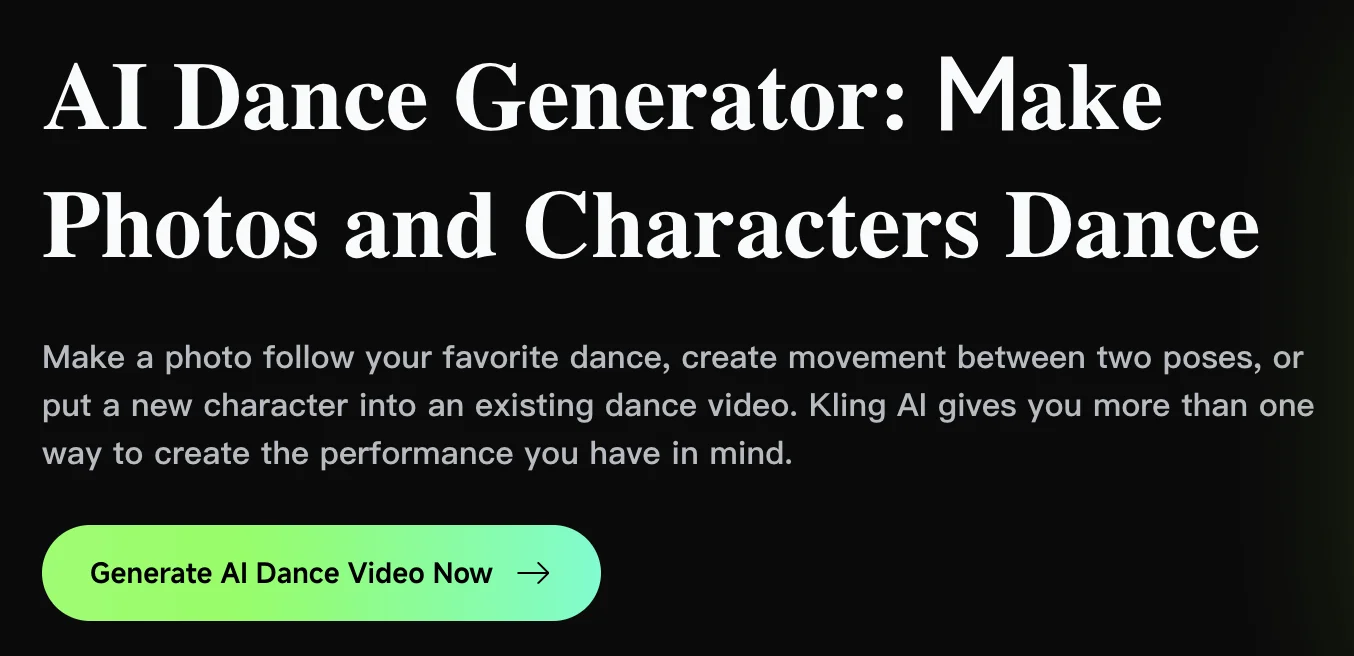
Kling AI can put a new character into an existing dance video, so you can bring the charme clip and a photo.
- What you give it: You'll give it a reference image of your person or character and an existing dance video. Then you'll tell it which dancer in the clip you want to replace.
- Motion options: Kling AI has Motion Control, where your photo follows moves from its Motion Library or your own uploaded reference clip of 3 to 30 seconds.
- Replace the dancer: You can also pick Replace the Dancer in an Existing Video, where the original performance gives the motion while your character steps into the scene.
- What you get: Its Motion Control makes 720p or 1080p video, and its Standard plan lists 1080p/4K video generation.
- How you pay: Kling AI sells monthly plans. Standard is $6.99 for the first month and then $8.80 a month, giving you 660 credits each month.
- Good to know: Its AI dance page doesn't list a dedicated charme preset, so you'll bring the reference clip yourself.
If you'd rather write the prompt yourself, you can copy the copy-ready charme dance AI prompt.
10. DanceGenerator.ai: Best for Using a TikTok Link as the Dance
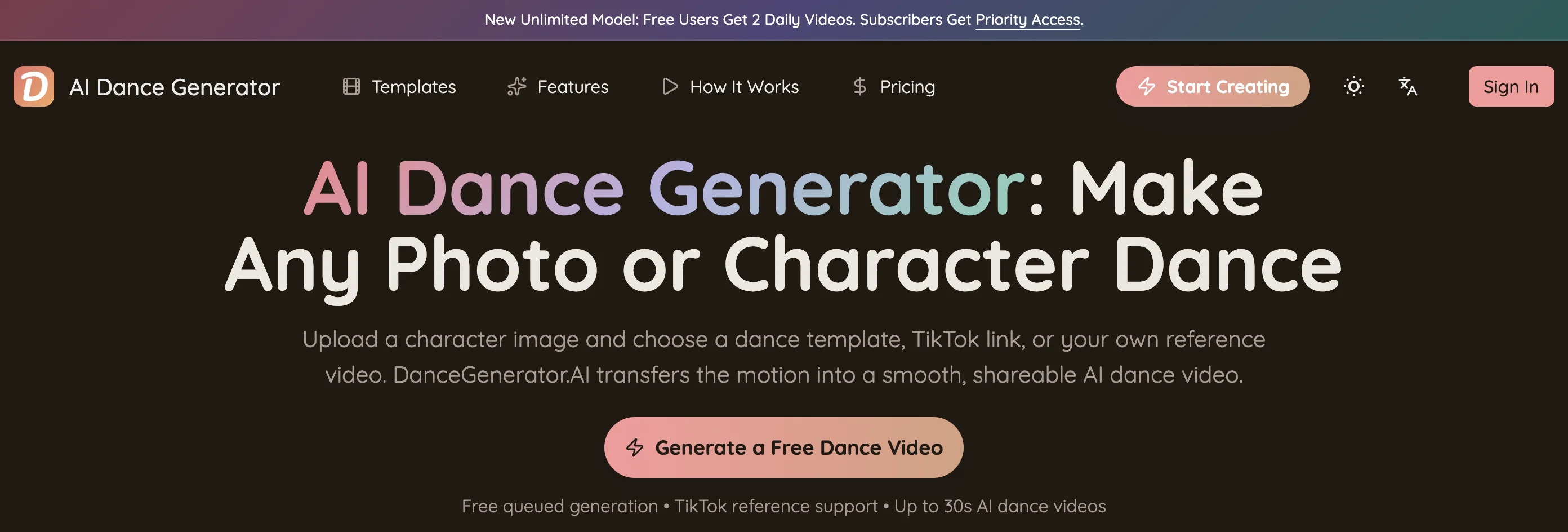
DanceGenerator.ai takes a dance template, a TikTok link or your own clip alongside a character image, and free users get 2 videos a day.
- What you give it: You'll upload a character image and paste a TikTok link straight into the generator, or upload your own reference file.
- Subjects: It works with people, anime characters, pets, cartoons and game avatars.
- What you get: You'll get your character dancing the routine from the linked source. Its free model works through a queue, and its premium model makes one-shot dance videos up to 30 seconds long.
- How you pay: Free accounts get 2 videos a day, and paid models are there if you want longer clips or a faster queue.
- Good to know: Its FAQ notes that you may need to sign in to save generation history, manage credits, or continue making clips after hitting the free daily limit.
How Did We Pick and Check These Charme Dance AI Generators?
We picked these charme dance AI generators from what Google and TikTok showed for the trend. Then we checked every one on its own pages on October 20, 2026.
Our starting list came from Google searches for "charme dance ai generator" and "charme dance ai". On page 1, Google returned Vismuse, MakeViral, Kling AI, Viggle, DanceGenerator.ai and bailecharmeai.org, with Kavel AI in its image results.
TikTok tutorials pointed users toward the CapCut template, and we added bailecharmeai.com as a dedicated trend tool. On the shorter search "charme dance ai" that day, Google marked the Viggle, Kling AI and DanceGenerator.ai pages with "Missing: charme".
We opened each tool's own charme page or tool page and its pricing page, and that's where the specs and screenshots here come from. Where pages showed other people's TikTok remakes or faces, we cropped them out or blurred them. We also checked the Boss and Dad samples on bailecharmeai.com directly against the original viral clip.
Prices are in US dollars, exactly as each tool showed them on October 20, 2026, and we'll recheck them by November 19, 2026.
We've ordered the list by kind. First come the tools that put you into the viral clip, then the tools that make their own party scene. Next is the CapCut template, and last are the general dance tools you bring the footage to.
Charme Dance AI Generator FAQ
Is there a charme dance AI app?
You don't need to install an app to make these videos. Seadanse runs directly in the web browser on your phone, tablet or computer, so you can use our charme dance AI generator without an app download. The bailecharmeai.com, bailecharmeai.org, MakeViral, Vismuse and Kavel AI tools also work straight in your browser, while the CapCut template needs the CapCut app.
Is there a free charme dance AI generator?
Viggle and DanceGenerator.ai give you free daily videos, but neither page mentions charme. Viggle copies a dance clip you upload, and DanceGenerator.ai takes a TikTok link or your own clip. The dedicated charme dance tools are paid.
On bailecharmeai.com, the FAQ notes "It isn't free, and there is no free preview". The bailecharmeai.org page states "There is no free tier", and Vismuse explains that generation needs paid credits. On Seadanse, you'll pay $9.90 once for a 15-second 720p video, with no sign-up and no monthly subscription.
Which charme dance AI generators keep the real viral crowd?
Seadanse builds in the first 15 seconds of the viral clip itself, so the crowd, the handheld shot and the original audio stay as they are. The sample videos on bailecharmeai.com show that same crowd too.
Other options change the setting. MakeViral says its clip is a new one in the same style, Vismuse puts a new group behind you, and Kavel AI builds a party around your photo. For more on the Rio crowd, read the story behind the Seu Zé clip.
Can I put a cartoon or game character in a charme dance AI video?
Yes, you can animate fictional characters. On Seadanse, a cartoon, game or AI-made character works just as well as an adult friend or family member.
If you'd like to design a recurring figure first, our AI character sheet generator makes matching front, side and back angles. General animation tools like Viggle, Kling AI and DanceGenerator.ai take character images too.
Which Charme Dance AI Generator Should You Use?
Use Seadanse's Charme Dance AI for you, a friend, your grandma or a cartoon character in the viral Seu Zé clip itself. You'll get the crowd and the sound everyone knows, and it takes one photo, no sign-up and one $9.90 payment.
To make your baile charme AI video, add your photo, tick the confirmation box, pick 720p, press Create, and save your MP4 a few minutes later.
Related Articles
- How to Make the Charme Dance AI Video From One Photo (3 Steps) — the three steps, the best photo and the answers people ask for.
- What Is the Charme Dance AI Trend? (Seu Zé, Real vs AI) — the AI grandpa, the real Rio party and how the trend took off.
- Charme Dance CapCut Template: Where It Is and Why It Fails — the real template and the browser route.
- Charme Dance AI Prompt (Copy-Ready) — and How to Skip the Prompt Entirely — the prompt, and the one-photo route.


