
How to Make the Talk Dirty Dance AI Video From One Photo (3 Steps)
Seadanse: how to make the Talk Dirty dance AI video from 1 photo: concert clip and live sound built in, browser-ready, 720p for $9.90, no sign-up.
 The Seadanse Team14 min read
The team behind Seadanse. We run the models we write about, and we publish the specs, prices and limits the marketing leaves out.

TL;DR — You make the Talk Dirty dance AI video by adding 1 photo to Seadanse's Talk Dirty Dance AI for TikTok and Reels in your phone or computer browser. You'll get the 15-second concert clip in vertical 9:16, with your person leading the stage among the dancers and the flame columns, and the clip's own live sound.
You won't need CapCut, an app, a template link or a prompt. One 720p video costs $9.90, paid once without signing up.
Under a CapCut tutorial with 94,500 plays, a viewer wrote "not free people". Under the same account's other tutorial, another viewer asked "What video on your profile. Can't find video".
The tutorials send you to a CapCut template, then to someone's profile to dig out a video.
A CapCut template is a ready-made edit someone else built in the CapCut app, with an empty spot for your photo.
On our Talk Dirty Dance AI page, we've built the concert clip and its live sound into the page. That means one photo is all you add, and you'll see the price before you pay.
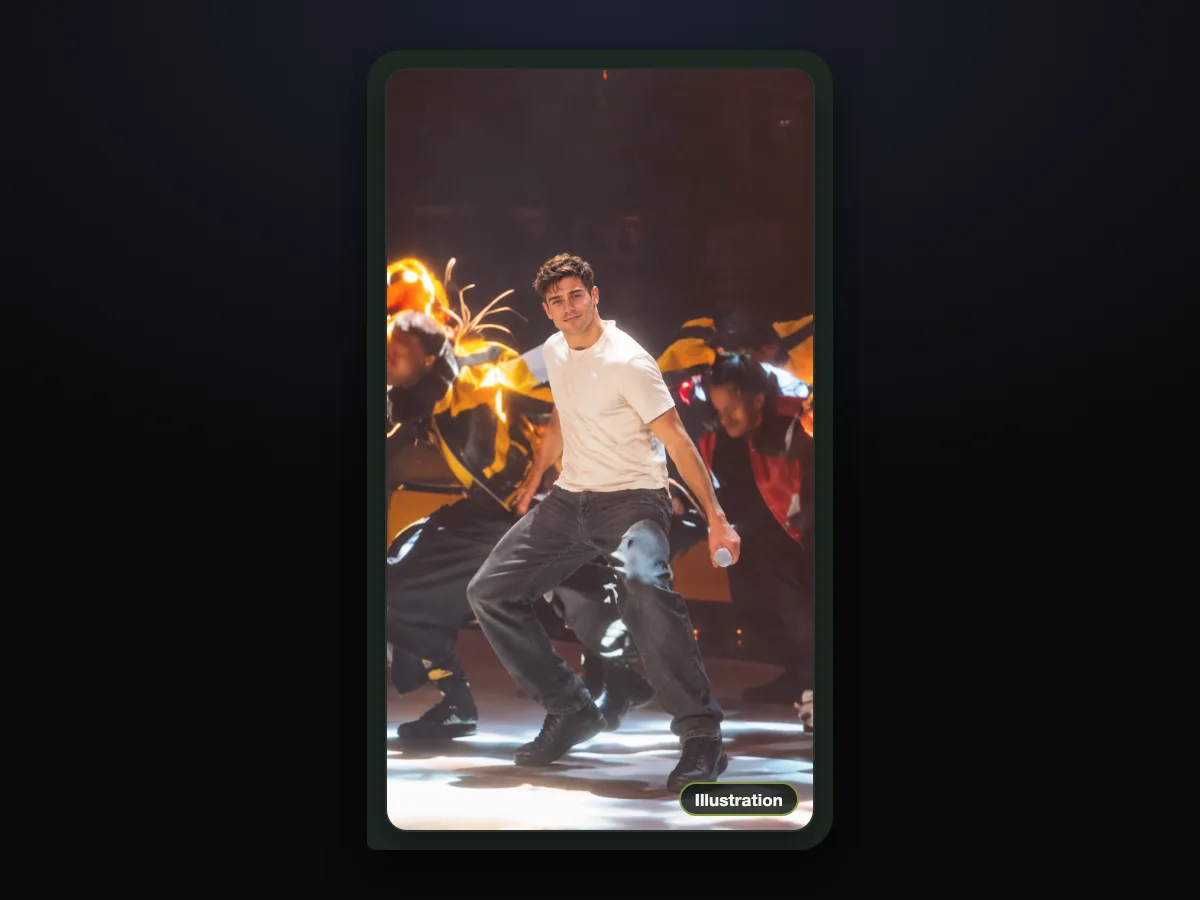
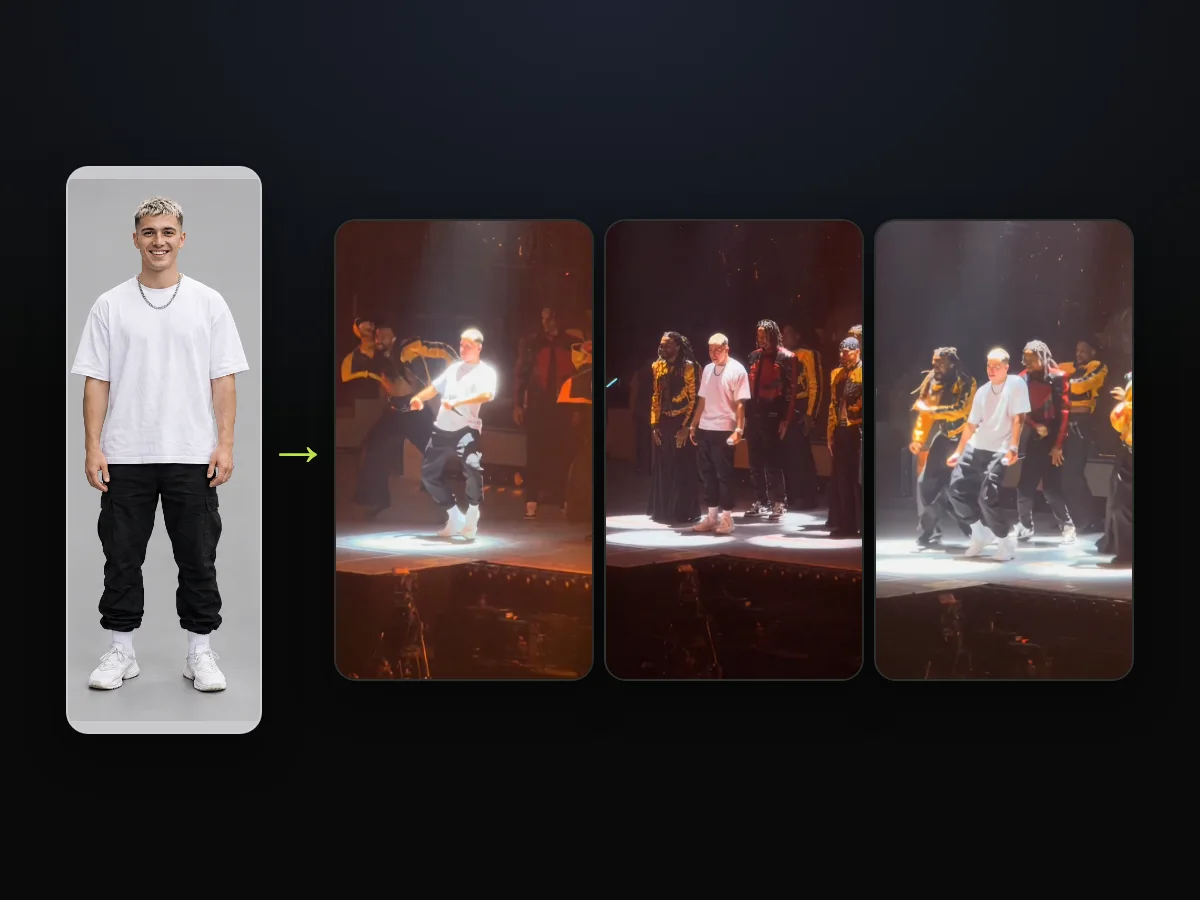
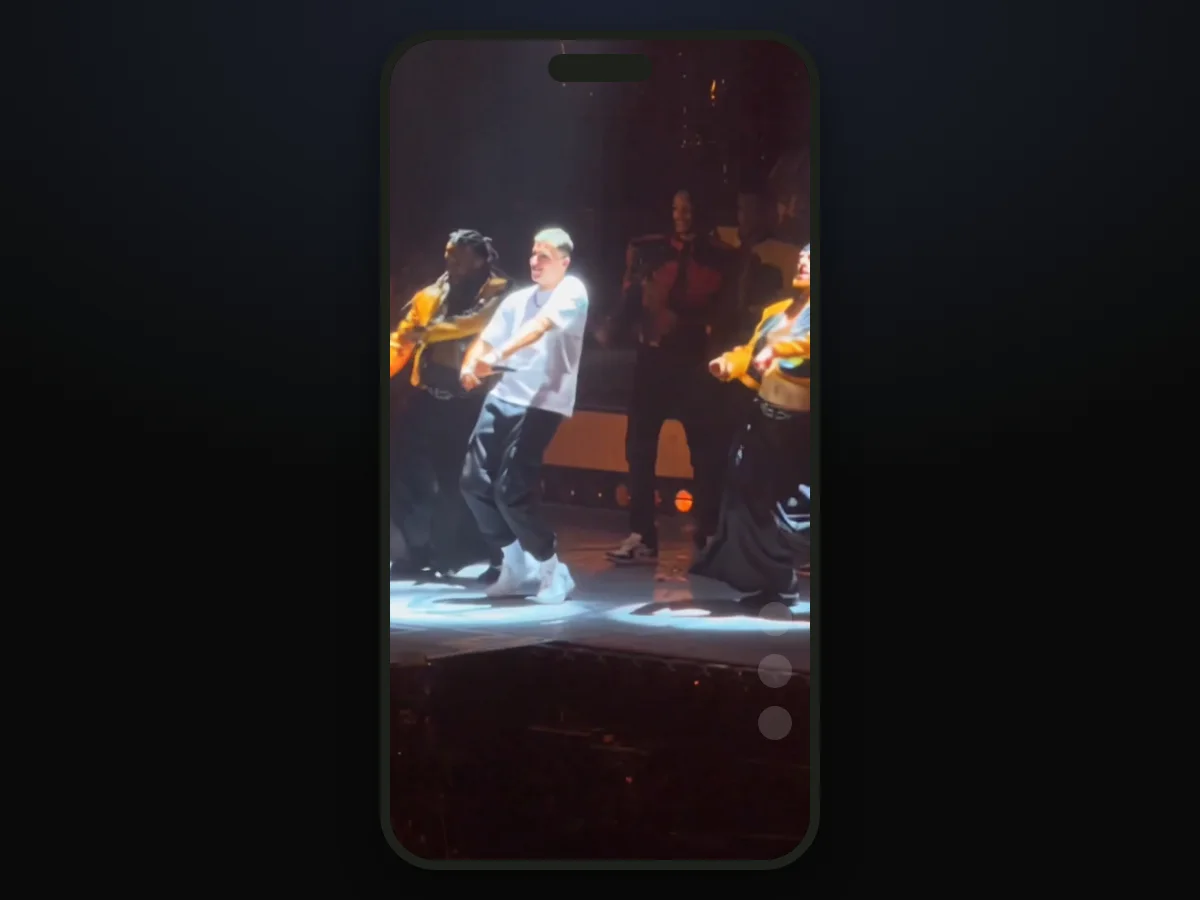
Here's how that looks in our own sample. We made it from one photo of a fictional man, and he leads the arena stage for all 15 seconds.
He drops into the crouch under the spotlight, swings his arms during the dance break, and finishes as the flames burst. The live audio stays in sync the whole time.
Here's what's below:
- The 3 steps: add your photo, choose a quality, and press Create.
- The CapCut route: how the TikTok tutorials do it, and where people get stuck.
- The right photo: the kind of picture that brings your face and clothes onto the stage.
- The price: how much one video costs, shown right before checkout.
How Do You Make the Talk Dirty Dance AI Video?
To make the Talk Dirty dance AI video, you add 1 photo to our page. You'll get back a 15-second, vertical 9:16 MP4 of that person leading the concert stage.
Everything happens in your web browser, and the clip's own live "Talk Dirty" sound is already in the file.
- What changes: only the lead changes. Your person takes the center spot on stage, keeping their face, hair, body, and outfit.
- What stays: the dancers in their varsity jackets, the routine's timing, the stage lighting, the screen, and the flame columns along the stage front all stay identical.
- What you hear: the arena's live sound of the song's hook plays under the video from the very first frame.
You can add your photo to our Talk Dirty dance AI generator and press Create to start.
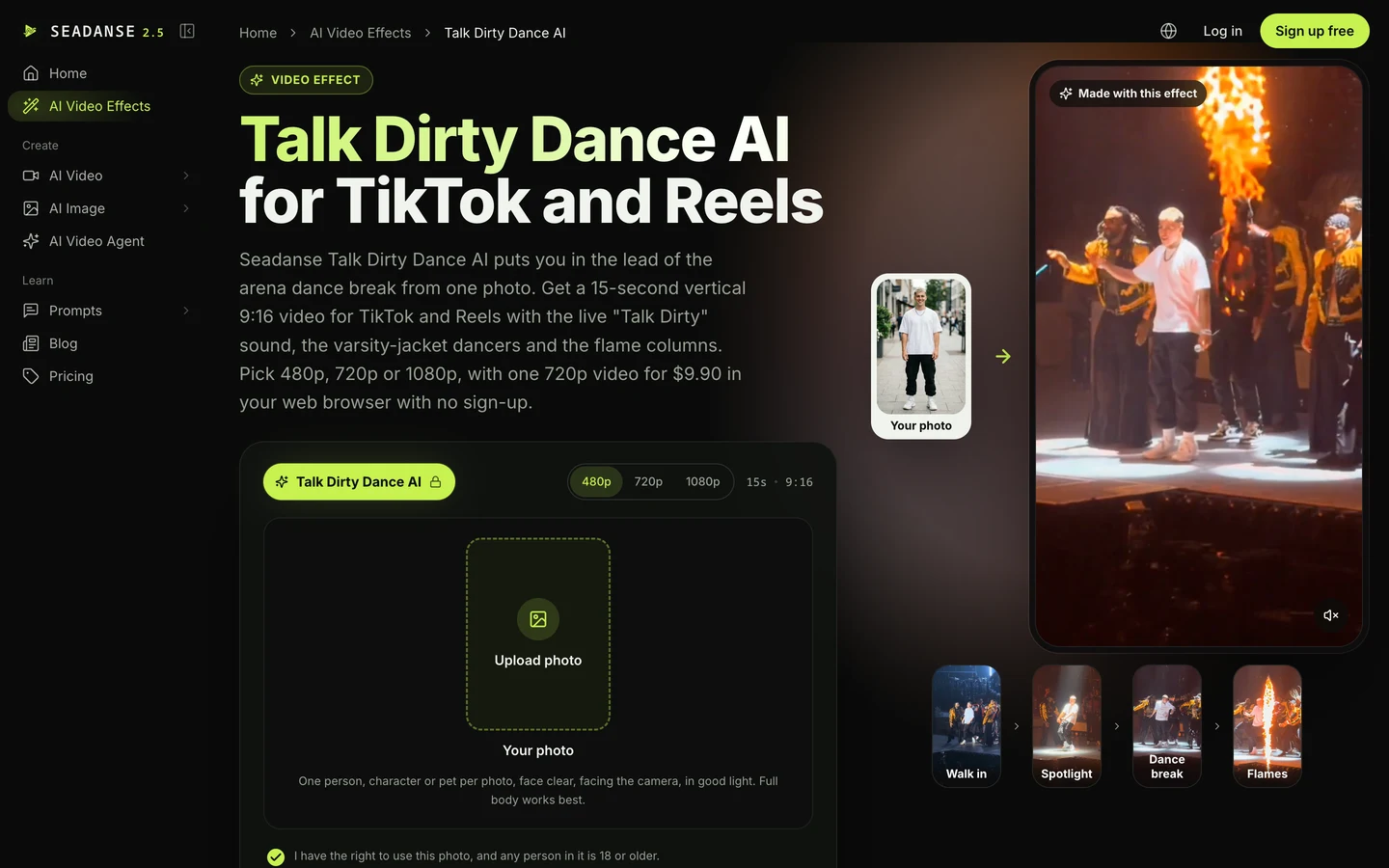
What Happens in Your 15-Second Talk Dirty Dance AI Video?
Your 15-second Talk Dirty dance AI video is one unbroken phone shot from the crowd at an arena show. Your person's in the lead from the first second to the last.
The whole routine runs without cuts or pauses.
Here's how your 15 seconds play out:
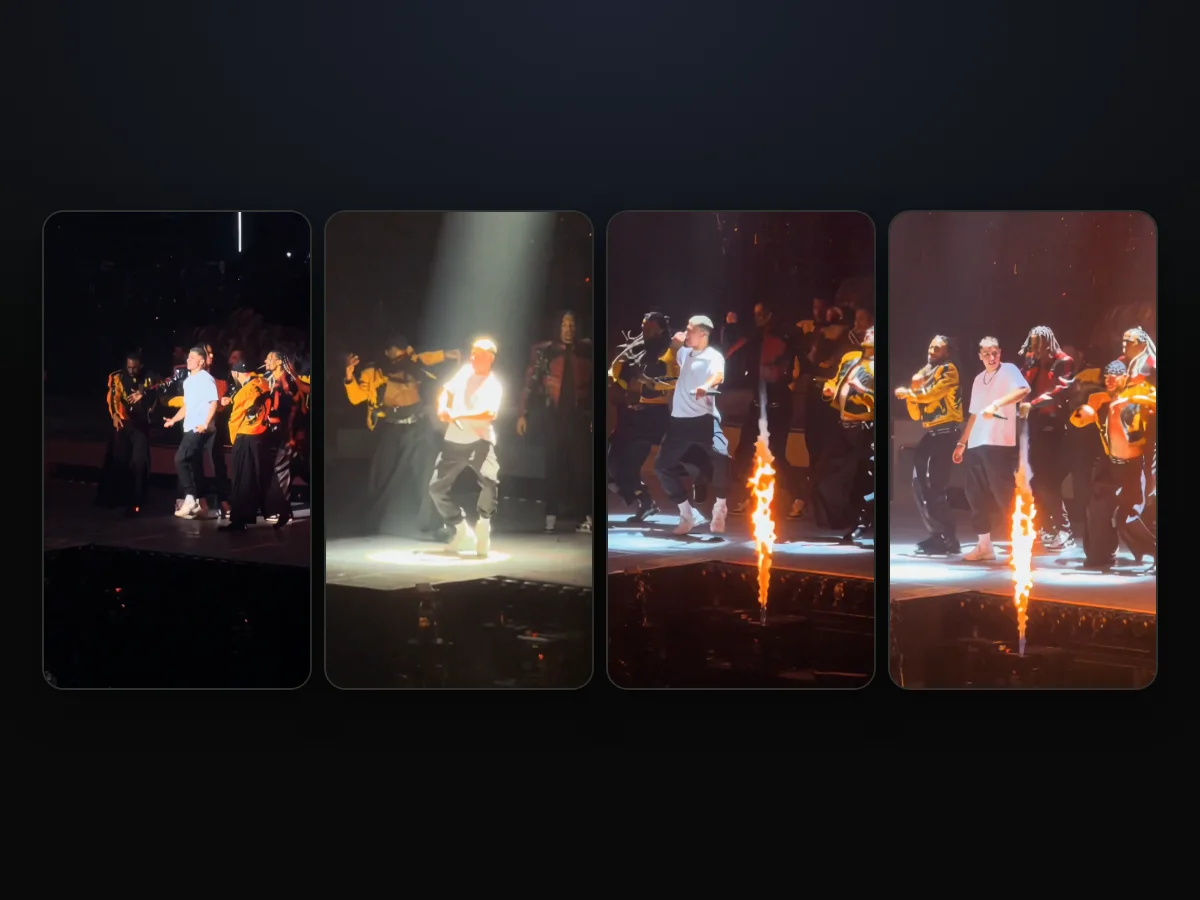
- Walk in (0 to 2 seconds): you walk forward among the dancers in blue light. Then a white flash lights up the giant letters behind you as you step out alone.
- Spotlight (about 2.4 to 3.3 seconds): a white spotlight switches on. You drop into a deep, wide-legged crouch, hands together at your waist.
- Dance break (about 3.5 to 10 seconds): the stage turns orange and flame columns burst along the front. You lead the row of dancers through the routine, arms swinging.
- Flames (about 13 to 15 seconds): you finish in deep squats with the crew as the last flame columns fire.
There's no cut anywhere in the video. The camera zooms between the whole stage and your person the way a fan films from the front. A small microphone stays in your hand.
You can read where the Talk Dirty dance AI trend came from. It shows how the concert clip started spreading across social feeds.
What Do You Need to Make a Talk Dirty Dance AI Video?
To make a Talk Dirty dance AI video, you need 1 photo, a web browser and $9.90 for one 720p video. Everything else is built right into the page.
- A photo: one clear photo of you, a friend or family member who's 18 or older, a cartoon, game or AI-made character, or your pet.
- A browser: the browser on your iPhone, Android phone, tablet or computer, with nothing to download.
- $9.90: one 15-second 720p video, paid once, with no subscription. We've explained how pay-once credits work across our tools.
You don't need the concert clip, a template link, a prompt, an app, any editing, or to learn the routine yourself.
Make the Talk Dirty Dance AI Video in 3 Steps
To make the Talk Dirty dance AI video, you add 1 photo, pick 480p, 720p or 1080p, and press Create, all on one page. That's three simple actions in your browser.
Step 1: Add One Photo
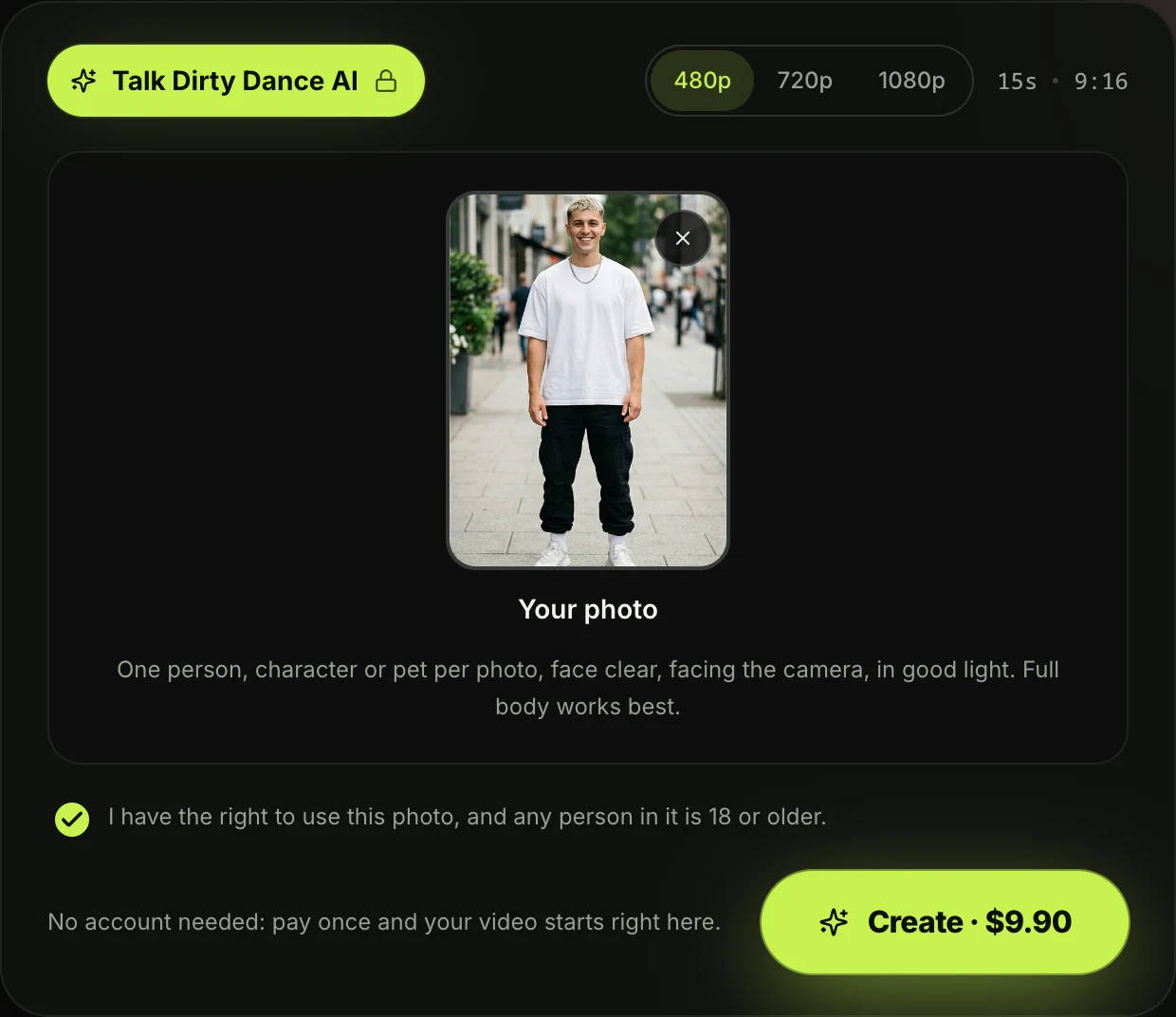
Open Seadanse's Talk Dirty Dance AI in your browser. Tap the photo box and pick 1 photo from your camera roll or your computer.
The photo that works best shows one person facing forward in good light, and a full-body picture works best.
The tick box under the photo confirms you have the right to use the photo and that anyone in it is 18 or older. It's already ticked when the page opens, so leave it ticked.
Step 2: Pick 480p, 720p or 1080p
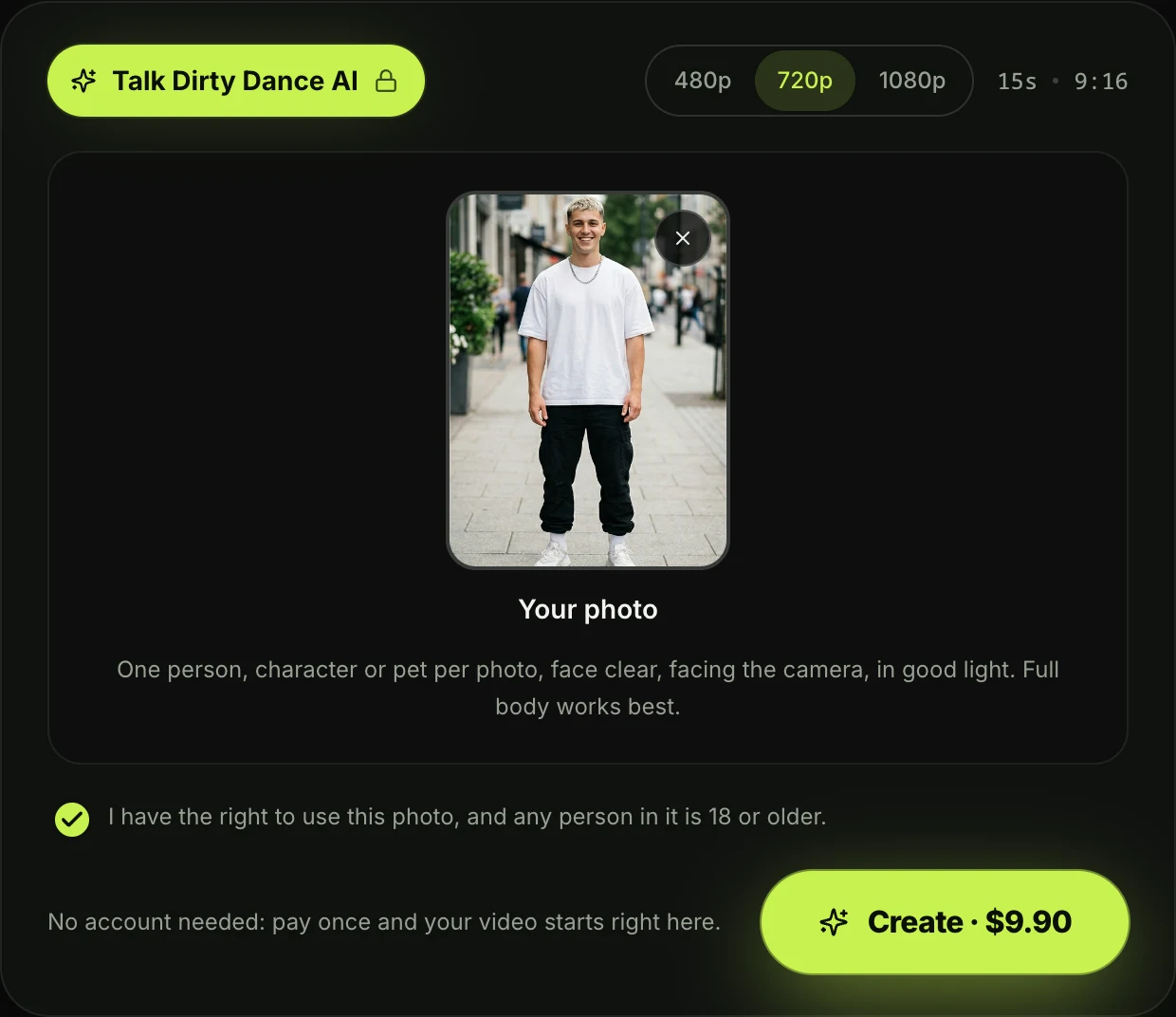
The page opens on 480p. Tap the quality you want to switch between the available options.
At every quality, your video's the same 15 seconds in vertical 9:16. The price shows on the Create button before you pay.
Step 3: Press Create
Press the Create button. No account is needed, since you pay once and your video starts right on the page.
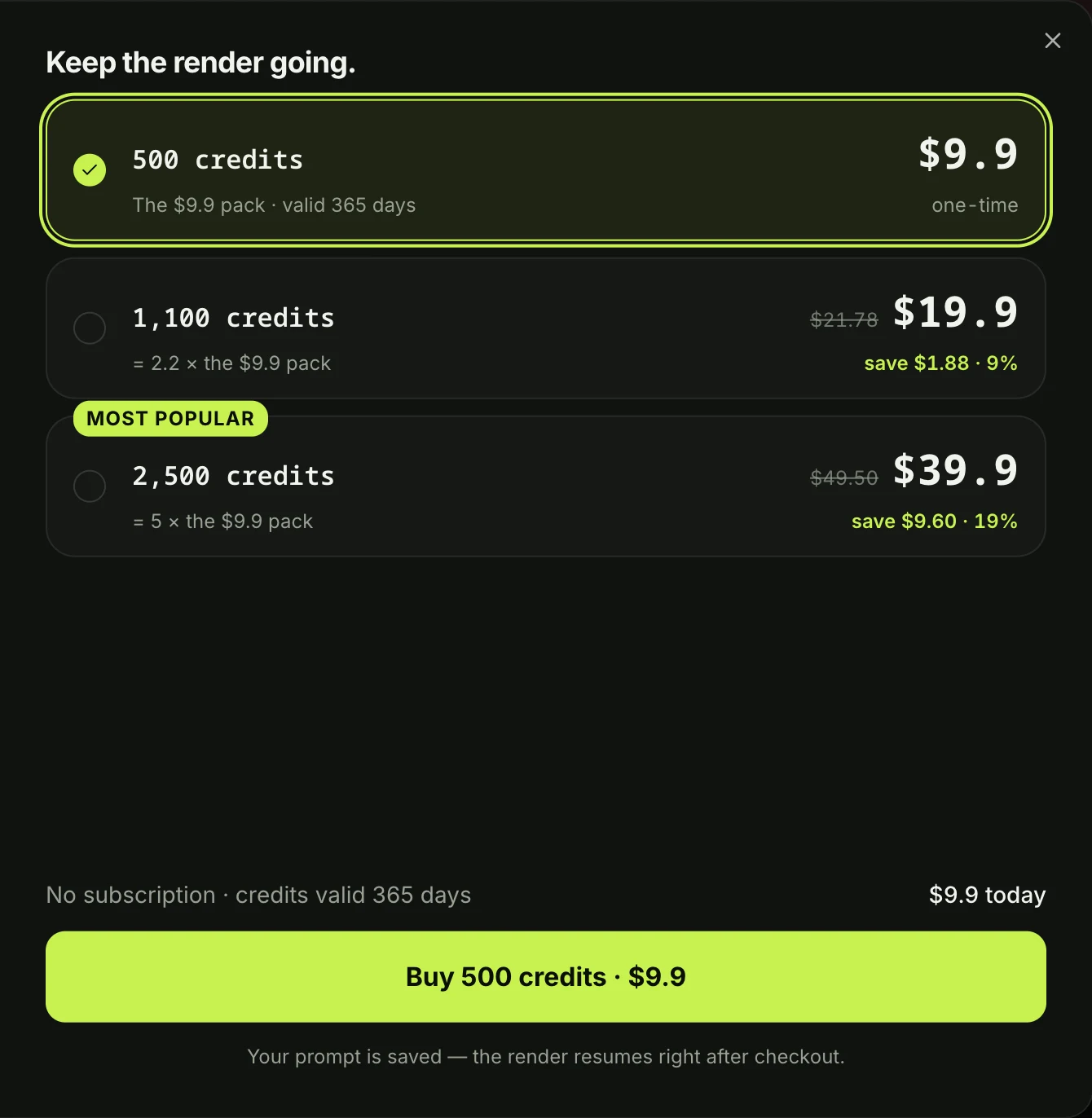
A window with the credit packs opens. You pay once at checkout, with no account and no subscription, and your video starts right on the page.
The checkout email gives you a direct link, so your video opens on any phone, tablet or computer.
When your video's ready, you'll download the 15-second vertical MP4 with the clip's live sound and no watermark on exported video. If a video fails, its credits come back automatically.
How TikTok Makes Talk Dirty Dance AI Videos With CapCut
On TikTok, people make Talk Dirty dance AI videos with a CapCut template. That's a ready-made edit someone else built in the CapCut app, with one empty spot for your photo.
Of the 92 trend videos we found on TikTok, 82 link a CapCut template, so that's where almost every tutorial sends you.
The template most of them link (66 of the 92) is called "ai dance". It was made on October 17, 2026, takes 1 photo, runs 10 seconds, and had 2,803 uses by October 21, 2026.
Because it's 10 seconds long, it ends before the closing squats and flames.
The other template, "Ai", was made on October 17, 2026 too. It runs 13.8 seconds on a different, wider shot of the show, and its demo puts Iron Man in the lead. It had 1,042 uses by October 21, 2026.
Here's the route the tutorials walk you through:
- Tap the arrow in the bottom right corner to copy the link.
- Open the poster's profile.
- Find the video there.
- Open the template.
- Import your photo.
- Tap next to make the video.
We read 66 worded TikTok comments on October 21, 2026. Of those, 4 say it costs money and 4 say it didn't work or that they got lost in the steps.
In a Thai TikTok thread about the trend, a viewer wrote "มันให้จ่ายตังค่ะ นี่ก็เลยไม่ทำ" (Thai for "it makes you pay, so I didn't").
On our page, you'll get the Talk Dirty dance AI effect without a template, a link to copy, or a profile to search.
The whole 15-second clip and its live sound are built in. You'll see the price on the Create button before you pay.
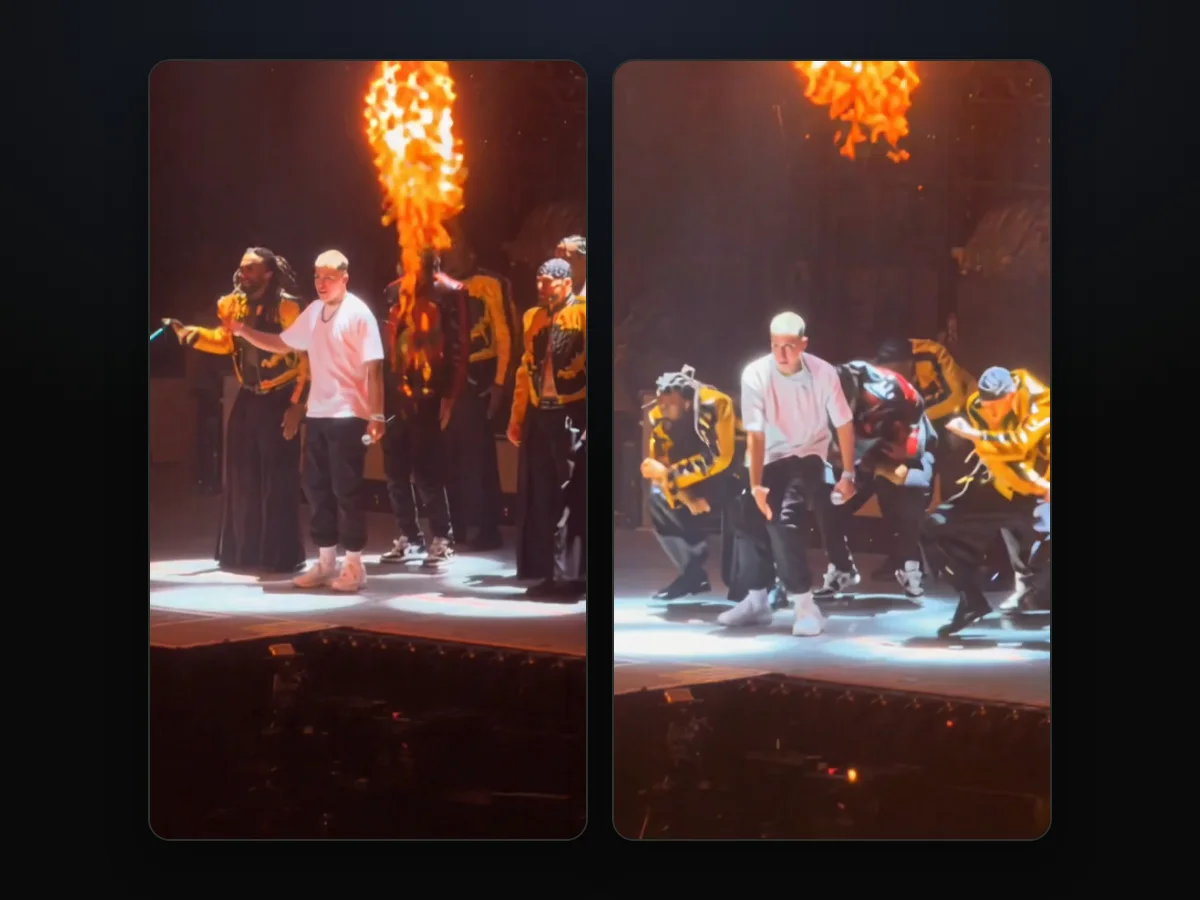
We've broken down which Talk Dirty dance CapCut template the tutorials use, so you can see where people run into problems.
You can also read the Talk Dirty dance AI generators compared to see how different sites and apps handle the concert clip.
Who Can Take the Lead in a Talk Dirty Dance AI Video?
Anyone you've got a photo of can take the lead in a Talk Dirty dance AI video. You can pick yourself, a friend or family member who's 18 or older, a cartoon, game or AI-made character, or your pet.
- You: one selfie or full-body photo puts you in the middle of the stage, from the walk-in to the last flames. It's ready to post.
- Your best friend: a photo of a friend who's 18 or older lets you send them the video in the group chat and tag them.
- Your dad or grandma: a family member who's 18 or older can dance in their everyday clothes. That's just like the grandparent clips in the trend.
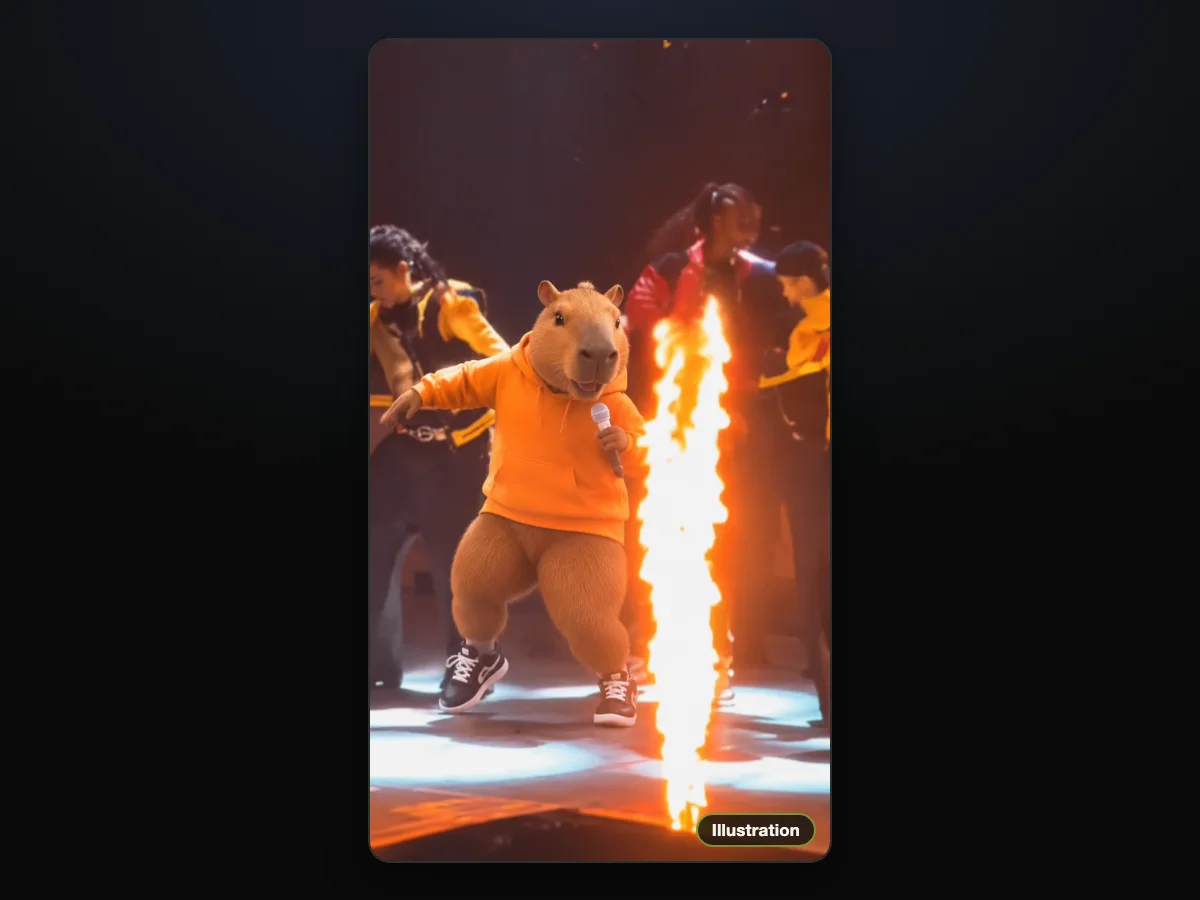
- A character: any cartoon or game character, or a character image you made with AI, can lead the crew.
- Your pet: a photo of your pet works too, putting them front and center on stage.
Whatever the person wears in the photo is what they wear on stage, so the outfit's half the fun.
Which Photo Works Best for the Talk Dirty Dance?
The photo that works best for the Talk Dirty dance shows one person, character or pet. You'll want the face clear, facing the camera and in good light, and a full-body shot works best.
- One subject: pick a photo that has one person, character or pet in the frame.
- The face: make sure the face faces forward in clear, even light.
- Full body: upload a full-length picture from head to shoes so your clothes carry through to the stage.
- 18 or older: check that any person in the photo is at least 18 years old.
Our sample shows how well a clear picture works. He leads all 15 seconds in the white T-shirt, black cargo trousers and white sneakers from his photo.
He's the same person through the spotlight, the blackouts and the white flash. His clothes stay the same from beginning to end.
Talk Dirty Dance AI Video FAQ
How long is the Talk Dirty dance AI video?
The Talk Dirty dance AI video is 15 seconds long, from the walk-in to the closing flames. It's a vertical 9:16 MP4 built for TikTok and Reels, available in 480p, 720p or 1080p.
What song plays in the Talk Dirty dance AI video?
The clip's own live sound plays from the first second: the "Talk Dirty" hook as the arena heard it. It's the same sound the trend's TikTok videos use.
The song is "Talk Dirty" featuring 2 Chainz, Jason Derulo's 2013 song. It's got nothing to do with the 1987 film Dirty Dancing.
Do I need an account, CapCut or a prompt?
No, you don't need an account, CapCut, or a prompt. You press Create, pay once, and your video starts right on the page. The email from checkout brings a link that opens it on any device.
The clip and its sound are built in, so 1 photo is all you add. If you want to see how manual tools work, read the Talk Dirty dance AI prompt. It prints the edit prompt our page uses, which you'd paste with the concert clip and your photo into another video tool.
Will I keep my own clothes on stage?
Yes, you keep your own clothes on stage. Your face, hair, body and whole outfit come from your photo.
So you'll lead the dance break in the clothes you're wearing in it, from the first frame to the last.
How much does a Talk Dirty dance AI video cost?
$9.90 buys one 15-second 720p video, paid once with no subscription, and that pack also covers a 480p video. A 1080p video takes 1,480 credits from the $39.90 pack of 2,500 credits. The rest of the pack stays in your balance.
Your pack credits last for 12 months, and if a video fails, the credits return automatically. You'll find all the pack details on Seadanse pricing.
Are my photos private?
Yes, your photos stay private. Seadanse runs no facial recognition on the photos you upload, collects no biometric data and never sells personal information. What you upload and what you make stays in your account until you delete it.
Can I put the same photo in other AI dance videos?
Yes, you can use the same photo in other dance effects on Seadanse. You can use Charme Dance AI to put your photo in the viral 15-second charme dance clip from Rio with its original sound.
You can also pick Dime Dime Baby AI to make the 9-second party clip with the trend's sound. Both options sit with our other AI video effects, where you'll add a photo with no prompt to write.
Make Your Talk Dirty Dance AI Video Tonight
You can make your Talk Dirty dance AI video tonight from just 1 photo in your browser. You'll get the full 15-second concert clip with the spotlight crouch, the dance break, the flame columns, and the arena's live sound.
It's $9.90 at 720p, with no subscription or account needed.
Written by The Seadanse Team, the team that built the Talk Dirty Dance AI page. The sample in this guide is the video on that page, and the man in it is a fictional person made with AI.
Related Articles
- What Is the Talk Dirty Dance AI Trend? (Real Stage, AI Lead) — where the concert clip comes from, why so many viewers took it for real, and how the trend reached TikTok.
- Talk Dirty Dance CapCut Template: Which One It Is and Why It Fails — the two templates the tutorials link, and why people get stuck or get asked to pay.
- Best Talk Dirty Dance AI Generators (2026): 8 Tools Compared — the tools that make this trend, compared on length, sound and price.
- Talk Dirty Dance AI Prompt (Copy-Ready) — and How to Skip the Prompt Entirely — the edit prompt our page uses, to paste into a video-edit tool yourself.


