
How to Do the Damon Salvatore AI Trend: The Church Scene From One Photo in 3 Steps
Seadanse: how to do the Damon Salvatore AI trend from one photo. Get the 13-second church scene with the trend sound. 720p for $9.90, with no sign-up.
 The Seadanse Team11 min read
The team behind Seadanse. We run the models we write about, and we publish the specs, prices and limits the marketing leaves out.

TL;DR — Here's how to do the Damon Salvatore AI trend: add 1 photo to get a 13-second church entrance with turning guests, holy water, and a smirk. Make it in your browser on Seadanse's Damon Salvatore AI page, with no app, template, or prompt. Your own face and outfit stay, the trend's original sound is built in, and one 720p video costs $9.90, paid once, with no sign-up.
Social video feeds have filled up with people walking into a bright, packed church service. The entrance took off after an AI video with 8.5 million views was posted on TikTok with the caption "Replace my namesake with me". Under trend videos, viewers post "como se hace?" ("how do you do it?"), "é filme?" ("is it a film?"), or "where can I find the account of that guy in the video above?".
And a question on Reddit's Vampire Diaries forum asks, word for word: "What app is everyone using for the Damon Salvatore church walk trend?"
We timed every cut of the scene and built the entrance into our browser page. Below, we break down all eight shots of the 13 seconds and show the three steps on our page.
On our page, you add one photo and get a 13-second vertical video with the trend's original sound. You appear in the open double door, guests turn, you touch the holy water, walk down the aisle, smirk, and drive an open-top car.
Here's what's below:
- The shots: all 13 seconds timed across eight scenes.
- The steps: three simple actions on our page.
- The photo: what works best for your video.
- The FAQ: details on outfits, sound, cost, and the episode.
What Is the Damon Salvatore AI Trend, in One Minute?
Learning how to do the Damon Salvatore AI trend starts with knowing the clip. You take Damon Salvatore's church entrance from The Vampire Diaries yourself, made with AI from one photo. The video turns a single picture into a full entrance without any manual editing.
- The scene: season 4, episode 2, "Memorial", first aired in 2012, where Damon Salvatore walks into a crowded memorial service and smirks.
- The twist: you keep your own face, hair, and outfit, while AI creates the bright church and the turning guests from scratch.
- The tail: a quick night shot leads to you in the driver's seat of an open-top car wearing dark sunglasses.
You can read our full breakdown of where the Damon Salvatore AI trend came from to see how the trend spread on social feeds.
The Damon Salvatore AI Trend Shot by Shot, 0 to 13 Seconds
The Damon Salvatore AI trend video runs in eight shots over 13 seconds. Every shot cuts hard on the beat, moving from the church double door to the car.
The setting is a bright, white-walled church in daylight. It's got tall arched windows, dark wooden pews, an open wooden double door, and a carved stone basin of holy water. The pews are full of made-up grown-ups in dark formal clothes.
Here's how the 13 seconds play out:
- The doorway (0 to 1.25 seconds): a wide shot from behind the pews shows guests' heads along the bottom. You stand in the doorway against the daylight and take your first step in.
- The guests turn (1.25 to 2.25 seconds): along a wooden pew, a woman with wavy blonde hair turns over her shoulder toward you, her eyes widening.
- The man on the aisle (2.25 to 3.25 seconds): a man in a dark suit rests his arm on the pew, turns round, and stares with one eyebrow raised.
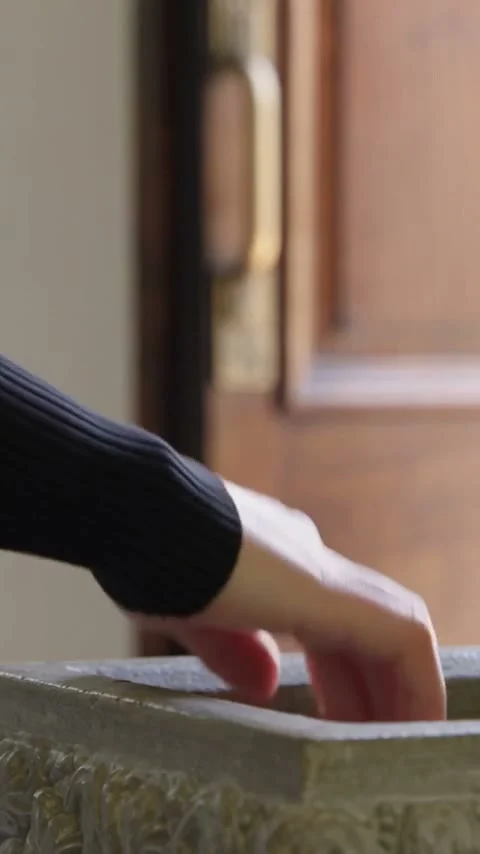
- The holy water (3.25 to 4.45 seconds): a low close-up frames the door. Your hand, in your own sleeve, dips two fingertips into the stone basin of holy water and lifts away.
- The walk in (4.45 to 8.7 seconds): you walk down the aisle toward the camera. You rub your nose, touch your collar, lift your chin, and look across the room.
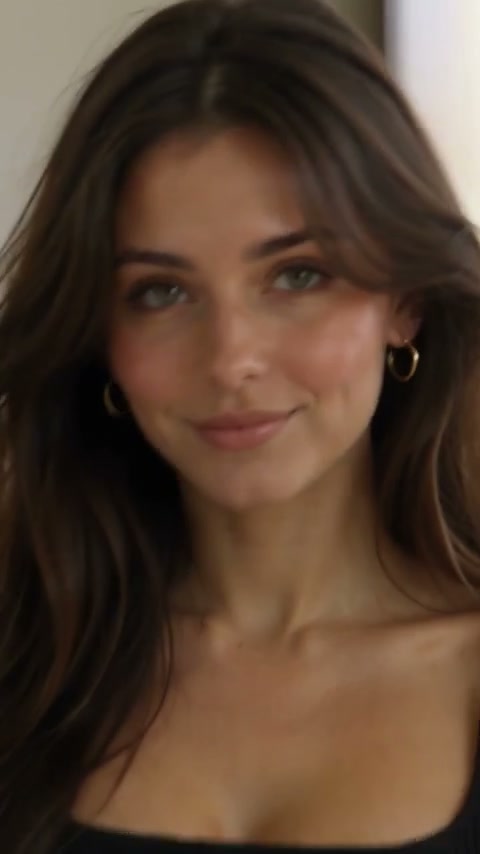
- The smirk (8.7 to 10.95 seconds): the camera pushes close as you lower your eyes with a growing smile. Then, at about 10 seconds, you look straight into the lens with a small, knowing smirk.
- Night (10.95 to 11.7 seconds): outdoors at night, warm light hits your face from one side as you look down with a half-smile.
- The car (11.7 to 13 seconds): in daylight, you sit behind the wheel of an open-top black car in sunglasses, smirk over the rims, and the video ends.
Every cut lands on the beat of the trend's original sound.
How to Make the Damon Salvatore AI Video in 3 Steps
You make the Damon Salvatore AI video from one photo on our page, in your browser, with nothing to install. The page handles the church, the guests, the eight shots, and the trend's original sound.
To begin, add your photo to our Damon Salvatore AI video maker and press Create.
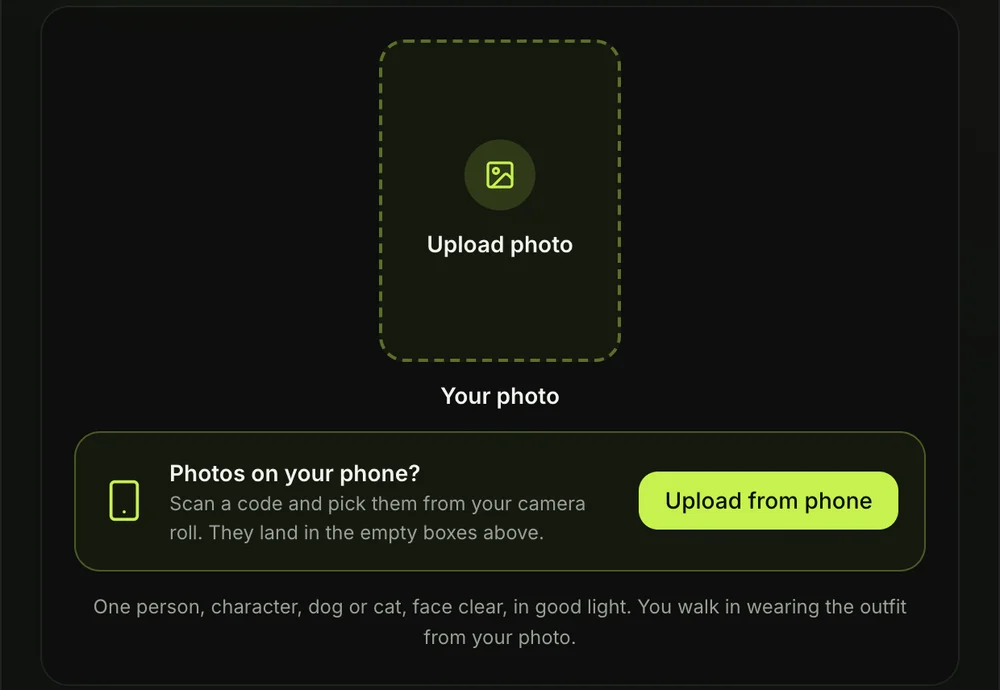
Step 1: Add Your Photo
First, open the browser page to make the Damon Salvatore AI video from one photo and add one picture. Pick a picture showing one person, character, dog, or cat with a clear face in good light.
You'll walk down the church aisle in the exact clothes shown in your photo. That's how your shirt, jacket, or top stays on your body across every cut.
Step 2: Pick 480p, 720p or 1080p
Next, choose your video quality. 480p is picked to start, but you can tap 720p or 1080p instead.
Your video stays the exact same 13 seconds and vertical frame at any quality. The price shows on the Create button before you pay, so you'll always know the cost.

Step 3: Tick the Box and Press Create
Now, tick the confirmation box on the page. This confirms that you have the right to use the photo and that anyone in it is 18 or older.
After ticking the box, press the Create button. You don't need an account, since you pay once at checkout and the video starts right on the page.

A checkout window opens with credit packs. You'll pay once with no subscription, and you can see how pay-once credits work across our site.
The checkout email includes a direct link to your video. That way, you'll reopen your video on your phone, tablet, or laptop whenever you want.
When your video finishes, download your vertical MP4 file. It's got the full sound, and there's no watermark on exported video.
Which Photo Works Best for the Damon Salvatore Church Scene?
The photo that works best for the Damon Salvatore church scene shows one face, clear, in good light, in the outfit you want to walk in. A clean, bright photo's what gives you the best church entrance.
Here's what to pick:
- One face: pick a photo featuring a single person who's 18 or older, so the AI knows who walks into the church.
- Good light: use clear, even lighting across your face so your features carry over cleanly.
- Your outfit: wear the clothes you want to see down the aisle, since the outfit from your picture stays on you.
- A pet or a character: try a dog, cat, cartoon character, or game character, which keeps its original look throughout the scene.
Women and men do the trend alike. On X, one user posted in Portuguese: "queria ela de damon salvatore ia combinar tanto" ("I wanted her as Damon Salvatore, it would suit her so well").
Making a Damon Salvatore AI Video for a Friend
You can make a Damon Salvatore AI video for a friend from one photo of them, when they say yes. It makes a great surprise clip to share on social feeds or in direct messages.
On TikTok, one user commented: "Alguém faz um vídeo desse para mim por favor" ("Can someone make one of these videos for me, please"). With our page, you can easily be that person for your friend.
You'll just tick the box to confirm you have the right to use their photo and that they're 18 or older. Then you can put your friend in the church with Damon Salvatore AI using their picture.
If you'd like to see other options, check the Damon Salvatore AI video generators compared for an overview of what's out there.
Can You Do the Damon Salvatore AI Trend in CapCut?
Yes, the Damon Salvatore AI trend also has a CapCut template, "Hh", that makes a 19-second clip from one photo. A template maker made it on October 19, 2026, and it had 998,673 uses by November 3, 2026, so that's nearly a million in about two weeks.
People usually find it by searching the trend on TikTok, tapping the template button on a clip, and picking their photo in CapCut. You can read how the Damon Salvatore CapCut template works to see how it compares.
If you'd rather write instructions into an AI video app yourself, you can copy the copy-ready Damon Salvatore AI prompt shot by shot.
Damon Salvatore AI Trend FAQ
How long is the Damon Salvatore AI video?
The Damon Salvatore AI video runs for 13 seconds. It's framed vertically in 9:16 for TikTok and Reels, running from the church doorway to the car.
Can girls do the Damon Salvatore AI trend?
Yes, women and men do the trend alike. Anyone who's 18 or older can walk down the church aisle in their own outfit, and the price is the same.
Do I keep my own clothes?
Yes, the outfit from your photo stays on your body in every shot of the video. The dark sunglasses in the car are the only thing that's added.
Which episode is the Damon Salvatore church scene from?
The original church entrance comes from The Vampire Diaries season 4, episode 2, "Memorial", which first aired on October 18, 2012. You can explore the story of the Damon Salvatore church scene to read about Damon's memorial entrance.
How much does a Damon Salvatore AI video cost?
One 720p video costs $9.90, paid once with no recurring subscription. The $9.90 pack gets you 500 credits, which covers a 720p video (500 credits) or a 480p video (375 credits), while a 1080p video takes 1,480 credits.
Your pack credits stay valid for 12 months from the day you buy. If a video ever fails to complete, its credits return to your account automatically. You'll find every credit pack on the Seadanse pricing page.
Can I make other trend videos from my photos?
Yes, you can turn your photos into other viral clips on our site. You can try the Nightwing AI Trend to turn your photos into a 15-second superhero clip, or make an 8-second dance clip with Hop Hop Hop Dance AI. Explore all our browser tools on the AI video effects page.
Make Your Damon Salvatore AI Video Today
To do the Damon Salvatore AI trend, you only need one photo in your browser. Our tool builds the bright church, the turning guests, the holy water basin, the knowing smirk, the car, and the trend sound automatically.
Head over to make your Damon Salvatore AI video for $9.90 at 720p with no sign-up.
Written by The Seadanse Team, the team that built the Damon Salvatore AI page.
Related Articles
- What Is the Damon Salvatore AI Trend? The Church Entrance Everyone Is Posting, Explained — the scene, the "Replace my namesake with me" caption and how it spread.
- Damon Salvatore Church Scene: Which Episode It Is and How the AI Trend Replays It — the episode, the entrance and the AI version shot by shot.
- Damon Salvatore CapCut Template: Find the Church Scene One, Fix It When It Won't Open, or Skip It — which template is the church scene, what to try when it won't open, and another way.
- 8 Best Damon Salvatore AI Video Generators for the Church Scene Trend (2026) — the tools that make the church scene from one photo, side by side.
- Damon Salvatore AI Prompt: Copy the 13-Second Church Scene, Shot by Shot — a copy-ready prompt for the church scene, to use in an AI video app yourself.


