
Goodbye 2026 Welcome 2027 AI Prompt: Copy the Summit Climb and the Rainy Goodbye, Beat by Beat
Copy this Goodbye 2026 Welcome 2027 AI prompt for the summit climb and the rainy goodbye, with a picture prompt plus a 10-second video prompt timed beat by beat.
 The Seadanse Team17 min read
The team behind Seadanse. We run the models we write about, and we publish the specs, prices and limits the marketing leaves out.

TL;DR — The Goodbye 2026 Welcome 2027 AI prompt for the summit climb comes in 2 steps. First a picture prompt makes the giant 2027 on a mountain peak, then a 10-second video prompt uses your photo and times every move and sound. Below are both prompts, plus the same pair for the 2027 you saying goodbye to the 2026 you, ready to copy.
To skip the prompt, add one photo to Seadanse's Goodbye 2026 Welcome 2027 page and press Create.
You've probably seen the summit climb behind a TikTok post from Pakistan with 1.1 million views.
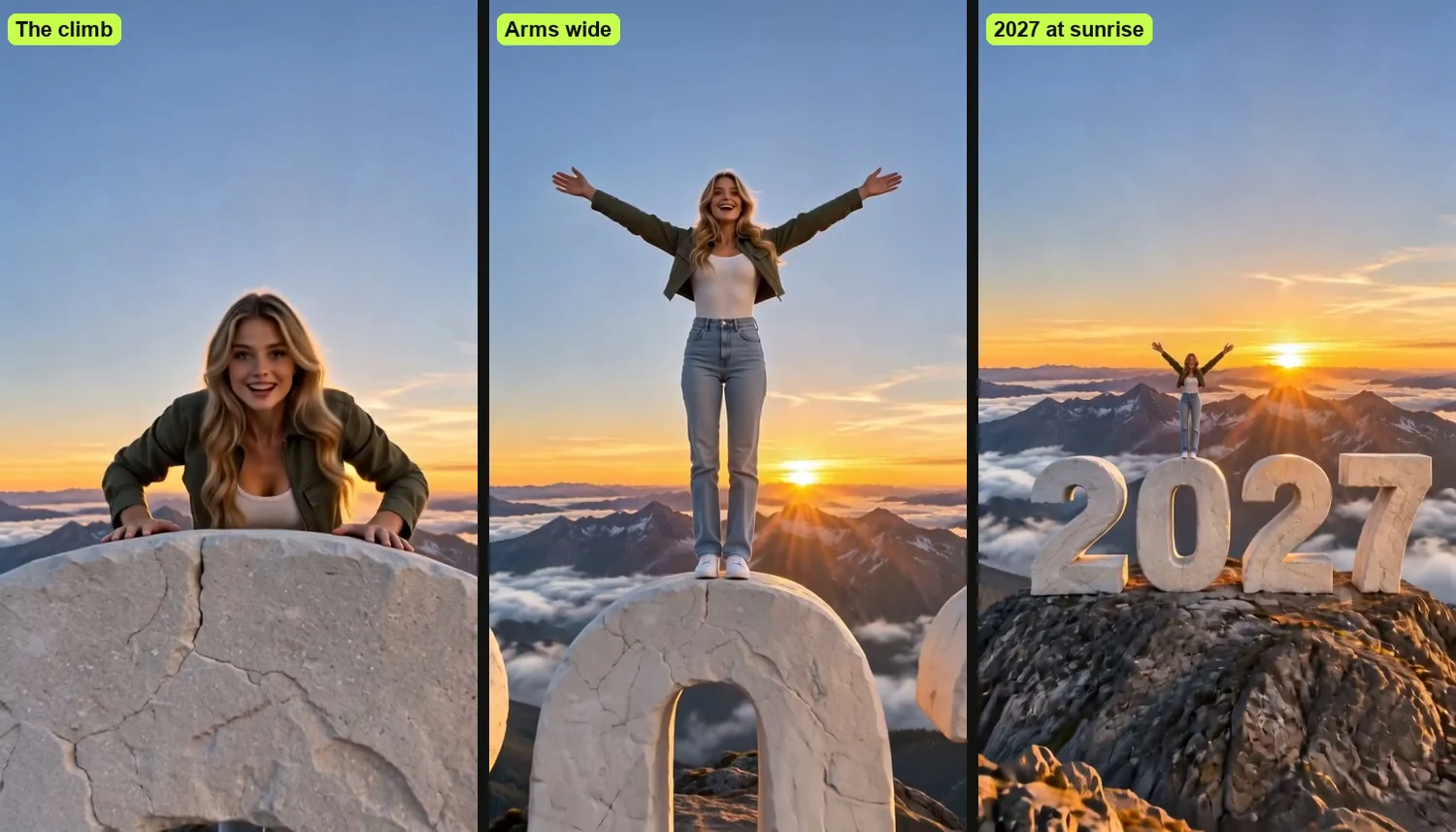
You pull yourself up over the edge of a giant stone 0, stand up and throw your arms wide. Then the camera flies back to show you high above the clouds on the giant numerals 2027 at sunrise.
Most prompts people share for Goodbye 2026, Welcome 2027 describe generic street signs or walking numbers. None of them uses your own photo, none recreates the summit climb, and none times the camera moves or the sound.
We searched YouTube for a prompt for the summit climb or the two-yous goodbye and found none.
We wrote these prompts from the beats of our own Goodbye 2026 Welcome 2027 page. You can read where the Goodbye 2026, Welcome 2027 trend came from to see how the idea spread across social feeds.
Below, you'll get every prompt, timed beat by beat, so you can make the exact clip yourself.
What Makes a Good Goodbye 2026 Welcome 2027 AI Prompt?
A good Goodbye 2026 Welcome 2027 AI prompt keeps your face from your photo, gives the AI a picture of the place, and puts every move on its own second.
Giving the place its own picture lets the video prompt focus on you. Splitting the place and the action into two separate steps keeps each one clear.
Here's what each prompt below does:
- Your photo for the person: The prompt keeps your face, hair, skin tone and clothes from your photo and ignores its background.
- A picture for the place: A second picture shows the mountain and the four numerals, so they read 2027.
- Every beat on its second: The climb happens at 0-2 seconds, standing at 2-4, arms wide at 4-5.5, the fly-back at 5.5-8.5, and the wide hold at 8.5-10.
- Sound and rules: The prompt sets the wind, the laugh, the music and a final line that keeps one person, one shot and no text.
Step 1: Make the Summit Picture With This Prompt
The first step of the Goodbye 2026 Welcome 2027 AI prompt is a picture of the empty summit with the giant 2027, made in an AI image app.
Creating the location first gives your video tool a clean reference frame. That way, the four numerals come straight from the picture, in the order 2, 0, 2, 7.
Copy this into an AI image app:
Photoreal vertical photograph, 9:16. A rocky mountain summit at sunrise. On the very top of the peak stand four giant free-standing numerals reading "2027", left to right: 2, 0, 2, 7. Each numeral is a chunky, smooth, white stone block letter in a bold rounded sans-serif shape, flat on top, about as tall as a three-storey house, all four side by side with small gaps, facing the camera, standing on dark jagged rock. Behind them a sea of sharp mountain peaks and low clouds stretches to the horizon, the sun just rising behind the far peaks, warm golden light with long shadows, pale blue-gold sky. Camera in front of the numerals, slightly below the top of the peak, 24mm, the whole of all four numerals and the summit rock in frame in the lower half, sky in the upper half. Nobody in the picture. No other text, no logos, no watermark.Save the picture once it's created. Nobody's in the picture, and the only text in it is the 2027 numerals.
Step 2: The Goodbye 2026 Welcome 2027 AI Prompt for the Summit Climb
The second step is the video prompt, which you paste into an AI video app that takes reference photos, with your photo first and the summit picture second.
Your photo tells the tool who's climbing, while the summit image anchors the mountain peak. The prompt locks both together across a continuous 10-second shot.
Change the one line in brackets, then copy:
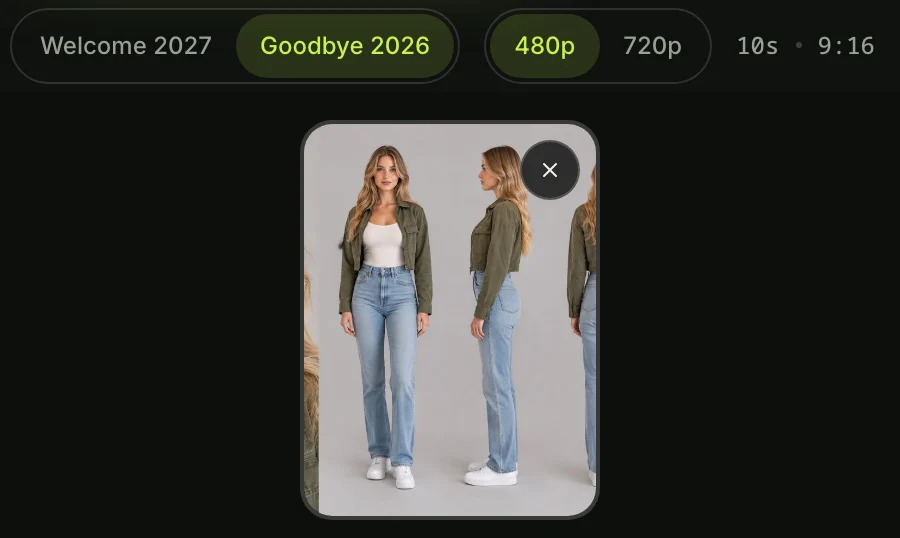
The person is the one in my photo (a person, or a cartoon or game character when my photo shows one): [one line about you: hair, clothes]. A person is a grown adult. They wear their own clothes and worn items (glasses, earrings, hats) from my photo. My photo is an appearance reference only; ignore its background, pose and framing.
The summit picture is the place: a mountain summit at sunrise with four giant white stone numerals reading 2027 on the rocky peak. Use it only for the place, the light and the four numerals.
A realistic 10-second vertical New Year video in one continuous shot: the person climbs up onto a giant white stone numeral, stands, throws both arms wide and laughs, and the camera flies back to reveal them on top of the giant numerals 2027 on a mountain peak at the first sunrise of the year.
Keep from my photo: face, hairstyle, hair colour, skin tone, body proportions, clothing and worn items. Keep from the summit picture: exactly the four numerals 2, 0, 2, 7, in that order from left to right.
Real live-action footage: warm low sunlight from behind the far peaks, natural skin, wind in hair and clothes, real-time speed. The numerals are chunky white stone with flat tops, each as tall as a house. The camera stays in front of the numerals, so they always read 2027.
0-2s: Close shot level with the flat top of the 0, looking at its far edge against a pale dawn sky. The person climbs up the far side: both hands grip the edge, then head and shoulders rise over it as they haul themself up, face clear to the lens.
2-4s: The person swings one knee onto the top, crawls toward the camera on hands and knees and pushes up to standing; the camera eases back to a full-body shot.
4-5.5s: Standing on top of the 0, the person looks straight into the camera lens with both eyes, laughs and throws both arms wide.
5.5-8.5s: Arms still wide, the person stays on the 0 while the camera flies smoothly back and up like a drone, revealing all four numerals 2027 on the rocky peak and the sun rising behind a sea of jagged peaks and clouds.
8.5-10s: The camera holds still on that wide frame: the person small, arms wide on top of the 0, the four numerals 2027 sharp and fully in frame. The video ends on this frame.
Sound: mountain wind, hands scraping stone, a hard breath at 1s, a happy laugh at 4.5s. No dialogue.
Music: from 0s an original uplifting cinematic instrumental: soft piano and strings that build, a deep drum hit as the camera starts to fly back at 5.5s, then a full warm swell to the end. Instrumental only, no singing.
Rules: exactly one person, the one from my photo, recognizable from first frame to last, never duplicated, nobody else; one continuous shot, no cuts; the giant numerals read exactly 2027 from left to right whenever they are in view, never mirrored, never another digit, never a fifth numeral; at 4-5.5s the person looks directly into the lens; real-time speed, never slow motion; nobody speaks or sings; no other text anywhere: no captions, subtitles, logos or watermark.Here's what you get from it:
- The climb (0 to 2 seconds): the camera's close up, level with the flat top of a giant stone 0. Your hands grip its edge, and your head and shoulders rise over it as you pull yourself up, face toward the camera.
- On top (2 to 4 seconds): You swing a knee up, crawl toward the camera and stand up as the camera eases back to show all of you.
- Arms wide (4 to 5.5 seconds): Standing on top of the 0, you look straight into the lens, laugh and throw both arms wide.
- The reveal (5.5 to 8.5 seconds): arms still wide, you stay on the 0 as the camera flies back and up like a drone. All four numerals, 2027, come into view on the peak, with the sun rising behind the mountains.
- The wide shot (8.5 to 10 seconds): the camera holds still on the wide view. You're small, arms wide on top of the 0, and 2027 is sharp and whole as the video ends.
The Goodbye 2026 Welcome 2027 AI Prompt for the 2027 You Saying Goodbye
The Goodbye 2026 Welcome 2027 AI prompt for the rainy goodbye also comes in two steps. First a picture of the empty highway under the 2026 and 2027 signs, then the video prompt.
This scene creates an emotional farewell between two versions of yourself. Just like the summit climb, making the highway image first keeps the road signs stable.
First, the highway picture:
Photoreal vertical photograph, 9:16, night. An empty six-lane highway in heavy rain, wet asphalt reflecting the lights, white lane markings. Across the road an overhead steel gantry holds two green highway signs with white lettering: over the left lanes a sign reading "2026" with a white down arrow, over the right lanes a sign reading "2027" with a white down arrow. The left half of the scene is lit cold blue, the right half warm orange from sodium street lamps; a city skyline glows orange far ahead. Camera standing in the middle of the road at chest height, 35mm, the gantry and both signs fully in frame in the upper third, the empty road in the lower two thirds. Nobody in the picture, no cars. No other text, no logos, no watermark.Then the video prompt, with your one line in brackets:
Two versions of the one in my photo (a person, or a cartoon or game character when my photo shows one): [one line about you: hair, clothes]. Both have exactly the face, hair colour, skin tone and body from my photo. A person is a grown adult. Worn items from my photo (glasses, earrings) stay on both. My photo is an appearance reference only; ignore its background, pose and framing.
The 2026 you: the clothes from my photo, soaked, hair wet; in the left lane under the blue-lit 2026 sign.
The 2027 you: dry hair neatly styled, a long camel wool coat over a black outfit, black boots, a silver suitcase beside them; in the right lane under the orange-lit 2027 sign.
The highway picture is the place: a wet night highway in heavy rain under a gantry with two green signs, 2026 over the left lane and 2027 over the right, blue light on the left half, orange on the right. Use it only for the place, the signs and the light.
A realistic, emotional 10-second vertical New Year video in one continuous shot: on a rainy night highway the 2027 you hugs the 2026 you goodbye, drives off under the 2027 sign waving, and the 2026 you, alone in the rain, waves back and smiles into the lens.
Real live-action footage at night: rain streaks in the lamplight, reflections on wet asphalt, real-time speed. The camera stands in the road four metres in front of them at chest height, 35mm, both full body with faces clear, both signs in frame above; it never turns around.
0-2s: The 2026 you and the 2027 you hold each other in a long, tight hug in the middle of the road, rain pouring.
2-4s: They let go. The 2027 you smiles, touches the 2026 you's cheek once and takes the suitcase handle.
4-6.5s: The 2027 you rolls the suitcase to a black car in the right lane, puts it in the boot and gets into the driver's seat. The 2026 you stays in the left lane.
6.5-8.5s: The car pulls away under the 2027 sign toward the orange city lights, the 2027 you's hand waving from the window.
8.5-10s: The 2026 you, alone under the 2026 sign, waves after the car, then looks straight into the camera lens with both eyes and gives a small brave smile as the camera moves in to a waist-up frame. The video ends on that frame.
Sound: heavy rain, distant thunder, suitcase wheels, a car door, the engine pulling away. No dialogue.
Music: from 0s an original slow, emotional instrumental: soft piano over a warm synth pad, swelling as the car pulls away, one high note on the final smile. No singing.
Rules: exactly two people with the same face from my photo, the 2026 you in the clothes from my photo, the 2027 you in the camel coat; never a third copy, nobody else; one continuous shot; the two signs read exactly 2026 on the left and 2027 on the right, no other digits; at the end the 2026 you looks directly into the lens; real-time speed, never slow motion; nobody speaks or sings; no other text anywhere: no captions, subtitles, logos, plate text or watermark.Both versions of you come from your one photo. The 2026 you keeps the clothes from your photo, soaked, and the 2027 you wears a long camel coat.
You'll see both characters interact naturally in the rain.
How to Use the Goodbye 2026 Welcome 2027 Prompt in a Video App
You use the Goodbye 2026 Welcome 2027 prompt in four steps, in any AI video app that takes reference photos.
You don't need complex editing software to make the clip work. Just follow these simple steps on your phone or computer:
- Make the picture: Paste the picture prompt into an AI image app and save the picture.
- Add your photo first: Add your photo as the first reference and the picture as the second.
- Paste the video prompt: Change the line in brackets to one line about you (hair, clothes) and paste the prompt.
- Pick 10 seconds and vertical: If your app asks, pick 10 seconds and a vertical 9:16 frame, with sound on.
You can check the New Year AI video generators compared to see how different apps handle multi-image inputs.
Skip the Prompt: Make Your Goodbye 2026 Welcome 2027 Video From One Photo
You can skip the prompt on Seadanse's page and make a Goodbye 2026 Welcome 2027 AI video from one photo. The summit picture, the highway, the timing and the music are built in.
You won't have to write prompts, adjust brackets or manage two separate image files. Everything runs directly in your browser.
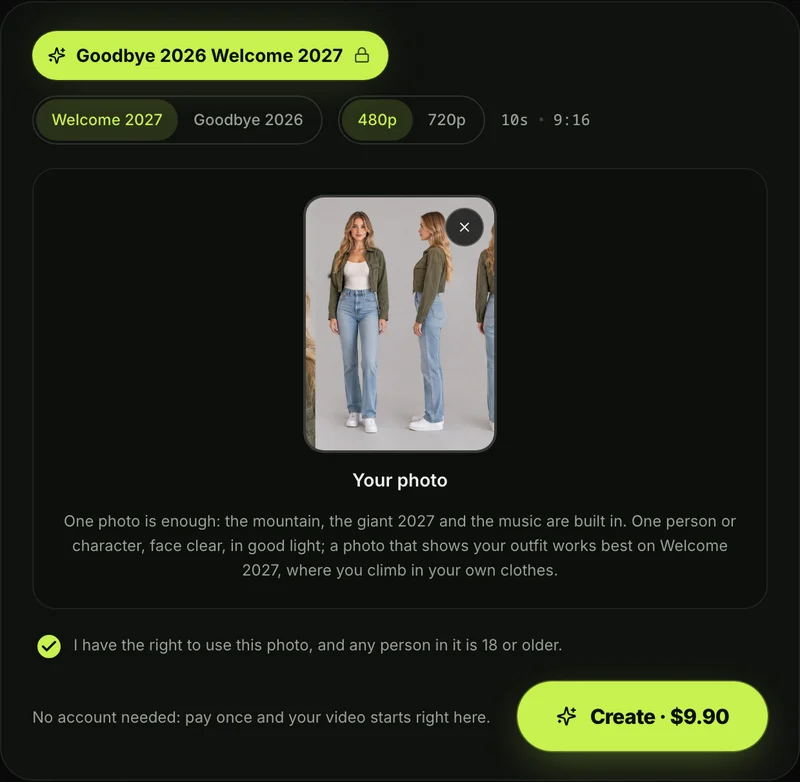
- One photo: you add 1 photo of yourself, or of a cartoon, anime or game character. Then you leave the box ticked: it confirms you have the right to use it and that anyone in it is 18 or older.
- Two scenes: You pick Welcome 2027 for the summit climb or Goodbye 2026 for the rainy farewell, and both cost the same.
- What you get: You get 1 new 10-second vertical video in one continuous shot, with sound made with the video, in 480p or 720p, and no watermark on exported video.
- How you pay: you pay once, $9.90 for a 500-credit pack, for one 720p video with no account. The same pack covers a 480p video at 375 credits, and pack credits stay valid for 12 months. See Seadanse pricing.
To see every step, read the 4 steps to make a Goodbye 2026 Welcome 2027 AI video.
Goodbye 2026 Welcome 2027 AI Prompt FAQ
What is the best AI prompt for Goodbye 2026 Welcome 2027?
The best Goodbye 2026 Welcome 2027 AI prompt is the two-step prompt in this article: the summit picture first, then the timed video prompt with your photo.
It keeps your real face and clothes while timing every move to the second. That structure takes the four numerals from the picture and keeps the whole video in one continuous shot.
Is there a Goodbye 2026 Welcome 2027 prompt template?
The four prompts in this article work directly as a Goodbye 2026 Welcome 2027 prompt template. You don't have to rewrite the beats, the camera directions or the sound cues.
You change only the line in brackets with details about your hair and clothing, then paste the rest as written.
Can I use the prompt for a TikTok video?
You can use this prompt for a TikTok video because it makes a vertical 9:16 clip of 10 seconds, the exact frame TikTok and Reels use. Once you export the video with its audio, you can upload it straight to your feed.
If you want to compare other popular methods, read which Goodbye 2026 Welcome 2027 CapCut template is which for the template route people use on TikTok.
Can I make the 2027 climb without writing a prompt?
You'll climb the giant 2027 from one photo on Seadanse without writing any prompt. You upload a single photo, pick the Welcome 2027 scene, and press Create.
One 720p video costs $9.90, paid once with no subscription and no account needed.
What other one-photo videos are like the 2027 climb?
Other one-photo effects on Seadanse create dramatic camera moves from a single picture without any prompt. You can try the Earth Zoom Out AI Video Generator, where the camera pulls back from your face all the way out to space.
You can also dance in Santa's workshop with the Elf Dance AI for TikTok and Reels.
Copy the Prompt or Make It in One Tap
Creating a viral New Year clip works best in two steps: a picture prompt for the scenery, then a timed video prompt that uses your photo.
If you don't want to write prompts, you can make your Goodbye 2026, Welcome 2027 video directly on Seadanse for $9.90 at 720p before midnight on December 31. You'll get your 10-second vertical video with sound and no watermark, ready to post.
Written by The Seadanse Team, the team that built the Goodbye 2026 Welcome 2027 page.
Related Articles
- How to Make a Goodbye 2026 Welcome 2027 AI Video From One Photo (4 Steps) — one photo, pick a scene, press Create.
- Goodbye 2026 Welcome 2027 Trend: The AI Summit Climb and the 2027 You Saying Goodbye, Explained — what the trend is, where it came from and why it spread.
- Goodbye 2026 Welcome 2027 CapCut Template: Which One Is Which, and Why It Won't Work — the four templates by name, and five fixes.
- Best New Year AI Video Generators for 2027: 10 Ways to Make the Goodbye 2026, Welcome 2027 Video — the sites and apps side by side.


