
How to Make an AI Zombie Video With No Sign-Up or Subscription
Make an AI zombie match cut, zombie dog, or zombie cat video with no account and no subscription. Pay once for a 20-second video on Seadanse.
 The Seadanse Team8 min read
The team behind Seadanse. We run the models we write about, and we publish the specs, prices and limits the marketing leaves out.

TL;DR — You can make the viral AI zombie match cut on Seadanse with no account and no subscription. Upload two photos, press "Create · $9.90", pay once, and you'll get a 20-second video at 480p or 720p, in vertical 9:16 for TikTok, Instagram Reels and YouTube Shorts. The payment buys a one-time pack of 500 credits, and the video starts on the same page as soon as you're back from checkout. The same works for the zombie dog and zombie cat versions too.
You saw the trend on your feed and want to make one with your own photos tonight. Most video tools won't let you start until you've signed up for an account or a monthly plan.
On our four effect pages, you skip that friction because the Create button takes you straight to checkout. The sample clip below came out of this exact effect from two uploaded photos.
Here's the six-step guide to making your clip, what your one-time payment buys, and how to keep your finished video.
What you need before you start
- Two photos: You need one adult 18+ per photo, with each face clearly visible in good light.
- Pet photos: You need one photo of yourself and one photo of your dog or cat if you make the pet version.
- Payment method: You need a card or other payment method ready for a single checkout.
- Email address: You type your email directly on the checkout screen to get your save link.
You don't need an account, an app download, or a prompt.
Step 1: Open the Zombie Match Cut page
The zombie match cut generator creates a dramatic film-like scene from two uploaded photos. In an abandoned house, the person holding the gun aims at their infected partner, throws the weapon down, and opens their arms.
As the zombie lunges in, the scene uses a match cut (a cut that joins two shots through the same movement). It jumps from the attack to a loving embrace in a warm memory of the two of you. Both people stay standing and move at normal speed.
The tool uses two distinct photo slots to assign the roles in the story. Photo 1 holds the gun, while photo 2 turns into the zombie. Whoever goes in photo 2 is the zombie.
Step 2: Upload your two photos and tick the consent box
Drop your two chosen photos into their slots on the screen.
The first slot says "Photo 1 · Holds the gun", and the second says "Photo 2 · Turns zombie". Once both pictures are in place, tick the consent box, which says you have the right to use these photos and everyone in them is 18 or older.
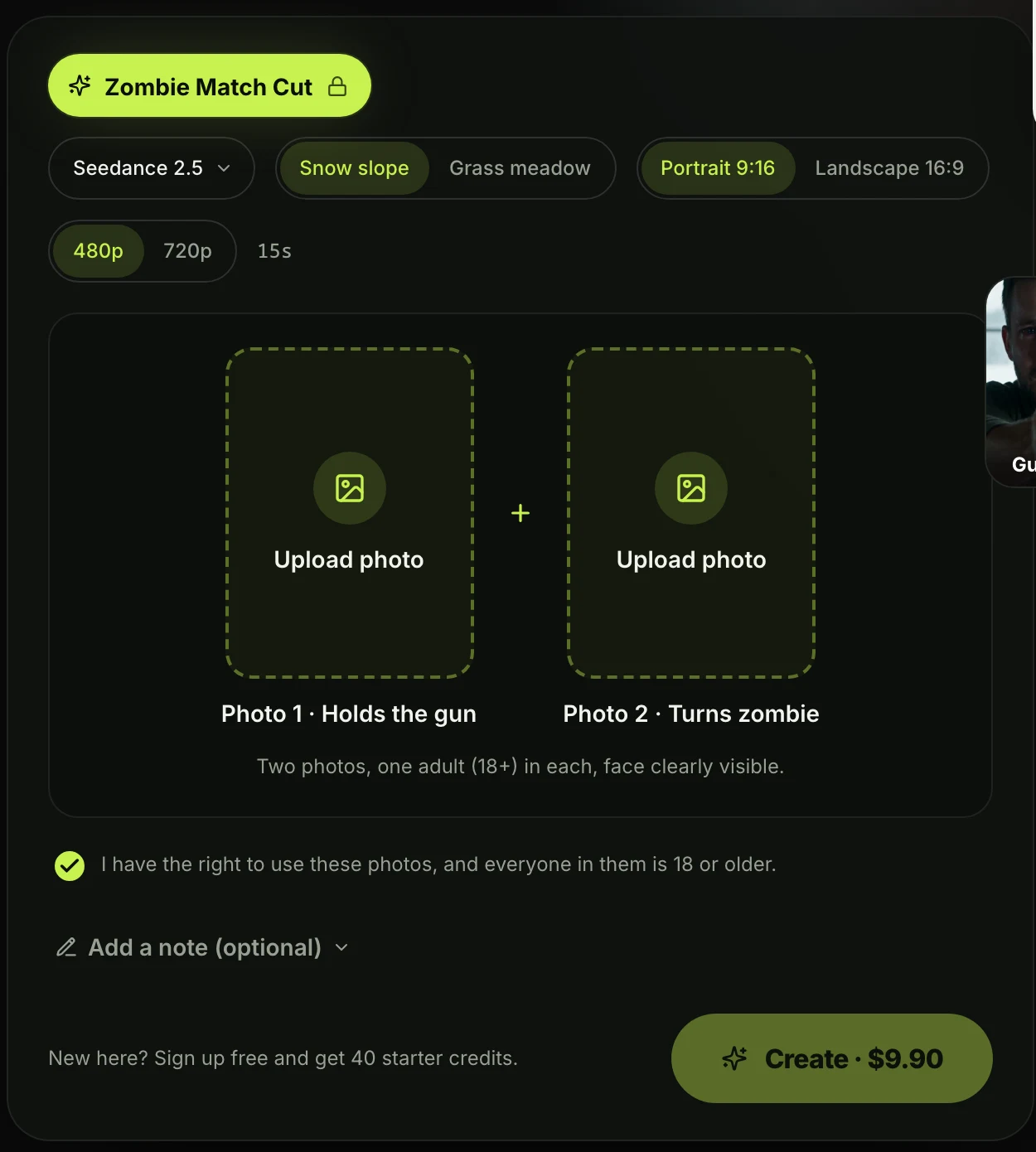 Signed out on seadanse.com: the Create button names the one-time price.
Step 3: Pick the memory place, shape and resolution
Your settings let you pick the background, shape, and quality for your clip.
- Memory place: Choose Snow slope or Grass meadow, or type a short note naming another place.
- Shape: Pick Portrait 9:16 for TikTok, Instagram Reels, and YouTube Shorts, or Landscape 16:9 for widescreen screens.
- Resolution: Pick 480p as the default setting, or pick 720p for higher resolution.
- Model: The page runs on Seedance 2.5 and builds a 20-second video.
The button reads "Create · $9.90" at both 480p and 720p.
Step 4: Press "Create · $9.90" and pay once
Clicking the button opens checkout without asking you to sign up.
Your browser gets a temporary account on its own behind the scenes. The payment box shows one-time credit packs only, with no subscription attached. You pay on the checkout page and type your email there.
That's the whole sign-up: no account form, no monthly plan, one $9.90 payment for a 20-second video. You can start right now on the AI zombie match cut composer.
Step 5: Watch your video start on the same page
You'll land back on the effect page, and the video starts on its own.
The clip begins making without needing extra clicks. A "Your video is ready" notice shows on the screen when it finishes. Then you'll download your 20-second MP4 at 24 fps with sound and no watermark.
Made with the Zombie Match Cut effect on Seadanse: Seedance 2.5, 20 seconds, 480p, snow slope, two AI-generated adults.
Step 6: Keep your video with the link in your email
An email sent to your checkout address lets you save your files.
The email includes a "Keep my videos" button. When you click it and sign in with Google or GitHub, your videos and leftover credits move to that account so you can open them on any device.
Signing in to any account on the same browser moves them too. Until then, your videos and credits live on the browser you used.
Make the pet version: zombie dog and zombie cat
You can also make a clip with your pet instead of a second person. Upload one photo of you (one adult) and one of your dog or cat using the AI zombie dog video generator or the zombie cat video generator.
The zombie pet has milky white eyes and matted fur, with no blood. The infected pet rushes toward you, a hard cut lands just before contact, and the memory opens on the healthy pet arriving in your arms. A clear old photo of a pet that has passed away works too.
The zombie dog trend started as viral AI short films on Instagram and TikTok in August 2026, and cat versions spread too. Both pet tools use the same setup and the same "Create · $9.90" button.
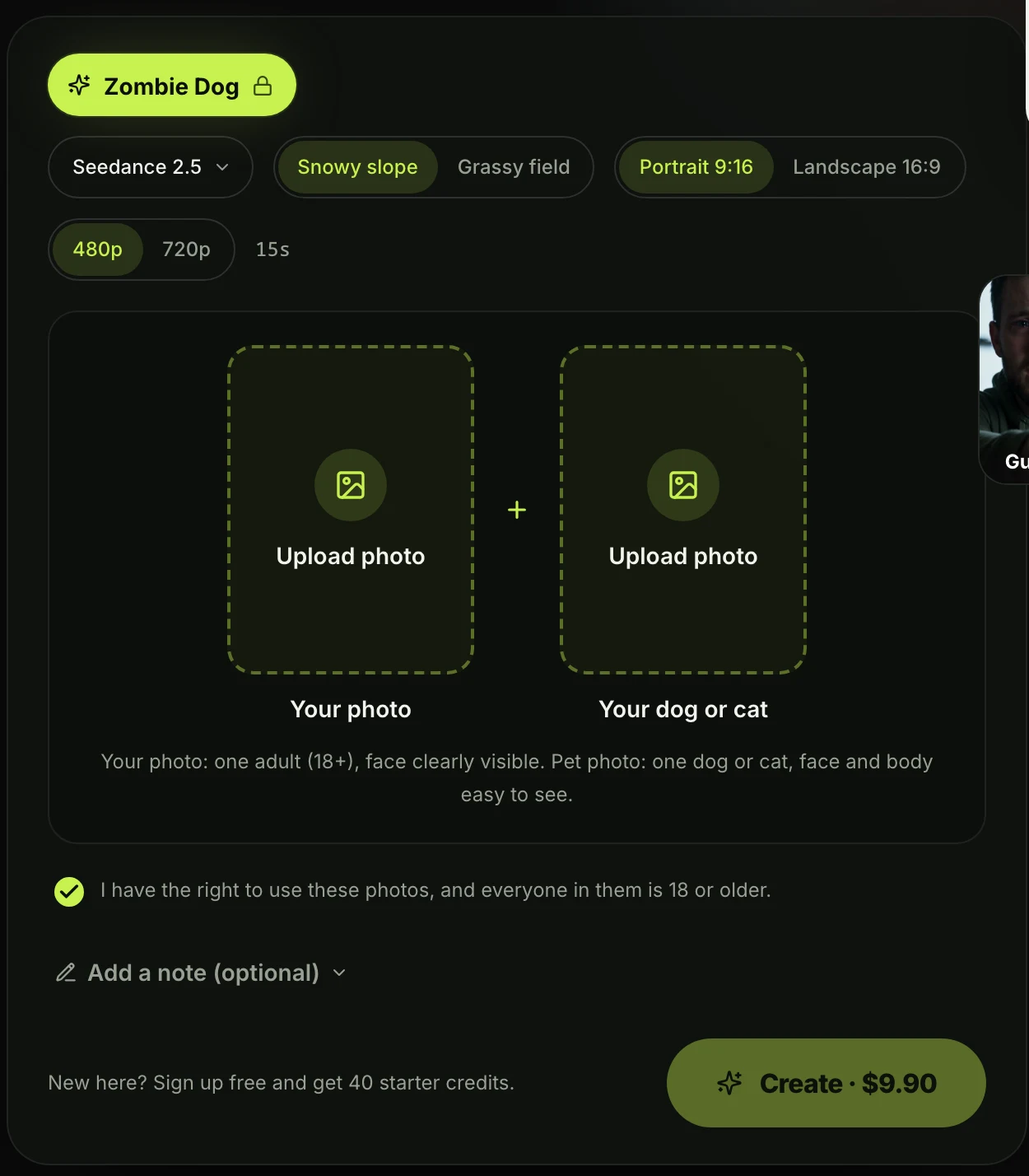 The pet version, signed out: the same one-time price.
Made with the Zombie Dog effect on Seadanse: Seedance 2.5, 480p, snowy slope.
Made with the Zombie Cat effect on Seadanse: 720p, grassy field memory.
What one $9.90 payment gets you
One $9.90 pack's enough to make your video, and you'll keep credits for later.
- 500 credits: The $9.90 pack buys 500 credits (the units a video is paid in) on Seadanse.
- 500 credits at 720p: One 20-second 720p zombie video is 500 credits, exactly the $9.90 pack.
- 375 credits at 480p: One 480p zombie video is 375 credits, so you'll keep 125 credits on your account.
- 12 months: Your pack credits stay valid 12 months and work on every model on the site.
- Automatic credit return: A video that fails returns its credits automatically.
Every pack is a one-time payment, and you can see all four packs on Seadanse pricing. You can also check our guide on AI video effects without a subscription to see how pay-once credits compare with monthly plans.
Tips for a zombie video that looks like you
Picking clear source photos helps your characters look just like you in the final clip.
- Clear portraits: Pick one adult per photo, facing the camera, in good light.
- Photo 2 slot: Pick who turns into the zombie and place that photo in photo 2.
- 9:16 shape: Pick Portrait 9:16 before you make the video if you want to post to TikTok or Reels.
- Trending audio: Add the trend's song in the TikTok or Instagram app when you post, even though every video already has sound.
Questions people ask
Do I need an account to make the zombie video?
No, you don't need an account to get started. The Create button handles it on your browser, and you can save your video later with the email link.
Is there a subscription?
No, there's no subscription or renewal. You buy a one-time pack of credits, and it won't charge you again.
Can I be the zombie?
Yes, you can be the zombie if you put your photo in photo 2. Photo 1 holds the gun while photo 2 transforms.
Is the zombie video gory?
No, the scene has no blood. The story ends on a warm memory and a loving embrace.
Which other effects work without an account?
You can use the zombie dog and zombie cat pages and the Gas Station Dance AI generator, with the same "Create · $9.90" button.
Make yours tonight
You're one $9.90 payment away from your own 20-second viral clip, and you won't need an account or a subscription. Visit the Zombie Match Cut page to upload your photos and see the effect in action.
Related articles
- AI Video Effects Without a Subscription: How Pay-Once Credits Work — what one-time credit packs are, and which effects skip the account too.
- How to Make the Gas Station Dance With Your Photos — the other viral effect you can pay for in one step.


