
How to Make a Window Dance AI Video From One Photo (3 Steps)
How to make a Window Dance AI video in three steps from one photo: 10 seconds at a lit window with the glowing speaker, the stare, the curtains and the sound.
 The Seadanse Team11 min read
The team behind Seadanse. We run the models we write about, and we publish the specs, prices and limits the marketing leaves out.

TL;DR — To learn how to make a Window Dance AI video, you add one photo, pick a quality and press Create to get 10 seconds of dancing at a lit window, a deadpan stare and curtains pulled shut. The trend's sound is already laid under the clip, so there's no template to find, no prompt to write and no audio to add. Seadanse's Window Dance AI page makes it for $9.90 at 720p with no account.
The window dance is the exact clip people want of themselves right now. Everyone wants to post the moment where they get caught having a private party.
Under the template maker's post, a viewer asked, "bro, will someone make this video for me" (translated from Bengali; 53 likes).
You don't need video editing skills to get your own clip. Below, we walk through the 10 seconds beat by beat and show the three steps on our page. Then we explain which photo works best and how to put your pet in the window.
Our own sample video shows a young woman with long honey-blonde waves dancing in an olive cropped jacket, a cream top and light jeans. She dances happily beside the speaker before she freezes, looks directly at the camera and shuts the dark grey curtains.
Here's what's below:
- The beats: the 10 seconds, timed.
- The steps: three picks and presses.
- The photo: what works best.
- The FAQ: the song, the size and the cost.
What a Window Dance AI Video Looks Like
A Window Dance AI video is 10 seconds at night. The camera pushes in to a lit window, and the one from your photo dances, stares into the camera and pulls the curtains shut.
You'll keep your own face, your own hair and your own clothes across every second. Everything in the setting stays consistent so the visual joke lands every single time.
Here's how our 10-second version plays out:
- The building (0 to 1 second): night falls across the street, showing a pale modern apartment block with balconies and several lit windows.
- The push-in (1 to 2 seconds): a quick cut moves closer, and the camera pushes straight in until the floor-to-ceiling window fills the frame.
- The dance (2 to 5 seconds): you dance small and happy on the spot, eyes closed and smiling. You're next to the black party speaker with its glowing ring on a round wooden side table. There's a beige armchair and sheer white curtains behind you.
- The stare (5 to 7 seconds): you stop dead, arms down, and stare straight into the camera, deadpan.
- The curtains (7 to 10 seconds): you spread both arms, grab the dark grey curtains and pull them shut across the glass. The video ends on the closed curtains, with the lights of the block reflected on the window.
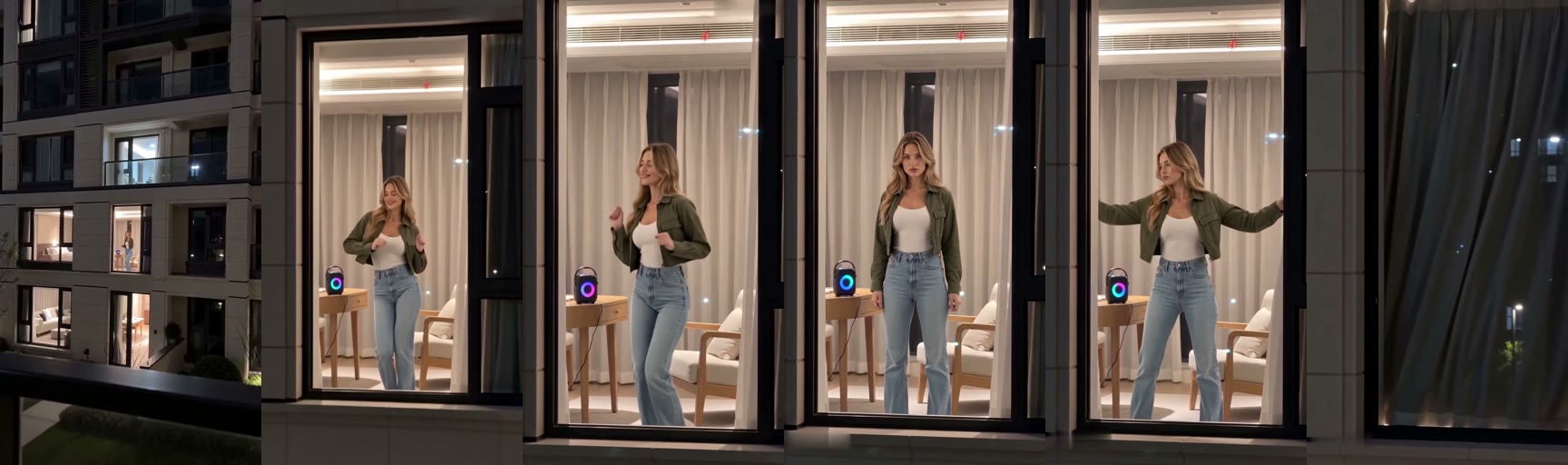
The trend's sound plays under all 10 seconds from the first one.
How to Make a Window Dance AI Video in 3 Steps
You'll make a Window Dance AI video on our Window Dance AI generator in three steps, with nothing to film and no template to find.
It runs right in your web browser on your phone, tablet or computer. You won't have to install any apps or fiddle with complex video timelines.
- Add your photo: pick one photo of a person 18 or older, a cartoon or game character, or a pet. On a computer, you can also scan a code with your phone and pick the photo from your camera roll.
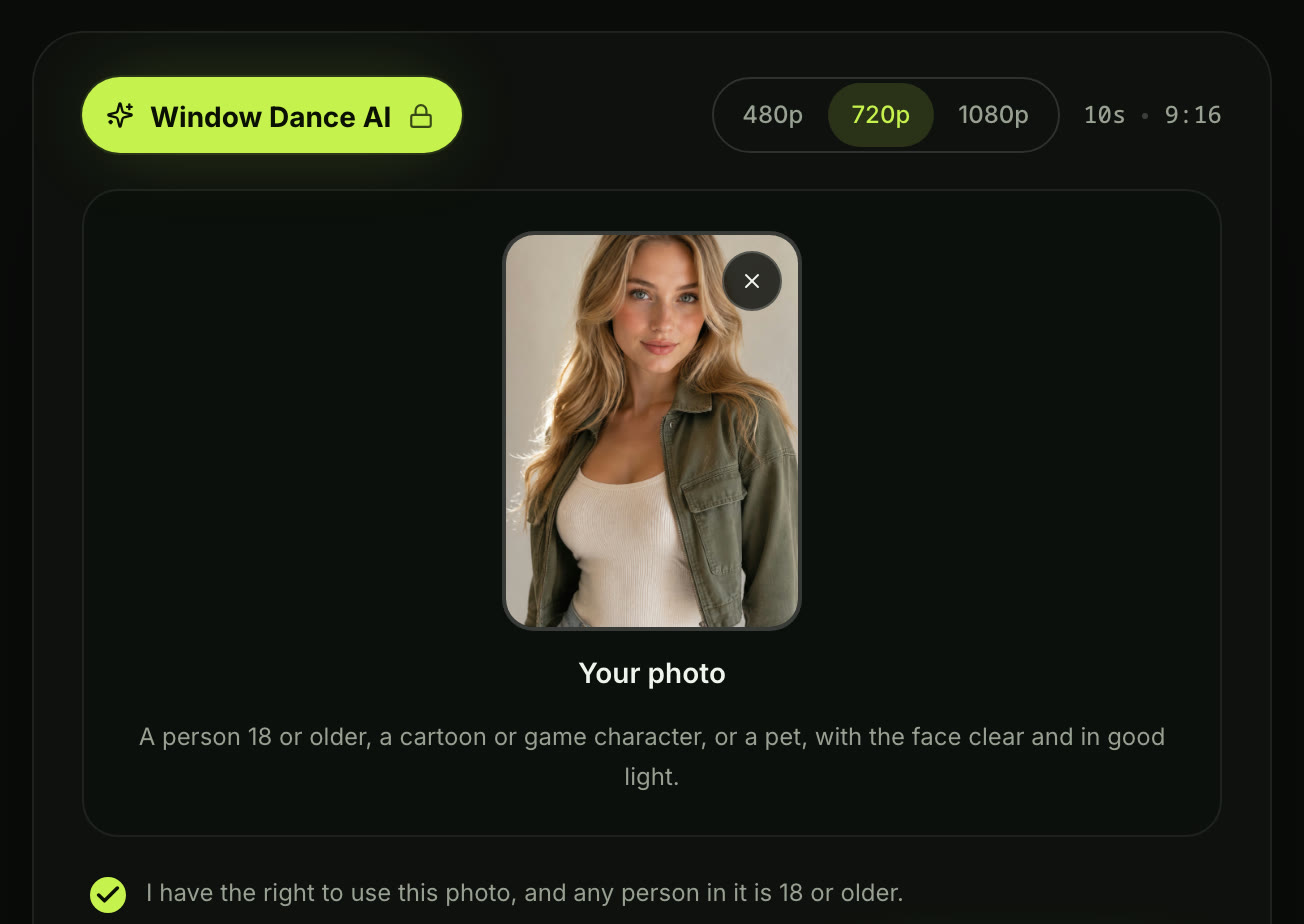
- Pick a quality: choose 480p, 720p or 1080p (how sharp the video is). 480p is picked to start.

- Leave the box ticked and press Create: the box comes ticked. It confirms you have the right to use the photo and anyone in it is 18 or older. The price shows on the button before you pay.
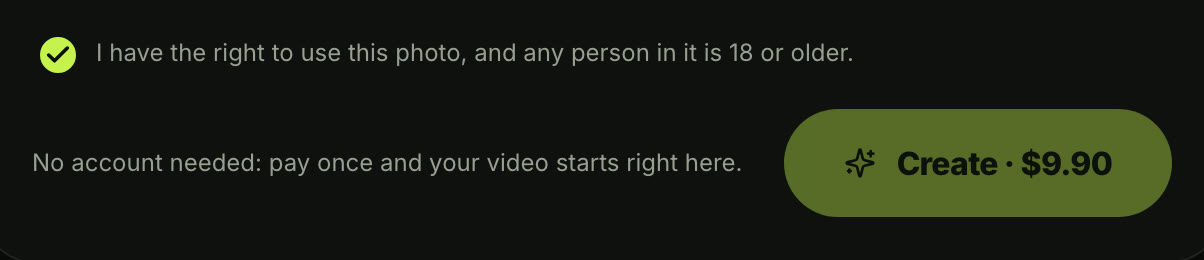
When you press Create, a window with the credit packs opens. You pay once at checkout with no account and no subscription, and your video starts right on the page.
You don't need an account to use the tool. There's no password to set up and no email verification step standing in your way.
When the video finishes, you download your 10-second vertical file. It's got the trend's sound laid under it, and there's no watermark on exported video, so it's ready for TikTok and Reels.
Pick the Best Photo for Your Window Dance AI Video
The best photo for a Window Dance AI video shows one person, character or pet with the face clear, in good light.
Clear pictures give the generator the cleanest details to animate. You don't need a professional studio shot, but good lighting makes a noticeable difference.
Here's what works best:
- One in the photo: pick an image with only one subject so the scene knows exactly who belongs in the room.
- The face: make sure the face is fully visible, sharp and evenly lit without harsh shadows.
- The outfit: they dance in the clothes from the photo, so wear the one you want in the window.
- Ages: every person in the photo must be 18 or older, and you should always ask an adult friend before using their picture.
You can make the window dance from one photo in a few taps without filming anything.
Check out how pay-once credits work so you understand how our single checkout works without recurring monthly bills.
Put Your Pet or a Character in the Window Dance
The one in the window dance can be a dog, a cat or a cartoon or game character, as well as a person 18 or older.
That flexibility is why so many different variations go viral on social feeds. It's especially hilarious when an animal or an illustrated hero performs the exact same routine.
Here are three that work:
- Your pet: one photo of your dog or cat. Your pet dances next to the glowing party speaker, stops dead to stare into the camera, and pulls the curtains shut in a 10-second vertical video.
- A character: one photo of a cartoon or game character; they dance by the floor-to-ceiling window, freeze into the stare and shut the curtains to the trend's sound.
- You: one photo of yourself. You get caught dancing in the lit window, with the stare into the camera and the curtains pulled shut, ready to share in your group chat.
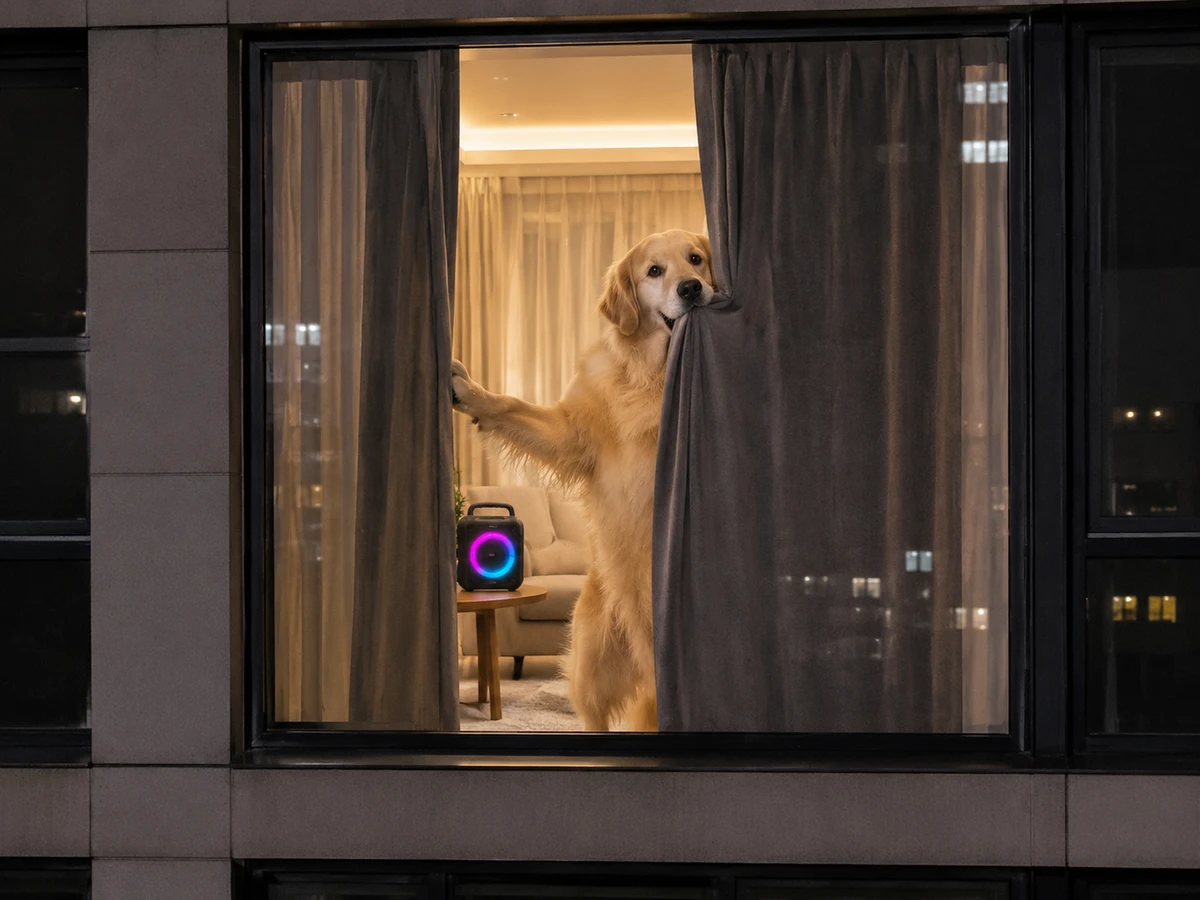
A pet dances next to the glowing speaker, stops dead to stare into the camera and pulls the curtains shut, the same 10 seconds. It's an unforgettable clip that friends won't expect to see.
Do You Need a Window Dance AI Prompt or a CapCut Template?
No: on our page there's no Window Dance AI prompt to write, no CapCut template to find and no app to download. That's because the building, the window, the speaker, the beats and the sound are built in.
A CapCut template (an edit someone already built in the CapCut app, with a slot for your photo) means hunting down links across social platforms. Our browser generator handles the entire environment automatically.
Here's what the scene holds, whatever tool you use:
- The building: night, a pale modern apartment block across the street with balconies, one lit floor-to-ceiling window.
- The room: a black party speaker with a glowing colour-changing ring on a round wooden side table, a beige armchair, sheer white curtains and dark grey curtains, warm ceiling light.
- The beats: the push-in (the camera moving straight toward the window) and the happy dance with eyes closed. Then the stop and the deadpan stare into the camera, both arms out to grab the curtains, and the curtains pulled shut.
- The sound: the trend's sound under all 10 seconds.
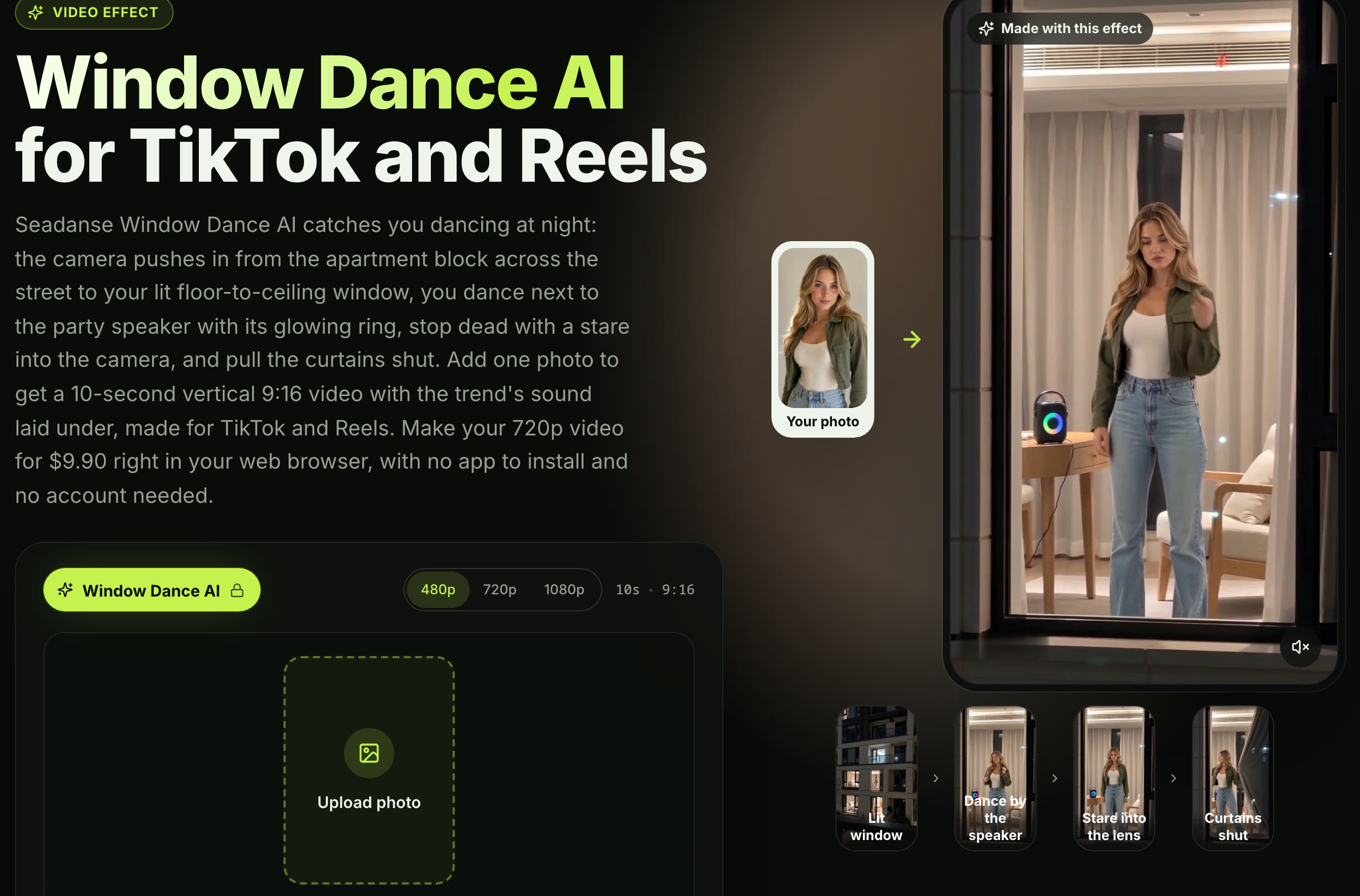
Use Window Dance AI for TikTok and Reels to get all of it from one photo without writing long text prompts.
We've also put together a guide on why the window dance CapCut template stalls if you're trying to use mobile editing templates instead.
Why the Window Dance Video Gets Shared
The window dance video gets shared because it turns a private dance party into a funny moment of getting caught. The laugh is the sudden deadpan stare and the fast curtain pull.
It plays on that universal feeling of jamming out when nobody is watching, only to realize someone has eyes on you. The deadpan reaction sells the joke completely.
Here's how big it is, read on November 4, 2026:
- The template: 2,093,641 uses for the November 1, 2026 CapCut template, showing how massive the demand is.
- The maker's post: 1.9 million plays when we checked TikTok on November 4, 2026.
- The top how-to: 2.0 million plays and 90,500 likes on the top how-to video on November 4, 2026, so it's the how-to most people have seen.
You'll find our full breakdown on where the Window Dance AI trend came from to see how the trend grew.
Window Dance AI Video FAQ
What song is in a Window Dance AI video?
The song is "Dagariya Chalo X Panti Remix" by MrWickedstyle, a Hindi remix posted on YouTube on September 22, 2026.
It's an upbeat club track that sets the rhythm for the happy dance moves in the lit room. Our generator lays the trend's sound under all 10 seconds, so you don't have to sync audio tracks yourself.
Does my outfit stay the same in the video?
Yes, the one in the window dances in the clothes from the photo, with their own face and hair, in every second.
You don't have to worry about changing outfits or losing your personal style. Whatever top or jacket you wear in your uploaded image is what shows up in the apartment window.
Will my Window Dance AI video fit TikTok and Reels?
Yes, it's 10 seconds in vertical 9:16 (the tall phone frame TikTok and Reels use), in 480p, 720p or 1080p.
The framing fills mobile screens from top to bottom. You can export the finished video and post it straight to your profile without cropping the edges.
How much does a Window Dance AI video cost?
One 720p video costs $9.90 through our 500-credit pack, paid once with no subscription. That same $9.90 pack also covers a 480p video, which takes 375 credits, and the remaining 125 credits stay right in your balance. A 1080p video takes 1,480 credits.
Pack credits stay valid for 12 months, and if a video fails, its credits come back automatically. See Seadanse pricing for all credit details.
Can I make other trend videos from my photo?
Yes, you can try Window Peeper AI to turn one photo into a 14-second burger-eating window scene with its original sound. You can also use Dame Hombro Baby AI to create a 14-second vertical video of the shoulder dance. Explore our full catalog of AI video effects to turn pictures into viral clips without writing prompts.
Make Your Window Dance AI Video Today
You don't need a video editor or complex software to join this viral meme.
Upload one photo, make three picks and presses, and get 10 seconds at the lit window with the dance, the stare, the curtains and the sound. Head over to make your Window Dance AI video for $9.90 at 720p right now.
Written by The Seadanse Team, the team that built the Window Dance AI page.
Related Articles
- What Is the Window Dance AI Trend? The Lit Window, the Stare and the Song — Window Peeper, the templates, the song and real vs AI, dated.
- Window Dance CapCut Template Not Working? Where It Is and Why — the two templates, how the how-to videos open them, and five reasons they stall.
- 9 Best Window Dance AI Generators, Compared (2026) — nine ways to make the window dance, what each asks for and what it costs.


