
What Is the Zombie AI Trend? The Viral Zombie Love Story, Explained
The zombie AI trend is a viral video where someone can't shoot their zombie partner, and a lunge cuts to a happy memory. Here is where it came from.
 The Seadanse Team11 min read
The team behind Seadanse. We run the models we write about, and we publish the specs, prices and limits the marketing leaves out.

TL;DR — The zombie AI trend is a 15- to 35-second AI video where someone raises a gun at a loved one who's turned into a zombie, and can't shoot. They drop the weapon and open their arms before a sudden lunge cuts into their happiest memory together.
The trend took off from the short film "CHOICE" posted on September 15, 2026 by filmmaker Aytech Ashkhamakhov (@techmaf). You can make your own AI zombie trend video online with two photos, in vertical 9:16 for TikTok, Instagram Reels and YouTube Shorts.
Your social feeds are full of movie-style clips where a person cries, lowers a gun against a zombie, and hugs them as the scene jumps into the sunlight. It's the visual answer to an old internet question: "Would you still love me if I were a zombie?"
The comment sections are packed with people asking which movie it is, which app made it, and how to get the prompt. Most creators hide the answers behind "comment ZOMBIE and I'll DM you" to boost their engagement.
This guide explains what the trend is, how the story works beat by beat, where it started, why it makes people cry, and how to make your own.
What the zombie AI trend actually is
A man stands in a dark, grey kitchen holding a pistol with tears running down his face. His partner stands across from him as a zombie with pale skin and cloudy white eyes. He can't shoot.
Instead, he lowers the gun and opens his arms. As she rushes straight at him, the screen cuts to the two of them running hand in hand through a golden meadow.
It's the same short story recast with new faces every time. The clips you see across your feed run from about 15 seconds for quick template versions to 35 seconds for the big reposts.
Made on Seadanse with Seedance 2.5 on October 6, 2026, from two photos: 20 seconds, 9:16, with sound.
People also search for this format under names like the zombie love story, the AI zombie hug trend, or simply "CHOICE".
How the zombie AI trend story plays out, beat by beat
Every clip you've seen follows the same four beats.
- The standoff: One person aims a gun at the one they love, who has turned into a zombie, and cries.
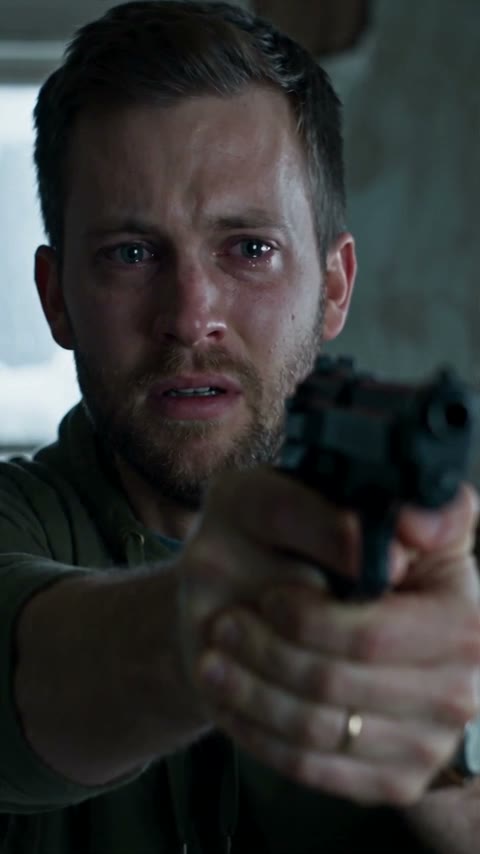
- The choice: They can't shoot; they lower the gun and open their arms.
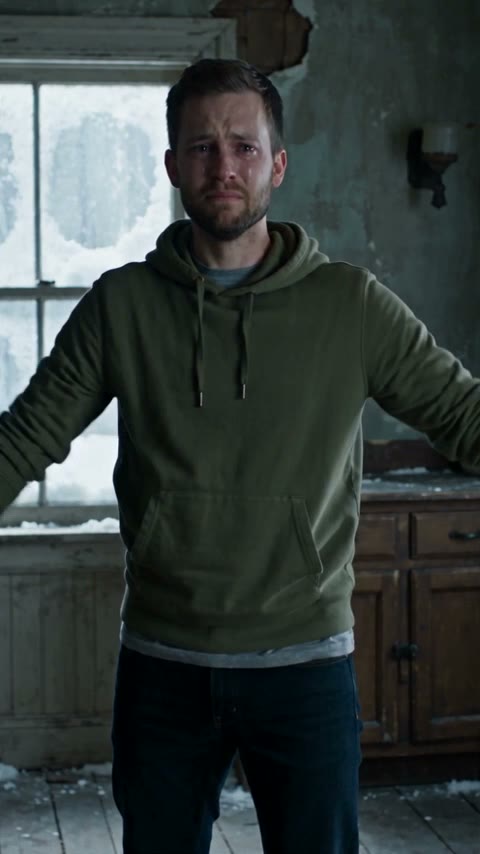
- The lunge: The zombie runs or leaps at them.
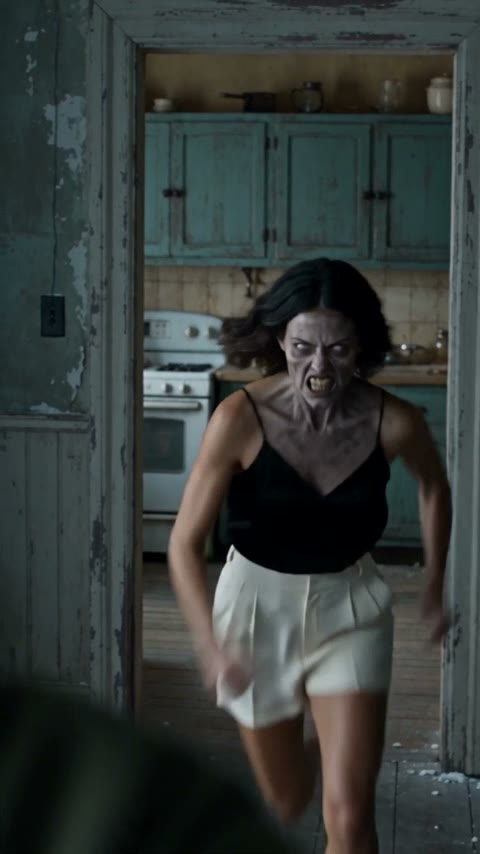
- The memory: Right on that lunge, the video cuts to a warm memory of the two of them, healthy, hugging in the sun.
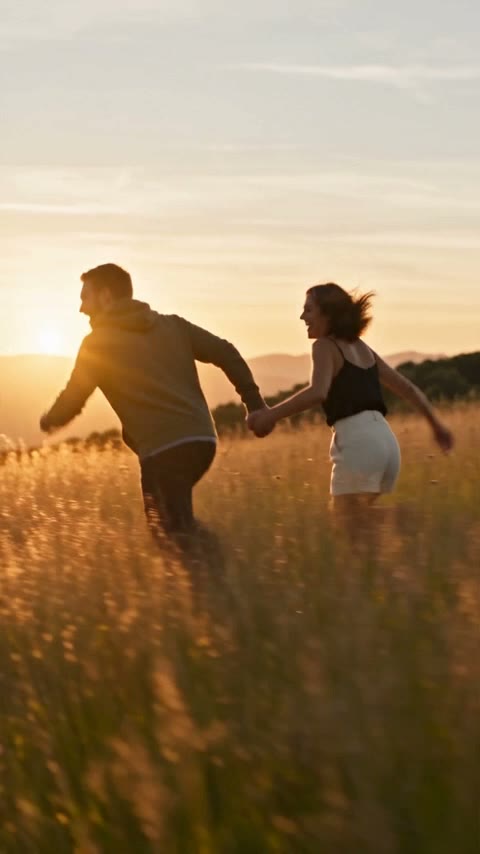
Four frames from the clip above, in order. Made on Seadanse with Seedance 2.5, October 6, 2026.
That jump between the lunge and the memory is a match cut (a cut that joins two shots on the same movement, so one moment flows into the other). We built that exact timing into our zombie match cut tool.
There's no bite and no blood on screen, because creators keep the attack hidden to focus on the heartbreak.
Make your own zombie AI trend video with two photos
You can make your own clip in a few steps. You upload two clear photos: one of the person holding the gun, and one of the person turning into a zombie. Make sure there's one adult per photo with their face clearly visible. Photo 2 can be a person or your dog or cat. You pick a snowy slope or a golden meadow for the memory.

The AI Zombie Trend generator on Seadanse, captured October 7, 2026: two photo boxes, a snowy slope or a golden meadow, 9:16, 16:9 or 21:9, 480p or 720p, 20 seconds.
The AI Zombie Trend generator runs on Seedance 2.5 to build a 20-second video with sound. You can pick 480p or 720p.
You can choose between three aspect ratios: 21:9 (the wide film shape of the original "CHOICE"), 16:9, or 9:16.
A single video costs $9.90, which makes one 20-second 720p video. You don't need an account. You pay once from the Create button and your video starts right there. You don't need a monthly subscription.
You don't have to write a prompt, because the story sequence is already set inside the tool. Exported video carries no watermark. If a render fails, you get your credits back automatically.
Where the zombie AI trend came from
The version of the story everyone copies started when filmmaker Aytech Ashkhamakhov (@techmaf) posted it as "CHOICE" on September 15, 2026. The idea grew over several weeks:
- August 14, 2026: Creator @asrith_prakash posted an earlier zombie love story called "Wherever You Go" on Higgsfield, which reached 682,500 likes.
- August 19, 2026: Creator @heygentlewhale shared the first big dog version with 114,600 likes, crediting @asrith_prakash for the idea.
- September 14, 2026: Ashkhamakhov generated the scenes for "CHOICE" in Higgsfield using Seedance 2.5 at 480p.
- September 15, 2026: He posted "CHOICE" to Instagram, earning 249,000 likes and 5,408 comments from an account with 14,500 followers, meaning the clip travelled far beyond the people who follow him.
- September 26, 2026: English-language reposts started taking off, led by damienstraker's repost earning 466,600 likes.
- September 27, 2026: Ashkhamakhov published a 104-second tutorial reel explaining how he put the video together.
- October 1 to October 5, 2026: Community tutorials, templates, and dedicated sites appeared across platforms like CapCut, PixVerse, and Dreamina as search interest jumped.
Ashkhamakhov wasn't selling a product, writing in his tutorial: "I'm not selling courses." In that same video, he said, "thanks to your engagement, it's become a trend!"
Why the zombie AI trend makes people cry
Why does it hit so hard? The scariest moment, the lunge, turns into the sweetest one, the hug.
That sudden reversal catches people off guard. As user @Alexneyef wrote on X, "Wasn't expecting a zombie video to make me cry". Viewers on Instagram felt the same way, with one asking, "Is it normal that I cried over this Reel?"
The film-like lighting and acting even tricked some viewers into thinking it was a real Hollywood movie. When a Reddit user asked which film the clip came from, others replied: "Not from a movie, it's AI".
Still, not everyone plays it straight. An Indonesian couple posted a version for laughs, while other creators built fan edits based on Resident Evil and The Walking Dead.
Zombie AI trend versions: partners, pets and family
While the trend started with couples, you'll now find it made with many different relationships:
- Romantic partners: The original version where one partner holds the gun while the other is infected, though some videos flip it so the woman holds the weapon.
- Dogs: The pet variation has been popular since August, and you can make one with our AI zombie dog video generator.
The dog version, made on Seadanse with Seedance 2.5 on October 6, 2026, from a photo of a man and a photo of his dog, with sound.
- Cats: Cat owners can also create their own zombie cat video from pet photos.
- Parents, friends, and memorials: People also make clips with a parent, a best friend, or a clear old photo of someone they've lost, using the memory scene to see them healthy and smiling again.
How people make the zombie AI trend video today
People make these clips today through four main routes:
- The filmmaker route: Ashkhamakhov filmed himself acting out the scene on an iPhone with a hairdryer as the prop gun. He used that as a reference video (a clip the AI copies movement from). Next, he made character cards in GPT Image 2, generated dozens of takes in Higgsfield with Seedance 2.5, and edited them together over several days.
- The prompt route: Creators upload two reference photos, write detailed shot-by-shot prompts for Seedance 2.5 or Google Flow, and spend hours generating clips before joining them in CapCut.
- The template route: Users drop photos into ready-made options like CapCut templates or the PixVerse "Love After Death" template. It takes just a few minutes, but users often say the templates are hard to find or look too much like a cartoon.
- The two-photo effect route: You upload two photos directly to an effect like our AI Zombie Trend tool, which builds the full story for you in minutes.
The zombie AI trend isn't one official filter or app. It's an open storytelling format that people build across different platforms.
The zombie AI trend is not a zombie filter
A simple zombie filter just puts green skin or scary makeup on a single photo. The trend is different: it's a moving story with two people, a painful choice, and an emotional match cut. When you search for free options online, Google often shows basic photo filters instead of tools that can make the actual video.
What goes wrong when you make the zombie AI trend video yourself
Here's what goes wrong when you make a zombie AI trend video yourself, with a prompt or a template:
- Faces drift: Keeping a likeness steady across heavy makeup and lighting changes is hard. Commercial tools openly state that "Likeness is not guaranteed. Tears, fast head turns, low light and the zombie makeup can reduce how closely each face matches."
- Refusals: Safety filters can block generations. People following tutorials often run into runs refused for guns, physical contact, or copyright flags when they upload scenes from the viral reel.
- Stitching: The viral versions are 30 to 35 seconds of about 20 shots, edited together by hand from several generations.
- Cost and waiting: Running high-end video models costs real money and processing time. As one tutorial creator pointed out, "Seedance 2.5 is paid everywhere," and queues can easily keep you waiting 10 minutes or more.
A two-photo effect skips the prompt and the editing, because the story is already built in.
Zombie AI trend FAQ
How many photos do I need for the zombie AI trend?
You need two clear photos with one adult face per photo. One photo is for the person holding the gun, and the other is for the person turning into a zombie.
Is the zombie AI trend a CapCut template?
It's not an official CapCut feature, though creators have built community templates that run around 12 to 16 seconds. The trend started as a custom AI video project before those templates showed up.
Can I do the zombie AI trend with my dog or cat?
Yes, pet versions have been spreading since August 2026. You can upload a photo of yourself alongside a clear photo of your dog or cat to make the reunion video. On the AI Zombie Trend page you just switch Photo 2 to "A dog or cat".
Can I use a photo of someone who has passed away?
Yes, many people use clear old photos of loved ones they've lost. The second half of the clip brings them back healthy and smiling in a warm memory.
Is the zombie AI trend free?
No, it isn't free. $9.90 gets you one lifelike, movie-quality 20-second 720p video made on Seedance 2.5, ByteDance's most advanced video model. You'll see every tear and every flicker of recognition, like in our sample above.
So, what is the zombie AI trend?
At heart, the zombie AI trend is a short video where you can't shoot the one you love, and the lunge cuts to your happiest memory. It works because it tells a simple, tragic story about love and loss instead of showing cheap gore.
If you want to try it yourself, you can generate an AI zombie trend video with your own photos in just a few minutes.
Written by the Seadanse team. We read the original posts, the creator's tutorial and the comment sections, and made our own versions with Seedance 2.5.
Related articles
- How to Make an AI Zombie Video With No Sign-Up or Subscription — the step-by-step version, start to download.


