Tiny Desk AI is liveTry it
Video effect

GTA 5 2013 vs 2026 AI for TikTok and Reels

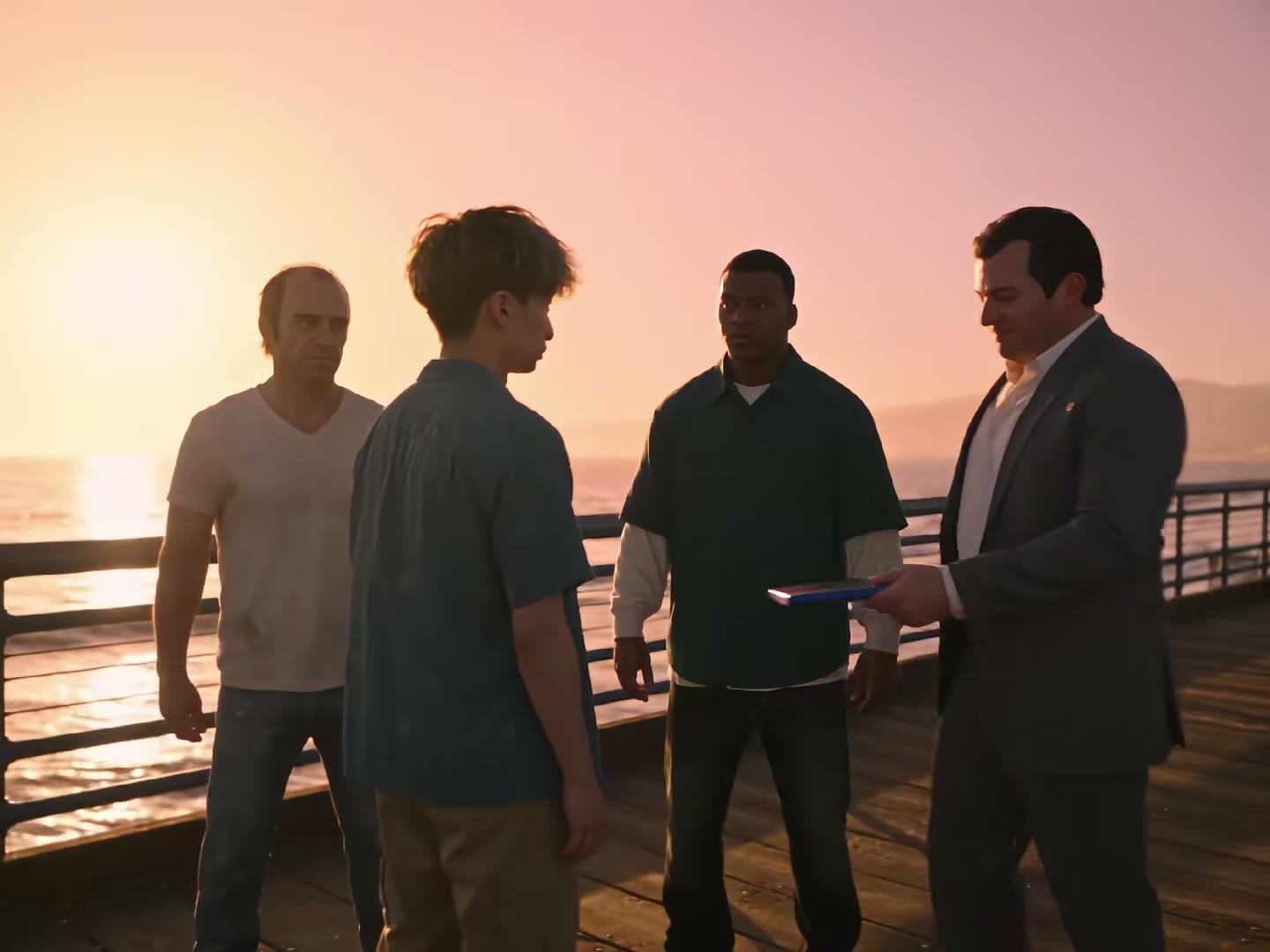
Seadanse GTA 5 2013 vs 2026 AI puts you today on top in 2026 and you as a kid below in 2013, on the same pier with the same three men. Add your photo of you today to get a 13-second 9:16 split screen with the 2026 and 2013 labels and the original sound, ready for TikTok and Reels. Pay $9.90 for one 720p video in your browser, with no account needed.

Also called GTA 5 2013 vs 2026 · GTA 2013 vs 2026 · 2013 to 2026, time flies · Thank you for 13 years · GTA 5 goodbye split screen

GTA 5 2013 vs 2026 AIThis effect is built into the page and cannot be removed.
13s · 9:16

Your photos 0/2

Tap a circle to put a photo there, or drop a photo onto it. The top circle is you today, in 2026. The bottom one is you as a kid, in 2013: it is optional and costs no extra credits. Leave it empty and we draw you as a kid from your photo of you today.

  • A clear photo of your face as a kid, about 6 to 12, facing the camera; a photo of an old print works.
  • No group photos, no sunglasses.
Video length
13 secondsThe whole split screen500 credits
Quality

Sharper on laptops, tablets and TVs.

No account needed: pay once and your video starts right here.

What Is the GTA 5 2013 vs 2026 AI Trend?

The GTA 5 2013 vs 2026 AI trend is an AI-made goodbye video to Grand Theft Auto V with you today on top in 2026 and you as a kid below in 2013, on the same pier with the same three men. The video shows the same person as a kid in 2013 and grown up in 2026 cut as a split screen. Your 2026 half plays on top at sunset, and your 2013 half plays below in daylight.

Grand Theft Auto V came out on 17 September 2013, and Grand Theft Auto VI came out on 19 November 2026, 13 years later. A creator posted a 30-second AI film titled "Thank you for 13 years" on TikTok on 12 November 2026, reaching 5.8 million views on 20 November 2026. That same day, the creator posted the 13-second split screen, with 66,600 views on 20 November 2026. A "2013 to 2026, time flies" version appeared on 14 November 2026, reaching 398,800 views by 20 November 2026. Split-screen how-to videos followed from 17 November 2026, and the most-viewed clip reached 513,200 views on 20 November 2026.

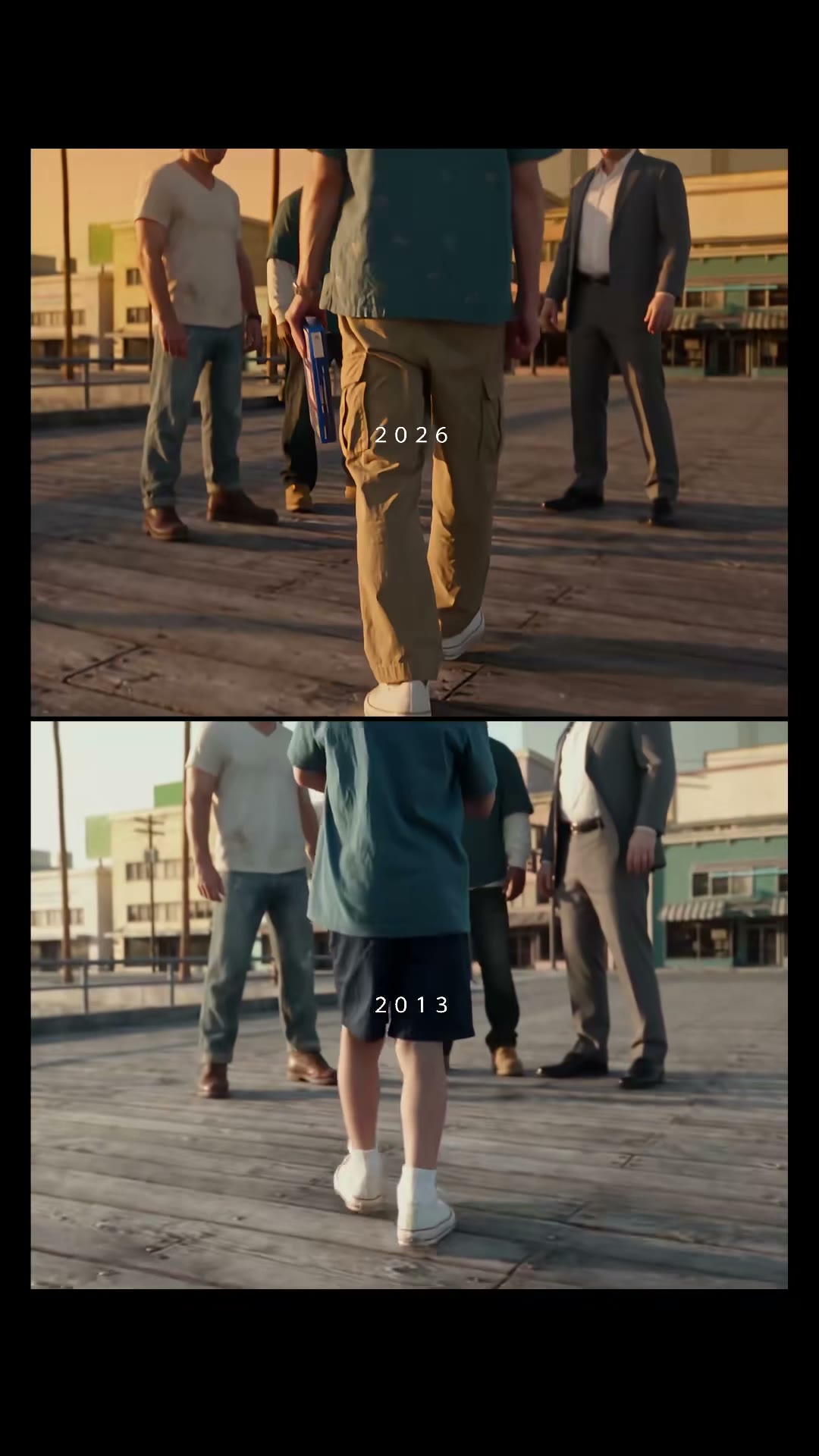
Each 13-second split screen pairs six shared moments across both halves. Seconds 0 to 2.3 show the walk-up toward the three men on the pier. Seconds 2.3 to 3.7 show the fist bump with the man in the green shirt. Seconds 3.7 to 5.7 feature the man in the white T-shirt. Seconds 5.7 to 7.4 show the two smiles at the same moment. Seconds 7.4 to 10.1 show the man in the grey suit talking to you. Seconds 10.1 to 13 show the last look. Small white 2026 and 2013 labels mark each half, with the original sound laid under the clip.

Seadanse builds the whole 13-second split screen into our GTA 5 2013 vs 2026 AI, with the original sound laid under your clip. Add your photo of you today, and add your childhood photo if you have one at no extra cost. With no childhood photo, Seadanse draws you as a kid from your photo of you today. You get a 9:16 video ready for TikTok and Reels in 720p or 1080p, and one $9.90 credit pack makes one 720p video with no account.

What the GTA 5 2013 vs 2026 AI Trend Looks Like

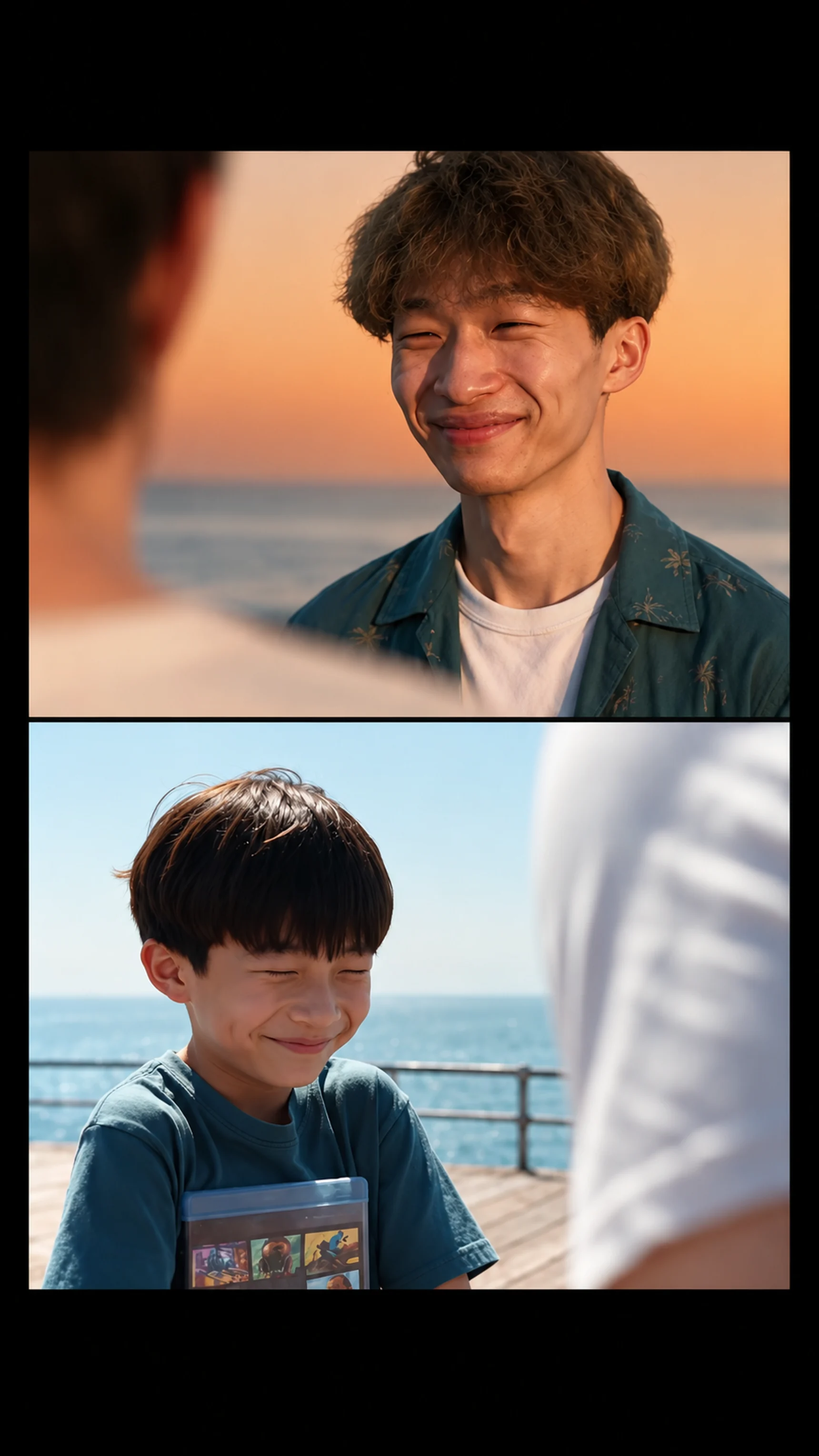
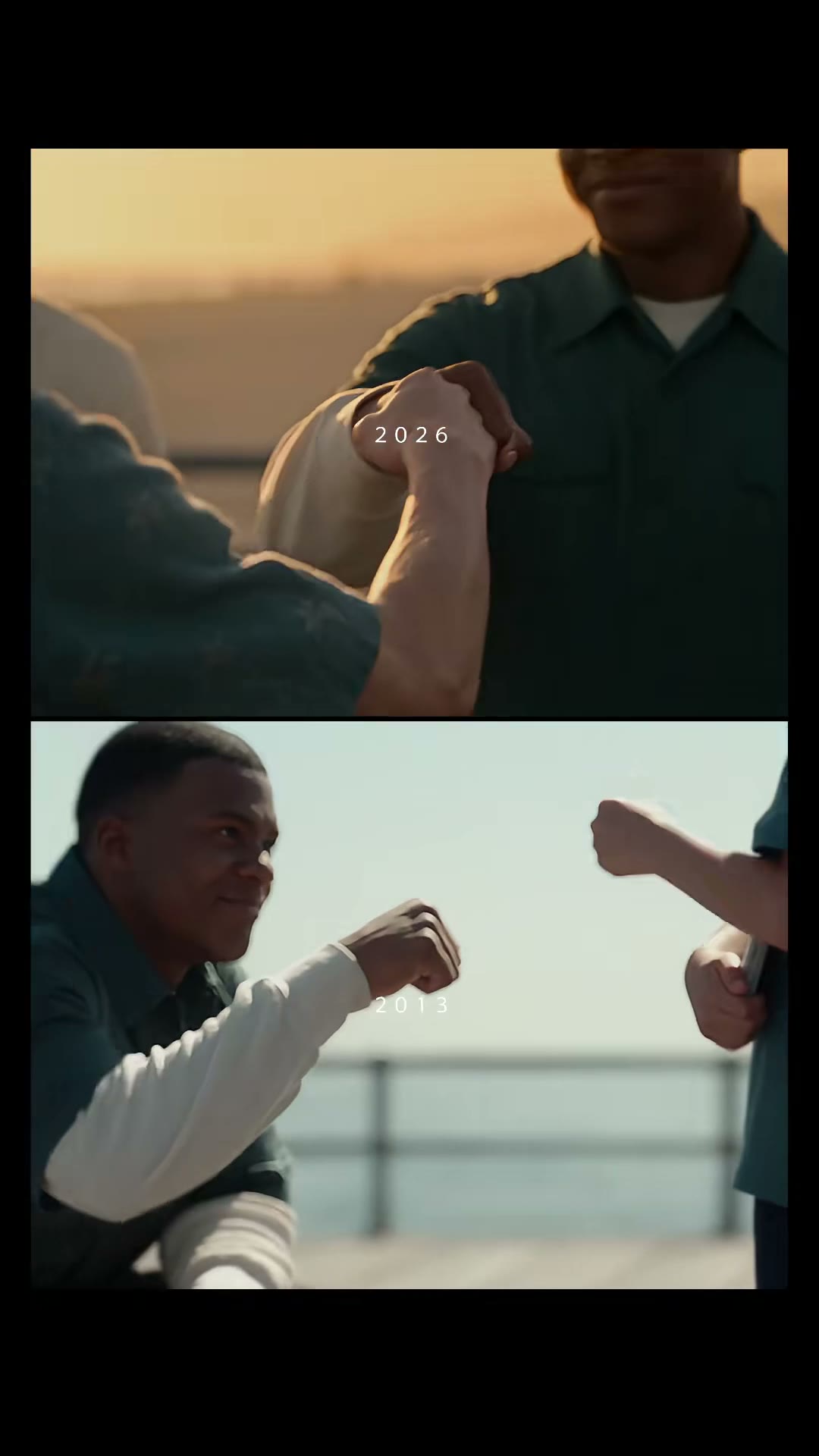
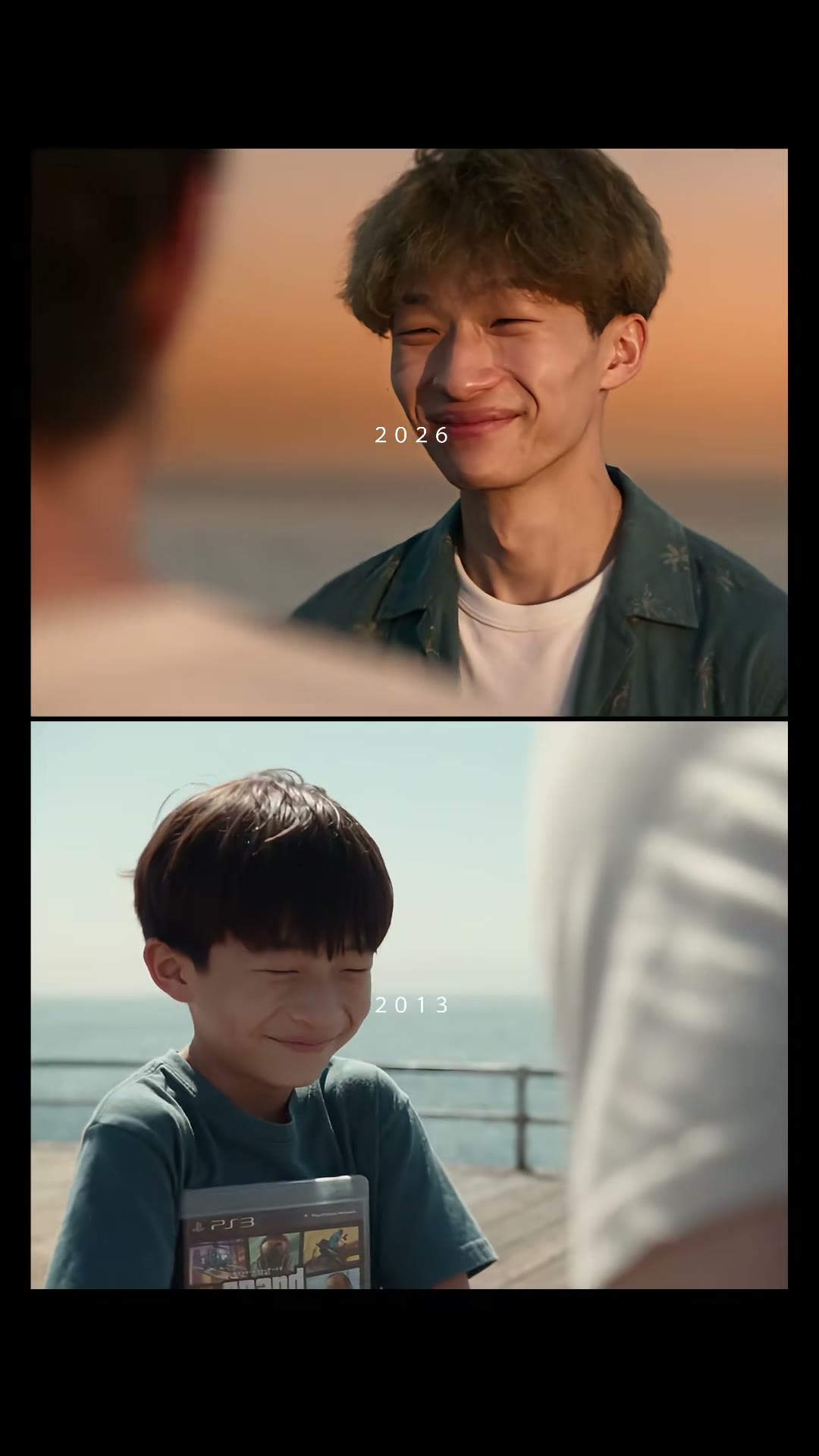
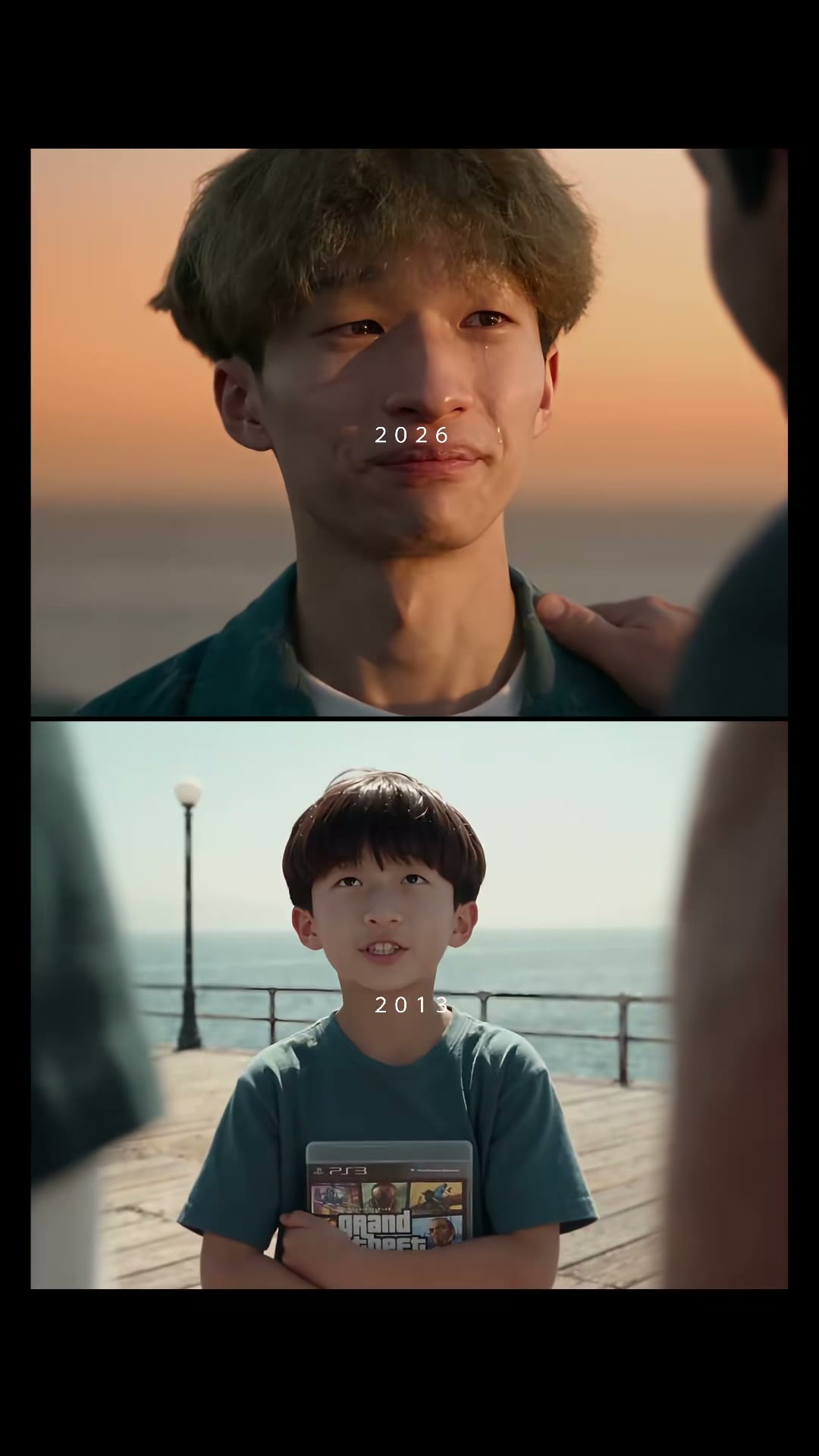
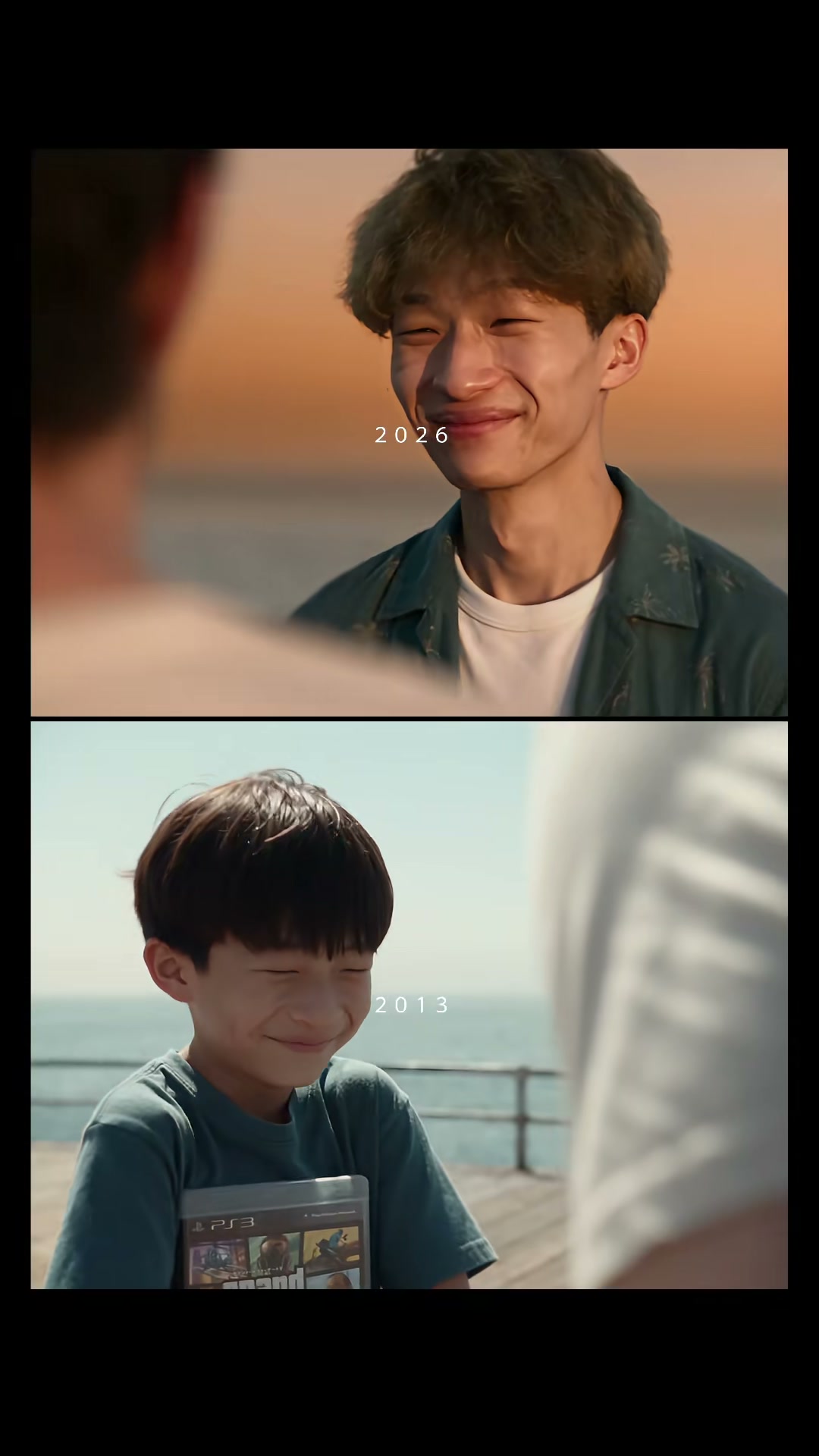
This is the TikTok post as it went up: a split screen with 2026 on top and 2013 below. On top, a young man walks up a wooden pier at sunset to three men; below, the same moments in daylight with him as a boy. Both bump fists with the man in the green shirt, smile at the same moment and listen to the man in the grey suit. Our GTA 5 2013 vs 2026 AI makes this 13-second split screen with you in both halves and the original sound.

What Happens in Your GTA 5 2013 vs 2026 AI Video

Your video is 13 seconds long, 9:16, you today on top and you as a kid below, with the original sound under it. Only you change.

PartWhat you see
0–2.3 s · The walk-upIn both halves you walk up the pier toward the three men, seen from behind.
2.3–3.7 s · The fist bumpThe man in the green shirt bumps fists with you in 2026, and crouches to bump fists with you as a kid in 2013.
3.7–5.7 s · The man in the white T-shirtIn 2026 he looks at you close to tears; in 2013 he pulls a funny face, the Ferris wheel behind him.
5.7–7.4 s · The two smilesClose-ups of you today and you as a kid smiling at the same moment, one above the other.
7.4–10.1 s · The man in the grey suitIn 2026 he talks to you, moved; in 2013 he rests a hand on your head.
10.1–13 s · The last lookIn 2026 a close-up of you with teary eyes and a hand on your shoulder; in 2013 you as a kid, arms crossed over your game, looking up at them.

Where Did the GTA 5 2013 vs 2026 AI Trend Start?

Grand Theft Auto V came out on 17 September 2013 and Grand Theft Auto VI on 19 November 2026, 13 years later. In the week before, players said goodbye with AI films of the same person as a kid in 2013 and grown up in 2026.

  1. @uekan2b posts "Thank you for 13 years", a 30-second AI film of a boy in 2013 and the same young man in 2026 on a pier with three men: 5.8 million views by 20 November.

  2. @uekan2b posts the 13-second split screen, 2026 on top and 2013 below, the clip our page makes: 66,600 views by 20 November.

  3. @caminero133 posts "2013 to 2026, time flies": 398,800 views by 20 November.

  4. @dshaun.abilene posts a how-to for the GTA 5 goodbye videos, the most-viewed tutorial we found: 513,200 views by 20 November.

  5. Seadanse adds GTA 5 2013 vs 2026 AI: the 13-second split screen with you in both halves, with the original sound.

Key Features of GTA 5 2013 vs 2026 AI

Star in Both Halves of the Pier Scene

See yourself today on top and yourself as a kid below walking up the same wooden pier to the same three men. Our GTA 5 2013 vs 2026 AI times the fist bump and the two smiles without prompts, templates, or editing.

Star in Both Halves of the Pier Scene
Use a Childhood Photo or Let Seadanse Draw One

Use a Childhood Photo or Let Seadanse Draw One

Drop in your childhood photo at no added cost, or leave the bottom circle empty. Our GTA 5 2013 vs 2026 AI draws you as a kid of about 9 using your face shape, eyes, and hair colour from your photo of you today.

Original Sound and Labels Ready for TikTok and Reels

Get a finished 13-second 9:16 split screen built for your feeds. Our GTA 5 2013 vs 2026 AI includes the original sound laid under the clip and small white 2026 and 2013 labels on each half.

Original Sound and Labels Ready for TikTok and Reels
Make Clips for Yourself or Game Characters

Make Clips for Yourself or Game Characters

Put yourself or anyone 18 or older who said yes into the scene, paired with their childhood photo. Our GTA 5 2013 vs 2026 AI also works with a cartoon character or a game character.

Make Your 2013 vs 2026 Video with GTA 5 2013 vs 2026 AI

Long-Time Players

Post Your Own Game Goodbye

Add your photo of you today and a childhood photo from when you first played. Get yourself on the wooden pier in 2013 and 2026 to celebrate thirteen years of gaming memories.

Friends & Family

Surprise Someone Who Grew Up Gaming

Add a photo of a friend or brother who said yes, along with their childhood photo from the family album. Send them their own split screen with the three men on the pier and make their day.

TikTok & Reels Creators

Share the Trending Split Screen

Add your photo of you today and let our GTA 5 2013 vs 2026 AI create your 13-second 9:16 clip. Post right to your feed with the 2026 and 2013 labels and the original sound ready to play.

Character Fans

See Game Characters Grow Up

Add a picture of a cartoon character or a game character to star in both halves of the pier scene. Watch that character walk up as a kid in 2013 and grown up in 2026.

How to Make Your Video with GTA 5 2013 vs 2026 AI

Step 1

Upload Your Photos

Tap the You today circle to add your photo of you today, tap the You as a kid circle for a childhood photo if you have one, and tick the box to confirm you have the right to use them and the person is 18 or older.

Step 2

Choose Your Resolution

Pick 720p or 1080p and see the price right on the Create button.

Step 3

Download Your Video

Press Create, pay once with no account, and download your 13-second 9:16 video with the 2026 and 2013 labels and the original sound.

Which Photos Work Best for GTA 5 2013 vs 2026 AI?

  • You today: one person, face to the camera: Face clear, sharp and in good light, no sunglasses.
  • Wear your 2026 look: You wear the clothes from your photo in the 2026 half.
  • You as a kid: about 6 to 12: A clear photo of your face as a kid, facing the camera; a photo of an old print works. No childhood photo? We draw you as a kid from your photo of you today.
  • Any background: The pier, the three men and the sunset come from the trend's clip.
  • Who can be in it: You, or anyone 18 or older who said yes to being in it, with their own childhood photo; a cartoon or game character works too.

Make One GTA 5 2013 vs 2026 AI Video for $9.90

You pay $9.90 for a 500-credit pack to make one 13-second video in 720p with our GTA 5 2013 vs 2026 AI, a 1080p video uses 1,480 credits, and your childhood photo costs nothing extra. You see the price on the Create button before you pay once with no account or subscription, your credits stay valid for 12 months, a render that fails returns its credits automatically, and the Seadanse pricing page lists every credit pack.

GTA 5 2013 vs 2026 AI FAQ

How do I make a GTA 5 2013 vs 2026 AI video?

You follow three easy steps. Add your photo of you today, add your childhood photo if you have one, and tick the box. Pick 720p or 1080p and see the price on the Create button. Press Create, pay once with no account, and download your 13-second video with no prompt, no template, no app and no editing.

What is the GTA 5 2013 vs 2026 AI trend?

The trend features AI-made goodbye videos to Grand Theft Auto V, posted in the week Grand Theft Auto VI came out. These clips show the same person as a kid in 2013 and grown up in 2026 meeting three men on a pier, cut as a split screen with 2026 on top and 2013 below. Our GTA 5 2013 vs 2026 AI makes that split screen with you in both halves.

Where did the 2013 vs 2026 trend come from?

Grand Theft Auto V came out on 17 September 2013, and Grand Theft Auto VI came out on 19 November 2026, 13 years later. A 30-second AI film titled "Thank you for 13 years" went up on TikTok on 12 November 2026 and had 5.8 million views on 20 November 2026. That same day, its creator posted the 13-second split screen, which had 66,600 views on 20 November 2026. A "2013 to 2026, time flies" version from 14 November 2026 had 398,800 views on 20 November 2026, and split-screen how-to videos followed from 17 November 2026, with the top one reaching 513,200 views on 20 November 2026. Our GTA 5 2013 vs 2026 AI makes the split screen with you in it.

What happens in my GTA 5 2013 vs 2026 AI video?

Your 13-second video shows two halves at once across six moments. From 0 to 2.3 seconds, you walk up the pier to the three men in both years. From 2.3 to 3.7 seconds, you bump fists with the man in the green shirt. From 3.7 to 5.7 seconds, the man in the white T-shirt looks close to tears in 2026 and pulls a funny face in 2013. From 5.7 to 7.4 seconds, you see the two smiles as you today and you as a kid smile at the same moment. From 7.4 to 10.1 seconds, the man in the grey suit talks to you in 2026 and rests a hand on your head in 2013. From 10.1 to 13 seconds, you share the last look, finished with the 2026 and 2013 labels and the original sound.

Do I need a photo of me as a kid?

No. Your photo of you today is all you need. Adding your childhood photo is up to you and costs nothing extra. With no childhood photo, Seadanse draws you as a kid of about 9 from your photo of you today, with your face shape, eyes and hair colour, and that kid stars in the 2013 half.

Which photos work best?

Use clear, well-lit photos. For You today, pick a photo of one person with your face clear, turned to the camera, sharp and in good light with no sunglasses, wearing the look you want in the 2026 half. For You as a kid, pick a clear photo of your face as a kid, about 6 to 12 years old, facing the camera, or take a picture of an old printed photo. Any background works, because the pier comes from the trend's clip.

Do I wear my own clothes in the video?

Yes. In the 2026 half, you wear the clothes from your photo of you today. In the 2013 half, you wear the clothes from your childhood photo, or a plain T-shirt on the kid Seadanse draws. Your face and hair come from your photos too.

Can I use a cartoon or game character?

Yes. A cartoon character or a game character works well. You can also use a photo of anyone 18 or older who said yes to being in it, along with their childhood photo if they have one.

Does my video come with the original sound and the 2026 and 2013 labels?

Yes. The original sound of the trend's clip is laid under every video from our GTA 5 2013 vs 2026 AI. The 2026 and 2013 labels sit on the two halves, so your video is ready to post on TikTok and Reels.

How long is the video, and will it fit TikTok and Reels?

Your video runs for 13 seconds in a 9:16 frame. It uses the trend's own split screen, made for TikTok and Reels, in 720p or 1080p with the original sound laid under.

What changes in the video, and what stays the same?

Only you change. You see you today in the 2026 half and you as a kid in the 2013 half. The pier, the sunset and the daylight, the three men and what they do, the six moments, the timing, the labels and the original sound stay as they are in the trend's clip.

Is GTA 5 2013 vs 2026 AI free? How much does it cost?

One $9.90 credit pack of 500 credits makes one 13-second 720p video. A 1080p video uses 1,480 credits, and your childhood photo costs nothing extra. You buy credit packs as a one-time payment with no subscription, and your credits stay valid for 12 months with no account needed. Sign-up is free with no card and adds 40 starter credits. The price shows on the Create button before you pay, and a render that fails returns its credits automatically. The Seadanse pricing page lists every credit pack.

Do I need a prompt, a template or an app for the GTA 5 2013 vs 2026 AI video?

No. You need no prompt, no template and no app. The split screen, the pier, the three men, the labels and the original sound are built into our GTA 5 2013 vs 2026 AI. The tool runs in your web browser on a phone, tablet or computer, so your video starts right on this page with no account.

Can I make other GTA videos?

Yes. Goodbye GTA 5 AI puts you in the sunset pier goodbye from one photo, where the three men shake your hand and hand you a game and car keys before you drive off. GTA 6 Loading Screen AI turns one photo into an 8-second video where a hand-painted loading-screen poster of you slides up over your photo. GTA Wasted turns one photo into a 10-second game clip that ends on the big red WASTED screen.

Are my photos private?

Yes. Seadanse never sells personal information. Your photos and videos stay in your account until you delete them.

Guides for GTA 5 2013 vs 2026 AI

Articles written for this model: how to prompt it, where it runs and what its limits are.

All articles

Make Your GTA 5 2013 vs 2026 AI Video

See you as a kid in 2013 and you today in 2026 on the same pier smiling at the same moment in a 13-second 9:16 video for TikTok and Reels with the labels and the original sound, at 720p for $9.90 with no subscription and no account.