
Seedance 2.5 Prompt Guide: How to Write Prompts That Work
Seedance 2.5 prompts work best as a four-part shot list. Learn how to write timestamps, bind reference images, and direct sound, dialogue, and camera moves.
 The Seadanse Team28 min read
The team behind Seadanse. We run the models we write about, and we publish the specs, prices and limits the marketing leaves out.

TL;DR — A Seedance 2.5 prompt is a four-block shot list: which file is which, one sentence of summary, the plot in timestamps, then what must hold. Coming from Seedance 2.0? Write "0-3 seconds" where you used to write "Shot 1". Sound is on unless you say otherwise, so write it yourself.
You type a good sentence into a video generator, wait for the clip, and get thirty seconds of something else. When that happens, the model didn't break. It just guessed at the blanks you left open.
That guessing gets expensive fast. A 30-second clip costs six times as much as a 5-second one, so trial and error drains your credits. You can check how each length scales by using the credit calculator on our pricing page.
To get reliable clips, you need to write the structure the model actually parses.
ByteDance publishes the structure Seedance 2.5 expects. Once you understand what Seedance 2.5 does differently, writing prompts that work becomes straightforward. Six prompts you can paste and run are further down, two of them written by other people.
The four blocks of a Seedance 2.5 prompt
ByteDance tells writers to treat the model like a producer: "Treat Seedance 2.5 as a visual content producer, and write structured prompts with a visual storytelling mindset."
Their guide lays out a prompt in four blocks:
- Which file is which: name every image, video, or audio file by its upload order and role.
- One-sentence summary: write "Subject + Location + Event + Genre/Style + Camera movement...".
- The plot, in time: split the clip into time segments with specific visuals, actions, camera paths, and dialogue.
- What must hold: list the visual rules, like lighting, environment, and framing, that must hold across cuts.
We can turn those rules into a practical five-row formula:
| Block | What goes in it | Example fragment |
|---|---|---|
| Which file is which | One line per uploaded picture, in upload order | "Image 1 is the diver, in a yellow drysuit and a scratched helmet." |
| One-sentence summary | Subject, location, event, style, camera | "A diver surfaces beside a harbour wall at dawn, shot as one handheld take." |
| The plot, in time | Timecoded beats, each with picture, camera, action and sound | "0-4 seconds. Wide shot, he breaks the surface; gulls and slack water." |
| Sound | Speech in quotes, then ambience and music | "He says, 'It's not down there.' Water against stone, no music." |
| What must hold | The things that may not drift across the whole clip | "Same face, same suit, same grey light, one continuous take." |
The five blocks follow ByteDance's published prompt structure; the example fragments are ours.
You don't need every row for a simple clip. But keeping this exact sequence helps Seedance 2.5 on Seadanse parse what you want without confusion.
Write your first prompt on Seadanse
Making a clip on Seadanse takes just a few steps:
- Paste your structured prompt into the Seedance 2.5 AI Video Maker composer.
- Pick your resolution: 480p, 720p, or 1080p.
- Pick your clip length: 5, 10, 15, 20, 25, or 30 seconds.
- Pick one of the six aspect ratios.
- Click Generate.
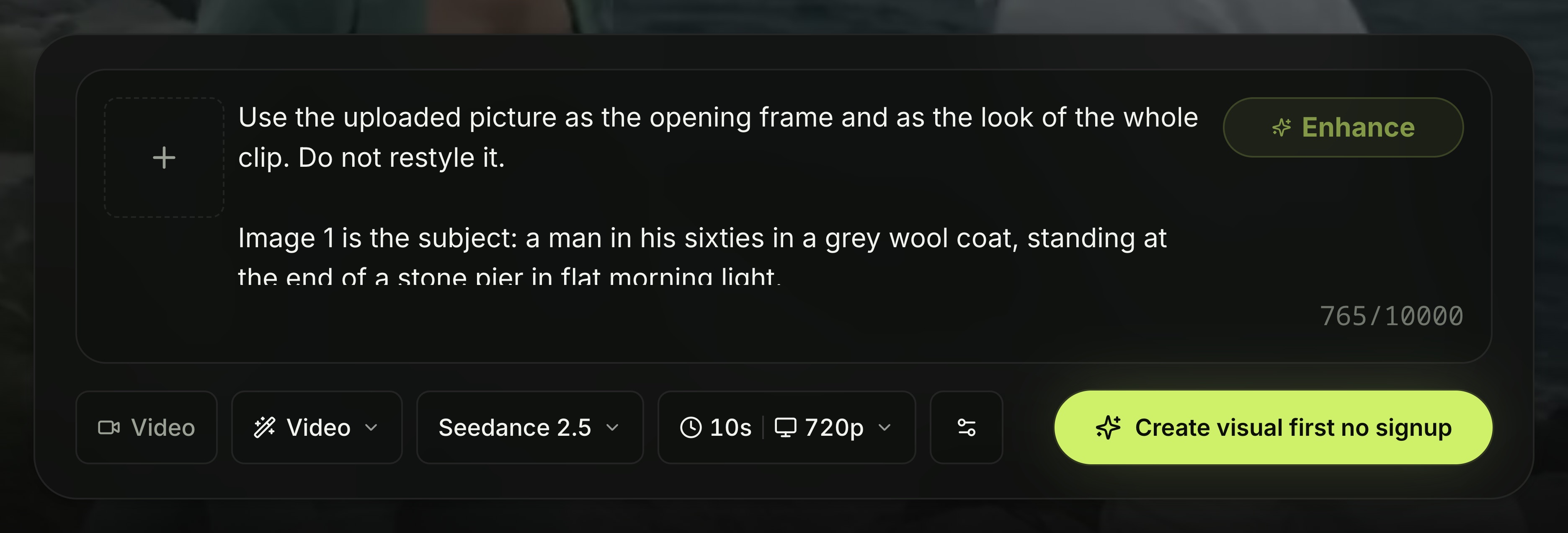
The composer with prompt 3 pasted in, set to 10 seconds at 720p — screenshot taken August 19, 2026.
On Seadanse, Seedance 2.5 is the default model preset. The prompt box takes up to 10,000 characters.
If you have a raw idea, click the Enhance button in the composer. It rewrites your rough text into a shot list with opening styles, numbered beats, and sound lines. It keeps any spoken dialogue you quoted in its original language.
At the same length, a 720p clip costs roughly 2.2 times a 480p clip. A 1080p clip costs around 3.9 times 480p. You see the exact credit cost on the Generate button before you click.
Here is how credits work on the site:
- If a render fails, your credits are refunded automatically.
- New accounts get free starter credits with no card needed.
- You can buy a $9.9 credit pack without a monthly subscription.
- Bought credits last 12 months, and exported clips carry no watermarks.
Open the Seedance 2.5 generator to set up your first clip.
Timestamps are the thing Seedance 2.0 will not do
The biggest functional change in Seedance 2.5 is true control over timing. As Tim Simmons noted in his August 5, 2026 review on Theoretically Media: "prompting in 2.5 is a bit of a different beast and some of your 2.0 prompts will not translate very well over".
Older models like Seedance 2.0 only respond to shot labels. Seedance 2.5 reads integer-second timestamps using 1-second intervals as its basic unit.
The model reads three timestamp formats:
- Time intervals: write spans like
0-3 seconds...3-7 seconds...7-15 secondsor[1s-4s]....[4s-8s]....[8s-12s]. - Time points: pin an exact moment, such as "Quick left sideways transition at the 5-second mark."
- Relative time: chain beats together, such as "John stands there blankly. After 3 seconds, everyone around him shakes their head."
Two common timeline mistakes will break your clip:
- Timeline gaps: if your prompt skips from
0-3s...straight to5-6s..., the model struggles with the unwritten gap. - Pacing mismatches: if you put too little action in a long span, the model improvises on its own. If you pack too much plot into a few seconds, it'll either cut frantically or skip your beats.
Don't use timestamps to direct rapid, high-frequency motions. Asking the model to "shake your head three times per second" won't work.
| If you used to write | On Seedance 2.5 write | What it means for you |
|---|---|---|
| "Shot 1: … Shot 2: …" | "0-4 seconds: … 4-9 seconds: …" | 2.0 only reads shot numbers. 2.5 reads whole seconds, so you control when a beat lands. |
| One picture per character, unlabelled | "Image 1 is the diver. Image 2 is the harbour master." | Unlabelled pictures get mixed up or duplicated. |
| A silent prompt plus an audio pass later | A sound line inside the prompt | The clip arrives with its sound already made. |
| "no blur, no artefacts, no distortion" | Positive description, plus "no subtitles" if you need it | Only subtitles and sound take a negative. |
Seedance 2.5 reads whole-second timestamps and 2.0 does not.
Bind every reference by its number
Reference binding means telling the model which uploaded picture matches each character, object, or style. Seedance 2.5 needs explicit numeric bindings based on your upload order.
Write clear, single-line bindings:
- "The knight in Image 1"
- "Images 1-2 are Character 1 and correspond to Audio 1; Images 3-4 are Character 2 and correspond to Audio 2."
- "Refer to Image 1 for lighting and filters."
Don't write names or labels directly onto your reference images. If you write "John" across an image and then write "John is at school" in your prompt, the model can get confused and duplicate the character.
Min Choi, who spent a few days with the model, put it as good prompts are mostly restrictions: "The prompts aren't descriptions. They're mostly restrictions." — and added that "One good reference beats five mediocre ones."
When a reference clip already contains the exact movement you want, don't over-describe it. The official docs note that if you write "Strictly refer to the actions and camera movements in Video 1, and keep the sequence consistent with the video", you don't need to describe hand raises or camera moves separately.
Seedance 2.5 takes multi-view photos of one subject. ByteDance didn't advise using them on 2.0.
At the API level, Seedance 2.5 supports up to 50 files (30 images, 10 videos, 10 audio files), compared to 15 on 2.0.
On Seedance 2.5 you can send pictures and reference clips. Pictures work in text-to-video, image-to-video and first-plus-last-frame; a reference clip is what you use when the movement or the camera move already exists on screen and you want it carried over. Reference audio is the one input you can't send, so a voice has to be described rather than copied.
Write the sound, or the model writes it for you
Seedance 2.5 makes video and audio together in a single pass. It generates spoken dialogue, background ambience, and musical scores at the same time.
On Seadanse, audio is switched on by default. If you leave sound out of your prompt, the model will invent its own background noise and music.
To direct speech, put dialogue inside quotation marks and name the speaker:
Mara says, "You still keep your receipts in the pocket."You can have it speak in more than 10 languages natively.
By default, the model often adds on-screen subtitles alongside spoken lines. If you don't want text on screen, say "No subtitles."
In our count of 44 working prompts, 45% wrote sound instructions directly into the text. In older 2.0 prompts, only 19% included sound. Because 2.5 builds audio natively, sound direction isn't an afterthought anymore.
Camera words the model already knows
You can write plain film words and it reads them without confusion.
Use standard shot framing and angles:
- Extreme wide shot, wide shot, medium shot, medium close-up, close-up
- Low angle, overhead shot, first-person perspective
Use standard camera moves and techniques:
- Push in, pull out, pan, track, follow, orbit, dive, pull back, tilt up, handheld shake
- One-shot or long take, Hitchcock zoom (or dolly zoom), aerial perspective, FPV, bullet time, handheld shot, speed ramp
If you need a niche move, write [term + descriptive explanation], like "Rack focus: the focus shifts smoothly; the trees that were originally clear in the foreground become blurred, while the character in the background gradually becomes clear."
When prompting transitions, name both the moment and the method: "At the 5-second mark, the camera quickly transitions leftward using a left wipe combined with a natural dissolve."
Keep actions broad. Write detail for one or two moments you care about, not for every movement. For expressions, use descriptive sentences instead of idioms. You can test how these moves look inside the Seedance 2.5 video generator.
Negative prompts only cover subtitles and sound
Sometimes you need to ask for the absence of something. That's what negative control is.
On Seedance 2.5, there's no negative prompt box. The model only accepts negative phrasing for two things:
- Subtitles: "Do not add subtitles." or "No subtitles."
- Audio: "No BGM; generate only environmental sounds and action sounds." or "No audio."
Don't fill your prompt with lists like "no blur, no low quality, no extra limbs, no bad anatomy". It won't read them.
ByteDance tells creators to use positive descriptions whenever possible. Describe what should appear on screen rather than what shouldn't.
Six prompts you can copy
Six prompts you can paste and run, across different modes and aspect ratios.
The first two aren't ours. Their authors published them on X next to the clip each one made, and they sit in our Seedance 2.5 prompt library with the text untouched. You're reading the same characters the model read. The other four are ours, written for the modes the library doesn't cover.
1. A product review with four spoken lines
This one is @AIwithkhan's, posted August 4, 2026. We haven't changed a word of it.
Use the uploaded reference image as the exact character reference. Preserve her facial identity, hairstyle, eye color, makeup, skin tone, body proportions, white sleeveless fitted top, light blue wide-leg jeans, pearl choker, rings, and bracelets consistently throughout the video. Use the uploaded sunglasses, retail box, and leather carrying case as locked product references. Maintain perfect product consistency, including the frame shape, lenses, hinges, colors, materials, and proportions.

Create an ultra-realistic UGC luxury creator review filmed inside a modern luxury bedroom with warm golden-hour sunlight, soft natural shadows, and a premium lifestyle aesthetic. The camera feels like a handheld smartphone with subtle natural movement while maintaining cinematic commercial quality.

The video begins with the woman sitting on the bed beside the retail box and leather case. Smiling at the camera, she says, "I genuinely wasn't expecting to love these this much." She picks up the box, opens it naturally, reveals the leather case, then slowly removes the sunglasses while continuing, "The packaging already feels incredibly premium."

She rotates the sunglasses slowly in front of the camera, showing the frame, hinges, and lenses as natural reflections glide across the surface. She smiles and says, "The finish feels amazing, and they're incredibly lightweight."

She puts on the sunglasses, stands up, and walks toward a large full-length mirror. Looking at her reflection, she adjusts the frame naturally and says, "Honestly... they look so good, and they're really comfortable on the eyes, even in bright sunlight."

She turns slightly left and right so the sunglasses catch the sunlight from different angles before removing them with a smile. Walking back to the bed, she places the sunglasses beside the leather case and retail box, then picks them up one last time and holds them beside her face.

Looking directly into the camera, she smiles warmly and says, "Definitely one of my favorite accessories this year." The camera slowly pushes in on the sunglasses before fading out.

Ultra-realistic UGC fashion content, authentic creator review, cinematic handheld smartphone movement, luxury bedroom, macro product cinematography, realistic reflections, detailed frame textures, expressive facial animation, perfect lip sync, shallow depth of field, premium color grading, 4K HDR, 16:9, no subtitles, no logos, no watermarks, no on-screen text.Made with Seedance 2.5 by @AIwithkhan, August 4, 2026 — 15 seconds, 16:9. The prompt above is his, unedited.
Look at what the first paragraph does. It never describes the scene. It lists what may not drift: her face, her clothes, then the product down to its hinges. Everything after that is free to move, because the things that must hold are already nailed down.
The four spoken lines each sit inside the action that carries them. And the prompt ends on "no subtitles, no logos, no watermarks, no on-screen text" — the one kind of negative the model reads.
2. A thirty-second short with dialogue on a clock
This one is @bmx_ai13's, posted July 31, 2026, word for word.
Create a 30 second cinematic short film titled The Suit Was Still Listening, presented in 16:9 with synchronized dialogue, environmental sound, and original music. The film must feel completely live action, physically grounded, and captured on location, never glossy or synthetic.

Visual language: a rain soaked neighborhood laundromat at midnight, warm amber fluorescent tubes inside, cold blue street light and moving car reflections outside, wet pavement, fogged windows, chipped enamel machines, baskets, detergent boxes, loose receipts, realistic skin texture, natural eye moisture, subtle fabric lint, imperfect hair, restrained film grain, gentle halation, lifted shadows, rich but believable color. Wardrobe creates bold editorial color blocking: Mara wears a cobalt trench over a cream blouse, Noah wears a rust knit polo, the teenage attendant wears faded green workwear, and an elderly customer wears a pale gray suit and dark hat. Use expressive medium close shots, tactile inserts, occasional low angles, clean profile compositions, and brief handheld movement that feels operated by a human. Preserve consistent faces, clothing, props, screen direction, reflections, hand anatomy, and spatial continuity. Use realistic speech timing, breathing, blinking, eye focus, and precise lip synchronization.

0 to 3 seconds. Exterior wide shot through falling rain. A lonely laundromat glows on a dark corner. A black sedan turns slowly into the street. Camera makes a subtle forward creep. Music begins with muted upright bass, brushed snare, a low analog pulse, and the rhythmic churn of washers.

3 to 6 seconds. Interior macro shot through a round washer door. A red scarf turns through soap and water. Cut to Mara opening a dryer. A tiny black transmitter falls from the lining of a cream suit and strikes the tile with a sharp metallic click. The score briefly drops out.

6 to 10 seconds. Low medium two shot. Noah freezes beside a folding table. He says quietly, You said clean the suit. Mara studies the transmitter in her palm and replies, I did. You hid a heartbeat in the lining. Keep the delivery controlled and intimate, not theatrical.

10 to 14 seconds. Tight insert on the teenage attendant checking an old signal meter beside the change machine. A green needle jumps. He looks toward the fogged front window and says, It is still transmitting. Camera racks focus from the meter to white headlights sliding across the glass.

14 to 18 seconds. The sedan stops outside. The elderly customer continues folding a shirt without looking up. He says, Then he is already here. Hold on Mara as the moving headlights carve across her face. Let silence, rain, and machine motors carry the tension.

18 to 22 seconds. Noah whispers, Back door. The old man calmly turns the deadbolt on the back exit and answers, Too obvious. Mara notices a delivery rider outside pushing a rolling laundry cart past the window. Use a fast sequence of close shots: her eyes, the transmitter, the cart wheel, the sedan mirror.

22 to 27 seconds. Mara crosses naturally behind a row of machines, slips the transmitter into a sealed laundry bag on the moving cart through an open service hatch, and returns without drawing attention. Noah asks, What did you do. Mara watches the cart continue down the wet street and says, Gave him a cleaner story.

27 to 30 seconds. Exterior telephoto view. The black sedan pulls away and follows the cart. Cut back inside to a symmetrical medium shot of the four characters framed by spinning washer doors. The red scarf circles behind Mara like a slow warning light. She sits opposite Noah and says, Now tell me who owns the suit. End on the transmitter signal fading from the attendant meter as the final bass note lands.

Sound design must include rain on glass, distant tires on wet road, washer motors, dryer buttons, fabric movement, the transmitter click, door lock, fluorescent hum, and soft room reflections around every voice. Dialogue must remain clean and naturally mixed above the music. Avoid visual distortion, artificial camera acceleration, floating objects, excessive shallow focus, oversharpening, plastic skin, extra fingers, unreadable signage, random background motion, or dreamlike effects.Made with Seedance 2.5 by @bmx_ai13, July 31, 2026 — 30 seconds, 16:9. The prompt above is his, unedited.
Eight time blocks across thirty seconds, three to five seconds each. That's the pacing the official guide asks for, worked out by someone who never read it.
Two things worth stealing here. Wardrobe does the character binding — cobalt trench, rust polo, faded green workwear — so four people stay four people with no reference pictures at all. And the dialogue is written without quotation marks, straight into the beat. It still lands on the right mouths.
3. One picture in, ten seconds out
Use the uploaded picture as the opening frame and as the look of the whole clip. Do not restyle it.

Image 1 is the subject: a man in his sixties in a grey wool coat, standing at the end of a stone pier in flat morning light.

One continuous ten-second shot, 16:9. The camera starts where the picture starts and pulls back slowly and steadily, so the pier gets longer behind him and the sea opens on both sides. He does not turn around. Around the seventh second he lifts his right hand to his collar and holds it there.

Keep his face, his coat, the pier stones and the light exactly as they are in Image 1. Water moves, the coat moves in the wind, nothing else changes.

Sound: sea against stone, wind across the microphone, gulls far off. No music. No subtitles.Made with Seedance 2.5 from the prompt above, with one reference picture — 480p, 10 seconds, 16:9, August 2026.
This image-to-video prompt binds Image 1 directly to the opening frame. It commands one continuous camera pull-back rather than complex choreography. It tells the model to keep the original image colors while animating natural movement in the sea and coat.
4. From this frame to that frame in five seconds
Image 1 is the first frame. Image 2 is the last frame. Fill the five seconds between them and land exactly on Image 2.

Five seconds, 16:9, one continuous shot, no cuts.

The clip begins on a closed red door in a narrow hallway, lit by one overhead bulb. It ends on the same hallway with the door open and daylight flooding in from behind it.

Write the motion between them: the handle turns, the door swings inward and to the left, and the camera drifts forward at walking pace as the light changes from tungsten yellow to cold daylight across the walls. The bulb stays on and stops mattering as the daylight takes over.

Nothing enters the frame. No people, no hands.

Sound: a latch, hinges, a room tone that opens up when the door does. No music. No subtitles.Made with Seedance 2.5 from the prompt above, with the two pictures sent as plain references and named in the prompt — 480p, 5 seconds, 16:9, August 2026.
This prompt guides first-and-last-frame mode across 5 seconds by defining the exact camera drift and lighting transition between the two bound images.
Anchoring a frame is a setting on the file itself, not wording in your prompt. Each upload carries a content.role (the tag telling the model how to use the file), like first_frame or last_frame. The official guide says to "Strictly control this through content.role = first_frame/last_frame", and doing it that way locks your aspect ratio to the first picture. That's the mode behind the first-and-last-frame option on Seadanse.
There's also a looser way. Upload both pictures as plain references and assign them in the prompt text instead. Writing "Image 3 is the first frame, and Image 5 is the last frame" keeps your ratio and length in your hands, but the guide warns the clip "will be similar to the first-frame and last-frame reference images, but may not match them exactly." If the ending has to land exactly, use the anchored roles. If you care more about picking your own ratio, the prompt wording is fine.
5. Two characters, two pictures, one scene
Image 1 is Character 1: a woman in her late twenties, black hair cut short, olive field jacket, a thin scar through her left eyebrow.
Image 2 is Character 2: a man in his fifties, shaved head, wire glasses, grey mechanic's overalls with a name patch.
Match both faces to their pictures in every second of the clip. Do not swap them, do not merge them, do not add a third person.

Fifteen seconds, 16:9, one workshop interior at night, one continuous scene in three beats. Overhead work lamps, oil-stained bench, an engine block on a stand.

0-5 seconds. Wide shot. Character 2 is bent over the bench. Character 1 walks in from the right and stops at the far end of the bench. He does not look up.

5-11 seconds. Medium two-shot. She picks a wrench off the bench and puts it down somewhere else. He straightens up and looks at where she put it. Neither speaks.

11-15 seconds. Close-up on his hands as he moves the wrench back. The camera tilts up to catch her already walking out of frame left.

Throughout: the same faces, the same clothes, the same lamps and shadows, no cuts to another room.

Sound: the hum of the lamps, metal set down on wood, footsteps on concrete. No music. No subtitles.Made with Seedance 2.5 from the prompt above, with two reference pictures — 480p, 15 seconds, 16:9, August 2026.
This prompt binds two separate reference images to distinct roles and locks their visual consistency across three timed camera setups.
6. A ten-second vertical ad with a spoken line
A ten-second vertical product clip, 9:16, shot like a phone video in a real kitchen, not like a studio commercial.

0-4 seconds. Handheld medium shot. A woman in her thirties stands at a counter in morning light, holding a plain glass bottle of cold brew. She turns it once so the light catches it. Slight camera wobble, natural.

4-8 seconds. She pours it over ice in a tall glass. Close, from slightly above. Real condensation, real ice movement, no slow motion.

8-10 seconds. She picks up the glass, looks at the camera, and says, "Same as yesterday. That's the point."

Throughout: the same kitchen, the same hands, the same bottle. Warm daylight from a window on the left. No on-screen text of any kind.

Sound: ice, pouring, a fridge running somewhere behind her, her line spoken in English. No music. No subtitles.Made with Seedance 2.5 from the prompt above, no reference pictures — 480p, 10 seconds, 9:16, August 2026.
This prompt sets up a 9:16 vertical layout with natural phone motion, timing the spoken dialogue for the final two seconds.
What 44 real Seedance 2.5 prompts look like
We wanted to know what a working prompt looks like, so we counted. Our prompt library reads a public collection of Seedance posts from X. On August 19, 2026 it held 175 posts: 126 made with Seedance 2.5, 47 with Seedance 2.0. Of those, 44 Seedance 2.5 posts carry the full prompt text next to the clip it made. Those 44 are what we measured.
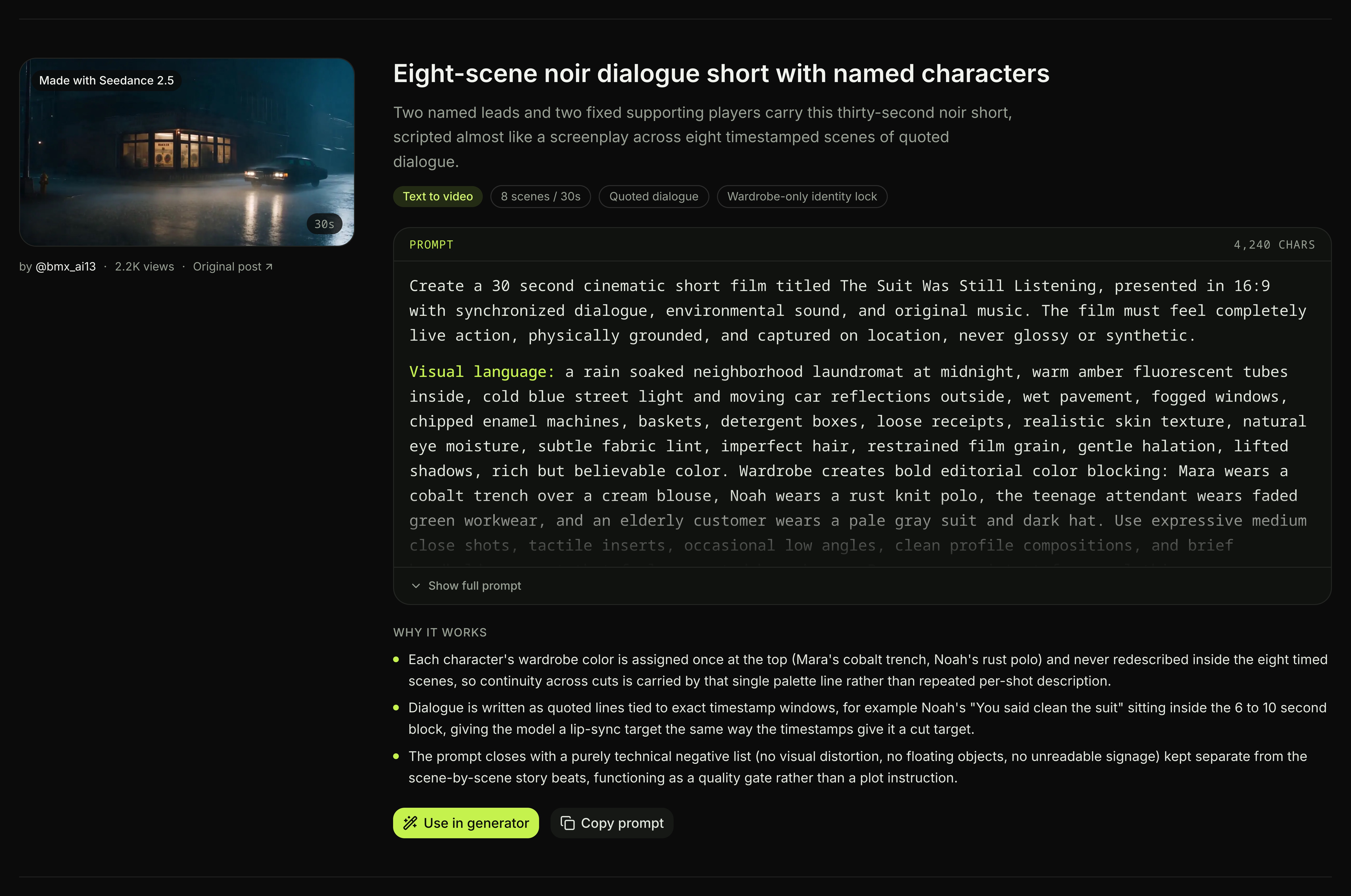
One card in the prompt library: the clip, who made it, the prompt in full, and what we think makes it work — screenshot taken August 19, 2026.
Here is what we counted:
| What we counted | Seedance 2.5 prompts (44) | Seedance 2.0 prompts (21) | What it means for you |
|---|---|---|---|
| Average length | 469 words | 400 words | A working prompt is a page of text, not a sentence. |
| Middle length | 401 words | 412 words | Half of them are shorter than 400 words, so length alone is not the point. |
| Carry timecodes | 41% | 29% | Timing moved into the prompt once the model started reading it. |
| Write the sound | 45% | 19% | Sound stopped being an afterthought when the model started making it. |
| Name a lens | 45% | 29% | Camera words are cheap and they land. |
| End on a "do not" list | 36% | 43% | Restrictions still matter, but 2.5 needs fewer of them. |
Counted on August 19, 2026 over the public corpus behind our prompt library.
Across these 44 prompts, 32% contained dialogue in quotes, and 45% named a lens or focal length. The longest prompt ran 12,790 characters. That's past the 10,000-character limit in our composer, so some external prompts need trimming before you paste them.
Here are three prompt structures from our prompt library:
1. Twenty beats on a stopwatch (@sebatheepan, August 1, 2026)
A janitor, a planetarium and a moon that turns real. The prompt runs twenty shots, each one opened by a bracketed span: [0–1.5s] Shot 1:, [1.5–3s] Shot 2:, all the way down. Then one closing paragraph fixes the global style and bans "text, extra people or unexplained teleportation".
Made with Seedance 2.5 by @sebatheepan, August 1, 2026.
2. Thirty seconds with no reference picture at all (@VeraVCreates, August 1, 2026) The longest prompt in the corpus, at 1,939 words. With nothing uploaded, every rule has to be written: an OVERALL STYLE block, a UNIFIED COLOR PALETTE block, a MAIN CHARACTER block, then one continuous flight path through four locations. This is what it costs to hold a character together on words alone.
Made with Seedance 2.5 by @VeraVCreates, August 1, 2026.
3. Carrying one clip into the next (@digitalwindai, July 31, 2026) An extension prompt. The interesting half is the list of things that must survive the join: the rider's identity, the helmet and visor, the colour grade, and the music, which "continues unbroken in the same key, tempo and arrangement with no restart". Extension runs on the API, not on Seadanse. The way this one is written is still worth reading.
Made with Seedance 2.5 by @digitalwindai, July 31, 2026.
You can load these full prompts into the generator with one click from our prompt library.
Five mistakes that waste a clip
Using shot numbers instead of timestamps
Writing "Shot 1" leaves timing to chance because 2.5 reads integer-second timestamps. Write explicit spans like 0-4 seconds to pin down when beats land.
Leaving reference images unlabelled
Unlabelled images lead to blended character features or duplicate people. Write clear binding lines like Image 1 is Mara before describing any action.
Leaving gaps in your timeline
If your timeline skips from 0-3 seconds straight to 6-10 seconds, the model has to improvise the missing middle. Keep your time ranges contiguous so transitions stay smooth.
Packing too much action into short intervals
Trying to cram five physical actions into a three-second window forces frantic cuts or skipped beats. Give each key movement several seconds of its own.
Writing general negative prompts
Typing negative strings like "no blur, no bad anatomy" gets ignored. The model only handles negative instructions for subtitles and audio, so describe visual details positively.
What you cannot prompt on Seadanse yet
- Resolution stops at 1080p: there's no 4K option for 2.5, on the API or on Seadanse. We wrote up the full resolution ladder and where the “native 4K” claim came from.
- No reference audio: you can hand Seedance 2.5 pictures and clips, but not a sound file, so you can't give it a voice to copy. If that's what you need, the Wan 3.0 AI Video Generator takes audio references.
- Six aspect ratios, not a free dial: you pick from
16:9,9:16,1:1,4:3,3:4and21:9. On the API the shape can be anything from 0.4 to 2.5 wide-over-tall, but you don't type that number — you get it by feeding an input picture of that shape and letting the clip inherit it. - Storyboards are a suggestion: a multi-panel board isn't followed frame by frame, so keep your boards under 15 panels.
- Complex motion remains hard: ByteDance's research team notes that complex multi-person interactions are still where the model is weakest.
Start writing
To get the most out of your clips, stick to the four-block structure: bind your files, summarize the scene, time your beats, and state your sound and consistency rules.
- Copy one of the templates above.
- Open the Seedance 2.5 generator.
- Set your settings to 720p and 10 seconds.
- Click Generate to make your clip.
Frequently asked questions
How long should a Seedance 2.5 prompt be?
Our count found an average length of 469 words and a middle length of 401 words. That gives you enough room to bind references, time your beats, direct sound, and set camera moves clearly.
Do timestamps really work?
Yes, Seedance 2.5 reads integer-second ranges directly. Spans like 0-3 seconds or 4-8 seconds lock actions and camera paths to exact moments on the timeline.
Can I reuse my Seedance 2.0 prompts?
Some will transfer, but many need editing. Seedance 2.0 AI Image to Video reads shot numbers instead of timestamps and doesn't support multi-view references, so updating the structure gets much better results.
Will it add music I did not ask for?
Yes — sound's on unless you turn it off. If you want dialogue and ambient room sound without music, add "No music" or "No BGM" to your sound block.
Related articles
- What Is Seedance 2.5? ByteDance's 30-Second Video Model, Explained — what the model does, before you start writing prompts for it.
- Seedance 2.5 Resolution: 480p, 720p and 1080p, Not 4K — what the resolution ladder really looks like.
- Seedance 2.5 Unlimited on Higgsfield: 33 Days of Fine Print — what "unlimited" buys on another platform.
- 7 Best Runway Alternatives in 2026, Tested and Compared — where Seedance sits against the rest.


