Skip Keyframes and Timelines Entirely
Upload one clear photo and let our AI eye zoom generate your finished clip with no prompt and no manual editing. You can add an optional short note if you want a custom detail like a wink at the end.
Jump into the eye zoom trend without keyframes or timelines. Upload one photo and use our AI eye zoom to create a smooth 5-second push-in to the eyes.
One person, face clearly visible, in good light.
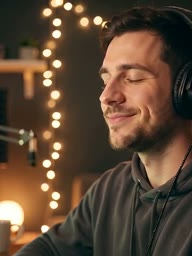

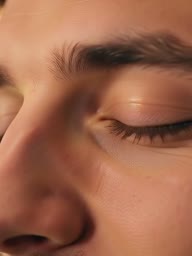
Upload one clear photo and let our AI eye zoom generate your finished clip with no prompt and no manual editing. You can add an optional short note if you want a custom detail like a wink at the end.
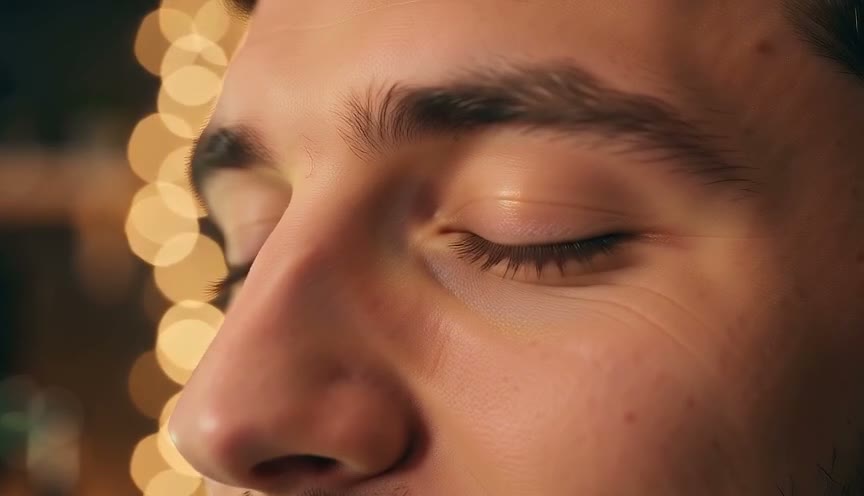
Open on your original framing before the camera glides into an extreme close-up of the eyes across a smooth 5-second shot. Our AI eye zoom keeps your face, hair, and eye color the entire way through.
Watch our AI eye zoom draw new frames as the camera moves closer, so the close-up of the eyes is a new shot instead of an enlarged crop of your photo. The final view adds fine skin texture such as pores and freckles.
Choose 720p or 480p and download your MP4 in default 9:16 vertical for TikTok, Reels, and Shorts, or pick 16:9 horizontal. Our AI eye zoom formats your render to fit your favorite platform perfectly.
Pay a flat rate of 80 credits for 720p or 40 credits for 480p across any aspect ratio right on the screen. If a render ever fails, our AI eye zoom returns your credits to your balance automatically.
Upload one clear photo of yourself and get a 5-second 9:16 clip that pushes right into your eyes. Post your finished reaction or punchline straight to TikTok, Reels, or Shorts without setting keyframes.
Bring a chest-up photo of your host to create an eye zoom transition in 16:9 or 9:16. The clip ends on an extreme close-up of the eyes, so you can cut directly to your next scene.
Upload a favorite portrait and watch our AI eye zoom turn it into a 5-second video that pushes in toward the eyes. Share an emotional close-up with friends and family that keeps your original eye color and skin details.
Take any clear reaction photo of a person and generate a smooth push-in to the eyes. Add your caption to the dramatic 5-second clip and share the comedy with your audience.
Upload one clear photo of a person into the Your photo slot.
Pick 720p or 480p resolution and 9:16 or 16:9 framing, then add an optional short note if you want.
Generate your clip for 80 credits at 720p or 40 credits at 480p and download your finished 5-second MP4.
Sign up free without a card to get 40 starter credits, enough to make your first 480p video with our AI eye zoom. You spend 40 credits at 480p or 80 credits at 720p for either vertical or horizontal framing, and your credits return to your balance automatically if a render fails.
It is a continuous camera move made from one still photo. To zoom in means to make a subject look larger or closer in the frame, and filmmakers call a move toward the subject a push-in or dolly-in. Our AI eye zoom holds your photo for a moment, pushes smoothly into the face, and stops on an extreme close-up of the eyes. Creators also search for it as eye zoom in, zoom into eye, eyes in, into the eye, or the eye zoom trend on TikTok.
Upload one clear photo of a person into the Your photo slot. Choose 720p or 480p resolution and pick 9:16 vertical or 16:9 horizontal framing. Click generate and our AI eye zoom delivers a 5-second MP4 video with no keyframes and no prompt required.
Right here in your web browser. Create an account with your email address, upload one photo, and our AI eye zoom moves the camera straight into an extreme close-up of the eyes.
It is a full AI generation of new frames. A lens zoom magnifies an image while the camera stays still, and a push-in moves the camera closer. Our AI eye zoom generates brand-new detail as the shot pushes in, so your final close-up is a detailed new image instead of an enlarged crop.
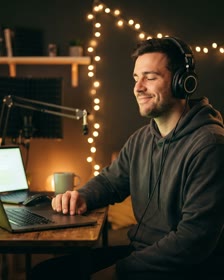
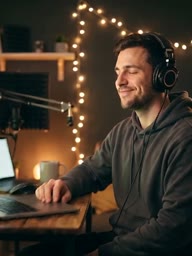
Choose a sharp photo of one person from the chest or waist up with their face easy to see. The video opens on that photo's framing, and the camera pushes in to an extreme close-up of the person's eyes and ends on that close-up.
Yes. The person keeps the face, hair, eye color, and small details from the photo as the camera moves in. Our AI eye zoom keeps their own eye color and adds fine skin texture such as pores and freckles.
Each video runs for 5 seconds. You choose 720p or 480p resolution and select 9:16 vertical or 16:9 horizontal framing before you render. Our AI eye zoom gives you a finished MP4 file ready to share.
Yes, you can create your first video for free. Sign up with no credit card and get 40 starter credits, which covers one 480p video. Each video costs 40 credits at 480p or 80 credits at 720p, and the exact credit cost shows right beside the Generate button. Check Seadanse pricing to buy credit packs or plans, and credits return to your account automatically if a render fails.
No. The camera push-in is already built in. You can type an optional short note if you want a custom action like a wink at the end, or open our AI Video Creator to direct scenes with your own written prompts.
Yes. The 9:16 vertical format fits TikTok, Reels, and Shorts, and the 16:9 horizontal size fits YouTube. The video ends on the eyes so you can drop it into any edit as an eye zoom transition. Paid plans include a commercial use license, and after any purchase of a plan or a credit pack, new videos have no watermark and every video can be downloaded.
Yes. We run zero facial recognition on your uploaded photos. Your photos and videos stay inside your account until you choose to delete them, and paid plans keep all your video renders private.
Every page here runs the real models in your browser — jump to the one that matches the clip you have in mind.
Turn a brief or a script into a finished video, price a render, or drive Seedance from Blender.
Seedance, Veo, Kling, Hailuo and more, each on its own page with real renders.
Nano Banana, GPT Image, Seedream and Grok Imagine for stills and first frames.
Prompts people actually ran, with the clip or image each one made.
Sign up with no card to get 40 starter credits and make your first 5-second video at 480p.