
How to Make the Gas Station Dance AI Video With Your Photos
Make the gas station dance with 1–3 photos. No prompt needed: AI fills empty roles. Learn the steps for friends, one photo, pets, and 1080p exports.
 The Seadanse Team6 min read
The team behind Seadanse. We run the models we write about, and we publish the specs, prices and limits the marketing leaves out.

To make the gas station dance from your photos, open the Seadanse Gas Station Dance AI Generator, upload a photo into a role, and generate your video. One photo is enough. No prompt is needed, and AI fills any empty roles. The dance sequence and original song are already included.
You can also use three photos to put three adult friends in the scene, or mix people with a dog or cat. The result is a 20-second vertical MP4, with no watermark on the exported video and resolution options up to 1080p.
The $9.90 credit pack covers one complete 480p video, with 125 credits left over. It includes 495 credits, and each 480p video uses 370. Free signup includes 40 starter credits, which are not enough for this effect.
How to make the gas station dance in three steps
1. Upload your photos
Open the generator and choose where you want to appear. There are three photo slots: Dancer, Selfie, and Car. Each takes one photo of one person or pet. Put your photo in the Car slot if you want the scene's big close-up.
You do not need to fill all three slots. Upload just yourself, add a second person, or fill all three with your friends. AI creates characters for whichever roles you leave empty.
Use a clear, well-lit photo with the subject facing the camera. A full-body picture is recommended when available. Every person in an uploaded photo must be 18 or older.
2. Generate your video
Leave the optional text field empty for the standard effect. You do not need to find the original video, upload an audio track, or describe the choreography.
The default resolution is 480p. Check the resolution and credit price shown beside the generate button, then start generation. If you prefer 720p or 1080p, select it before generating; each resolution has a different price.
An idea or full prompt is available if you want to customize the result, but neither is required to get started.
3. Download and share
When generation finishes, preview your result and download the MP4. The export includes the original song and uses a vertical 9:16 frame for TikTok, Instagram Reels, and YouTube Shorts. You do not need a separate editing app to assemble the sequence.
Watch the full clip before sharing, including the close-up and transitions. AI results can vary, so check that the faces, outfits, and motion work for your intended post.
Can you make the gas station dance with only one photo?
Yes. Upload one photo into any role and leave the other two slots empty. Seadanse fills those roles with AI-generated characters. Your finished video still has three characters; you only need to supply the one you want to personalize.
For example, place your photo in Car and leave Dancer and Selfie blank. This gives you the close-up role without needing to find two extra photos or write descriptions for the other characters.
The existing sample on the generator page demonstrates this setup: one supplied Car reference and two AI-cast roles. All three characters in this sample are fictional AI-generated adults.
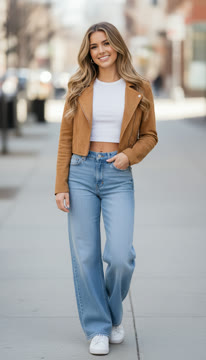
The supplied Car reference for the existing sample. Dancer and Selfie were cast by AI.
How to make a gas station dance with three photos
For three friends, use three separate photos, one per person. Assign each friend a role before generating:
| Photo slot | What to upload |
|---|---|
| Dancer | One adult friend's photo for the Dancer role |
| Selfie | A second adult friend's photo for the Selfie role |
| Car | A third adult friend's photo for the Car role and close-up |
This setup gives you control over all three characters. You do not need to take one group photo together; separate photos let you assign each person to the intended slot.
Check the order before generating, especially if someone wants the Car close-up. Using three photos costs the same as using one photo at the same resolution. Photo count does not change the generation price.
Can you use a dog, cat, or other pet?
Yes. The photo slots accept pets, and you can mix pets with people in the same video. To make a gas station dance with your dog, put a clear photo of your dog in Dancer. For a cat's entrance, use Car. You can leave the remaining roles empty or add photos of yourself and a friend.
Choose a photo where the pet is easy to distinguish from the background. Avoid a crowded image containing several animals when you want one particular pet in the role.
This is the same upload-and-generate workflow as a human cast. You do not need a separate pet tool or a special prompt. Preview the result before posting, since AI interpretation of an animal's body and movement can vary.
Optional ideas and prompts: when to use them
For the standard gas station dance, leave the text field blank. The reference sequence supplies the scene and movement.
Use Idea when you want to influence the characters filling your empty slots. For example, “wedding guests” gives AI a theme for the extra cast while keeping your uploaded photos in their assigned positions.
Use Full prompt when you want to write your own detailed direction. It sends your text to the model as written, so it is better suited to someone who wants more control. It is not a prerequisite for making your first video.
Resolution, price, and watermark
The $9.90 starter pack includes 495 credits, enough for one complete 480p video with 125 credits left over. No subscription is needed.
| Resolution | Credits per video |
|---|---|
| 480p — default | 370 |
| 720p | 740 |
| 1080p | 1,480 |
Choose a larger pack or use your existing credit balance for higher resolutions.
Uploading three friends costs the same as using only your own photo at the same resolution. If a render fails, its credits are returned automatically. Check the displayed price before generating and visit Seadanse pricing for subscription plans and credit packs.
The exported video has no watermark. Choosing 1080p gives you a higher-resolution export, but resolution alone does not guarantee a better likeness or more natural motion. A clear input photo still matters.
Signing up is free and includes 40 starter credits with no card required. That does not cover a gas station dance generation: even the 480p option requires 370 credits.
Start with the photos you already have
For your first video, one clear photo and an empty prompt field are enough: choose your role and let AI fill the other two. To put three friends in the scene, upload one photo per role. Add a pet the same way. The optional controls are there when you need them; the basic path stays upload, generate, and download.


