
How to Make the Charme Dance AI Video From One Photo (3 Steps)
Seadanse: how to make the charme dance AI video from 1 photo. Get the viral 15-second Seu Zé clip, original sound, in your browser. 720p $9.90, no sign-up.
 The Seadanse Team16 min read
The team behind Seadanse. We run the models we write about, and we publish the specs, prices and limits the marketing leaves out.

TL;DR — You make the charme dance AI video by adding 1 photo to Seadanse's Charme Dance AI for TikTok and Reels in your phone or computer browser. A few minutes later, you'll get the viral Seu Zé clip's first 15 seconds, with your person as the dancer, the same Pedra do Sal crowd and original sound.
There's no CapCut, app, template link or prompt, and one 720p video is $9.90, paid once with no sign-up.
On TikTok, a viewer under the viral Seu Zé clip asks "como fazer esse vídeo" (Portuguese for "how do you make this video"). Another viewer asks where to make one with their own photo.
The tutorials that answer send you into a CapCut template, an edit someone else built in the CapCut app, with a slot for your photo.
That means downloading extra tools and hunting down buttons that don't always appear.
On our Charme Dance AI page, we've built the clip's first 15 seconds and its sound into the page, so one photo is all you add.
You won't need to hunt for template links or install separate video editors.
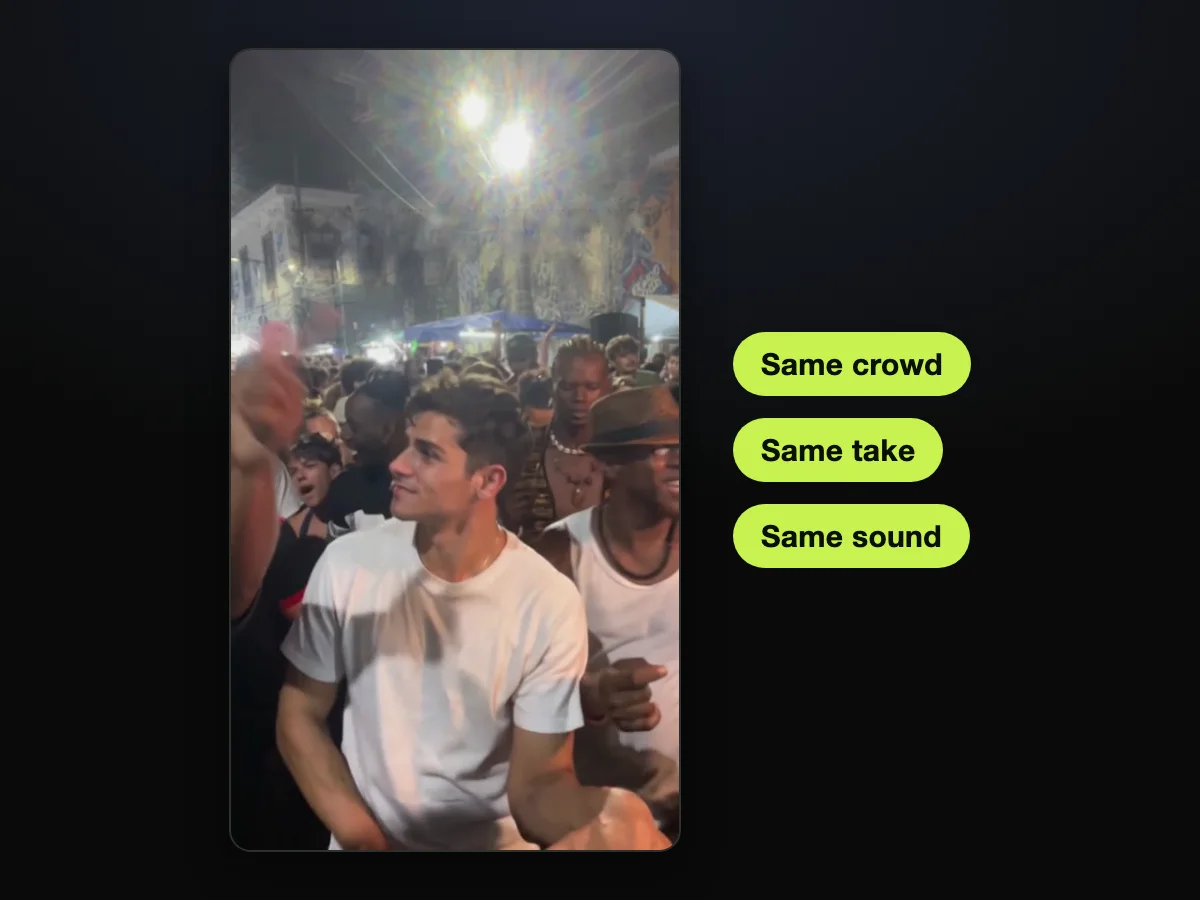
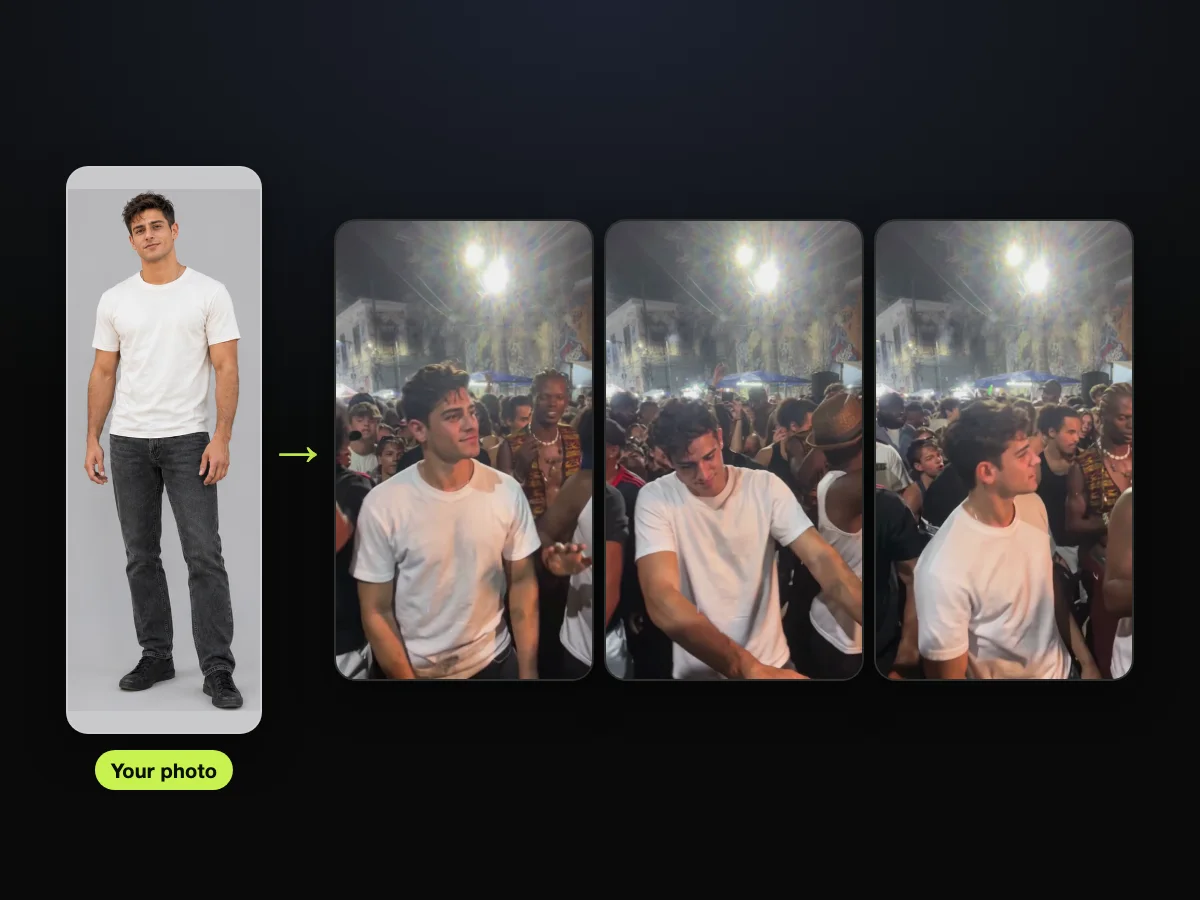
We made our own sample the same way. One photo of an AI-made young man in a cream T-shirt and black jeans went in.
He dances charme in the Pedra do Sal crowd, shoulder to shoulder with the man in the white tank top and brown hat. He's in his own clothes from the first frame to the last.
He's grooving right on the beat without missing a single step.
You'll come away with:
- Three steps: add a photo, pick a quality, press Create.
- The right photo: what to upload so your face and outfit carry through.
- The Van Damme look: how to dress for the 80s action version.
- The price: what one video costs, before you pay.
How Do You Make the Charme Dance AI Video?
To make the charme dance AI video, you add 1 photo to get a 15-second, vertical 9:16 MP4 of that person dancing in the viral Seu Zé clip.
You'll have your video ready in a few minutes.
It all happens in your web browser, and the clip's original sound is already in the video. You don't have to edit audio tracks or sync up the rhythm yourself.
- What changes: only the dancer. Your face, hair and whole outfit come from your photo. You're the same person from the first frame to the last, hitting every charme move on the beat.
- What stays: the packed night crowd at Pedra do Sal, with the man in the white tank top and brown hat at your shoulder. The man with long braids and a shell necklace stays too. So do the big white floodlights, the blue market tents, the colonial buildings, every move and the one continuous handheld phone shot.
- What you hear: the clip's original sound, its own music and crowd, from the first second.
Add your photo to our charme dance AI generator and press Create.
What Happens in Your 15-Second Charme Dance AI Video?
Your charme dance AI video is the first 15 seconds of the viral Seu Zé de Madureira clip, with you, or whoever's in your photo, as the dancer.
The entire scene puts your person straight into the center of the street party.
The TikTok account @seuzerj posted it on October 16, 2026. In that clip, Seu Zé is an AI-made grandpa character with a white afro, round glasses and a red shirt with suspenders.
He out-dances a packed night crowd at Pedra do Sal, a historic spot in Rio de Janeiro. Every video on that account is made with AI, and the full clip runs 27 seconds.
The dance itself is charme, a street dance style that began in Brazil in the early 1980s. It's built around smooth side steps, bouncing shoulders and relaxed hands.
You can explore how the charme dance AI trend started to see why these dance moves took over social feeds.
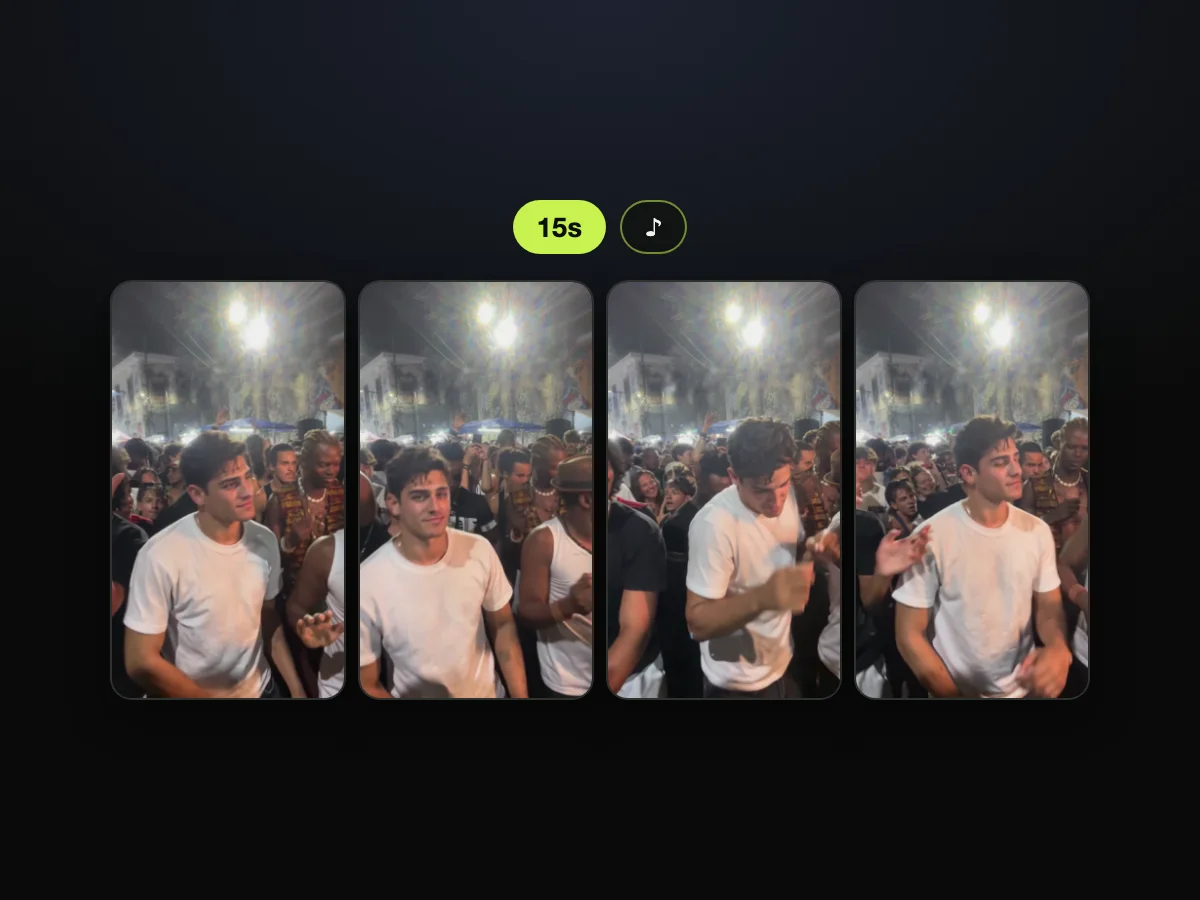
Here's how your 15 seconds play out:
- Look back (about 0.5 seconds): you glance back at the phone, right up close to the lens.
- Groove (about 2.5 seconds): you face the camera, shoulders bouncing, forearms swinging low in front of your hips.
- Shoulder to shoulder (about 4 seconds): the man in the white tank top and brown hat dances along at your side.
- Lean in (about 7.5 seconds): you lean forward, hands sliding past each other at waist height.
- Turn (about 10.5 seconds): you turn toward the crowd, then back to the camera for the last seconds.
It's one continuous handheld phone shot with no cut, and the sound plays from the first second. You won't miss any of the surrounding Rio atmosphere.
What Do You Need for a Charme Dance AI Video?
For a charme dance AI video, you need 1 photo, a web browser and $9.90 for one 720p video. The page handles everything else.
- A photo: one clear photo of you, an adult friend or family member, or a cartoon, game or AI-made character.
- A browser: any web browser on an iPhone, an Android phone, a tablet or a computer, with nothing to install.
- $9.90: one 720p video, paid once, with no subscription. You'll find details on how pay-once credits work on our blog.
You don't need a clip, a template link, a prompt, an app or any editing.
Make the Charme Dance AI Video in 3 Steps
To make the charme dance AI video, you add 1 photo, pick 480p, 720p or 1080p, and press Create, all on one page. The interface keeps every choice simple.
Step 1: Add One Photo
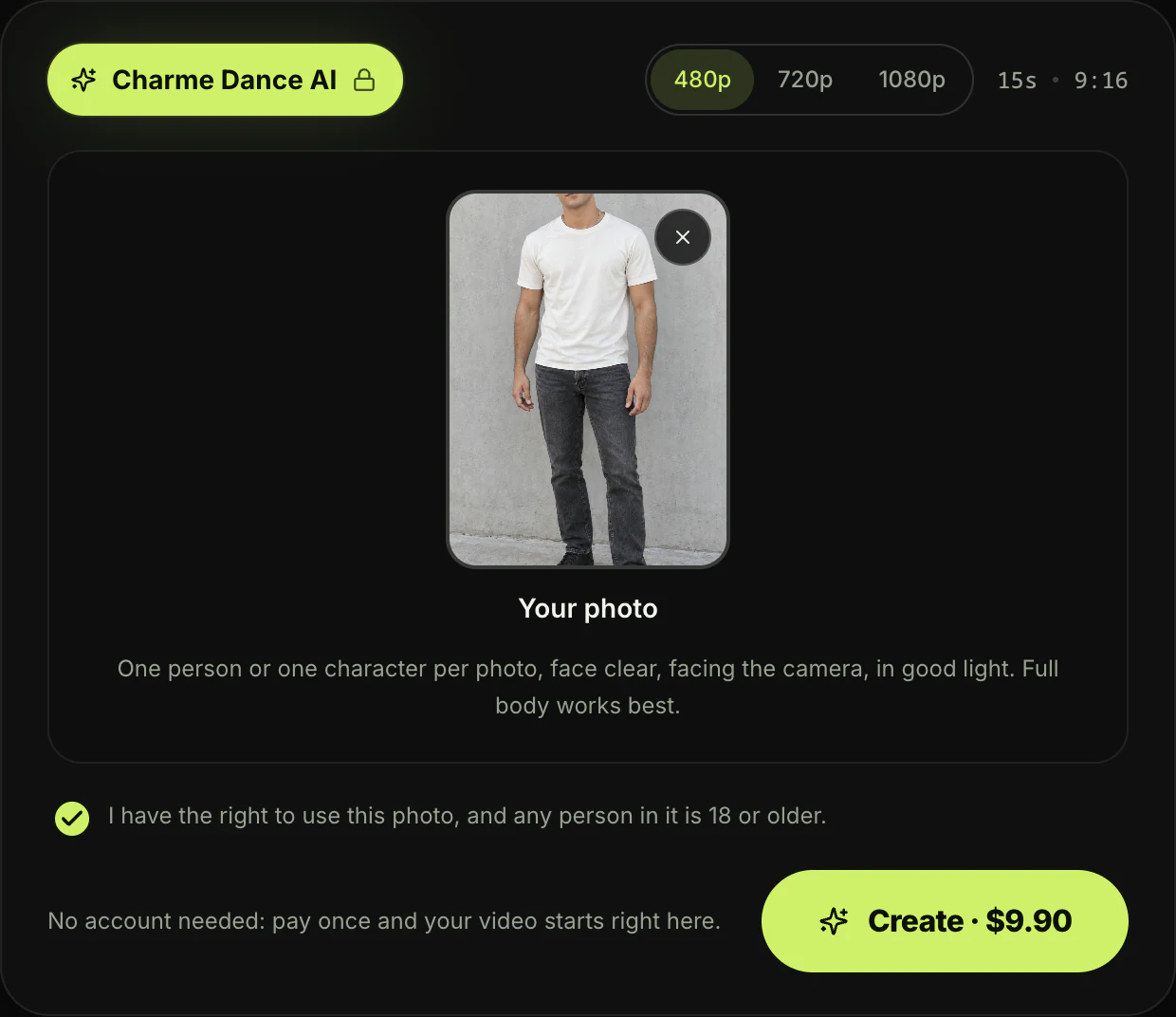
Open Seadanse's Charme Dance AI in your browser. Tap the "Upload photo" box, with the label "Your photo" right under it, and pick 1 photo from your camera roll.
The hint under the box reads: "One person or one character per photo, face clear, facing the camera, in good light. Full body works best."
The tick box under the photo reads "I have the right to use this photo, and any person in it is 18 or older." It's ticked when the page opens, so keep it ticked.
Step 2: Pick 480p, 720p or 1080p
The quality switch sits at the top of the generator, beside "15s · 9:16" (15 seconds, vertical). The page opens with 480p picked.
Tap the quality you want. The price shows on the Create button before you've paid anything.
Step 3: Press Create
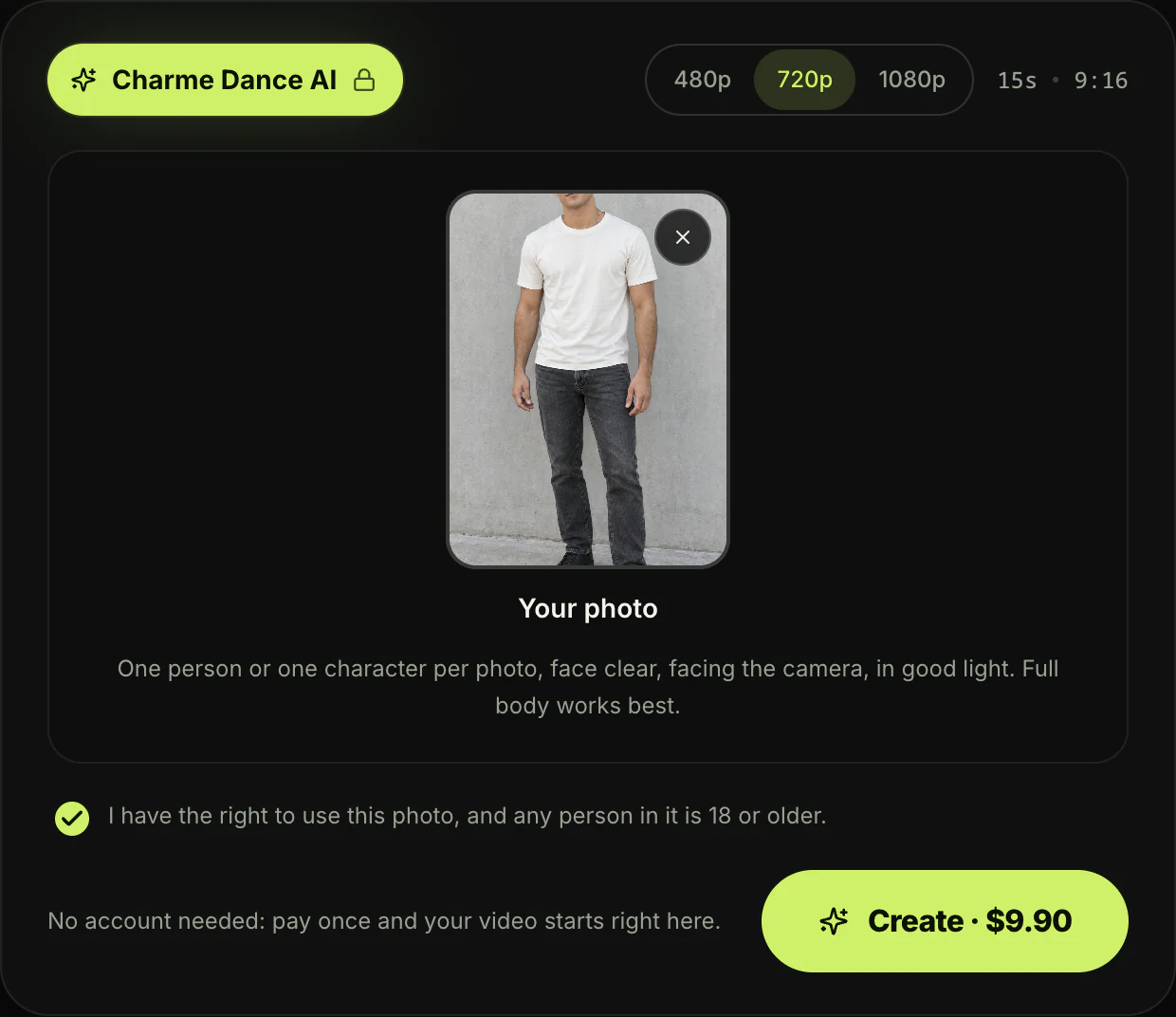
Press the Create button. Beside it, you'll see: "No account needed: pay once and your video starts right here."
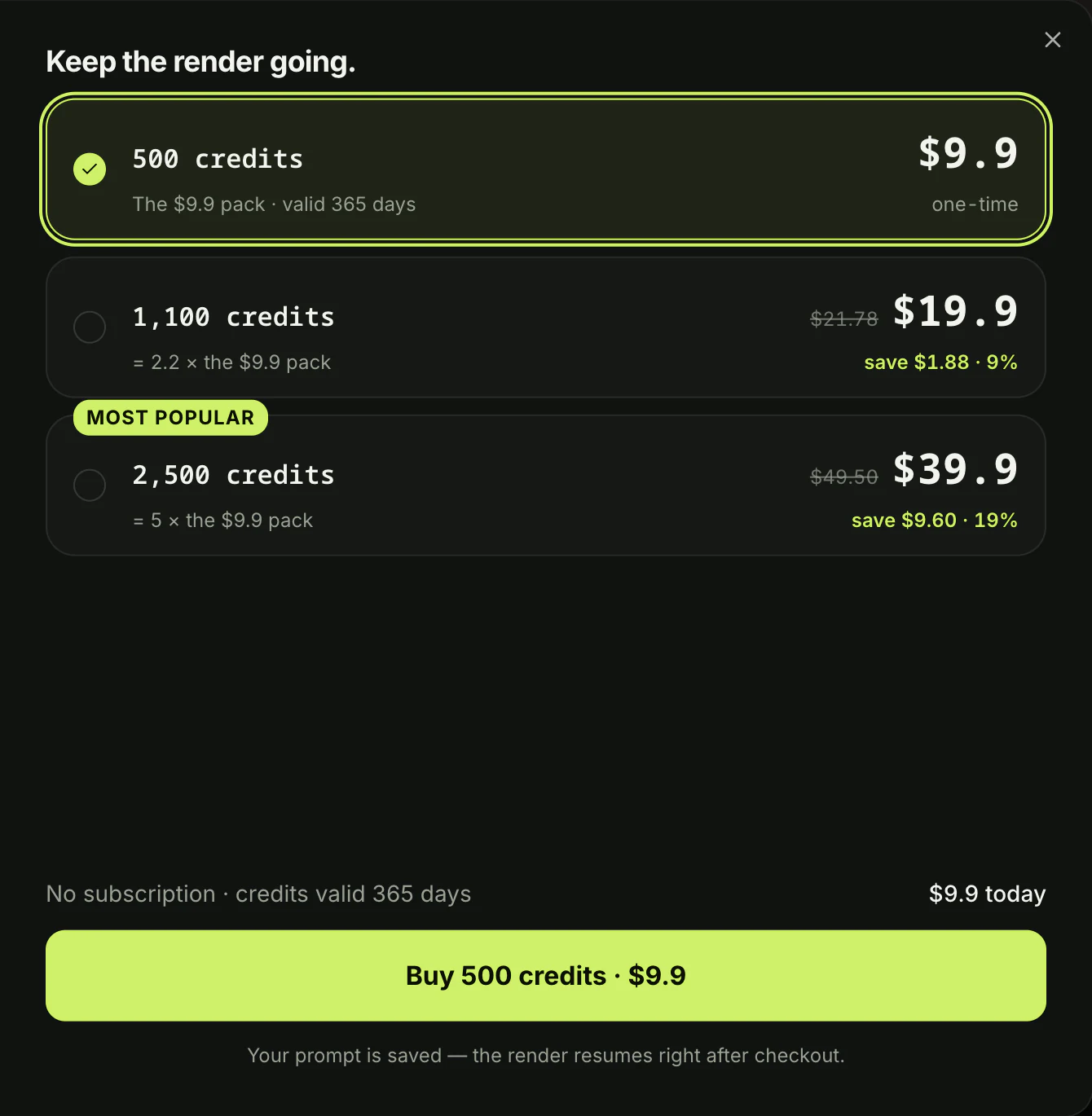
A window with the credit packs opens, and you'll pay once at checkout, with no account and no subscription. Your video starts right on the page.
The email from checkout brings a link that signs you in, so you can open your video on any device. You won't lose your work if you switch devices.
In a few minutes, you'll download a 15-second vertical MP4 with the original sound and no watermark on exported video. If a video fails, you'll get its credits back automatically.
How Do People Make Charme Dance AI Videos on TikTok?
People make charme dance AI videos on TikTok two other ways: with a CapCut template or with a motion-transfer tool such as Viggle or Kling. Both options need extra steps.
- The CapCut template: a CapCut template's an edit someone else built in the CapCut app, with a slot for your photo. The template the tutorials link is "Ty" by Esme70275, made on October 18, 2026.
- "Ty" in numbers: one photo slot, a 16.4-second, 9:16 video, and 238,309 uses by October 20, 2026.
- From TikTok to CapCut: tutorials send you there from the TikTok post: tap the arrow, copy the link, open the template in CapCut and add your photo.
- The template's demo: its own demo, "THE WALKING STEP", puts Walking Dead characters in a rainy, lightning-lit version of the square.
- A motion-transfer tool: a motion-transfer tool copies the moves from a dance video onto the person in your photo.
- Viggle: on Viggle's dance page, you upload a character image, then pick one of 10,000+ dance templates or upload any clip, and the character does the same moves.
- Kling: on Kling's dance page, Motion Control follows a dance video of 3 to 30 seconds that you upload. Another mode replaces the dancer in a clip you upload once you tell Kling which dancer to replace.
- The dance clip: neither page mentions charme, so you'll find the dance clip yourself.
TikTok's search box suggests "charme dance klingai", showing that people look for custom dance tools too. But finding and prepping clean footage isn't always easy.
Here's what we counted in the comments under six CapCut tutorials on October 20, 2026:
- Doesn't work: 17 of the 135 text comments said the process fails or the button never shows up, including "Não funciona" (Portuguese for "it doesn't work").
- Fake or a scam: 15 comments called the tutorials fake or a scam.
- Costs money: 10 comments said it costs money, including "tem que pagar" (Portuguese for "you have to pay") under a Portuguese tutorial.
- Too many apps: 8 comments complained about the steps. The top text comment under one tutorial, with 17 likes, reads "Y todo mundo descargando apps para nada" (Spanish for "and everyone downloading apps for nothing").
On our page, you'll make a baile charme AI video without searching for templates or uploading reference dance clips. The clip, the crowd and the sound are built in, and the price is on the Create button.
You can read why the charme dance CapCut template fails to understand these common app issues.
We've also put the charme dance AI generators side by side to see how every option stacks up.
Who Can Dance in Your Charme Dance AI Video?
Anyone you've got a photo of can dance in your charme dance AI video. That's you, an adult friend or family member who's 18 or older, or a cartoon, game or AI-made character.
The tool adapts to whoever you upload.
- You: one selfie or full-body photo puts you in the spot at the packed Pedra do Sal party, on every charme step, ready to post.
- Your grandma or grandpa: a photo of a family member who's 18 or older, in their everyday clothes, puts them in the middle of the night street party. It's ready for TikTok and the family group chat.
- The original joke: your grandma video delivers the joke from the caption: "Ninguém botou fé no vovô no baile charme" (Portuguese for "Nobody believed in grandpa at the baile charme").
- That one friend: a friend who's 18 or older "who only dances after midnight or never hits the floor" works too. Send them the video in the group chat and tag them.
- The caption's dare: the original caption asks the same thing: "Marca aquele amigo que só dança charme depois da meia-noite" (Portuguese for "Tag that friend who only dances charme after midnight").
- A character: a cartoon character, a game character or an AI-made character image. To build a character you'll use again, design it first in our AI character sheet generator, which makes front, side and back views, then add the character image here.
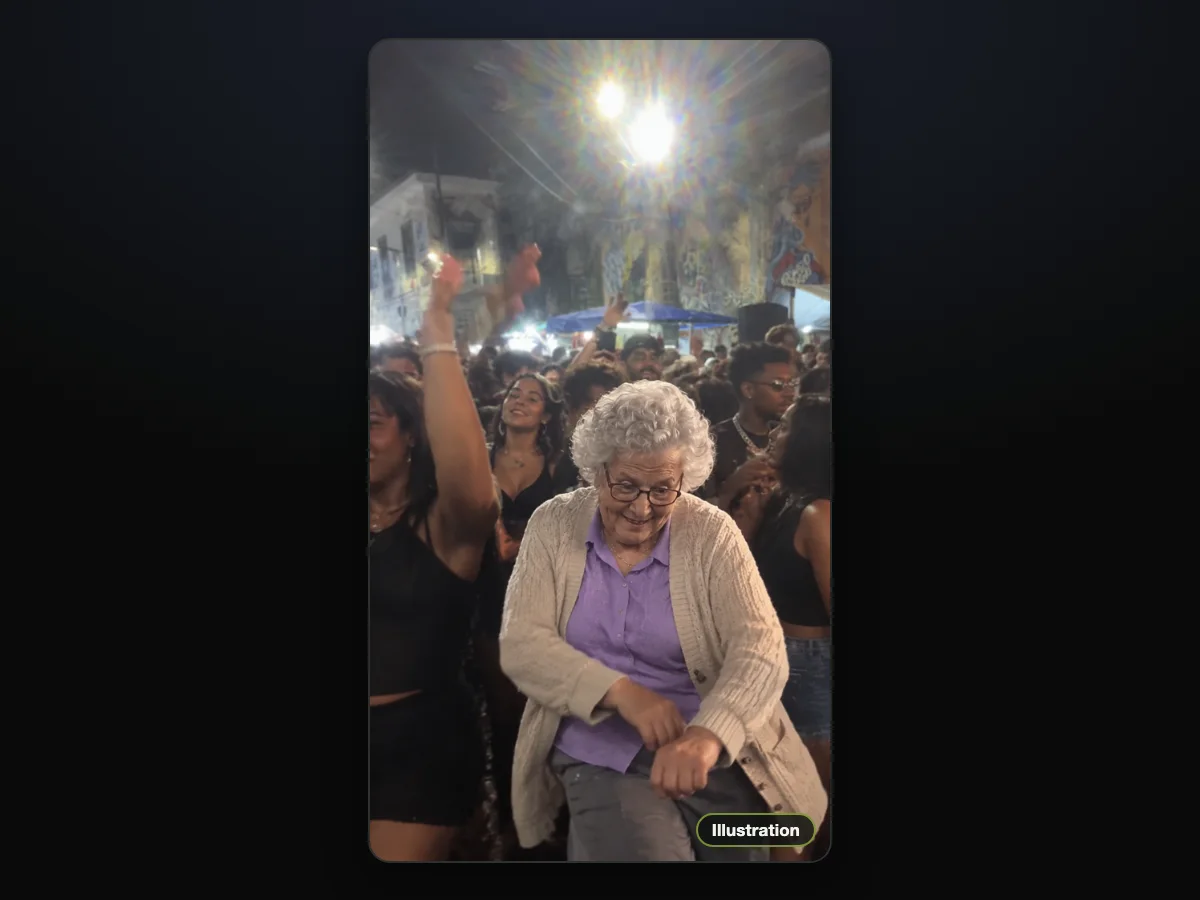
Illustration: your grandma in the middle of the same night crowd.
How Do You Get the Van Damme Look in a Charme Dance AI Video?
To get the Van Damme look in a charme dance AI video, put on a denim shirt or other 80s action-movie clothes, take a photo and add it.
Your face, hair and outfit come from your photo.
You'll step into that classic retro movie hero style.
The style started when the first AI remakes, on October 13, 2026, put 80s action-movie star look-alikes in the same kind of floodlit Rio square. A Van Damme look-alike in a denim shirt was right among them.
On TikTok, #vandammebailando reached 2,054 videos and 9.1 million views on October 20, 2026. TikTok's search box even suggests "van damme dance ai" and "van damme dance template".
With Charme Dance AI, you'll dance every charme move in that look, in the same crowd.
Which Photo Works Best for Charme Dance AI?
The photo that works best for charme dance AI shows one person or one character, face clear, facing the camera, in good light, and full body works best.
Here's how to pick it:
- One subject: upload a photo with just one person or one character in the frame.
- The face: make sure the face is looking directly at the camera with clear facial features.
- The light: choose a picture taken in good light.
- Full body: pick a head-to-toe photo so your whole outfit carries through into the dance.
- 18 or older: make sure any real person in the picture is an adult who's 18 or older.
Your face, hair and whole outfit in the video come from this one photo, and you're the same person from the first frame to the last. Everything you wear carries straight into the crowd.
Our sample's photo showed him head to toe in a cream T-shirt and black jeans, and he dances all 15 seconds in that cream T-shirt.
Charme Dance AI Video FAQ
How long is the charme dance AI video?
The charme dance AI video runs for 15 seconds, from the first glance back at the phone to the turn back to the camera.
It exports as a vertical 9:16 MP4, the original clip's own frame, ready for TikTok and Reels in 480p, 720p or 1080p.
What song is in the charme dance AI video?
The clip's original sound is the party itself, its music and its crowd, and every video has it from the first second.
Many TikTok posts of the trend add "Ice Ice Baby" by Vanilla Ice from TikTok's sound library when they post.
Do I need an account to make a charme dance AI video?
No, you don't need an account to make a charme dance AI video on Seadanse. Press Create, pay once and your video starts right on the page.
The email from checkout brings a link that signs you in on any device.
Do I need CapCut, Dreamina or a prompt?
No, you don't need CapCut, Dreamina or a prompt to create your video. The clip, its 15 seconds and its sound are built into the page, so 1 photo is all you add.
If you'd rather build edits by hand, read the copy-ready charme dance AI prompt.
Is there an AI that can make you dance like Seu Zé?
Yes, Seadanse's Charme Dance AI makes you dance like Seu Zé from one photo, on every charme move, in your own face, hair and outfit.
You can also try Bulin 47 AI to star in a viral street freestyle clip or use AI Dance Generator for an 8-second dance with music. Both effects sit alongside our other AI video effects.
Is the charme dance AI video free? How much does it cost?
One 15-second 720p video is $9.90, paid once with no subscription, and the same $9.90 pack covers a 480p video.
The button reads "Create · $9.90" at 480p and at 720p, and "Create · $39.90" at 1080p. A 1080p video uses 1,480 credits from the $39.90 pack of 2,500 credits, and the rest stays in your balance.
Pack credits stay valid for 12 months, and if a video fails, its credits come back automatically. You can check options on Seadanse pricing.
Are my photos private?
Yes, the photos you upload for a charme dance AI video stay private. That's because Seadanse runs no facial recognition on them, collects no biometric data and never sells personal information. Your photos and videos stay in your account until you delete them.
Make Your Charme Dance AI Video Tonight
You can make your charme dance AI video right in your browser by adding 1 photo.
In a few minutes, you'll get the first 15 seconds of the viral Seu Zé clip. Your person's dancing in the Pedra do Sal crowd to the original sound.
One 720p video is $9.90, paid once with no sign-up or ongoing plan. It's ready to download and share directly to your group chats or social feeds.
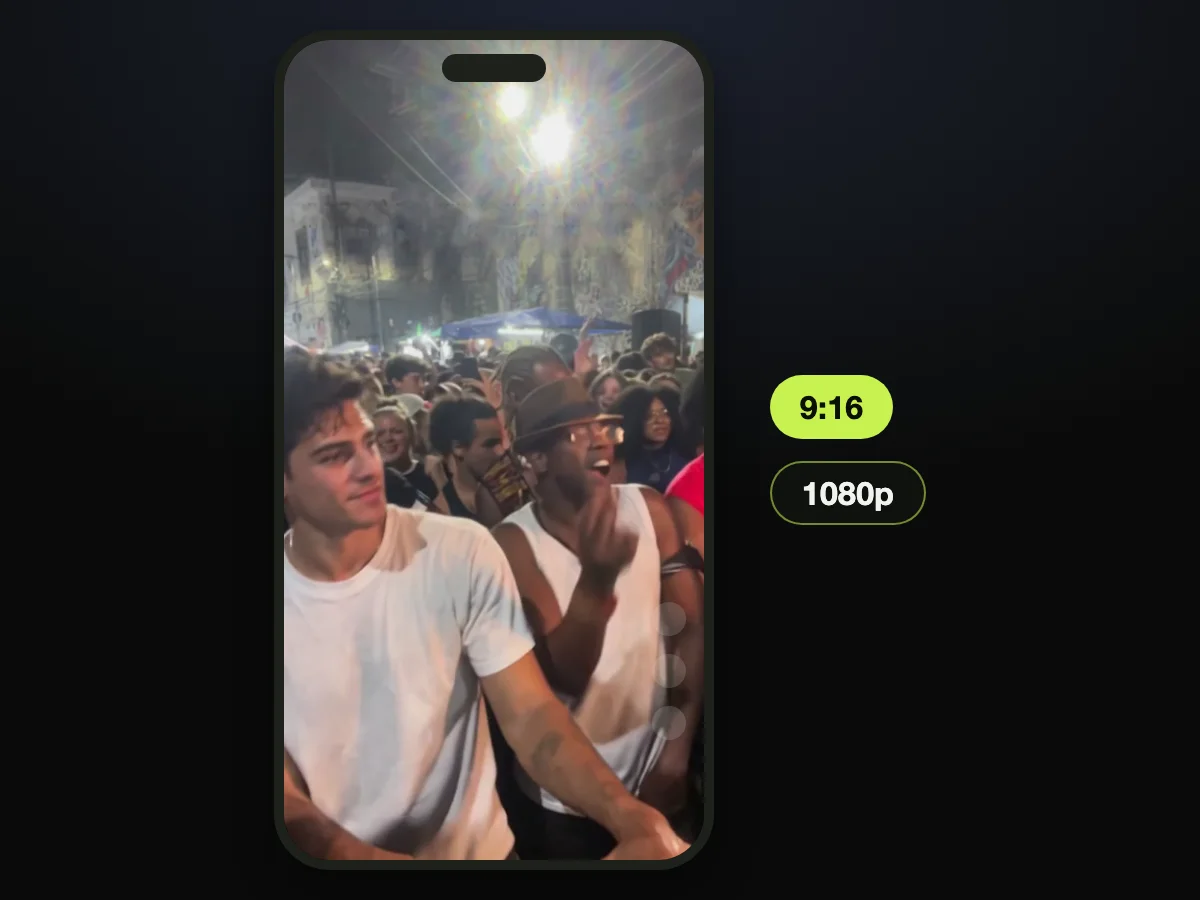
Written by The Seadanse Team. We read every price and button label in this guide on the live Charme Dance AI page on October 20, 2026. The sample in this guide is the video on that page, and the man in it is an AI-made adult.
Related Articles
- What Is the Charme Dance AI Trend? (Seu Zé, Real vs AI) — who Seu Zé is, where the party is, and how the AI remakes took off.
- Charme Dance CapCut Template: Where It Is and Why It Fails — the template every tutorial links, and what people say happens when they use it.
- Best Charme Dance AI Generators (2026): 10 Tools Compared — every tool that makes the trend, side by side.
- Charme Dance AI Prompt (Copy-Ready) — and How to Skip the Prompt Entirely — a prompt for the edit, if you'd rather write it yourself.


