
Charme Dance AI Prompt (Copy-Ready) — and How to Skip the Prompt Entirely
Charme dance AI prompt: copy the real 187-word edit prompt behind Seadanse's Charme Dance AI, or skip it and make the video from 1 photo for $9.90.
 The Seadanse Team18 min read
The team behind Seadanse. We run the models we write about, and we publish the specs, prices and limits the marketing leaves out.

TL;DR — The charme dance AI prompt is a 187-word video edit prompt for the first 15 seconds of the viral Seu Zé de Madureira clip and 1 photo. It swaps the grandpa in the red shirt for whoever is in your photo. The crowd, the handheld camera and every charme step stay the same.
Here's the prompt Seadanse runs, word for word:
Edit the video. Replace the old man with a big white afro, round black glasses and a white moustache, in the red short-sleeved shirt with black suspenders and a brown leather bag at his waist, who dances in the middle of the crowd right in front of the camera, with whoever is in @Image 1 (a person, or a cartoon or game character, or a pet when @Image 1 shows one): their face, hair, body and whole outfit come from @Image 1 only. They do not have the white afro, the round glasses or the white moustache, and do not wear the red shirt, the black suspenders or the leather waist bag, unless @Image 1 shows them. Keep everything else exactly unchanged: every dance step and movement, the timing, the handheld camera following the dancer and its framing, the man in the white tank top, the man with long braids and a shell necklace, the man in the brown hat and everyone else in the crowd with their own faces, the floodlights, the buildings, the blue tents and the night light. No captions or text on screen.Rather skip the prompt? Add 1 photo to Seadanse's Charme Dance AI and you'll get the 15-second video with the clip's original sound. One 720p video is $9.90.
Under the Seu Zé de Madureira clip on TikTok, viewers keep asking "onde faz este video" (Portuguese for "where do you make this video") and "como fazer esse vídeo" ("how do you make this video"). One of them says they'd like to make one with their own photo.
Most tool pages that show up when you search don't give you a prompt for the real clip. On its page, makeviral's FAQ on the trend says "No creator shared one". It also says its own video is "a new clip made from your photo in the same style, not a copy of these shots".
Over on another site, bailecharmeai.org's prompt page says "we do not publish the prompt".
TikTok tutorials don't give you words either. They just send you to a CapCut template, so here's what the charme dance CapCut template does.
Below, you'll find the real prompt behind Seadanse's Charme Dance AI, copied straight from the maker word for word. You'll also see the way to skip the prompt entirely.
Here's what you'll get:
- 1 copy-ready prompt: You get the 187 words our page runs.
- The five-part formula: You'll see the exact structure that tells an AI editor how to handle the footage.
- Seven habits: You'll learn the specific rules that get the edit right.
- The one-photo route: You can create your video in a few minutes with no prompt at all.
What Is the Charme Dance AI Prompt?
The charme dance AI prompt is a video edit prompt (a prompt that changes a clip you already have instead of making a new one).
You'll give it to an AI video editor together with the 15-second clip and 1 photo. The prompt tells the editor who to swap out (the grandpa in the red shirt) and what to keep (everything else).
The charme dance AI prompt works with four things you'll need:
- The clip: It's the first 15 seconds of the 27-second clip, in 9:16 (a tall frame, 9 wide for every 16 high, the shape TikTok and Reels use). It's one continuous handheld phone shot with no cut.
- The photo: It's @Image 1 (the first picture you attach), and it gives the new dancer their face, hair, body and outfit.
- The editor: You'll need an AI video editor that changes an existing clip using a reference photo (the picture the AI copies a face and look from).
- The sound: It's the clip's original sound, which covers the party's music and crowd noise. It goes back under the video after the edit.
That's the prompt Seadanse's Charme Dance AI runs behind its Create button, word for word, as of October 20, 2026.
There's more background in the story of the charme dance AI trend.
That's what the charme dance AI prompt gave back, with the clip's original sound. It's the man from the photo, in his own cream T-shirt, in the grandpa's place for all 15 seconds.
How Is a Charme Dance AI Prompt Built?
A charme dance AI prompt has 5 parts: subject, action, scene, style and camera. Only the subject changes. The other 4 parts tell the editor to keep the clip's own footage.
| Part | What the real prompt says | What it does |
|---|---|---|
| Subject | "Replace the old man with a big white afro, round black glasses and a white moustache" | Points at Seu Zé by what you can see, so nobody else in the crowd gets swapped. |
| Action | "every dance step and movement, the timing" | Sits in the keep list. Every charme step comes from the clip, so you never describe the dance. |
| Scene | "the floodlights, the buildings, the blue tents and the night light" | Keeps the night square at Pedra do Sal exactly as the clip shows it. |
| Style | "Keep everything else exactly unchanged" and "No captions or text on screen" | Keeps the clip's own phone-video look, with no words over the picture. |
| Camera | "the handheld camera following the dancer and its framing" | Keeps the one handheld shot that follows the dancer through all 15 seconds. |
Every quote in the table comes from the prompt above, word for word.
One central line decides who dances: you tell the editor to replace the character "with whoever is in @Image 1". The prompt makes sure "their face, hair, body and whole outfit come from @Image 1 only".
You can write every line yourself, or let our charme dance AI generator fill in every line from 1 photo.
How Do You Use the Charme Dance AI Prompt?
You use the charme dance AI prompt in an AI video editor, with the Seu Zé de Madureira clip as the video to edit and your photo as @Image 1.
Edit the video. Replace the old man with a big white afro, round black glasses and a white moustache, in the red short-sleeved shirt with black suspenders and a brown leather bag at his waist, who dances in the middle of the crowd right in front of the camera, with whoever is in @Image 1 (a person, or a cartoon or game character, or a pet when @Image 1 shows one): their face, hair, body and whole outfit come from @Image 1 only. They do not have the white afro, the round glasses or the white moustache, and do not wear the red shirt, the black suspenders or the leather waist bag, unless @Image 1 shows them. Keep everything else exactly unchanged: every dance step and movement, the timing, the handheld camera following the dancer and its framing, the man in the white tank top, the man with long braids and a shell necklace, the man in the brown hat and everyone else in the crowd with their own faces, the floodlights, the buildings, the blue tents and the night light. No captions or text on screen.To run this baile charme AI prompt on your own, set up your project using these five steps:
- Upload a photo: You attach your image as @Image 1 (the first picture you attach). It shows the person you want to put into the dance.
- Add the clip: You add the first 15 seconds of the original Seu Zé de Madureira clip as the source video to edit.
- Enter the prompt: You paste the complete 187-word prompt into the editor's text prompt box.
- Keep the shape: You set the shape to 9:16 if your editor asks for one. That's the tall frame the original clip already uses.
- Add the sound: You take the finished video edit and lay the clip's original sound under the track from the very first second.
On Seadanse, this exact prompt runs every time someone presses Create on our page for Charme Dance AI for TikTok and Reels.
On October 20, 2026, we ran this prompt, word for word, on the 15-second clip. We used one picture of an AI-made man (a made-up adult, not a real person) with dark tousled hair, in a cream T-shirt and washed black jeans.
The video that came back has him in the grandpa's place for all 15 seconds, in his own clothes. You'll see the same crowd, the same men around him, the same handheld camera and every charme step, with the clip's own sound laid under it.
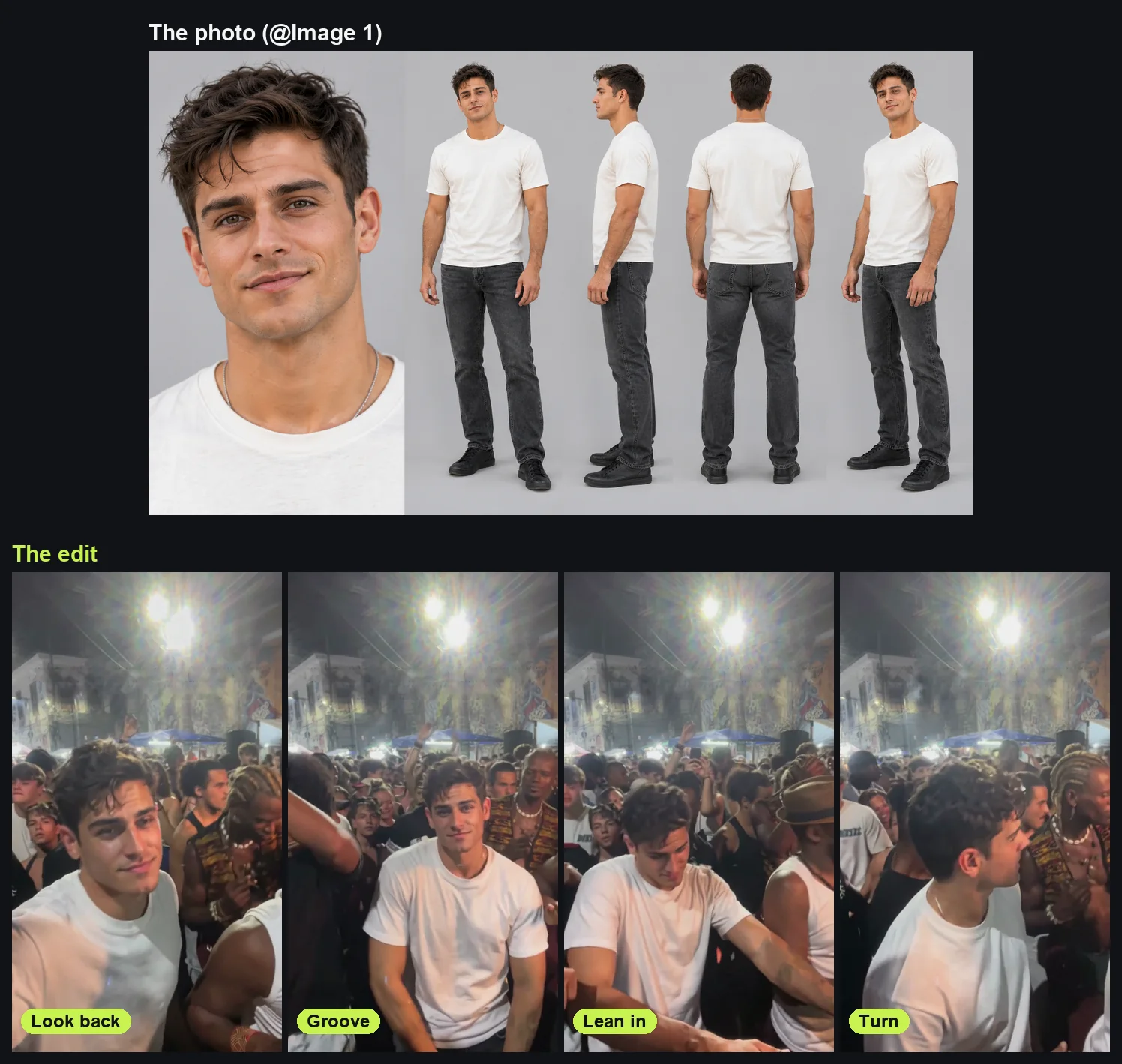
The top is the picture that went in as @Image 1, and the bottom row is what the prompt gave back.
You're looking at the page's four moments:
- Look back: At about 0.5 seconds in, he glances back at the phone with a half smile, close to the lens. The man with long braids and a shell necklace is behind him.
- Groove: At about 2.5 seconds, he faces the camera mid-step, smiling as he catches the rhythm.
- Lean in: At about 7.5 seconds, he leans forward with his hands low, with the man in the brown hat and white tank top dancing beside him.
- Turn: At about 10.5 seconds, he turns to his side, with the man with long braids and a shell necklace right at his shoulder.
How Do You Get a Charme Dance AI Prompt Right?
Seven habits from the real charme dance AI prompt get the edit right. They show an AI editor how to swap the subject cleanly while locking down every other visual element from the clip's night street party in Rio.
You name Seu Zé by what you can see and leave the steps out. You say what doesn't carry over, list what stays and ask for no text on screen. Then you use one clear photo and add the sound last.
Here's how each part of the prompt does its job.
Name Seu Zé by What You Can See, Not His Name
The prompt picks out Seu Zé by his clothes and features, not by a character name. It starts: "Edit the video. Replace the old man with a big white afro, round black glasses and a white moustache, in the red short-sleeved shirt with black suspenders and a brown leather bag at his waist". It anchors his position by adding "who dances in the middle of the crowd right in front of the camera".
Leave the Charme Steps Out of the Prompt
The prompt never describes any dance steps. Charme is a street dance style that began in Brazil in the early 1980s, built around smooth side steps, bouncing shoulders and relaxed hands.
You don't have to describe them. Every movement is already in the 15-second clip, so the prompt simply puts "every dance step and movement, the timing" into the keep list.
Say What Doesn't Carry Over: the Afro, the Glasses and the Red Shirt
The prompt tells the editor what old items to drop, so they don't bleed into the new dancer's look. Here's the line: "They do not have the white afro, the round glasses or the white moustache, and do not wear the red shirt, the black suspenders or the leather waist bag, unless @Image 1 shows them." That keeps whoever is in @Image 1 looking like themselves.
List Everything That Stays the Same
The keep list names 11 separate things from the original footage, split across five clear groups:
- The moves: Every dance step and movement, along with the original timing.
- The camera: The handheld camera following the dancer and its framing.
- The men around him: The man in the white tank top, the man with long braids and a shell necklace, and the man in the brown hat.
- The crowd: Everyone else in the crowd with their own faces.
- The night square: The floodlights, the buildings, the blue tents and the night light.
The prompt adds "with their own faces" to keep every face in the crowd as it is, so the face from your photo goes on the dancer only.
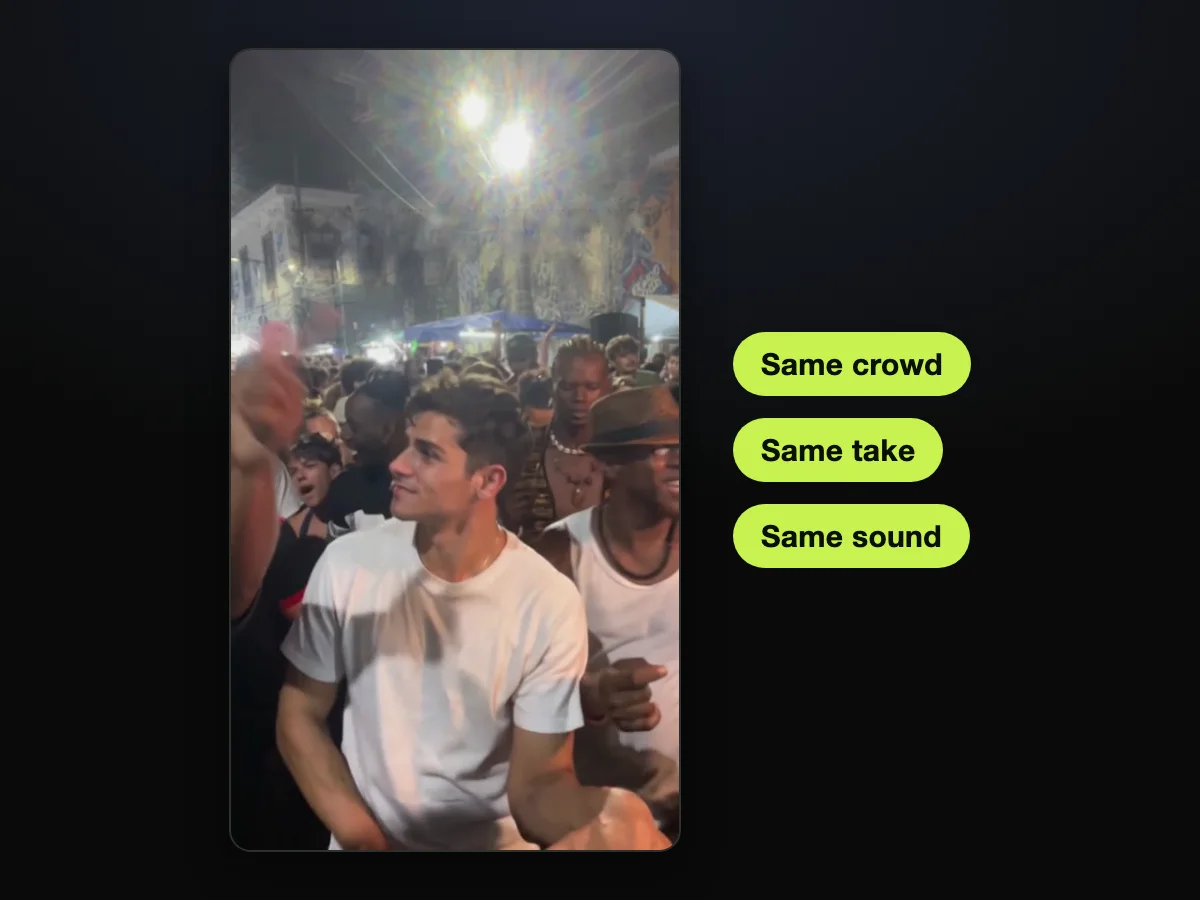
Only the dancer changes, and the crowd, the one handheld take and the sound stay the clip's own.
Ask for No Captions or Text on Screen
The original clip has a yellow caption burned into the picture that reads "NINGUÉM BOTOU FÉ NO VOVÔ NO BAILE CHARME". On Seadanse, the 15 seconds go in with that caption already taken out.
The prompt ends with "No captions or text on screen." That way, your finished video stays clean and open for your own captions.
Use One Clear Photo, Full Body If You Can
The best photo, in the maker's own words, follows this rule: "One person or one character per photo, face clear, facing the camera, in good light. Full body works best." Your photo doesn't need charme clothes, a hat or a party behind you.
In our October 20 run, we used a character sheet. It had a close-up of his face on the left, and full-body views from the front, side, back and three-quarter angles on the right.
Want one for a character? Seadanse's AI character sheet generator builds front, side and back views.
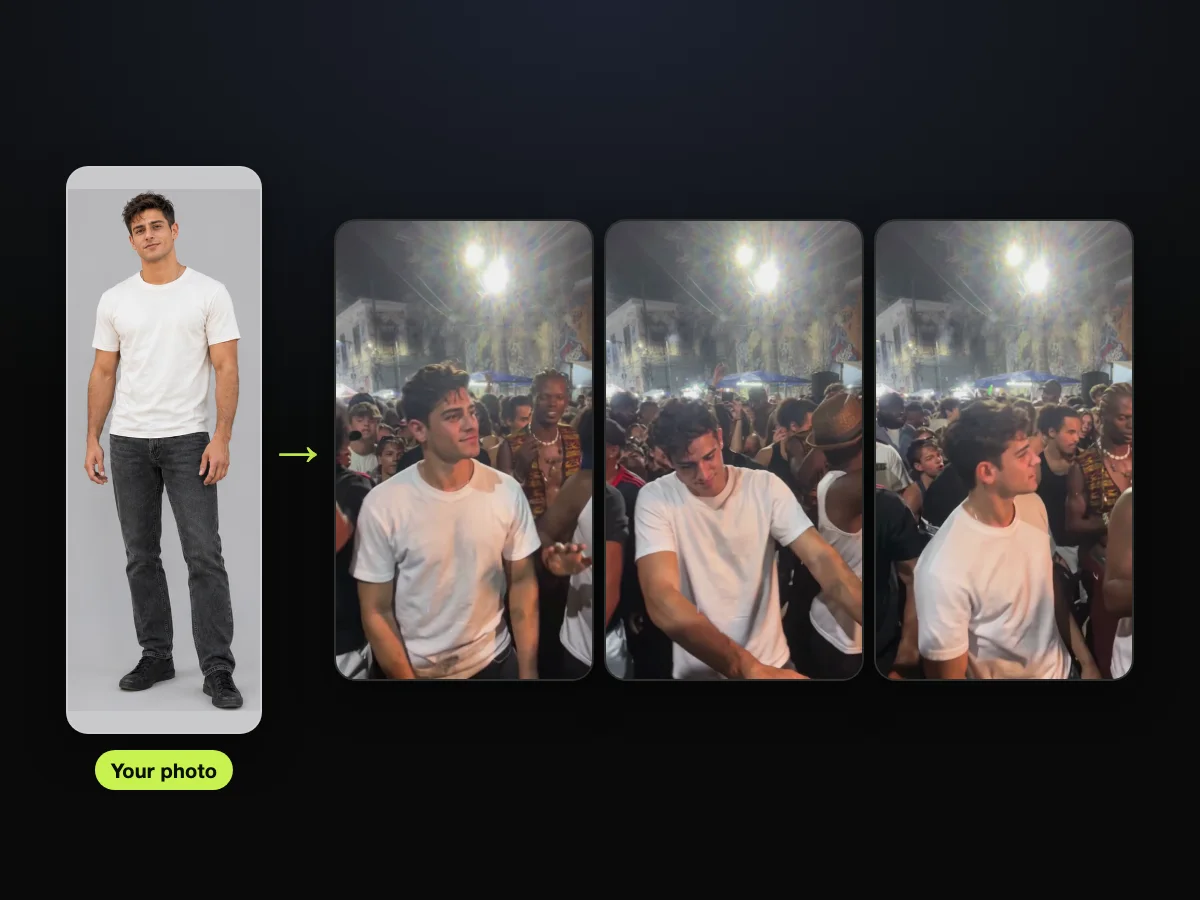
On the left, there's a full-body photo of the man. On the right, it's the same man dancing in the crowd.
Add the Original Sound After the Edit
The video edit prompt only changes the picture, so the edit comes back without sound. Then you lay the clip's original sound underneath the edit from the very first frame. That keeps the clip's own music and crowd sound in time with every step.
Can You Make the Charme Dance AI Video Without a Prompt?
Yes, Seadanse's Charme Dance AI makes it from 1 photo. The clip's first 15 seconds and its original sound are already built in, so there's no prompt to write and no clip to find.
Wondering how to get AI to make you dance, or how to do the viral TikTok AI dance? Seadanse's single-photo tool does the heavy lifting for you. You don't need to hunt down source footage, set up complex editors or write a baile charme AI prompt.
When you use the page, you'll complete these three simple steps:
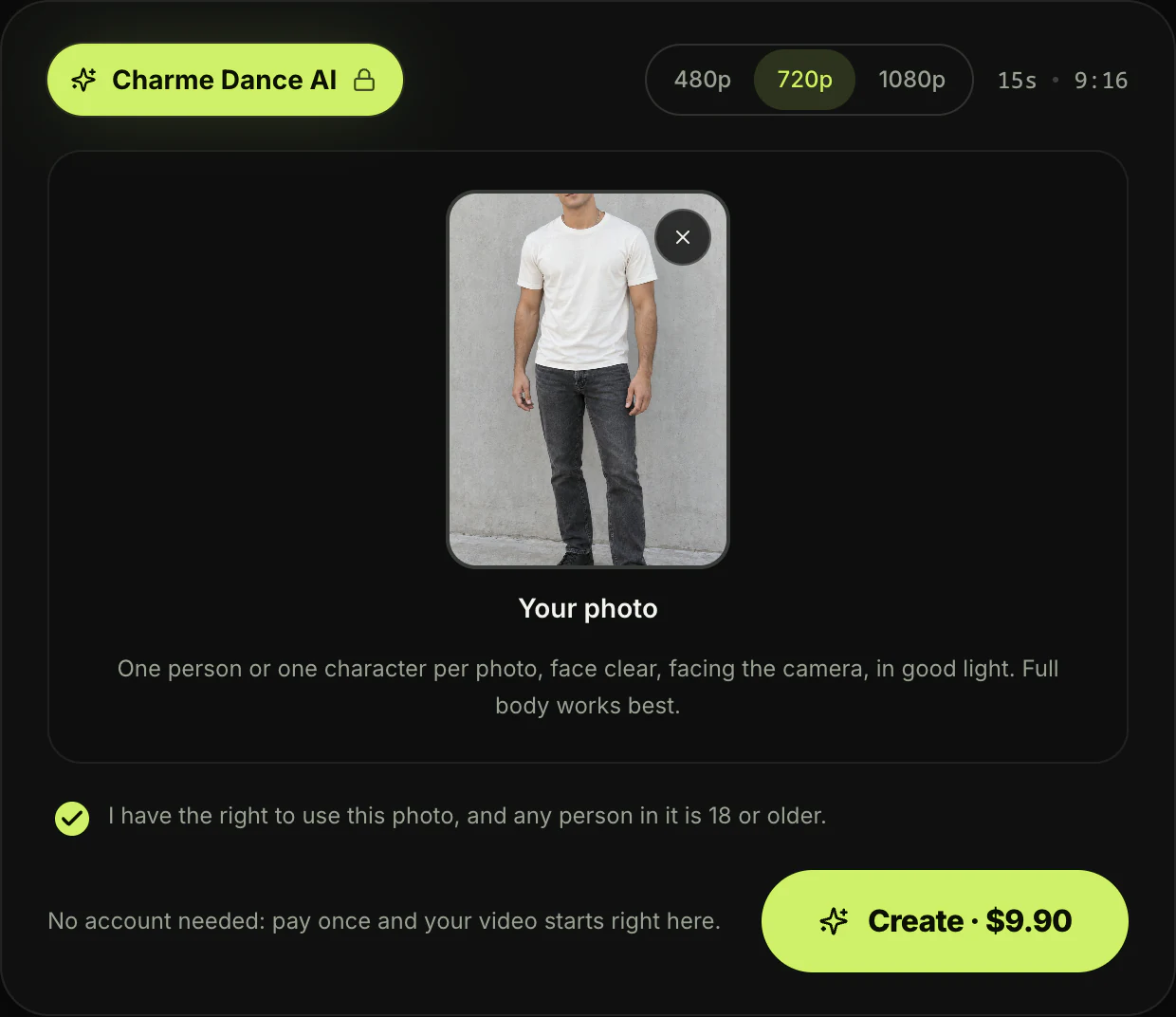
- Upload photo: You pick a clear image of you, an adult friend or family member (18 or older), or a cartoon, game or AI-made character, and tick "I have the right to use this photo, and any person in it is 18 or older."
- 480p, 720p or 1080p: You choose the resolution you want for your vertical 9:16 video.
- Create · $9.90: You press the button to start your video. The price sits right on the button before you pay.
In a few minutes, you'll download your 15-second vertical 9:16 MP4 with the original sound and no watermark on exported video.
The page says it plainly: "No account needed: pay once and your video starts right here." The email from checkout brings a link that signs you in, so you can open your video on any device.
One 15-second 720p video is $9.90, and the same pack covers a 480p video. A 1080p video uses 1,480 credits, about $23.60 at the $39.90 pack of 2,500 credits, with the rest staying in your balance for 12 months.
You'll find every option on Seadanse pricing.
You can jump straight into making your baile charme AI video right now.
Want to see every step from start to finish? You'll find it in the three steps to make the charme dance AI video.
Charme Dance AI Prompt FAQ
Is this the prompt Seadanse actually uses?
Yes, these are the 187 words behind the Create button on Seadanse's Charme Dance AI page, as they stood on October 20, 2026. The prompt behind Bulin 47 AI is built the same way. It swaps a dancer in a street clip and keeps the rest of the scene intact.
Which AI video tool works with the charme dance AI prompt?
You'll need a tool that edits a video you already have. It takes the 15-second clip as the video, your photo as @Image 1 and the prompt as text. An image-to-video tool makes a new video from a photo, so it has no clip to edit.
You can compare your options in the best charme dance AI generators.
Do you need the original clip to use the charme dance AI prompt?
Yes, because the prompt edits an existing clip: the first 15 seconds of the Seu Zé de Madureira clip. Without that base footage, the editor can't copy the camera motion, crowd reactions or dance steps. On Seadanse, the clip and its original sound are already built into the tool.
How do you write an AI dance video prompt for the charme trend?
Write the charme dance AI prompt as an edit, not a new video description. That's how you write an AI dance video prompt, or any good prompt for dancing, for this trend.
Name the dancer by what he wears, say who replaces him, and list everything that stays the same. That keeps the original crowd, lighting and choreography locked in place while swapping only the subject.
Can you get the Van Damme look with the charme dance AI prompt?
Yes, you can get the look from your own photo by wearing a denim shirt or other 80s action-movie clothes. The prompt takes "their face, hair, body and whole outfit" from @Image 1, so you'll dance every charme move in that look.
The first AI remakes, posted on October 13, 2026, put 80s action stars in the same kind of floodlit Rio square, with Van Damme in a denim shirt among them. On TikTok, #vandammebailando had 2,054 videos and 9.1 million views by October 20, 2026.
Is Seu Zé de Madureira a song?
No, Seu Zé de Madureira is an AI-made grandpa character created by the TikTok account @seuzerj. His clip caption reads "Ninguém botou fé no vovô no baile charme" (Portuguese for "Nobody believed in grandpa at the baile charme").
The sound is the clip's own music and crowd noise, and the clip itself is AI-made. Many TikTok posts add "Ice Ice Baby" by Vanilla Ice.
"São José de Madureira" is an unrelated samba song by Beth Carvalho and Zeca Pagodinho. It's what Google showed first for "seu zé de madureira" on October 20, 2026.
Does the charme dance AI prompt add the sound?
No, the prompt only changes the picture. You'll lay the original party music and crowd audio under the video edit from the first second. On Seadanse, every video you make carries the clip's own sound automatically.
Ready to Skip the Prompt?
The charme dance AI prompt is a 187-word video edit of the first 15 seconds of the Seu Zé de Madureira clip. It swaps only the dancer and keeps everything else.
Seadanse's Charme Dance AI does the exact same thing from 1 photo, with no prompt at all.
Add 1 photo, pick 720p and press Create to make your video on Charme Dance AI for $9.90. You can also explore our other AI video effects: upload a photo, pick an effect and get a short video.
The man from the photo turns to his side, with the man with long braids and a shell necklace at his shoulder.
Related Articles
- How to Make the Charme Dance AI Video From One Photo (3 Steps) — the three steps on the page, from one photo to the download.
- What Is the Charme Dance AI Trend? (Seu Zé, Real vs AI) — the AI grandpa, the real square in Rio, and how the remakes took off.
- Charme Dance CapCut Template: Where It Is and Why It Fails — which template the tutorials link, and what people say about it.
- Best Charme Dance AI Generators (2026): 10 Tools Compared — the tools that make the trend, side by side.


