
Car Doritos CapCut Template: Which One It Is and Why It's Not Working
The car Doritos CapCut template is three edits: trend ai car, Doritos Meme, or untitled. Search misses them, but you can make it from photos with no app.
 The Seadanse Team9 min read
The team behind Seadanse. We run the models we write about, and we publish the specs, prices and limits the marketing leaves out.

TL;DR — The car Doritos CapCut template is actually three templates. Two are titled "trend ai car" and "Doritos Meme", the third has no title, and the biggest, "trend ai car", showed 3,294 uses when we read it on November 10, 2026. None carries the title "car Doritos", so an in-app search misses them unless you open the clip from a TikTok tag. On Seadanse, Car Doritos AI creates the 10-second scene from your photos in your web browser with no app, and one 720p video is $9.90.
You type "car doritos" into CapCut, and the results show triangle overlays, racing edits, or random highway clips. None of them is the viral clip of three friends in a parked car grabbing a snack.
That happens because the template carrying the clip doesn't use the name people give the trend online. A CapCut template is an edit someone already built in the CapCut app, with a slot for your photo. Finding the right edit leaves you tapping through dead-end search tags or dealing with an edit screen that stalls.
We checked the template pages directly to see how they work. Here's which templates carry the clip, how to open them, why they fail, and a clean way to make the video without an app.
Which Car Doritos CapCut Template Is the Real One?
The car Doritos CapCut template exists as three different edits that share the same car clip, and each runs under a different label.
We checked each template page at 13:43 UTC on November 10, 2026, to verify what they show:
- "trend ai car" (November 4, 2026): The page showed 3,294 uses and 4,741 plays. It runs about 14 seconds in a vertical frame, and its sample shows a couple with cookies and a passenger behind them.
- "Doritos Meme" (November 7, 2026): The page showed 818 uses and 1,816 plays, running 10 seconds vertically, with sample text across the top that reads "Erm so this just happened…".
- Untitled template (November 5, 2026): The page doesn't carry a title. It showed 1,868 uses, runs about 15 seconds vertically, and shows a couple up front with a man in the back.
Each of these three options takes only one photo from your camera roll.
How the Car Doritos CapCut Template Opens
The car Doritos CapCut template opens from a tag on an existing TikTok post. It doesn't open from the app's internal search bar. How-to posts outline the process in five simple steps:
- Find a TikTok video of the trend that shows the "CapCut · Try this template" tag in the lower-left corner.
- Tap that tag, or reopen the video from the creator's profile page if the tag doesn't display right away.
- Tap "Use template in CapCut" to launch the edit inside your CapCut mobile app.
- Pick one photo from your phone's camera roll to place into the edit's single slot.
- Wait for the video to process on your device, then export it to your camera roll.
Skip the Template: Do the Car Doritos Trend From Your Photos
Seadanse's Car Doritos AI page creates the car clip directly from your photos inside any standard web browser. You don't need a CapCut template (an edit someone already built in the CapCut app, with a slot for your photo) or an installed app to set up the scene.
You'll make three simple picks:
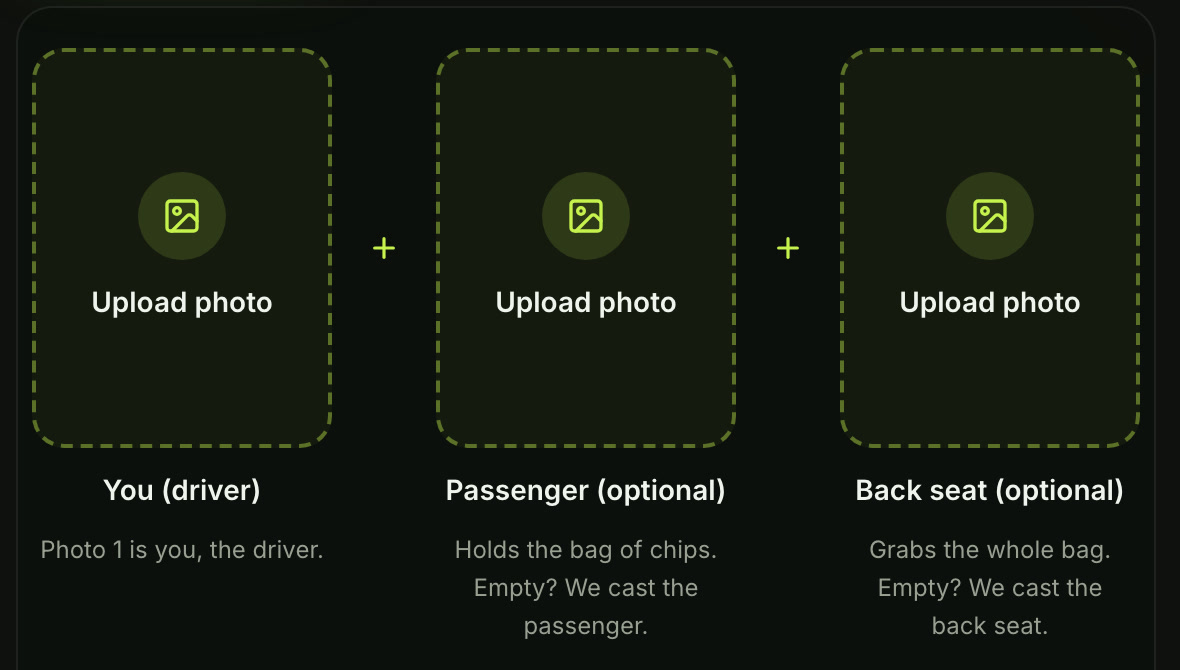
- The photo boxes: Add your photo in the first box to take the driver's seat, then add photos for the passenger and the back seat if you want.
- The quality setting: Pick 720p or 1080p. It's already on 720p when the page opens.
- The creation button: Leave the box under the photos ticked and press Create.
You pay once at checkout with no account and no subscription, and your video starts right on the page.
One 10-second 720p video costs $9.90 through a 500-credit pack, using credits (the site's own currency you buy in packs) that stay valid for 12 months.
If a video fails, you'll get your credits back automatically, and you can see every tier on the Seadanse pricing page.
Why Is the Car Doritos CapCut Template Not Working?
The car Doritos CapCut template usually fails because of five common setup hurdles. If your export stalls or the template won't open, here's what you'll do about each one.
Search Doesn't Find It, So Open It From the Tag
The search bar inside CapCut won't show the three-seat car clip under "car doritos" because the edits use names like "trend ai car" or "Doritos Meme". When you type the trend name, you'll get racing edits and triangle stickers instead.
Find a TikTok post displaying the clip and tap the "CapCut · Try this template" tag above the caption.
Check the Region Mark on the Template Page
The template page can carry a region mark, based on where you open it. When we opened all three template pages from Singapore on November 10, 2026, the service marked each template as not valid for that region.
If you see that notice, the template won't load its media slots on your device.
Make Sure It's the Three-Seat Car Clip, Not Another Car Template
General car templates often share similar tags, but they don't show the parked car scene. CapCut hosts thousands of driving templates that zoom past sports cars or use unrelated automotive overlays.
Check that the sample shows three people sitting parked with a snack before you export anything.
Update CapCut and TikTok, Then Clear the Cache
Outdated app versions often fail to pass template data between TikTok and CapCut. Go to your app store, update both apps, and reopen your settings menu inside CapCut.
Clear the local cache files from the app settings so old sample files don't stall your project.
Add One Clear Photo With the Face in Good Light
The template expects a clear face to place into its single photo slot. Pictures taken in dim lighting, blurry uploads, or wide group shots can cause the template's processing step to fail.
Pick a well-lit photo where the subject looks straight toward the camera lens.
What a Car Doritos CapCut Template Video Shows vs Seadanse's
A car Doritos CapCut template video relies on a single fixed edit, but on Seadanse's page you're the one who picks who sits in each seat. Here's how the two options compare side by side:
| A CapCut template video | Seadanse's Car Doritos AI | What it means for you | |
|---|---|---|---|
| Where you make it | In the CapCut app, opened from a TikTok tag | In your web browser, on one page | Nothing to install or hunt for |
| What you add | One photo | One, two or three photos | A photo for each seat, if you want |
| Who sits where | Set by the template | You drive; you pick the passenger and the back seat, or Seadanse fills them with its own cast | You cast the car |
| Who can sit in a seat | The templates' samples show people | A person, a dog or cat, a cartoon or game character | Your dog can hold the bag |
| Words on the picture | The "Doritos Meme" sample carries a line across the top | No words on the picture | You write your own caption when you post |
| Length | About 14, 10 or 15 seconds, by template | 10 seconds | The trend's beats, start to finish |
| Quality | Set by the template | 720p or 1080p, your pick | You choose before you pay |
The CapCut column is what the template pages and the posts we read showed on November 10, 2026.
Car Doritos CapCut Template FAQ
What is the car Doritos CapCut template called?
The templates are titled "trend ai car" and "Doritos Meme", while the third template doesn't have a title. None of the templates uses the name "car Doritos" on its page.
Is El mentalista trend car the same CapCut template?
Yes. Spanish-language posts using the title "El mentalista trend car" use the "trend ai car" template. When we reviewed posts on November 10, 2026, those videos carried that specific template tag.
Can I put three different people in the car?
Yes. On Seadanse's page, you can upload three separate photos to fill the driver, passenger, and back seats. CapCut's templates only accept one photo for the entire scene.
Can my dog or cat be in the video?
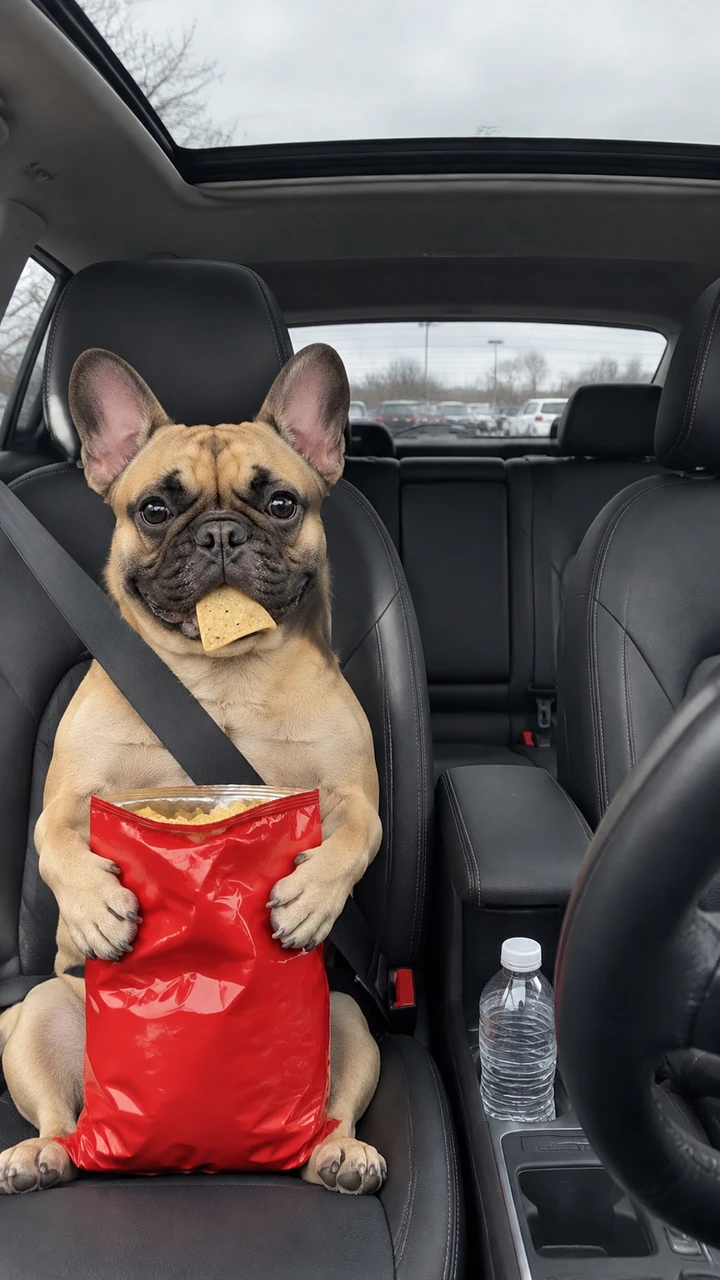
Yes. Seadanse lets you place a pet in the passenger seat, holding the bag of chips on its lap while staring straight ahead. CapCut templates only show people in their sample videos.
Your Photos, No Template
You don't have to hunt down untracked template titles across social feeds. You'll create the full parked car scene from your own pictures.
Check out our three-step car Doritos trend guide and explore the car Doritos AI generators we compared to see how different tools handle the scene.
You can also read about what the car Doritos trend is to discover where the clip started, or try effects like Hit the Road Dude AI and Birthday Car Trend.
When you're ready to put your friends in the front seats, make it from your photos right in your browser today.
Written by The Seadanse Team. We read the template pages on November 10, 2026.
Related Articles
- What Is the Car Doritos Trend? The AI Car Clip, Explained — where the clip came from, its names, and what happens in its 10 seconds.
- How to Do the Car Doritos Trend With AI (3 Steps) — add your photo, pick a quality, press Create.
- Best Car Doritos AI Generators (2026): 5 Tools Compared — how many seats you fill, who can sit in them and what you get, tool by tool.


