
Goodbye 2026 Welcome 2027 CapCut Template: Which One Is Which, and Why It Won't Work
The Goodbye 2026 Welcome 2027 CapCut template has 137K uses for the summit climb. See which one is which, why it won't work, and the one-photo way around it.
 The Seadanse Team9 min read
The team behind Seadanse. We run the models we write about, and we publish the specs, prices and limits the marketing leaves out.

TL;DR — The Goodbye 2026 Welcome 2027 CapCut template behind the summit climb is an untitled template by Billu Bhutta. It has 1 photo slot, runs about 9 seconds, and was used 137,450 times by November 2, 2026. Three more templates ride the same trend: the two-yous goodbye, the "Mountain Ascent", and the "good bye 2026" recap. Viewers under the tutorials say the template is paid, won't open or errors out.
To skip the template, add one photo to Seadanse's Goodbye 2026 Welcome 2027 page. You'll get a 10-second vertical video of you climbing the giant 2027, for $9.90 at 720p, with no sign-up.
In 75 of the 75 trend videos we looked at, the creator used a CapCut template. The link sits right under the post.
Under the summit post, a viewer asked "kasy bni ye video" (Urdu: "how was this video made"). The reply pointed straight to the link: "video k nichy capcut template likha usko click kry or apni pic daly ban jaye gi" (Urdu: "under the video it says CapCut template, click it and add your pic, and it'll be made").
We opened all four template pages and read the comments under the biggest tutorials on November 1, 2026. Here's which template is which, how to use one, why yours stalls, and the way around it.
Which Goodbye 2026 Welcome 2027 CapCut Template Is Which?
Four CapCut templates carry the Goodbye 2026 Welcome 2027 trend, and the summit climb comes from an untitled template by Billu Bhutta. A CapCut template is an edit someone already built in the CapCut app, with slots for your photos or clips.
Here's what each template page showed on November 2, 2026:
- The summit climb: You climb onto giant stone numerals 2027 on a mountain peak. The untitled summit climb template page by Billu Bhutta has 1 photo slot, runs 9 seconds in vertical 9:16, and reached 137,450 uses.
- The two yous: Its preview shows a rainy night highway under 2026 and 2027 signs. The untitled two-yous template page by Agent_IA has 2 photo slots, runs 16 seconds in a 3:4 frame, and reached 9,920 uses.
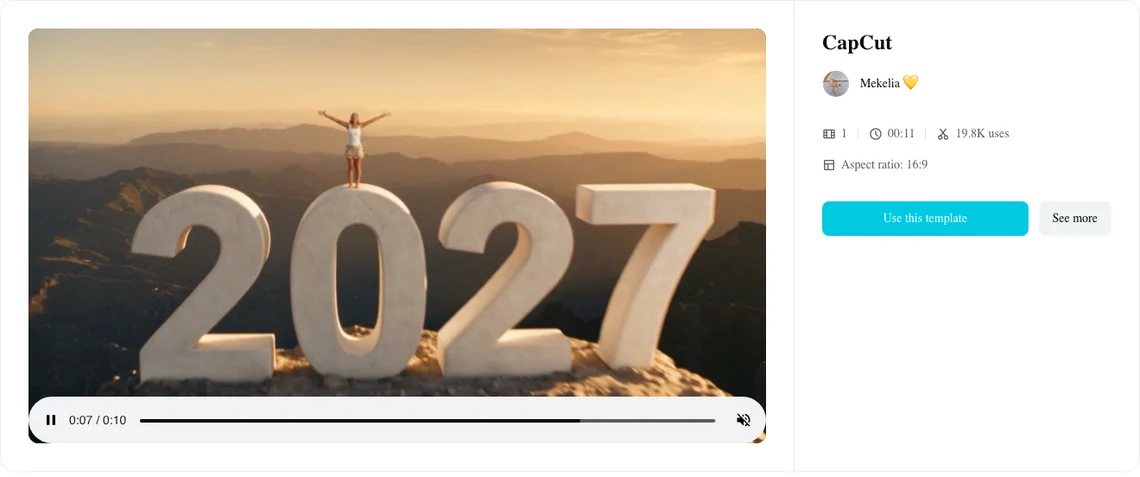
- The Mountain Ascent: A stone 2026 sits on a cliff, the 6 gets pushed off for a 7, and then the summit shows. The New Year 2027 Mountain Ascent template page by Mekelia has 1 photo slot, runs 11 seconds in a wide 16:9 frame, and reached 19,800 uses.
- The recap: Cartoon digits appear first, followed by your personal clips from the whole year. The good bye 2026 recap template page by Rosi has 65 slots, runs 37 seconds in a wide 16:9 frame, and reached 66,740 uses.
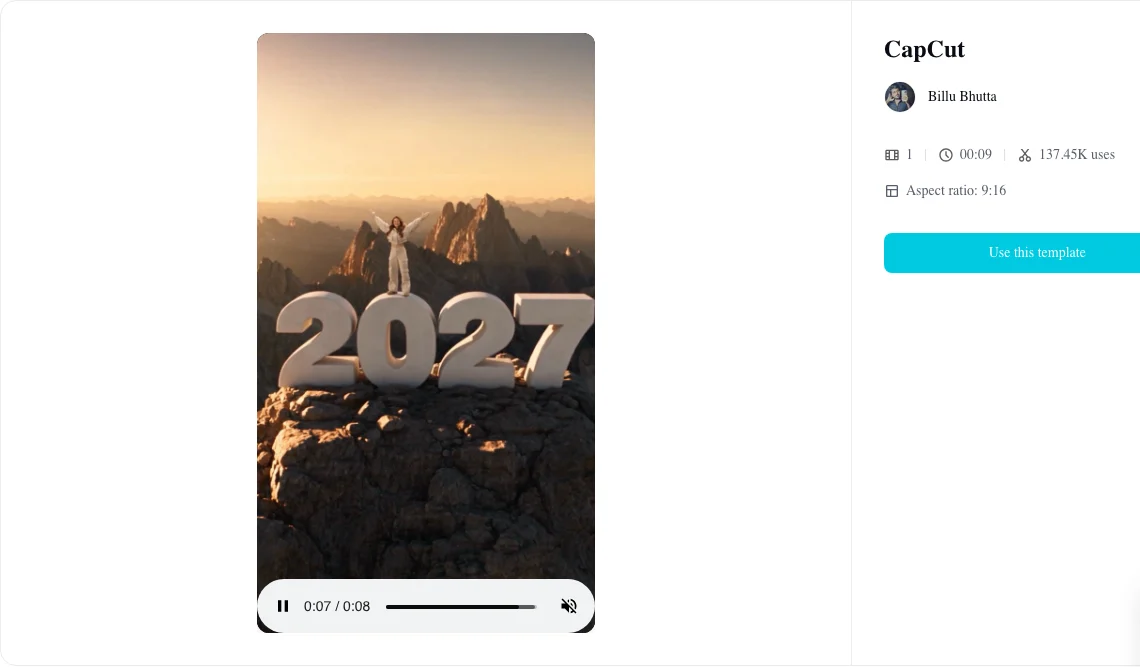
The summit climb's uses went from about 96,700 on October 31 to 137,450 on November 2, so it's the one most people mean.
How Do You Use the Goodbye 2026 Welcome 2027 CapCut Template?
You'll use the Goodbye 2026 Welcome 2027 CapCut template by opening it from a TikTok post and pressing "Use this template", in four steps.
- Find the post: Open a TikTok post of the trend.
- Tap the link: Tap "CapCut · Try this template" on the video.
- Check the template: Check that the page shows the slots and length of the one you want.
- Add your photo: Press "Use this template" and add your photo to its slot in CapCut.
CapCut's template pages show an offer for new sign-ups: "New customer registration to enjoy 200 credits".
Why Isn't the Goodbye 2026 Welcome 2027 CapCut Template Working?
The Goodbye 2026 Welcome 2027 CapCut template stalls at five points, and the comments under the tutorials name most of them.
The template asks you to pay
Viewers expect the template to run without asking for payment, but that's not what happens for many people.
Under a French tutorial with more than 850,000 views, comments left under that tutorial post show viewers upset about charges. One viewer wrote "Tout d'abord faut préciser que c'est payant" (French: "First of all, you should say it's paid"), and others added "c'est payant" (French: "it's paid").
Under a Russian tutorial, viewers asked "а почему вы не пишите что такие шаблоны платные" (Russian: "why don't you write that these templates are paid") and posted "просто платное" (Russian: "it's just paid"). CapCut's template pages show an offer for new sign-ups: "New customer registration to enjoy 200 credits".
The template opens, but the video won't make
Sometimes the link opens the template, but the video won't make.
Under a Russian tutorial with 396,000 views, comments under that tutorial's video clip report broken processing. One viewer wrote "даже шаблон открылся, но по технической ошибке создать видео невозможно" (Russian: "the template even opened, but a technical error makes it impossible to create the video").
Another viewer posted "нифига не работает, бред полный" (Russian: "doesn't work at all, total nonsense"). A third person noted "В России недоступно" (Russian: "not available in Russia").
The template route ends there for them. The way around it is below.
Your tutorial links a different template
Four templates ride the same words, so the link under a post can open the recap or the Mountain Ascent instead of the summit climb.
Check the page before you tap through. The summit climb has 1 photo slot and runs about 9 seconds, while the two-yous goodbye has 2 slots.
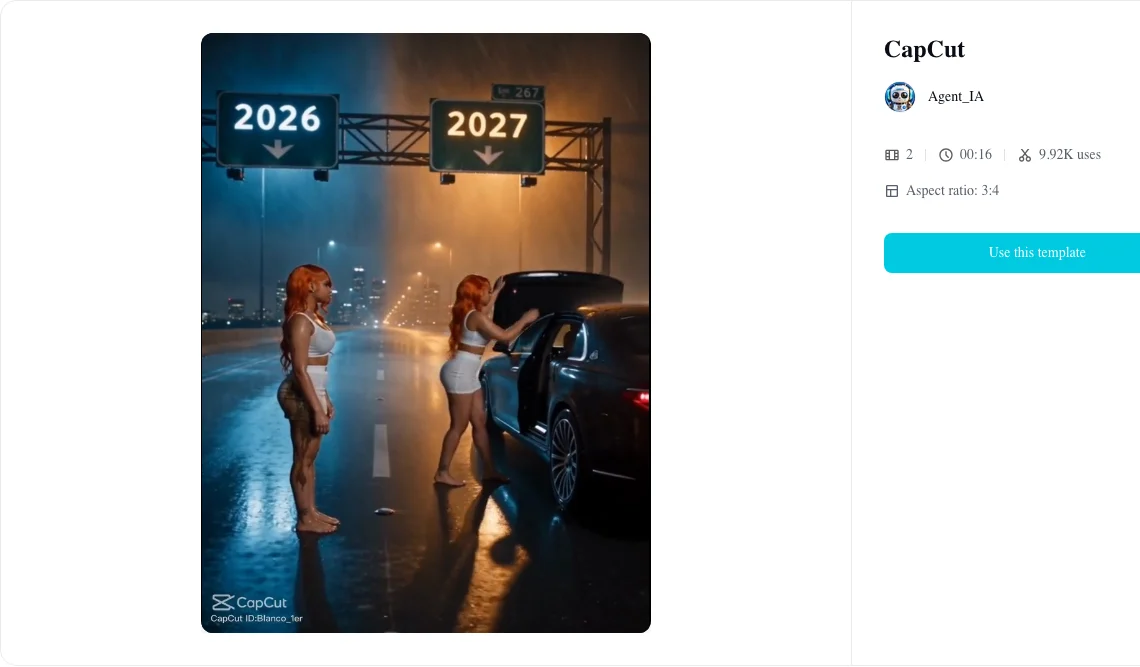
You can explore the four versions of the Goodbye 2026 Welcome 2027 trend to see every visual variation in detail.
Your video comes out wide, not vertical
You might finish your video only to find wide black bars on the top and bottom of your screen.
"New Year 2027 Mountain Ascent" by Mekelia and "good bye 2026" by Rosi are 16:9, a wide frame. TikTok and Reels use vertical 9:16.
The summit template by Billu Bhutta is 9:16, so it fills a mobile feed from the start.
The recap template asks for 65 clips
The "good bye 2026" template by Rosi has 65 slots and runs 37 seconds. It's built for your own photos and clips from the whole year, rather than a single climbing shot.
Under the cartoon recap post with 6.5 million views, a viewer wrote "I don't even have 30 photos."
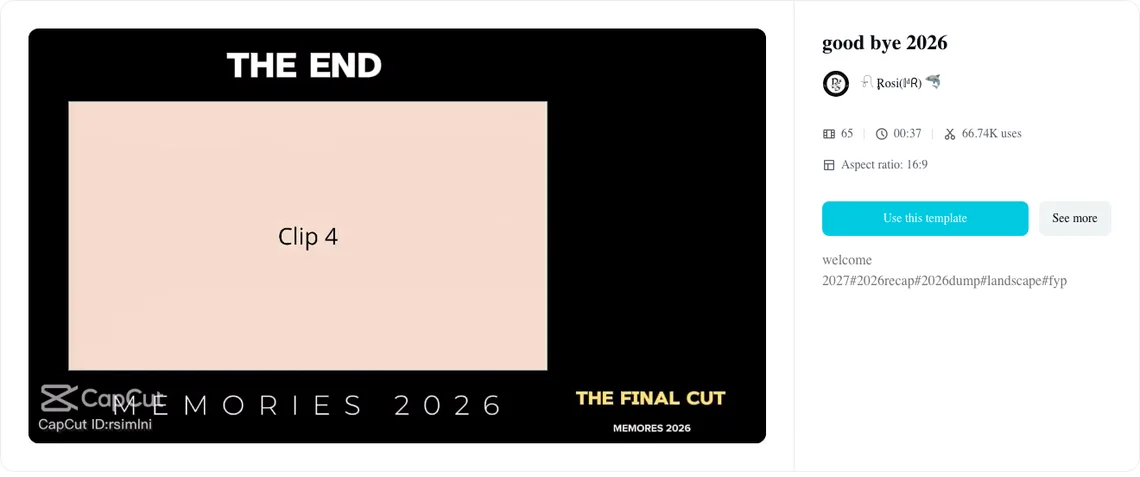
The AI summit climb doesn't need a gallery: it needs one photo.
How Do You Make the Goodbye 2026 Welcome 2027 Video Without a CapCut Template?
You can make it on Seadanse's page for a Goodbye 2026 Welcome 2027 AI video from one photo. The mountain, the giant 2027, the camera move and the music are built in, so one photo is all it takes.
You don't need a template, a template link, an app or a tutorial.
- One photo: Pick one photo of you, or of a cartoon, anime or game character, with the face clear and in good light. Then leave the box ticked: it confirms you have the right to use it and that anyone in it is 18 or older.
- Two scenes: Choose Welcome 2027 to climb onto the giant 2027 at sunrise, arms wide, as the camera flies back. Or choose Goodbye 2026, where the 2027 you hugs the 2026 you goodbye on a rainy highway and drives off. Both cost the same.
- The sound: It's made with the video. The climb has mountain wind, your hands on the stone, a breath, and soft piano and strings. The highway has heavy rain, distant thunder, rolling wheels, a car door and slow piano.
- The file: Every download is a 10-second vertical 9:16 MP4 in 480p or 720p, with no watermark on exported video.
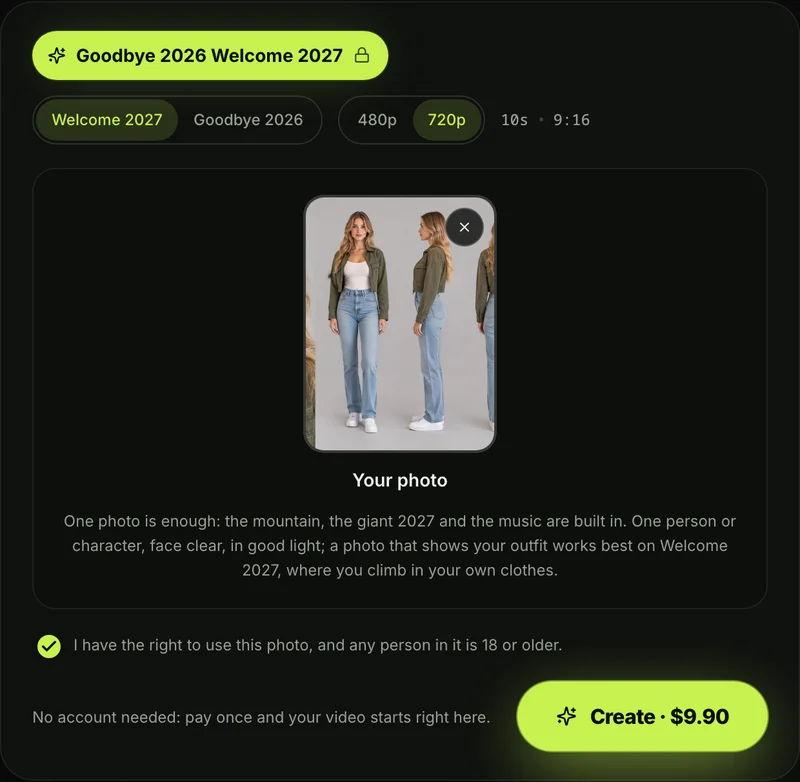
To start, pick a quality, press Create, and pay once. One 720p video is $9.90, and the same pack covers a 480p video. There's no sign-up and no subscription.
The checkout email brings a sign-in link so your video opens on any phone, tablet or computer. Pack credits stay valid for 12 months.
If a video fails, its credits come back automatically. You can read full details on Seadanse pricing.
We've also laid out the 4 steps to make a Goodbye 2026 Welcome 2027 AI video from upload to final download.
Goodbye 2026 Welcome 2027 CapCut Template FAQ
Where is the 2027 CapCut template link?
The link sits on the TikTok post as "CapCut · Try this template". The summit climb comes from the untitled template by Billu Bhutta.
Is the 2027 CapCut template free?
It isn't, say the viewers under the tutorials: they write that it's paid. CapCut's template pages show an offer of 200 credits for new sign-ups. On Seadanse, one 720p Goodbye 2026 Welcome 2027 video is $9.90, paid once.
Which template makes the 2027 me say goodbye to the 2026 me?
The CapCut option is the untitled template by Agent_IA, which has 2 photo slots. On Seadanse, you can make the 2027 you say goodbye to the 2026 you using the Goodbye 2026 scene from just one photo.
Can I make the 2027 climb without CapCut at all?
Yes, you can. You'll make the climb on Seadanse from one photo without an app. You can also review the New Year AI video generators compared across different web tools, or run a copy-ready Goodbye 2026 Welcome 2027 AI prompt in your own video app.
Skip the Template and Make Your 2027 Video
Billu Bhutta's untitled 9-second template powers the summit climb on CapCut, but payment prompts, region barriers and wrong aspect ratios leave many creators stuck.
You can skip the template hunting and make your Goodbye 2026, Welcome 2027 video from one photo for $9.90 at 720p before midnight on December 31.
You can also use that same photo for a Christmas elf dance with Elf Dance AI for TikTok and Reels.
Written by The Seadanse Team, the team that built the Goodbye 2026 Welcome 2027 page.
Related Articles
- How to Make a Goodbye 2026 Welcome 2027 AI Video From One Photo (4 Steps) — one photo, pick a scene, press Create.
- Goodbye 2026 Welcome 2027 Trend: The AI Summit Climb and the 2027 You Saying Goodbye, Explained — what the trend is, where it came from and why it spread.
- Best New Year AI Video Generators for 2027: 10 Ways to Make the Goodbye 2026, Welcome 2027 Video — the sites and apps side by side.
- Goodbye 2026 Welcome 2027 AI Prompt: Copy the Summit Climb and the Rainy Goodbye, Beat by Beat — full prompts to use in a video app yourself.


