
How to Make the Aproveita Que Eu Tô Brigado Video With AI (3 Steps)
How to make the Aproveita Que Eu Tô Brigado video: add your photo on Seadanse in 3 steps for a 14-second vertical video with original sound, $9.90 in 720p.
 The Seadanse Team10 min read
The team behind Seadanse. We run the models we write about, and we publish the specs, prices and limits the marketing leaves out.

TL;DR — To make the Aproveita Que Eu Tô Brigado video with AI, you add one photo on Seadanse's Aproveita Que Eu Tô Brigado page, pick a look and 720p or 1080p, and press Create in three steps. You get a 14-second vertical 9:16 video of you singing by a black SUV while the one you sing to touches your chin and laughs, with the meme's original a cappella sound. One 720p video is $9.90, paid once, with no account.
Everyone's posting the Virginia meme with their own face in it, and you'll want yours ready to share tonight. You've probably seen famous faces, footballers, couples and friends singing by the car door on your feed.
You don't need a CapCut template (an edit someone already built in the CapCut app, with a slot for your photo). You don't need three apps, a separate song file or a prompt. You just need your photo.
Here's an Aproveita Que Eu Tô Brigado video we made from two photos:

What You Need to Make the Aproveita Que Eu Tô Brigado Video
Making an Aproveita Que Eu Tô Brigado video takes one photo and a web browser. You don't have to install software or edit clips together.
Here's what you need before you start:
- Your photo: You're the singer in the first spot, so pick a photo where your face is clear and in good light.
- A second photo, if you want: You can add a friend or partner with their say, a dog or cat, or a cartoon or game character for the one you sing to. Or leave it empty and Seadanse casts them.
- A browser: You can open the page on your phone, tablet or computer without an app, a CapCut template or a prompt.
When you're ready, open the Aproveita Que Eu Tô Brigado generator to start.
Step 1: Add Your Photo to the Aproveita Que Eu Tô Brigado Page
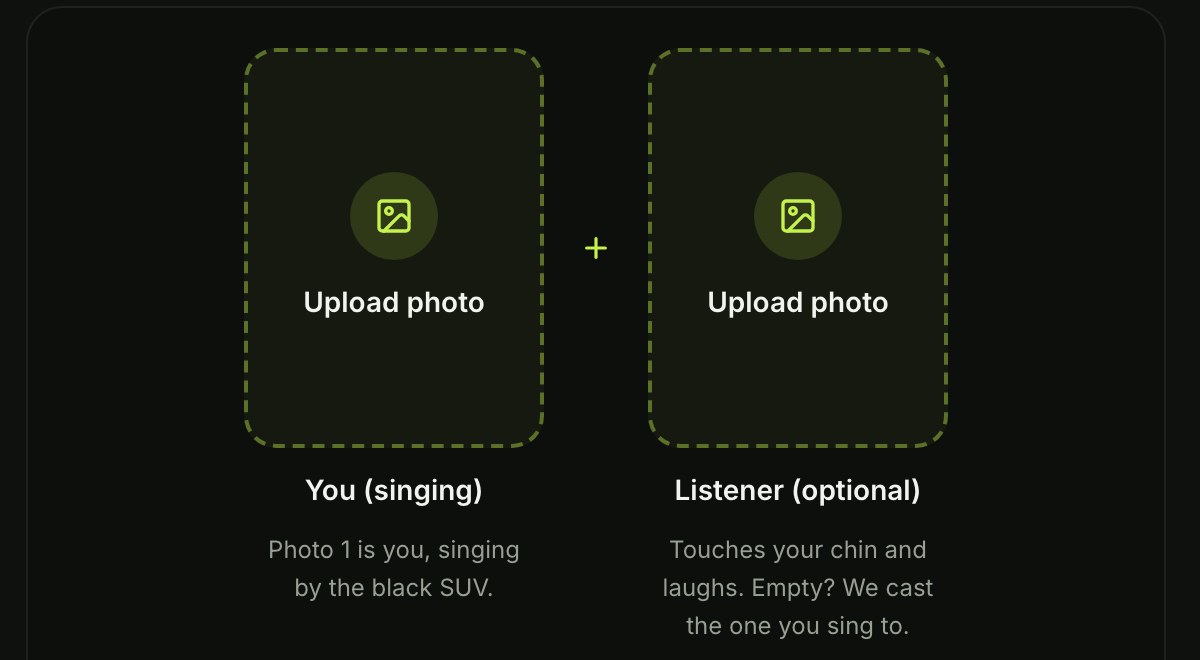
Photo upload is the first step on the Aproveita Que Eu Tô Brigado page. You'll see two photo boxes side by side.
Add your photo in the first box. That's you, the singer, on the left side of the frame. If you want, add a second photo in the box beside it for the one you sing to on the right side.
Leave the second box empty and Seadanse casts the one you sing to. The two photos can come from two different phones, and one photo or two costs the exact same price.
Step 2: Pick Keep My Look or Meme Look, Then 720p or 1080p
Look and resolution settings let you style your Aproveita Que Eu Tô Brigado video before you create it. The page gives you two style buttons and two export qualities.
Pick one of the two look options:
- Keep My Look: Each of you keeps the clothes from your own photo, so you stay in your original outfit by the SUV.
- Meme Look: The singer wears a black T-shirt, a brown belt with a big buckle, light-blue jeans and brown cowboy boots. The one you sing to wears a black sports crop top, red leggings and black sneakers.
Keep My Look is already picked when the page opens. In both looks, the one you sing to holds the pink tumbler and the phone. Next, pick 720p or 1080p, with 720p already picked by default.

Step 3: Press Create and Get Your Aproveita Que Eu Tô Brigado Video
Creating the Aproveita Que Eu Tô Brigado video takes one press once your settings are ready. The box under the photos confirms everyone in the photos is 18 or older and agrees to take part.
Leave the box ticked, because it's already ticked when the page opens. The price shows on the Create button, which reads "Create · $9.90" when you pick 720p. Press Create to start.

You pay once at checkout with no account and no subscription on Seadanse pricing. One 14-second 720p video costs $9.90, which gives you 500 credits (the site's own currency you buy in packs). That's how pay-once credits work, and credits stay valid for 12 months.
Your video starts right on the page after checkout. You can download your 14-second vertical MP4 with the sound once it's done.
The email from checkout brings a link that signs you in, so you can open your video again on another device. If a video fails, its credits come back automatically.
What Your Aproveita Que Eu Tô Brigado Video Looks Like
The Aproveita Que Eu Tô Brigado video is 14 seconds long in one continuous handheld shot by the open door of a black SUV in daylight. Each of you keeps the face, hair, skin tone and build from your own photo. The two of you never swap places.
Here's the sample video from the page:
Here's how the 14 seconds unfold from start to finish:
- 0-1 seconds: The two of you stand side by side by the open door of the black SUV, smiling at the camera.
- About 1 second: The singer looks up, holds their hands together and starts singing.
- About 2 seconds: The one you sing to touches the singer's chin.
- About 4-6 seconds: The one you sing to laughs with a hand over the mouth, and the singer keeps singing.
- About 8 seconds: The one you sing to reaches out for the chin touch again.
- About 10-14 seconds: The one you sing to looks at the phone, with a hand up on the car door, while the singer sings on.
The pink tumbler and the phone stay in hand the whole time. Your video plays the meme's original a cappella sound (sung with no music behind it) from the first second.
Which Photos Work Best for the Virginia Meme?
Photo selection sets the base for how clear your video looks. Seadanse builds the meme's own scene by the black SUV, its beats and its original sound into our Aproveita Que Eu Tô Brigado page.
Here's what works best when picking your pictures:
- The face: Pick a photo where your face is clear and in good light so your features carry over cleanly.
- One per photo: Use a picture with one person, pet or character in each photo box.
- The clothes: In Keep My Look each of you wears what you wear in your photo, so pick the outfit you want by the SUV.
Nobody from the meme's clip appears in your video. You'll only see the people, pets or characters from your photos, along with a Seadanse cast member if you upload one photo.
Put Your Friend, Your Partner or Your Dog in the Aproveita Que Eu Tô Brigado Video
The Aproveita Que Eu Tô Brigado video works with a friend, a partner, a pet or a character as the one you sing to, or in the singer's spot. You're never locked into using just two people.
Here's who you can put in either role:
- A friend or partner: You can cast your best friend or partner, 18 or older, with their say in either spot.
- A dog or cat: You can place your dog or cat in the singer's spot or make them the one you sing to.
- A cartoon or game character: You can use a cartoon or game character in either spot for a funny clip.
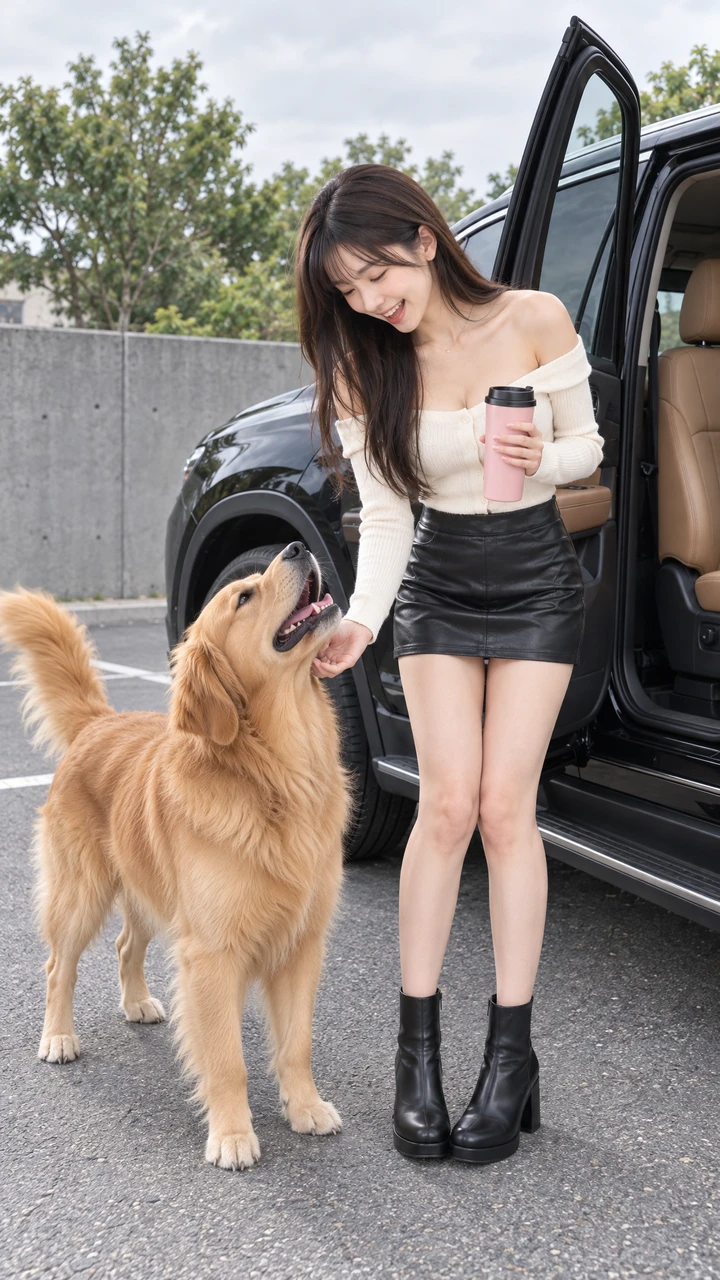
You can make the meme with your pet or pair up with someone you know in a few taps.
Do You Need the CapCut Template for the Aproveita Que Eu Tô Brigado Trend?
No. You don't need CapCut or any app to make the video.
The trend spread through one CapCut template, "MEME VIRGÍNIA IA", which takes one photo inside the CapCut app. We explain it in our guide on the Aproveita Que Eu Tô Brigado CapCut template. That template had 76,832 uses and 121,797 plays when we read it on November 14, 2026.
On Seadanse it's two photos in your browser and the sound is built in. You don't have to hunt for template tags or deal with app installs.
Aproveita Que Eu Tô Brigado Video FAQ
How many photos do I need for the Aproveita Que Eu Tô Brigado video?
You only need one photo to make the video. You can add a second photo if you want to pick who you sing to, but the price is the same either way.
How long is the Aproveita Que Eu Tô Brigado video?
The video is 14 seconds long, vertical 9:16, made for TikTok and Reels. You can export it in 720p or 1080p with no watermark.
How much does one Aproveita Que Eu Tô Brigado video cost?
One 720p video costs $9.90 through the 500-credit pack. A 1080p video takes 1,480 credits, covered by the $39.90 pack of 2,500 credits.
What is the Aproveita Que Eu Tô Brigado meme?
On November 4, 2026, outside a gym in Goiânia, Brazil, a young singer, Tim Vaqueiro, took a photo with the influencer Virginia Fonseca. Then he sang her the song by her black SUV. Her reaction, a surprised "Caraca!" [wow] and a laugh behind her hand, turned it into a meme. You can read our full breakdown of what the Aproveita Que Eu Tô Brigado meme is for more on the song and the trend.
You can also try I Love The Smiths AI, which puts the two of you, from two photos, in the elevator scene, with the film's own dialogue. Or check out First Time in a Fancy Cafe AI, which turns one or two photos into the fancy cafe skit. You're perched on a tiny steel wall table, with the trend's sound.
Your Aproveita Que Eu Tô Brigado Video in Three Presses
Making your own Virginia meme takes just your photo, a few clicks in your browser, and no editing tools. You'll get your 14-second vertical video with the car, the laugh and the full audio ready to post.
Add your photo, pick a look and 720p or 1080p, leave the box ticked and press Create to make your Aproveita Que Eu Tô Brigado video.
Written by The Seadanse Team; we read the page on November 14, 2026.
Related Articles
- What Is the Aproveita Que Eu Tô Brigado Meme? The Virginia Meme, Explained — where the clip came from, the song, which versions are real and which are AI, and what happens in the 14 seconds.
- Aproveita Que Eu Tô Brigado CapCut Template: Which One and Why It's Not Working — the one template that carries the meme, how it opens, why it stops at 90%, and a way with no app.


