
How to Make the Fish Cutting Meme AI Video (3 Steps)
How to make the fish cutting meme AI video in 3 steps on Seadanse. Add 1 photo for a 10-second video with the trend's original sound, $9.90 in 720p.
 The Seadanse Team10 min read
The team behind Seadanse. We run the models we write about, and we publish the specs, prices and limits the marketing leaves out.

TL;DR — To make the fish cutting meme AI video, add 1 photo on Seadanse's Fish Cutting Meme AI page, pick 720p or 1080p and press Create: 3 steps. You'll get a 10-second widescreen 16:9 video of the one in your photo chopping the giant fish, with the trend's original sound. One 720p video is $9.90, paid once, with no account.
Everyone on TikTok and Instagram Reels is posting "POV: Grandpa said he'd handle dinner" right now.
You've probably watched the clip three times today, and you'll want your own version for group chats or your feed.
You don't need to hunt down an app, learn a complicated timeline or write a long prompt.
The kitchen, the giant fish, the big square cleaver and the original audio are already set up on the page.
All you need is one photo to put someone behind that counter.
We made this finished clip from a single photo of a young man in a plain white shirt.
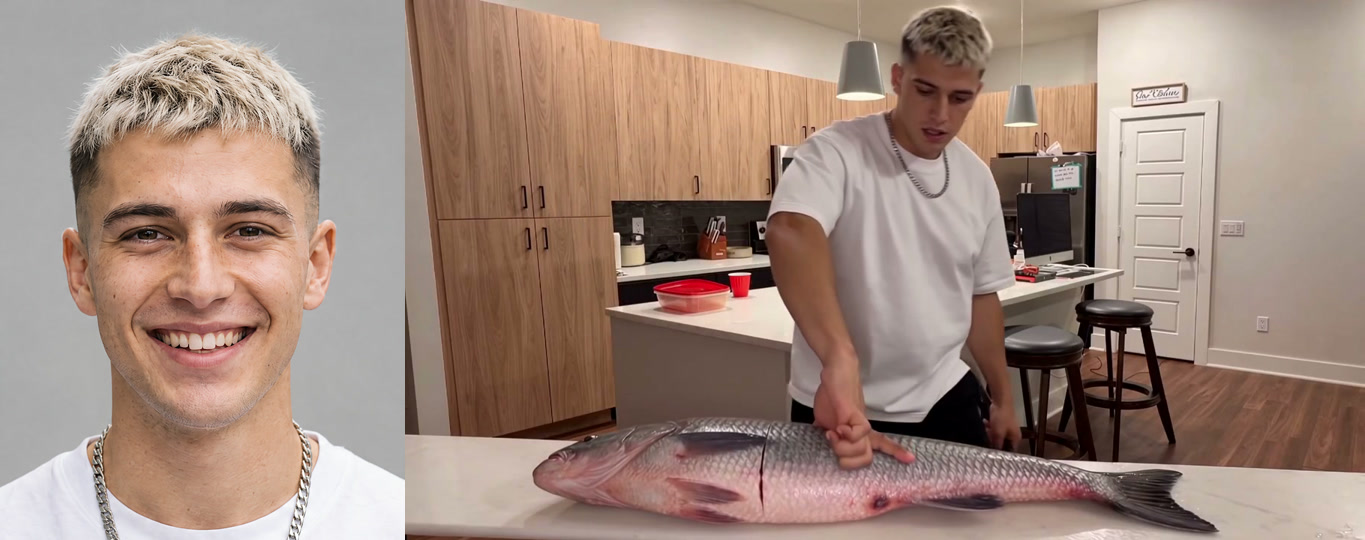
What You Need to Make a Fish Cutting Meme AI Video
A fish cutting meme AI video needs only one clear photo and a regular web browser.
We built everything else directly into the Fish Cutting Meme AI generator so you don't have to assemble anything by hand.
- One photo: You, your grandpa, another family member who is 18 or older with their say, a pet dog or cat, or a cartoon or game character. A photo with the face clear and in good light works best.
- A browser: Any modern web browser on your phone, your tablet or your computer.
- Nothing else: No CapCut template, no mobile app download, no prompt to type and no manual video editing.
You won't need any special skills to make this work.
When you're ready, you can open the generator in your browser and follow three simple presses. You'll press the photo box, pick 720p or 1080p and hit the Create button to get a 10-second fish cutting meme AI video with the trend's original sound.
Step 1: Add One Photo to the Fish Cutting Meme AI Page
Adding one photo to the generator puts the person, pet or character in place for the kitchen scene.
You can pick an image straight from your camera roll or your computer's folders.
If you open the site on your computer, the page also shows a code you can scan with your phone.
That lets you pick a picture directly from your phone's camera roll without emailing files to yourself.
The photo you choose should show the face clearly in good lighting.
The one in your photo keeps their own face, hair, age, build and looks, and wears the clothes from the image.
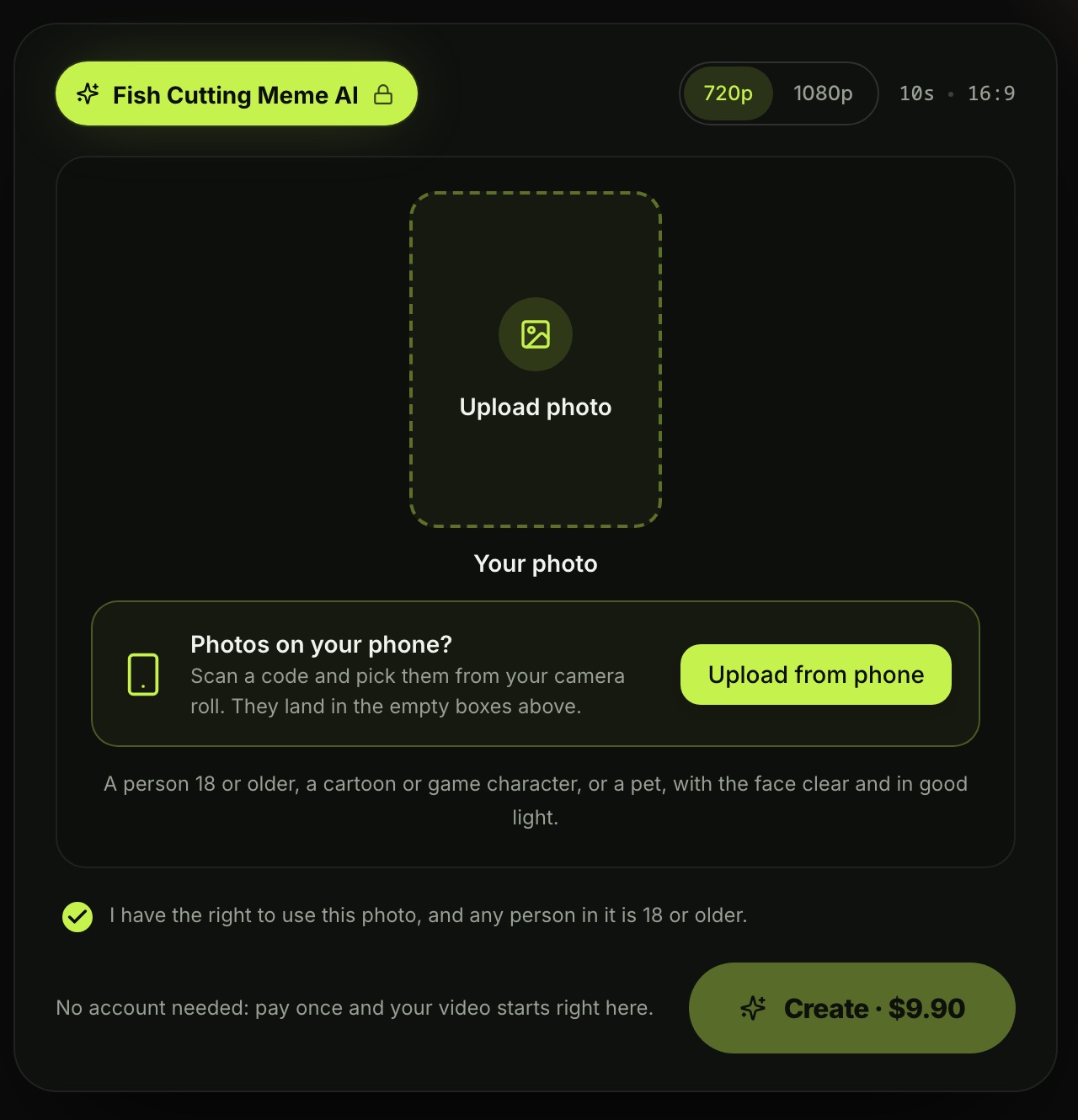
Step 2: Pick 720p or 1080p
Choosing your video quality sets the sharpness of the final export.
You can choose either 720p or 1080p based on how crisp you want the kitchen shot to look.
720p is already picked when the page opens, so you can leave it if that's what you want.
Right beside the quality toggle, the page confirms the format: 10s · 16:9.
Every output is a 10-second clip in widescreen 16:9, the trend's own frame, made for TikTok and Reels.
You won't have to adjust dimensions, frame rates or clip lengths.

Step 3: Press Create and Get Your Fish Cutting Meme AI Video
Pressing Create starts your video generation after you confirm your choice.
The consent box under your photo is already ticked when the page opens, so you'll just keep the box ticked.
The price shows directly on the Create button before you pay, reading "Create · $9.90" when you leave it set to 720p.
There aren't any surprise fees added at checkout.
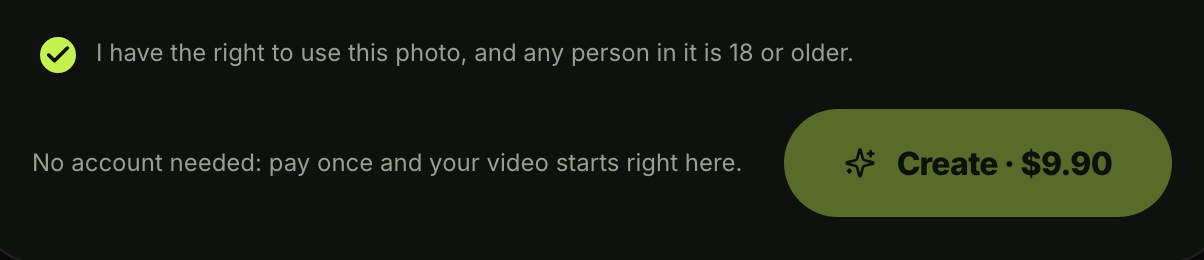
You'll pay once at checkout with no account and no recurring subscription. To see all credit options, check Seadanse pricing, and learn how pay-once credits work on our blog. One 720p video takes 500 credits (the site's own currency you buy in packs), which is the exact amount in the $9.90 pack.
Your video starts processing right on the page once your payment finishes. When it's done, you'll download the 10-second widescreen video with the original sound, ready to post without watermarks. If a video fails, you'll get your credits back automatically.
What Your Fish Cutting Meme AI Video Looks Like
The fish cutting meme AI video is a 10-second clip set in one fixed, bright kitchen shot.
The one in your photo stands behind the white counter, stays deadpan, measures the fish with an open hand and swings a cleaver.
The video follows an exact second-by-second timeline that matches the original viral clips:
- 0-1 seconds: One hand lies flat on the giant fish while the other arm lifts the cleaver high overhead.
- About 1.4 seconds: The first big overhead chop lands and opens the first clean cut into the fish.
- 2-4 seconds: The hand slides along the fish to measure the distance for the next slice.
- About 4.8 seconds: The second big overhead chop lands firmly beside the fingers.
- 5-8 seconds: A swing comes down at the side, another quick measure follows, and the blade goes up again.
- About 8.5 and 9.2 seconds: Two quick chops land in rapid rhythm.
- 9.2-10 seconds: The cleaver is pushed flat along the fish toward the tail, leaving the fish in even sections while the cook keeps a straight face.
The trend's original sound runs underneath the whole video, featuring a steady background hum and four hard hits that land at about 1.5, 4.9, 8.5 and 9.3 seconds.
Which Photo Works Best for the Fish Cutting Meme AI Video?
A high-quality source photo gives you the cleanest and most recognizable final video.
While the tool handles people, pets and characters, a few simple photo traits produce the sharpest results.
- The face: Pick a picture where the face is clearly visible, facing forward and lit by good natural or indoor light.
- One star: Use a photo with just one main subject so the tool knows who should stand behind the counter.
- The clothes: The person behind the counter wears the exact outfit from the photo, so pick an image with the shirt or top you want them to wear while cooking.
When people ask "Is the fish cutting meme AI a face swap?", the answer's no.
The one in your photo takes the actual spot behind the counter, keeping their own face, hair, age, build and clothes throughout the scene.
Make Grandpa, Your Dog or a Character Handle Dinner
The fish cutting meme AI video works with your grandpa, your pet or a fictional character, not just a picture of yourself.
You can turn almost any favorite photo into the deadpan chef behind the counter.
- Grandpa, Dad or Mom: Put an older relative in the kitchen to make the classic "Grandpa said he'd handle dinner" joke, making sure any family member is 18 or older and gives their say.
- A dog or cat: The real animal stands up behind the counter. It rests one front paw flat on the giant fish and grips the cleaver with the other for every chop.
- A cartoon or game character: Turn an animated icon or gaming protagonist into a serious seafood cook slicing fish on the counter.
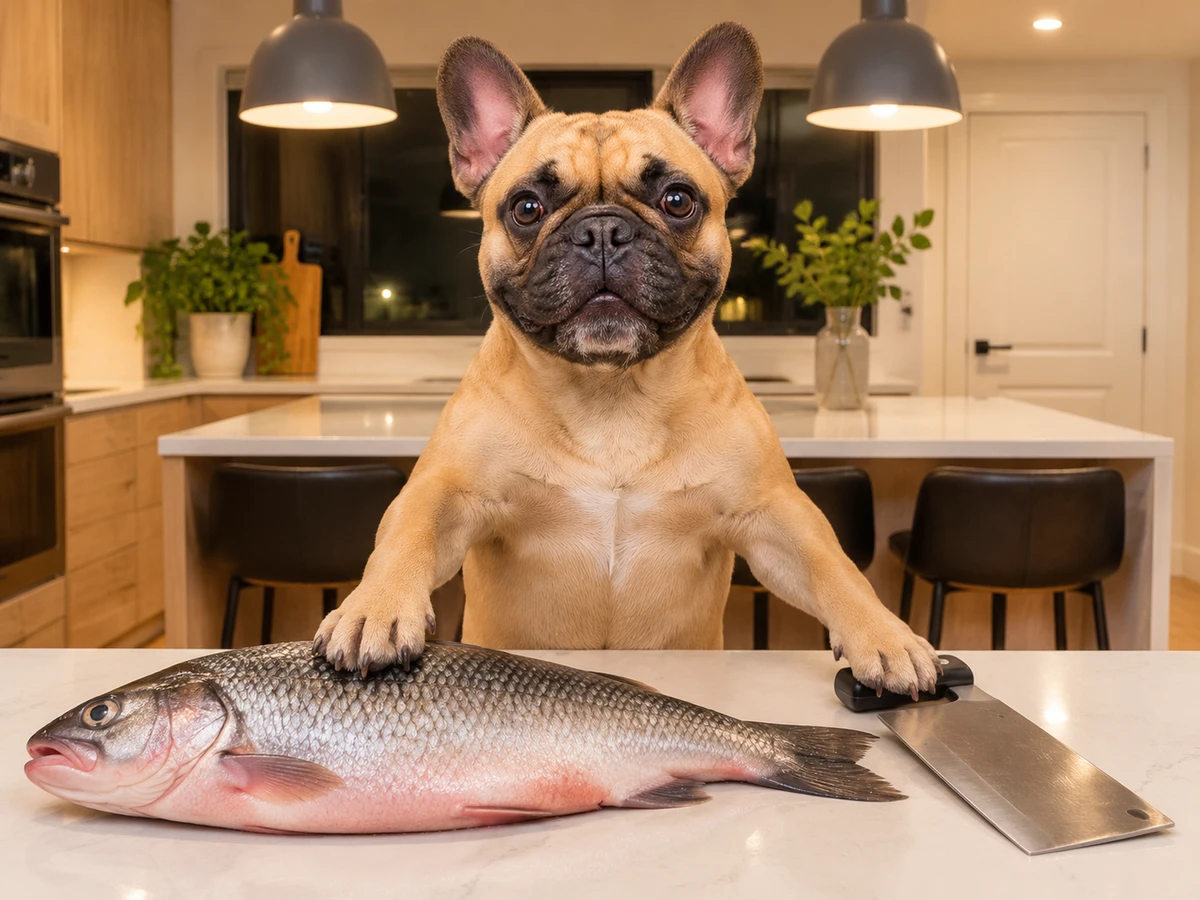
Seeing a pet dog or an older relative chop dinner with intense focus is why these videos perform so well on social media.
If you're ready to create your own clip, you can let grandpa handle dinner in just a few taps.
Do You Need a CapCut Template or a Prompt?
No. You don't need to install editing software, search through social templates or write long text descriptions to generate this meme video.
The trend originally spread through editing apps such as CapCut, as CapCut templates (edits someone already built in the CapCut app, with a slot for your photo). We explain how those setups behave in our guide to the Grandpa Said He'd Handle Dinner CapCut template.
If you prefer building scenes manually using text commands, you can review our breakdown of the fish cutting meme AI prompt.
You can also read our roundup of other fish cutting meme AI generators to see how different web tools handle this viral visual.
Fish Cutting Meme AI Video FAQ
How long is the fish cutting meme AI video?
The fish cutting meme AI video is 10 seconds long in widescreen 16:9, the trend's own frame, made for TikTok and Reels.
You'll be able to export the clip in either 720p or 1080p resolution.
How much does one fish cutting meme AI video cost?
One 720p video costs $9.90 through a one-time pack of 500 credits, which covers the 500 credits the video takes.
A 1080p video takes 1,480 credits, so it's covered by the $39.90 pack containing 2,500 credits.
What is the Grandpa Said He'd Handle Dinner trend?
The trend is a viral AI meme showing someone behind a kitchen counter measuring a giant fish by hand and chopping it with a cleaver.
It blew up after a November 3, 2026 TikTok post captioned "POV: Grandpa said he'd handle dinner" hit 16.1 million views. Read what the fish cutting meme is in our trend overview.
What other trend videos can I make from one photo?
You can turn your pet into a drink-making host with Dog Bartender AI, which puts your dog behind the counter to pour $1, $5 and $50 drinks.
You'll also love the Giant Ramp Climbing AI Trend, which shows you sprinting up a giant dam wall, backflipping off the top and sliding down in water spray.
Your Fish Cutting Meme AI Video in Three Presses
Making this viral kitchen clip doesn't need complex software, timeline editing or writing prompts from scratch.
You'll produce a complete 10-second video of your grandpa, your pet or yourself measuring and chopping that massive fish with total deadpan precision.
It's just one photo and three presses on Seadanse, and one 10-second 720p video is $9.90, paid once, with no account.
Add one photo, pick 720p or 1080p, leave the box ticked and press Create to make your fish cutting meme AI video.
Written by The Seadanse Team. We read the page on November 10, 2026.
Related Articles
- What Is the Fish Cutting Meme? Grandpa Said He'd Handle Dinner, Explained — where the clip came from, its three names, and why everyone says fish fingers.
- Grandpa Said He'd Handle Dinner CapCut Template: Where It Is and Why It's Not Working — which templates carry the clip, how they open, and a way with no app.
- Best Fish Cutting Meme AI Generators (2026): 8 Tools Compared — who can star, what you wear and what plays, tool by tool.
- Fish Cutting Meme AI Prompt (Copy-Ready): Every Chop, Second by Second — the prompt word for word, if you'd rather run it yourself.


