
How to Make the Raindance AI Video (No App, No Template)
How to make the Raindance AI video from one or two photos in your browser: 28 seconds with the original song, $9.90 for one 720p video, no app or account.
 The Seadanse Team12 min read
The team behind Seadanse. We run the models we write about, and we publish the specs, prices and limits the marketing leaves out.

TL;DR — You can make the Raindance AI video right in your browser from one or two photos. The Raindance AI video generator on Seadanse gives you the whole 28-second scene with the original song by Dave and Tems. You add your photos to the Pier and Singer spots, press Create and pay $9.90 once for one 720p video, with no app, no CapCut template and no account.
One photo is enough, because AI casts the other part.
Most tutorials under the trend's clips send you straight to a CapCut template. In fact, 13 of the first 15 videos on the sound's TikTok page do that. But many people hit a wall: 8 of the first 27 comments under a 2.4-million-play tutorial said the template isn't available in their region.
On our Raindance AI page, we've built the scene and the song directly into the tool. That means your photos are the only thing you bring. You don't have to search for sound files or edit video clips to match the beat.
The finished video below shows what that looks like from two simple photos.
The sample on Seadanse's Raindance AI page, made from two photos of AI-generated adults: 28 seconds, 4:3, 480p, with the original song.
Here's how you make your own video tonight in two steps. We'll cover which photo goes in which spot, tips for clear shots, and what to do when templates fail. If you want the background first, read what the Raindance AI trend is.
What you need to make a Raindance AI video
A Raindance AI video is your own version of a 28-second scene from the official music video for "Raindance" by Dave featuring Tems. You and someone else, or a pet, take the place of the two singers.
Here's what you need before you start:
- Photos: one or two clear photos, with one person or pet per photo.
- Audio: nothing to find, because the original song is already in the finished video.
- An app or tool: a web browser on a phone, tablet or computer, with nothing to install and no template to load.
- Payment: $9.90, paid once, for one 720p video, with no account and no subscription.
There's no dancing and no rain in the scene. The original video takes place at sunset on a wooden pier and a beach, so you only need photos.
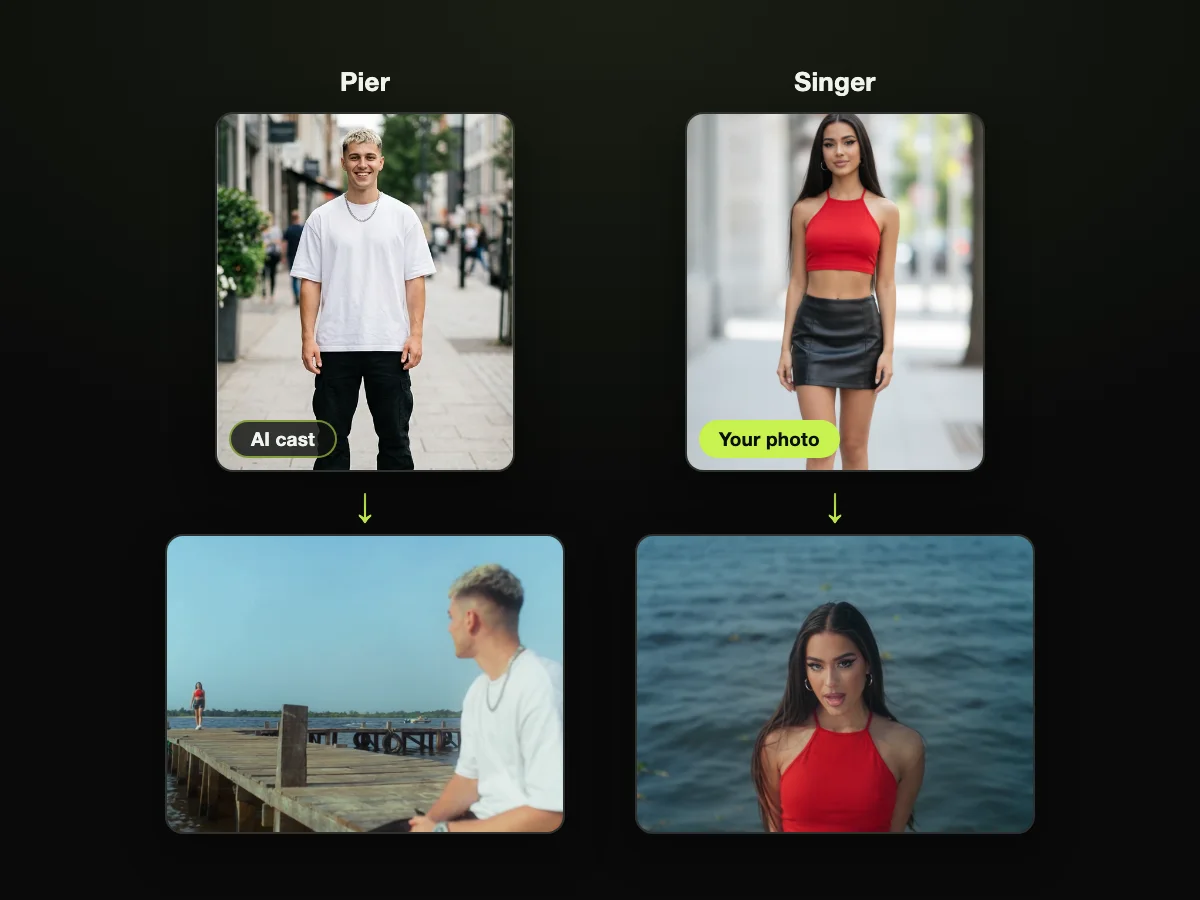
The two photos the sample was made from, each above a shot of that person in the video: the Pier on the left, the Singer on the right.
Step 1: Open the Raindance AI video generator and add your photos
Open Seadanse's Raindance AI page in your browser. You'll see two upload spots marked for the two parts in the scene.
Here's what each spot does in the video:
- Pier: sits at the end of the pier, takes the Singer's picture, and sits on the sand at sunset.
- Singer: walks up the pier, sings Tems' line by the water, and gets every close-up.
Each spot takes one photo. Anyone can play either part, and swapping your photos swaps the parts between you. If you want to appear in every close-up, drop your photo into the Singer spot.
One photo is enough if you're making a solo video. Drop your picture into either spot, and AI casts the empty spot with a made-up adult dressed for a beach at sunset.
Check the consent box under the upload spots before you move forward. It reads: "I have the right to use these photos, and every person in them is 18 or older."
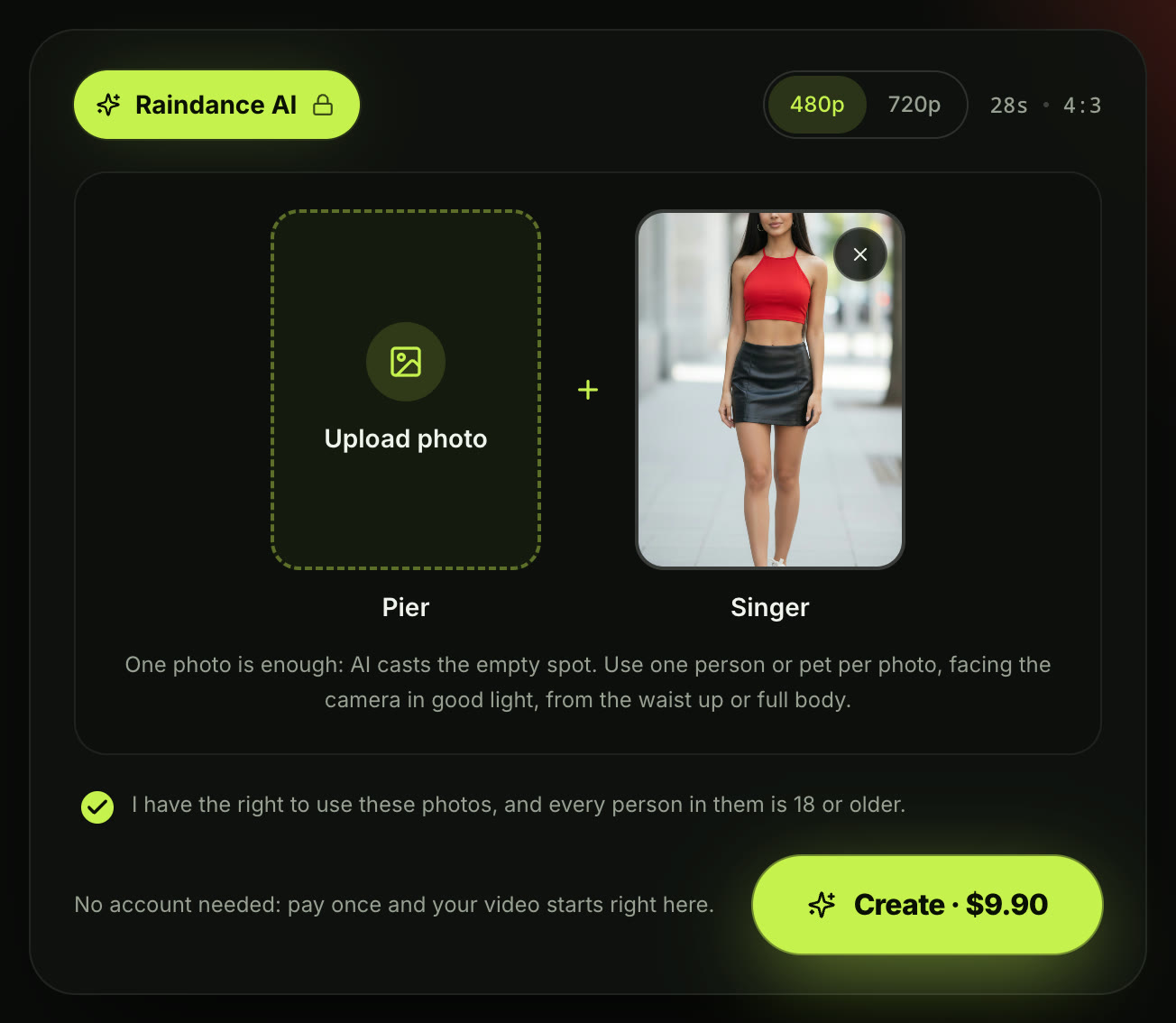
Step 1 on the live page, October 8, 2026: one photo of an AI-generated adult in the Singer spot, and AI casts the Pier.
Step 2: Pick 480p or 720p and press Create
Choose your video resolution at the top of the generator, above the photo spots. The page picks 480p when it opens, and you can switch to 720p with one tap.
Here's what the credit options look like:
- 480p: 375 credits.
- 720p: 500 credits, the whole $9.90 pack.
Credits are what you pay for a video with on Seadanse. When you're signed out, the button reads "Create · $9.90" at 480p and at 720p. The price stays the same whether you upload one photo or two.
Then press Create and your video starts. The first time, Create opens a one-time $9.90 checkout with no account and no subscription, and your video starts on the page as soon as you've paid.
You can check Seadanse pricing if you want to look over every pack size we offer.
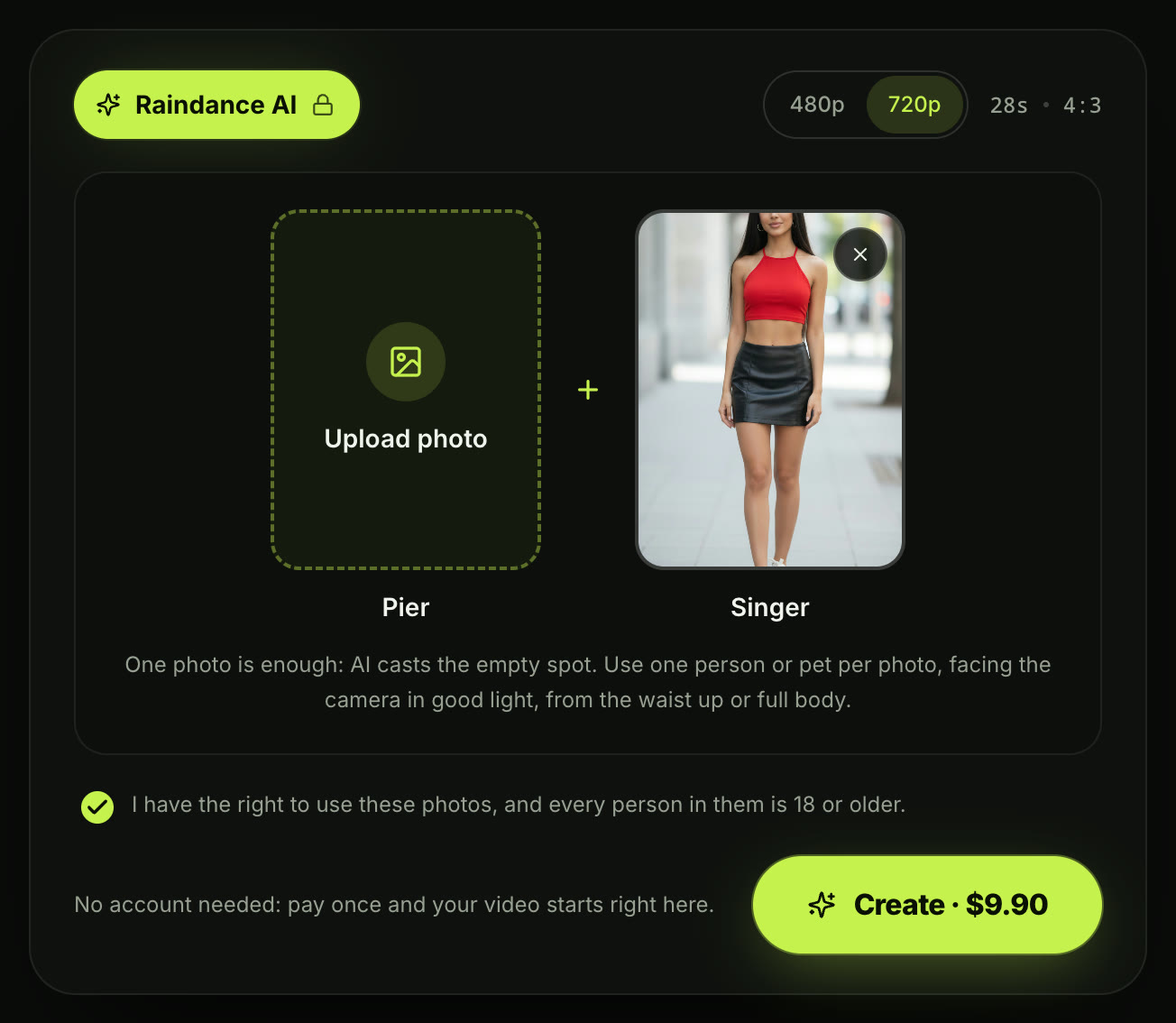
Step 2, signed out on October 8, 2026: the price is on the button at 480p and at 720p.
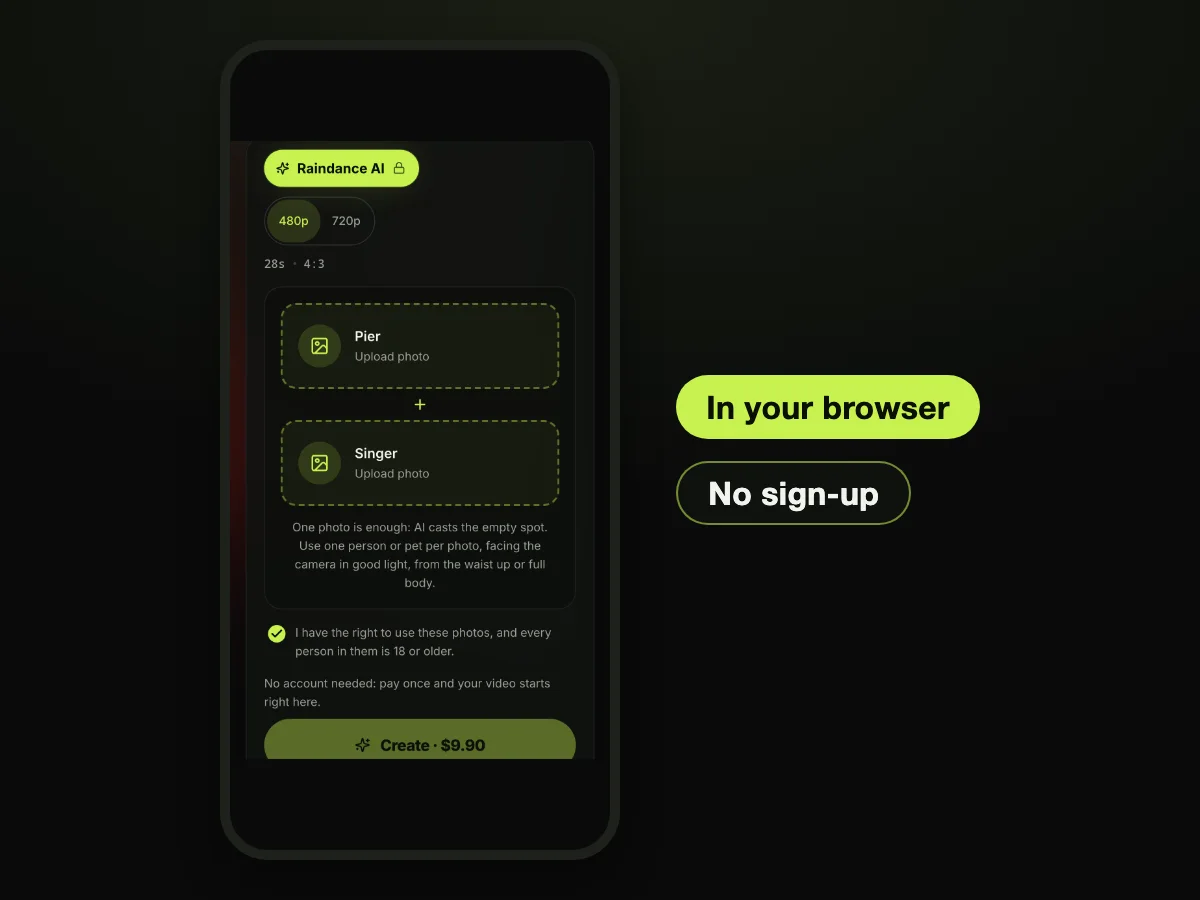
The whole generator fits a phone browser: nothing to install, no account, and the price on the button.
What your 28-second Raindance AI video looks like
When your video finishes, you get one MP4 file. It runs for 28 seconds in 4:3, which is the frame the trend's own posts use.
The file includes the original song, and the Singer's mouth moves in sync with Tems' line. There's no watermark, so it's ready to share on TikTok, Instagram Reels or YouTube Shorts without any extra editing.
The video follows the music video scene across six clear beats:
- At sunset, one person sits at the end of a wooden pier as the other walks up.
- The other sings to the camera by the water.
- The two sit together on the sand.
- One takes the other's picture on the pier.
- The singer hugs their own arms and holds a long note.
- They end side by side on the sand, watching the waves at sunset.
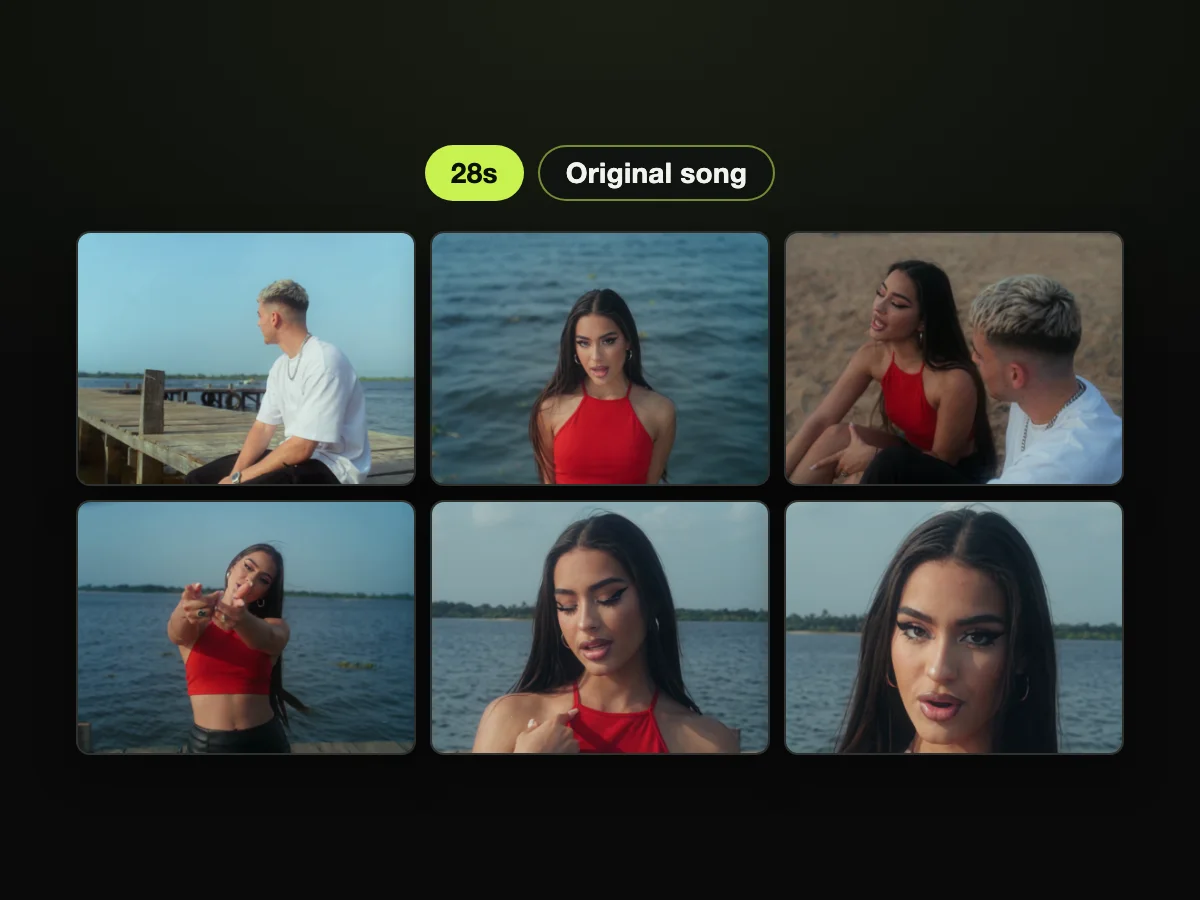
Six moments from the 28-second sample above, all from one video with the song already in it.
| What you get | Raindance AI on Seadanse | What it means for you |
|---|---|---|
| Length | 28 seconds | The whole scene, from the pier to the sunset |
| Frame | 4:3 | The same frame the trend's own posts use |
| Sound | The original song by Dave and Tems | Nothing to add in an editor |
| Photos | One or two | One is enough: AI casts the other part |
| Price | $9.90 for one 720p video; 375 credits at 480p | You pay once, with no subscription |
| Account | Not needed | You press Create, pay once, and the video starts on the page |
| Watermark | None on the finished video | It's ready to post |
Read on Seadanse's Raindance AI page on October 8, 2026.
CapCut template not available in your region? Make the Raindance AI video in your browser
Most tutorials for this trend direct people straight to CapCut templates, including one popular TikTok tutorial with 2.4 million plays.
Many viewers quickly run into roadblocks. Under that tutorial, one viewer wrote, "This template is not available in my region".
Commenters on app-based tutorials face similar issues, with one person noting under a YouTube video, "I can't find it on playstore". TikTok's own search suggestions even ask, "Is Raindance AI a real app?"
Raindance AI isn't an app at all. It's simply the name of the social media trend.
On the Raindance AI video maker on Seadanse, the entire scene and audio track live right on the page. That means you never have to download software or hunt down working template links.
To see how every method stacks up, take a look at our guide on free and paid ways to make it, compared.
Photo tips for a Raindance AI video that looks like you
Each person's face, hair and outfit in the video come straight from their photo. The cuts, camera movements and beach lighting stay locked to the original video, so your photo controls how you look.
Follow these simple rules for clear results:
- One subject: use one person or one pet per photo.
- Face the camera: look straight at the camera, because the AI needs a clear photo to make an accurate result. If only half your face shows, the result often won't match what you expect.
- Good light: pick bright, clear lighting so your face and hair stay sharp.
- Waist up or full body: choose shots from the waist up or full body rather than tight crops.
- Adults only: make sure everyone in your photos is 18 or older.
- The close-ups: put your photo in the Singer spot if you want to star in every solo cut.
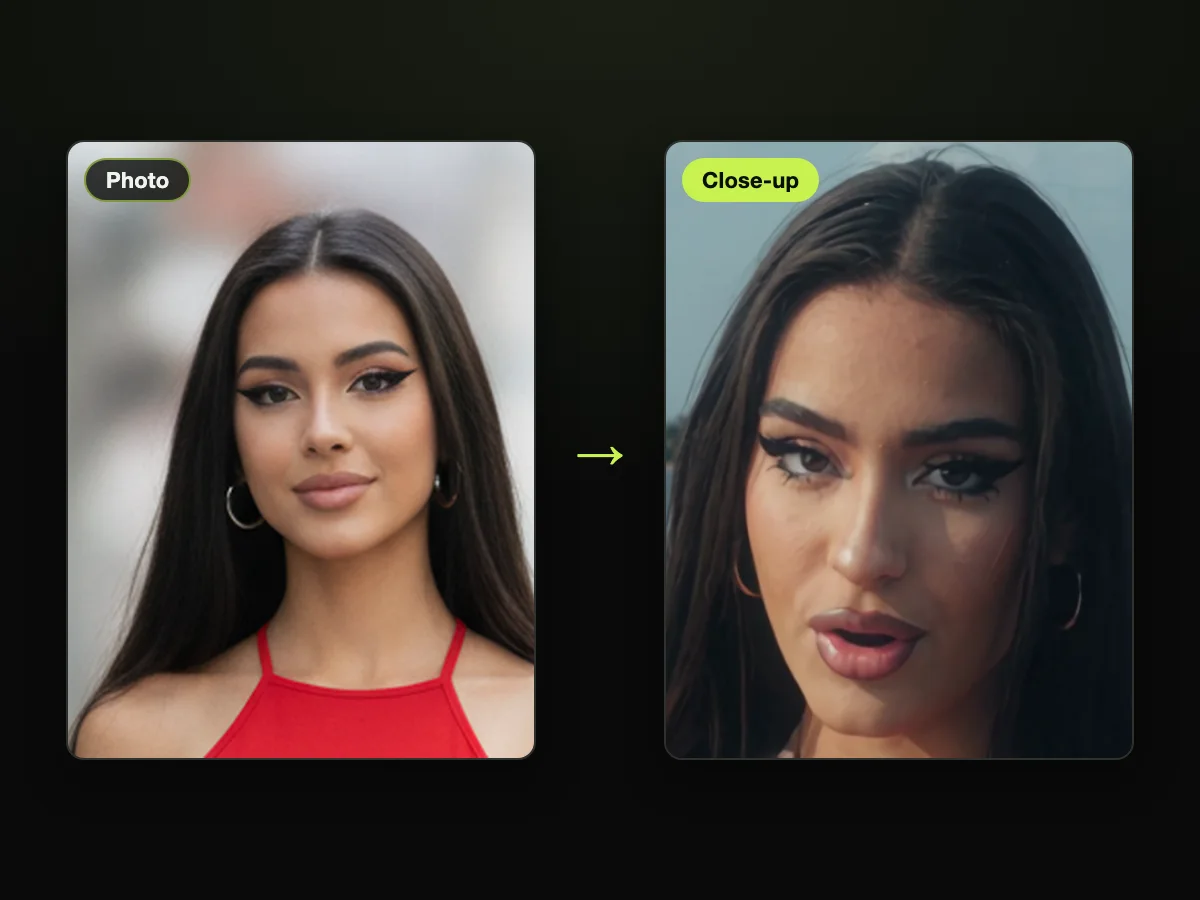
Left, the Singer's photo. Right, her close-up by the water in the finished video.
Make the Raindance AI trend with your partner, best friend or pet
You can make this clip with anyone you choose, or even by yourself:
- Couples: add a photo of each of you, choose who sits on the pier and who sings, then post it or send it to your partner.
- Best friends: upload two photos taken in completely different places to put yourselves side by side on the sand.
- Pets: upload photos of two cats, or pair your own face with your dog. One of the earliest viral hits in the trend, posted on September 25, 2026, starred two cats as the beach couple.
If you want a solo video, put your own picture in the Singer spot, and AI casts a partner to sit with you on the wooden pier.
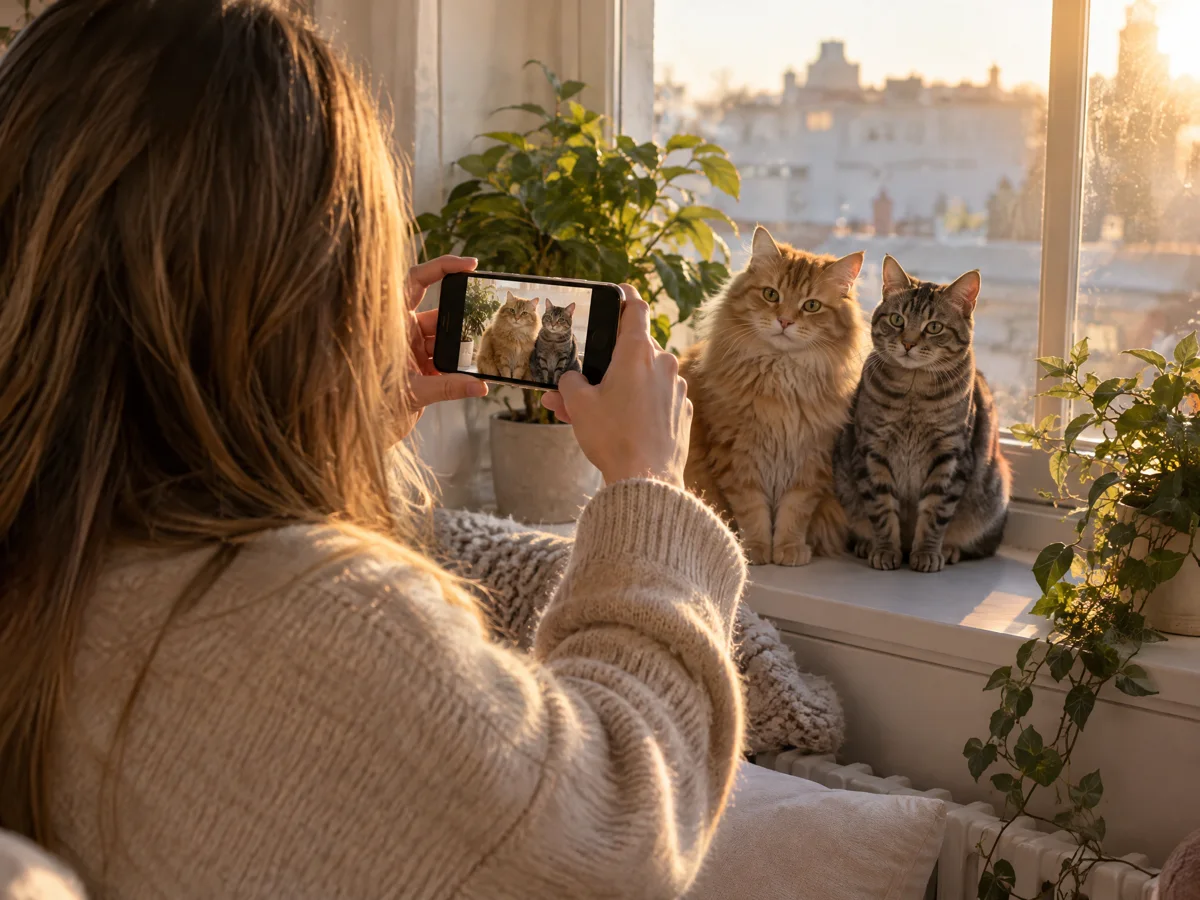
Two cats can play both parts: one clear photo of each, facing the camera.
Raindance AI video FAQ
Do I need a prompt for the Raindance AI video?
No. There's no prompt box on the page. The beach scene, cuts and original music are already built into the Raindance AI page, so your photos are the only inputs you need.
Is there a dance in the Raindance AI trend?
No. The two people walk along the pier, sit by the water, sing and watch the sunset together. "Raindance" is simply the title of the track. If you want dance moves, check out the AI Dance Generator.
What song is in the Raindance AI video, and is it an AI song?
The song is "Raindance" by Dave featuring Tems, released on October 24, 2025, as track 5 of Dave's album The Boy Who Played the Harp. It reached No. 1 on the UK Singles Chart in January 2026.
Dave and Tems sing it themselves, so it's a real hit record rather than an AI-generated song. Explore the story behind the song to learn how the trend began.
How much does one Raindance AI video cost?
One 720p video costs $9.90, which uses 500 credits. A 480p video uses 375 credits.
Credit packs are one-time payments that never renew and remain valid for 12 months. If a video fails, its credits come back automatically. See every way to make a Raindance AI video for a full comparison.
Can I make a Raindance AI video with one photo?
Yes. Put your photo in either the Pier or Singer spot, and AI casts a made-up adult for the open role. Choose the Singer spot if you want your face in every close-up.
Does the video come with the song, and do the lips match?
Yes. The original audio track is already mixed into the finished MP4 file. The Singer lip-syncs Tems' vocals right on beat, so you don't need an editor to align the sound.
Are my photos private?
Seadanse runs no facial recognition on uploaded photos, collects no biometric data and never sells personal information. Your photos and videos stay in your account until you delete them.
Make your Raindance AI video tonight
You can create the entire 28-second beach scene with the real hit song directly in your web browser from just one or two pictures. Head over to Seadanse to make your Raindance AI video tonight for $9.90, with no app to install and no template to search for.
Written by The Seadanse Team. The sample in this article is the one on our Raindance AI page, made from two photos of AI-generated adults. Every price and button label in it was read on the live page on October 8, 2026.
Related articles
- What Is the Raindance AI Trend? The Song, the Scene and Where It Started — who sings "Raindance", what happens in the 28 seconds, and how the trend began.
- Raindance AI Video Free? Ways to Make It, Compared — every route side by side: price, app, sign-up, length and sound.
- How to Make the Gas Station Dance AI Video With Your Photos — another viral scene you can star in from your own photos.


