
How to Make an AI Zombie Video Without CapCut (From Two Photos)
How to make an AI zombie video from two photos in one generation: 20 seconds with sound, no CapCut needed, and $9.90 for one 720p video.
 The Seadanse Team11 min read
The team behind Seadanse. We run the models we write about, and we publish the specs, prices and limits the marketing leaves out.

TL;DR — Seadanse makes an AI zombie video from two photos in one generation with the Seadanse AI Zombie Video Generator. You get 20 seconds, 15 shots and sound for $9.90 for one 720p video, with no subscription and no sign-up.
- Photos: you upload photo 1 (the one who holds the gun) and photo 2 (the one who turns: an adult, a dog or a cat).
- Settings: you pick a memory place, a shape and a quality, press Create and download an MP4.
- Time: there's no prompt to write and no clips to stitch in CapCut, and the video is usually ready in 5 to 7 minutes.
Most tutorials send you across three different apps to make this video. They tell you to ask ChatGPT for a character prompt, generate separate video clips in Google Flow or Dola, and then join everything in CapCut to add music.
As Kavel noted, "The written tutorials make it in two generations and stitch them in CapCut." That process often breaks down, leading one viewer to comment, "Udah 1 bulan mau bikin video zombie kek gini tapi gak jadi²" [I've wanted to make a zombie video like this for a month, but it never works out].
Seadanse builds the entire 20-second story in a single run. You don't need to stitch scenes together or balance audio tracks in an editor. You upload two photos, and Seedance 2.5 creates the full sequence with sound that matches the picture.
Here's one we made from two photos:
Made on Seadanse with the AI Zombie Video Generator on October 7, 2026, from two AI-generated photos: Seedance 2.5, 20 seconds, 15 shots, 720p, widescreen 21:9, with sound. One generation, no editing.
What is an AI zombie video?
An AI zombie video is a short video created from two photos that follows a specific dramatic story. In the scene, one person, or a pet, has turned into a zombie while the other person holds a gun in tears.
They choose not to fire, drop the weapon and open their arms. When the zombie leaps, the video makes a hard cut (the picture jumps straight from one scene to the next, with no fade). It lands on a warm memory of the two of them on their best day.
The format spread across TikTok and Instagram Reels in late September 2026, where TikTok users also call it "My Beloved Zombie." It isn't a movie clip, and it isn't a camera filter. It's a recreation of CHOICE, a short AI film by techmaf, made with Seedance 2.5, which reached 249K likes on Instagram.
You can read what an AI zombie video is, beat by beat, or explore the wider AI zombie trend on Seadanse.
What you need before you start
Getting your photos ready takes a minute before you open your browser:
- Photo 1: an adult (18+) who will stand in the cabin and hold the gun.
- Photo 2: an adult, a dog or a cat who will turn into the zombie and appear in the memory.
- Lighting: a clear, well-lit picture where the face looks directly at the camera with eyes visible.
- Web browser: any desktop or mobile browser, with no software downloads and no account registration.
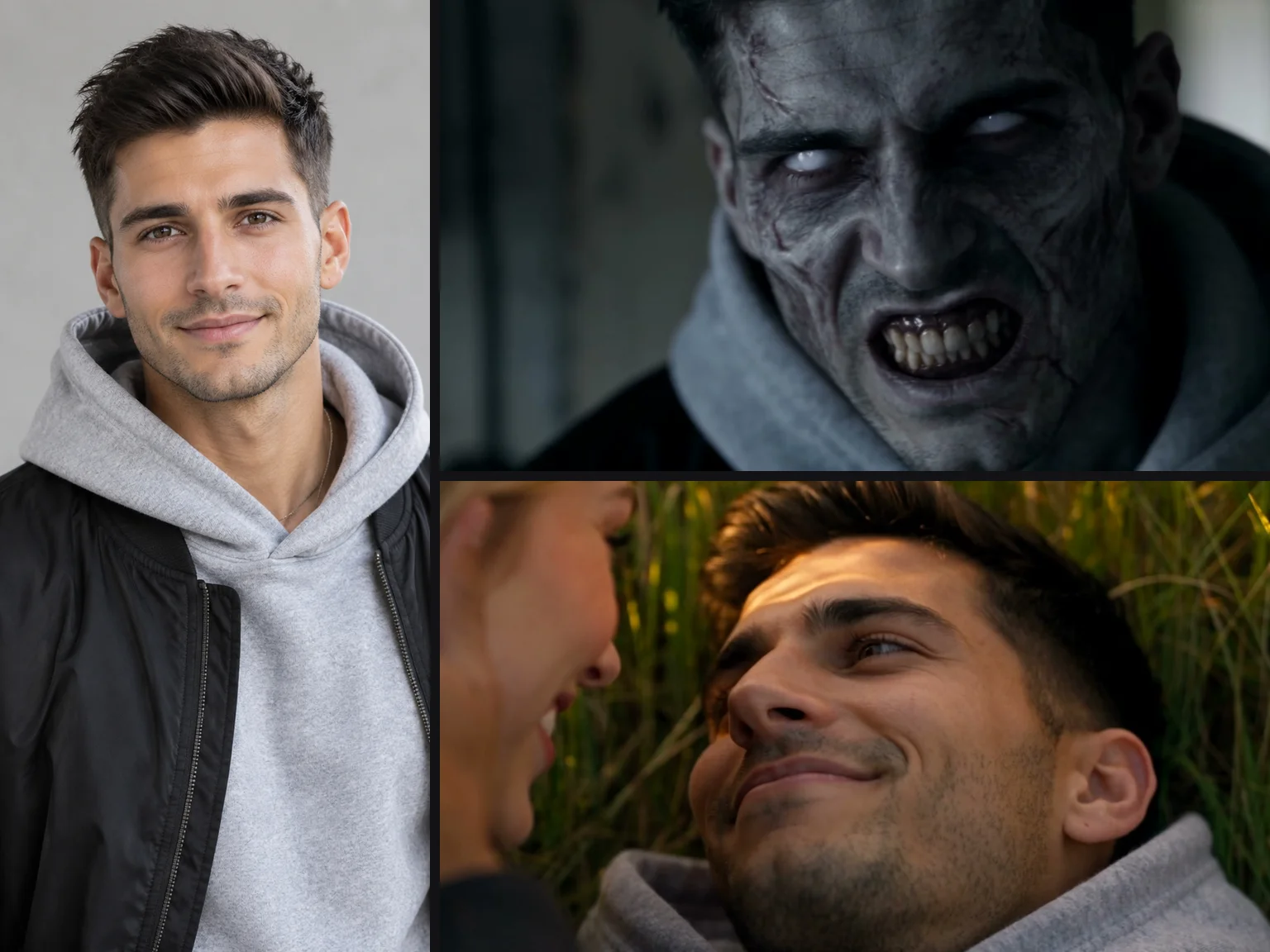
One clear photo is all the face needs: it stays the same person as the zombie and in the memory.
Step 1: Upload photo 1 and photo 2
Open the AI zombie video generator to see the upload panel. You'll find two photo boxes labelled "Photo 1 · Holds the gun" and "Photo 2 · Turns zombie." If you want to change who turns into the zombie, simply swap the positions of your two photos.
Above the upload boxes, set the switch to "Photo 2 is: A person" or "A dog or cat." Below the boxes, click the consent tick box that states: "I have the right to use these photos, and every person in them is 18 or older."
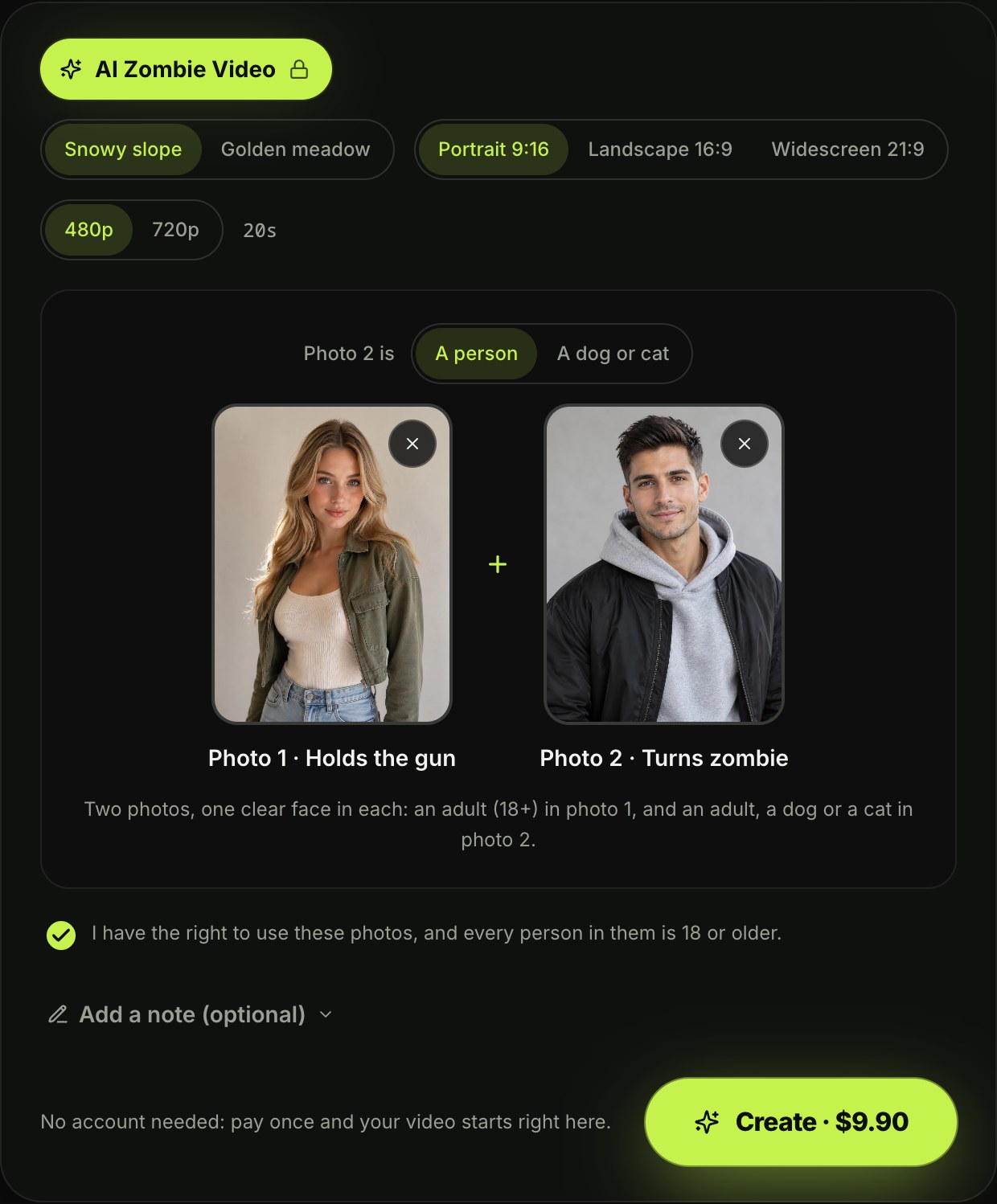
Step 1 on the live page, October 7, 2026: photo 1 holds the gun, photo 2 turns zombie.
Step 2: Pick the memory place, the shape and the quality
Next, set the look and the shape for where you'll post it:
- Memory place: pick "Snowy slope" or "Golden meadow" to set the backdrop for the flashback scene.
- Custom memory: use "Add a note (optional)" to describe your own setting in one short sentence.
- Shape: pick "Portrait 9:16" for TikTok, Reels and Shorts, or choose "Landscape 16:9" or "Widescreen 21:9" for horizontal screens.
- Quality: pick "480p" or "720p" based on the resolution you want.
- Length: set permanently to "20s" so the story has time to develop.
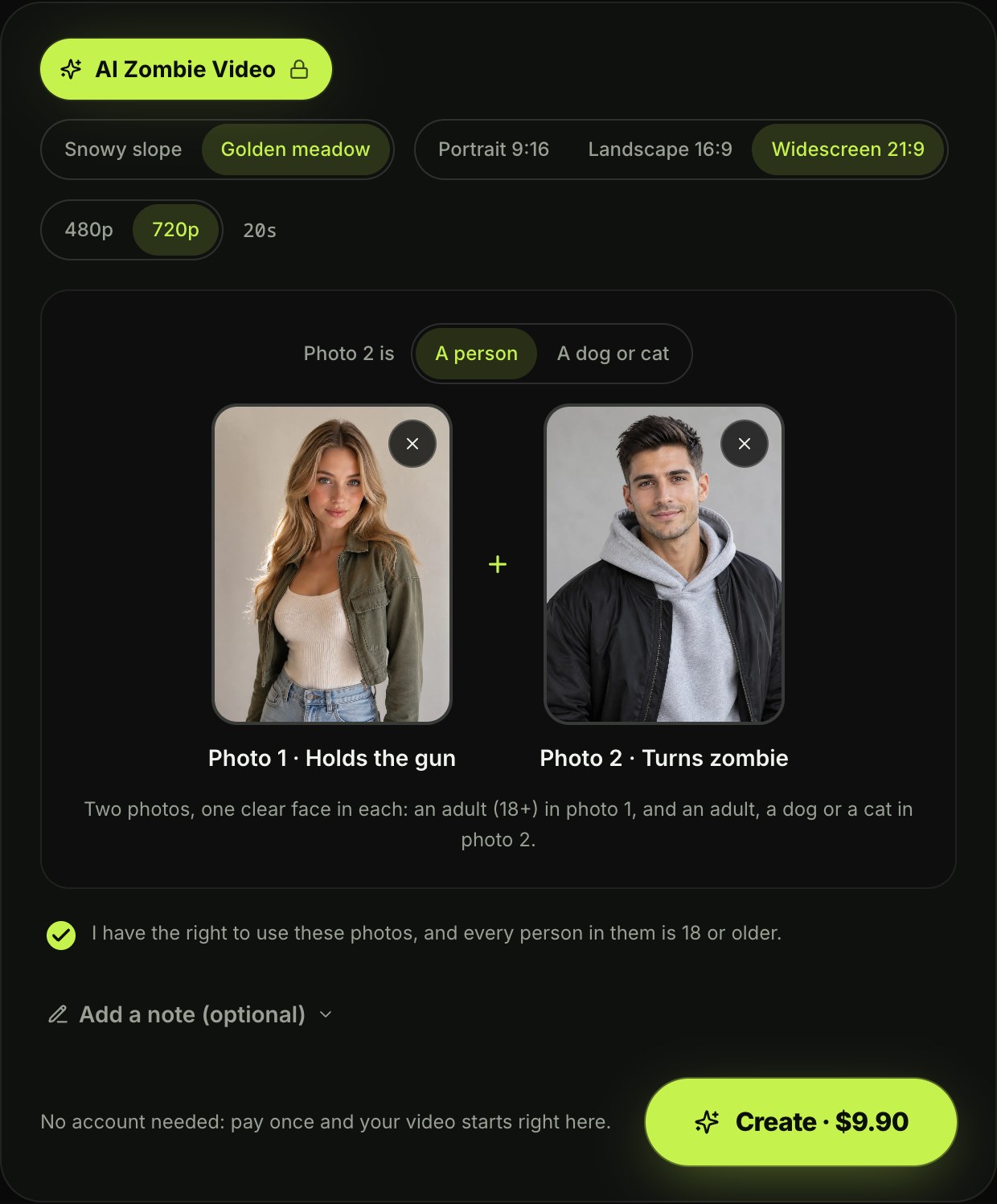
Step 2: Golden meadow, widescreen 21:9 and 720p picked. The length is always 20 seconds.
Step 3: Press Create and pay once
Click the button marked "Create · $9.90" to start making your video. Next to the button, the page confirms: "No account needed: pay once and your video starts right here."
One 20-second 720p video costs $9.90, which is 500 credits. A 480p video costs 375 credits. You pay once without signing up or taking on a subscription, and any video that fails returns its credits automatically.

Step 3: the price is on the button before you pay. Captured signed out, October 7, 2026.
Step 4: Download your 20-second video
Your generation starts automatically on the same screen as soon as checkout finishes. A video is usually ready in 5 to 7 minutes.
You'll also get a link in your checkout email that opens the finished file on any device. The export gives you a complete 20-second MP4 with sound, and exported video carries no watermark.
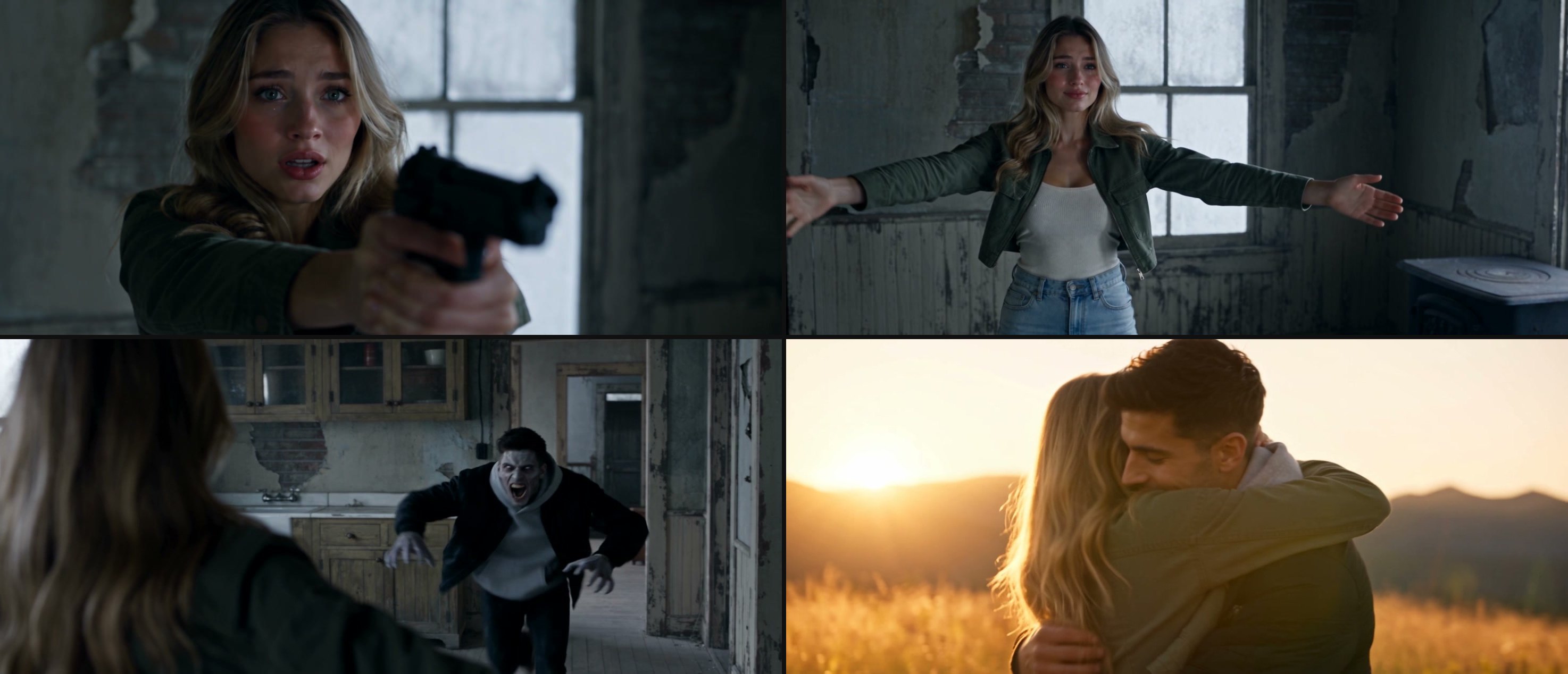
Four frames from the 20-second video above: the aim, arms open, the rush, and the memory. All from one generation.
Why one generation is enough (and CapCut isn't needed)
Multi-app routes often stall when Flow refuses words like pistol. On Seadanse, Seedance 2.5 can organize multiple logically connected shots within a single generation. The full story structure runs across these exact timeframes:
| Seconds | What you see | What it does for the story |
|---|---|---|
| 0-2 | Photo 1 raises the gun, eyes full of tears | Sets up the choice before people scroll |
| 2-3 | The zombie appears: photo 2, still their face | The viewer recognises who turned |
| 3-6.5 | The aim holds, tears falling | The standoff |
| 6.5-8.8 | The gun drops, arms open wide | The choice: no shot is fired |
| 8.8-10.5 | The zombie rushes and leaps | The tension peaks |
| 10.5 | Hard cut on the leap | The jump from the cabin to the memory |
| 10.5-13.5 | Tumbling and laughing in snow or grass | The release |
| 13.5-20 | Eye contact, running hand in hand, a long embrace | The ending people cry at |
The first 10.5 seconds are 9 shots in the cabin; the last 9.5 seconds are 6 shots in the memory, with piano and strings.
The confrontation, the cut and the flashback are made together as one video file. The room's own sounds play during the opening standoff, followed by piano and string music as the scene transitions into the memory.
The gun drops and no shot is fired, so the story stays dramatic without gore. And there's nothing to edit in CapCut.
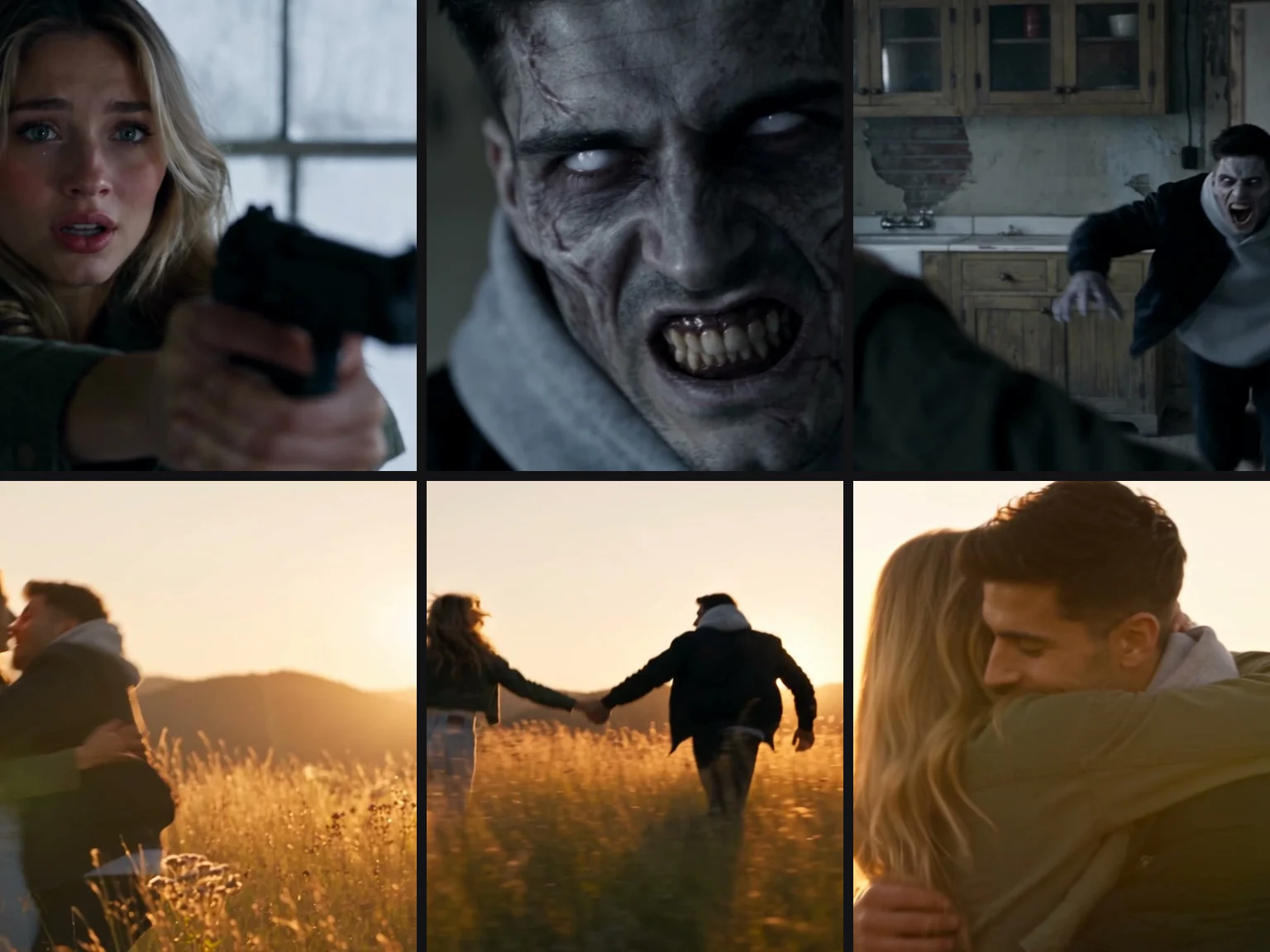
Shots from a single generation, made on Seadanse with Seedance 2.5.
Who can be in it: partners, parents, pets or you
Couples can build a dramatic story with one photo of each of you. You decide who holds the weapon and who turns by arranging the two photo upload boxes. If you want a version tailored for two people, try Zombie Love Story AI.
Parents and friends make strong subjects for this story. You can feature a mom, dad, grown child, sibling or close friend, as long as everyone in the photos is an adult. To create a family scene, use The Last Hug Zombie.

Any adult you love can be in photo 2: a parent, a grown son or daughter, a sibling or a best friend.
Dogs and cats can take part when you flip the switch to "A dog or cat." Your pet turns, rushes forward and leaps toward you. On that leap, the video cuts to the two of you playing outside, with your pet fully healthy. You can create these clips using our AI zombie dog video generator or our zombie cat video generator.
The dog version, made on Seadanse on October 7, 2026, from a photo of a woman and a photo of her dog: Seedance 2.5, 20 seconds, 480p, 9:16, with sound.
You as the zombie lets you place your own photo in slot 2. Your likeness turns into the zombie in the cabin before cutting to a bright memory alongside someone close to you. This version works especially well to share with friends before Halloween on October 31.
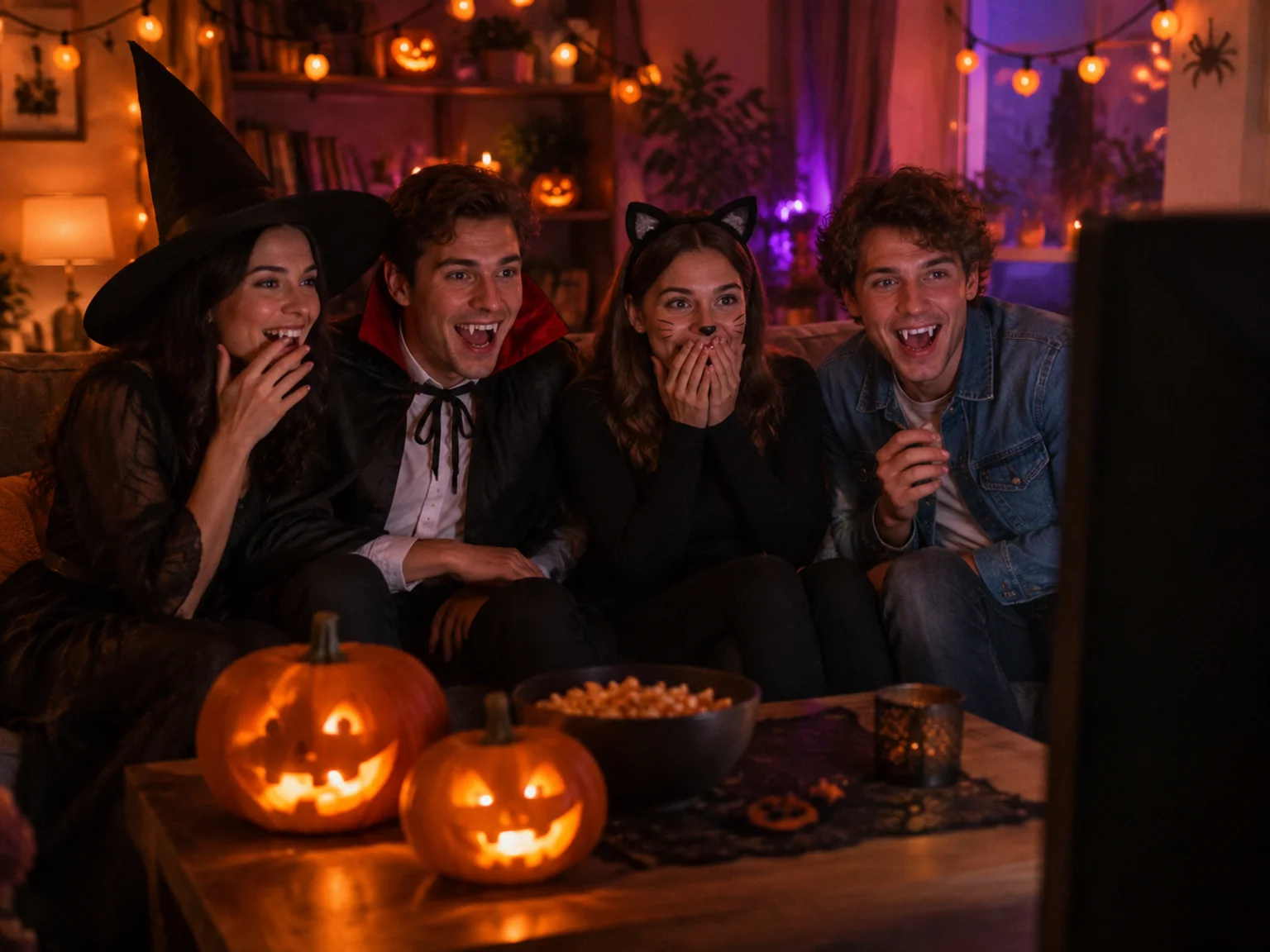
A Halloween watch party is where the "you as the zombie" version lands best.
FAQ
Do I need CapCut?
No, you don't need CapCut or any other video editor. Seadanse generates the full 20-second video with scene transitions and music in one go. You don't have to join video clips or edit soundtracks.
Do I need a prompt?
No, you don't need to write a prompt because all 15 shots are already programmed into the generator. You only need to pick your settings or write an optional line for a custom setting. If you want to write prompts for other tools, read our zombie AI trend prompt guide.
How much does it cost?
One 20-second 720p video costs $9.90, which uses 500 credits. A 480p video costs 375 credits from our standard credit packs. You pay once with no recurring subscription fees.
Do I need to sign up?
No, you don't need an account or sign-up. You pay once at checkout, your video starts on the page, and your email receipt contains a link to view the file anywhere. Read our no sign-up guide to see how the process works.
How long does it take?
A video is usually ready in 5 to 7 minutes. You can monitor the progress on the generation page or click the link in your confirmation email once processing finishes.
Which app makes the AI zombie video?
Seadanse makes the video directly in your web browser with no app download needed. It uses Seedance 2.5, the model behind the original viral CHOICE clip. While some tutorials rely on CapCut, Dreamina, Google Flow or Higgsfield, Seadanse handles the entire generation in one browser window.
Is it gory?
No, the scene contains no blood or graphic violence. The gun falls to the floor before the leap happens, no shot is fired, and the clip concludes inside a peaceful memory.
Make your AI zombie video today
You don't need to juggle separate generation tools or assemble clips in an editor. Two photos in, one finished 20-second video with sound out, and nothing to stitch in CapCut. Visit Seadanse to make your own AI zombie video and download your video in minutes.
Written by The Seadanse Team. We made the samples in this article from two AI-generated photos on Seadanse on October 7, 2026, and captured every step on the live page that day.


