Tiny Desk AI is liveTry it
Video effect

Christmas Ice Queen AI for TikTok and Reels

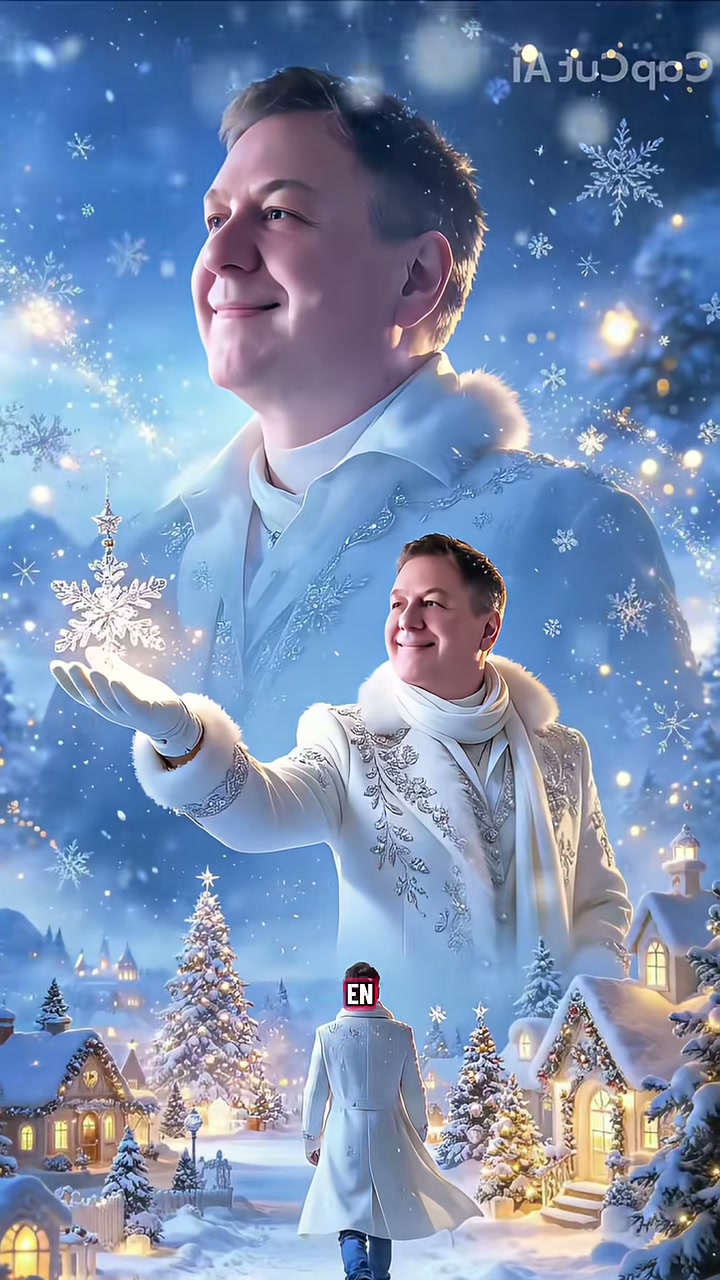
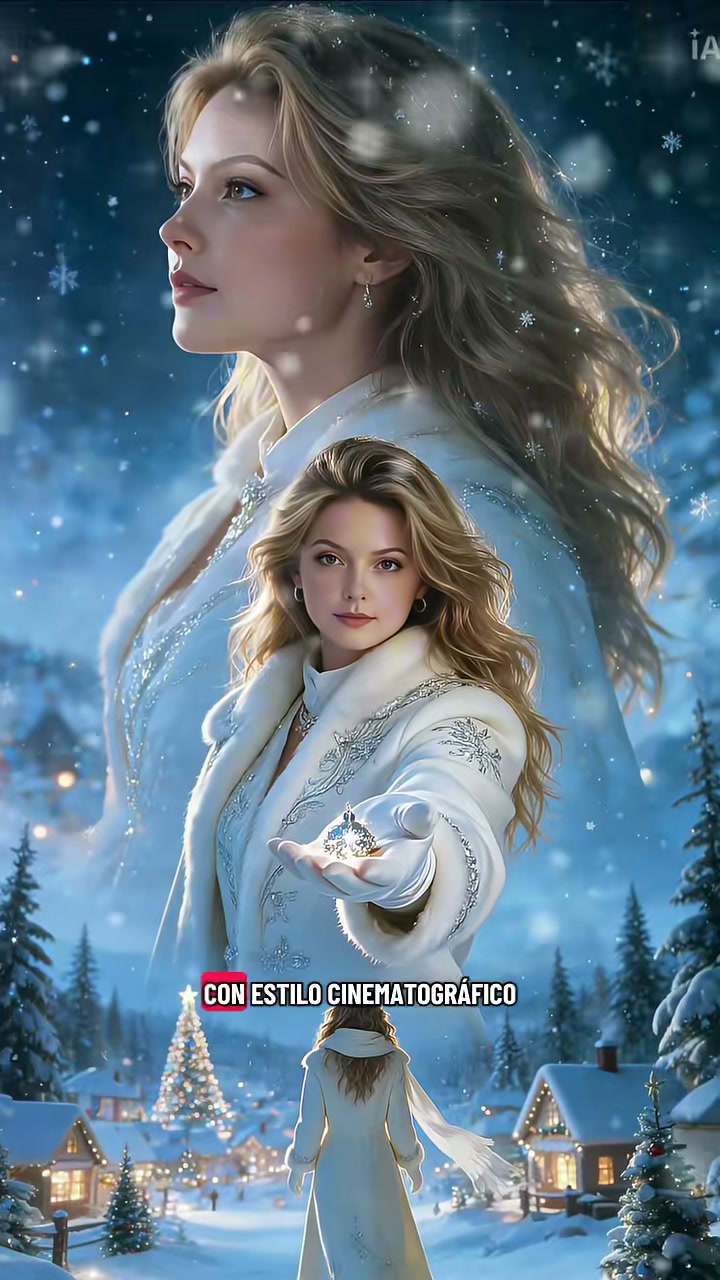
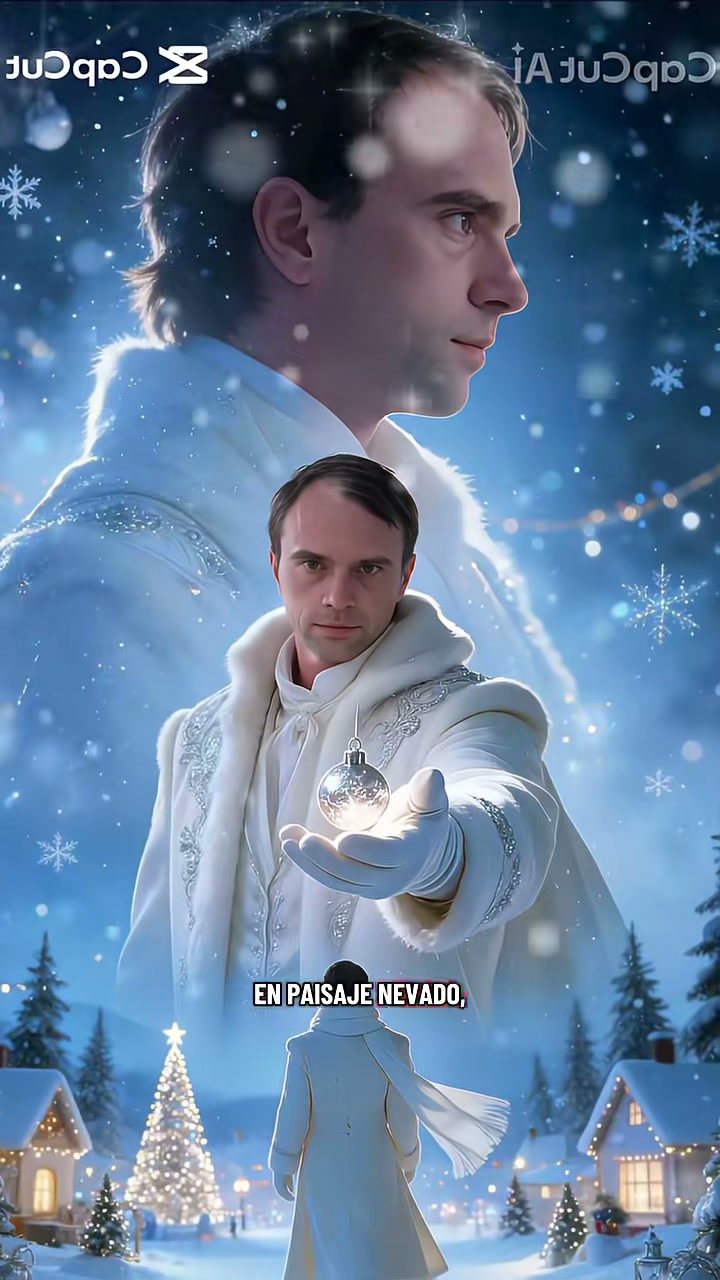
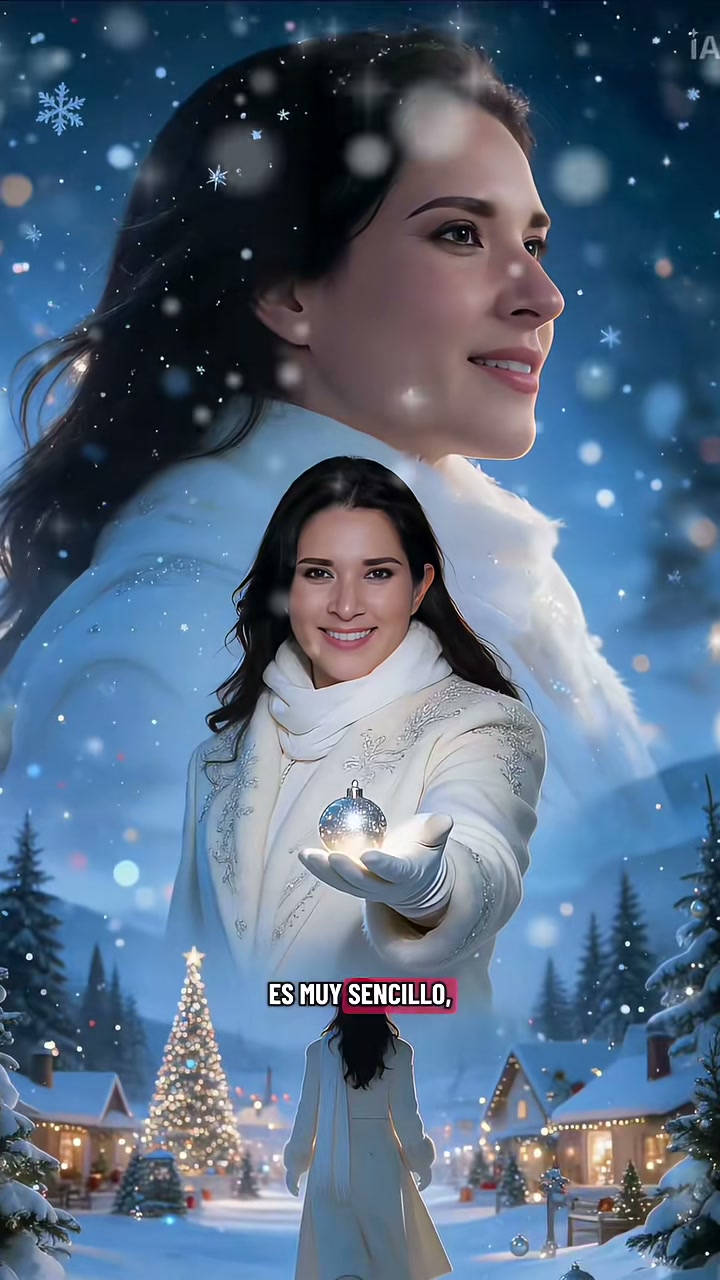
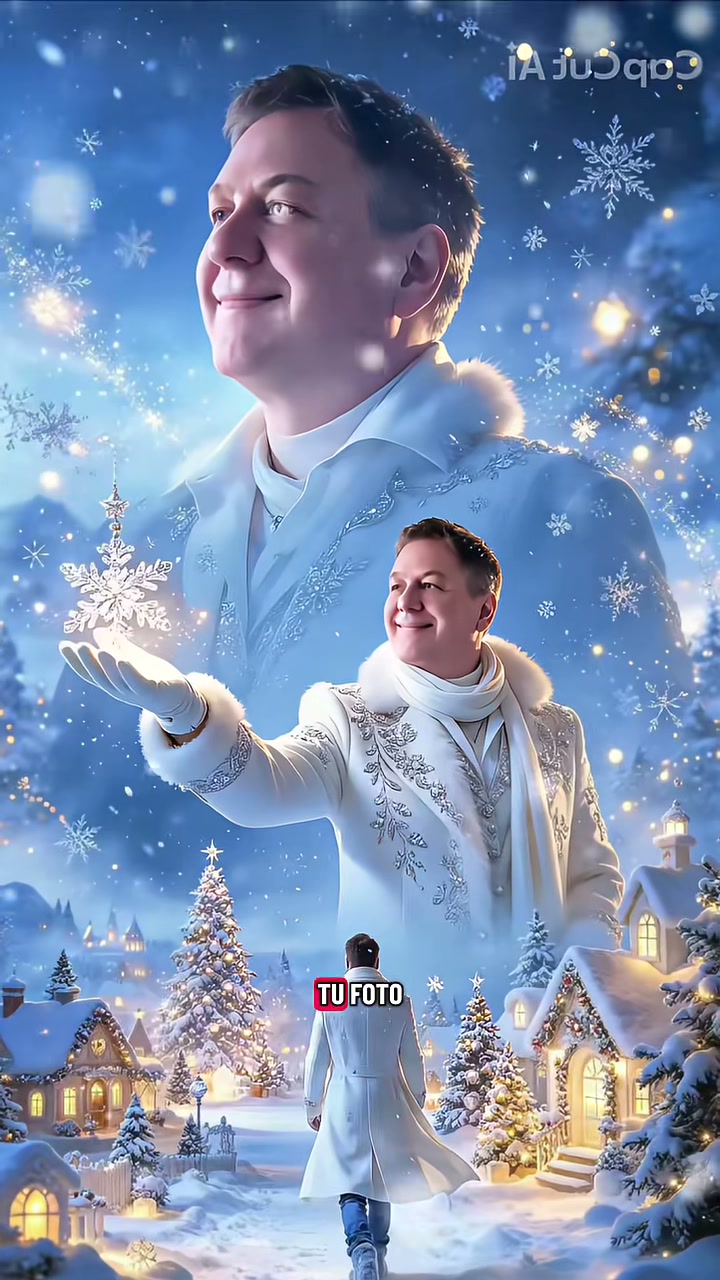
Seadanse Christmas Ice Queen AI shows you three times in a snowy Christmas poster: a giant glowing face in the sky, the ice queen in a white fur coat holding a glowing ornament, and a small figure walking into a lit Christmas village. Add one photo to get a 5-second 9:16 video with falling snow and the trend's music, made for TikTok and Reels. Choose 720p or 1080p, where $9.90 makes one 720p video with no account.

Also called Christmas Ice Queen AI portrait · Ice Queen filter · Christmas Ice Queen template · Winter triple portrait · Christmas snow queen · Reina de hielo navideña · Rainha do Gelo de Natal

Christmas Ice Queen AIThis effect is built into the page and cannot be removed.
5s · 9:16

Your photo 0/1

Tap the circle to put your photo there, or drop a photo onto it. It is the only photo needed: the person in it appears three times, in the sky, as the ice queen and on the path into the village.

  • One person or character, face to the camera, in good light
  • No group photos, nothing over the face
No account needed: pay once and your video starts right here.

What Is the Christmas Ice Queen AI Trend?

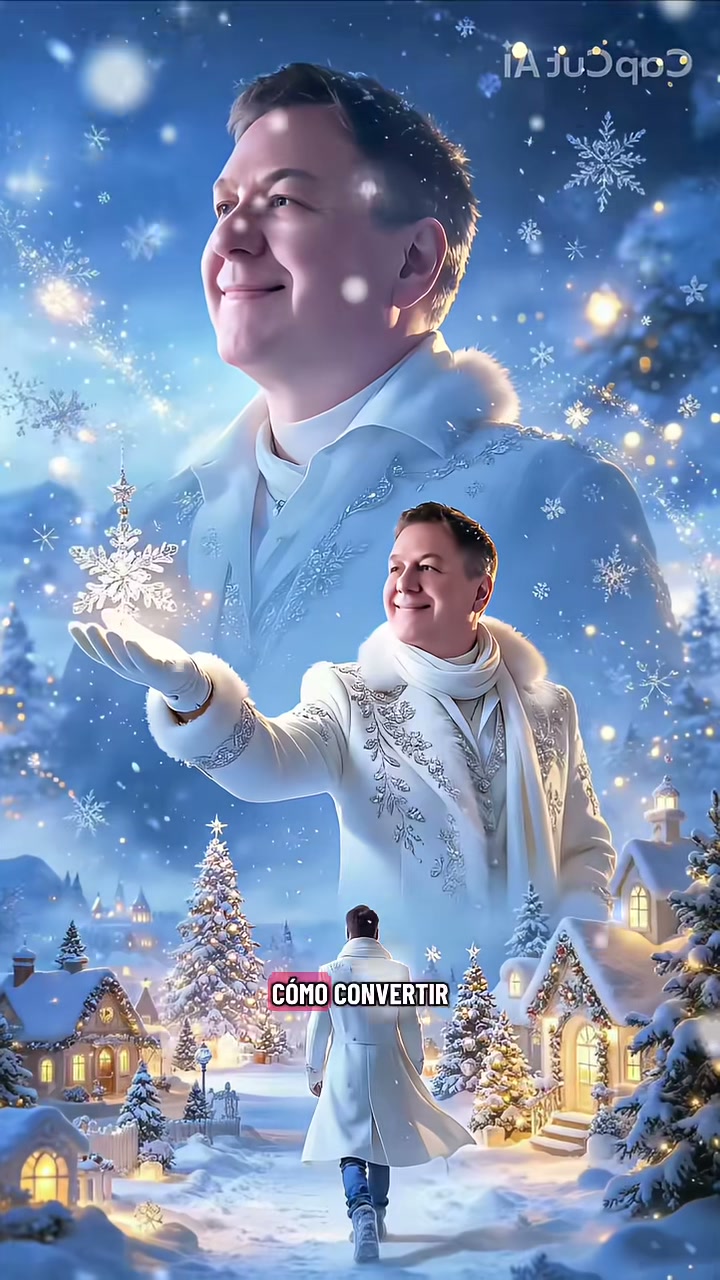
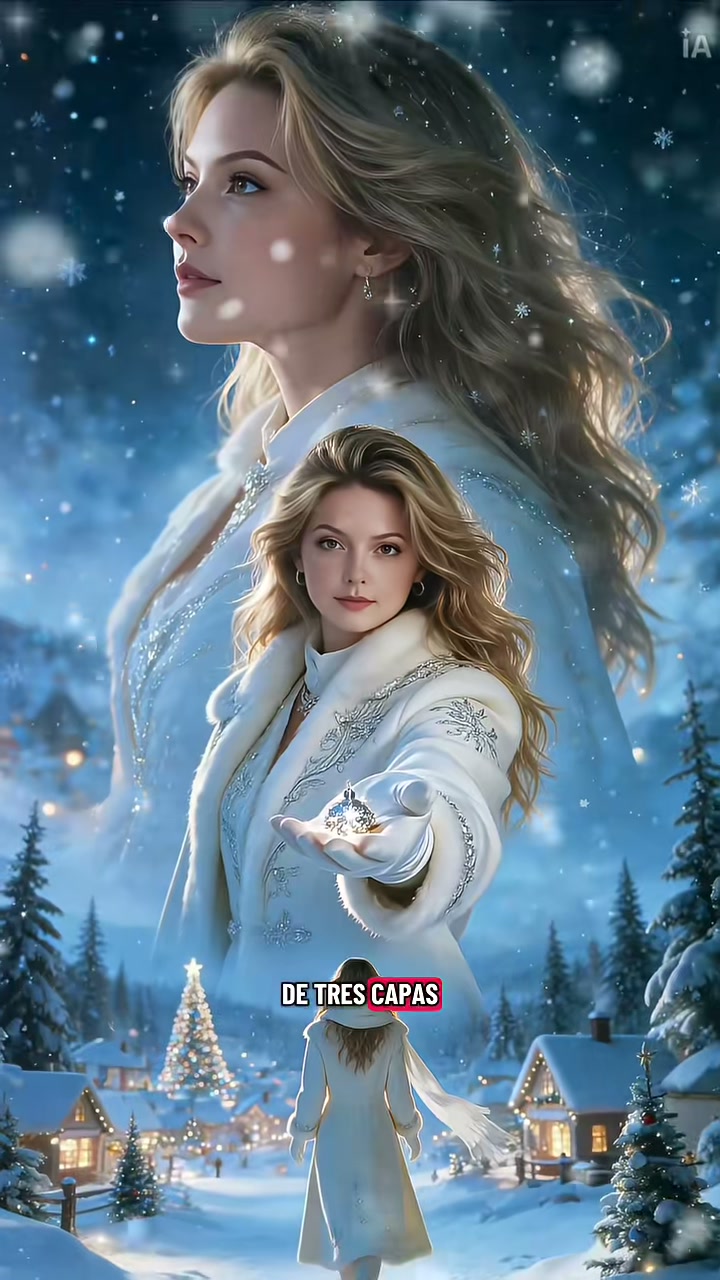
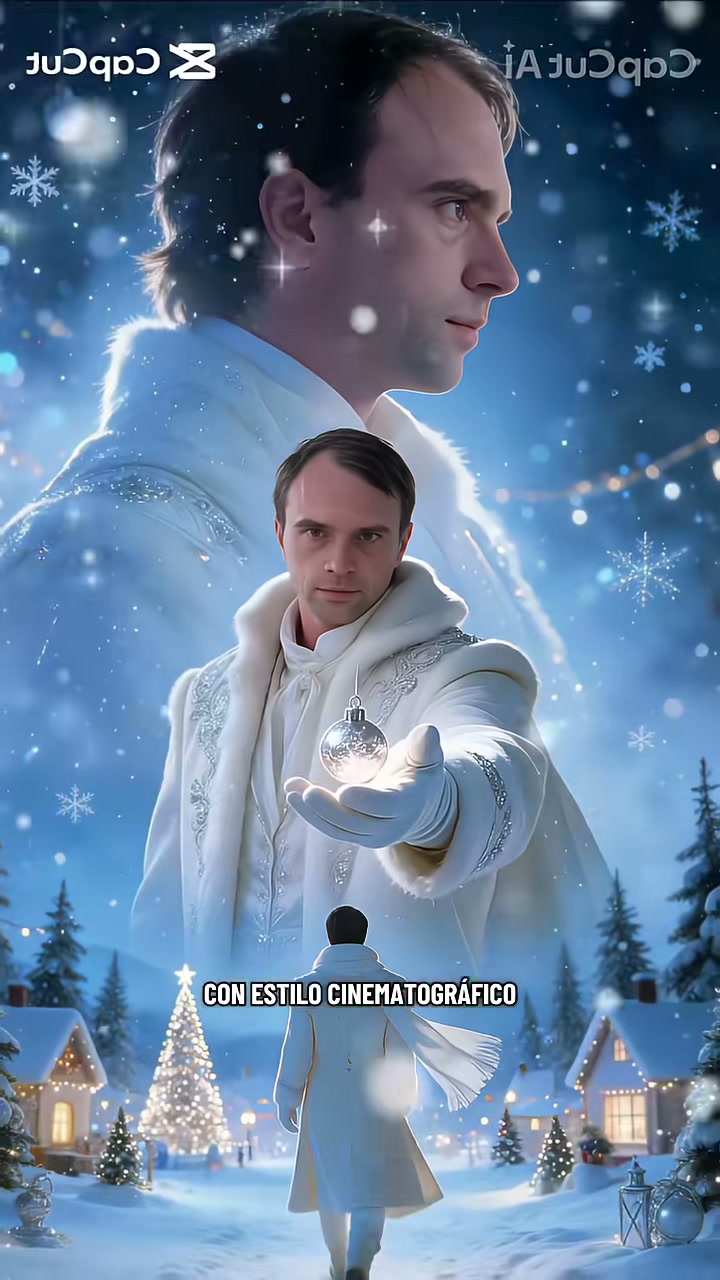
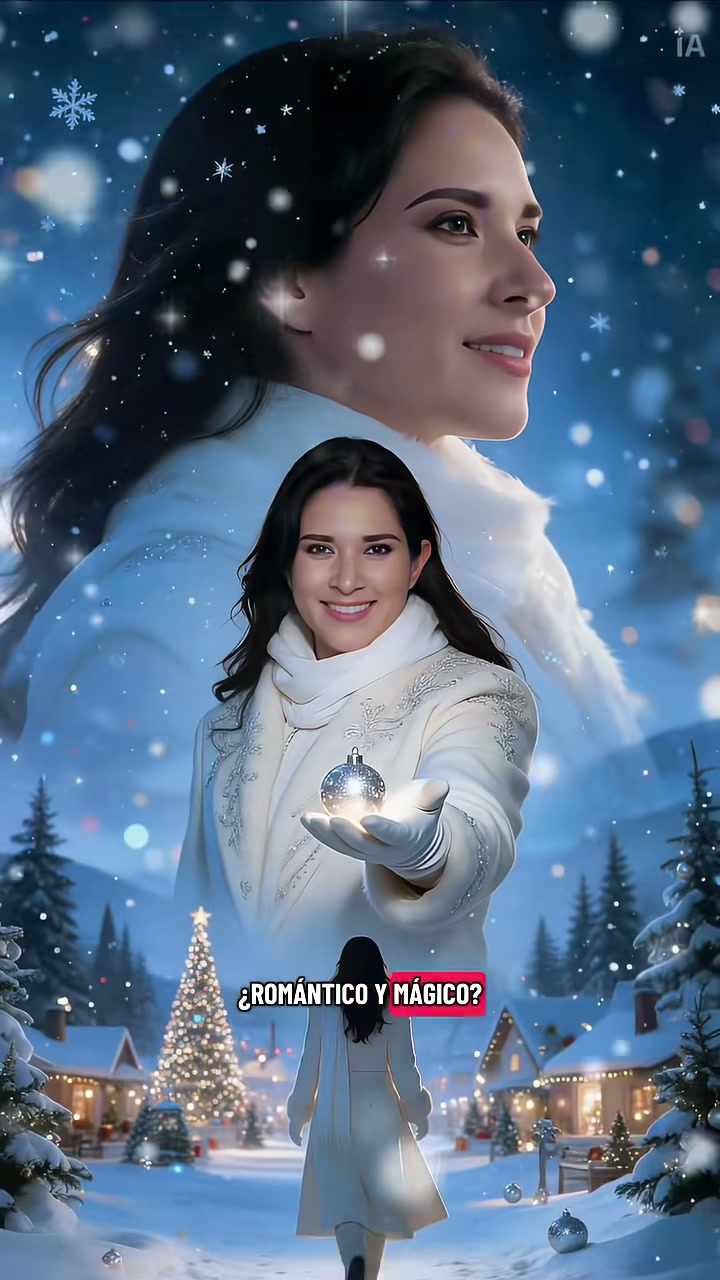
Christmas Ice Queen AI is a snowy Christmas poster video in which you appear three times: as a giant glowing face in the winter sky, as the ice queen in a white fur coat holding a glowing ornament, and as a small figure walking into a lit Christmas village, with snow falling. People also search it as the Ice Queen filter. The trend's videos are AI, showing the same poster with a different person each time.

rdziy put it on CapCut as a one-photo AI template called 'snow trend' on 2 November 2026, reaching 39,875 uses on 24 November 2026. It took off on TikTok on 21 November 2026 when a montage of four people's posters became the top post, with 407,069 views and 6,876 shares on 24 November 2026. Spanish-speaking accounts call it the Plantilla reina de hielo navideña, and posts followed in English, Portuguese, Italian, German and Polish.

Your video runs as one continuous 5-second shot. You see the face in the sky, the ice queen and the walk into the village all at once, with snow falling the whole time, the camera slowly moving in and the trend's music playing under it.

Seadanse builds the poster, the snow, the village, the camera move and the music into our Christmas Ice Queen AI generator. Add one photo to start. Your face and hair come from your photo in all three places, and you wear the trend's white winter coats in every video. You get a 5-second 9:16 video made for TikTok and Reels in 720p or 1080p, and $9.90 makes one 720p video with no account.

What the Christmas Ice Queen AI Trend Looks Like

This is the trend's most-watched post, as it was posted: four people's snowy Christmas posters, one after another, each person shown three times, as a giant face in the winter sky, as the ice queen in a white fur coat holding a glowing ornament, and walking into a lit Christmas village. Our Christmas Ice Queen AI generator makes the same poster with the person in your photo, with falling snow and the trend's music.

What Happens in Your Christmas Ice Queen AI Video

Your video is 5 seconds long, 9:16, one continuous shot with the trend's music under it. Snow falls the whole time and the camera slowly moves in; the face and hair come from your photo in all three places.

PartWhat you see
0–5 s · The face in the skyYour face, huge and glowing in profile above the snowy village, like a double exposure in the winter sky.
0–5 s · The ice queenYou in the middle, facing the camera with a gentle smile, in a white fur coat, a glowing silver ornament on your open palm.
0–5 s · The walk into the villageYou again, small, in a long white coat on the snowy path into the lit cottages and the Christmas tree.

Where Did the Christmas Ice Queen Trend Start?

The Christmas Ice Queen AI trend is a one-photo AI template: the same snowy Christmas poster with a different person each time, women and men. It started on CapCut on 2 November 2026 and took off on TikTok three weeks later through Spanish-speaking accounts, as the Plantilla reina de hielo navideña.

  1. rdziy publishes the one-photo CapCut AI template snow trend; 39,875 uses by 24 November 2026.

  2. The first public post found shares the template's poster on TikTok.

  3. A montage of four people's posters becomes the top post: 407,069 views and 6,876 shares by 24 November 2026. It is the clip at the top of this page.

  4. A Mexican user's own poster reaches 79,273 views by 24 November 2026, as posts follow in Spanish, English, Portuguese, Italian, German and Polish.

  5. Seadanse adds the Christmas Ice Queen AI trend: the 5-second poster from one photo, with falling snow and the trend's music.

Key Features of Our Christmas Ice Queen AI

Get Three of You From One Photo

See yourself three times in one video as the face in the sky, the ice queen and the walk into the village. Our Christmas Ice Queen AI generator delivers your 5-second shot with the trend's music, with no template, app, prompt or editing.

Get Three of You From One Photo
Wear the Trend's White Fur Coat

Wear the Trend's White Fur Coat

Appear in the middle in the white fur coat with silver embroidery, white gloves and a glowing silver ornament on your open palm. Our Christmas Ice Queen AI generator dresses you in the trend's signature winter look.

Keep Your Own Face and Hair

Show your real face and hair in the winter sky, in the middle and on the snowy path. Our Christmas Ice Queen AI generator takes your features straight from your photo into all three spots.

Keep Your Own Face and Hair
Step Into a Moving Winter Scene

Step Into a Moving Winter Scene

Watch snow fall over the snowy Christmas village as the camera slowly moves in on the lit cottages. Our Christmas Ice Queen AI generator creates a continuous 5-second shot ready for TikTok and Reels.

Make Ice Queen Videos for TikTok and Reels

Holiday Creators

Star in the Viral Poster

Add one photo of yourself to get a 5-second video of you three times in the snowy Christmas village. Share your finished clip straight to TikTok and Reels with the trend's music.

Family Senders

Surprise Mom with a Video

Add one photo of your mom or grandma, with her say, to see her smiling in the snow as the ice queen holding the glowing ornament. Send the 5-second clip into the family group chat to brighten everyone's day.

Friends & Partners

Celebrate a Friend or Partner

Add one photo of your partner or a friend, with their say, to show them three times in the snowy Christmas poster. Create a festive video for a man as much as a woman in a few minutes.

Fandom Creators

Feature a Favourite Character

Add one picture of a cartoon or game character to place them three times across the snowy Christmas poster. Post a fun holiday tribute for your followers on TikTok and Reels.

How to Make Your Christmas Ice Queen AI Video

Step 1

Upload Your Photo

Add one photo of one person or character, face to the camera, and tick the box to confirm you have the right to use it.

Step 2

Pick Your Quality

Pick 720p or 1080p and see the price on the Create button.

Step 3

Download Your Video

Press Create, pay once with no account, and download your 5-second 9:16 video with the trend's music.

Which Photo Works Best for the Christmas Ice Queen AI Trend?

  • One person: One person or character alone in the photo, so the same face appears in all three places.
  • Face to the camera: A clear face, eyes open, nothing over it: the face is shown big in the sky and in the middle.
  • Shoulders up or waist up: A close photo gives the face the most detail for the giant face in the sky.
  • Bright and sharp: Good light and a sharp photo keep the face clear in the soft winter light.
  • Any clothes, any background: The white winter coats and the snowy village come from the trend, so the photo can be from anywhere.

Make One Christmas Ice Queen AI Video for $9.90

You pay $9.90 once for 500 credits to make one 5-second 720p video with our Christmas Ice Queen AI generator, 1080p uses 1,480 credits, and the price shows on the Create button before you pay with no account. Your credits stay valid for 12 months with no subscription, a render that fails returns its credits automatically, and the Seadanse pricing page lists every credit pack.

Christmas Ice Queen AI FAQ

How do I make a Christmas Ice Queen AI video?

You make your video in three quick steps. Add one photo of one person or character, face to the camera, and tick the box. Pick 720p or 1080p and see the price on the Create button. Press Create, pay once with no account, and download your 5-second video in a few minutes.

What is the Christmas Ice Queen AI trend?

It is a snowy Christmas poster video in which the person in a photo appears three times. You see a giant glowing face in the winter sky, the ice queen in a white fur coat holding a glowing ornament, and a small figure walking into a lit Christmas village as snow falls. People also search it as the Ice Queen filter, and our Christmas Ice Queen AI generator creates it with the person in your photo.

Is the Christmas Ice Queen a photo or a video?

On Seadanse it is a 5-second 9:16 video. The snow falls, the camera slowly moves in, and the trend's music plays under it. You get a finished video ready to post on TikTok and Reels.

Where did the Christmas Ice Queen trend come from?

rdziy put it on CapCut as a one-photo AI template called "snow trend" on 2 November 2026, with 39,875 uses on 24 November 2026. It took off on TikTok on 21 November 2026, when a montage of four people's posters became the top post, with 407,069 views and 6,876 shares on 24 November 2026. Spanish-speaking accounts call it the Plantilla reina de hielo navideña, and posts followed in English, Portuguese, Italian, German and Polish.

Are the Christmas Ice Queen videos real?

They are AI videos. Every clip uses the same snowy poster with a different person each time. Our Christmas Ice Queen AI generator makes yours the same way, right from your photo.

What happens in my Christmas Ice Queen AI video?

You see 5 seconds in one continuous shot. Your face glows huge in the winter sky, you stand in the middle as the ice queen in the white fur coat holding the glowing ornament, and you walk into the lit Christmas village below. Snow falls the whole time, the camera slowly moves in, and the trend's music plays.

Can men do the Christmas Ice Queen trend?

Yes. The trend's posts show women and men. Anyone adult whose photo you have the right to use can be in it, including you, your mom, your partner, a friend, or a cartoon or game character. Exactly one person appears in every video.

Which photo works best for a Christmas Ice Queen AI video?

Use one photo of one person or character alone, face to the camera, eyes open, sharp and in good light, with nothing covering the face. Choose a shot from the shoulders up or the waist up, because your face shows big twice. Any background and any clothes work, because the village and the white coats come from the trend.

What changes in the video, and what stays the same?

The person changes. The face and hair come from your photo in all three places. The white fur coat, the long white coat, the glowing ornament, the snowy Christmas village, the falling snow, the camera move and the trend's music stay as they are in the trend.

How long is the video, and will it fit TikTok and Reels?

Your video runs for 5 seconds in 9:16 as one continuous shot, made for TikTok and Reels. Choose 720p or 1080p, with the trend's music laid under the whole clip.

Is the Christmas Ice Queen AI free? How much does it cost?

The $9.90 credit pack of 500 credits makes one 5-second 720p video. A 1080p video uses 1,480 credits. Credit packs are a one-time payment with no subscription, and credits stay valid for 12 months. You buy with no account, and sign-up is free with no card and adds 40 starter credits. The price shows on the Create button before you pay, and a render that fails returns its credits automatically. The pricing page lists every credit pack.

Do I need CapCut, a template or an app?

No. There is no CapCut template to find, no app to install, no prompt to write and no music to add. The poster, the snow, the village and the trend's music are built into our Christmas Ice Queen AI generator, which runs in your web browser on a phone, tablet or computer. Your video starts right on this page with no account.

What other videos can I make from one photo?

Pixar Snow Globe AI Filter slides a Christmas snow globe over your photo and reveals you as 3D cartoon figures. Bailando con Santa AI has you dance side by side with Santa Claus on a red carpet in a Christmas hall. Hand of God AI Trend has two giant glowing golden hands lift you high over the beach and through the clouds.

Are my photos private?

Yes. Seadanse runs no facial recognition on the photos you upload and collects no biometric data. It never sells personal information. Your photos and videos stay in your account until you delete them.

Guides for Christmas Ice Queen AI

Articles written for this model: how to prompt it, where it runs and what its limits are.

All articles

Take Your Turn with Christmas Ice Queen AI

Get your own 5-second 9:16 video for TikTok and Reels with the trend's music, where $9.90 makes one 720p video with no subscription and no account.