Tiny Desk AI is liveTry it
Video effect

Pixar Snow Globe AI Filter for TikTok and Reels

Seadanse Pixar Snow Globe AI Filter turns your photo into an 11-second, 9:16 video for TikTok and Reels. Watch a Christmas snow globe slide over your photo to reveal you as 3D cartoon figures with the trend's sound. Get your 720p video for $9.90 with no account needed.

Also called Pixar Snow Globe Filter · Pixar Snowglobe Trend · AI Snow Globe · Snow Globe AI Filter · Christmas Snow Globe Filter · Pixar Snow Globe Video

Pixar Snow Globe AI FilterThis effect is built into the page and cannot be removed.
11s · 9:16

Your photos 0/2

Tap a circle to put a photo there, or drop a photo onto it. Photo 1 is one photo of you both side by side, or just the one on the left. Add photo 2 for the one on the right; it costs no extra credits.

  • Head to toe or from the knees up, faces clear and in good light. Photo 1: the two of you side by side, or one. Photo 2: one person, pet or character.
  • No sunglasses, masks or hands over the face in the photo.
Video length
11 secondsThe whole trend clip500 credits
Quality

Sharper on laptops, tablets and TVs.

No account needed: pay once and your video starts right here.

What Is the Pixar Snow Globe AI Filter Trend?

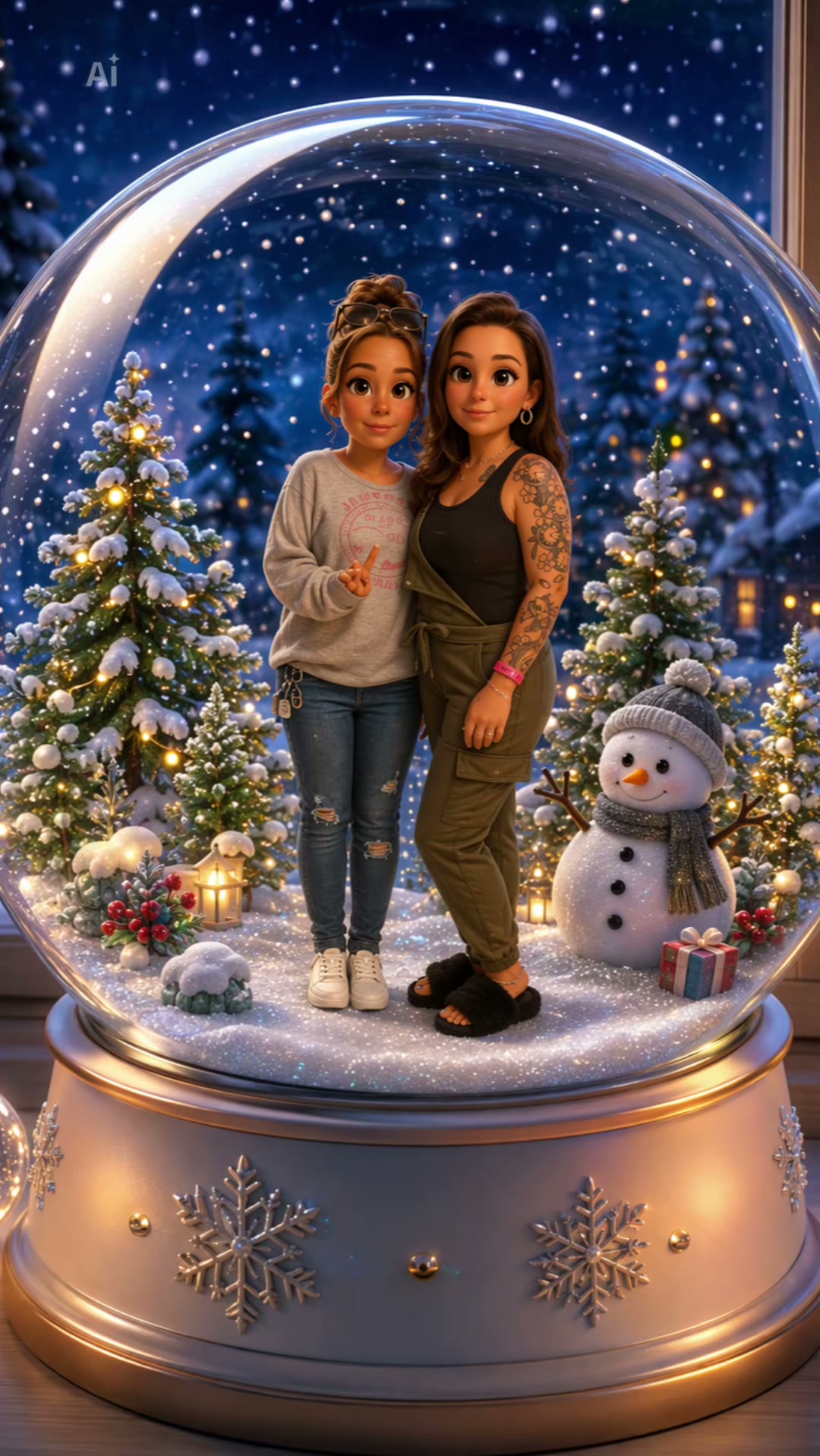
The Pixar Snow Globe AI Filter trend, also called the Pixar snow globe filter or the AI snow globe, turns one photo of two people into an 11-second clip: your photo for a second, then a Christmas snow globe slides up over it and the two of you stand inside the glass as cute 3D cartoon figures in your own outfits, between lit Christmas trees and a snowman. On Google, Pixar snow globe also brings up an old animated short film about a snowman in a snow globe and snow globe collectibles, while the trend is the specific TikTok and Reels clip.

A prompt shared on X on 9 April 2025 first put people from a photo inside a crystal snow globe as cute 3D figures. A first Pixar snowglobe template ran on TikTok for Christmas 2025. The 2026 template went up on 14 November 2026 and was used 2,218 times by 18 November 2026. By 18 November 2026, the trend's sound was in 275 TikTok videos. Couples, best friends and pet owners post it as their favorite Christmas clip.

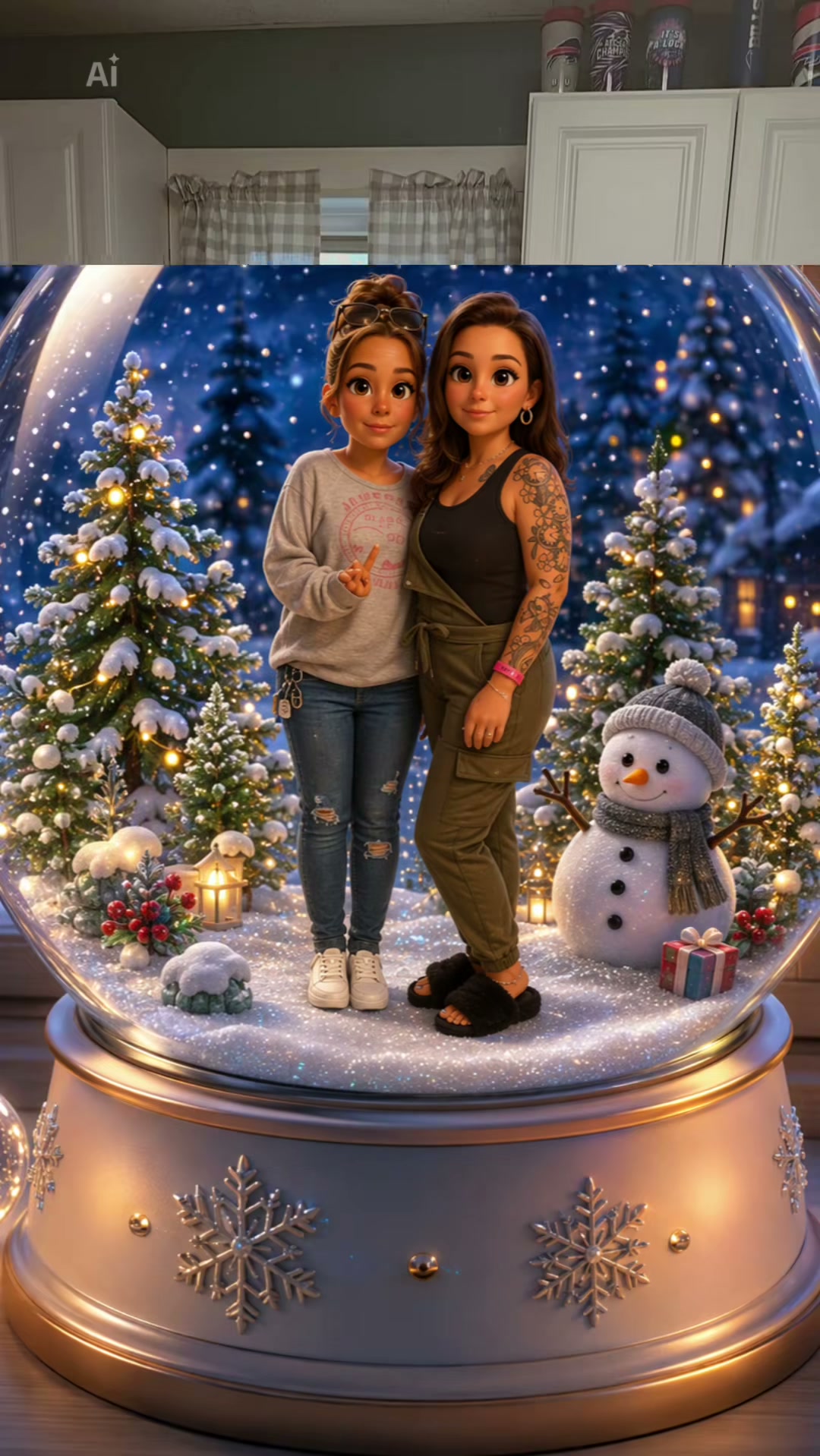
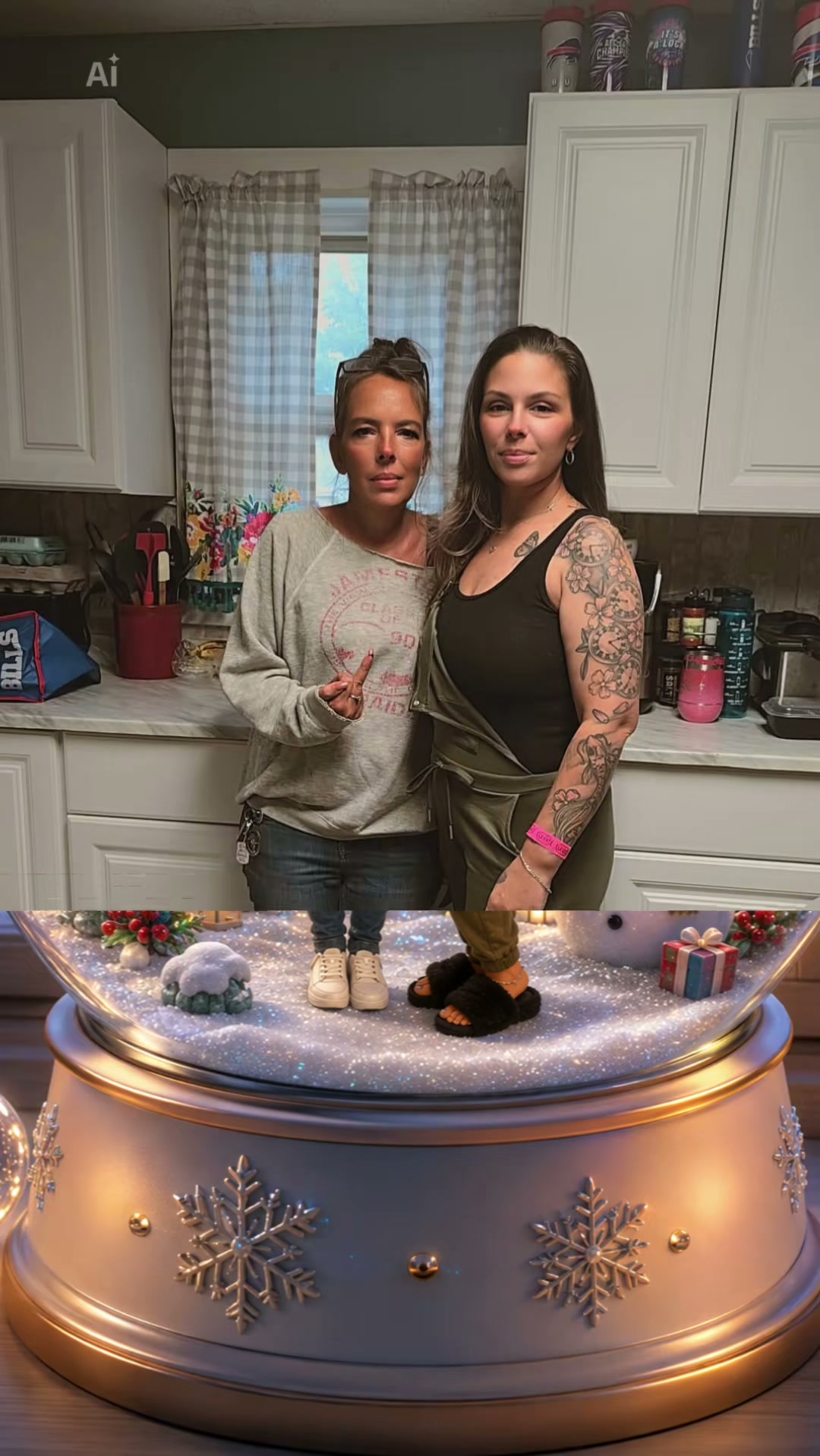
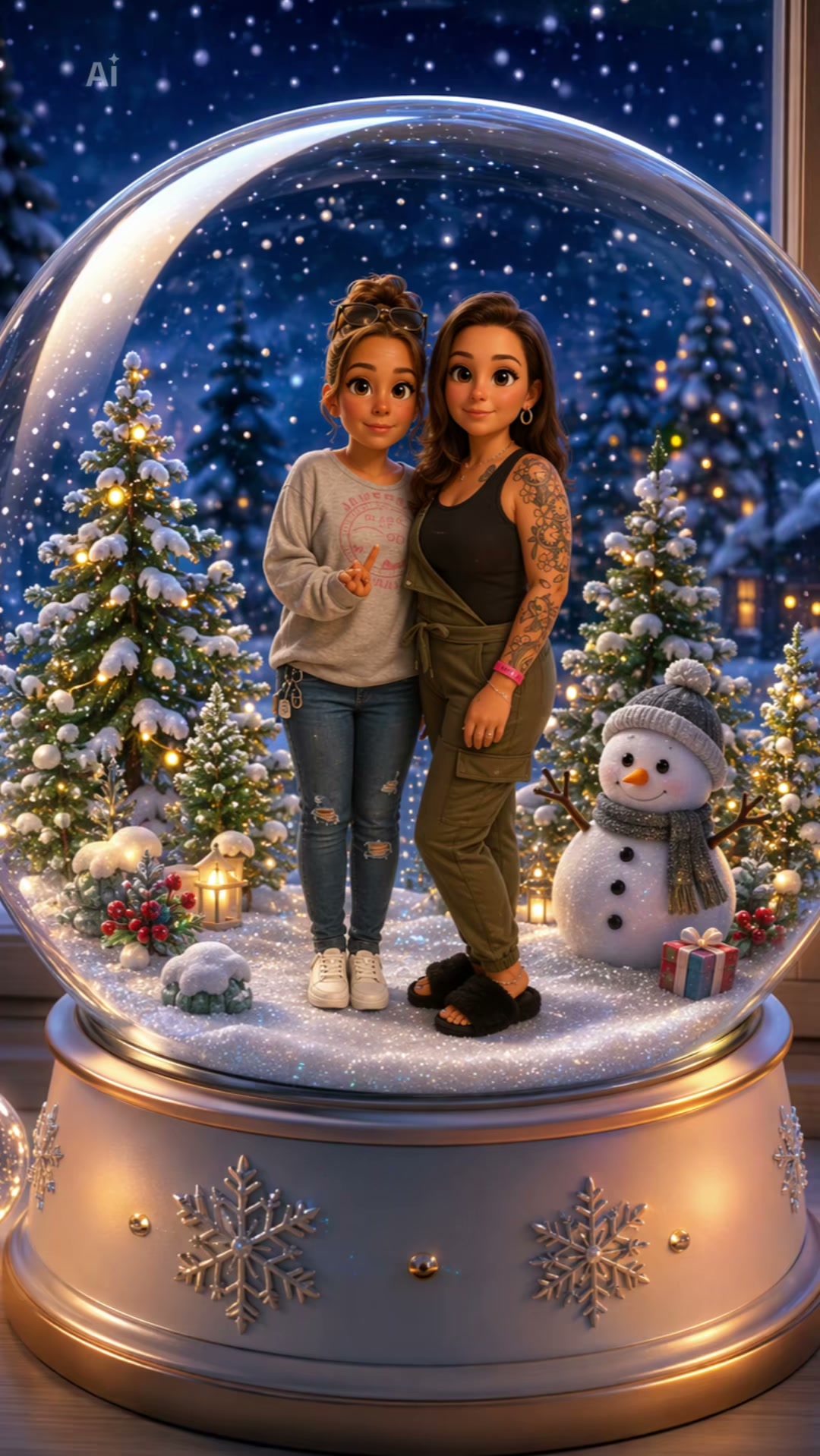
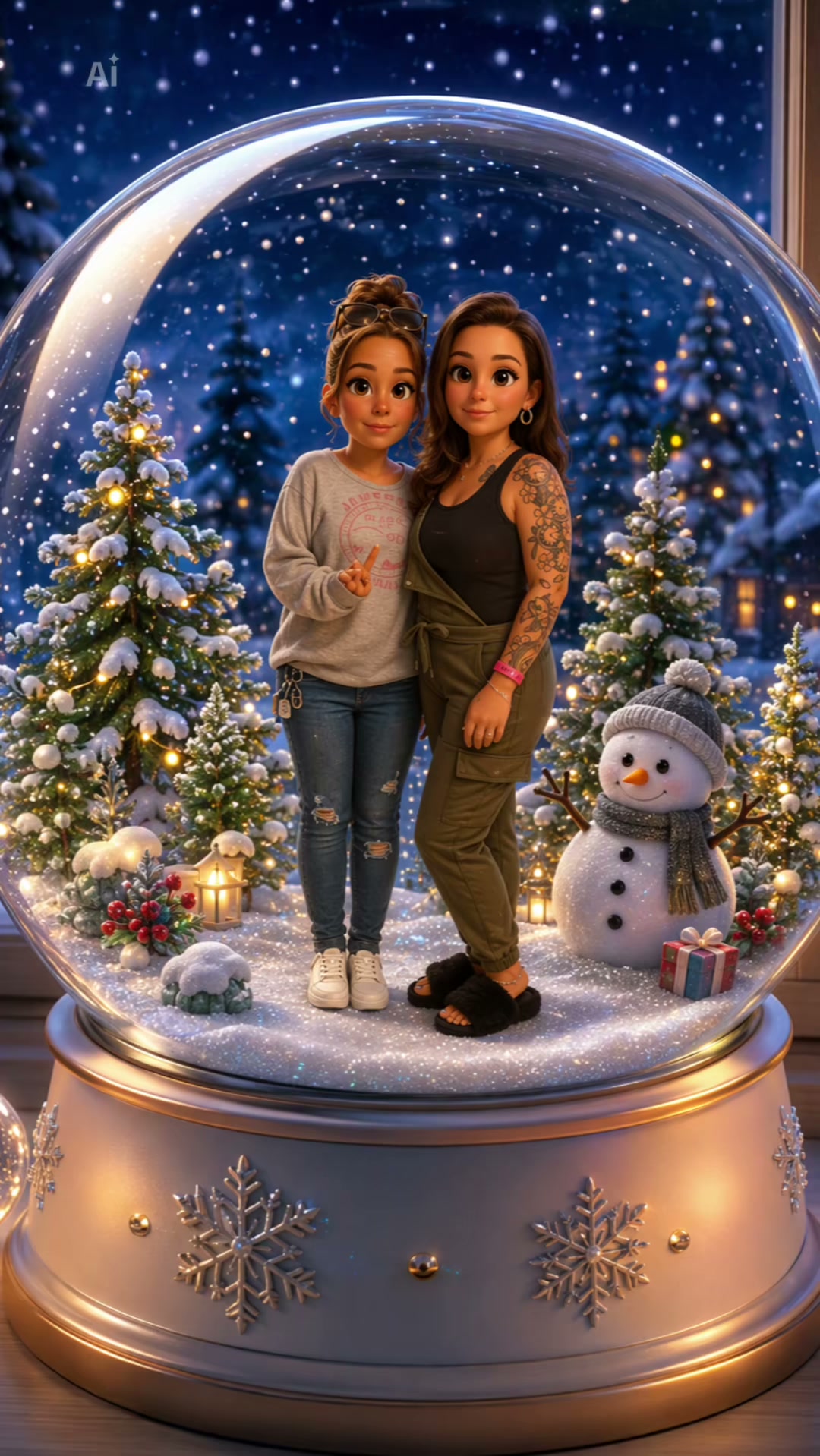
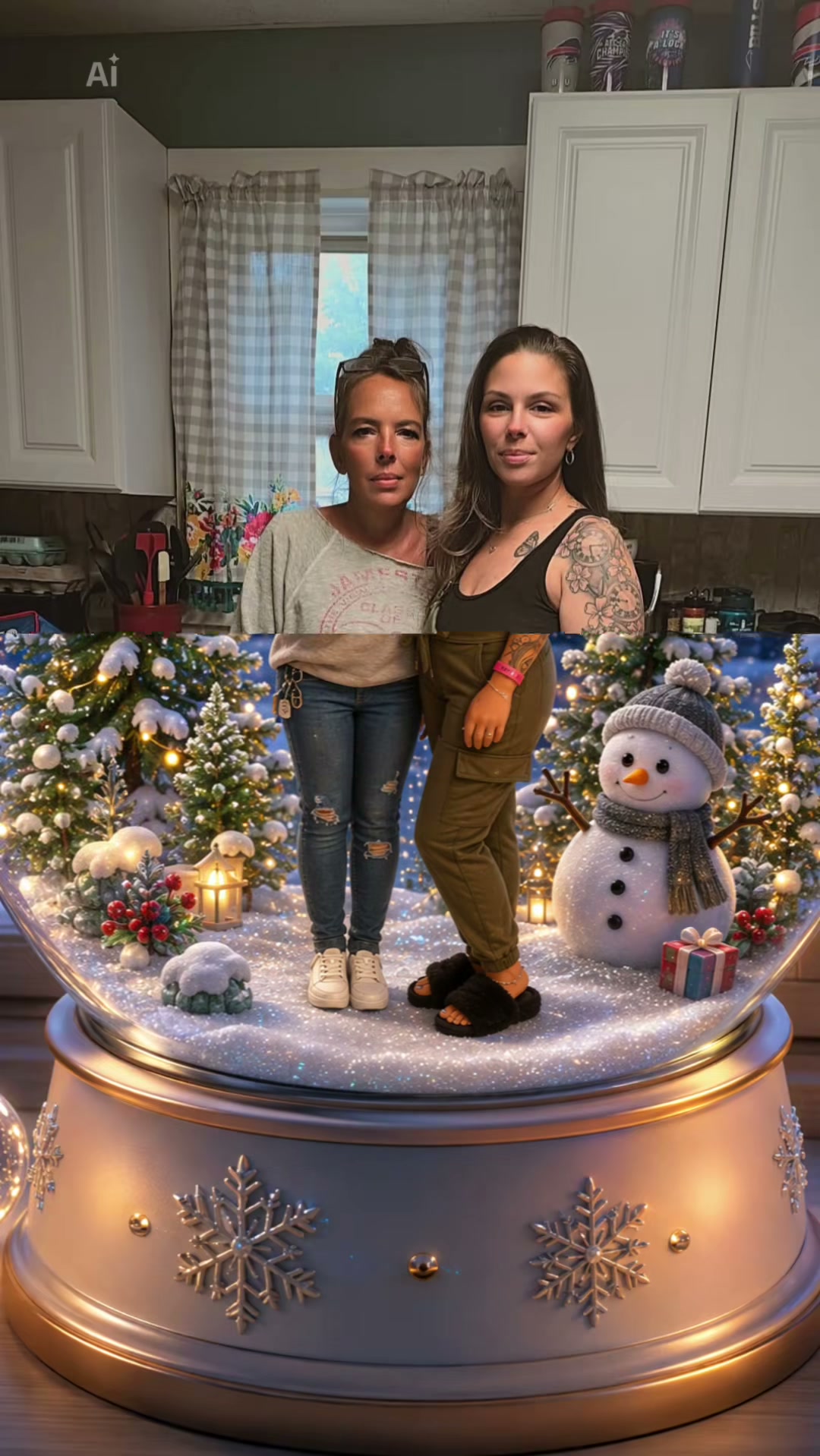
Your video lasts 11 seconds. From second 0 to 1, the photo shows the two of you side by side in a cosy kitchen. From second 1 to 6.5, a Christmas snow globe slides up from the bottom of the frame and covers the photo. From second 6.5 to 9, you stand inside the glass as cute 3D cartoon figures in your own outfits, surrounded by snow, lit Christmas trees, a snowman and gifts. From second 9 to 11, snow falls and the camera slowly pulls back to the whole globe on its white base by a night window, with the trend's sound laid under.

Seadanse builds the trend's 11 seconds into our Pixar Snow Globe AI Filter, from the photo to the pull-back, with the trend's sound. Add one photo of the two of you, or one photo each, and either spot can be a pet or a cartoon or game character. Your faces, hair and outfits come from your photo, and only you change. We make an 11-second 9:16 video for TikTok and Reels in 720p or 1080p, and $9.90 makes one 720p video, with no account needed.

What the Pixar Snow Globe AI Filter Trend Looks Like

This is the trend as it was posted on TikTok: two friends side by side in a kitchen, then a Christmas snow globe slides up over the photo and the same two stand inside the glass as cute 3D cartoon figures in their own outfits, while snow falls and the camera pulls back. Our Pixar Snow Globe AI Filter makes the same 11 seconds from your photo, with the trend's sound.

What Happens in Your Pixar Snow Globe AI Filter Video

Your video is 11 seconds long, 9:16 and vertical, in four parts with the trend's sound under it. Only you change.

PartWhat you see
0–1 s · The photoThe two of you as in a real photo, side by side in a cosy kitchen.
1–6.5 s · The slide-upA Christmas snow globe slides up from the bottom of the frame and covers the photo.
6.5–9 s · The globeInside the glass you are cute 3D cartoon figures in your own outfits, on the snow between lit trees, a snowman and gifts.
9–11 s · The pull-backSnow falls and the camera slowly pulls back to the whole globe on its white base by a night window.

Where Did the Pixar Snow Globe AI Filter Trend Start?

The snow globe idea began as a prompt on X in spring 2025, ran on TikTok as a Christmas template that year and came back in November 2026 as a new template that couples and friends post as their Christmas clip.

  1. @balconychy on X shares a prompt that puts the people in a photo inside a crystal snow globe as cute 3D figures.

  2. A first Pixar snowglobe template runs on TikTok for Christmas 2025, as in this post by @christina_mrsfoote.

  3. The 2026 "Pixar Snowglobe Ai" CapCut template goes up, and @aitrenddrop posts the first video with it, whose sound every later post carries.

  4. @katangel_71 posts the most viewed version so far: 33,000 views by 18 November.

  5. The trend's sound is in 275 TikTok videos and the template has 2,218 uses; Seadanse adds Pixar Snow Globe AI Filter: the same 11 seconds from your photo, with the trend's sound.

Why Use Our Pixar Snow Globe AI Filter

The Trend's Snow Globe as a Video

Get the full 11-second clip with the trend's sound laid under, starting from your photo and ending with the cozy pull-back. Our Pixar Snow Globe AI Filter handles the slide-up and all the motion with no app, template, prompt, or editing required.

The Trend's Snow Globe as a Video
Your Look as 3D Cartoon Figures

Your Look as 3D Cartoon Figures

Keep your faces, hair, and outfits from your photo, turning from a real image into cute 3D cartoon figures. Our Pixar Snow Globe AI Filter maintains your personal style inside the glass.

Authentic Christmas Snow Globe Detail

Enjoy the perfect festive atmosphere with lit Christmas trees, a snowman, gifts, and falling snow. Our Pixar Snow Globe AI Filter keeps every element of the slide-up, the white base, and the night window exactly as they appear in the trend.

Authentic Christmas Snow Globe Detail
Flexible Photo Options for Two

Flexible Photo Options for Two

Add one photo of the two of you side by side or upload one photo each at the same price. Either spot in our Pixar Snow Globe AI Filter works for a partner, a friend, a pet, or a game character.

Who Can Bring the Magic to Life with Our Snow Globe AI Filter?

Couples

Create a Romantic Christmas Post

Turn your photo of the two of you into an 11-second Pixar Snow Globe AI Filter video. Share your love on TikTok and Reels as cute 3D cartoon figures standing inside a Christmas snow globe.

Best Friends

Join the Viral Trend Together

Bring one photo of the two of you or one photo each to join the trend. Get both friends inside the glass as 3D animated cartoon figures wearing your own outfits for a fun holiday video.

Pet Owners

Feature Your Pet in the Globe

Add yourself and your dog or cat to the Pixar Snow Globe AI Filter for a cute 3D souvenir. See the two of you side by side on the snow as cartoon figures in a festive 9:16 video.

Holiday Greetings

Make Custom Festive Shares

Create an 11-second Pixar Snow Globe AI Filter video to send to friends and relatives. Use the trend's sound and your own photo to make a cozy, professional-looking clip ready for your social feed.

How Does Our Pixar Snow Globe AI Filter Work?

Step 1

Upload Your Photos

Upload one photo of the two of you side by side, or one photo of each person, making sure faces are clear and in good light, then tick the box to confirm everyone in the photo is 18 or older and said yes.

Step 2

Choose Your Video Quality

Select 720p or 1080p for your Pixar Snow Globe AI Filter and see the exact price update on the button before you pay.

Step 3

Generate Your Video

Press the Create button to pay once with no account and download your finished 11-second 9:16 video featuring the trend's sound laid under your 3D animated cartoon figures.

Which Photo Works Best for the Pixar Snow Globe AI Filter?

  • The two of you: One photo of you both side by side, or one photo each: photo 1 is the one on the left.
  • Head to toe or from the knees up: The figures stand full length in the globe, outfits and shoes included.
  • Faces to the camera: Clear, sharp and in good daylight.
  • Your outfits: The figures wear the clothes from your photo, so a Christmas sweater or matching outfits look great.
  • Pets and characters: A dog, a cat or a cartoon or game character can take either spot, with its whole body in view.
  • Whose photo: You and your partner, two friends who both said yes, or you and your pet; everyone 18 or older.

Pay $9.90 to Make Your 720p Pixar Snow Globe AI Filter Video

One $9.90 credit pack provides 500 credits to make your 11-second Pixar Snow Globe AI Filter video in 720p. A 720p video uses 500 credits, while a 1080p video uses 1,480 credits. You pay once with no account or subscription, and credits stay valid for 12 months. A render that fails returns its credits automatically, and the Seadanse pricing page lists every credit pack.

Pixar Snow Globe AI Filter FAQ

How do I make a Pixar Snow Globe AI Filter video?

Follow three simple steps. Add one photo of the two of you side by side, or one photo each, ensuring they are head to toe or from the knees up with clear faces in good light, then tick the box to confirm you have the right to use them. Pick 720p or 1080p and see the price on the Create button. Press Create, pay once with no account, and download your 11-second video with no prompt, template, app, or editing.

What is the Pixar Snow Globe AI Filter trend?

It is a TikTok clip in which a photo of two people turns into a Christmas snow globe. The video shows the photo for a second, then a globe slides up over it and the two of them stand inside the glass as cute 3D cartoon figures in their own outfits, between lit trees and a snowman, while snow falls. Our Pixar Snow Globe AI Filter makes it from your photo.

Where did the Pixar snow globe trend come from?

A prompt shared on X on 9 April 2025 put the people in a photo inside a crystal snow globe as cute 3D figures. A first Pixar snowglobe template ran on TikTok for Christmas 2025, and the 2026 template went up on 14 November 2026, being used 2,218 times by 18 November 2026. By 18 November 2026, the trend's sound was in 275 TikTok videos, and our Pixar Snow Globe AI Filter makes the same 11 seconds with the two of you in it.

What happens in my Pixar Snow Globe AI Filter video?

You get an 11-second video. From 0 to 1 second, the two of you appear as in a real photo, side by side in a cosy kitchen. From 1 to 6.5 seconds, a Christmas snow globe slides up and covers the photo. From 6.5 to 9 seconds, you stand inside the glass as cute 3D cartoon figures in your own outfits, between lit trees, a snowman, and gifts. From 9 to 11 seconds, snow falls and the camera pulls back to the whole globe by a night window, with the trend's sound laid under.

Do we need one photo together or one photo each?

You can do either. Photo 1 is one photo of the two of you side by side, or just the one who stands on the left. Add photo 2 for the one on the right when photo 1 shows only one of you. One photo or two, the price remains the same.

Can my dog, my cat or a cartoon character be in the snow globe?

Yes. Either spot can be a person 18 or older, a pet such as a dog or a cat, or a cartoon or game character. Add it as its own photo, and it stands in the globe beside you as a 3D cartoon figure.

Which photo works best for the Pixar Snow Globe AI Filter?

Use a photo of the two of you side by side, or one photo each. Keep the shot head to toe or from the knees up, because the figures stand full length in the globe, outfits and shoes included. Make sure faces are clear and turned to the camera, sharp, and in good daylight. A Christmas sweater or matching outfits look great on the figures. For a pet, choose one animal with its whole body in view.

Do we keep our own outfits?

Yes. Your faces, your hair, and the outfits from your photo are kept as a real photo in the first second and as 3D cartoon figures inside the globe.

Is it a snow globe picture or a video?

It is a video. You get the trend's whole 11-second clip, from your photo to the two of you inside the Christmas snow globe and the final pull-back, in a 9:16 vertical frame with the trend's sound, ready to post on TikTok and Reels.

Does my video come with the trend's sound?

Yes. The trend's sound, the one its TikTok posts carry, is laid under every video from our Pixar Snow Globe AI Filter.

How long is the video, and will it fit TikTok and Reels?

The video is 11 seconds long and uses a 9:16 vertical frame made for TikTok and Reels. You can generate it in 720p or 1080p, with the trend's sound laid under.

Is the Pixar Snow Globe AI Filter free? How much does it cost?

The $9.90 credit pack of 500 credits makes one 11-second 720p video, while a 1080p video uses 1,480 credits. One photo or two, the price is the same. Credit packs are a one-time payment with no subscription, and credits stay valid for 12 months. You buy with no account, and sign-up is free with no card and adds 40 starter credits. The price shows on the Create button before you pay, a render that fails returns its credits automatically, and the Seadanse pricing page lists every credit pack.

Do I need a template, an app or a prompt for the Pixar snow globe filter?

You need no template, no app, and no prompt. The slide-up, the Christmas snow globe, the 3D cartoon figures, and the trend's sound are built into our Pixar Snow Globe AI Filter. It runs in your web browser on a phone, tablet, or computer, and your video starts right on this page with no account.

Is this the Pixar snow globe short film?

No. On Google, Pixar snow globe also brings up an old animated short film about a snowman in a snow globe, and snow globe collectibles. The Pixar Snow Globe AI Filter trend is the TikTok clip in which a photo of two people turns into 3D cartoon figures inside a Christmas snow globe, and our Pixar Snow Globe AI Filter makes that clip with the two of you in it.

Can I make other trend videos from one photo?

Yes. AI Pregnancy Announcement turns one photo of the two of you into a 15-second black-and-white video in which one of you shows the positive test and you hug. GTA 6 Loading Screen AI turns one photo into an 8-second video in which a hand-painted loading-screen poster slides up over your mirror photo. ChatGPT Sweater Trend turns one photo into a 13-second black-and-white moving portrait in which you hold a pink knit sweater up over your mouth.

Are my photos private?

Yes. Seadanse runs no facial recognition on the photos you upload and collects no biometric data. It never sells personal information, and your photos and videos stay in your account until you delete them.

Guides for Pixar Snow Globe AI Filter

Articles written for this model: how to prompt it, where it runs and what its limits are.

All articles

Try Our Pixar Snow Globe AI Filter Today

Put the two of you in the snow globe for an 11-second, 9:16 video for TikTok and Reels with the trend's sound included for $9.90.