Tiny Desk AI is liveTry it
Video effect

GTA 6 Loading Screen AI Video for TikTok and Reels

Seadanse GTA 6 Loading Screen AI turns your photo into an 8-second 9:16 video for TikTok and Reels. See yourself as a painted character in a sunset neon beach city with the original sound, including the hand-painted poster of you, for $9.90 with no sign-up.

Also called Your GTA 6 loading screen · GTA 6 AI filter · GTA 6 loading screen edit · GTA loading screen maker · GTA character filter · Life as a GTA character

GTA 6 Loading Screen AIThis effect is built into the page and cannot be removed.
8s · 9:16

One person 18 or older, or a cartoon or game character, waist or knees up, face clear and turned to the camera, sharp and in good daylight.

No account needed: pay once and your video starts right here.

What Is the GTA 6 Loading Screen AI Trend?

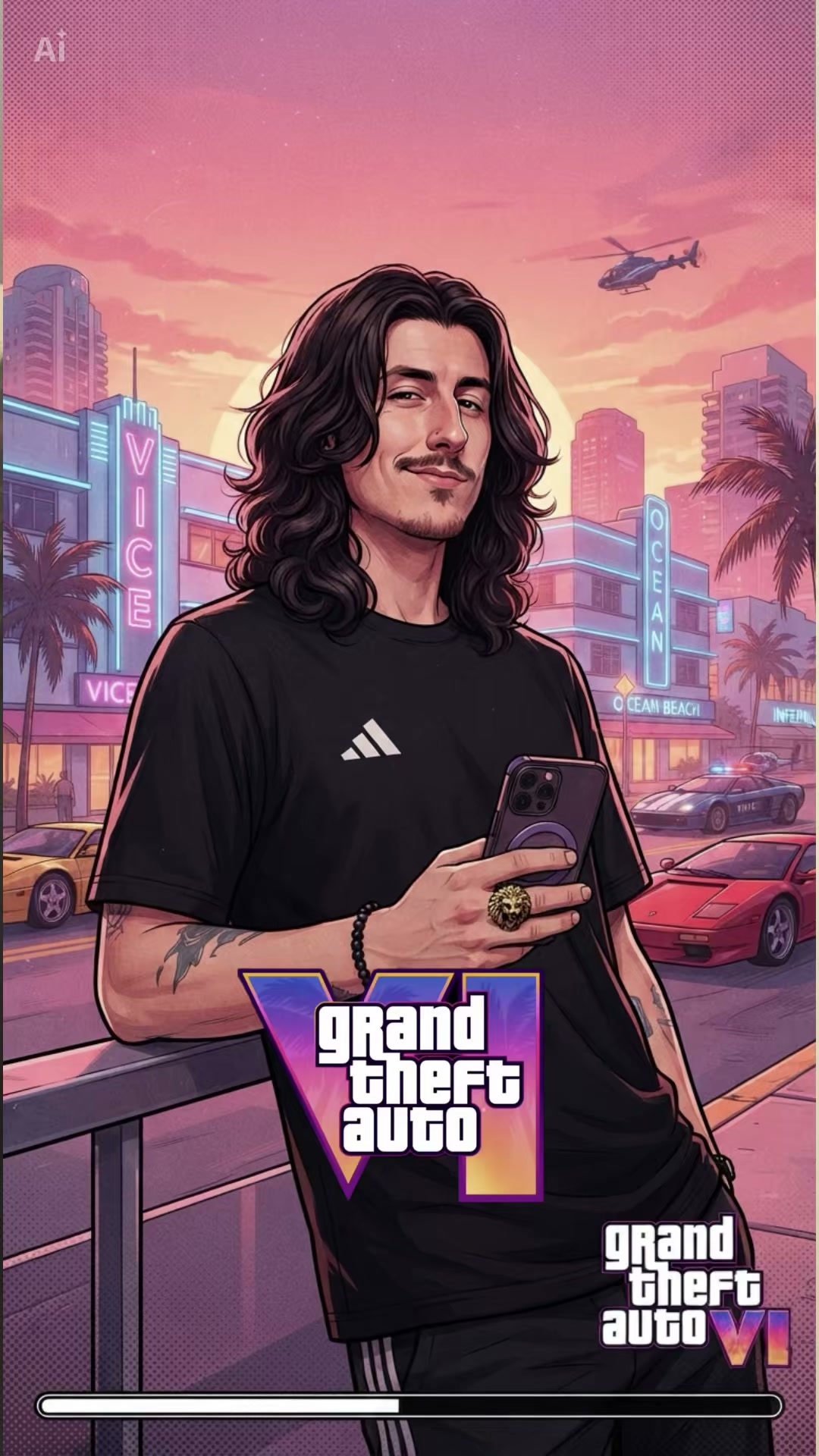
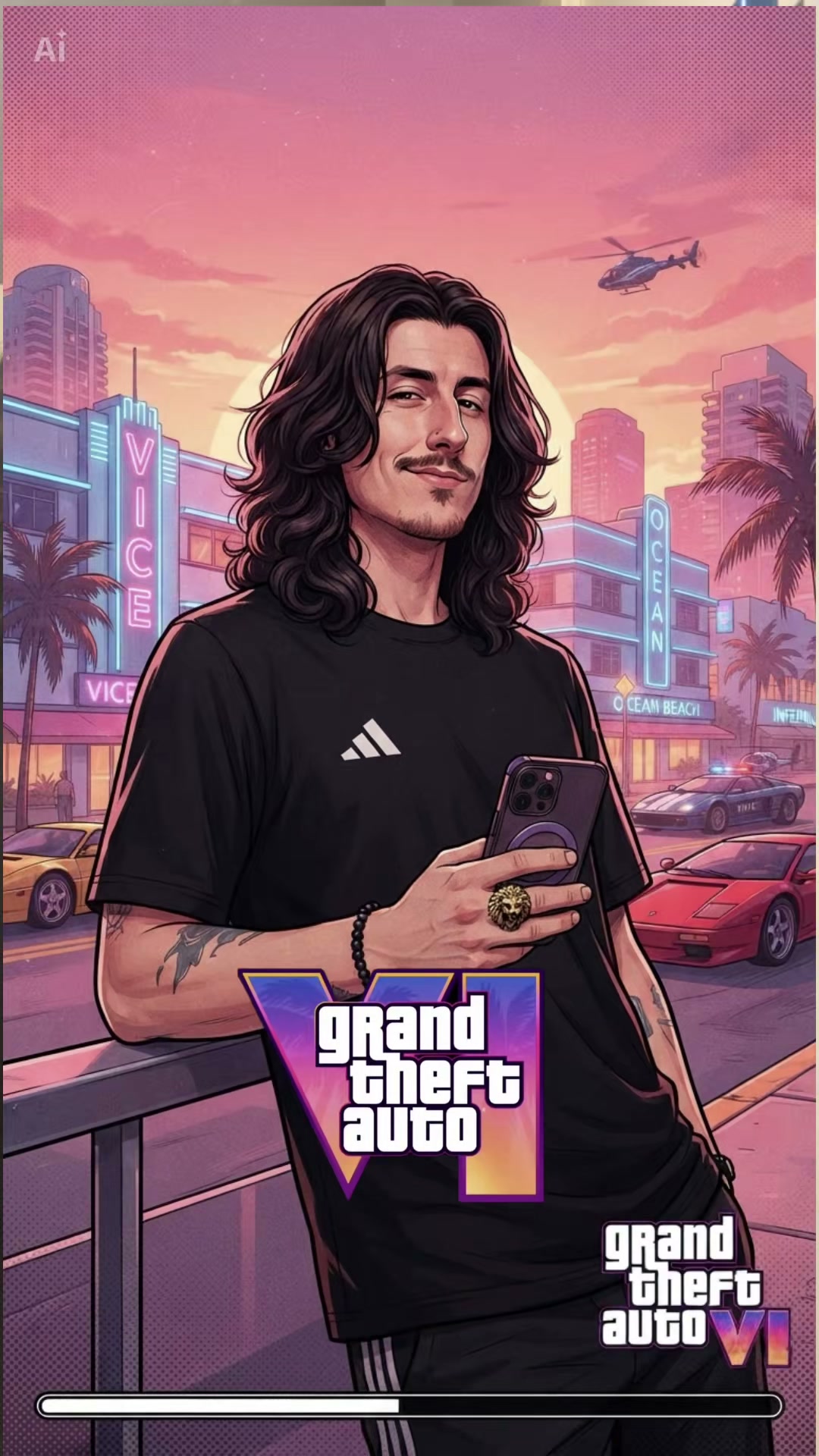
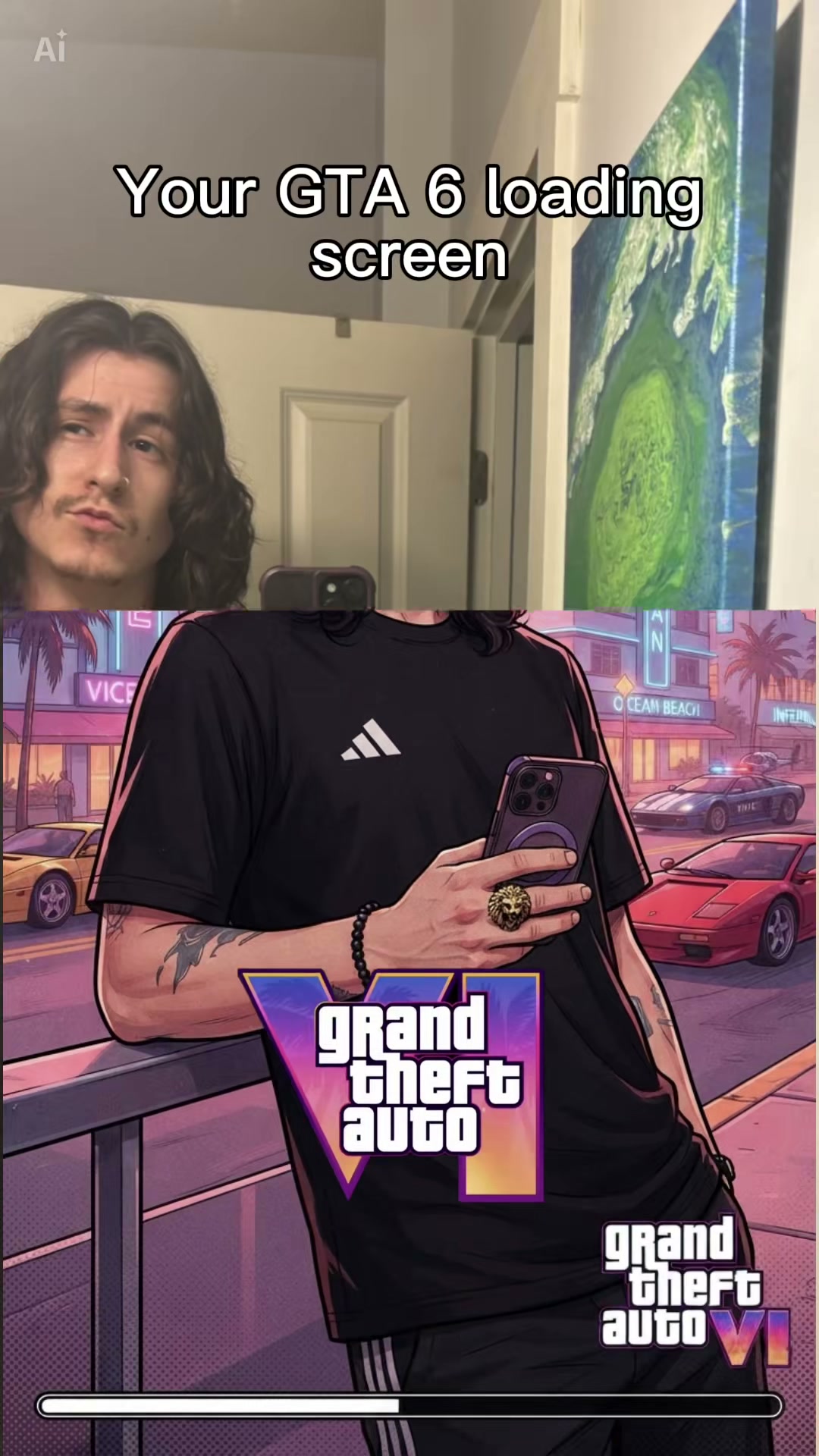
The GTA 6 Loading Screen AI trend is short posts titled "Your GTA 6 loading screen" that open on your photo, then a hand-painted poster of you slides up over it in a sunset neon beach city. The poster shows you in the style of the game series' loading screens, with a loading bar filling along the bottom.

The series has used hand-painted character art on its loading screens for years. The first post with real reach went up on TikTok on 28 September 2026, showing a man in a grey suit by his car, and reached 31,700 views on 17 November 2026. The November wave started on 8 November 2026 with a post titled "My loading screen" that reached 131,400 views on 17 November 2026. The most-viewed post went up on 10 November 2026, with 238,500 views on 17 November 2026. How-to videos followed from 10 November 2026, right before Grand Theft Auto VI comes out on 19 November 2026.

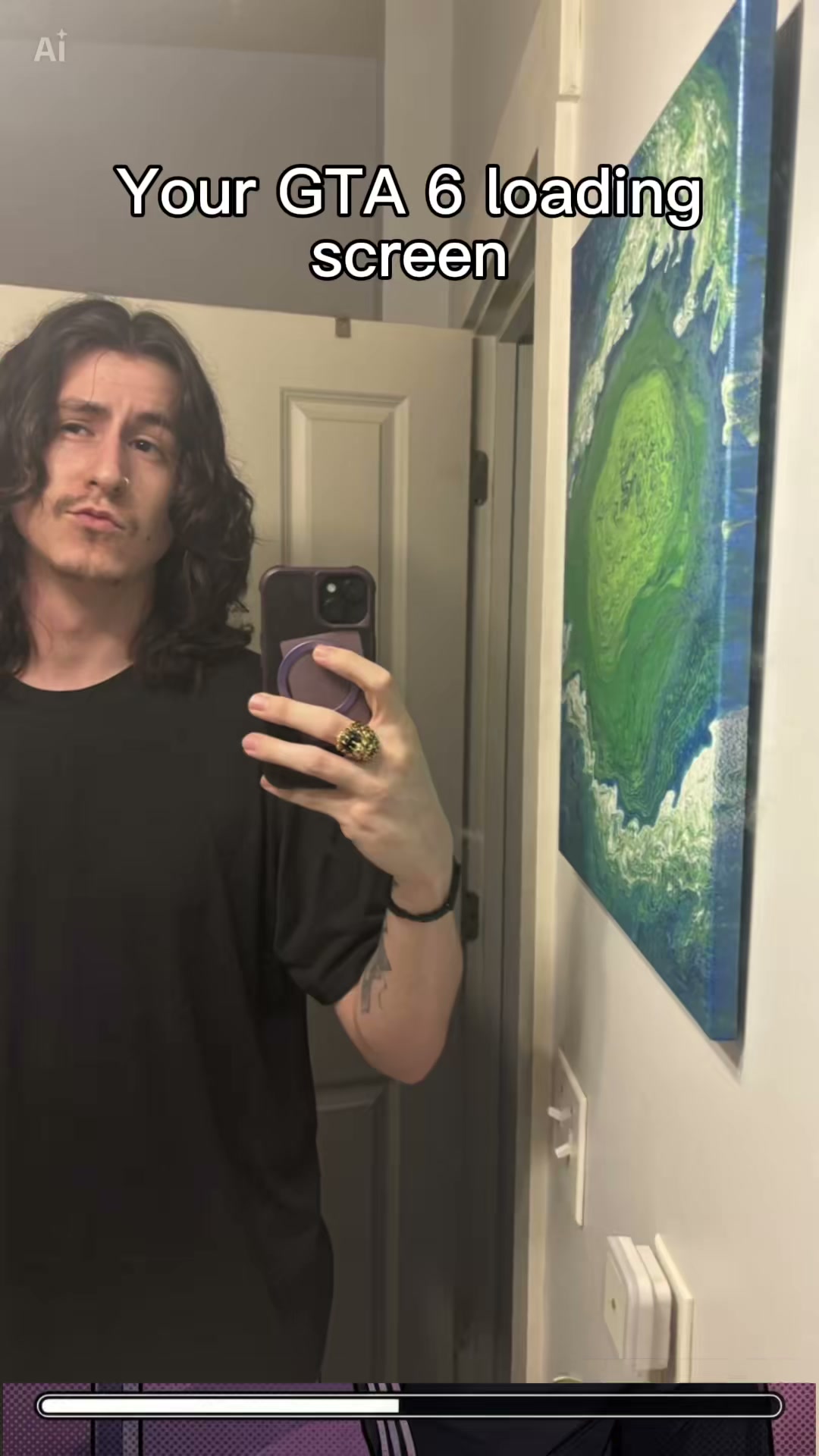
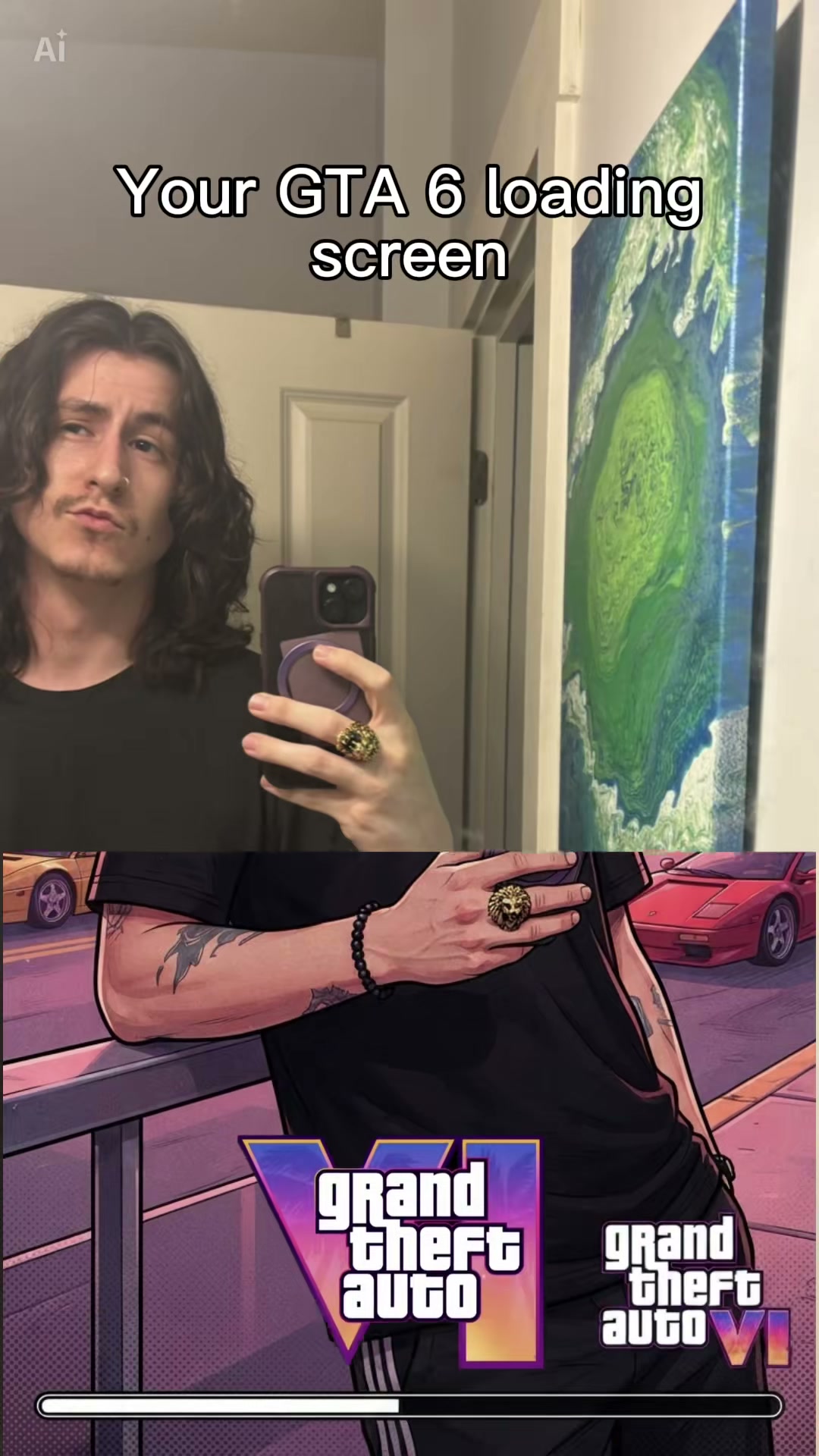
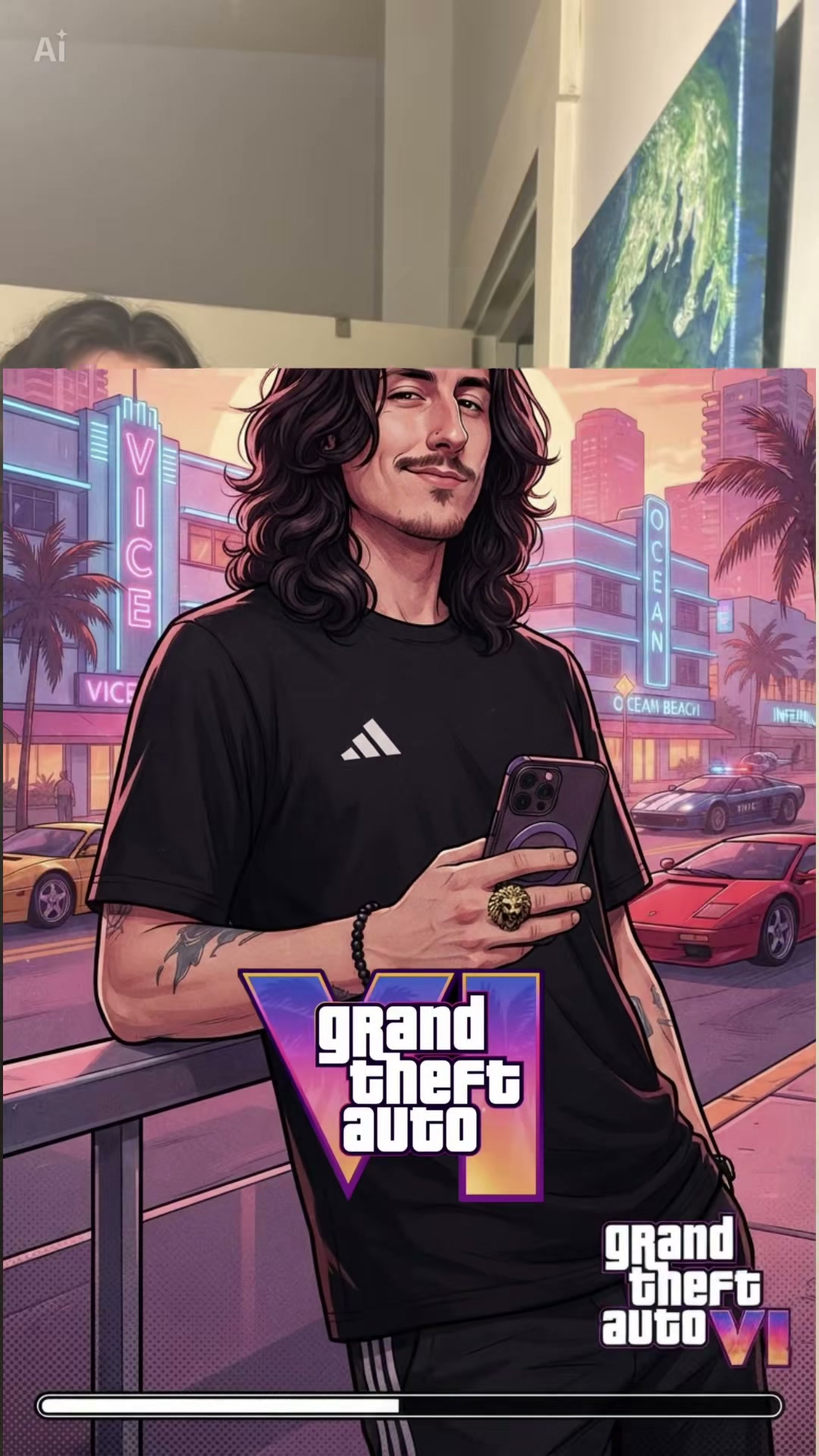
Each clip runs for 8 seconds. From second 0 to 0.5, the photo shows you with your phone in your hand. From second 0.5 to 5, the reveal happens as the hand-painted poster slides up over the photo. From second 5 to 8, the loading screen shows you leaning on the railing in the sunset neon beach city while the loading bar fills. The original sound is laid under the video from start to finish.

Seadanse builds the whole post that started the November wave into our GTA 6 Loading Screen AI, complete with the original sound. You add one photo of you, and your face and outfit come straight from your photo while only you change. You get an 8-second 9:16 video ready for TikTok and Reels in 720p or 1080p, and $9.90 makes one 720p video with no account.

What the GTA 6 Loading Screen AI Trend Looks Like

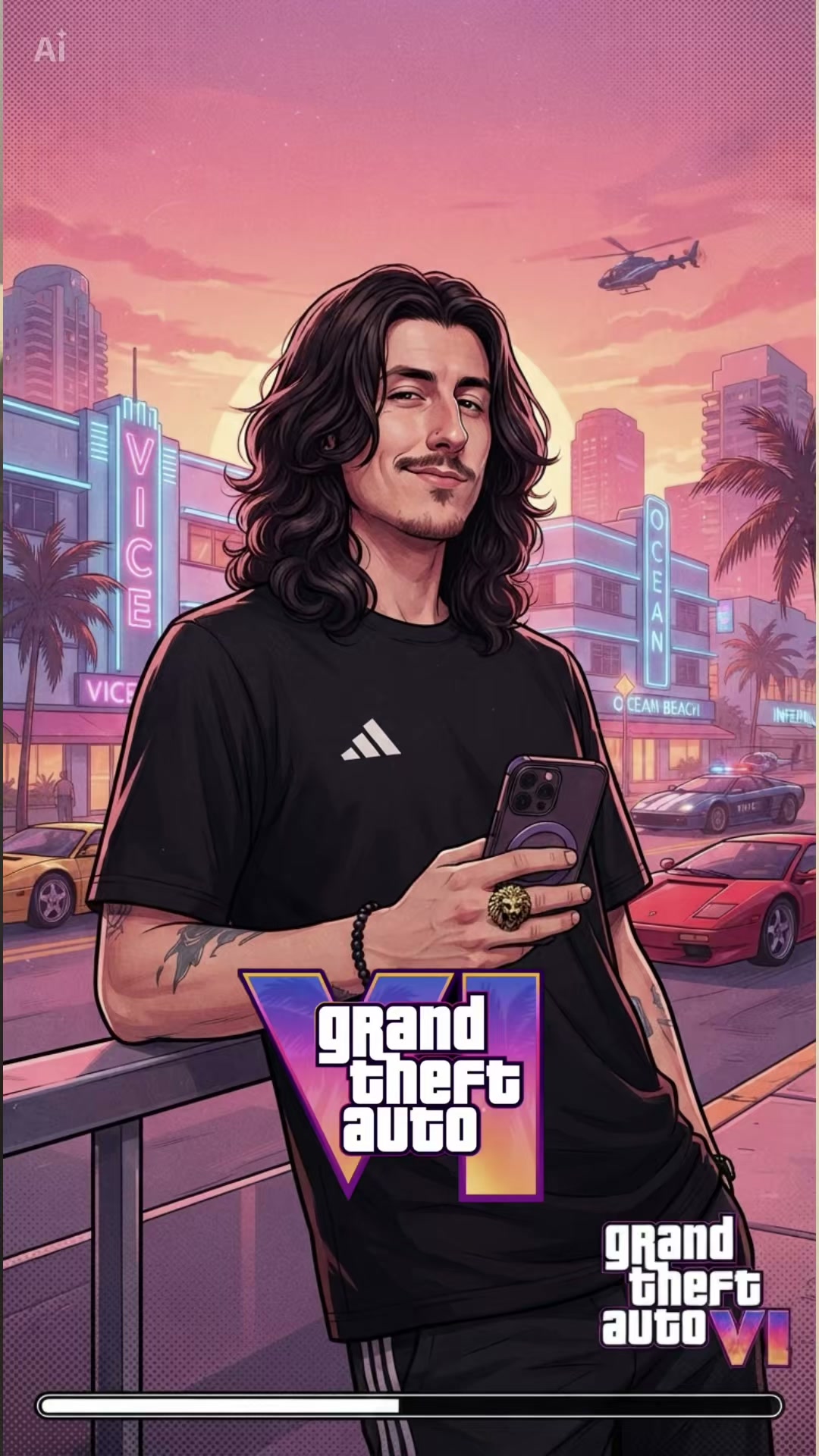
This is the TikTok post as it went up: a mirror photo of the poster with his phone, then a hand-painted loading-screen poster of him slides up from the bottom, and he stands in a sunset neon beach city while the loading bar fills. Our GTA 6 Loading Screen AI makes this 8-second clip with you in it and the original sound.

What Happens in Your GTA 6 Loading Screen AI Video

Your video is 8 seconds long, 9:16, with the original sound under it. Only you change.

PartWhat you see
0–0.5 s · The photoYou in a mirror photo, your phone in your hand.
0.5–5 s · The revealThe hand-painted poster slides up from the bottom over the photo: first the railing and your hand with the phone, then your body, then your face.
5–8 s · The loading screenThe full poster: you leaning on a railing in a sunset neon beach city with palm trees, sports cars, a police car and a helicopter, while the loading bar fills along the bottom.

Where Did the GTA 6 Loading Screen AI Trend Start?

The game series has used hand-painted character art on its loading screens for years. The trend turns your own photo into one, and it took off in the weeks before Grand Theft Auto VI comes out on 19 November 2026.

  1. @m0rgan20 posts "Life as a GTA character": his photo in a grey suit by his car, then his loading-screen poster. 31,700 views by 17 November.

  2. @shadow_monarch_d posts "My loading screen", the clip our page makes, and the November wave starts: 131,400 views by 17 November.

  3. @user_1264736272 posts her loading screen, the most-viewed post of the trend we found: 238,500 views by 17 November.

  4. @catmemeu posts a how-to for the GTA 6 loading screen edit; more tutorials follow over the next days.

  5. Seadanse adds GTA 6 Loading Screen AI: the whole 8-second clip from one photo, with the original sound.

Why Use Our GTA 6 Loading Screen AI

Your Hand-Painted Poster Slides Up

Turn your photo into an 8-second video that reveals a hand-painted poster of you in a sunset neon beach city. We handle the design, movement, and the loading bar automatically with no app, no template, no prompt, and no editing.

Your Hand-Painted Poster Slides Up
Your Face and Style Stay the Same

Your Face and Style Stay the Same

Keep your exact face, hair, and clothing from your photo in every frame. Our GTA 6 Loading Screen AI keeps your unique look while transforming you into the hand-painted style of the trend.

The Original Sound for TikTok and Reels

Get your 8-second, 9:16 video with the trend's original sound already laid under your clip. Our GTA 6 Loading Screen AI creates a file that is ready for you to share on TikTok and Reels.

The Original Sound for TikTok and Reels
Your Video From One Photo

Your Video From One Photo

Use one photo of yourself or any person 18 or older to make your video. Even a cartoon character or a game character works to create your personalized GTA 6 Loading Screen AI.

Use Your GTA 6 Loading Screen to Join the Trend

Game Fans

Post Your Own Loading Screen Now

Bring one photo of yourself and turn it into a hand-painted game character. Post your unique GTA 6 Loading Screen AI video before the game comes out.

Gift Givers

Surprise a Friend with Their Own Character

Take a photo of a friend who said yes and put them in the sunset neon beach city. Give them a hand-painted poster of themselves leaning on a railing.

Trend Followers

Get Ready for TikTok and Reels

Make your 8-second 9:16 video with the original sound included. Share your GTA 6 Loading Screen AI on your feed without any editing.

Character Fans

Put Your Favourite Character on the Screen

Upload a picture of a cartoon character or a game character. See them as the painted star in a sunset neon beach city with a filling loading bar.

How to Use Our GTA 6 Loading Screen AI

Step 1

Upload Your Photo

Add one photo of one person with their face turned to the camera, and tick the box to confirm you have the right to use it and the person in it is 18 or older.

Step 2

Choose Your Resolution

Pick 720p or 1080p and see the price right on the Create button.

Step 3

Download Your Video

Press Create, pay once with no account, and download your 8-second 9:16 video with the original sound.

Which Photo Works Best for GTA 6 Loading Screen AI?

  • One person, waist or knees up: Face clear and turned to the camera, sharp and in good daylight.
  • Show your face: No sunglasses; glasses are fine. The poster is a close portrait.
  • Wear your loading-screen look: You wear the clothes from your photo in the photo part and on the poster.
  • Any background: The room and the painted city come from the trend's clip.
  • Who can be in it: You, or anyone 18 or older who said yes to being in it; a cartoon or game character works too.

Price Every GTA 6 Loading Screen AI Video at 500 Credits

One $9.90 credit pack of 500 credits makes one 8-second 720p GTA 6 Loading Screen AI video, while a 1080p video uses 1,480 credits. Pay once with no subscription and no account, and remember that a render that fails returns its credits automatically. Credits remain valid for 12 months, and the Seadanse pricing page lists every credit pack.

GTA 6 Loading Screen AI FAQ

How do I make a GTA 6 Loading Screen AI video?

Follow three steps: add one photo of one person, face to the camera, and tick the box. Pick 720p or 1080p and see the price on the Create button. Press Create, pay once with no account, and download your 8-second video, all with no prompt, no template, no app, and no editing.

What is the GTA 6 Loading Screen AI trend?

It consists of short posts titled 'Your GTA 6 loading screen' that show a person's real photo followed by a hand-painted poster of them in the style of the game series' loading screens. Our GTA 6 Loading Screen AI makes that clip with you in it from just one photo.

Where did the GTA 6 loading screen trend come from?

The game series has used hand-painted character art on its loading screens for years. The first post with real reach went up on 28 September 2026 and had 31,700 views by 17 November 2026, while the most-viewed post from 10 November 2026 reached 238,500 views by 17 November 2026. Grand Theft Auto VI comes out on 19 November 2026, and our GTA 6 Loading Screen AI lets you join the wave that started in November.

What happens in my GTA 6 Loading Screen AI video?

Your 8-second video starts with you in a mirror photo from 0 to 0.5 seconds, then the hand-painted poster slides up over it until 5 seconds. From 5 to 8 seconds, the full poster shows you leaning on a railing in a sunset neon beach city with palm trees, neon hotel signs, cars, and a helicopter, while the white loading bar fills along the bottom to the original sound.

Which photo works best?

Use a photo of one person, from the waist or the knees up, with their face clear and turned to the camera in good daylight. You can wear glasses, but skip the sunglasses to keep your portrait sharp. Any background works because the city scene comes from our tool.

Do I wear my own clothes on the loading screen?

Yes, you wear the clothes from your photo in both the photo part and on the poster, drawn in the same hand-painted style. Your face, hair, and look come from your photo, so choose the outfit you want to see on your loading screen.

Can I use a cartoon or game character?

Yes, a cartoon or game character works perfectly. You can also use a photo of anyone 18 or older who said yes to being in the video.

Does my video come with the original sound?

Yes, the original sound of the trend's clip is laid under every video from our GTA 6 Loading Screen AI. It arrives ready to post on TikTok and Reels.

How long is the video, and will it fit TikTok and Reels?

Your video is 8 seconds long in a 9:16 frame, which is the trend's own frame made for TikTok and Reels. You can choose 720p or 1080p, and every video includes the original sound.

What changes in the video, and what stays the same?

Only you change, with your face, hair, and outfit coming from your photo. The room, the reveal, the sunset neon beach city, the railing, the loading bar, the timing, and the original sound stay the same as the trend's clip.

Is GTA 6 Loading Screen AI free? How much does it cost?

The $9.90 credit pack of 500 credits makes one 8-second 720p video, while a 1080p video uses 1,480 credits. Credit packs are a one-time payment with no subscription, credits are valid for 12 months, and you can get 40 starter credits with a free sign-up. The price shows on the Create button before you pay, and Seadanse pricing lists every credit pack.

Do I need a prompt, a template or an app for the GTA 6 Loading Screen AI video?

No prompt, template, or app is needed. The reveal, the sunset neon beach city, the loading bar, and the original sound are built into our GTA 6 Loading Screen AI, which runs in your web browser on any device.

Can I make other game and meme videos?

Yes, you can try the GTA Wasted effect, the Ballon d'Or filter, or the Gigachad filter. Each tool turns your photo into a unique video ready for social media.

Are my photos private?

Yes, Seadanse never sells personal information. Your photos and videos stay in your account until you delete them.

Guides for GTA 6 Loading Screen AI

Articles written for this model: how to prompt it, where it runs and what its limits are.

All articles

Be the Painted Star of Your Own GTA 6 Loading Screen AI

Use our Seadanse tool to get an 8-second 9:16 video for TikTok and Reels with the original sound, all for $9.90 with no subscription or account.