Tiny Desk AI is liveTry it
Video effect

New Year 2027 AI Video for TikTok and Reels

Seadanse New Year 2027 AI Video makes you the climber in an 8-second 3:4 video for TikTok and Reels with the clip's own music. You carry the giant stone 7 up the snowy mountain, push the 6 off the giant grey 2026 on the summit and set your 7 in so it reads 2027 as the sunrise turns it gold. Start with one photo to get an 8-second 3:4 video in 720p or 1080p, with $9.90 making one 720p video and no account needed. To climb onto a giant 2027 at sunrise or say goodbye to your 2026 self instead, try Goodbye 2026 Welcome 2027.

Also called Peak 2027 · New Year 2027 video · 2026 to 2027 video · Welcome 2027 video · Happy New Year 2027 video

New Year 2027 AI VideoThis effect is built into the page and cannot be removed.
8s · 3:4

Your photo 0/1

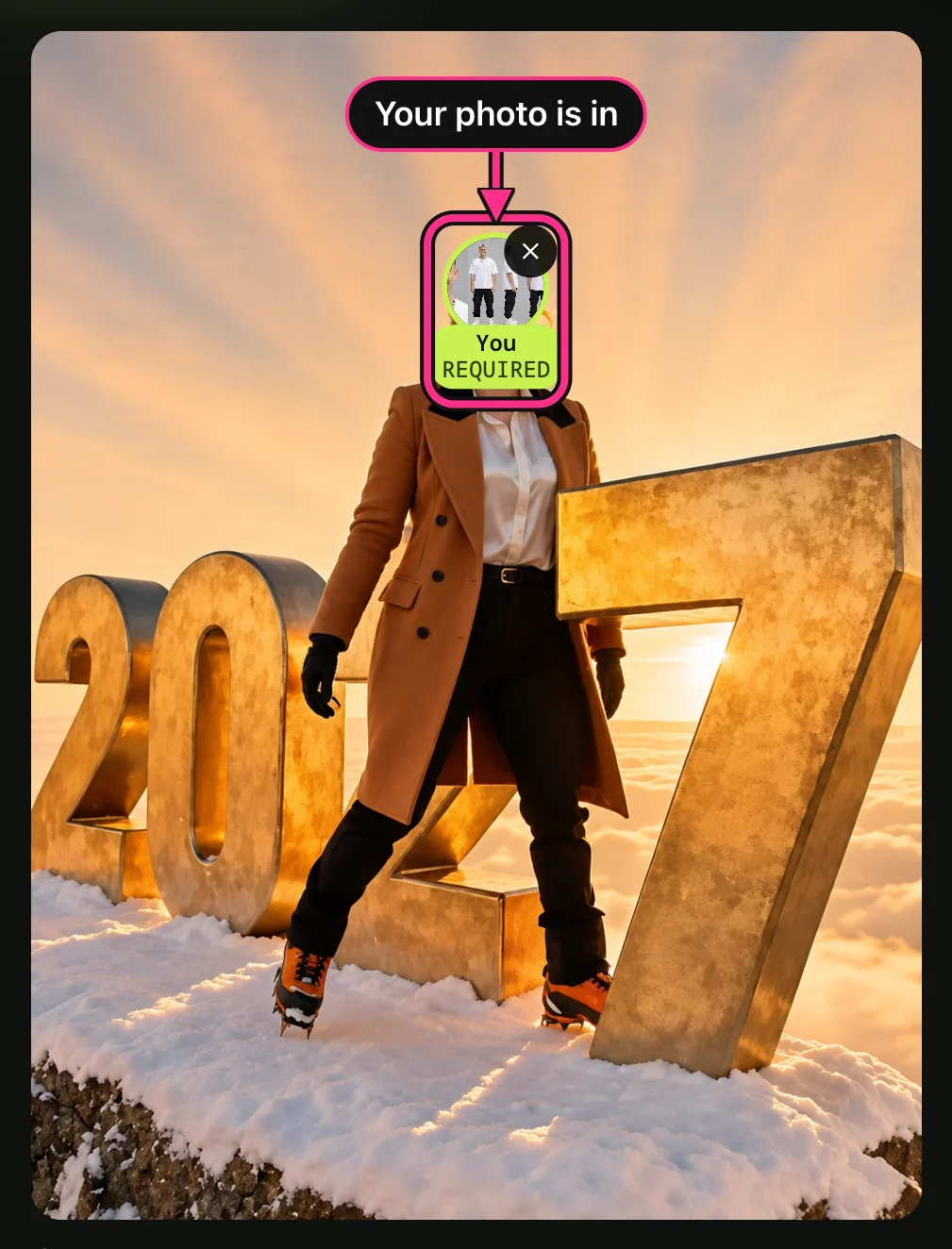
Tap the circle to put your photo there, or drop a photo onto it. It is the only photo needed: you take the climber's place, from the climb with the stone 7 on your back to the arms up in front of the gold 2027.

  • One person or character, head to toe or down to the knees, face to the camera, good light
  • No group photos, no sunglasses, nothing over the face
No account needed: pay once and your video starts right here.
New Year 2027 AI Video at a glance
Your upload1 photo of you, a friend, or a character
Your videoAn 8-second climb to 2027 with the clip's own music
Frame3:4
Quality720p or 1080p
Cost$9.90 for one 720p video
AccountNot needed
Made forTikTok and Reels

What Is the New Year 2027 AI Video?

Our New Year 2027 AI Video is an 8-second Peak 2027 climb with you as the climber: you carry a giant stone 7 up a snowy rock face, push the 6 off the giant grey 2026 on the summit and set your 7 in so the numerals read 2027. Peak 2027 is a template in the Hypic app that took off on TikTok through how-to posts in November 2026. The French how-to on TikTok from 24 November 2026, the clip at the top of this page, had 729,500 views on 27 November 2026, its template page read 416 uses and a re-post on 27 November 2026 showed 1,388 uses.

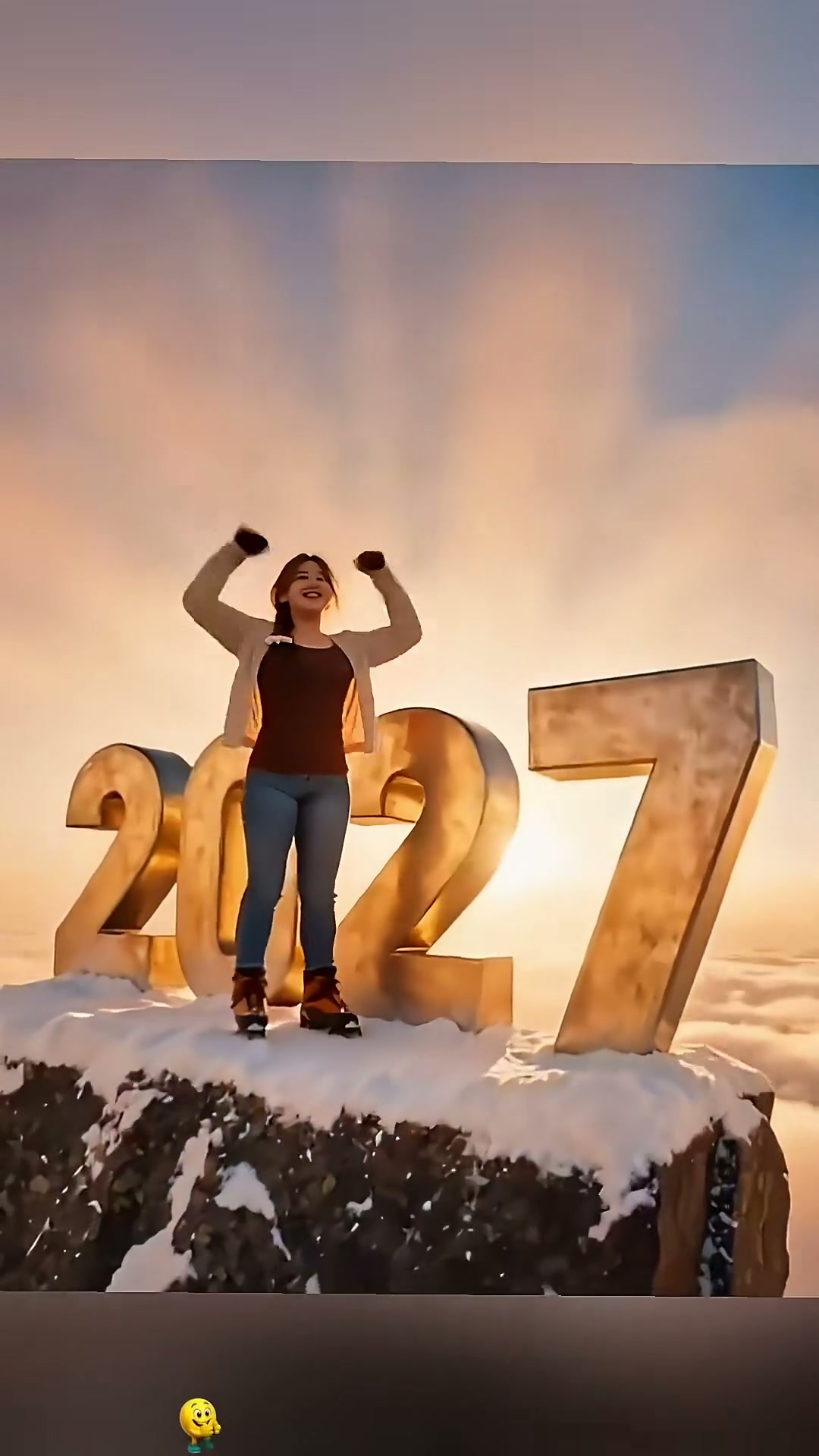
Your 8-second video runs as one continuous take with the clip's own music. From second 0 to 2, you climb the snowy rock face with the giant stone 7 strapped to your back. From second 2 to 3, you haul yourself over the edge onto the snowy summit. From second 3 to 4.6, you push the 6 off the giant grey 2026, and from second 4.6 to 5.9, you swing your 7 in so the numerals read 2027. From second 5.9 to 6.9, the grey sky turns to a golden sunrise above a sea of clouds and the 2027 turns gold, and from second 6.9 to the end, you throw both arms up and cheer in front of it.

Seadanse edits the trend's own Peak 2027 climb so the climber takes your face and clothes from your photo, with the clip's black climbing gloves and boots, while the snowy mountain, the stone 7, the numerals, the sunrise and the clip's own music stay as in the clip. Upload one photo of yourself, an adult 18 or older who said yes, or a cartoon or game character, and get an 8-second 3:4 video in 720p or 1080p for TikTok and Reels. One $9.90 pack of 500 credits makes one 720p video with no account needed.

The Peak 2027 Clip Behind the New Year 2027 AI Video

This is the clip at the top of the page, as it was posted on TikTok: a 15-second French how-to in 9:16 with its captions, emoji and sound, showing two runs of the Peak 2027 template from the Hypic app. In each run someone carries a giant stone 7 up a snowy rock face, pushes the 6 off a giant grey 2026 on the summit, sets the 7 in its place and cheers as the sunrise turns the 2027 gold. Our New Year 2027 AI Video edits one 8-second run of this climb, so you are the climber, and the mountain, the numerals, the sunrise and the clip's own music stay.

What Happens in the Peak 2027 Climb

These are the beats of the first run in the clip above, to the second. Your video follows the same climb in one continuous take: 8 seconds, 3:4, with the clip's own music, and only the climber changes.

PartWhat you see
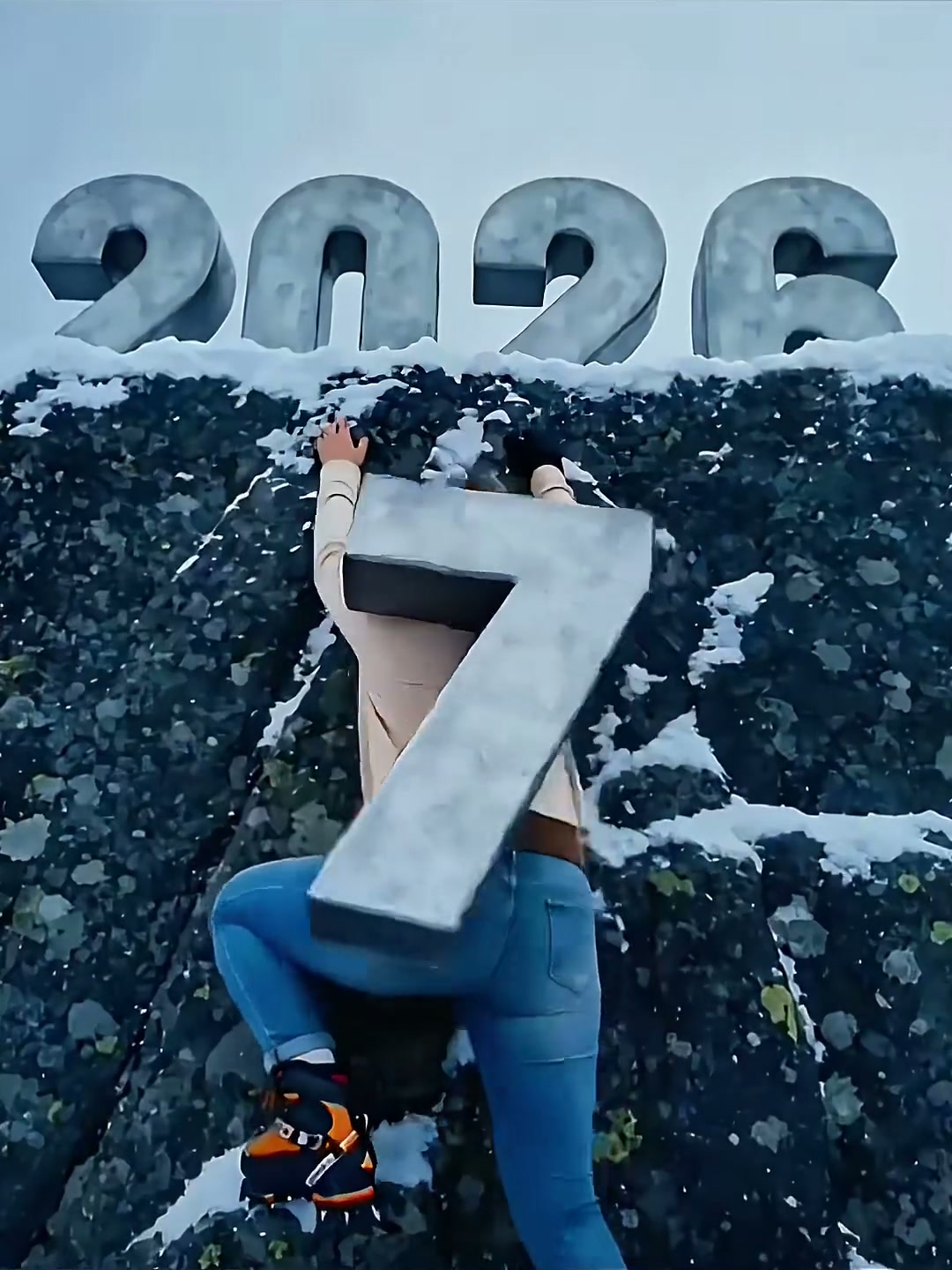
0–2 s · The climbThe climber goes up the snowy rock face with the giant stone 7 strapped to their back, under the grey 2026 on the summit.
2–3 s · Over the edgeThey haul themselves over the edge onto the snow, right beside the giant numerals.
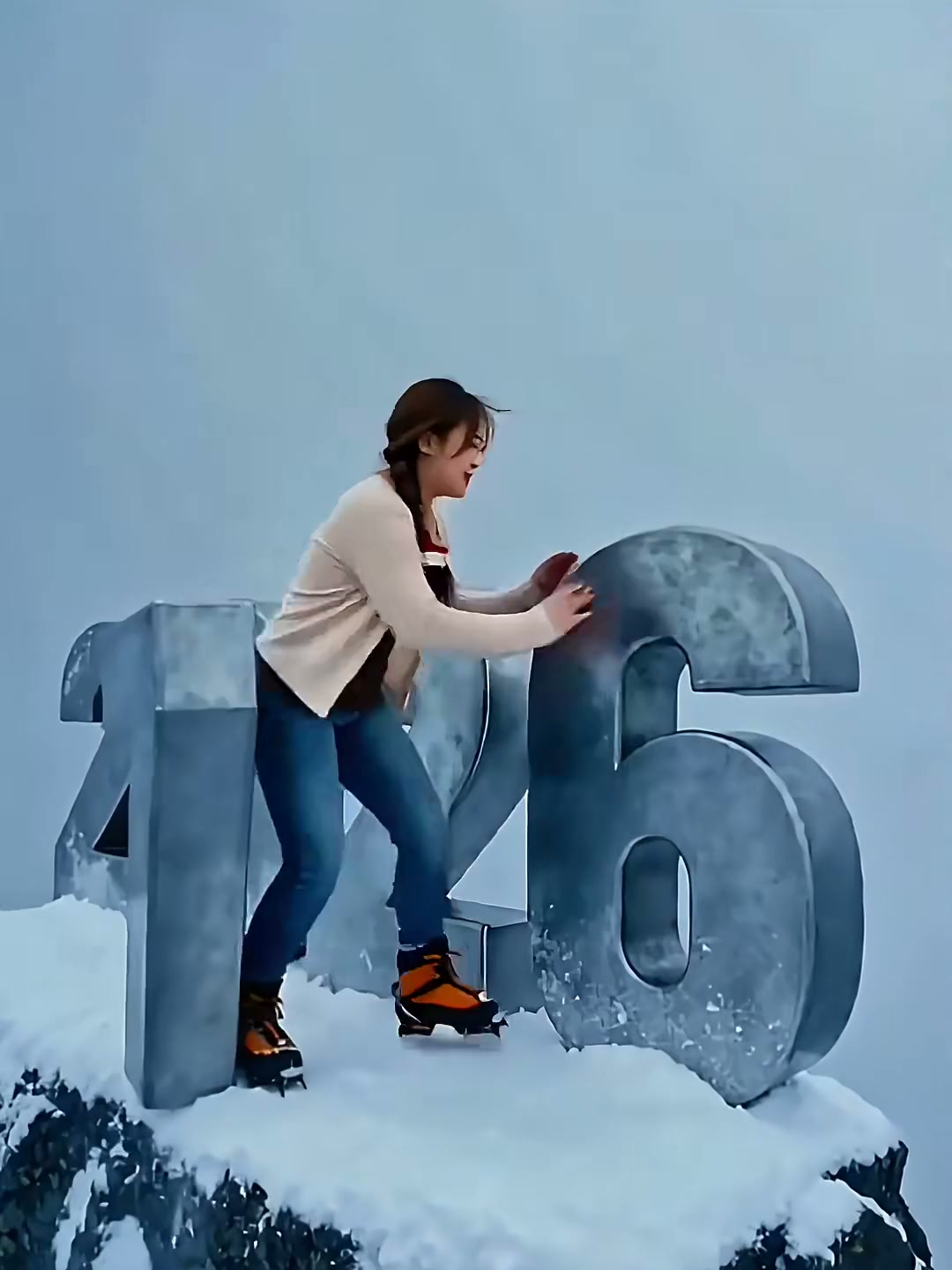
3–4.6 s · The 6 goesThey stand, set the 7 down and push the 6 with both gloved hands until it tips off the summit.
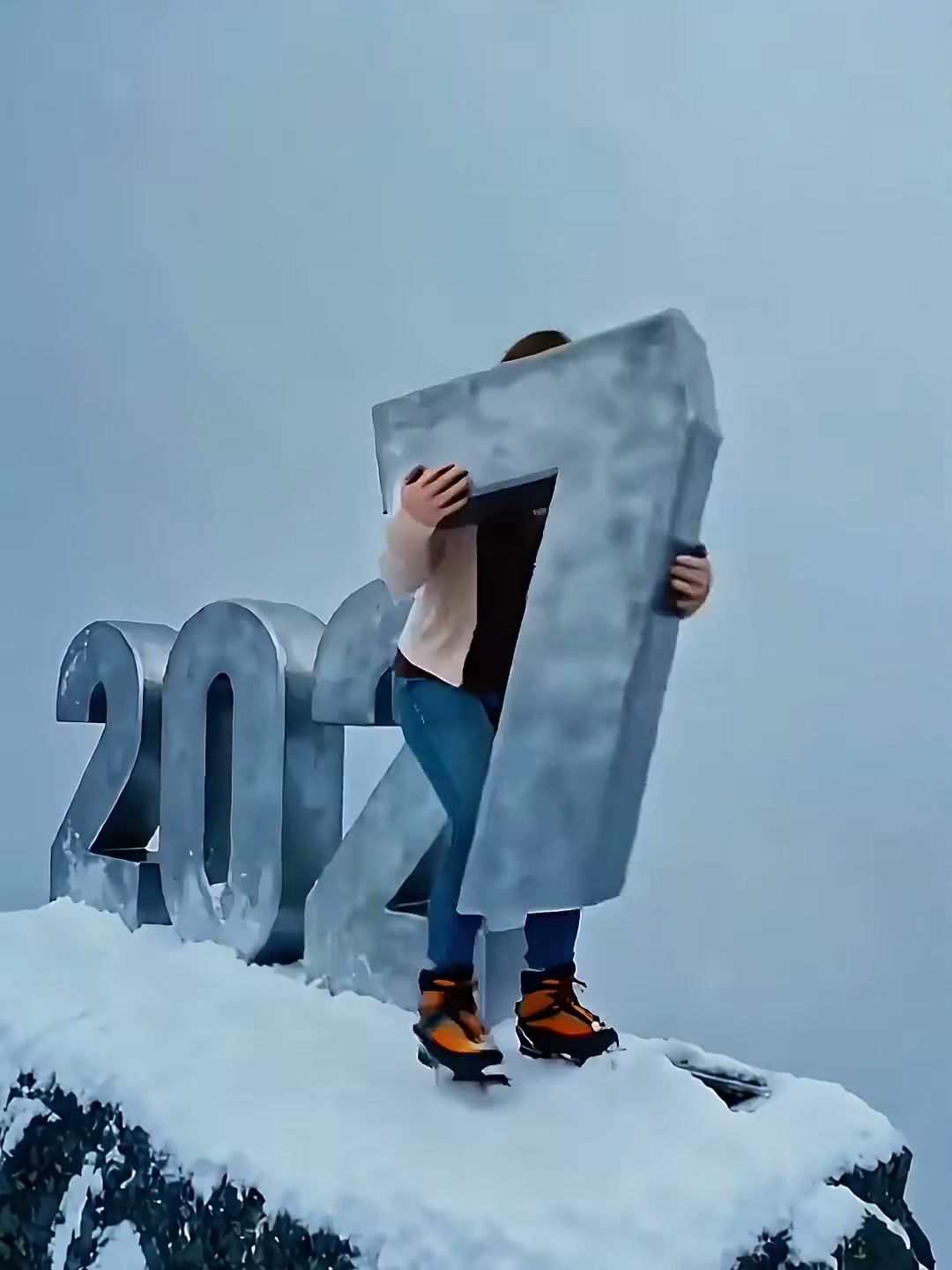
4.6–5.9 s · The 7 goes inThey swing the 7 upright into the gap, and the stone numerals read 2027.
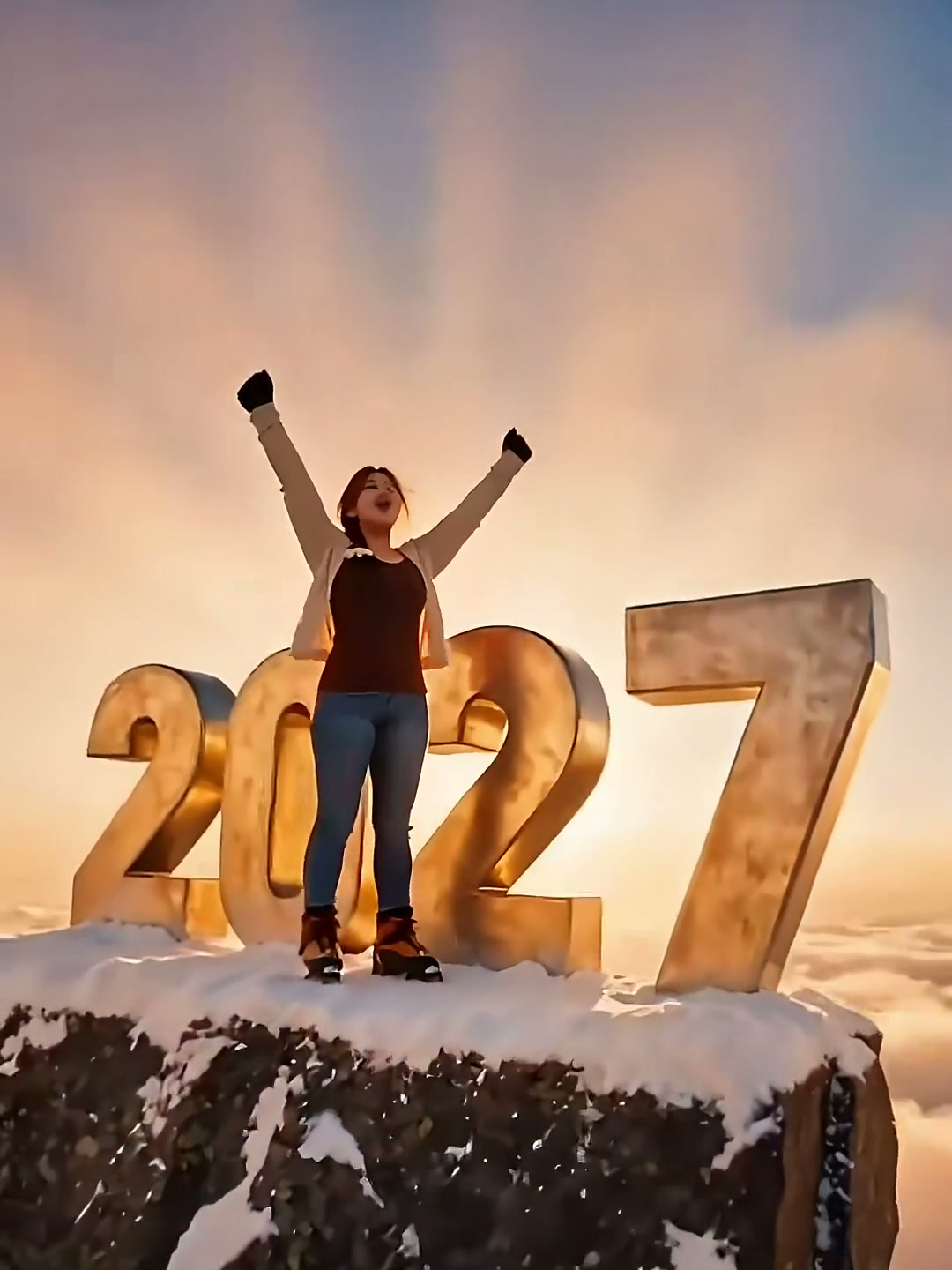
5.9–6.9 s · SunriseThe grey sky turns to a golden sunrise over a sea of clouds, and the 2027 turns gold.
6.9–7.5 s · Arms upBoth arms go up in a V in front of the gold 2027.

Where Did the Peak 2027 Trend Come From?

Peak 2027 is a New Year template in the Hypic photo app. In November 2026 it spread through TikTok how-tos that show a run or two of the climb and then the steps in the app, and the use count on its template page kept climbing.

  1. @rhfcj3 posts a Russian how-to for the Peak 2027 template on TikTok: 250,700 views by 27 November.

  2. @user4947097136093 posts the French how-to at the top of this page, two climbs and then the steps in the app: 729,500 views by 27 November, with the template page in it at 416 uses.

  3. @user4947097136093 posts a second how-to with two new climbers, and the template page in it reads 900 uses.

  4. @vgr2ysjeb0 re-posts the two climbs with a presenter over them: 124,900 views, and the template page in it reads 1,388 uses.

  5. Seadanse adds New Year 2027 AI Video: the Peak 2027 climb from one photo, 8 seconds in 3:4, with you as the climber and the clip's own music.

What Makes Our New Year 2027 AI Video Stand Out

Carry the Stone 7 Up the Mountain

Climb the snowy rock face with the giant stone 7 on your back for the first 2 seconds and haul yourself onto the summit. Our New Year 2027 AI Video keeps your face and hair from your photo, and puts you in your own clothes with the clip's black climbing gloves and boots.

Carry the Stone 7 Up the Mountain
Push the 6 Off and Set Your 7 In

Push the 6 Off and Set Your 7 In

Topple the 6 off the giant grey 2026 from second 3 to 4.6, then swing your 7 upright into its spot by second 5.9. Our New Year 2027 AI Video keeps the numerals true to the trend so they read exactly 2027.

Cheer Under a Golden Sunrise at the Summit

Watch the grey sky turn to a golden sunrise over a sea of clouds at second 5.9 as the 2027 turns gold. Throw both arms up in a V during the final second while our New Year 2027 AI Video keeps you on screen in one continuous 8-second take.

Cheer Under a Golden Sunrise at the Summit
Download Ready-to-Post 3:4 MP4s for TikTok and Reels

Download Ready-to-Post 3:4 MP4s for TikTok and Reels

Export an 8-second 3:4 MP4 with the clip's own music in 720p (720 × 960 pixels) or 1080p (1080 × 1440 pixels). Our New Year 2027 AI Video gives you a file ready to post on TikTok and Reels as your New Year wish.

Who Can Make a 2027 Video with Our New Year 2027 AI Video?

TikTok & Reels Posters

Post Your Own Peak 2027 Climb

Upload one selfie to star in your own Peak 2027 climb as your last post of 2026 or your first of 2027 on TikTok and Reels. You push the 6 off the summit and cheer in front of the gold 2027 with the clip's own music.

Group Chat Friends

Send a Fun New Year Wish

Use one photo of a friend, 18 or older and saying yes, to put them on the snowy rock face. Send the 8-second clip to your group chat so everyone watches them carry 2027 up the mountain.

Family Members

Share a Sunrise Family Greeting

Add one photo of your mum, dad, or grandma, with their say, to turn them into the summit climber. Share the video with the whole family as they set the 7 in at sunrise.

Character Fans

Let a Favourite Character Welcome 2027

Pick one picture of a cartoon character or a game character to send them up the mountain instead. Watch them haul the giant stone 7 to the summit and cheer in front of the gold 2027.

How to Make Your Video with Our New Year 2027 AI Video

  1. Step 1

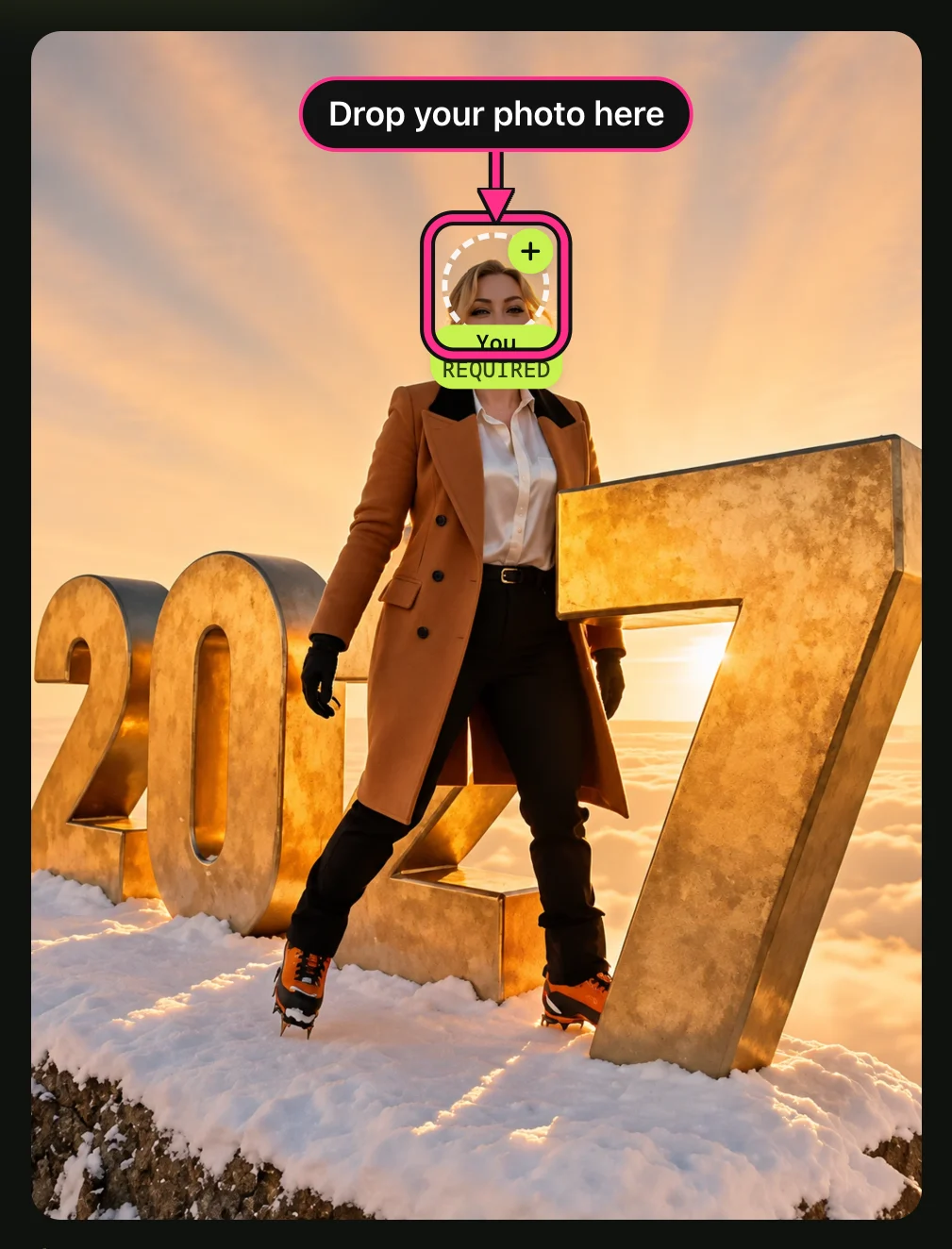
    Add Your Photo on the You Pin

    Tap the round pin labelled "You" and tagged "Required" on the climber's face, or drop a photo onto it. Use one photo of yourself, an adult 18 or older who said yes, or a cartoon or game character, because this is the only photo needed.

    A still from the golden sunrise summit with a round pin labelled You and tagged Required over the climber's face.
  2. Step 2

    Tick the Photo Consent Box

    Check the box under your photo that reads "I have the right to use this photo, and the person in it is 18 or older." You type nothing, because the snowy mountain, the giant stone 7, the numerals and the clip's own music are built in.

    The consent checkbox beneath the photo stage ticked next to the permission statement for adults 18 or older.
  3. Step 3

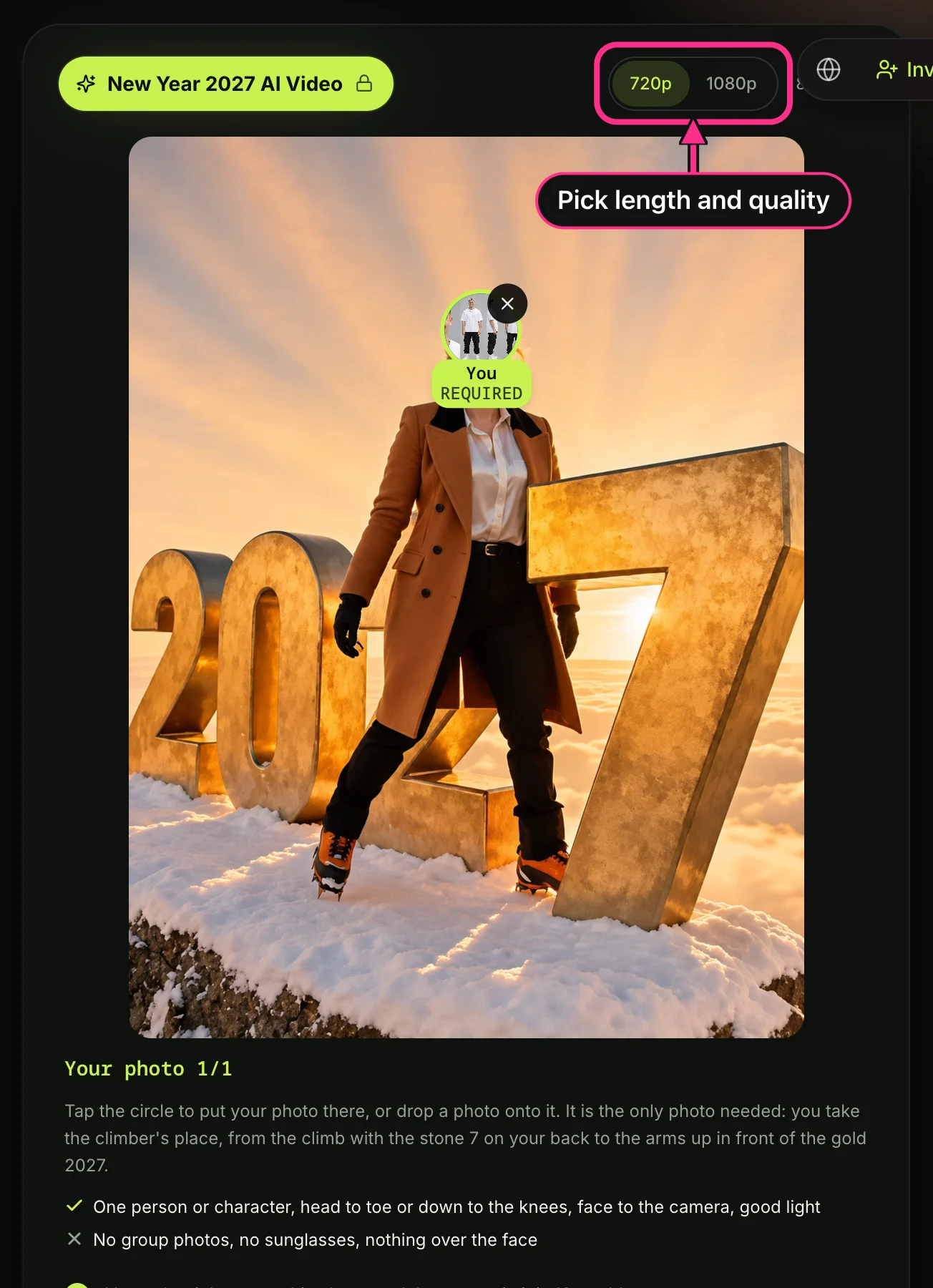
    Pick Your 8-Second Video Quality

    Keep the 8-second, 3:4 video at 720p (HD) for 500 credits, where the generator opens, or switch to 1080p (Full HD) for 1,480 credits.

    The quality selector showing the 8-second 3:4 video options for 720p (HD) at 500 credits and 1080p (Full HD) at 1,480 credits.
  4. Step 4

    Create and Download Your MP4

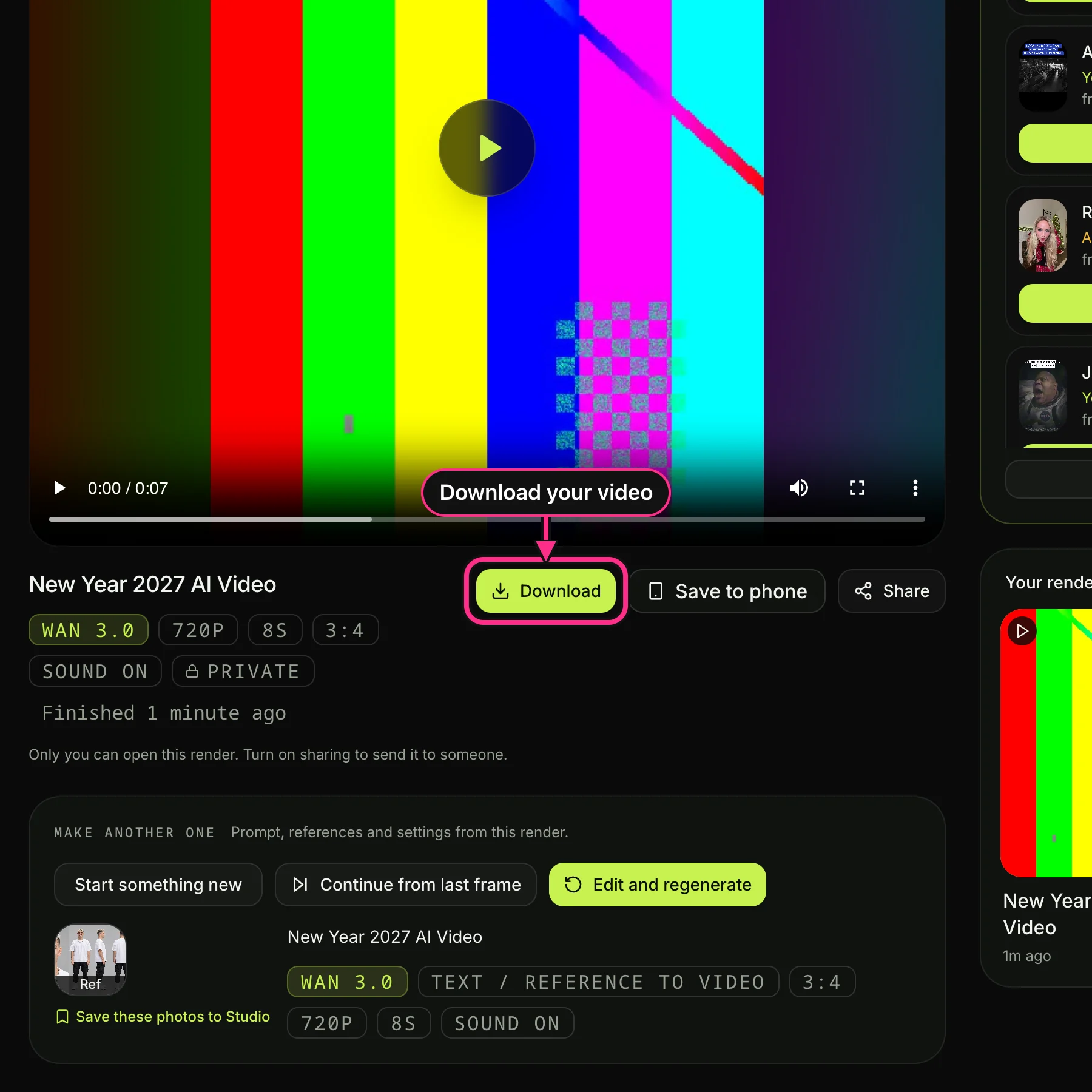
    Press "Create · $9.90" to pay once for the 500-credit pack with no account, and the screen shows "Payment received. Your video has started." Your 8-second 3:4 video renders right on this page and lands in My videos, where Download saves the MP4 with the clip's own music.

    The Create · $9.90 button beside the My videos panel and the Download button for the finished 3:4 MP4.

Which Photo Works Best for the New Year 2027 AI Video?

  • One climber per photo: Pick a photo with one person 18 or older or one character in it, so the video knows who carries the 7.
  • Head to toe or down to the knees: From second 3 to the end you stand full figure on the summit, so a photo that shows you at least down to the knees, arms in view, gives the climber your whole outfit.
  • Wear what you want to climb in: The climber wears the clothes from your photo, with the clip's black gloves and orange crampon boots, so the coat, hoodie or party outfit in the photo is what goes up the mountain.
  • Face front-on and clear: At second 6 you face the camera in front of the gold 2027, so pick a photo looking at the camera, eyes open, with no sunglasses, hand or hair across the face.
  • Sharp and bright: Use a photo at least 512 pixels on its short side, in focus and in good light.
  • Characters: A cartoon or game character works too: pick a picture with its head, arms and body in frame.

How Does 2026 Turn Into 2027 in the New Year 2027 AI Video?

From second 3 to 4.6, you push the 6 of the giant grey stone 2026 off the summit, and from second 4.6 to 5.9, you set the 7 you carried up into its place so the numerals read 2027. At second 5.9, the grey sky turns to a golden sunrise above a sea of clouds, and the 2027 turns gold.

You carry the giant stone 7 strapped to your back from the first second of the 8-second video as you climb the snowy rock face.

The numerals read exactly 2026 and then exactly 2027 because our New Year 2027 AI Video edits the trend's own clip and only you change, so the numerals, the falling 6, and the 7 stay as in the trend's clip.

Do I Need the Hypic App to Make the Peak 2027 Video?

No, our New Year 2027 AI Video makes your video in your web browser from one photo with nothing to install.

Hypic is a photo-editing app for phones on the App Store and Hypic on Google Play, and its Peak 2027 template opens from a TikTok link into the app where you pick one photo. If you already use the Hypic app on your phone, its Peak 2027 template is the pick; to make it in a web browser from one photo with nothing to install, use Seadanse.

Our New Year 2027 AI Video runs on a phone, tablet, or computer, the price shows on the Create button before you pay, and you buy with no account.

Will a New Year 2027 AI Video From This Page Fit TikTok and Reels?

Your New Year 2027 video comes as an 8-second 3:4 MP4 with the clip's own music, which is the frame of the Peak 2027 clips.

TikTok video specs recommend 9:16 video of at least 540 × 960 pixels and also list 16:9 and square 1:1 video, while Meta Reels specs set Reels at 9:16 and 1440 × 2560 pixels. TikTok and Reels play a 3:4 video in the middle of the 9:16 screen with space above and below it, so type your caption into that space the way the trend's how-to post carries its captions in the band under the picture.

VideoFrameSize
Your video in 720p3:4720 × 960 pixels
Your video in 1080p3:41080 × 1440 pixels
TikTok's recommended video9:16540 × 960 pixels or more
Reels9:161440 × 2560 pixels

Get One New Year 2027 AI Video in 720p for $9.90

One $9.90 credit pack of 500 credits makes one 8-second New Year 2027 video in 720p, while 1080p uses 1,480 credits, with a one-time payment, no subscription and no account. You see the price on the Create button before you pay, credits stay valid for 12 months, and a render that fails returns its credits automatically. The pricing page lists every credit pack on Seadanse pricing.

New Year 2027 AI Video FAQ

Who climbs in my New Year 2027 AI Video?

You do. Our New Year 2027 AI Video puts your face and hair from your photo onto the climber, and you climb in the clothes from your photo with the clip's black climbing gloves and boots. The snowy mountain, the giant stone 7, the numerals, the sunrise and the clip's own music stay as in the clip so you star in your own 2027 video.

Does my New Year 2027 video have music?

Yes. The clip's own music plays under the whole 8 seconds of your New Year 2027 video. Add one photo and you get a ready-to-post MP4 for TikTok and Reels.

Can a cartoon or game character carry the 7?

Yes. Add one picture of a cartoon character or a game character and our New Year 2027 AI Video makes them the climber from the snowy rock face to throwing both arms up in front of the gold 2027. You or anyone 18 or older who said yes work too.

Is the New Year 2027 AI Video free? How much does it cost?

No. One $9.90 credit pack of 500 credits makes one 8-second 720p video, while a 1080p video uses 1,480 credits. Credit packs are a one-time payment with no subscription, stay valid for 12 months, and you buy with no account while the price shows on the Create button before you pay. Sign-up is free and adds 40 starter credits, a render that fails returns its credits automatically, and the Seadanse pricing page lists every credit pack.

Do I need to write a prompt for the New Year 2027 AI Video?

No. The snowy mountain, the stone 7, the numerals, the sunrise and the clip's own music are built into our New Year 2027 AI Video. Add one photo of the climber, tick the box and press Create to start your 2027 video right on this page with no account.

Is 2027 next year?

Yes. 2027 is the year after 2026 and begins on Friday, 1 January 2027. Make your 2027 video now so it is ready to post as your last video of 2026 or your first of 2027.

Can two people, a couple or a pet climb together?

No. Peak 2027 has one climber, so our New Year 2027 AI Video takes one photo of one person 18 or older or one cartoon or game character. For two of you, make one 2027 video each.

Can I change the year or put my own words on the mountain?

No. The numerals read 2026 and then 2027, as in the trend's clip. For another New Year video from one photo, Goodbye 2026 Welcome 2027 has you climb onto a giant 2027 at sunrise, or the 2027 you hugs the 2026 you goodbye.

Do my photos stay private?

Yes. Seadanse never sells anyone's personal information, and your photo and your finished 2027 video are kept in your own Seadanse account until you delete them. Upload your photo and make your 2027 video with peace of mind.

Guides for New Year 2027 AI Video

Articles written for this model: how to prompt it, where it runs and what its limits are.

All articles

Strap On the 7 and Greet 2027 With New Year 2027 AI Video

Push the 6 off the mountain and cheer with your arms up at sunrise to get an 8-second 3:4 video for TikTok and Reels with the clip's own music, with $9.90 making one 720p video and no subscription or account.