
Win the Tiger Fight on Camera
Recreate the iconic trend where you walk up the path, throw your gourd, and pin the tiger. Our Tiger Fight AI adds the trend's phonk sound to your 10-second 16:9 video.
Seadanse Tiger Fight AI turns one photo into the clip: on a black-and-white security camera you walk up a forest path, a tiger comes out, and you end up sitting on the pinned tiger. Get a 10-second 16:9 video for TikTok and Reels with the trend's phonk sound, your face and your clothes. $9.90 makes one 720p video, with no account.
Also called CCTV Tiger Fight AI · Tiger Fight AI Trend · Wu Song Tiger Fight AI · Jingyang Ridge Tiger Fight · Surveillance Tiger Fight · ကျားရိုက် AI Trend · 武松打虎
Photos on your phone?
Scan a code and pick them from your camera roll. They land in the empty boxes above.
A person 18 or older, a cartoon or game character, or a pet, head to toe or waist up, in good light.
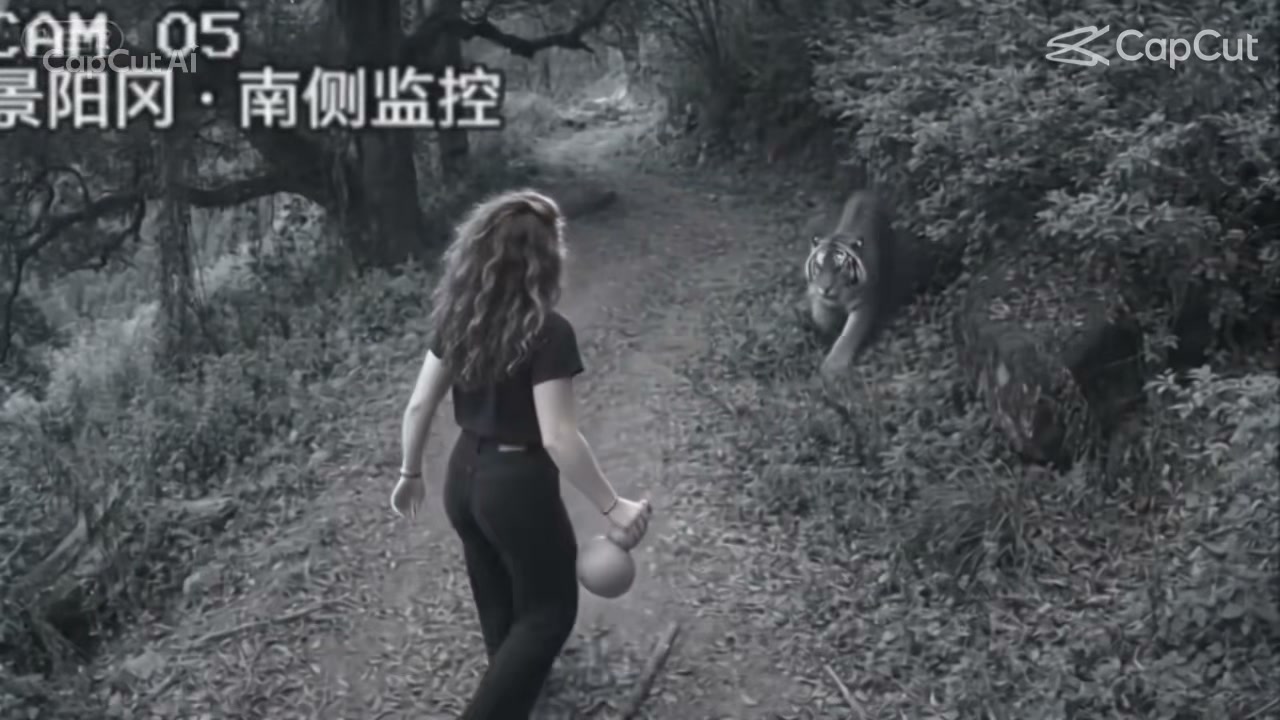
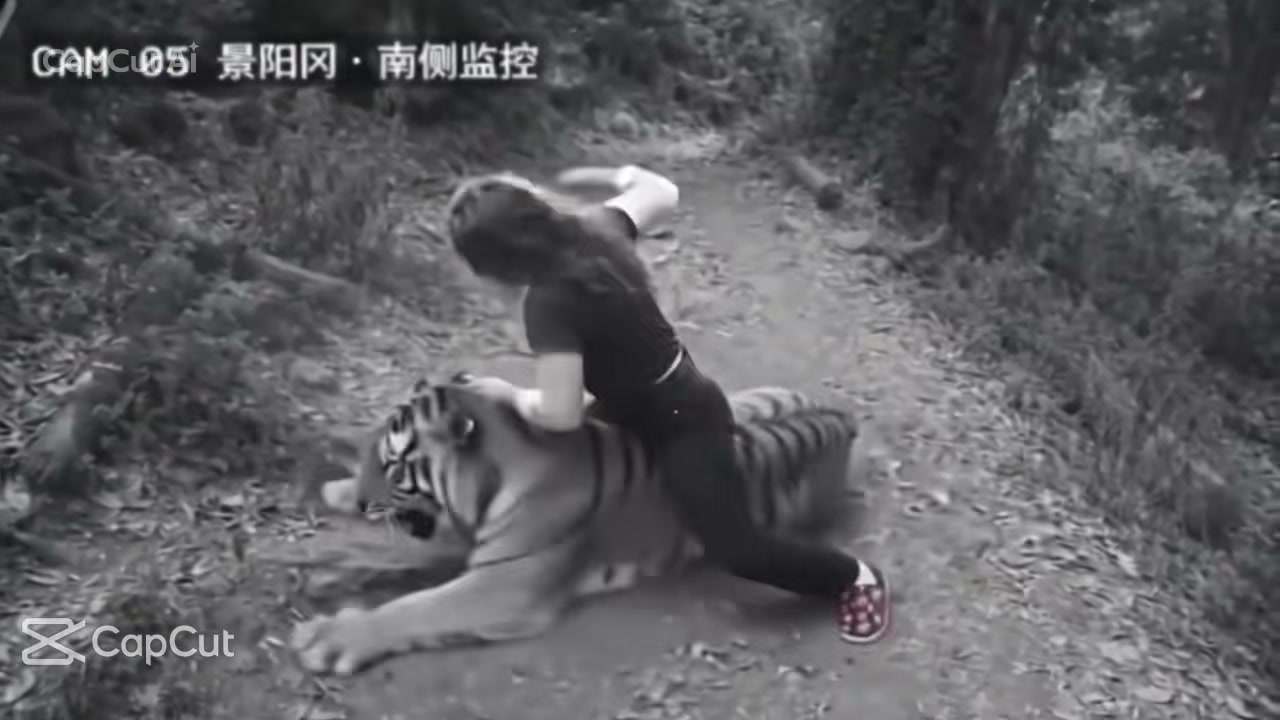
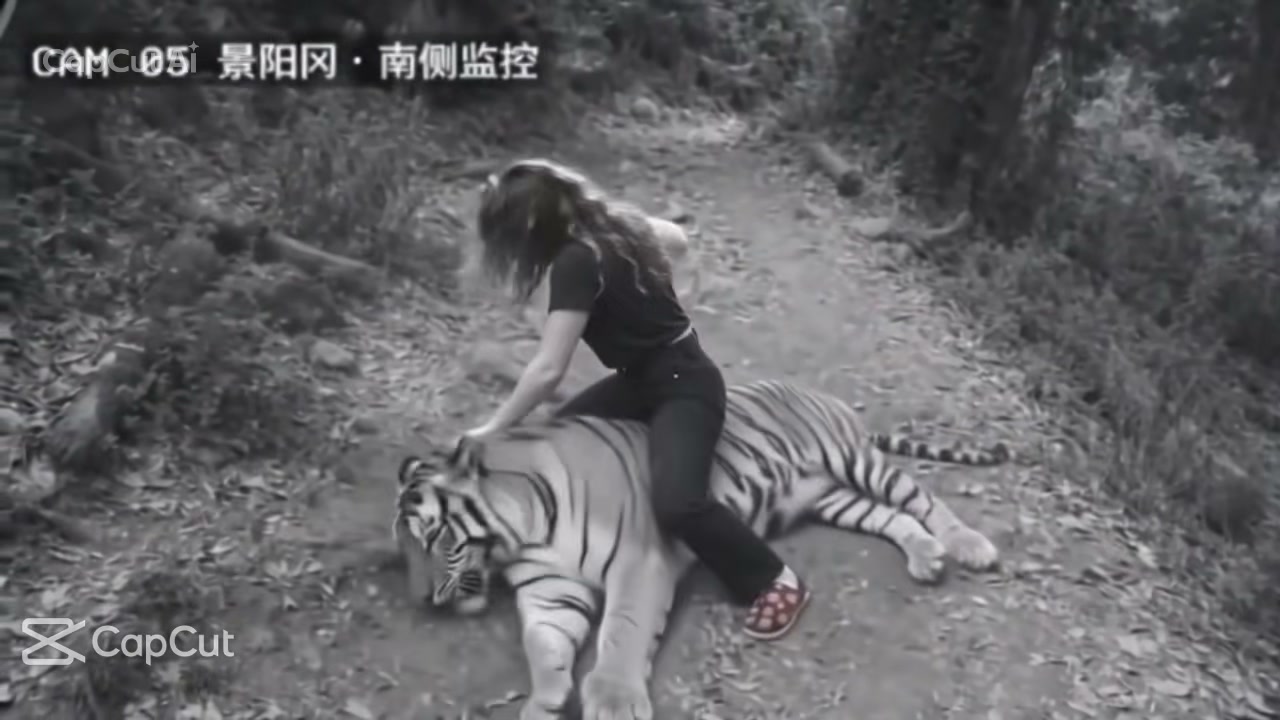
Tiger Fight AI is an AI video effect that turns one photo into the security-camera clip where you walk up a forest path, a tiger comes out, and you end up sitting on the pinned tiger. Some people call this the CCTV tiger fight. The label CAM 05 means camera 05, Jingyang Ridge, south side. This refers to the Chinese classic Water Margin, where Wu Song fights a tiger at Jingyang Ridge while carrying wine. The trend retells this story as modern security footage, which makes the wine gourd and label the joke. On Google, tiger fight AI also brings up AI clips of tigers fighting lions and other animals, and the Tiger Fight AI trend is the security-camera clip.
The earliest Wu Song security-camera clip appeared on 5 November 2026 and hit 145,109 views by 18 November 2026. The CAM 05 clip with the gourd and stick arrived on 8 November 2026, reaching 555,694 views by 18 November 2026. It became a one-photo template that same day and saw 71,127 uses by 18 November 2026. TikTok posts began on 9 November 2026, and the top clip from 10 November 2026 reached 1,987,496 views by 17 November 2026. It looks real enough that people in the comments ask if it is true.
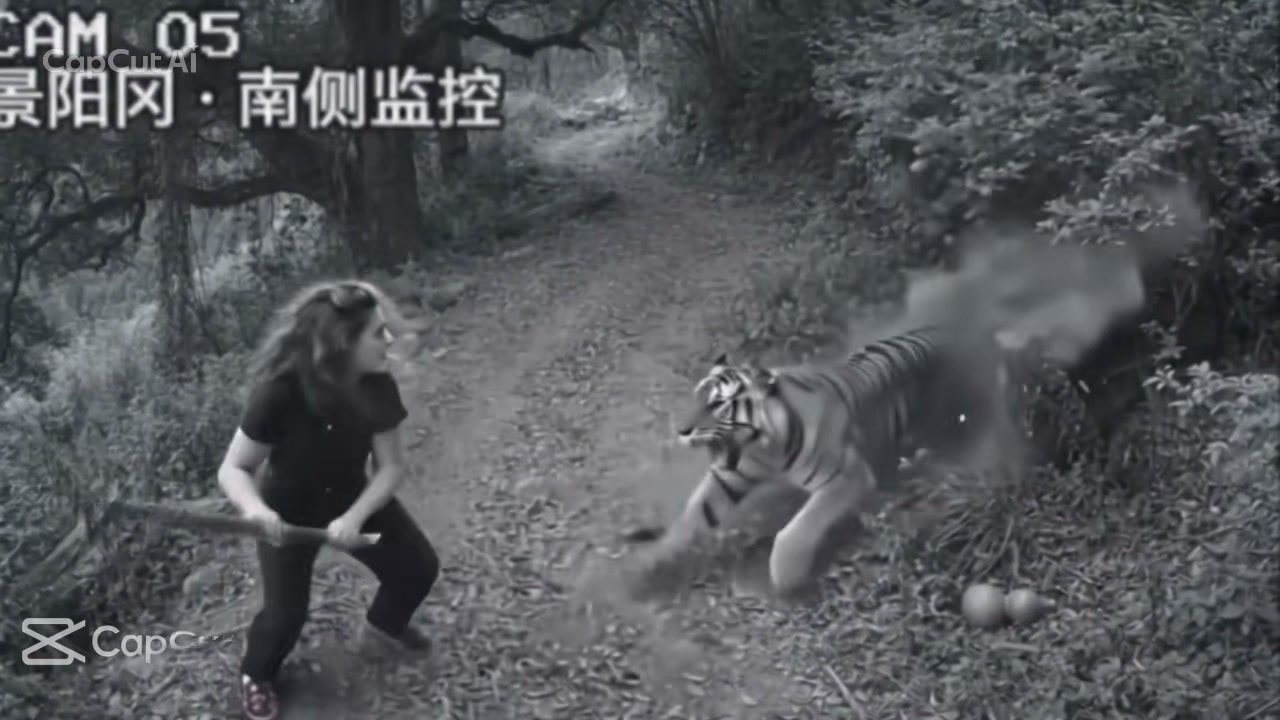
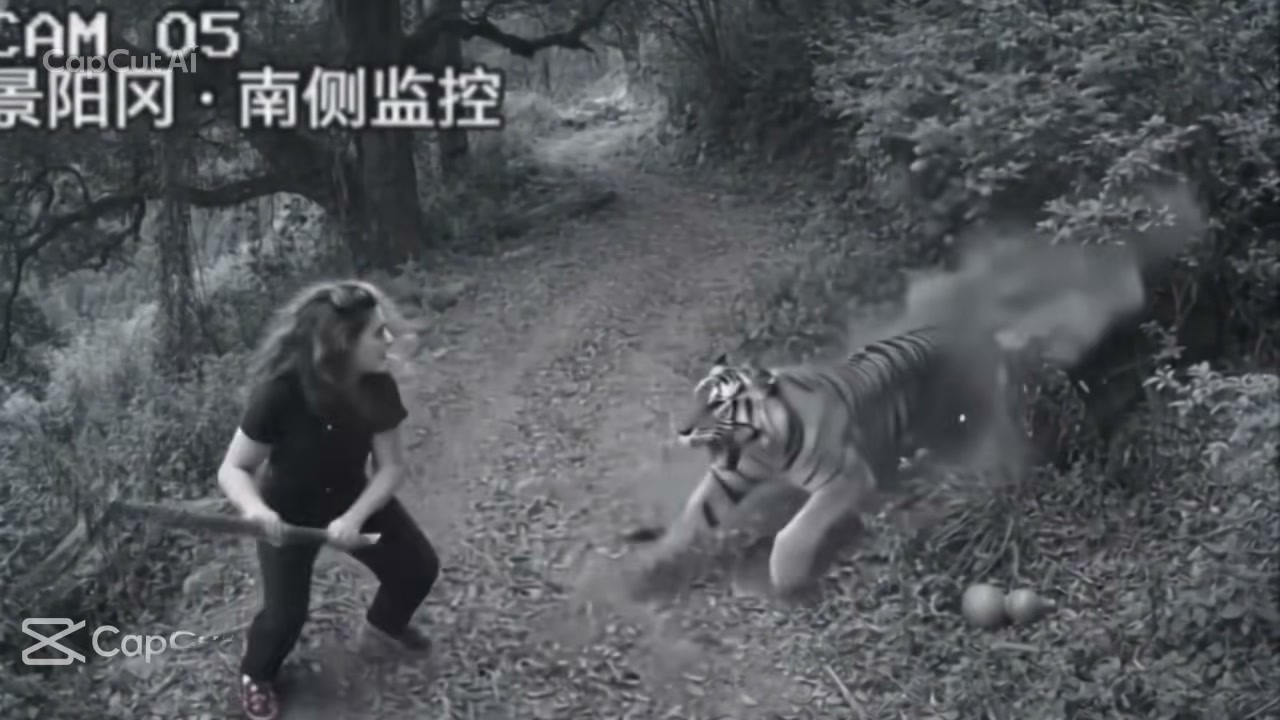
From 0 to 1.5 seconds, you walk up the path with a wine gourd. From 1.5 to 3.5 seconds, you drop the gourd as the tiger steps out. From 3.5 to 4.5 seconds, you grab a stick from the path while the tiger prepares to spring. From 4.5 to 6 seconds, the tiger leaps at you in a cloud of dust and you meet it swinging the stick. Finally, from 6 to 10 seconds, a closer camera shows you sitting on the pinned tiger with your fist in the air. The tiger is only pinned and nobody is hurt, all with the trend's phonk sound laid under.
Seadanse builds this trend's 10 seconds into our Tiger Fight AI, from the walk to the pin, in the same two camera shots. Add one photo of you, a pet, or a character, and your face, hair, and clothes appear in the camera's black and white. Only you change, while the security camera, path, and tiger stay as they are. Our tool makes a 10-second 16:9 video for TikTok and Reels in 720p or 1080p. Just $9.90 makes one 720p video, with no account needed.
This is the trend's one-photo CapCut template as it was posted: a black-and-white security camera labelled CAM 05 watches a forest path; a woman walks up with a wine gourd, a tiger comes out of the bushes, she grabs a stick, meets its leap and ends up sitting on the pinned tiger. Our Tiger Fight AI makes the same two shots from your photo, with the trend's phonk sound.
Your video is 10 seconds long, 16:9 like a security-camera feed, black and white, in two camera shots with the trend's phonk sound under it. Only you change.
| Part | What you see |
|---|---|
| 0–1.5 s · The walk | A grainy black-and-white security camera looks down a forest path, CAM 05 in the corner: you walk up the path with a round wine gourd in your hand while a tiger's head shows in the bushes. |
| 1.5–3.5 s · The stare-down | You stop, see the tiger and throw the gourd to the ground; the tiger steps out onto the path. |
| 3.5–4.5 s · The stick | You crouch and grab a stick from the path while the tiger crouches to spring. |
| 4.5–6 s · The leap | The tiger leaps at you in a cloud of dust and you meet it swinging the stick. |
| 6–10 s · The pin | A closer camera: you sit astride the tiger on the path, pin it flat and raise a fist in the air. |
Tiger Fight AI retells Wu Song's tiger fight on Jingyang Ridge, from the Chinese classic Water Margin, as security-camera footage. It started on Bilibili in early November 2026, became a one-photo template and spread on TikTok, where people asked in the comments whether it was real.
BIGTREE-AIGC posts the earliest Wu Song security-camera clip we found: a night camera on Jingyang Ridge as a man faces a tiger. 145,109 views by 18 November.
小忏没说话 posts the CAM 05 clip, "Jingyang Ridge south-side camera", with the wine gourd and the stick: 555,694 views by 18 November, the trend's top clip on Bilibili.
GG-Bond turns the CAM 05 clip into a one-photo CapCut template: 71,127 uses by 18 November.
@fahsai5350 posts the most viewed TikTok version, captioned "ကျားရိုက် AI Trend": 1,987,496 views by 17 November.
Seadanse adds Tiger Fight AI: the same two shots from one photo, with the trend's phonk sound.
Recreate the iconic trend where you walk up the path, throw your gourd, and pin the tiger. Our Tiger Fight AI adds the trend's phonk sound to your 10-second 16:9 video.
Your face, hair, and clothes stay exactly as they are from the walk to the final pin. Our Tiger Fight AI preserves every detail for the authentic CCTV look.
Keep the high security camera angle, the CAM 05 label, the forest path, and the tiger's leap exactly as they appear in the original trend. Our Tiger Fight AI captures every moment of the action.
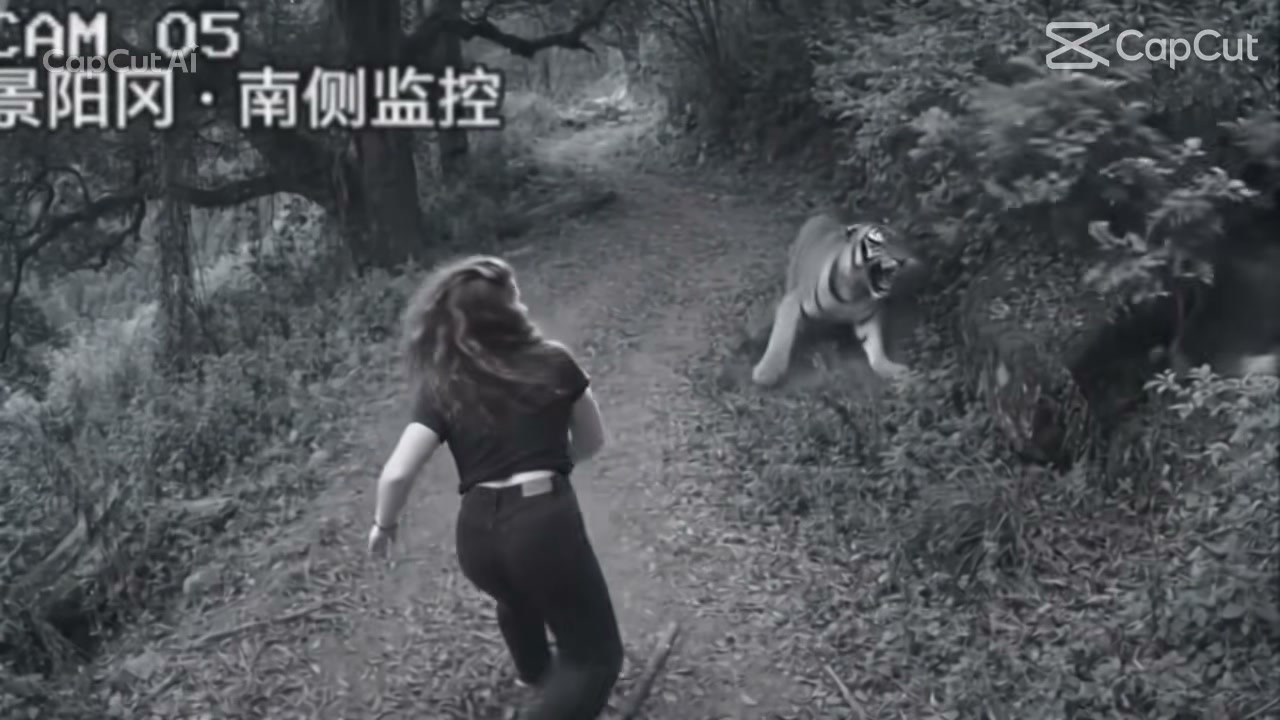
Whether it is a person 18 or older, a cartoon character, or a pet, one photo is all you need. Our Tiger Fight AI places them right in the action for a 10-second video.
Add one photo of yourself and get a 10-second 16:9 video with the trend's phonk sound laid under. Post our Tiger Fight AI video straight to TikTok and Reels while everyone is sharing the trend.
Bring one photo of your friend, with their yes, to show them winning on a security camera. Watch our Tiger Fight AI show your calmest friend walking up the path and ending up on top of the pinned tiger.
You add one photo of your dog or cat to make a funny video everyone will love. Watch our Tiger Fight AI put your pet on the forest path from the walk to the pin.
You add one photo of a cartoon character or game character to put them in the viral trend. Watch our Tiger Fight AI put them on the CAM 05 camera to grab the stick and pin the tiger.
Upload one photo of you, a cartoon or game character, or a pet, and tick the box to confirm you have the right to use it.
Choose 720p or 1080p resolution and check the price on the Create button.
Press Create, pay once with no account, and download your 10-second 16:9 Tiger Fight AI video with the trend's phonk sound.
One $9.90 credit pack of 500 credits makes your 10-second 720p Tiger Fight AI video, while 1,480 credits create a 1080p version. You pay once with no account, credits stay valid for 12 months, failed renders return credits automatically, and Seadanse pricing lists every credit pack.
Three simple steps make your video. Add one photo of you, a cartoon or game character, or a pet, head to toe or from the waist up in good light, and tick the box to confirm you have the right to use it. Choose 720p or 1080p, see the price on the Create button, and press Create to pay once with no account. You get your 10-second clip ready to post with no prompt, no template, no app and no editing.
It is a viral clip made to look like black-and-white security-camera footage. Someone walks up a forest path with a wine gourd, grabs a stick when a tiger steps out, meets its leap and ends up sitting on the pinned tiger. The clip retells Wu Song's tiger fight on Jingyang Ridge from the Chinese classic Water Margin. Our Tiger Fight AI makes this funny, impossible win from one photo.
The earliest Wu Song security-camera clip appeared on 5 November 2026 and reached 145,109 views by 18 November 2026. The CAM 05 clip arrived on 8 November 2026 with 555,694 views by 18 November 2026, and became a one-photo template used 71,127 times by that same date. TikTok posts started on 9 November 2026, and the top post from 10 November 2026 hit 1,987,496 views by 17 November 2026. Our Tiger Fight AI makes the same 10 seconds with you in it.
You star in 10 seconds across two camera shots. From 0 to 1.5 seconds, you walk up the forest path with a wine gourd while a tiger's head shows in the bushes. From 1.5 to 3.5 seconds, you throw the gourd down as the tiger steps out. From 3.5 to 4.5 seconds, you grab a stick, and from 4.5 to 6 seconds, the tiger leaps in dust while you swing. From 6 to 10 seconds, a closer camera shows you sitting astride the pinned tiger with a fist in the air, with the trend's phonk sound laid under.
The Chinese words mean camera 05, Jingyang Ridge, south side. In the classic novel Water Margin, Jingyang Ridge is where Wu Song fights a tiger with his bare hands while carrying wine. The label and the wine gourd make the joke feel like real security footage. Our Tiger Fight AI keeps the CAM 05 label right in your video.
No. It is an AI video made to look like old black-and-white security-camera footage. The action looks so real that people in social comments ask whether it happened. Nobody is hurt because the tiger is only pinned on the path. Our Tiger Fight AI makes that same fun clip with you in it.
No. Web searches for tiger fight AI also bring up AI clips of tigers fighting lions and other animals. This Tiger Fight AI trend is the security-camera clip where a person takes on a tiger on a forest path and wins. Our Tiger Fight AI makes that exact clip starring you from one photo.
Yes. Your photo can show an adult 18 or older, a cartoon or game character, or a pet such as a dog or a cat. Your character or pet takes the forest path for the whole 10 seconds, from the walk to the pin. You will love seeing your favourite face sit on the pinned tiger.
Use one clear photo of one person, pet or character. Show them head to toe or from the waist up, facing the camera in good light, so your hair, build and outfit show in every second. A plain light or dark top stands out sharply on the black-and-white path. For a pet, pick a daylight photo with the whole body in view and both eyes open.
Yes. Our Tiger Fight AI keeps your face, your hair and the clothes from your photo from the first second to the last. Everything appears in the security camera's classic black and white. You look just like yourself while you pin the tiger on the path.
Yes. The exact phonk sound from the trend's TikTok posts is laid under every video from our Tiger Fight AI. Your finished 10-second clip has the full audio track ready to post on TikTok and Reels.
Your video runs for 10 seconds in a 16:9 frame, like an authentic security-camera feed. It is made for TikTok and Reels, and comes in 720p or 1080p with the trend's phonk sound laid under. You can post it straight to your social feeds to surprise your friends.
A $9.90 credit pack gives you 500 credits, which makes one 10-second 720p video. A 1080p video uses 1,480 credits. Credit packs are a one-time payment with no subscription, and your credits stay valid for 12 months. You can buy with no account, or sign up free with no card to get 40 starter credits. The price shows on the Create button before you pay, and any render that fails returns its credits automatically. The Seadanse pricing page lists every credit pack.
No. You do not need a prompt, a template or an app. The security camera, the forest path, the tiger, the leap, the pin and the trend's phonk sound are all built into our Tiger Fight AI. The tool runs in your web browser on your phone, tablet or computer, and your video starts right on this page with no account.
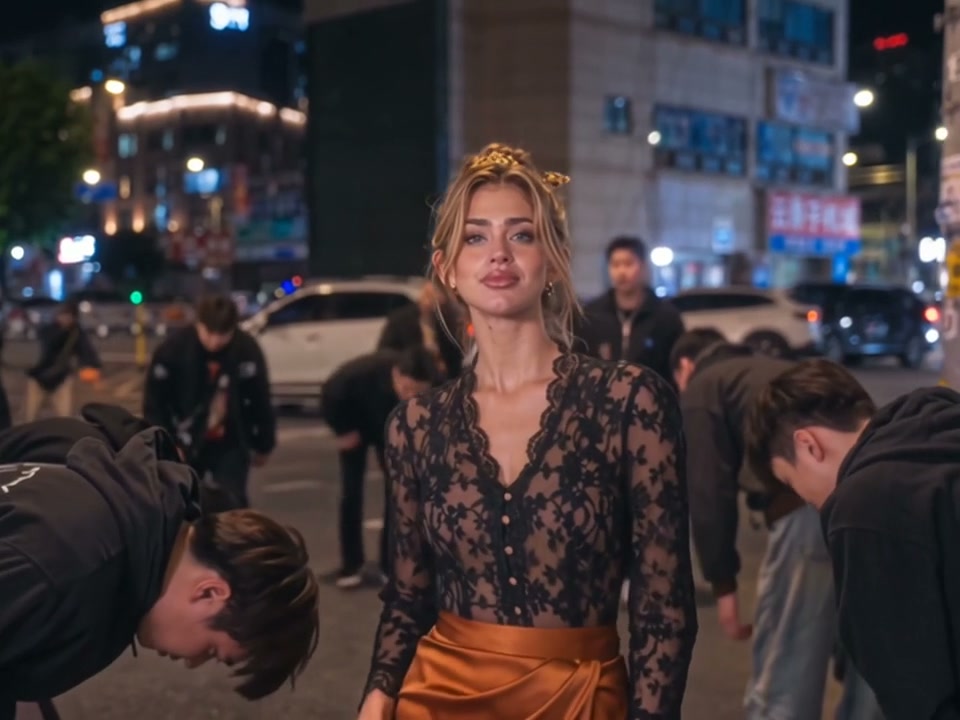
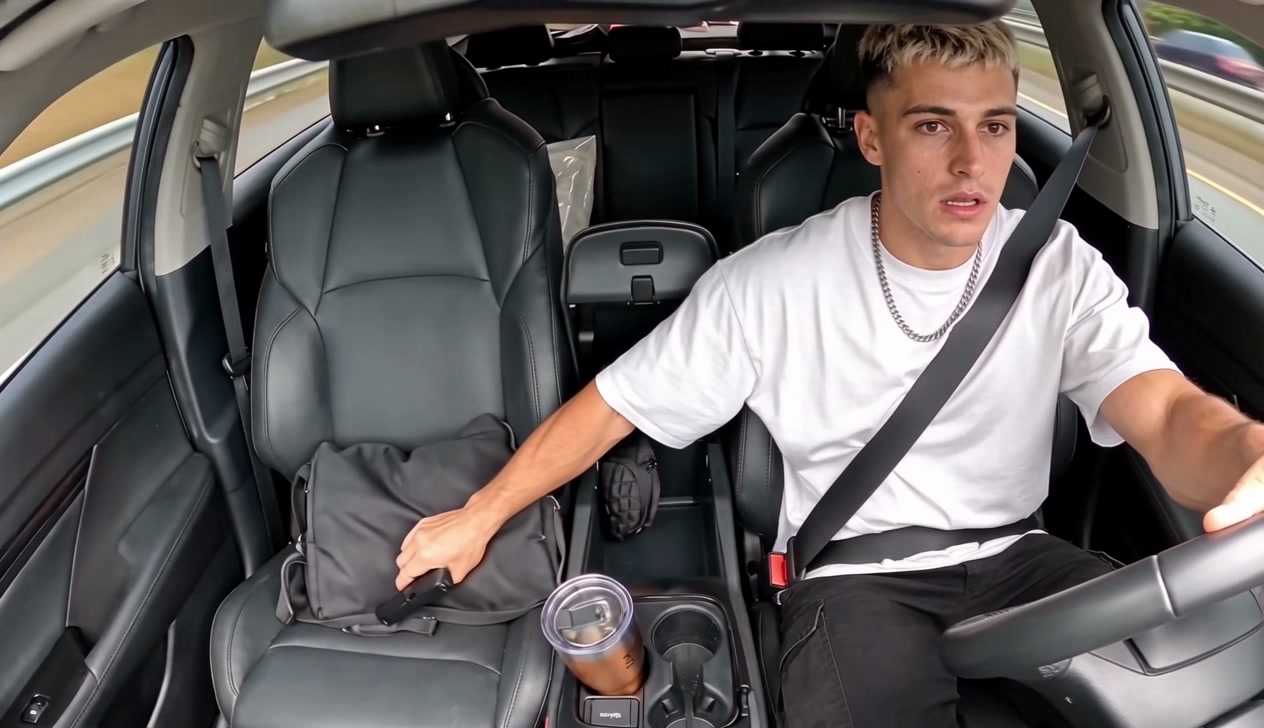
Yes. Try King Jin AI to star in a 10-second video where you stand on a night city street while the young men around you bow. Turn a photo of your living room or front door into a 10-second security-camera clip with Santa Caught on Camera AI as Santa leaves presents under your tree. You can also try AI Car Shootout Video to sit at the wheel in an in-car clip where you fire a pistol out of the window.
Yes. Seadanse runs no facial recognition on the photos you upload and collects no biometric data. The platform never sells personal information to anyone. Your photos and videos stay in your account until you delete them.
Every page here runs the real models in your browser — jump to the one that matches the clip you have in mind.
Upload a photo, pick an effect, get a short video. No prompt to write.
Articles written for this model: how to prompt it, where it runs and what its limits are.

Make AI video effects with a one-time credit pack from $9.90, no monthly plan. Four effects need no account at all.
Put yourself, a friend or a pet on the forest path and win against the tiger in a 10-second video for $9.90, with no account.


