
AI Basketball Dunk CapCut Template Not Working? Where It Is and Why
The Basketball Dunk CapCut template was published October 31, 2026. Here's how to open it from TikTok, why it stalls, and a way with one photo.
 The Seadanse Team9 min read
The team behind Seadanse. We run the models we write about, and we publish the specs, prices and limits the marketing leaves out.

TL;DR — The Basketball Dunk CapCut template the trend started from was published October 31, 2026, takes one photo, and had 20,176 uses on November 5, 2026. You'll open it from the CapCut tag on a TikTok how-to video, but tag issues, your region, old apps or wrong templates cause stalls. Seadanse's AI Basketball Dunk page makes the 15-second dunk from one photo with no app, for $9.90 at 720p.
The AI Basketball Dunk spreads through TikTok how-to videos that send you to a CapCut template. On November 5, 2026, the top how-to video, with 373,100 views, showed viewers how to open it.
A template called "Basketball dunk" turns up when people look for the link, but it's a different template from 2024.
Below, we'll cover the trend's three templates and how the how-to video says to open them. We'll also explain five reasons it stalls, and a way with one photo and no app.
Is There a Basketball Dunk CapCut Template?
Yes, there are three Basketball Dunk CapCut templates for the trend, and we opened all of them on November 5, 2026. A CapCut template is an edit someone already built in the CapCut app, with a slot for your photo.
Here they are, oldest first:
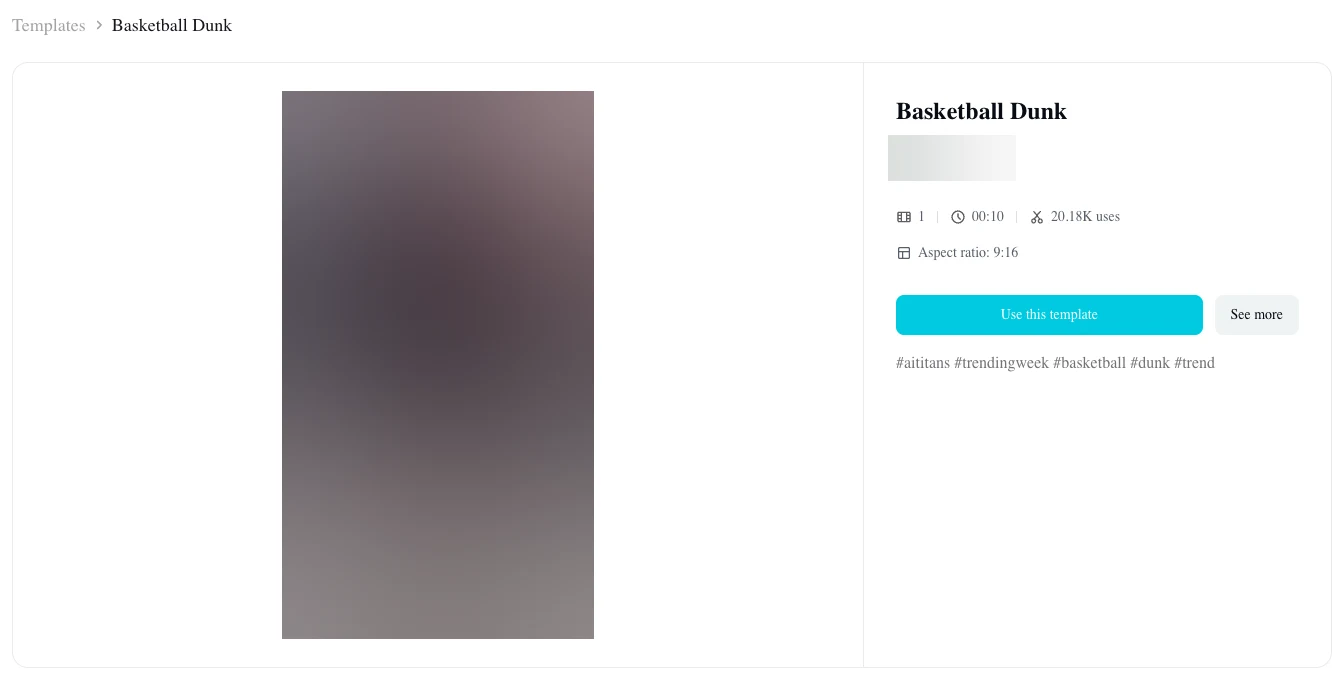
- "Basketball Dunk" (October 31): Published October 31, 2026, with 1 photo slot (one place for your photo), 9.04 seconds, and 9:16 vertical framing. At 10:10 UTC on November 5, 2026, the October 31 'Basketball Dunk' template had 20,176 uses, 37,019 plays and 286 likes.
- The second "Basketball Dunk" (November 2): Published November 2, 2026, a second 'Basketball Dunk' template runs 9.4 seconds and has 1 photo slot. It had 4,418 uses on November 5, 2026.
- "Ai" (November 4): Published November 4, 2026, a template called 'Ai' runs 10.04 seconds with 1 photo slot. It had 3,991 uses on November 5, 2026.
The October 31 template went from 18,495 uses that morning (03:39 UTC) to 20,176 by 10:10 UTC. That's about 1,700 more in about six and a half hours, so it's the one most people use.
How to Use the Basketball Dunk CapCut Template, Step by Step
The Basketball Dunk CapCut template opens from the CapCut tag on a TikTok how-to video. It doesn't open from a search in CapCut. The top how-to video's caption says: "Tap the arrow, copy the link, then use the AI template!" All 13 of the trend's posts we read on November 5, 2026 carried the CapCut "Try this template" tag.
Here's what its steps on screen show, in order:
- Open the profile: open the poster's profile.
- Find the video: find the dunk video there.
- Tap the template button: it sits at the bottom left of the video.
- Use it in CapCut: tap the option to use the template in CapCut.
- Pick the template: choose it.
- Add your photo: upload one photo, then tap Next.
Why the Basketball Dunk CapCut Template Is Not Working
The basketball dunk CapCut template is not working for most people for one of five reasons, and each one has a fix.
The CapCut tag doesn't show up
The CapCut template tag won't always appear at the bottom left of a video. Open the poster's profile, find the video again and look for the template button at the bottom left. Then update the CapCut app and open the video from the TikTok app on your phone.
The template page says it isn't for your region
When we opened the template pages from Singapore on November 5, 2026, each one marked the template as not valid for that region. So the page checks where you're opening it from.
To fix it, open the tag from the TikTok video on the phone you're using, with CapCut updated. You can also make the video without CapCut.
You opened the wrong template
Searching directly inside CapCut often leads people to an older project from 2024 instead of the current trend. The "Basketball dunk" template from February 8, 2024 is a 5.2-second meme with a meme tag and no photo slot. It had 2,781 uses on November 5, 2026.
The March 22, 2024 "Basketball Dunk" is a 12-second slow-motion edit with 3 clip slots described on its page as "Slowmo Basketball With dunk effects". It had 1,193 uses on November 5, 2026.
These two aren't the arena drive and shout. The trend's three templates are from October 31, November 2 and November 4, 2026.
The app is out of date or its cache is full
If your CapCut app's old or its cache is full, a template can stop loading properly. Update the app and clear its cache, then open the tag again.
It asks you to pay
CapCut prompts users to spend credits when they try to generate certain AI video effects. CapCut's help center says credits are a virtual currency for its AI-powered features, and each credit equals $0.01 USD.
You can check CapCut's help page on credits. None of the template pages shows a price, so we don't give one.
Under the top how-to video, one viewer wrote "hay que pagar" ("you have to pay"). Another viewer wrote "Antes de subir la foto...coloca la tarjeta" ("Before you upload the photo... put in your card"). A third viewer added "Not free".
Make the AI Basketball Dunk Without a CapCut Template
You can make the AI Basketball Dunk without a CapCut template on our page — AI Basketball Dunk for TikTok and Reels. It's made from one photo, right in your web browser, and there's nothing to install. It runs on a phone, tablet or computer, and you don't need a CapCut template, CapCut Pro, an app or a prompt.
Here's how it goes, in three steps:
- Add your photo: a person 18 or older, a cartoon or game character, or a pet.
- Pick a quality: 720p or 1080p; 720p is picked to start.
- Leave the box ticked and press Create: the price shows on the button before you pay.
A window with the packs opens, you'll pay once with no account and no subscription, and your video starts on the page. Credit packs are a one-time payment, so there's no subscription, and pack credits stay valid for 12 months. When your video's ready, you download it with no watermark on exported video.
Here's what you get:
- The length: 15 seconds, vertical 9:16 (the tall phone frame TikTok and Reels use), one shot with no cuts.
- The sound: the trend's sound under all 15 seconds.
- The run: the catch, the drive, the one-hand dunk and the shout into the camera.
- You: your own face, hair and outfit, in every second.
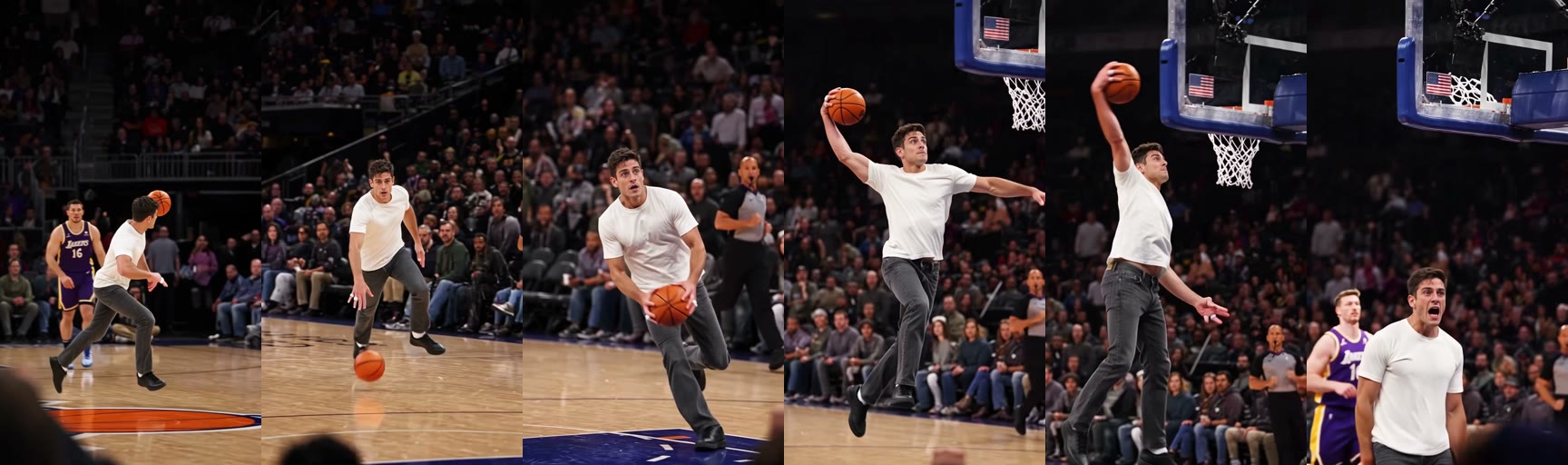
Far out at centre court in a packed NBA-style arena you'll catch the ball. You'll dribble fast straight at the camera with the referee running behind you. You gather the ball, take two long steps, and throw down a one-hand dunk at about 10 seconds.
Then you'll land under the basket and shout straight into the camera. You're playing in your own clothes, and the dunker keeps their own face, hair and outfit in every second.
You can make the dunk from one photo today. You'll also find how to make an AI video of you dunking, step by step.
Basketball Dunk CapCut Template FAQ
Questions about the trend and its CapCut templates come up daily. Here are verified answers.
Which Basketball Dunk CapCut template is the real one?
The October 31, 2026 "Basketball Dunk" is the one the trend started from and the one most people use, with 20,176 uses on November 5, 2026.
The second "Basketball Dunk" (November 2) and "Ai" (November 4) have the same dunk. The 2024 "Basketball dunk" isn't one of them. It's a different template.
Is the Basketball Dunk CapCut template free?
None of the template pages shows a price. CapCut's help center says its AI features use credits worth $0.01 each.
Can I make the dunk with my dog or a character?
Yes, you can make the dunk with your pet or a character on our page. Add one photo of your dog, your cat or a game character. They'll drive past the referee and throw down the one-hand dunk in a packed NBA-style arena.
How much does an AI Basketball Dunk video cost on Seadanse?
One 720p video costs $9.90, paid once with no subscription. The $9.90 pack gives you 500 credits, and that's what a 720p video takes. A 1080p video takes 1,480 credits.
Pack credits stay valid for 12 months, and if a video fails, its credits come back automatically. You'll see all pack options on Seadanse pricing.
Can I make other trends without CapCut?
Yes, you can make other trends on Seadanse without CapCut. AI Dunk turns one or two photos into a 5-second slow-motion video. You drive past two players and throw down a one-hand poster dunk over a tall defender, with the option to put a friend under the dunk.
Ozil Goal AI turns one photo into a 15-second video of Mesut Özil's goal with you as the scorer, with the trend's original sound. All of them sit with the rest of our AI video effects. You'll pick an effect, add a photo and get a short video, and there's no prompt to write.
Skip the Basketball Dunk CapCut Template
Three templates power the trend, and you'll open them from the TikTok tag. When that tag, your region, an old app or the wrong template gets in the way, our page makes the 15-second dunk from one photo. Here's the easy way: you can skip the template with AI Basketball Dunk for $9.90 at 720p.
Written by The Seadanse Team, the team that built the AI Basketball Dunk page.
Related Articles
- What Is the AI Basketball Dunk Trend? The Drive, the Dunk and the Shout — the one shot, where it started, the song and real vs AI, dated.
- How to Make an AI Video of You Dunking From One Photo (3 Steps) — the 15 seconds timed, the photo that works best, and three steps on our page.
- 9 Best AI Basketball Dunk Generators, Compared (2026) — nine ways to make the dunk, what each asks for and what it costs.


