
Dime Dime Baby CapCut Template: Where It Is and Why It Fails
The Dime Dime Baby CapCut template by NiNi9540: where to find it, why it asks to pay or fails, and the 1-photo route to make the real party video.
 The Seadanse Team9 min read
The team behind Seadanse. We run the models we write about, and we publish the specs, prices and limits the marketing leaves out.

TL;DR — The Dime Dime Baby CapCut template is "dime dime baby" by NiNi9540, posted on October 18, 2026 and used 261,187 times by October 21. Viewers under the tutorials say it asks to pay, fails, or gives back the original video, and its own preview is a new 8-second clip in a different hall. Seadanse's Dime Dime Baby AI for TikTok and Reels puts your photo into the real party clip with the trend's sound, $9.90 at 720p, with no app.
The top comment under the most-watched tutorial of the trend, with 107 likes, is "Quien me lo hace" (Spanish for "who'll make it for me").
You tap through the steps expecting a quick edit, but there's a catch: viewers report "es de paga" (Spanish for "you have to pay for it").
Here's where the CapCut template lives, why viewers say it fails, and how you'll get the real party video without it.
Where Is the Dime Dime Baby CapCut Template?
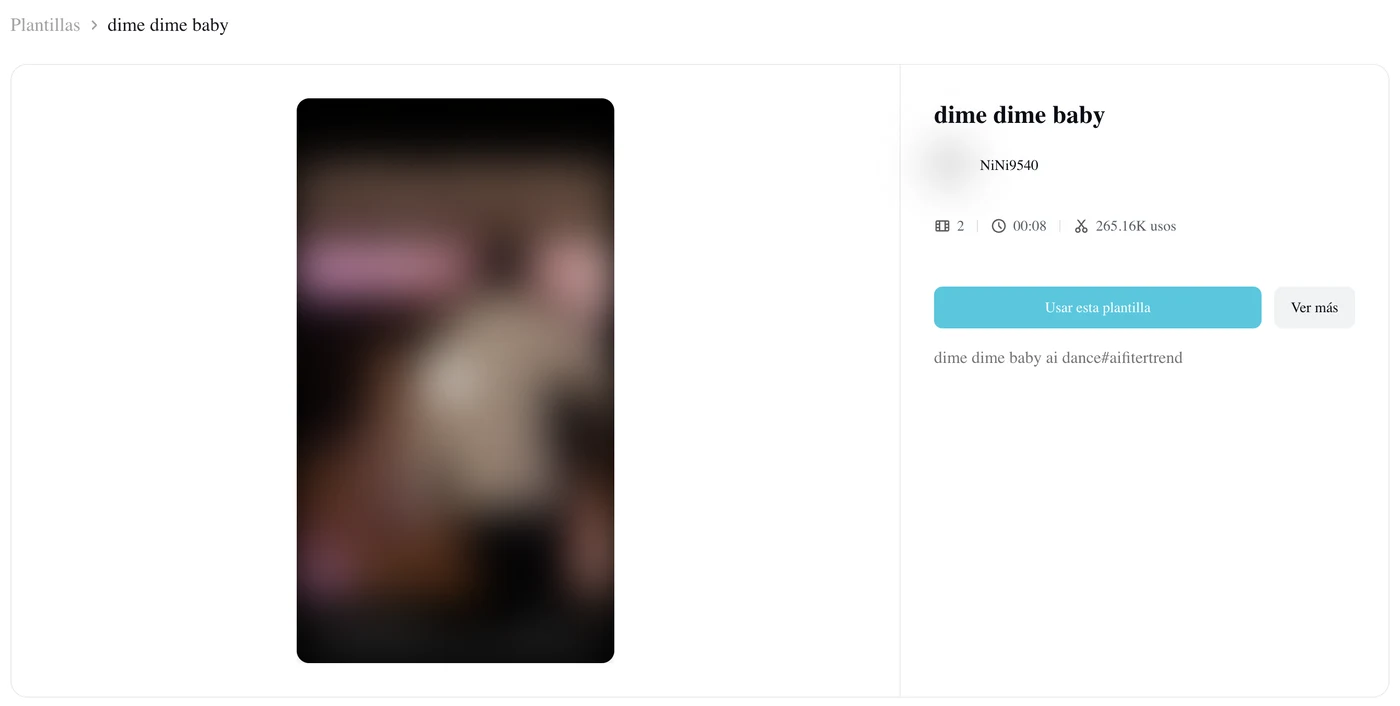
The Dime Dime Baby CapCut template is "dime dime baby" by NiNi9540 in the CapCut app, and you reach it from the "CapCut · Try this template" tag on the trend's TikTok videos.
NiNi9540 posted the Spanish-language template on October 18, 2026. It reached 261,187 uses by October 21, 2026, up from about 106,000 a day earlier. So it's the template most of TikTok goes to first.
We checked 101 trend videos on TikTok, and 93 carry a "CapCut · Try this template" tag. Of those, 78 link NiNi9540's dime dime baby template.
You'll also run into three other edits that go by the trend's names:
- NiNi9540's second "dime dime baby": it's a twin template with the exact same preview, and it had 22,746 uses on October 21, 2026.
- Green Screen Memes' "Bby wow guy trend": this CapCut template called "Bby wow guy trend" had 346,353 uses on October 21, 2026. But it's a green-screen template (a template built around a bright green screen, where your own photo or video goes). Its TikTok post calls it a "dime dime baby Green Screen Meme Template".
- The September "Dime dime baby": it's a 10-second lyric video for the song from September 5, 2026, with 1,461 uses. It isn't the party clip.
How Do You Use the Dime Dime Baby CapCut Template?
You use the Dime Dime Baby CapCut template by opening it from a TikTok post and adding one photo.
These are the taps the most-watched tutorial's captions walk you through:
- "PRIMERO TOCA ESTA FLECHITA Y COPIA EL ENLACE" (first tap this little arrow and copy the link).
- "DESPUÉS ABRE LA PLANTILLA QUE APARECE EN LA ESQUINA" (then open the template that appears in the corner).
- Tap "Use template in CapCut".
- "SELECCIONA USAR PLANTILLA" (pick use template).
- "SUBE UNA FOTO" (upload a photo).
- "TOCA SIGUIENTE" (tap next).
Before you tap "Use template in CapCut", check that the template page shows NiNi9540 and "dime dime baby".
CapCut makes the clip from your photo inside the template. That's what a CapCut template is: an edit someone else built in the CapCut app, with a slot for your photo.
Why Isn't the Dime Dime Baby CapCut Template Working?
The Dime Dime Baby CapCut template fails in four ways viewers describe in the comments.
It Asks You to Pay
Viewers say the template asks for money or credits before it makes anything. Under the most-watched tutorial, one viewer wrote "es de paga" (Spanish for "you have to pay for it"), and that comment has 43 likes.
Under another CapCut tutorial, one viewer wrote "necesitan 320 créditos para capcut sino no pasa nd" (Spanish for "you need 320 credits for CapCut or nothing happens"), with 18 likes. Another wrote "hay q pagar" (Spanish for "you have to pay"), with 12 likes. The template page itself doesn't show a price.
It Doesn't Work Even With CapCut Pro
A viewer with CapCut Pro also reports problems with the edit. One viewer under the most-watched tutorial posted "No funciona esa plantilla y eso q tengo la versión pro de Cap cut" (Spanish for "that template doesn't work, and I have CapCut Pro"), and 8 people liked it.
Under a third tutorial, another viewer wrote "a mí no me funciona" (Spanish for "it doesn't work for me"), with 6 likes.
It Gives You the Original Video Back
One viewer followed every step in the tutorial and got the original video back instead of the template with the photo they'd picked.
Here's the thing: the most-watched tutorial's own screen recording opens Green Screen Memes' "Bby wow guy dance". It's a green-screen template whose preview is the original dancer cut out on a green background. But the tag on that tutorial links NiNi9540's "dime dime baby".
Green Screen Memes' "Bby wow guy trend" is built on the original clip too: its preview cuts from a green "PHOTO & VIDEO HERE" screen straight to the original party clip.
It Isn't the Real Party
NiNi9540's template preview shows you an 8-second clip of a young man in a cream polo. He's in a new purple-lit hall with other guests, and the clip carries "Ai" and "CapCut ID" marks. It isn't the original party.
Under the most-watched tutorial, a viewer asked "cuál es el original?" (Spanish for "which one is the original?"), and 17 people liked it.
If you'd like to see how the meme started, our guide shows which dime dime baby video is the original.
Is the Dime Dime Baby CapCut Template Free?
The Dime Dime Baby CapCut template's page shows no price, but viewers under the tutorials say it asks them to pay.
Out of 211 TikTok comments we counted under four trend videos, 12 say the template costs money. Another 13 say it didn't work for them at all.
On Seadanse, you'll see the price on the Create button before you pay, and one 720p video is $9.90.
How Do You Make the Dime Dime Baby Video Without a CapCut Template?
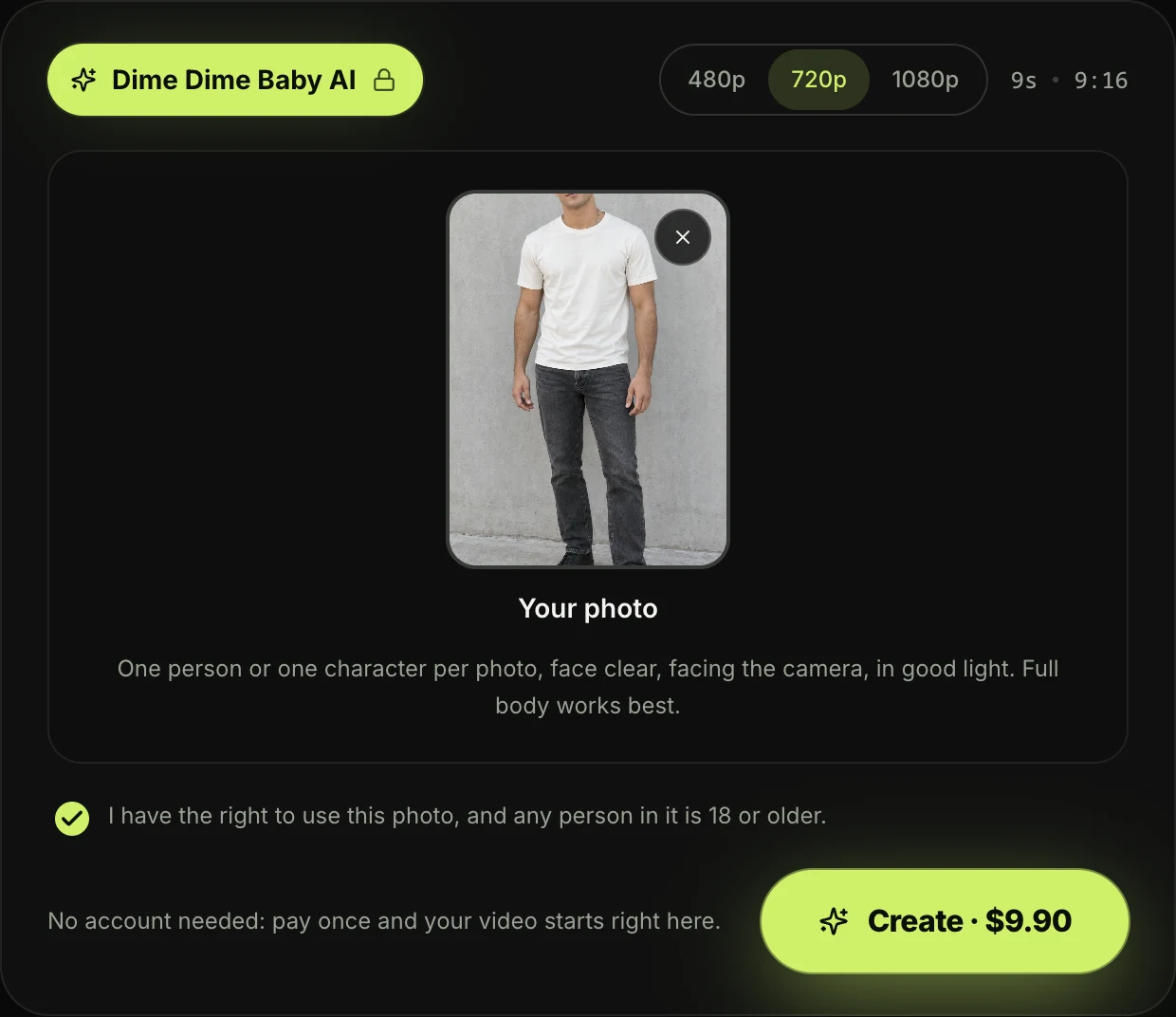
You make the Dime Dime Baby video without a CapCut template on Seadanse's Dime Dime Baby AI. The real party clip and the trend's sound are built in, so you don't need a template link.
Here's what you do on the page:
- Add one photo: upload one photo of yourself, an adult friend or family member, or a cartoon, game or AI-made character. Then keep the consent box ticked.
- Pick 480p, 720p or 1080p: pick the video quality you want for your clip.
- Press Create: the price shows on the button before you pay.
You pay once at checkout with no account or subscription, and your video starts on the page.
You're the one who walks up to the camera with a concha (a Mexican sweet bread roll with a sugar shell). You bite it, stare into the lens and dance away into the crowd. Everything else stays from the original clip:
- The hall: the white curtains, flower centrepieces, gold chairs and pink, purple and green lights.
- The guests: everyone at the party, in their dresses and shirts.
- The moves: every dance step, the bite and the chewing.
The trend's "dime, dime, baby" sound plays from the first second. You download a 9-second vertical MP4 with no watermark on exported video.
You can follow the three steps with screenshots to see the full walkthrough.
Dime Dime Baby CapCut Template FAQ
How do I find the Dime Dime Baby CapCut template from TikTok?
You find the Dime Dime Baby CapCut template by tapping the "CapCut · Try this template" tag above the account name on a trend video. You can also tap the share arrow, copy the link, and open it in the CapCut app.
Why does the Dime Dime Baby template show the original video?
The green-screen "Bby wow guy" templates from Green Screen Memes are built on the original party video itself. Our page puts your photo into the real clip as the dancer. So you're the one who walks in when you create the Bby Wow guy AI video.
Do I need CapCut Pro for the Dime Dime Baby template?
Viewers under trend tutorials say the Dime Dime Baby template asks for credits or a Pro subscription. You don't need CapCut or CapCut Pro to make your video on our page.
What's the best way to make the Dime Dime Baby video without CapCut?
The best way to make the Dime Dime Baby video without CapCut is to add one photo on our page and create the 9-second clip in the real party hall.
If you'd like to see the options, we've put every dime dime baby AI generator compared in one place. You can also check our other AI video effects.
Ready to Skip the Dime Dime Baby CapCut Template?
You can skip the CapCut template and put your photo straight into the real party clip with the trend's sound. Head to Dime Dime Baby AI, pick 720p for $9.90, and you'll get your 9-second vertical video in a few minutes with no app.
Written by The Seadanse Team; we read the template pages, the tutorials and 211 comments on October 21, 2026.
Related Articles
- How to Make the Dime Dime Baby AI Video From One Photo (3 Steps) — add a photo, pick a quality, press Create.
- What Is the Dime Dime Baby AI Trend? (Real vs AI, Explained) — the real 2025 clip, the AI versions, and how the trend spread in three days.
- What Is Bby Wow AI? Dime Dime Baby, the Bby Wow Guy and the KAROL G Dance — why the meme has two names, who the Bby Wow guy is, and why the BbY WOW dance is a different thing.
- Best Dime Dime Baby AI Generators (2026): 10 Tools Compared — every tool that makes the trend, side by side.
- Dime Dime Baby AI Prompt (Copy-Ready) — and How to Skip the Prompt Entirely — the edit prompt, if you'd rather write it yourself.


