
How to Make an AI Video of You Dunking From One Photo (3 Steps)
How to make an AI video of me dunking: one photo, 3 steps, 15 seconds of your drive, one-hand dunk and shout, in your own clothes, with the trend's sound.
 The Seadanse Team11 min read
The team behind Seadanse. We run the models we write about, and we publish the specs, prices and limits the marketing leaves out.

TL;DR — If you're asking how to make an AI video of me dunking, you add one photo, pick a quality and press Create to get 15 seconds of you driving the floor, dunking with one hand and shouting into the camera. The trend's sound is already laid under, so there's no template to find, no prompt to write and no audio to add. Seadanse's AI Basketball Dunk page does it for $9.90 at 720p with no account.
The AI dunk video is the clip people want of themselves right now. Under one of the trend's TikTok posts, a viewer simply asked "what app please".
We built this guide to show you what happens across the 15 seconds, beat by beat. You'll also see the three steps on our page, the photo that works best, and how to put your dog or a character on the court.
Here's our own AI Basketball Dunk video made from one photo of a young man.
In the video, he's dressed in a plain white T-shirt, dark grey jeans and black shoes. He catches the ball at centre court, sprints to the rim and throws down a one-hand slam.
Here's what's below:
- The beats: the 15 seconds, timed.
- The steps: three picks and presses.
- The photo: what works best.
- The FAQ: the song, the outfit and the cost.
What an AI Basketball Dunk Video Looks Like
An AI Basketball Dunk video is 15 seconds in one long shot. The one from your photo catches the ball at centre court, drives the floor, dunks with one hand and shouts into the camera.
Here's how our 15-second version plays out:
- The catch (0 to 1 second): far out at centre court in a packed NBA-style arena, you catch the ball.
- The drive (1 to 8 seconds): you dribble fast down the floor straight at the camera, with the referee running behind you.
- The gather (8 to 10 seconds): you gather the ball in both hands and take two long steps.
- The dunk (10 to 12 seconds): you take off at about 10 seconds and rise to the rim with the ball held high. You throw down a one-hand dunk, then land under the basket and turn.
- The shout (12 to 15 seconds): you shout straight into the camera as a fan's hand sweeps across the frame.
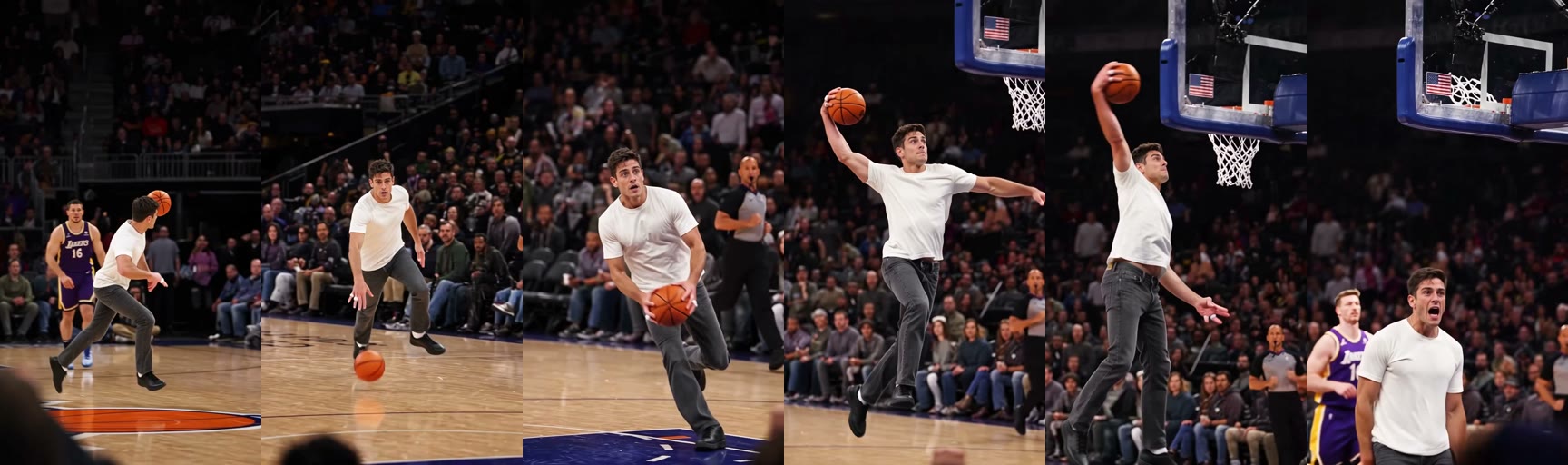
The trend's sound plays under all 15 seconds from the first one, and there are no cuts.
You'll stay in your own clothes the entire time. You keep your own face, hair and outfit in every second of the clip.
The court has polished wood boards, thousands of fans who cheer in the stands, and stadium lights overhead. You don't need to describe any of that because the whole setting is built right into the shot.
How to Make an AI Video of You Dunking in 3 Steps
You'll make an AI video of you dunking on our AI Basketball Dunk generator in three steps, with nothing to film and no template to find.
- Add your photo: you upload one photo of a person 18 or older, a cartoon or game character, or a pet. On a computer, you can also scan a code and pick it from your phone.
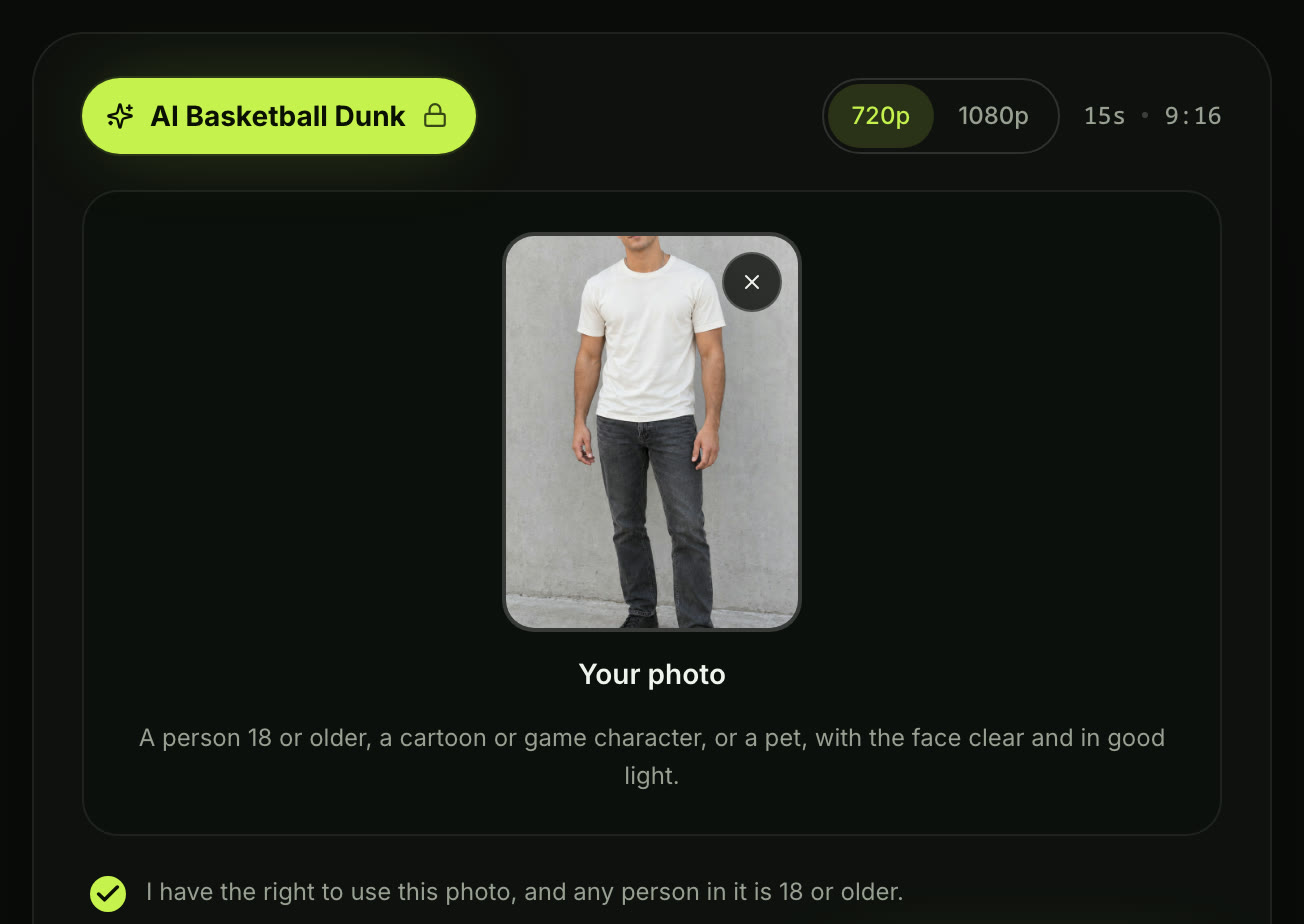
- Pick a quality: you choose 720p or 1080p; 720p is picked to start.

- Leave the box ticked and press Create: the box comes ticked. It confirms you have the right to use the photo and anyone in it is 18 or older. The price shows on the button before you pay.
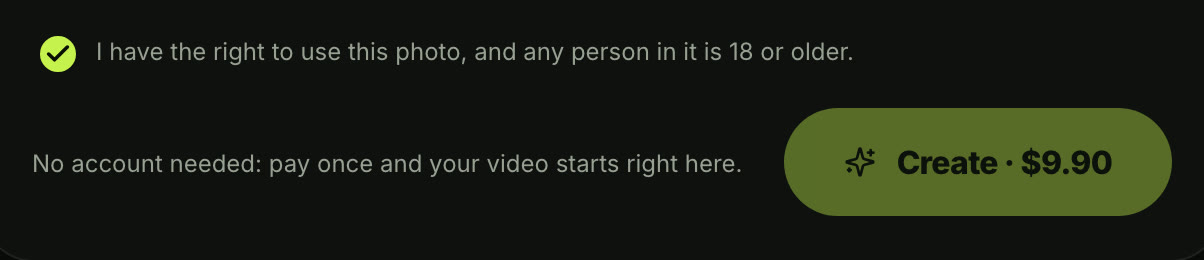
When you press Create, a window with the credit packs opens.
You pay once at checkout with no subscription, and your video starts right on the page.
You don't need an account to create your video. You won't have to fill out a profile or remember a password.
When your clip's ready, you'll download the 15-second video. It's got the trend's sound under it, and there's no watermark on exported video, so it's ready for TikTok and Reels.
Pick the Best Photo for Your AI Basketball Dunk
The best photo for an AI Basketball Dunk shows one person, character or pet with the face clear, in good light.
Here's what works best:
- One in the photo: pick an image showing a single person, pet or character so the dunker is obvious.
- The face: choose a clear front-facing shot where features aren't hidden by shadows or blur.
- The outfit: you play in whatever clothes you wear in the photo, whether that's a suit, a hoodie, a check shirt and jeans or your work uniform.
- Ages: make sure every person shown in the photo is 18 or older.
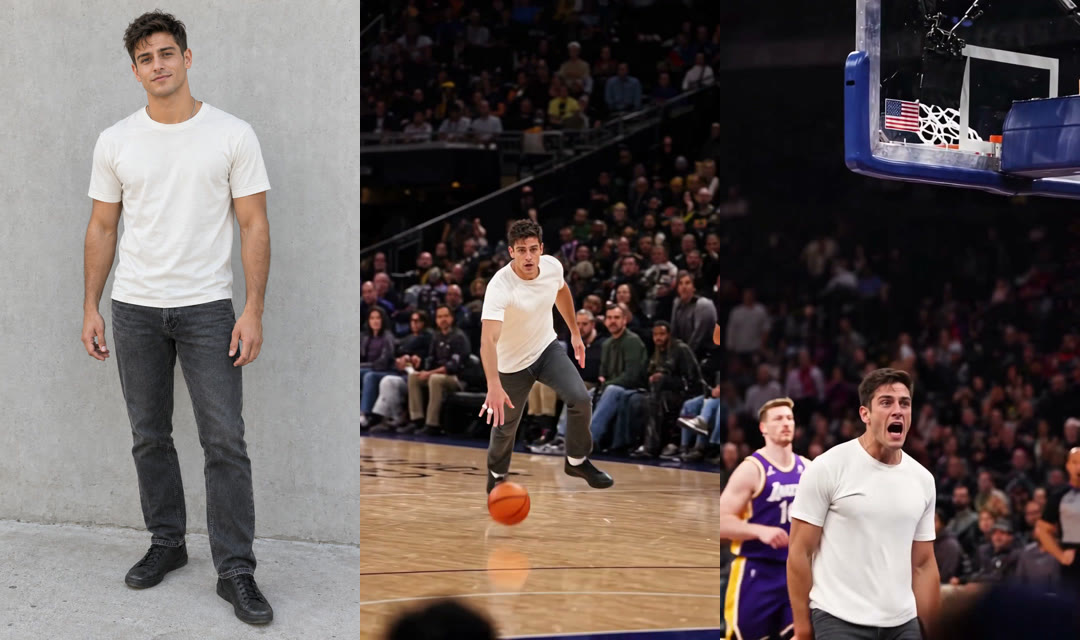
That single image gives the generator everything it needs to make the dunk from one photo.
You can read our guide on how pay-once credits work to see how simple it is to pay once without signing up.
Put Your Dog, Cat or a Character in an AI Basketball Dunk Video
The dunker in an AI Basketball Dunk video can be a dog, a cat or a cartoon or game character, as well as a person 18 or older.
Here are four that work:
- You: upload one selfie or photo of yourself, drive the floor, throw down a one-hand dunk and shout into the camera in a 15-second vertical video for TikTok and Reels.
- Your work clothes: add a photo of you in a suit or work uniform to catch the ball at centre court and dunk in the exact outfit from your photo.
- A friend who says yes: use their photo with their say to get 15 seconds of your friend dunking and shouting into the camera to post in your group chat.
- Your pet or a character: drop in a photo of your dog, your cat or a game character. Then watch them drive past the referee and throw down a one-hand dunk in a packed NBA-style arena.
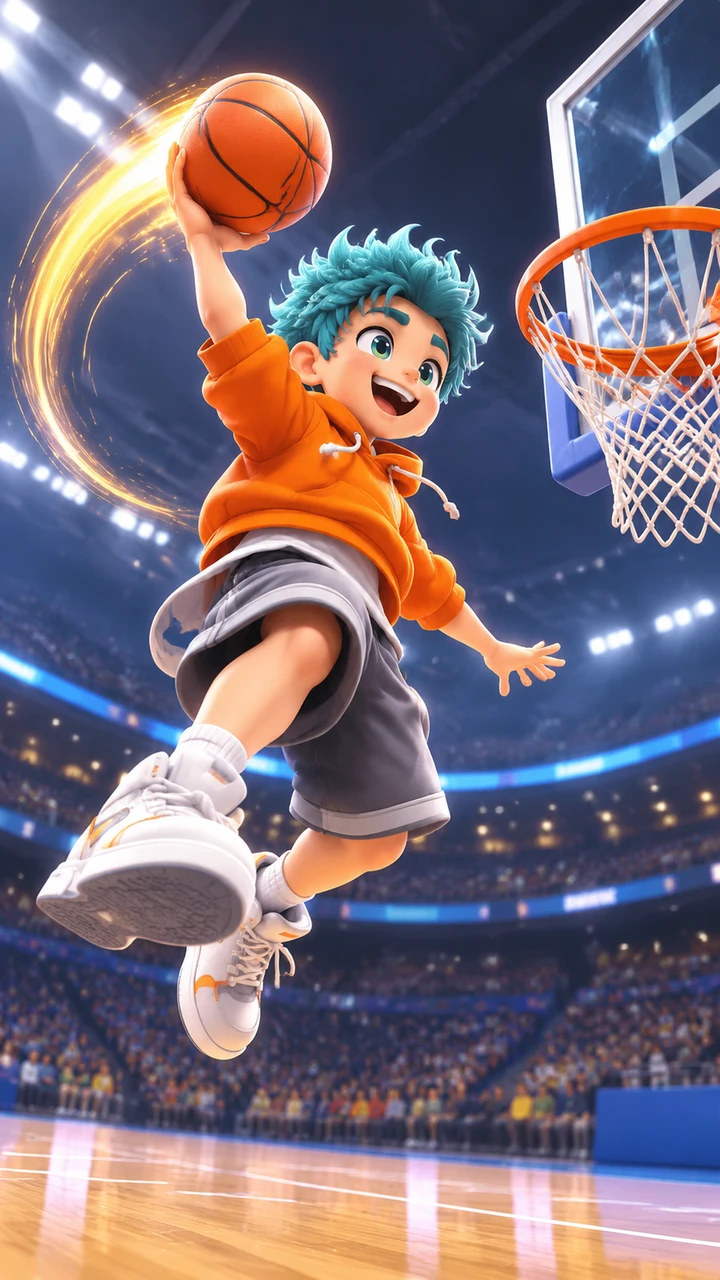
Clips of a dog dunking are all over TikTok. On our page, your dog or cat drives past the referee and throws down the same one-hand dunk in the same 15 seconds.
Your pet charges straight down the hardwood court while the referee runs behind. They rise up to the hoop, slam the ball down, and shout right at the camera lens.
Game heroes look just as striking on the court. Whether you pick an animated character with spiky hair or a beloved pet, they keep their distinct look all the way through the 15-second play.
Do You Need an AI Basketball Dunk Prompt or a CapCut Template?
No: on our page there's no AI basketball dunk prompt to write, no CapCut template to find, no CapCut Pro and no app to download. That's because the arena, the run, the dunk and the sound are built in.
Here's what the scene holds, whatever tool you use:
- The arena: a packed NBA-style arena with a wood court, a crowd in every seat, a referee and another player on the floor.
- The run: the catch far out at centre court, the fast dribble straight at the camera, the gather in both hands and two long steps.
- The dunk: a one-hand dunk at about 10 seconds, the ball through the net, the landing under the basket.
- The end: the shout straight into the camera, a fan's hand sweeping across the frame, and the trend's sound under all 15 seconds.
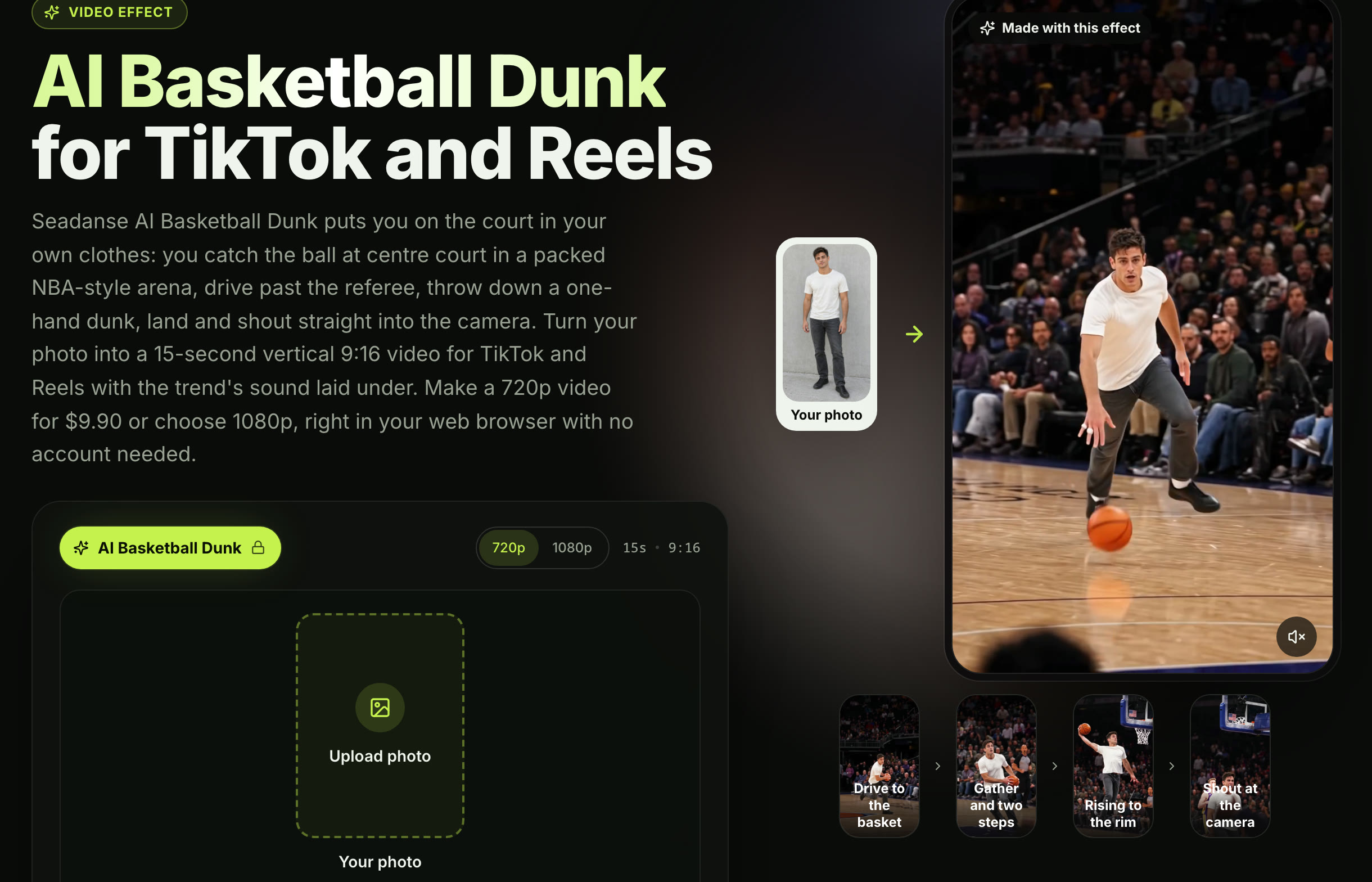
You'll get every single one of these beats from AI Basketball Dunk for TikTok and Reels using just one photo.
If you'd rather look into outside editing steps, check our breakdown on where the Basketball Dunk CapCut template is.
With our browser page, you'll skip the hassle of writing complex scene descriptions. You don't have to explain camera angles, lighting conditions or the timing of the steps.
Everything runs straight in your mobile or desktop browser. You simply add your picture, confirm your quality setting, and let the page assemble the finished basketball clip.
Why the AI Dunk Video Gets Shared
The AI dunk video gets shared because the laugh comes from who is dunking and what they wear on the court. It all happens in a packed arena and ends on a shout straight into the camera.
Here's how big it is, read on November 5, 2026:
- The template: 20,176 uses for the "Basketball Dunk" CapCut template, published October 31, 2026.
- The top post: the post with 1.5 million views also had 176,500 likes and 801 comments when we read it.
- The comments: "Is this AI?" with 15 likes under that post.
You can read our full backstory on where the AI Basketball Dunk trend came from to see how this clip took off across feeds.
People love the contrast between normal daily clothes and high-flying basketball moves. Seeing someone sprint in office shoes or a pet charge at the rim makes people stop scrolling.
The continuous camera movement pulls viewers into the play from the opening whistle. Because there aren't any cuts, the drive looks uninterrupted from the centre circle to the rim.
When the dunker lands and roars directly at the lens, it's got the energy of a highlight reel. That emotional release makes the whole clip fun to repost in family and group chats.
AI Basketball Dunk Video FAQ
What song is in an AI basketball dunk video?
Many of the trend's posts use the track "Forever" by Drake, Kanye West, Lil Wayne and Eminem. Our video lays the trend's sound under all 15 seconds so you don't need to add audio yourself. It plays from the very first second right through the landing shout.
Do I keep my own clothes in the video?
You play in whatever you wear in the photo, whether that's a suit, a hoodie, a check shirt and jeans or your work uniform. You'll keep your own face, hair and outfit in every second of the video. The court, the crowd and the referee frame you, but your appearance stays true to your original picture.
Will my AI dunk video fit TikTok and Reels?
The exported video is 15 seconds in vertical 9:16, that's the tall phone frame TikTok and Reels use. You can pick either 720p or 1080p based on how sharp you want the output to look. It downloads with the audio built in, ready to post directly to your social feed.
How much does an AI Basketball Dunk video cost?
One 720p video costs $9.90, which buys a pack of 500 credits where a 720p video takes 500. A 1080p video takes 1,480 credits.
You pay once at checkout with no subscription, pack credits stay valid for 12 months, and if a video fails, its credits come back automatically. Check the Seadanse pricing page for full credit details.
Can I make other dunk videos from my photo?
You can try AI Dunk, which turns one or two photos into a 5-second slow-motion poster dunk. You can also pick Middle Finger Dunk for an 8-second video where you cross over a defender and hang on the rim. Both effects sit alongside our other creative tools on the AI video effects page.
Make Your AI Basketball Dunk Video Today
You can make your AI Basketball Dunk video right now from one photo in three simple picks and presses.
You'll get a 15-second vertical clip where you catch the ball at centre court and drive the floor. You throw down a one-hand slam and roar into the camera in your own clothes.
The trend's sound comes built right in for $9.90 at 720p with no account to create, no template to hunt down and no prompt to write.
Written by The Seadanse Team, the team that built the AI Basketball Dunk page.
Related Articles
- What Is the AI Basketball Dunk Trend? The Drive, the Dunk and the Shout — the one shot, where it started, the song and real vs AI, dated.
- AI Basketball Dunk CapCut Template Not Working? Where It Is and Why — the trend's templates, how the how-to videos open them, and five reasons they stall.
- 9 Best AI Basketball Dunk Generators, Compared (2026) — nine ways to make the dunk, what each asks for and what it costs.


