
AI Crying Filter vs AI Crying Video: Which One Is the TikTok Trend?
AI crying filter means three things: Snapchat's 2022 lens, a photo tool that adds tears, or the 2026 AI crying video where one photo makes a 12-second clip.
 The Seadanse Team13 min read
The team behind Seadanse. We run the models we write about, and we publish the specs, prices and limits the marketing leaves out.

TL;DR — An AI crying filter refers to three different tools from 2022 and 2026, but only one is the video trend in your feed today. The three tools work in very different ways:
- Snapchat's Crying lens (2022): a live camera lens that makes a real face look like it's frowning and about to cry while you film.
- AI photo crying filter: you upload one photo and get the same photo back with tears and red eyes.
- AI crying trend video (2026): one photo becomes a short video where your smile breaks, a tear falls and you walk away into the night.
The clip on your feed is the video, and our AI Crying Trend Generator makes a 12-second, 9:16 one from one photo for $9.90 at 720p.
You saw the clip on your phone late at night. A person stands on a dark street, filmed over someone's shoulder. They give a soft smile, their face breaks, tears fall down their cheek, and they turn and walk away into the dark.
So you opened a search bar and typed "AI crying filter" to find it. Instead of that movie scene, search engines gave you a Snapchat prank lens from 2022 and photo websites that paste tears on an image.
Neither tool moves at all like the clip you watched.
Even Google's AI answer for "AI crying filter" stops to ask whether you want to edit a photo or make a video.
Here's what each tool actually does, a side-by-side comparison, a quick way to spot the difference, and how to build the moving video from one photo.
"AI crying filter" means three different things
The phrase "AI crying filter" covers three things. There's a live camera lens from 2022, a web tool that edits one photo, and a 2026 moving video made from a photo.
Snapchat's Crying lens is the crying filter from 2022
Snapchat created the original effect and named it "Crying". It's a lens (Snapchat's word for a camera effect that changes your face live while you film).
The lens "makes the creator appear as if they're frowning, sad and on the verge of crying" as Know Your Meme explained on May 9, 2022.
It turned into a huge prank in early 2022. People pointed their phone at friends, asked why they were sad, and watched them insist they felt fine.
On May 7, 2022, a TikToker filmed her older sister eating french fries through the lens. That clip picked up about 16.6 million plays in two days and 2.2 million likes, so the prank spread almost overnight.
Even though it took over TikTok feeds, it started on Snapchat. As Emma Carey wrote for Bustle on May 12, 2022, "Though the crying filter has gone especially viral on TikTok, the lens itself comes from Snapchat."
Bustle reported that Snapchat users engaged with the lens over 1 billion times. On October 8, 2026, Snapchat's lens page still lists it as Crying Lens by Snapchat with tags like "crying filter" and "sad face filter".
The lens changes a real face on camera, but it doesn't start from a photo, and it doesn't build a movie-style farewell scene.
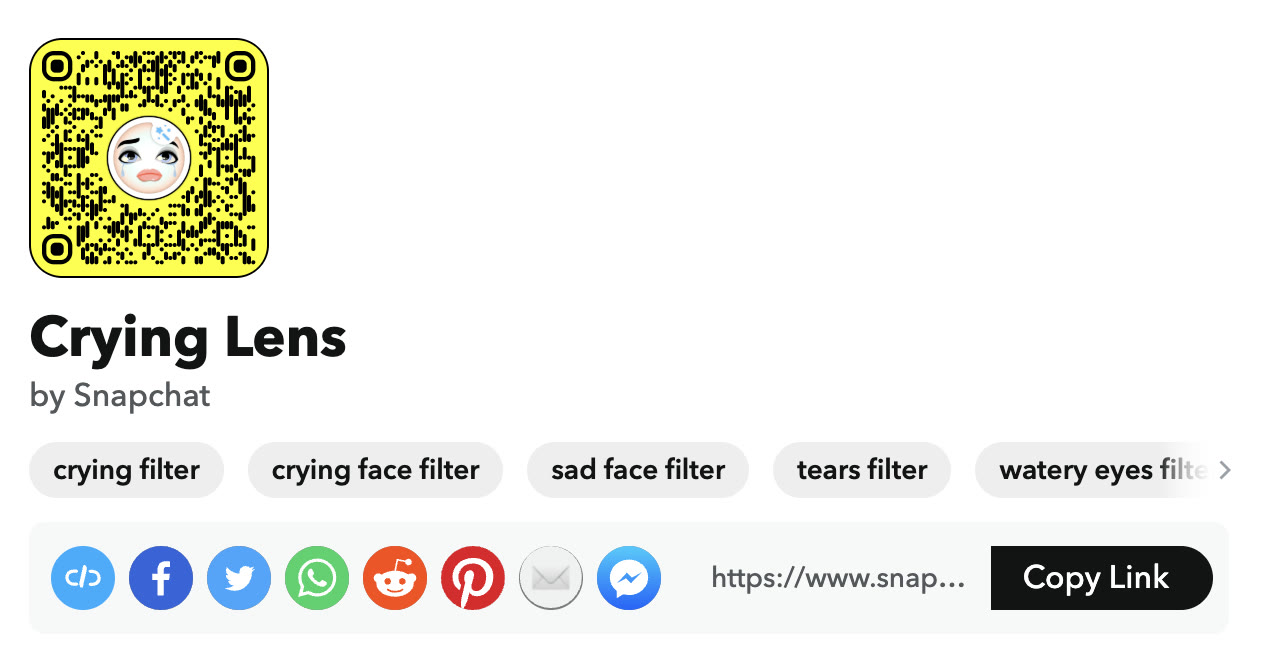
Snapchat's own lens page, October 8, 2026: the original crying filter is a Snapchat lens called Crying Lens.
AI photo crying filters add tears to one photo
An AI photo crying filter is a browser tool where you upload one photo and get that exact picture back with tears added. Nothing moves on the screen.
Magic Hour hosts a page titled "Crying Filter - Free AI Tool, No Sign Up". Its headline promises to "Add a realistic crying effect with tears and red eyes".
Its FAQ says the filter adds "Tear trails running from the eyes, wetness and redness around them, and flushed skin". You can pick a subtle or a dramatic strength, and the page notes that you get 3 free uses per day with no account.
Kaze AI runs a similar page that says, "Transform your photos with AI-powered crying filters: realistic tears and emotions in seconds". Media.io titles its page "AI Crying Filter - Add Sad Face to Photo Online Free".
CapCut also has an image page for this exact use. On October 8, 2026, CapCut stated that "In most search contexts, a crying filter refers to an image editing effect" that places tear tracks and watery eyes onto a face.
Searchers often type "AI crying face" or "AI crying effect" when looking for these photo tools. The result is always one photo that doesn't move, so it can't show a smile that fades into tears.
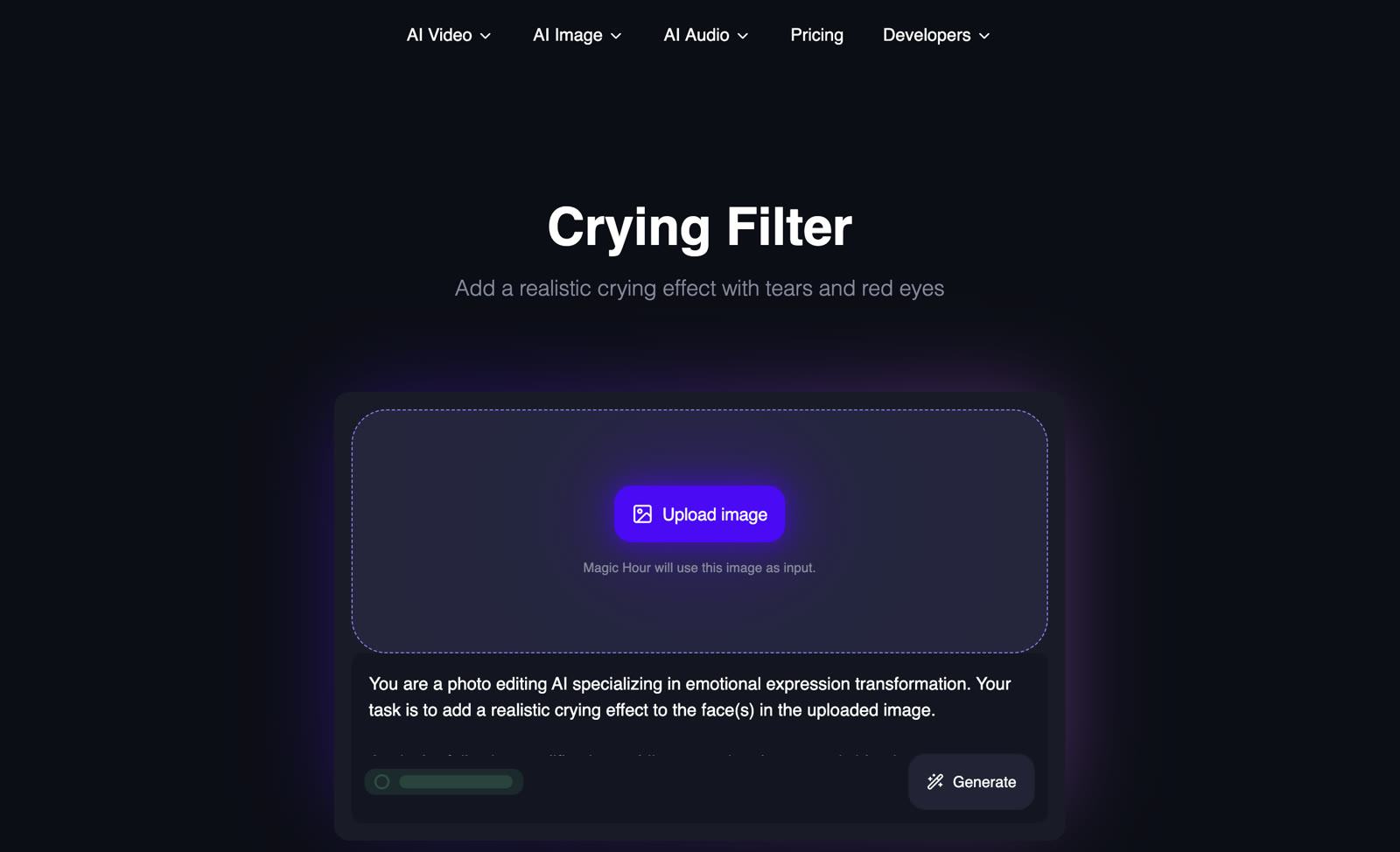
An AI photo crying filter takes one image and gives back the same image with tears. Magic Hour's Crying Filter page, October 8, 2026.
The AI crying trend is a video made from one photo
The AI crying trend is an entirely new format that took off on TikTok in late September 2026. Instead of editing a photo, it turns one photo into a vertical video that runs about 10 seconds.
Social media feeds call it a filter, but it's actually a generated video.
The AI crying trend on TikTok is a video, beat by beat
The AI crying trend tells a specific story that looks like a quiet K-drama farewell. Every clip you've seen follows the same four beats:
- The look: night, a close-up filmed over the blurred shoulder of the person you're facing, warm city lights behind you, and a smile.
- It breaks: the smile slowly fades and the eyes go red and fill with tears.
- Tears fall: a tear runs down the cheek, the lips tremble, and you look down. Quiet crying, no loud sobbing.
- Walk away: you turn around and slowly walk away into the night.
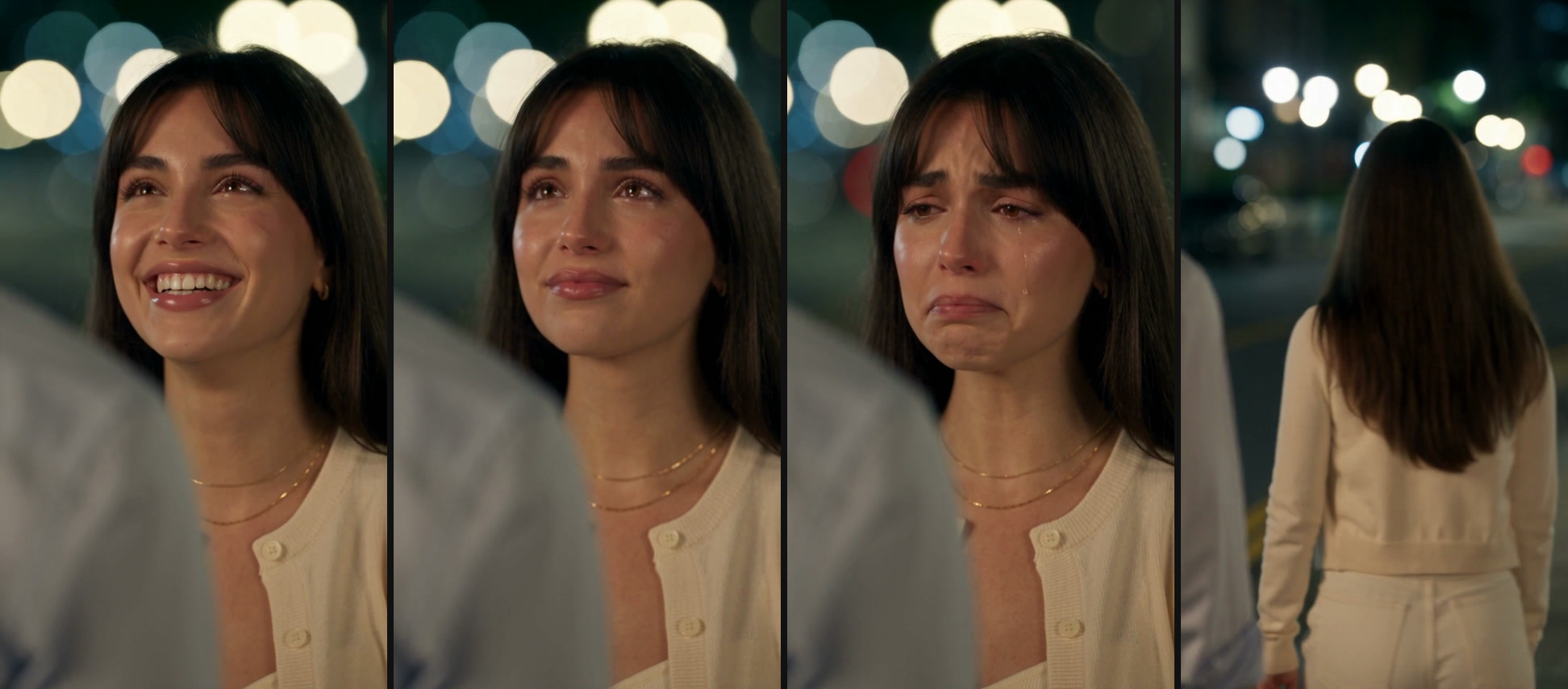
The four beats in our Smile to Tears sample: the look, it breaks, tears fall, walk away.
Where did this trend come from? The top TikTok tutorials link to a CapCut template (a template is a ready-made video recipe you drop your photo into). That 10-second template showed about 94.6 million uses on October 7, 2026.
Creators spread how-to videos in English, Spanish, Portuguese, Tagalog, Indonesian and Vietnamese, often calling it the "trend de llorar" in Spanish.
Most tutorials label it a filter anyway; one top tutorial titled "Tutorial on the Crying AI Filter Effect" counted about 748,700 plays by October 7, 2026.
If you want that viral story, you can make your own AI crying video from one photo, and you won't have to film yourself.
AI crying filter vs AI crying video, side by side
Snapchat's Crying lens, an AI photo crying filter and the AI crying trend video differ on seven points, shown row by row in the table.
| Snapchat's Crying lens | AI photo crying filter | AI crying trend video | What it means for you | |
|---|---|---|---|---|
| What you start with | Your phone camera, live | One photo | One photo | Only the lens needs someone in front of the camera |
| What you get | A clip you film yourself, with a teary, frowning look over a real face | The same photo with tears, red eyes and flushed skin | A video of about 10 seconds (12 on Seadanse): the smile breaks, tears fall, you walk away | Only the video tells the farewell story people post now |
| Does it move? | Yes, it's a real face on camera | No, it's one picture | Yes, the AI makes the motion from your photo | A photo can't show a smile breaking into tears |
| The scene | Wherever you're filming | Your photo's own background | Night, over the shoulder of the person you face, city lights behind you | The night farewell is what people know as the trend |
| Sound | What your phone's mic picks up | None | On Seadanse: soft, sad piano and no dialogue | The video is ready to post as it is |
| Best known from | TikTok pranks in May 2022 | Photo-editing websites | TikTok, from late September 2026 | The 2026 clip is the one in your feed |
| How you make it | In the Snapchat app | On photo websites such as Magic Hour, Kaze AI and Media.io | Upload one photo; on Seadanse, $9.90 makes one 12-second 720p video | One photo is all the video needs |
We read each tool's own page on October 7 and 8, 2026; the Snapchat facts come from the Know Your Meme and Bustle write-ups linked above.
The differences come down to three practical areas:
- Motion: a photo filter stays completely frozen, while the 2026 video animates full facial expressions and body movement from your photo.
- Story: the lens shows a live face in an ordinary room, while the AI video creates an entire goodbye scene with city lights.
- What you start with: the lens needs a live person on camera, while both web options need only a single uploaded photo.
How to tell which crying filter you saw on TikTok
You can tell the three tools apart in just a few seconds. Check how the person appears on screen:
- A live person talking or laughing in a room while looking like they might cry: that's Snapchat's Crying lens from the 2022 prank wave.
- One picture with tear streaks that never moves: that's an AI photo crying filter from an image editing website.
- A movie-style night scene where a smile turns to tears before the person walks away: that's the 2026 AI crying trend video.
If your feed shows that emotional night farewell, you'll want the video.
Make the AI crying video from one photo on Seadanse
We've built our AI crying trend effect as part of our AI video effects collection so anyone can generate the clip in their web browser.
You don't need an app, a prompt or a template to make it:
- Sign in and upload one photo of one adult (18+).
- Pick Smile to Tears or Hilltop Tears.
- Pick Facing Him or Facing Her.
- Add a note if you want.
- Pick 480p or 720p and press Create.
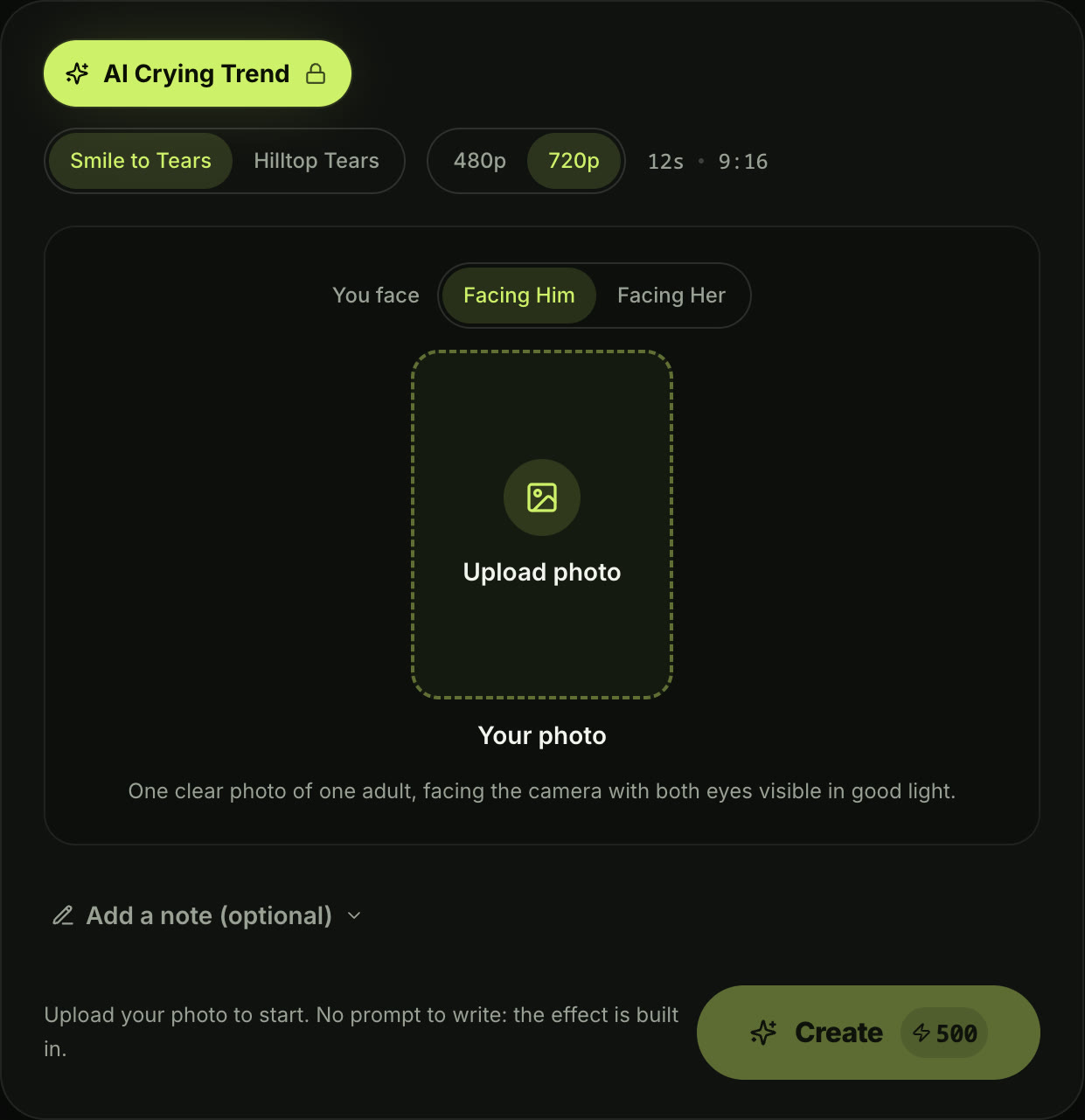
The generator on our live page, October 8, 2026. 500 credits is one 12-second 720p video, the $9.90 credit pack.
You've got two story styles to pick from:
Smile to Tears begins with you smiling warmly on a night city street. Your smile slowly breaks, a single tear runs down your cheek, and you turn to walk away toward the glowing street lights.
Hilltop Tears starts with your eyes already wet from the very first frame on a dark hill overlooking the city. You hold the tears back until one falls, then you turn and walk away toward the city lights below.
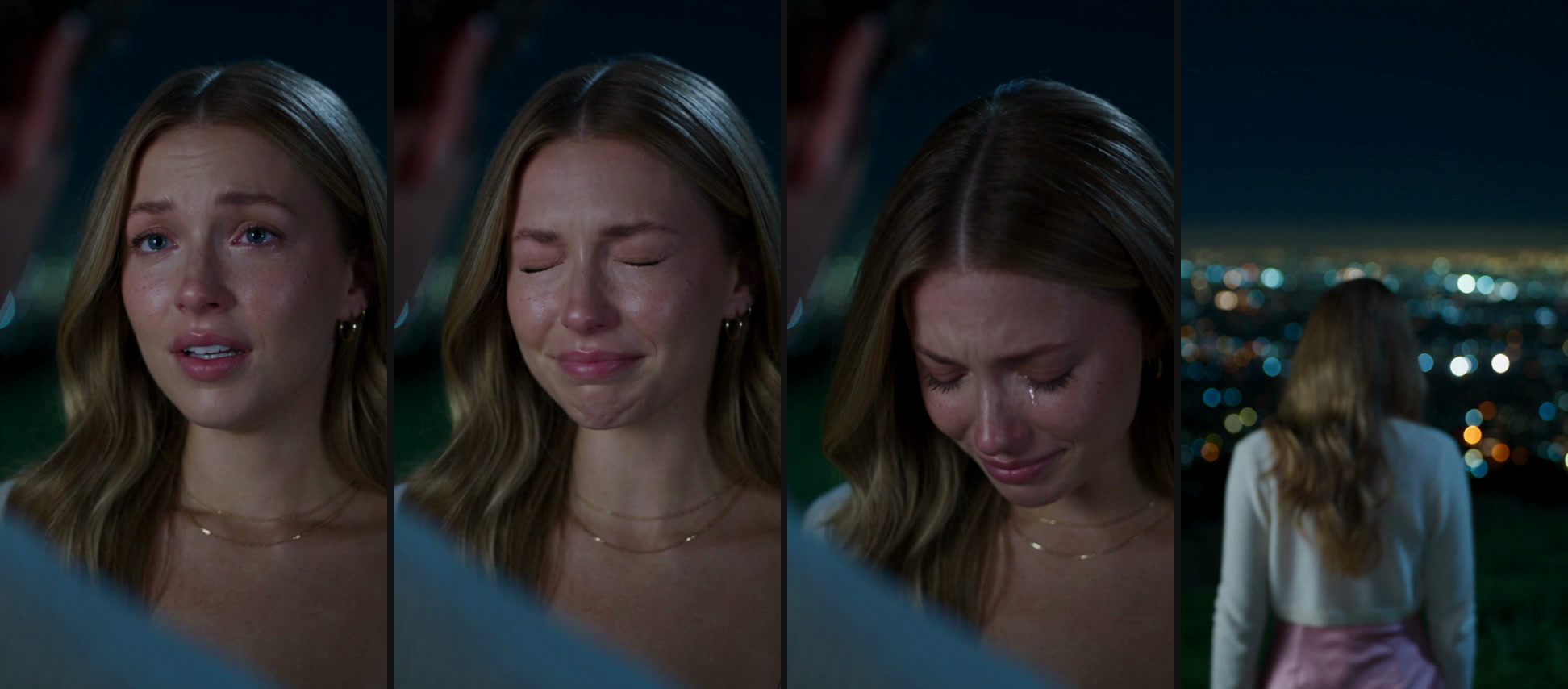
Four frames from the 12-second Hilltop Tears video above: the look, it breaks, tears fall, walk away.
Here's what you get:
- Length and shape: a 12-second MP4 in vertical 9:16 format, ready to share on TikTok, Instagram Reels, or YouTube Shorts.
- Sound: soft, sad piano music with no dialogue.
- Price: one 12-second 720p video costs $9.90 (500 credits), while 480p costs 375 credits. If a video fails, you'll get your credits back automatically.
- Your face: your face, hair, and clothing carry over from your photo because Seedance 2.5 makes sure the subject "remains stable across multiple cuts".
- Watermark: no watermark on exported video.
You'll find detailed photo tips in our step-by-step AI crying trend guide.
FAQ
What app is the crying filter on?
The original crying filter lives inside the Snapchat app under the name Crying Lens. The 2026 AI crying trend isn't a Snapchat lens at all. It's a video made from one photo using CapCut templates or web video creators like Seadanse.
Is there a crying filter on TikTok?
You'll see both on TikTok, but neither one came directly from a TikTok camera filter. In 2022, users recorded videos using Snapchat's lens and reposted them to TikTok. In 2026, people make the AI crying trend clips from a photo using templates or AI tools before posting them.
Does Snapchat have a crying filter?
Yes, Snapchat has a crying filter: it's listed on its lens directory as "Crying Lens by Snapchat". It changes your live face while you film yourself through your phone camera. It doesn't make the night-time walking farewell video you've seen in the 2026 trend.
How to make a photo crying?
That's what an AI photo crying filter does. You upload one photo, and sites such as Magic Hour, Kaze AI and CapCut's photo tool add tear streaks, wet eyes and flushed cheeks to that same photo.
If you want the character to move, smile and cry, you'll need to turn the picture into a video.
How can I make a picture cry using AI?
You can turn your picture into an emotional video clip using AI models. On Seadanse, you upload one photo to generate a 12-second scene where your smile fades, tears fall, and you walk away into the night.
Want to write your own crying scene, up to 30 seconds long? Our image to video AI takes your photo and your text instructions. You can borrow ideas from our copy-paste AI crying trend prompts.
Is there a free way to make a photo cry using AI?
If you only want a photo that doesn't move, yes. Magic Hour's website allows 3 free uses per day without creating an account.
A moving AI video needs more computing power. On Seadanse, you buy credit packs, and $9.90 makes one complete 12-second 720p clip.
A crying filter edits a face, the AI crying trend is a video
A crying filter changes a live face or places tear graphics over an image that never moves. The viral clip in your feed is a full video, and it's a story: a smile, then tears, then a goodbye at night.
When you're after that movie-style goodbye, you can turn one photo into the AI crying trend right in your browser.
Written by The Seadanse Team. We read every tool page in this article on October 7 and 8, 2026, and made our samples from AI-generated photos with Seedance 2.5.
Related articles
- How to Do the AI Crying Trend — one photo to a 12-second night farewell video, step by step.
- AI Crying Trend Prompt — prompts to write your own crying scene.


