
How to Make the Dime Dime Baby AI Video From One Photo (3 Steps)
Seadanse: how to make the Dime Dime Baby AI video from 1 photo with the real party clip and trend sound in your browser. 720p for $9.90, no sign-up.
 The Seadanse Team14 min read
The team behind Seadanse. We run the models we write about, and we publish the specs, prices and limits the marketing leaves out.

TL;DR — You make the Dime Dime Baby AI video by adding 1 photo to Seadanse's Dime Dime Baby AI for TikTok and Reels page. You'll do it in your phone or computer browser. A few minutes later, you'll get the real 9-second party clip with your person walking in, biting the concha, staring into the camera and dancing away, with the trend's sound.
You won't touch CapCut, extra apps, template links or text prompts, and one 720p video is $9.90 paid once with zero sign-up.
The top comment under the most-watched tutorial of the trend is "Quien me lo hace" (Spanish for "who'll make it for me"), with 107 likes.
The tutorials answer with a CapCut template, and viewers under them write "es de paga" (Spanish for "you have to pay for it").
On our Dime Dime Baby AI page, we've built the clip and the trend's sound into the page. So one photo is all you add.
You won't have to edit clips together or hunt down audio files.
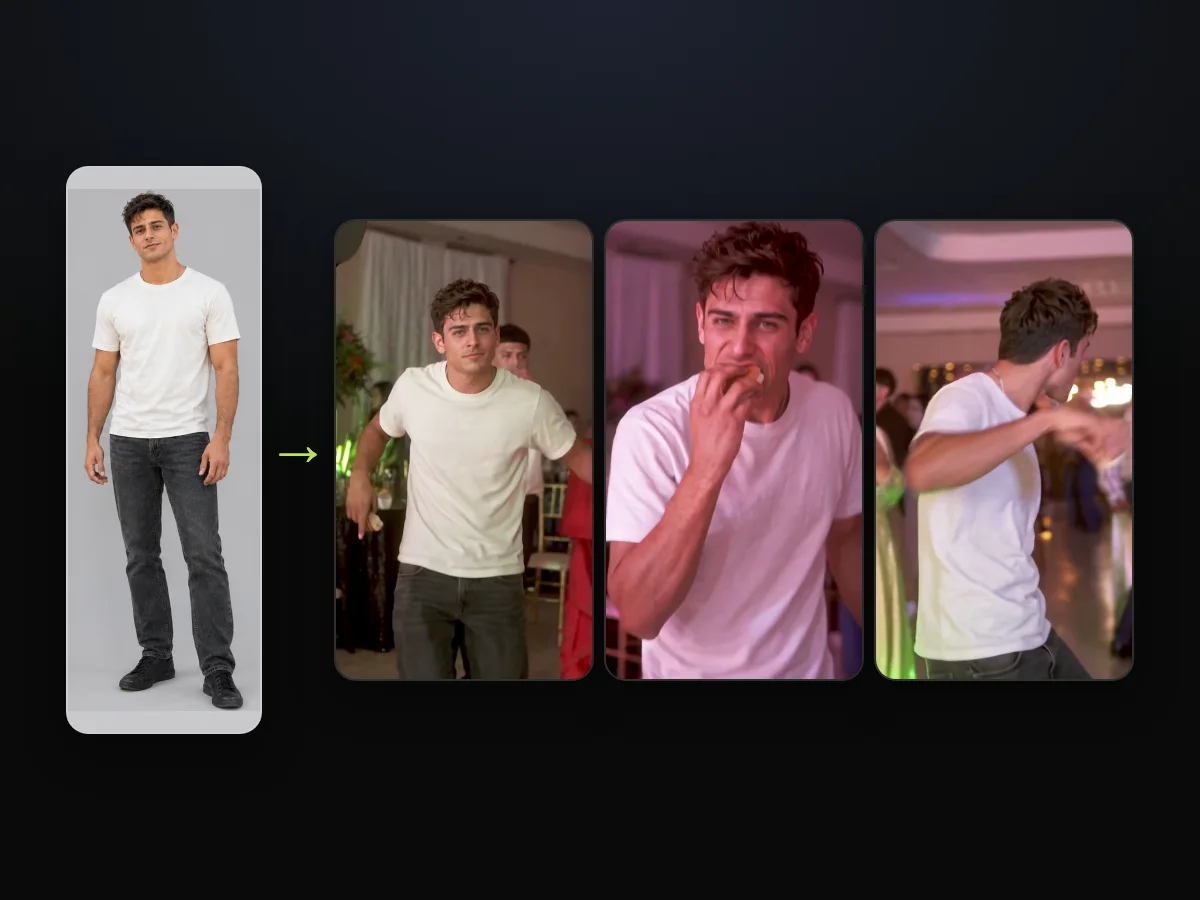
We made our own sample from one photo of an AI-made man.
He walks into the party, bites the concha, stares dead into the lens and dances away in his own clothes.
You'll come away with:
- Three steps: add your photo, choose a quality, and hit Create.
- The right photo: what picture keeps your face clear and carries your clothes over.
- The outfit joke: why your own clothes make it funnier.
- The price: how much a single clip costs before checkout.
How Do You Make the Dime Dime Baby AI Video?
To make the Dime Dime Baby AI video, you add 1 photo. A few minutes later, you'll get a 9-second, vertical 9:16 MP4 of that person in the real party clip.
Everything runs inside your web browser, and the trend's "dime, dime, baby" sound is already included in the clip.
You don't need editing software to line up the beat. We've set up the page so you can get the viral clip without any manual work:
- What changes: the dancer turns into the person from your picture. You wear the clothes from your photo from the first second to the last.
- What stays: the real party hall with its white curtains, flower centrepieces, gold chairs, colored party lights, and every guest in the room.
- What you hear: the trend's sound plays across the entire 9 seconds, hitting the bite and the stare right on beat.
You can add your photo to our dime dime baby AI generator and press Create, and a few minutes later your video is ready.
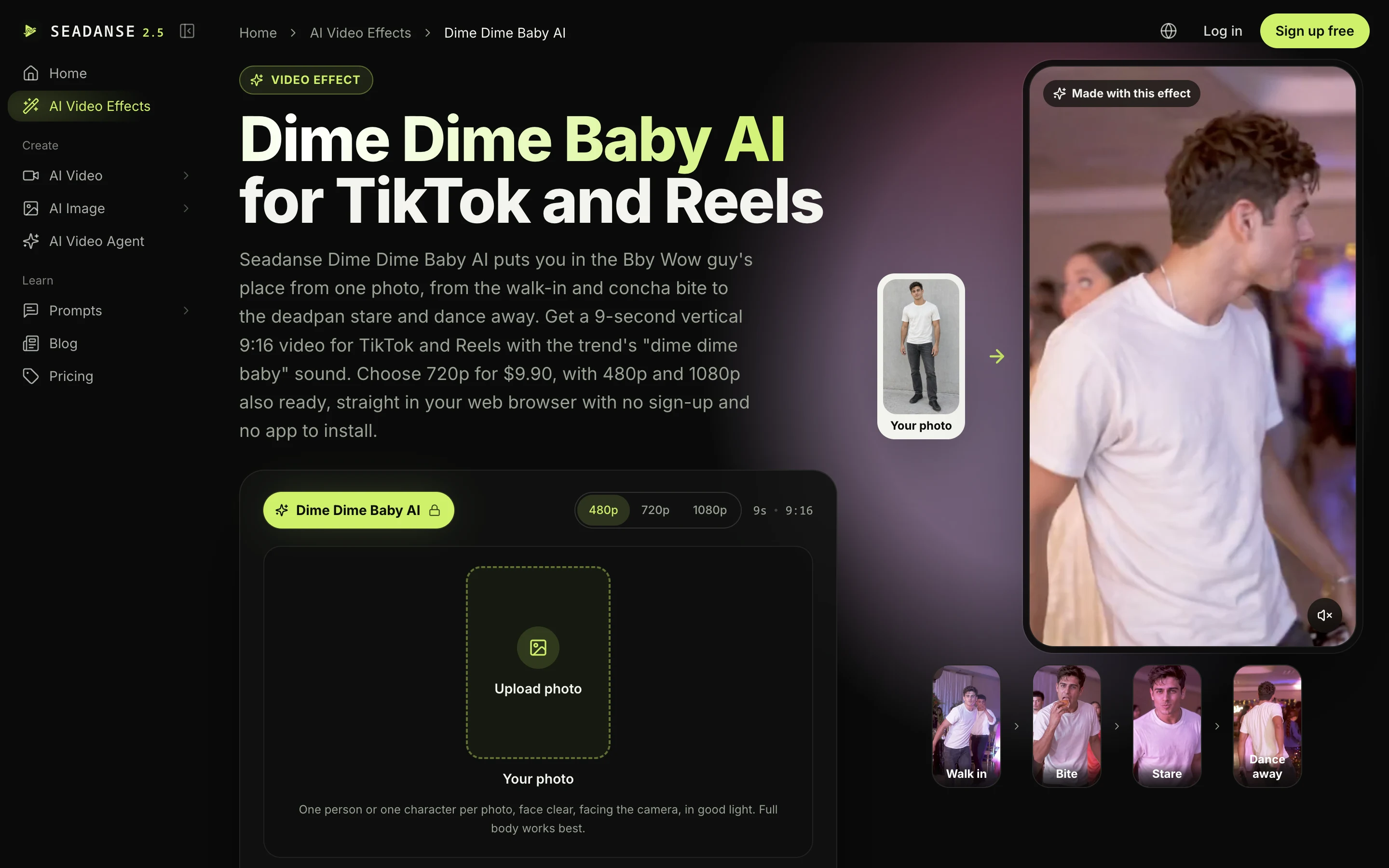
What Happens in Your Dime Dime Baby AI Video?
Your Dime Dime Baby AI video is the real party clip from the viral TikTok. You, or whoever's in your photo, are the guy who walks in with the concha.
The original clip comes from the original TikTok from July 2025, which gained 7.7 million views and 608,000 likes.
In that post, a young man in a black polo with "STAFF" on the chest walks across the party dance floor holding a concha (a Mexican sweet bread roll with a sugar shell).
You can read how the dime dime baby AI trend started to see how the viral 2025 clip came back as AI versions in October 2026.
Here's how your video plays out:
- Walk in (0 to 2 seconds): you walk up to the camera through the party, holding a concha.
- The bite (about 2.5 to 3.8 seconds): you lift the concha and bite it.
- The stare (about 4 to 5.8 seconds): you chew and stare straight into the lens, deadpan.
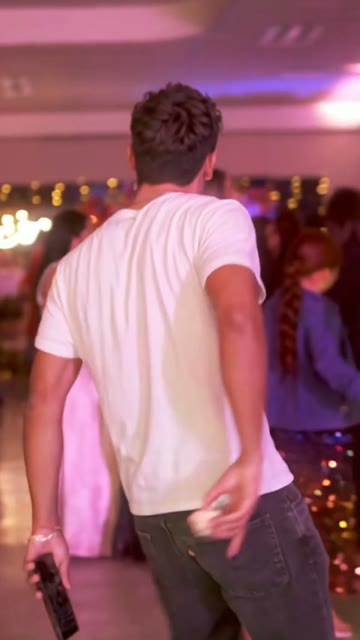
- Dance away (6 to 9 seconds): you turn and dance off into the crowd.
It's one continuous take with no cut, and the trend's sound plays from the first second.
The camera backs away as you bite the concha, then follows you as you groove past the other guests.
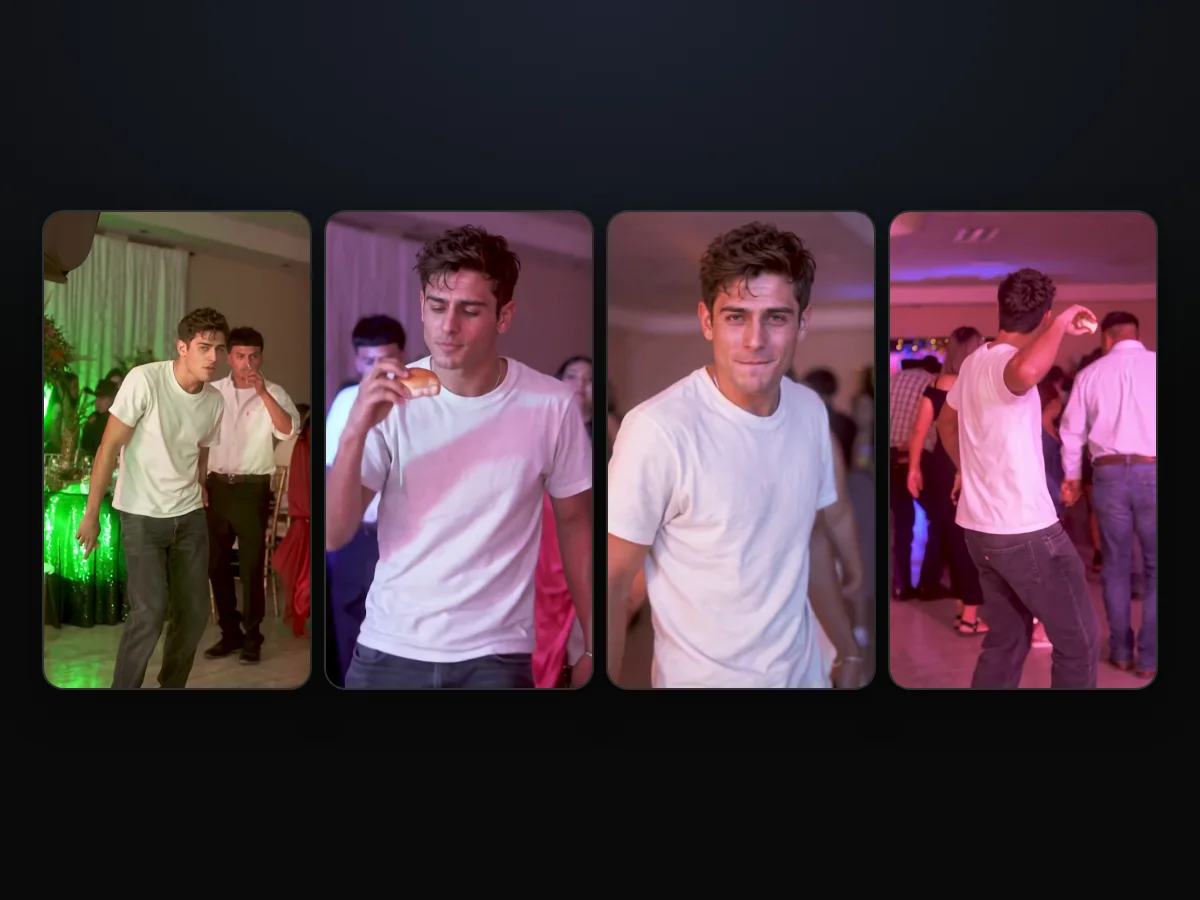
What Do You Need for a Dime Dime Baby AI Video?
For a Dime Dime Baby AI video, you need 1 photo, a web browser and $9.90 for one 720p video.
Everything else runs right inside the browser window on your device.
Here's what you'll bring:
- A photo: a single clear picture of you, an adult friend or family member, or an AI-made, cartoon or game character.
- A browser: any web browser on your iPhone, Android phone, tablet or desktop, with no software to install.
- $9.90: a single 720p video paid once with no recurring plan, and you can see how pay-once credits work across our tools.
You won't need starter footage, a template link, a written prompt, an app or editing skills.
You won't have to cut video tracks or match audio timestamps yourself.
Make the Dime Dime Baby AI Video in 3 Steps
To make the Dime Dime Baby AI video, you add 1 photo, pick 480p, 720p or 1080p, and press Create. It's all on one page.
You won't have to bounce between different apps or copy links across social feeds.
Step 1: Add One Photo
Open Seadanse's Dime Dime Baby AI in your browser. Tap the photo box and pick 1 photo from your camera roll or your computer files.
For the cleanest result, pick a picture with one person facing the camera in good lighting, ideally showing the full body.
A full-body photo helps your whole outfit carry over.
The tick box under the photo confirms you have the right to use the picture and that anyone in it is 18 or older. The page opens with that box already checked, so just leave it on.
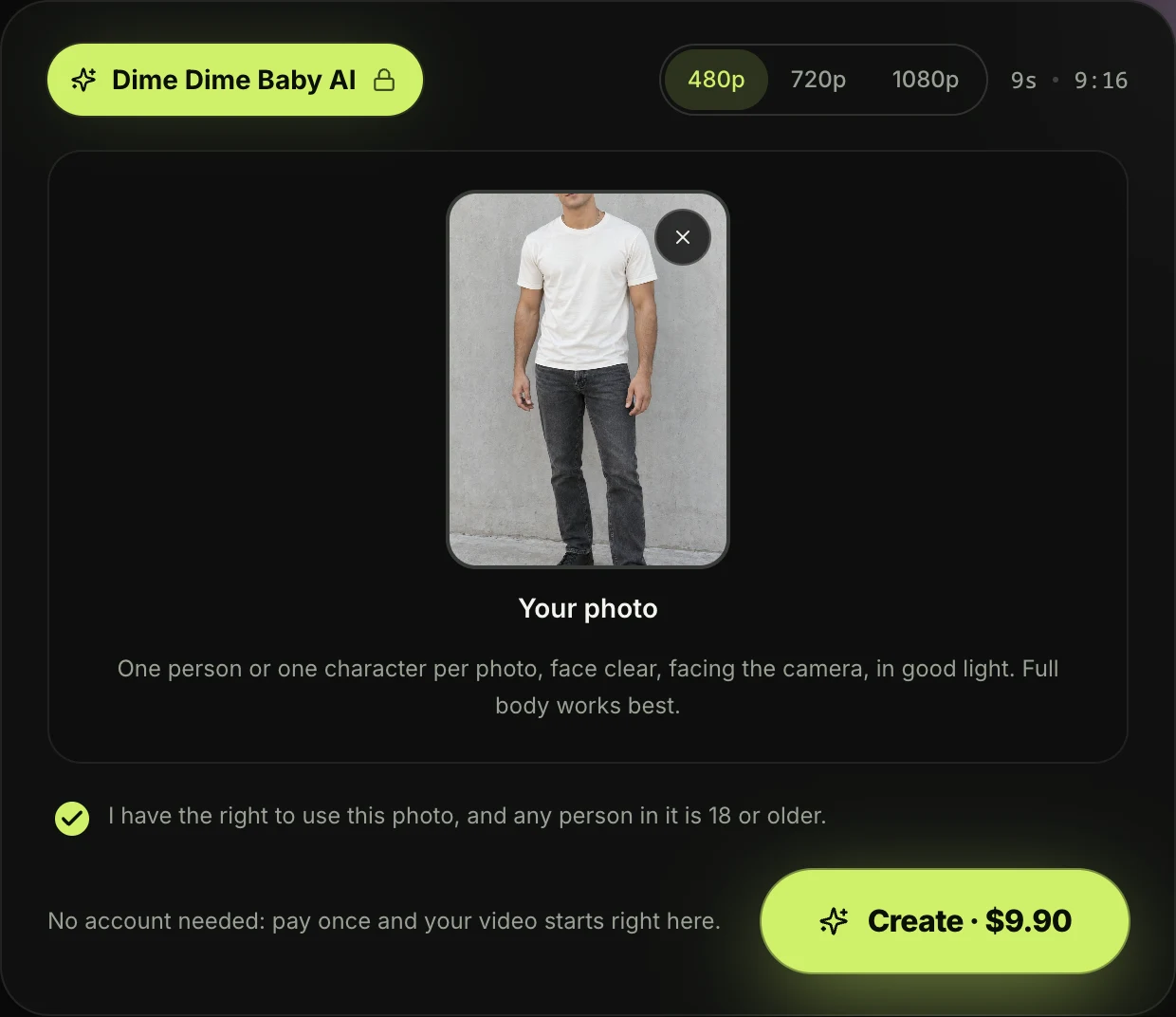
Step 2: Pick 480p, 720p or 1080p
The page opens with 480p picked. Tap the quality you want to use for your download.
Your video's 9 seconds and vertical 9:16 at every quality option.
The price shows on the Create button before you've paid, so you'll always know the cost ahead of time.
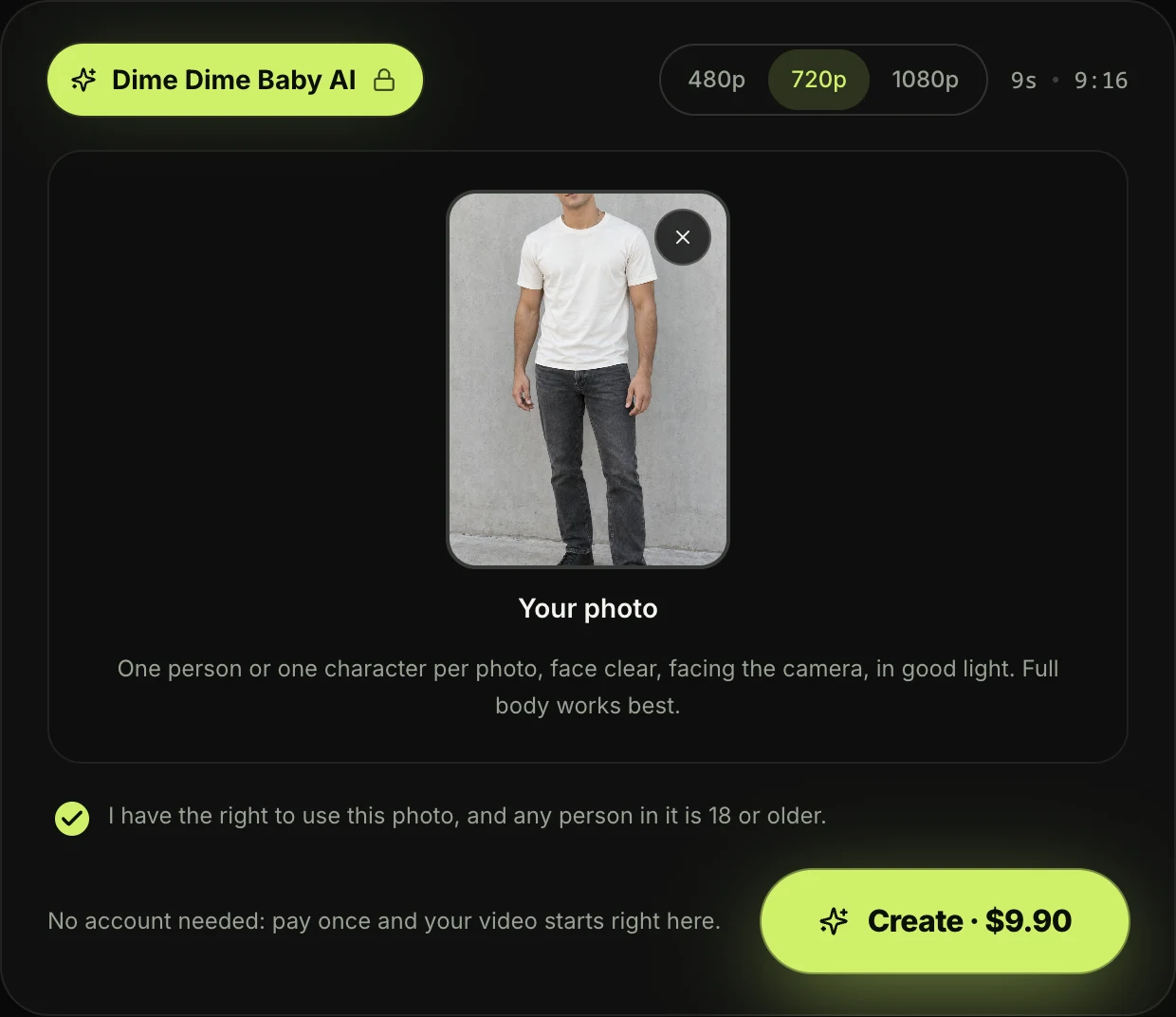
Step 3: Press Create
Press the Create button. You don't need an account, because you pay once and your video starts right on the page.
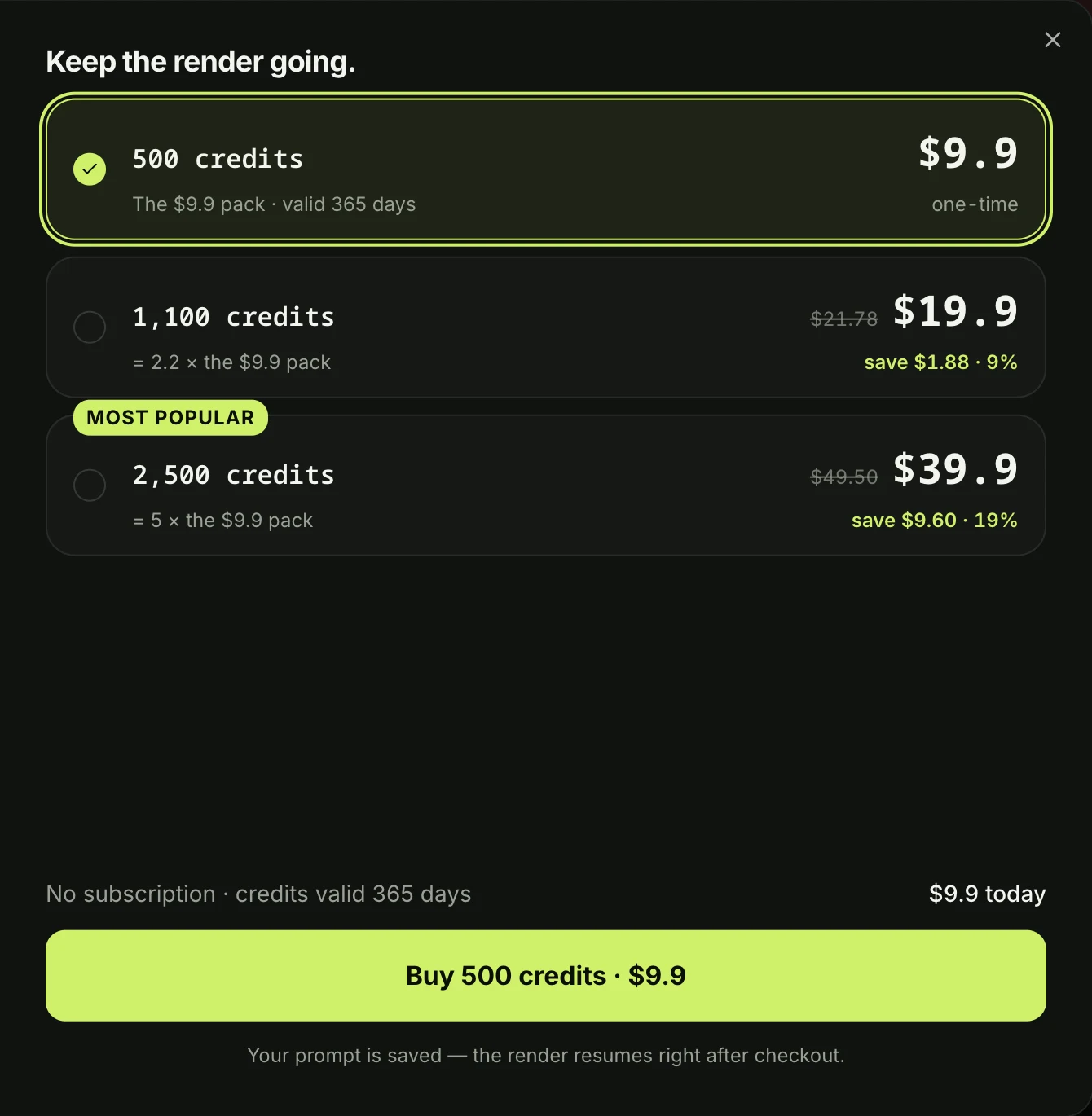
A window with the credit packs opens. You pay once at checkout without creating an account or subscription, and your video begins right on the page.
The email from checkout brings a direct link that signs you in automatically.
That means you can open your finished video on your phone or any other device later.
In a few minutes, you'll download the 9-second vertical MP4 with the trend's sound and no watermark on exported video.
If a video fails, its credits come back automatically to your balance.
How Do People Make Dime Dime Baby AI Videos on TikTok?
People make Dime Dime Baby AI videos on TikTok with a CapCut template. That's a pre-built edit created in the CapCut app that leaves an open spot for your photo. The template the tutorials link was posted by NiNi9540 on October 18, 2026, with 261,187 uses in three days.
The tutorial tells viewers to copy a link, open CapCut, tap "USAR PLANTILLA" (Spanish for "use template"), and insert a picture. But that template's preview is an 8-second clip set in a new purple-lit room, not the original party.
Here's what we counted in 211 comments under four trend videos on October 21, 2026:
- Make it for me: at least 22, with the "Quien me lo hace" figure reaching 107 likes on the top video.
- Costs money: 12, with one viewer writing under another tutorial that "necesitan 320 créditos para capcut sino no pasa nd" (Spanish for "you need 320 credits for CapCut or nothing happens").
- Didn't work: 13 say the template didn't work.
- Which is the original: 10 ask which one is the original.
Our page skips the template route. There's no template link to find, and the real party hall and audio are built in.
You can make your Bby Wow guy AI video with the price visible upfront.
You can read why the dime dime baby CapCut template fails to see what people say happens when they use it.
You can also explore the dime dime baby AI generators side by side to compare your options.
Who Can Be the Bby Wow Guy in Your Dime Dime Baby AI Video?
Anyone you've got a photo of can be the Bby Wow guy in your Dime Dime Baby AI video. That means yourself, an adult friend or relative who's at least 18, or a cartoon, game or AI-made character.
Only the dancer changes, keeping every guest, the gold chairs and the party lights in place.
Here's who our page suggests:
- You: one selfie or full-body photo puts you right in the party. You take the bite, stare down the lens and dance into the crowd.
- Your tío or your dad: use a photo of a family member who's 18 or older, wearing their everyday clothes. It makes a perfect clip for the family group chat.
- That one friend: the friend who'd do this exact dance at a party. You can make the video and tag them on social media.
- A character: a cartoon character, game persona or fictional adult. You design the character first in our AI character sheet generator, which makes front, side and back views, then add the character image here.
Your own outfit's half the joke of the entire meme.
Whatever you wear in your uploaded picture becomes your party outfit on screen, whether that's a sharp suit, a soccer jersey, or a cowboy hat.

Which Photo Works Best for Dime Dime Baby AI?
The photo that works best for Dime Dime Baby AI shows one person or one character. The face is clear, facing the camera and in good light. Full body works best.
A clear face, facing the camera, in good light works best.
Follow these tips to get the best result:
- One subject: one person or one character per photo works best.
- The face: pick a shot where the face looks directly at the lens with no heavy shadows.
- Full body: full body works best, and your whole outfit comes from your photo.
- 18 or older: use a photo of an adult to meet the requirements on the upload screen.
In our sample, he dances the whole video in the clothes from his photo.
That outfit stays consistent across every turn and dance step.
Dime Dime Baby AI Video FAQ
How long is the Dime Dime Baby AI video?
The Dime Dime Baby AI video is 9 seconds long. It covers the opening 9 seconds of the party clip. That's the walk-in, the concha bite, the deadpan stare and the final dance steps into the crowd.
It downloads as a vertical 9:16 MP4 built for TikTok and Reels, available in 480p, 720p or 1080p.
What song is in the Dime Dime Baby AI video?
The trend's sound plays under the video from the very first second, using the exact audio made popular across TikTok. The lyric "Dime, dime, baby" comes from a line from KAROL G's BbY WOW featuring Judeline and rusowsky, released in August 2026.
If you want to know how that track tied into the clip, read why it's also called Bby Wow.
Do I need an account to make a Dime Dime Baby AI video?
No, you don't need to create an account before making your video. You simply pick your photo, choose your quality, and pay once at checkout.
The confirmation email sends you an access link. You can log in, view your creation and download it from any computer or mobile phone.
Do I need CapCut or a prompt for the Dime Dime Baby AI video?
No, you don't need CapCut, editing software or complex prompt words. We've built the real party scene and the viral audio directly into the page. So one photo is all you add.
Our guide with the copy-ready dime dime baby AI prompt gives the edit prompt you'd paste, with the real clip and your photo, into another video tool.
Can someone make the Dime Dime Baby AI video for me?
Yes, our automated page makes the clip directly from your uploaded picture with no manual work needed. You upload your picture, press Create, and a finished 9-second MP4 appears in your browser a few minutes later.
We also host other viral dance tools, like Charme Dance AI and Dame Hombro Bulin 47. They sit inside our full collection of browser-based AI video effects.
How much does the Dime Dime Baby AI video cost?
One 720p video costs $9.90 through our 500-credit one-time pack, which covers the 500 credits needed for that export. That same $9.90 pack also covers a 480p video, which uses 375 credits.
If you'd prefer high-definition 1080p, it costs 1,480 credits from our $39.90 pack of 2,500 credits. The remaining credits stay in your account balance.
Pack credits stay valid for 12 months, and if a video fails, its credits come back automatically.
You'll find all the pack details on our Seadanse pricing page.
Make Your Dime Dime Baby AI Video Tonight
You can make your Dime Dime Baby AI video right now by uploading a single photo in your web browser.
A few minutes later, you'll have the genuine party clip. Your face is on the concha bite, the deadpan stare and the viral dance beat. It's just $9.90 at 720p, with no subscription needed.
Written by The Seadanse Team, the team that built the Dime Dime Baby AI page. Our sample in this guide comes straight from that tool, and the man walking in is an AI-made adult.
Related Articles
- What Is the Dime Dime Baby AI Trend? (Real vs AI, Explained) — the real 2025 clip, the AI versions, and how the trend spread in three days.
- What Is Bby Wow AI? Dime Dime Baby, the Bby Wow Guy and the KAROL G Dance — why the meme has two names, who the Bby Wow guy is, and why the BbY WOW dance is a different thing.
- Dime Dime Baby CapCut Template: Where It Is and Why It Fails — the template every tutorial links, and what people say happens when they use it.
- Best Dime Dime Baby AI Generators (2026): 10 Tools Compared — every tool that makes the trend, side by side.
- Dime Dime Baby AI Prompt (Copy-Ready) — and How to Skip the Prompt Entirely — the edit prompt, if you'd rather write it yourself.


