
How to Make an AI Cupid Video From One Photo (Not Today, Cupid)
Seadanse: how to make an AI Cupid video from one photo. Watch Cupid's dive, swing your handbag, and get 15 seconds with sound in 720p for $9.90 with no sign-up.
 The Seadanse Team12 min read
The team behind Seadanse. We run the models we write about, and we publish the specs, prices and limits the marketing leaves out.

TL;DR — You'll make an AI Cupid video by adding 1 photo to Seadanse's AI Cupid Trend page and pressing Create. You get a 15-second vertical video with sound where Cupid dives at you from a cathedral ledge and you knock him out of the air with your handbag. No app, no template and no prompt: one 720p video costs $9.90, paid once, with no sign-up.
Under the first photoreal AI Cupid clip on TikTok, a viewer asked "Donde lo haces ?" ("where do you make it?"). That clip went up on September 2, 2026, and it's got 319.2K views.
Another viewer asked the exact same thing. A third asked "como se puede hacer este video" ("how can you make this video"). Nobody answered them.
The cathedral version on Instagram had 641,608 likes on October 31, 2026. Its creator hasn't said how it was made either.
On our AI Cupid Trend page, we built Cupid, the cathedral square and the sound into the page. That means you add one photo, press Create, and see the price before you pay.
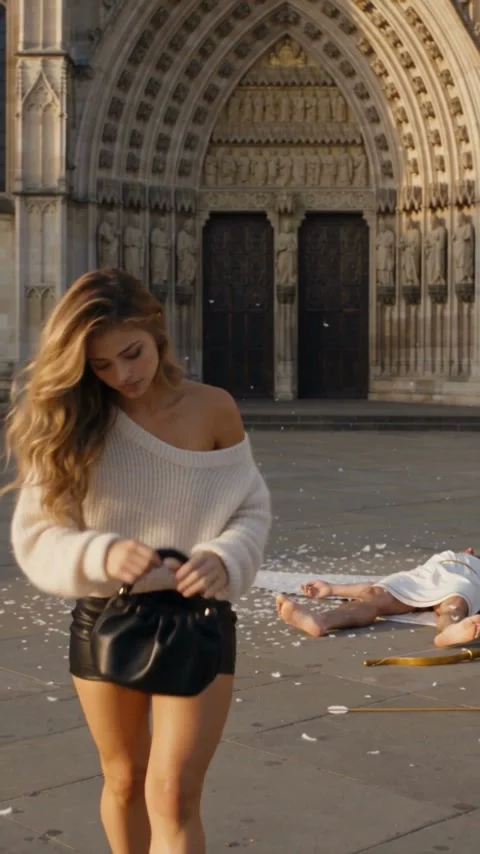
Cupid dives off the cathedral ledge straight at you. You'll swing the black handbag, he flips onto his back in a burst of feathers, and you walk off unbothered. The love music cuts out the instant the bag hits.
Here's what's below:
- The 4 steps: add your photo, pick Person or Pet, choose your quality, and press Create.
- The 15 seconds: how the full scene plays out, moment by moment.
- The other routes: what happens with templates, other tool pages and typed prompts.
- The right photo: which pictures work best for your video.
How Do You Make an AI Cupid Video?
To make an AI Cupid video, you add one photo to our page, pick Person or Pet and a quality, and press Create. You'll get back a 15-second vertical MP4 with sound, made in your web browser.
Here's how we set up the clip:
- What's yours: your face, hair and build come directly from your photo. You'll keep the outfit from your picture, and we'll add a plain black leather handbag with a short top handle.
- What's built in: Cupid, the wide grey-stone cathedral square, the cream-stone Gothic cathedral with gargoyles, the four camera shots, and the sunny late afternoon lighting. Cupid is always the same character.
- What you hear: a soft harp-and-strings love theme that cuts out when the bag hits. After that, you'll hear the thud, the feathers and your footsteps on the stone. Nobody speaks.
It's a new scene made from your photo, not an edit of anyone's clip. You can add your photo to our AI Cupid video maker and press Create.
What Happens in Your 15-Second AI Cupid Video
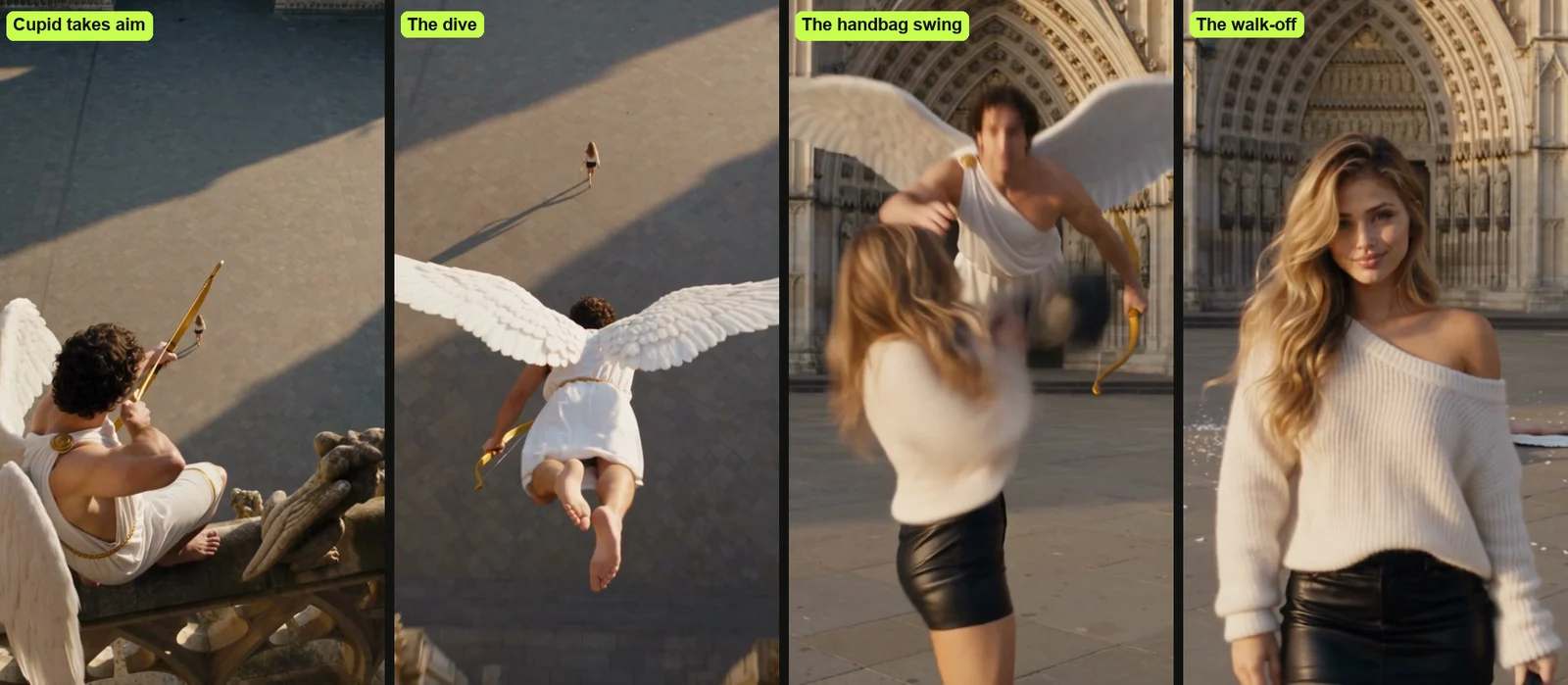
Your AI Cupid video is 15 seconds in four shots on a sunny cathedral square, and you're the one with the handbag. It's vertical, like a TikTok or a Reel, and it's exported without any watermark.
Here's how your 15 seconds play out:
- The aim (0 to 3 seconds): high on a carved stone ledge next to a gargoyle, Cupid draws his gold bow. He aims straight down at you as you cross the empty stone square. At about 1 second his wings snap open and he dives off the ledge.
- The dive (3 to 5.7 seconds): the camera chases Cupid from behind and above as he glides low over the square with his wings spread wide. You'll keep walking toward the cathedral doors, with no idea he's coming.
- The swing (5.7 to 6.5 seconds): at street level in front of the tall carved doors, you'll walk toward the camera with the black handbag. Cupid swoops in behind you with his bow raised. You'll glance back and swing the bag hard with both hands.
- The fall (6.5 to 8 seconds): seen over your shoulder, the bag smacks Cupid in the chest. He flips backwards and lands flat on his back on the stones in a burst of white feathers, and his gold bow clatters down. The love music cuts out the instant the bag hits.
- The walk-off (8 to 15 seconds): Cupid lies still, knocked out cold. You'll smooth your hair, pick up the bag and brush it off, completely unbothered. Then you'll walk toward the camera past him and look straight into the lens with a calm, closed-mouth half-smile. The video ends on that look.
Nobody talks, so the swing and the walk-off do the joke. Want the backstory? Here's where the Not today, Cupid meme comes from, starting with a late-August cartoon.
Make an AI Cupid Video in 4 Steps
To make an AI Cupid video, you add your photo, pick Person or Pet, pick 480p, 720p or 1080p, and press Create, all on one page. You can run the whole page right in your phone's browser or on your computer.
Step 1: Add Your Photo
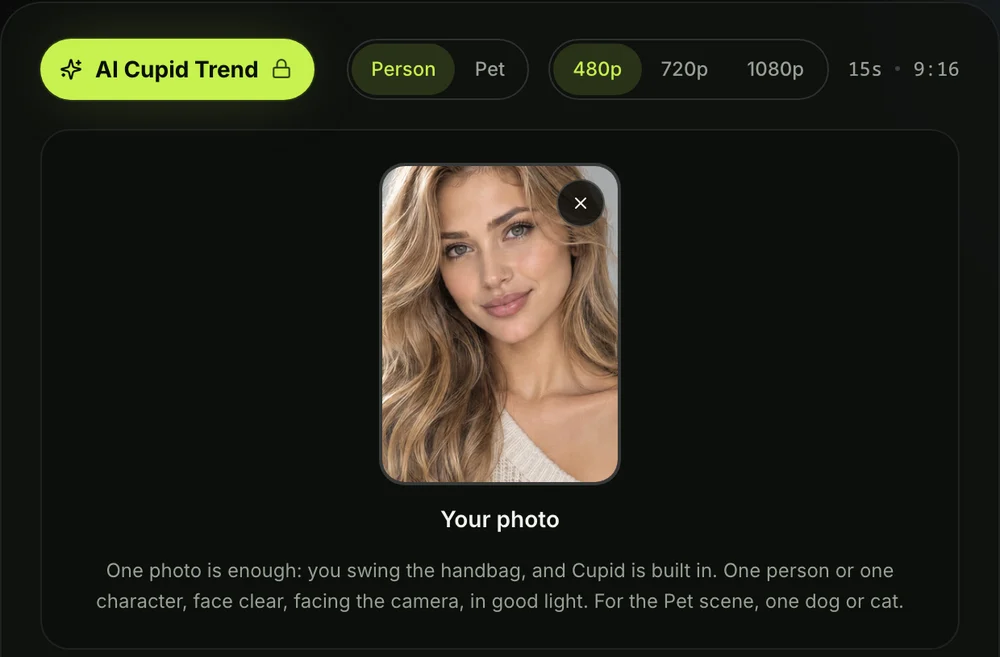
Open the AI Cupid Trend for TikTok and Reels page in your browser. Tap the photo box and pick one photo of the person, character, dog or cat who'll swing the handbag, from your camera roll or your computer.
Step 2: Pick Person or Pet
Person is picked to start, for you, a friend, or a cartoon or game character. Pick Pet when the photo shows your dog or cat.

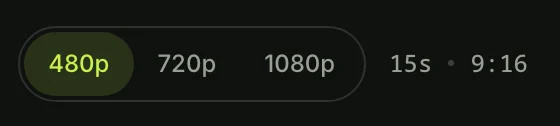
Step 3: Pick 480p, 720p or 1080p
480p is picked to start; tap the quality you want. At any quality your video is the same 15 seconds, in the same vertical frame. The price shows on the Create button before you pay.
Step 4: Leave the Box Ticked and Press Create
The box under the photo comes ticked: it confirms you have the right to use the photo and that any person in it is 18 or older. Leave it ticked and press the Create button. You don't need an account. You pay once, and the video starts on the page.
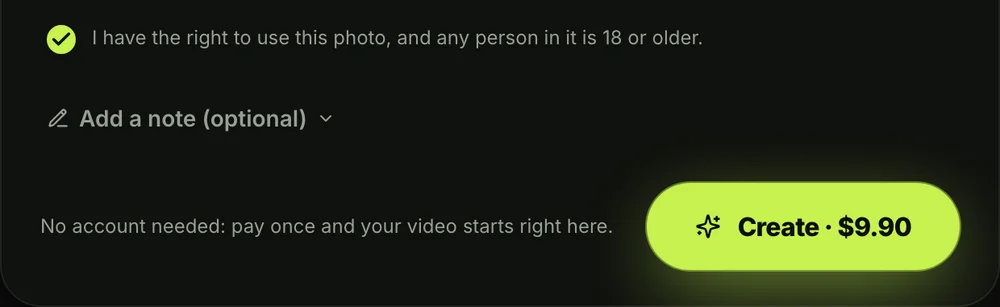
A window with the credit packs opens next. You'll pay once at checkout with no subscription, and your video starts right on the page. Here's how pay-once credits work across our tools.
The checkout email carries a sign-in link, so your video opens on any phone, tablet or computer. You won't have to create a password beforehand.
When your video's ready, you download the MP4 with its sound and no watermark on exported video. Seadanse runs no facial recognition on the photos you upload, collects no biometric data and never sells personal information.
Who's Who in Your AI Cupid Video
In your AI Cupid video, the photo you add is always the one with the handbag, and Cupid is a character we made. Nobody's picture becomes Cupid, and he never gets your face.
Here's who does what:
- Your photo: the subject of your picture becomes the person who crosses the square, swings the handbag, and walks toward the camera at the end.
- Cupid: a grown man in his twenties with short dark curly hair. He wears a white knee-length toga with a thin gold belt, two big white feathered wings, bare feet, a gold bow and gold arrows.
- Your clothes: you'll keep the exact outfit from your photo from start to finish, whether that's a hoodie, a dress or a winter coat.
- Your pet: your dog or cat stands upright like a person. It wears a camel-brown jacket, a white T-shirt and dark trousers, and holds the bag in its paws.
As one viewer wrote under the September clip, "Yo quiero una cartera como esa por si las moscas" ("I want a bag like that, just in case"). That black handbag is part of every clip we make.
How Other People Do the AI Cupid Trend
Most people who try the AI Cupid trend use a template post, a tool page or a typed prompt in a video app. Each of those routes takes extra work or gives you an entirely different video.
Here are the three routes:
- Template posts: some posts ask you to comment "CUPID" to get a template, and you wait for a link in your messages. Most CapCut templates people share are photo slideshows or edits for the FIFTY FIFTY pop song, not the handbag clip.
- Tool pages: a handful of AI websites now host a page for this trend. Some show the creator's Instagram clip as their example. On one site, you end up playing Cupid in the toga instead of swinging the bag.
- Typed prompts: you write out the whole scene yourself in a video app that takes a photo. That means describing Cupid's look, the cathedral square, the four shots, the timing and the sound by hand.
On our page, you just add one photo, with no template to hunt for, no comment to drop, and no prompt to write. Cupid, the cathedral and the custom audio are already built in, so you can make your own Not today, Cupid video without any editing.
You can read the AI Cupid video generators compared to see how other websites handle the scene. If you prefer to write your own prompts in other tools, check out the copy-ready AI Cupid trend prompt.
Which Photo Works Best for an AI Cupid Video
The photo that works best for an AI Cupid video shows one person, character, dog or cat, facing the camera, with the face clear and in good light. Clear lighting helps your features stay sharp throughout the walk-off.
Here's how to pick the best shot:
- One subject: upload a picture with just one person or pet so the tool knows who should carry the bag.
- Face to the camera: use an eye-level photo without sunglasses so your eyes and facial expressions show clearly.
- The outfit: pick a picture where you like your clothes. You'll wear that exact outfit when you knock Cupid down.
- 18 or older: make sure any person shown in your photo is at least 18 years old.
You can also use a cartoon or game character instead of a real person by choosing the Person setting. If you pick Pet for your dog or cat, they'll walk on two legs in their jacket and swing the bag just like a human.
AI Cupid Video FAQ
How do I do the AI Cupid trend?
You'll add one photo to the AI Cupid Trend page, pick Person or Pet, choose your quality, leave the consent box ticked and press Create. You could also try hunting down template posts or typing long prompts into a video app, but our page sets up the whole scene for you.
How long is an AI Cupid video?
Your video's 15 seconds long. It comes in a vertical 9:16 frame, which is the exact shape you need for TikTok and Reels.
Does the AI Cupid video have sound?
Yes, every video has full sound built into the MP4. A romantic harp-and-strings love theme plays from the first second and cuts out the instant the bag hits. After that, you'll hear just the thud, the fluttering feathers and your footsteps on the stone.
Does Cupid get my face?
No, Cupid never gets your face. He's always a grown-up character in his twenties wearing a white toga and wings. Your photo's always the one who swings the handbag.
Is the AI Cupid trend the FIFTY FIFTY Cupid dance?
No, they're two completely separate trends that share one word. The FIFTY FIFTY one's a 2023 K-pop dance routine, while the AI Cupid trend is the autumn 2026 handbag clip. You can see the AI Cupid trend and the FIFTY FIFTY dance side by side in our breakdown.
How much does an AI Cupid video cost?
One 720p video costs $9.90 through our 500-credit pack, paid once with no subscription. That same $9.90 pack also covers a 480p video, which takes 375 credits. A 1080p video takes 1,480 credits.
Pack credits stay valid for 12 months, and if a video ever fails, your credits return automatically. You can review all the details on our Seadanse pricing page.
Can I make other AI videos with the same photo?
Yes, you can use that same photo across several effects in your browser. You can turn your photo into a 10-second vertical police-chase prank using Blocus Poursuite. You can also make a 10-second arrest scene with our AI Arrest Video Generator.
Or browse our other AI video effects and make clips without writing prompts.
Make Your Not Today, Cupid Video Now
You can make an AI Cupid video from just one photo right in your browser. You'll watch Cupid dive from the cathedral ledge, knock him out of the air with your handbag, and walk away as the feathers settle. One 15-second vertical clip costs $9.90 at 720p with sound included.
Written by The Seadanse Team, the team that built the AI Cupid Trend page.
Related Articles
- Not Today Cupid Meme: The AI Cupid Handbag Video Explained — where the caption and the clip come from, and why the handbag swing lands.
- AI Cupid Trend vs the FIFTY FIFTY Cupid Dance: Which Cupid Trend Is It? — two trends that share one word, told apart.
- Best AI Cupid Video Generators for the Handbag Trend (2026) — the sites that make the handbag clip, side by side.
- AI Cupid Trend Prompt: Copy the Handbag Scene, Shot by Shot — a full prompt for the scene, to use in a video app yourself.


