
How to Make an Elf Dance Video From One Photo (Real-Looking, Not a Cut-Out)
Seadanse: how to make an elf dance video from one photo with gold sparkles, an elf suit, 10 seconds with sound, 720p for $9.90, and no sign-up.
 The Seadanse Team12 min read
The team behind Seadanse. We run the models we write about, and we publish the specs, prices and limits the marketing leaves out.

TL;DR — You'll make an elf dance video by adding 1 photo to Seadanse's Elf Dance AI page and pressing Create. You get a 10-second vertical video with sound where gold sparkles turn your clothes into an elf suit by the tree in Santa's workshop. There's no app, no cropping and no prompt, and one 720p video costs $9.90, paid once, with no sign-up.
Dancing-elf videos are everywhere again. The clips people made years ago have returned as massive TikTok throwbacks.
One of the biggest is a Brazilian throwback post with 23.6 million views and 3.8 million likes from August 2025 that calls them "IA da nossa época" ("the AI of our era"). Underneath it, a viewer asked "Please tell me how you made this", and that comment picked up 1,945 likes. The only reply they got was "Elfyourself I think it was called" with 54 likes.
We built our page so you don't have to hunt down the app from back then. On our Elf Dance AI page, we built Santa's workshop, the elf suit, the dance and the sound right into the page. You'll add one photo, press Create, and see the price before you pay.
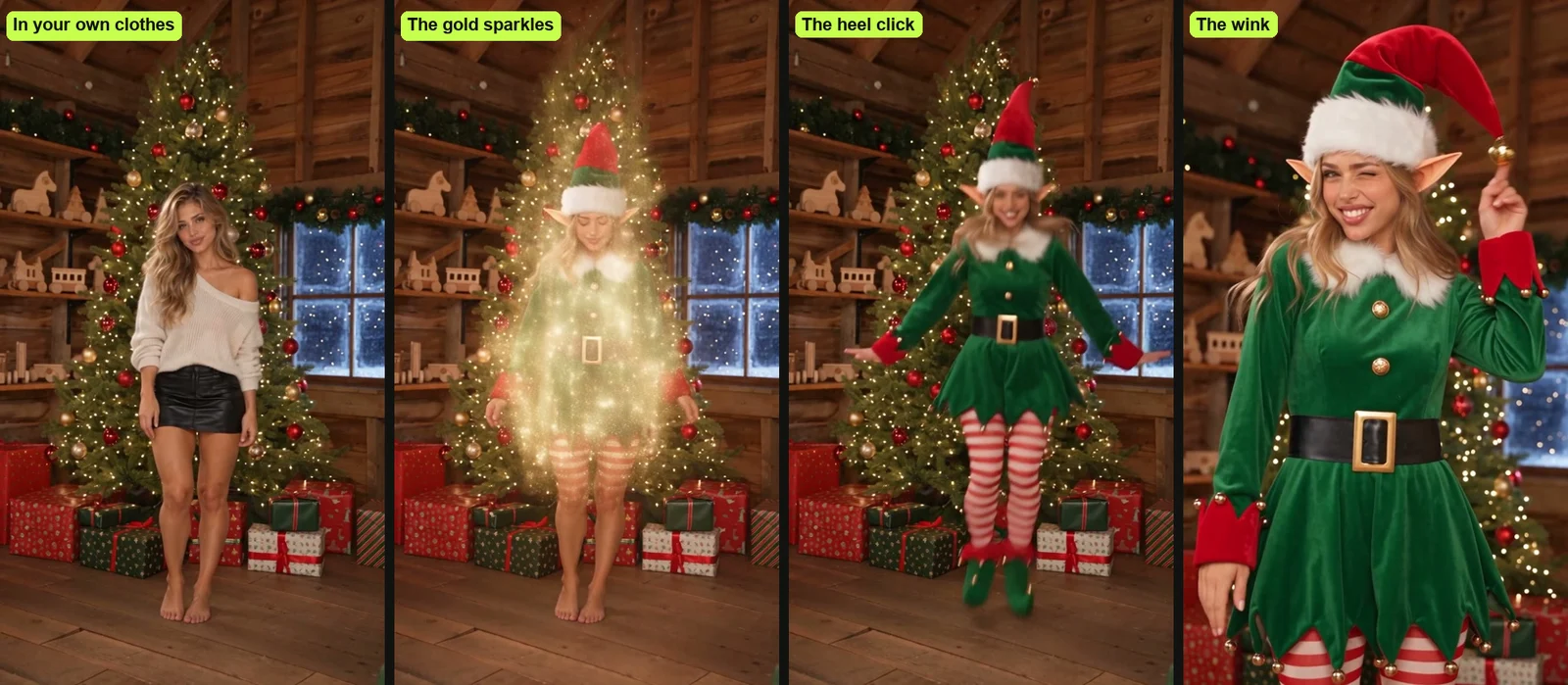
Your video starts with you standing by the lit tree in your own clothes. Gold sparkles sweep down over you and leave you in a full elf suit.
You'll hop to the beat, click your heels, spin around and give a wink to the camera, with bells jingling on every hop. It's a real-looking you with a live moving body, not your head pasted onto a cartoon.
Here's what's below:
- The 4 steps: add your photo, pick Solo, Group or Pet, pick your quality, and press Create.
- The 10 seconds: see how the whole scene plays out, moment by moment.
- The other routes: check out the face-on-an-elf app, AI tool pages, toy-elf tricks and typed prompts.
- The right photo: see which pictures work best for you, your group or your pet.
How Do You Make an Elf Dance Video?
To make an elf dance video, you add one photo to our page, pick Solo, Group or Pet and a quality, and press Create. You'll get back a 10-second vertical MP4 with sound, made in your web browser on a phone, tablet or computer.
Here's how the pieces come together:
- What's yours: your face, hair, glasses, earrings and your starting clothes come straight from your photo.
- What's built in: the green velvet elf outfit, Santa's workshop, the tree, the dance and the sound.
- What you hear: an original, bouncy Christmas tune with sleigh bells, while bells on your hat and shoes jingle with every hop.
It's a new video made from your photo, not your face placed on a cartoon elf. Add your photo to our Elf Dance AI video maker and press Create.
What Happens in Your 10-Second Elf Dance Video
Your elf dance video's 10 seconds in one continuous shot in Santa's workshop at night, and you're the elf. The room's got warm wooden walls and beams, shelves of wooden toys and presents in red and green paper. Snow falls past a frosted window, and a tall Christmas tree shines with warm white lights and red and gold baubles.
Here's how your 10 seconds play out:
- The sparkles (0 to 1.5 seconds): you stand by the tree in the clothes from your photo, smiling. At about half a second, a swirl of gold sparkles sweeps down over you from head to toe. It leaves you in the elf outfit, and you look down at it and laugh.
- The hops (1.5 to 4 seconds): you do bouncy hops from side to side on the beat, arms swinging, while the bell on your tall floppy hat bounces along.
- The heel clicks (4 to 5.5 seconds): you do two little jumps, clicking your heels together in the air.
- The spin (5.5 to 7 seconds): you do one quick full spin and land facing the camera with your arms wide.
- The hop-steps (7 to 8.5 seconds): you hop twice toward the camera, and the camera moves in to show you from the knees up.
- The wink (8.5 to 10 seconds): you look straight into the lens and flick the bell on your hat. Then you give a big grin and a wink, and put your hands on your hips.
Nobody sings or talks, so the bells and the wink carry it. Read about where the elf dance trend comes from to see how this holiday tradition started.
Make an Elf Dance Video in 4 Steps
To make an elf dance video, you add your photo, pick Solo, Group or Pet, pick 480p, 720p or 1080p, and press Create, all on one page.
Step 1: Add Your Photo
Open the Elf Dance AI for TikTok and Reels page in your browser. Tap the photo box and pick one photo from your camera roll or your computer. It's the only photo the page needs.
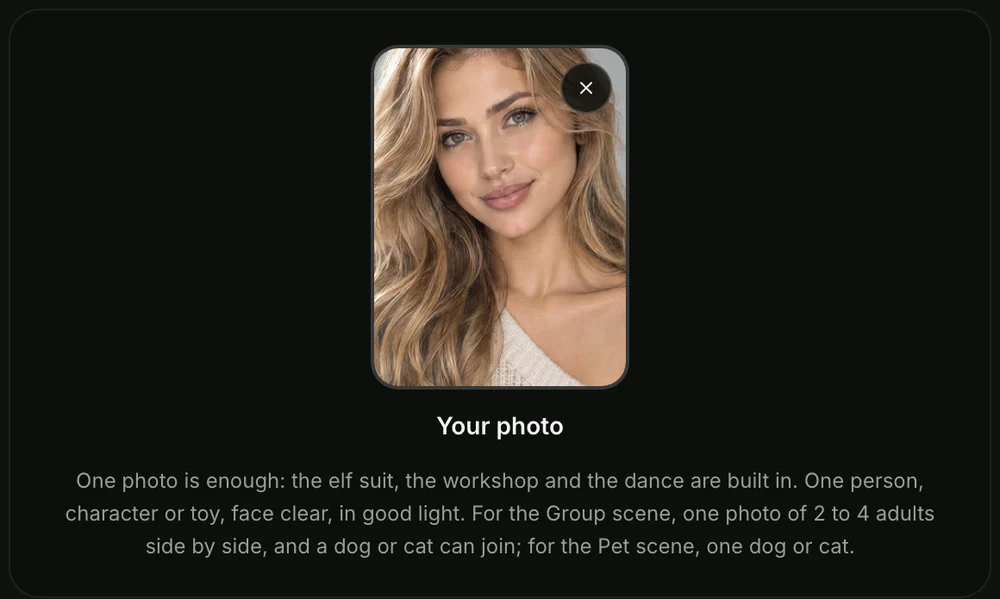
Step 2: Pick Solo, Group or Pet
Solo's picked to start, for you, a friend, a cartoon or game character, or a toy or doll. Pick Group when the photo shows 2 to 4 adults side by side.
Pick Pet when it shows your dog or cat. All three cost the same.
Step 3: Pick 480p, 720p or 1080p
480p's picked to start, so tap the quality you want. At any quality, your video's the same 10 seconds, in the same vertical frame. The price shows on the Create button before you pay.

Step 4: Leave the Box Ticked and Press Create
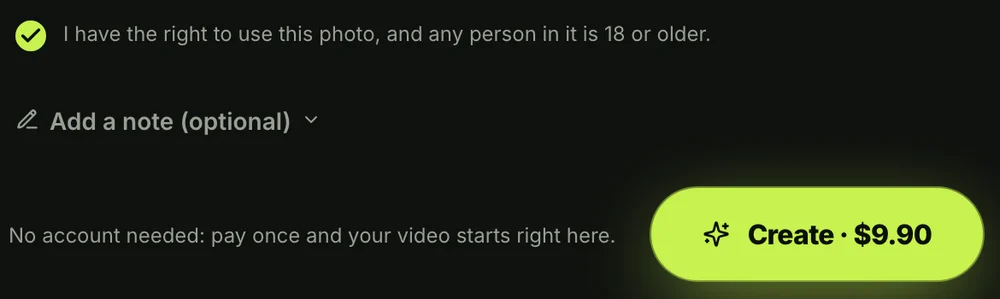
The box under the photo comes ticked: it confirms you have the right to use the photo and that anyone in it is 18 or older. Leave it ticked and press the Create button.
You don't need an account. You pay once, and the video starts on the page.
When you press Create, a window with credit packs opens up. You'll pay once at checkout with no subscription, and you can see how pay-once credits work across our site.
Your checkout email carries a sign-in link. That way, your video opens on any phone, tablet or computer whenever you want to check it.
When your video's ready, you'll download the MP4 with its sound and no watermark on exported video. Seadanse runs no facial recognition on the photos you upload, collects no biometric data and never sells personal information.
Who Can Dance in Your Elf Dance Video?
Anyone in one photo can dance in your elf dance video: you, 2 to 4 grown-ups side by side, or your dog or cat.
Here's who fits each scene:
- Solo: one adult dances alone by the tree, keeping their own face, hair, glasses and earrings the whole time.
- Group: 2 to 4 adults like partners, roommates, grown siblings, parents or the office team stand side by side, stay in left-to-right order, and dance together.
- Pet: one dog or cat dances upright on its hind legs, keeping its real fur and face while wearing tiny curled boots and an elf hat.
- Characters and toys: a cartoon, game character, toy or doll comes to life as a dancer as tall as a person. A toy that already wears an elf suit keeps its own.
Under another throwback post, a viewer noted that "The family dog just HAD to be in it" (28,092 likes). Your dog or cat can join the Group video between your feet or star in its own Pet video.
Take a look at ideas for dancing elves with your face to decide who to feature this year.
How Other People Make Elf Dance Videos
Most people who make an elf dance video use the ElfYourself app, an AI tool page, a toy-elf trick or a typed prompt in a video app.
Here are the four routes:
- The ElfYourself app: people have used it since 2006. You download the app, add up to 5 faces in the ElfYourself app, pinch and crop each face to fit a cartoon body, and pick a dance.
- AI tool pages: you'll upload a photo to an AI site and pick a ready-made template from a list.
- Toy-elf tricks: you'll record an AR elf placed on your floor, or use stop-motion (you move a toy a tiny bit between photos, then play the photos fast).
- Typed prompts: you'll write the whole scene yourself in a video app that takes one photo, describing the outfit, the room, every move, the timing and the sound.
Our page gives you an easier way to turn yourself into a dancing elf from one photo. You don't have to download an app, crop your face or write prompts, because the workshop, elf suit, dance and sound are already built in.
You can see the elf dance video makers compared to look at all your options side by side. If you'd rather write everything yourself in another video app, grab the copy-ready AI elf dance prompt.
Which Photo Works Best for an Elf Dance Video
The photo that works best for an elf dance video shows the face clear, in good light, facing the camera.
Here's what works best:
- One clear face: pick a photo where you look straight at the camera in clear lighting, with no sunglasses so your eyes show.
- Group side by side: line up 2 to 4 adults standing side by side so every face is clear and facing forward.
- Pet in full view: pick a photo showing your dog or cat sitting upright with its face and body in full view.
- 18 or older: make sure every person in the picture is a grown-up who is 18 or older.
You'll start the video in the clothes from your photo, so any outfit works, since the sparkles turn it into the elf suit.
Elf Dance Video FAQ
How do I make an elf dance video?
Add one photo to the Elf Dance AI page, pick Solo, Group or Pet, leave the box ticked and press Create. Other people use cartoon cut-out apps, AI template pages, AR toys or typed prompts.
Do I need an app to make an elf dance video?
No, you don't need to install an app to make your video. The page runs right in your web browser on an iPhone, an Android phone, a tablet or a computer.
How long is an elf dance video?
Your video's 10 seconds long in a vertical 9:16 frame. That makes it ready for TikTok, Reels, the family group chat or a video Christmas card.
Does the elf dance video have sound?
Yes, your video comes with an original, bouncy Christmas tune featuring sleigh bells, glockenspiel, plucked strings, a tuba bass line and a light drum beat. You'll also hear the sparkles shimmer, hat and shoe bells jingle on each hop, and a bright chime on the wink.
Can my friends or my dog be elves too?
Yes, your friends and your pets can be elves. Group takes 2 to 4 adults standing side by side.
A dog or cat in the same photo hops between their feet. Pet makes your animal the solo dancer.
Is this the same as Elf Yourself?
No, it isn't the same app. There, your face is cut out and placed on a cartoon elf. Here, a new video shows all of you, real-looking, as the elf. Take a look at Elf Yourself alternatives side by side for the full comparison.
How much does an elf dance video cost?
One 720p video costs $9.90, paid once with no subscription, and that pack's also good for a 480p video. A 1080p video takes 1,480 credits.
Solo, Group and Pet all cost the same, and pack credits stay valid for 12 months. If a video fails, you'll get its credits back automatically. Check Seadanse pricing for the full breakdown.
Can I make other AI videos with the same photo?
Yes, you can turn your photo into other scenes across Seadanse. You can use our AI Arrest Video Generator to create a vertical police scene with sound. You can also try our AI Dance Generator to make dance videos to music, or explore our other browser-based AI video effects.
Make Your Elf Dance Video This Christmas
You'll only need one photo to make your AI elf dance video right in your browser. Gold sparkles sweep down over your clothes, turning you into a real-looking elf dancing by the tree before ending on a wink. You'll get your video for $9.90 at 720p, and you won't need an app or a subscription.
Written by The Seadanse Team, the team that built the Elf Dance AI page.
Related Articles
- Elf Dance Trend: From Elf Yourself's 'This Was Our AI' to Real AI Elf Videos — how the dancing-elf video went from the family group chat to real-looking AI.
- Elf Yourself Alternative: A Real-Looking AI Elf Dance From One Photo (and 5 More Options) — the classic app and the options people pick next.
- Best Elf Dance Video Makers for Christmas 2026: AI Tools Compared — the sites that make an elf dance video, side by side.
- AI Elf Dance Prompt: Copy the Whole 10-Second Elf Dance, Beat by Beat — a full prompt for the dance, to use in a video app yourself.
- Dancing Elves With Your Face: Put Your Friends and the Dog in One AI Elf Video — who to put in your elf video and what to send it for.


