Tiny Desk AI is liveTry it
Video effect

AI CCTV Footage Generator for TikTok and Reels

Seadanse AI CCTV Footage Generator edits the pub clip from one photo so you stare into the pub's security camera from your bar stool, something unseen yanks you off it and you are gone. You get a 13-second black-and-white 4:3 video with the clip's own sound for TikTok and Reels in 720p or 1080p, with $9.90 making one 720p video, no account and no app.

Also called AI CCTV Footage · Fake Security Camera Footage · CCTV Horror Video · Caught on Camera · Man Disappears on Security Camera

AI CCTV Footage GeneratorThis effect is built into the page and cannot be removed.
13s · 4:3

Your photo 0/1

Tap the circle to put your photo there, or drop a photo onto it. It is the only photo needed: you take the stool at the middle of the bar, stare into the security camera and disappear off the stool, while the pub and everyone in it stay.

  • One person, pet or character, hair and top in view, in good light
  • No group photos, no sunglasses, nothing over the face
No account needed: pay once and your video starts right here.
AI CCTV Footage Generator at a Glance
What You Upload1 photo: you, a friend, a pet or a character
What You GetA 13-second black-and-white video with the clip's sound
Frame4:3
Quality720p or 1080p
PriceOne 720p video for $9.90
Sign-UpNot needed
Made ForTikTok and Reels

What Is the AI CCTV Footage Generator?

The AI CCTV Footage Generator is a video effect on Seadanse that makes your video the 13-second pub security-camera clip with you as the one who disappears: you stare into the camera from your bar stool, something nobody sees yanks you off it, and the stool stays empty. Security-camera horror clips in which a person disappears in front of everyone, in a pub, a cinema or a shop, took off on TikTok in October and November 2026, and a re-post of this pub clip on TikTok from 19 October 2026 had 705,400 views on 27 November 2026.

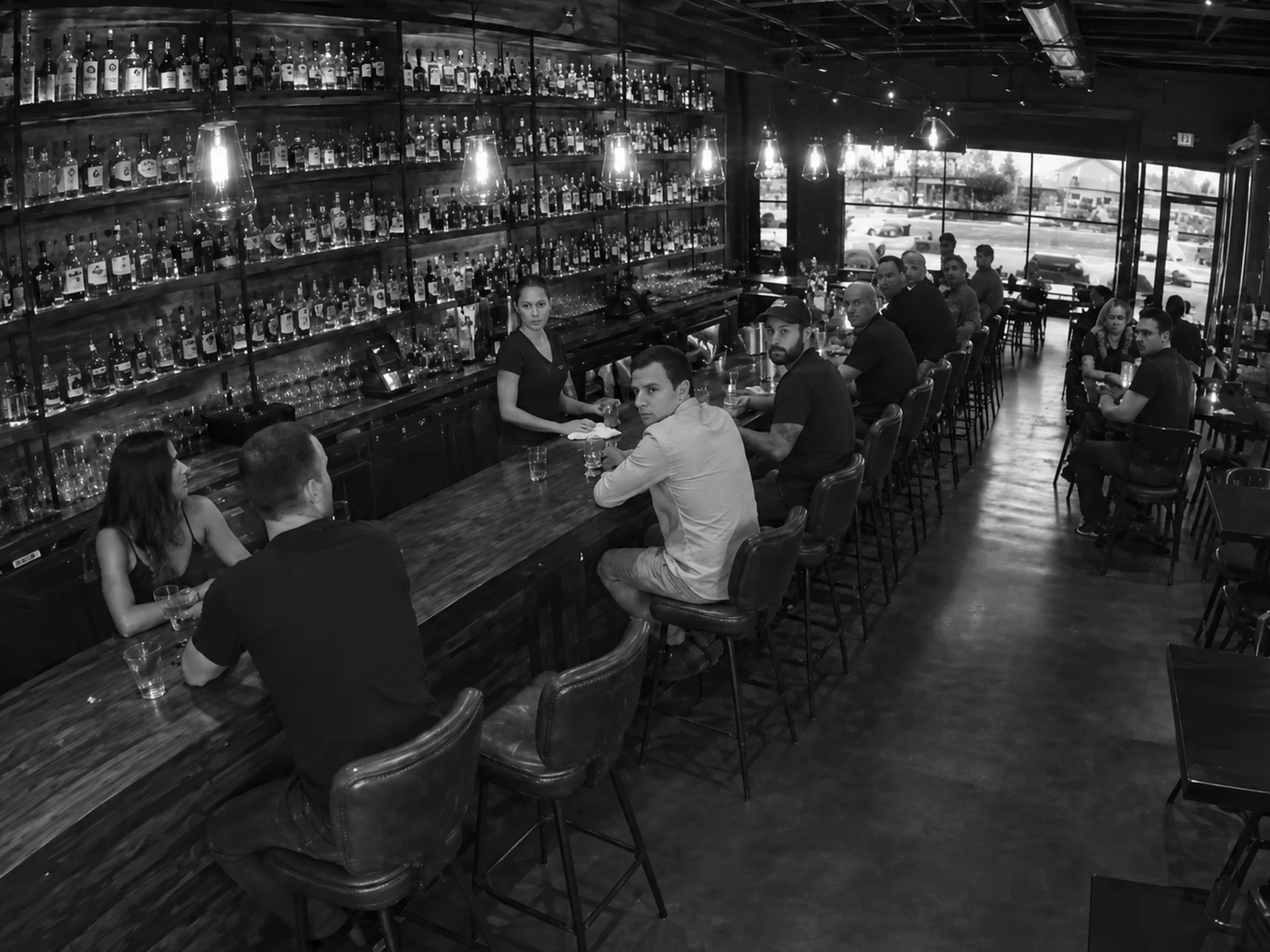
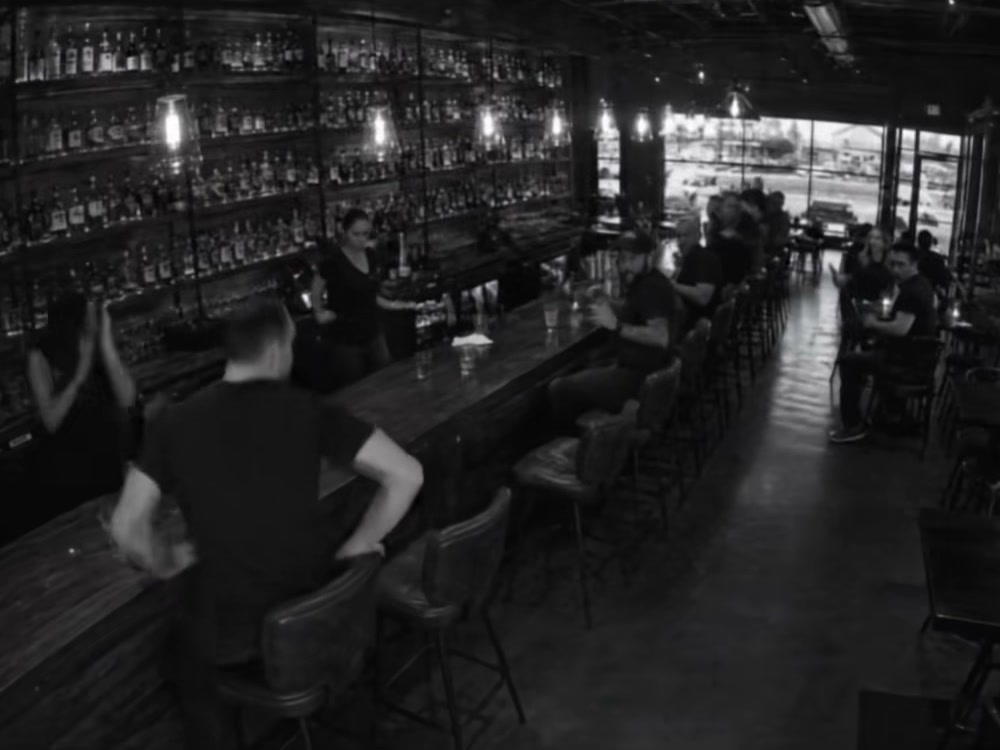
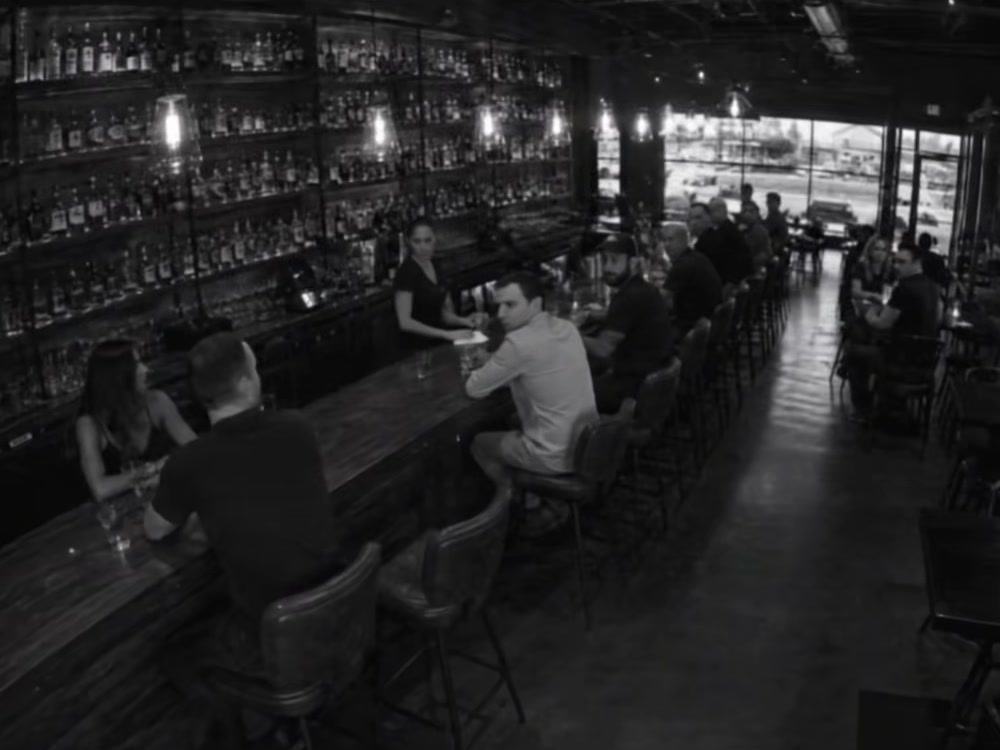
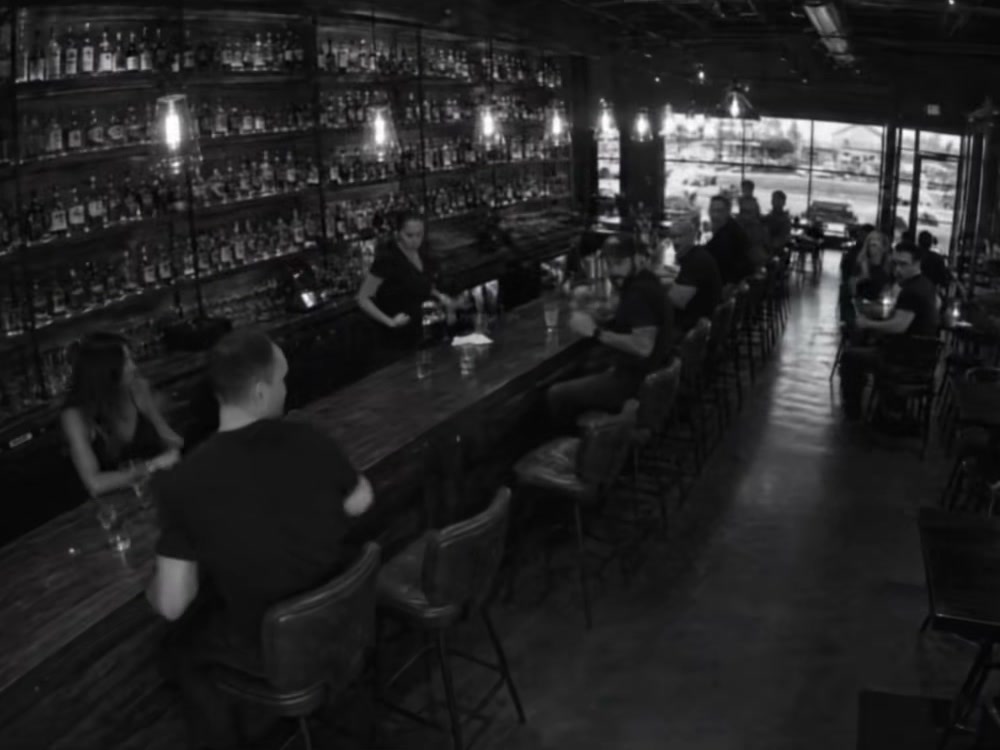
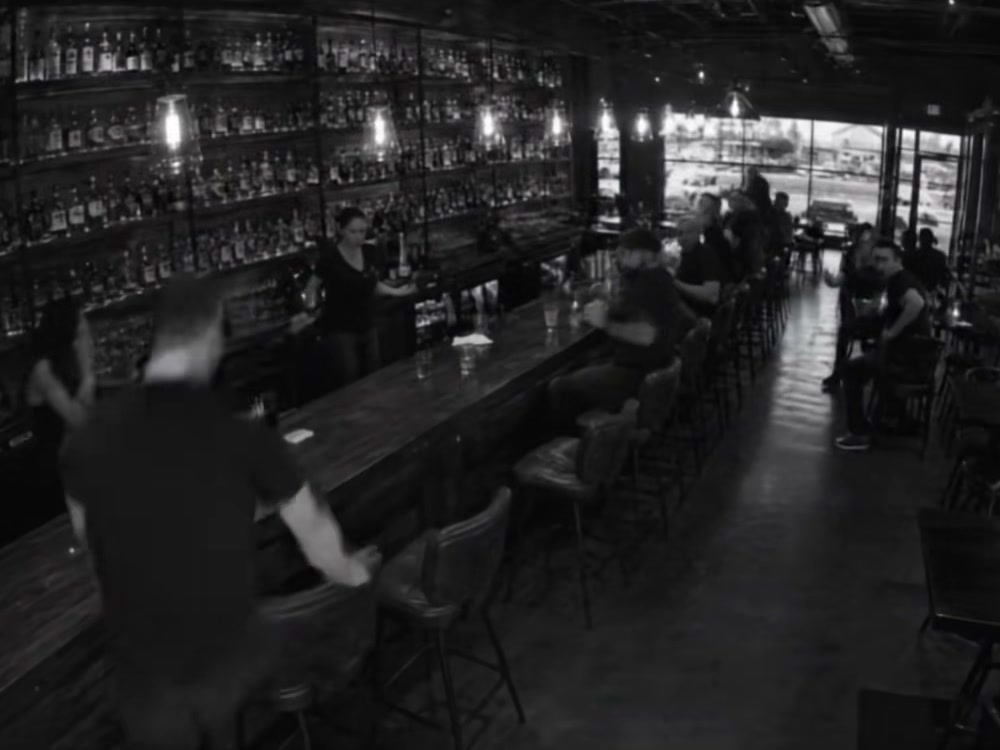
From second 0 to 5.4, you stare into the camera from your bar stool while the bartender and the man in the cap stare too. From second 5.5 to 7.4, something nobody sees yanks you off the stool as a blur that drops and fades out, leaving an empty stool from second 7.4 to 8.7, while from second 8.7 to 11 the witness at the near end of the bar stands up with his hands on his hips and from second 11 to 13 walks out of the frame in one continuous take from one fixed camera with the clip's own sound.

Seadanse edits the trend's own clip, so the one who disappears takes your face and your clothes from your photo in black-and-white, and the pub, every other person, the camera picture, the vanishing and the sound stay as in the clip. You use one photo, of you, a pet or a character, to get a 13-second 4:3 video for TikTok and Reels in 720p or 1080p, and $9.90 makes one 720p video, with no account.

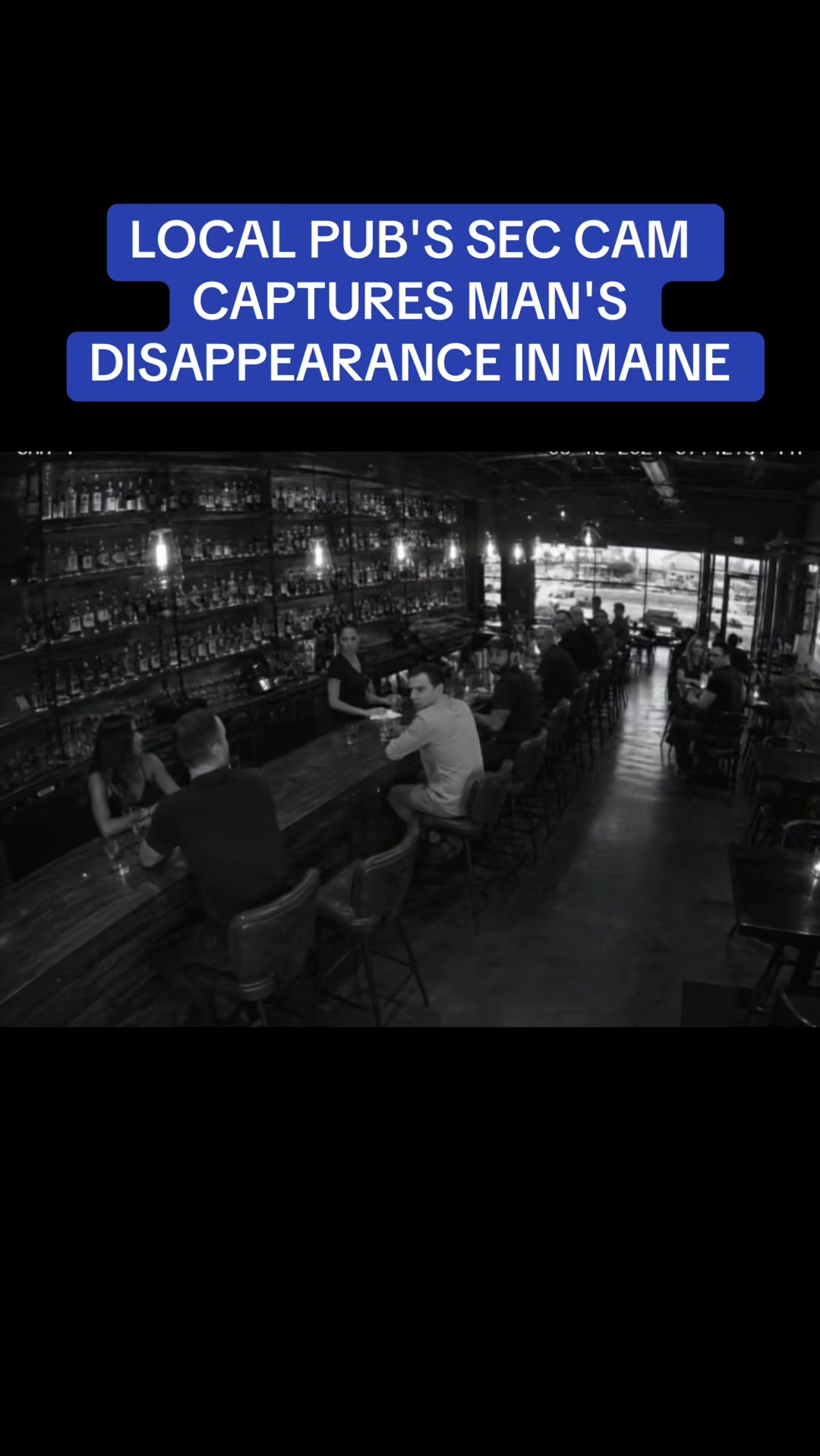
The Pub Clip Behind the AI CCTV Footage Generator

This is the clip the trend is built on, as it was posted on TikTok: a 63-second post in 9:16 with the pub's black-and-white security-camera footage under the poster's caption banner, a narrator and an eerie music-box track, then zoomed-in replays. A fixed camera high in a corner looks down a long, busy bar; the man at the middle of the bar looks back over his shoulder into the camera, something unseen yanks him off his stool, and the man at the near end stands up and walks off. It is a horror clip made to look like security-camera footage. Our AI CCTV Footage Generator edits 13 seconds of it, so you are the one who disappears, and the pub, the people, the camera and the sound stay.

What Happens in Your AI CCTV Footage Video

Your video is 13 seconds long, 4:3 and black-and-white, one continuous take from one fixed camera with the clip's own sound under it. Only the one who disappears changes: you sit on the stool, and the pub and everyone in it stay as in the clip.

PartWhat you see
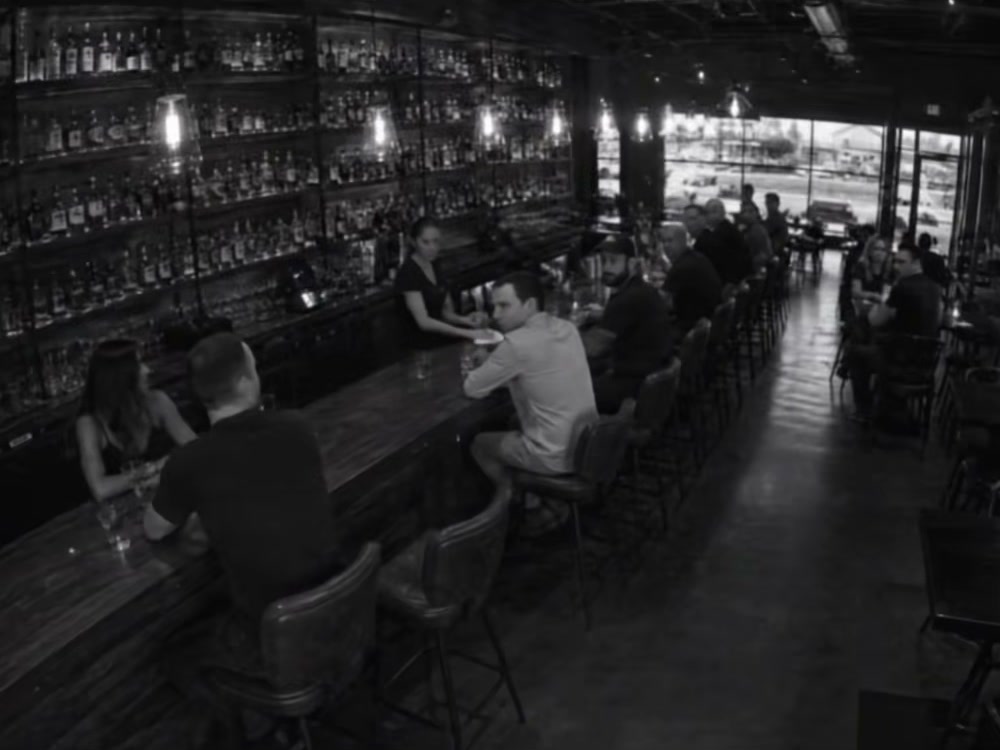
0–5.4 s · The stareYou sit on a stool at the middle of the long bar and look back over your shoulder straight into the camera, while the bartender and the man in the cap beside you stare at it too.
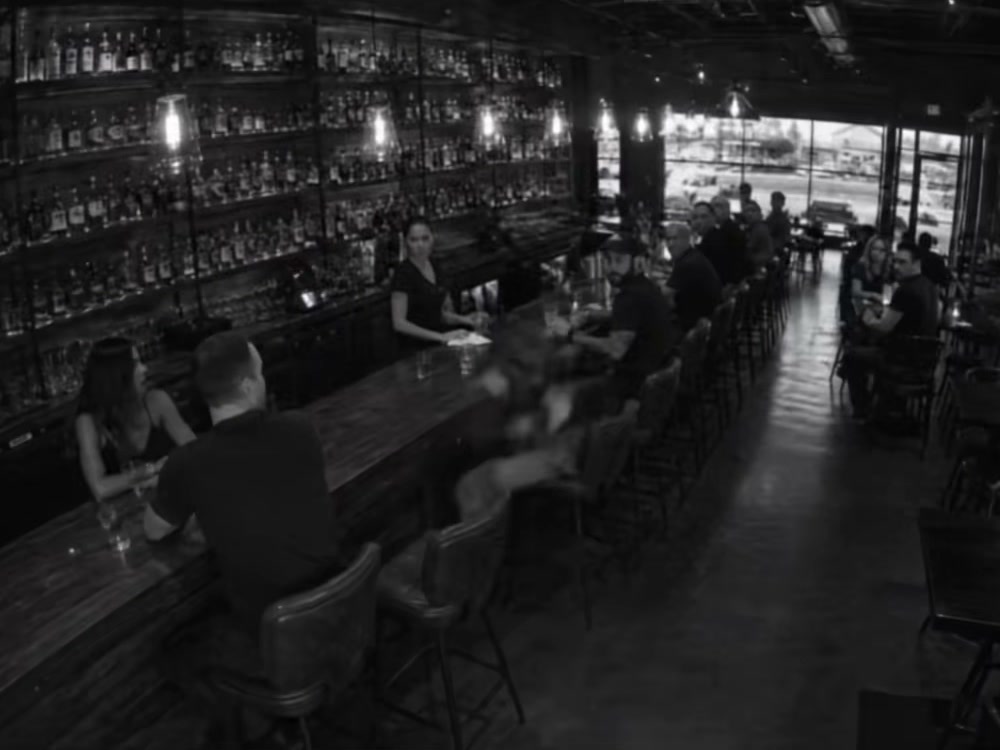
5.5–7.4 s · GoneSomething nobody sees yanks you down off the stool; your body turns into a blur, drops toward the floor and fades out.
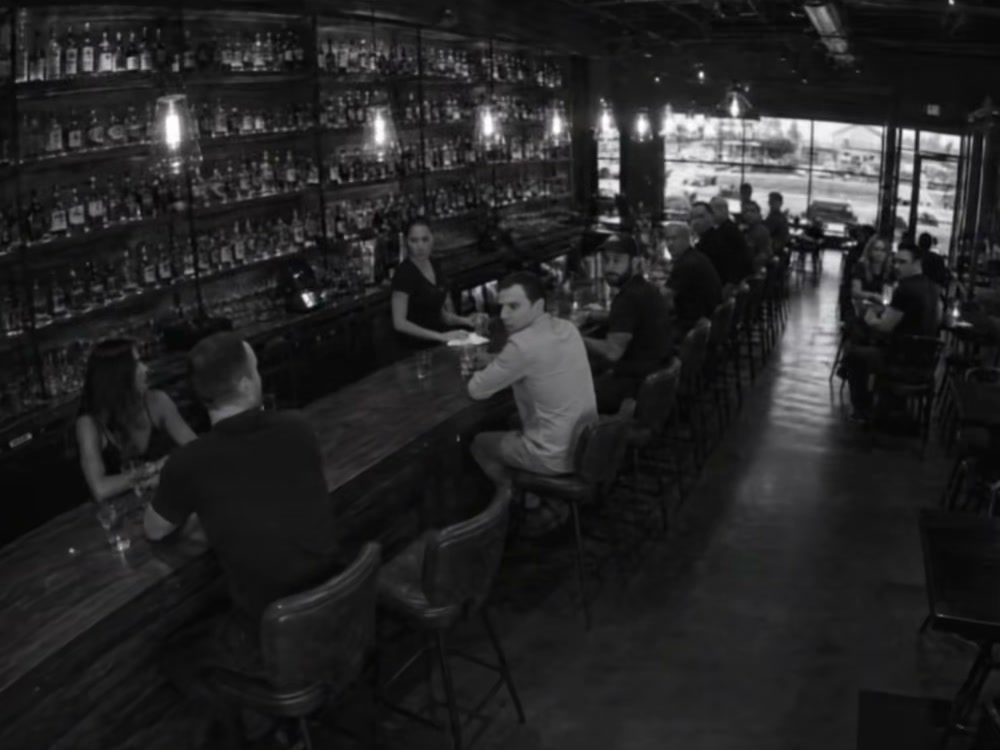
7.4–8.7 s · The empty stoolYour stool stands empty and the bar carries on as if nothing happened.
8.7–11 s · The witnessThe man at the near end of the bar gets up, puts his hands on his hips and stares at where you were.
11–13 s · He walks offHe turns and walks out of the frame at the bottom left.

Where Did AI CCTV Footage Come From?

AI CCTV footage is a horror trend of 2026: short black-and-white clips made to look like security-camera footage, in which a person disappears in front of everyone, in a pub, a cinema or a shop. The pub clip on this page went round TikTok from August and reached X in November 2026.

  1. @alien.world62 posts the pub clip shown on this page on TikTok: the man at the middle of the bar looks into the security camera and is gone from his stool. 1.2 million views by 27 November.

  2. @papoupana re-posts the pub clip on TikTok with a narrator over it: 705,400 views by 27 November.

  3. @deepwebslinger posts the pub clip on X, and the replies ask whether it is real: 351,172 views by 27 November.

  4. Asked on X whether the pub clip is real, Grok answers "No, this is not real security footage."

  5. Seadanse adds AI CCTV Footage Generator: the same 13-second pub clip from one photo, with you as the one who disappears and the clip's own sound.

AI CCTV Footage Generator Features for TikTok and Reels

Stare From the Bar Stool First

Put yourself on the bar stool with our AI CCTV Footage Generator using your face, hair and clothes from one photo in black-and-white. You look back over your shoulder straight into the camera for the first 5.4 seconds while the bartender and the man in the cap stare too.

Stare From the Bar Stool First
Blur and Fade Off the Stool

Blur and Fade Off the Stool

At 5.5 seconds something nobody sees yanks you off the stool in our AI CCTV Footage Generator. You blur, drop and fade out by 7.4 seconds, leaving your bar stool empty while the pub carries on.

Keep the Pub and Sound Intact

Watch the rest of the 13-second continuous take as our AI CCTV Footage Generator keeps the fixed black-and-white camera, the bartender, the man in the cap, the man at the near end standing at 8.7 seconds and walking off at 11, plus the eerie music-box tune with the narrator's voice over it.

Keep the Pub and Sound Intact
Ready 4:3 MP4 Clips for Posting

Ready 4:3 MP4 Clips for Posting

Get a 13-second black-and-white 4:3 MP4 with the clip's own sound in 720p at 960 x 720 pixels or 1080p at 1440 x 1080 pixels from our AI CCTV Footage Generator for TikTok and Reels. Post it with your caption in the space above the 4:3 picture on TikTok and Reels, just like the pub clip's band above the footage.

Who Uses Our AI CCTV Footage Generator for Security Camera Footage?

Trend Posters

Star in Your Own Pub Clip

Bring one selfie and our AI CCTV Footage Generator puts you on the bar stool, staring into the camera before vanishing in front of everyone. Post your 13-second black-and-white security-camera clip straight to TikTok and Reels.

Group Chats

Give Your Friends a Double Take

Upload one photo of a friend who is 18 or older and said yes, and watch them get yanked off the bar stool while the whole pub carries on. Drop the clip into your group chat with no explanation and wait for someone to ask if it happened.

Pet Owners

Put Your Pet on the Stool

Add one photo of your dog or cat to put them at the middle of the bar, staring straight into the security camera before disappearing. Leave an empty bar stool behind in a 13-second clip with the clip's own eerie sound.

Character Fans

Catch a Character on Camera

Bring one picture of a cartoon character or game character and place them on the pub's bar stool in black-and-white. Get a 4:3 security-camera clip in which they stare at the lens and vanish while the bar stays busy.

How to Make Your Video with Our AI CCTV Footage Generator

  1. Step 1

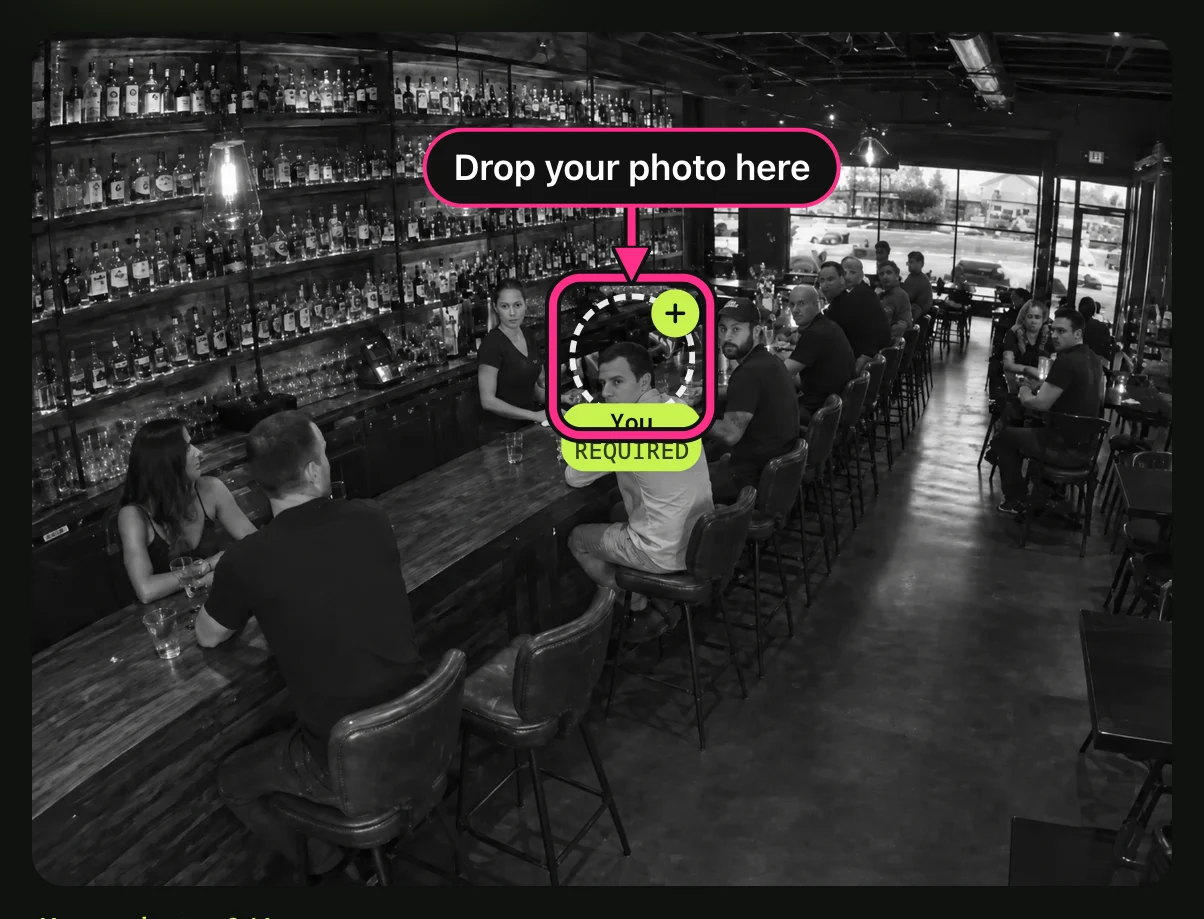
    Add Your Photo on the Pin

    Tap the round circle or drop your photo onto the black-and-white still from second 4.2 of the clip, where the pin at the middle of the bar reads "You" and "Required". This is the only photo needed, and your face, hair and clothes come from it in black-and-white.

    Black-and-white pub still from second 4.2 with a round pin labelled You and Required on the bar stool
  2. Step 2

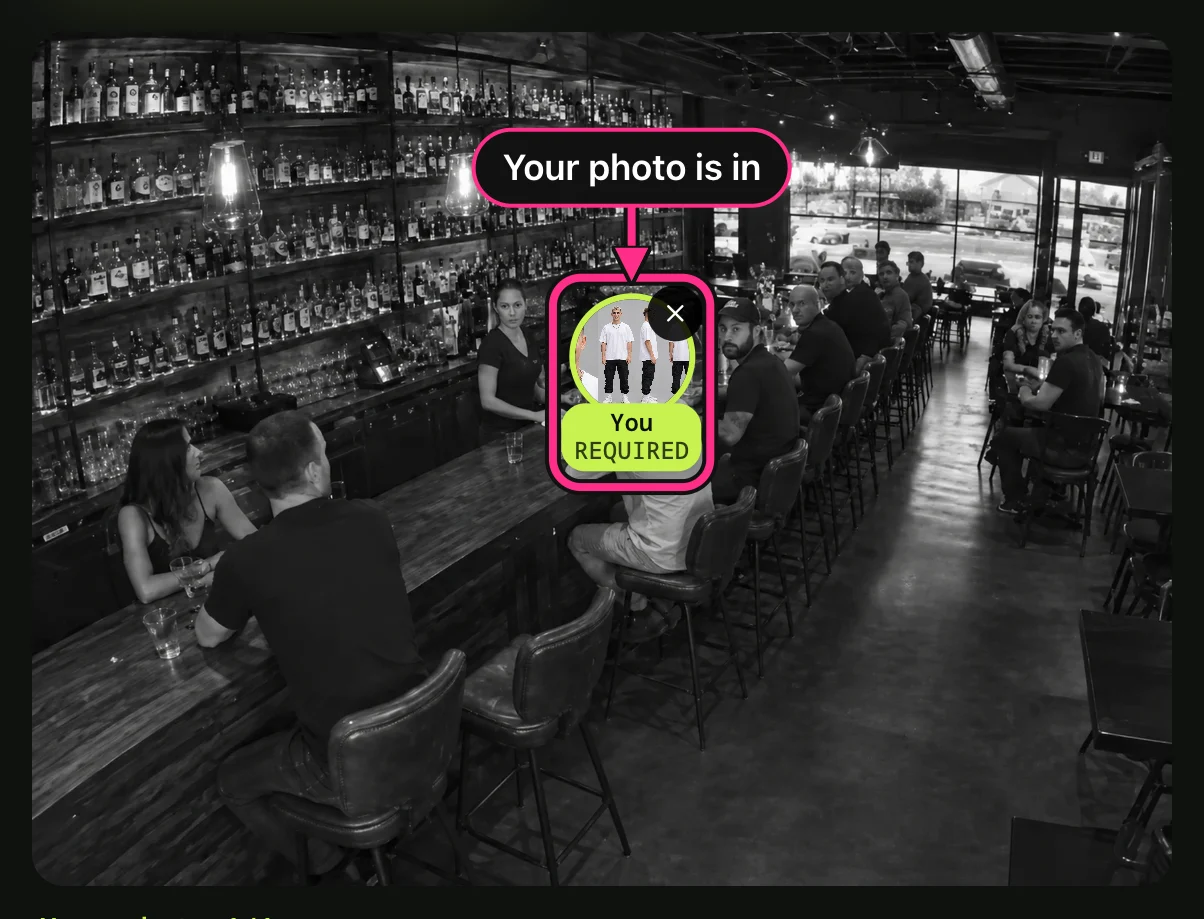
    Tick the Consent Box

    Tick the box under the photo that reads "I have the right to use this photo, and any person in it is 18 or older." You type nothing because the pub, the people, the fixed camera and the clip's own sound are built in.

    Photo stage showing the consent box below the bar still with the You pin
  3. Step 3

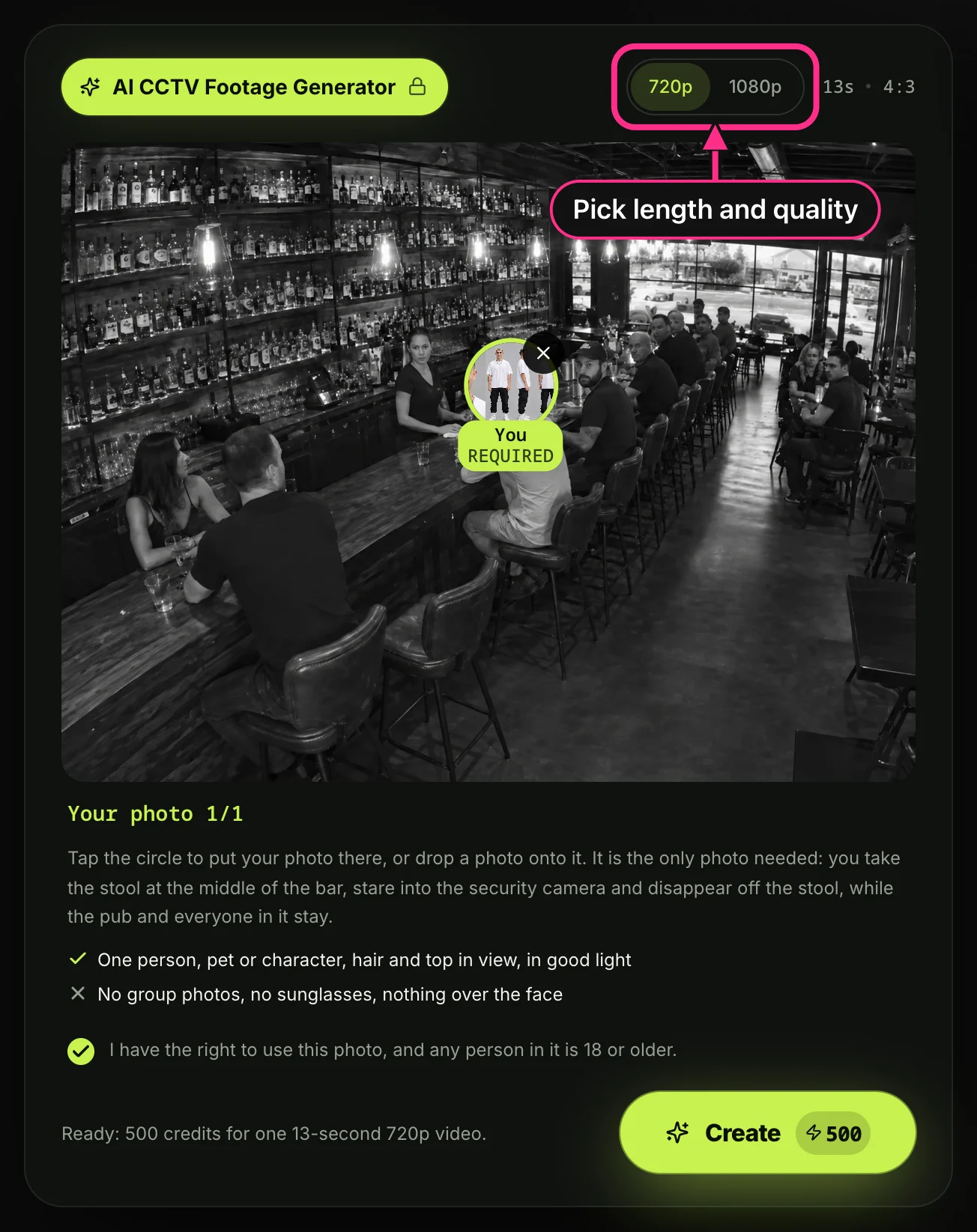
    Pick 720p or 1080p Quality

    Keep the 13-second length and pick 720p (HD), which uses 500 credits and is where the generator opens, or pick 1080p (Full HD), which uses 1,480 credits. Both make a 4:3 video with the clip's own sound.

    Quality controls showing 13 seconds, 720p at 500 credits and 1080p at 1,480 credits
  4. Step 4

    Press Create and Download MP4

    Press "Create · $9.90" and pay once for the 500-credit pack with no account, and the screen shows "Payment received. Your video has started." Your video renders on this page and lands in My videos, where Download saves the 13-second 4:3 MP4 with the clip's own sound to post on TikTok and Reels or send to your group chat.

    Create button reading Create · $9.90 above My videos with a Download button

Which Photo Works Best for the AI CCTV Footage Generator?

  • One subject per photo: Pick a photo with one person 18 or older, one pet or one character in it, so the video knows who sits on the stool.
  • Waist up or head to toe: The camera sees you from high in a corner, seated and looking back over your shoulder, so a waist-up or full-body photo with your hair and top in view gives the video the most to work with.
  • Face front-on and clear: Looking at the camera with eyes open and nothing over the face: no sunglasses, no hand, no hair across it.
  • Big enough: The photo should be at least 512 pixels on its short side, in good light.
  • Shape over colour: Your video is black-and-white, so the shape of your hair and of what you wear, such as a hood, a cap or long hair, reads more than its colour.
  • Pets and characters: A dog, a cat or a cartoon or game character works too: pick a picture with its head and body in frame.

Is the Disappearance on the Pub Security Camera Real?

No, the disappearance on the pub security camera is not real, and it is not real security footage. Asked on X on 27 November 2026, Grok answered "No, this is not real security footage" and called it "fabricated content for views." The X post of the pub clip from 26 November 2026 had 351,172 views on 27 November 2026. The pub clip on TikTok at the top of this page was posted on 16 August 2026 and had 1.2 million views on 27 November 2026. Our AI CCTV Footage Generator edits that same clip, so you are the one who disappears and the pub, the people, the camera and the sound stay.

What Makes AI CCTV Footage Look Like a Real Security Camera?

One camera fixed high in a corner films one continuous 13-second take, looking down, never moving and never zooming, so your security-camera clip has that look. A wide-angle view takes in the whole long bar, from the near end to the street window at the back. A soft black-and-white picture runs for one continuous take of 13 seconds with no cuts. The people in the room look up at the camera, as the bartender and the man in the cap do, and the man at the near end gets up to stare at the empty stool. Your video keeps every one of these, and only the one who disappears changes.

Will AI CCTV Footage From This Page Fit TikTok and Reels?

Yes. Your video comes out in 4:3, the frame of the security camera in the trend's clip, for 13 seconds as an MP4 with the clip's own sound. TikTok video specs recommend 9:16 video of at least 540 × 960 pixels and also list 16:9 and square 1:1 video. Meta Reels specs set Reels ads at 9:16 at 1440 × 2560 pixels. TikTok and Reels play a 4:3 video in the middle of the 9:16 screen with space above and below it, so type your caption into the space above the picture, the way the trend's pub clip on TikTok carries its caption in a band above the security-camera footage.

VideoFrameSize
Your video in 720p4:3960 × 720 pixels
Your video in 1080p4:31440 × 1080 pixels
TikTok's recommended video9:16at least 540 × 960 pixels
Reels9:161440 × 2560 pixels

Make One 13-Second AI CCTV Footage Video in 720p for $9.90

One $9.90 credit pack of 500 credits makes one 13-second 720p video on our AI CCTV Footage Generator, and a 1080p video uses 1,480 credits. You pay once with no subscription and no account, the price shows on the Create button before you pay, your credits stay valid for 12 months, and a render that fails returns its credits automatically. See every credit pack on Seadanse pricing.

AI CCTV Footage Generator FAQ

Who is in my AI CCTV footage video?

You are the one who disappears in your AI CCTV footage. Your face, hair and clothes come from your photo in black-and-white, while the pub, every other person in it, the fixed security camera, the vanishing and the clip's own sound stay as in the clip. You get to watch yourself stare into the camera and vanish right in front of the pub.

Does my video have sound?

Yes. The clip's own sound, an eerie music-box tune with the narrator's voice over it, plays under the whole 13 seconds of your video. Our AI CCTV Footage Generator keeps that sound built in so your clip feels ready to post.

Can my dog or cat be the one who disappears?

Yes. One photo of your pet puts it on the bar stool, staring into the camera until it vanishes, and you, anyone 18 or older who said yes, or a cartoon or game character work too. Turn your pet into the one who disappears and watch the whole pub react.

Do I disappear in my own clothes?

Yes. Your clothes come from your photo and show in black-and-white like the rest of the security-camera picture, so you vanish in whatever you wear in it. Pick a photo you like and let our AI CCTV Footage Generator put you right on the bar stool.

Is the AI CCTV Footage Generator free? How much does it cost?

The $9.90 credit pack of 500 credits makes one 13-second 720p video, and a 1080p video uses 1,480 credits. Credit packs are a one-time payment with no subscription, credits stay valid for 12 months, you buy with no account, sign-up is free with no card and adds 40 starter credits, the price shows on the Create button before you pay, and a render that fails returns its credits automatically. The Seadanse pricing page lists every credit pack so you can pick what fits your next clip.

Do I need a prompt or an app?

No. The pub, the people, the fixed black-and-white camera and the clip's own sound are built into our AI CCTV Footage Generator, and you add one photo of the one who disappears. It runs in your web browser on a phone, tablet or computer, and your video starts right on this page with no account.

Can I type my own scene or put the camera in my own room?

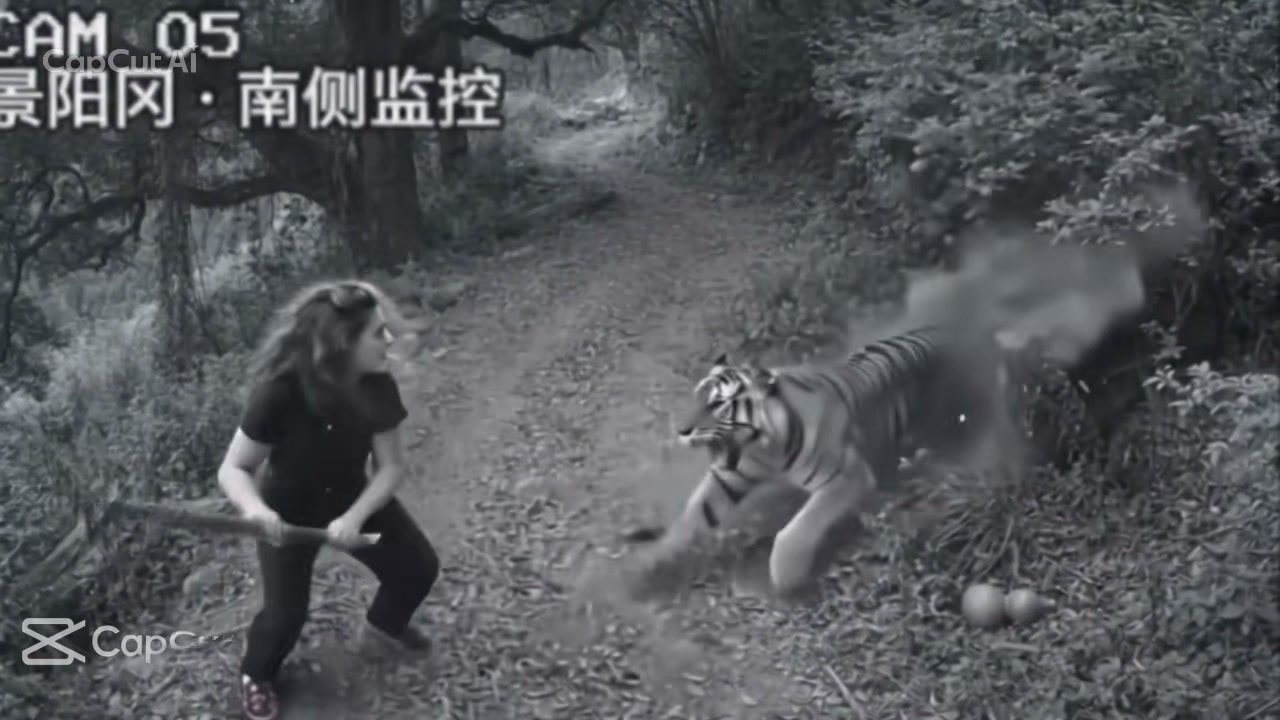
No. The AI CCTV Footage Generator makes this pub security-camera clip from one photo, with nothing to type; for security-camera footage of your own room, Santa Caught on Camera AI turns one photo of your living room or front door into a 10-second clip; for another black-and-white security-camera clip with you in it, Tiger Fight AI puts you on a forest path with a tiger. Try our AI CCTV Footage Generator for the pub vanishing clip or pick one of those effects when you want a different scene.

Do my photos stay private?

Yes. Your photo and your finished video stay in your own Seadanse account until you delete them, and Seadanse sells no one's personal information. You can create with confidence and share your clip whenever you want.

Guides for AI CCTV Footage Generator

Articles written for this model: how to prompt it, where it runs and what its limits are.

All articles

Try Our AI CCTV Footage Generator on the Bar Stool Today

You walk away with a 13-second black-and-white 4:3 video for TikTok and Reels with the clip's own sound, where $9.90 makes one 720p video with no subscription and no account.